-
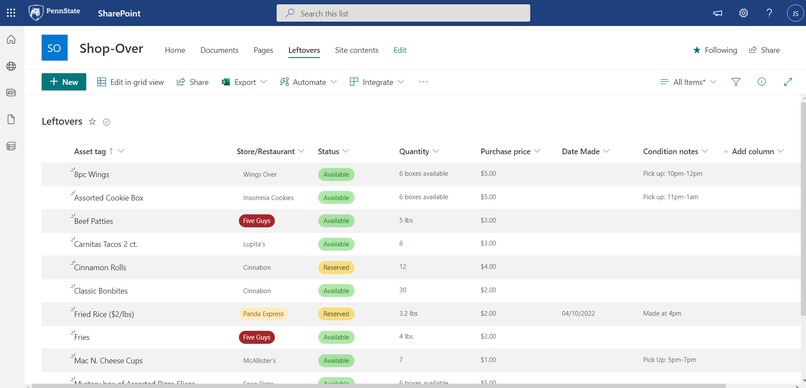
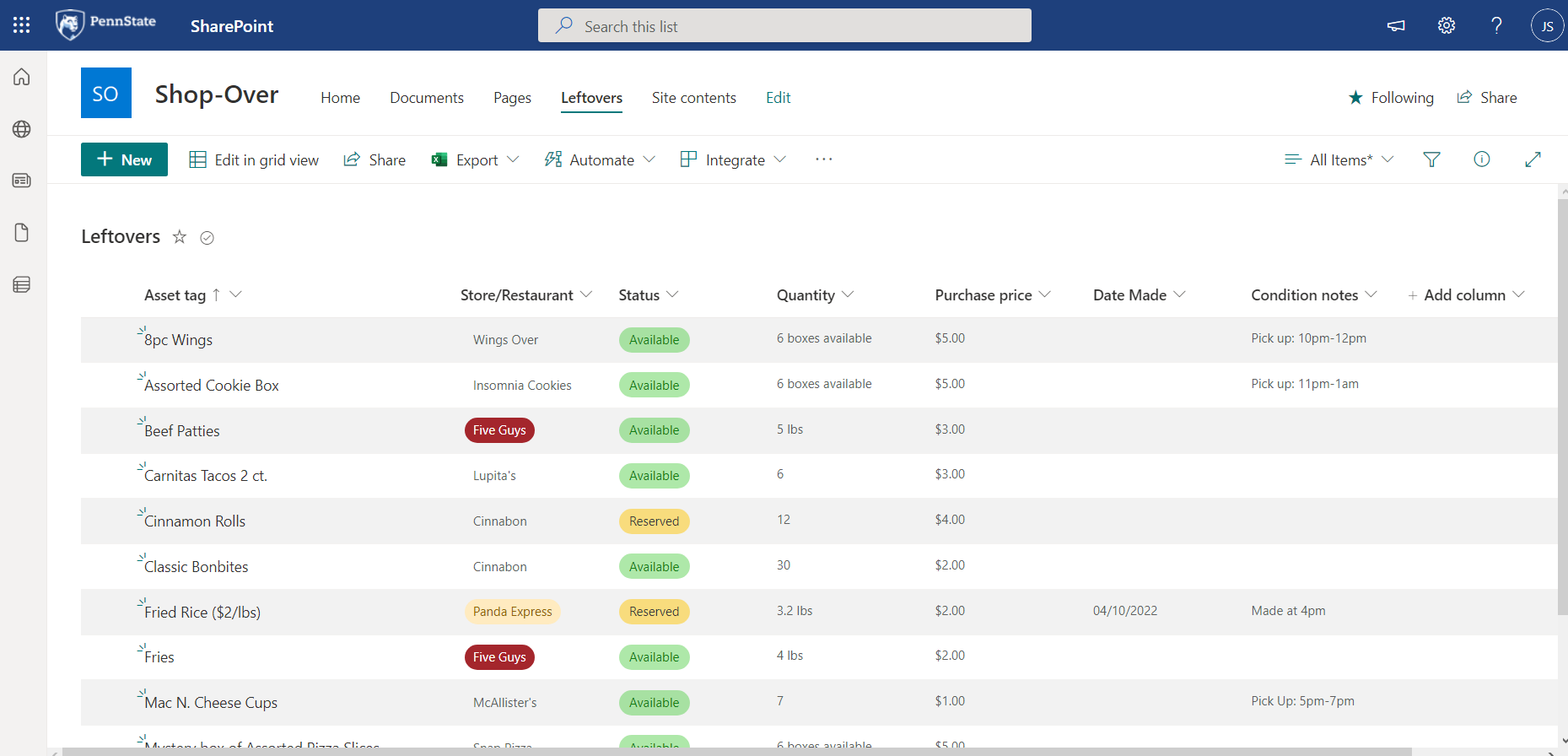
Our SharePoint mock dataset/list integrated into the PowerApp
-
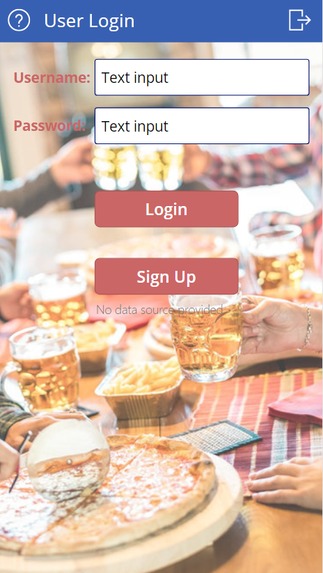
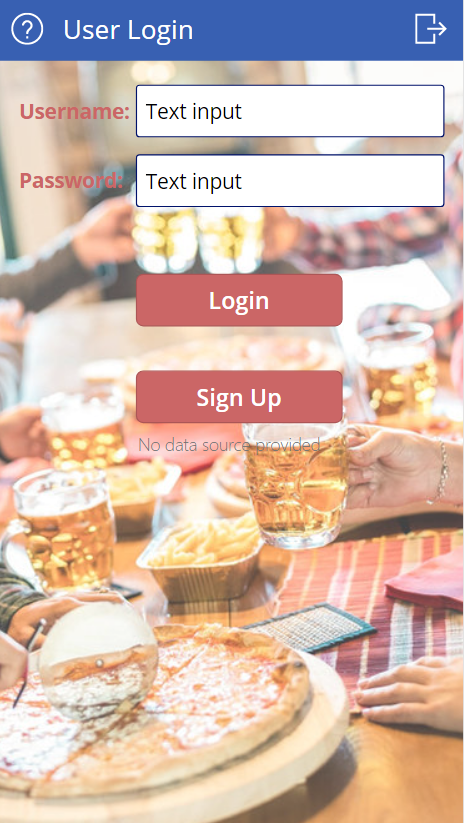
Login screen for app
-
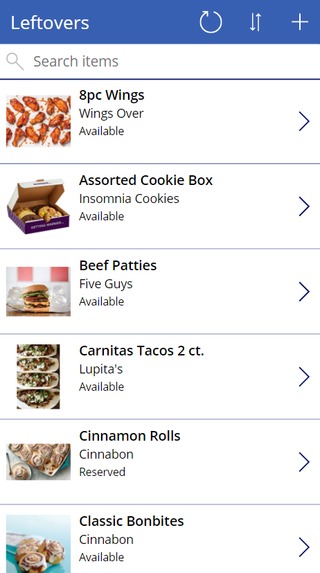
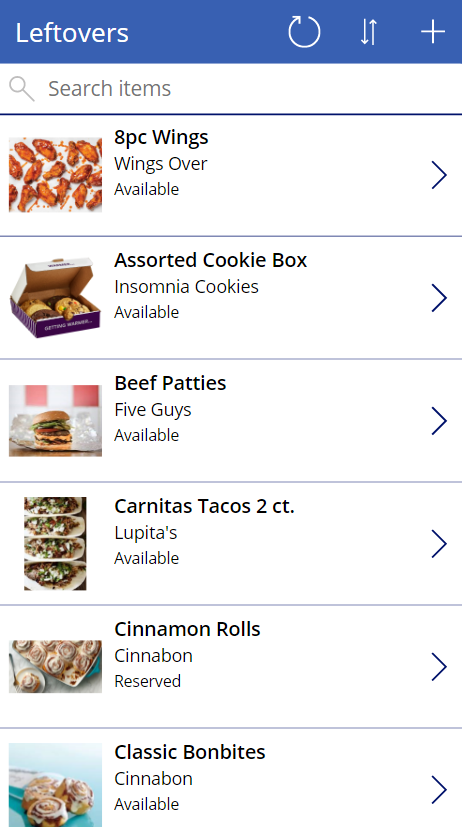
Main app screen for selecting food
-
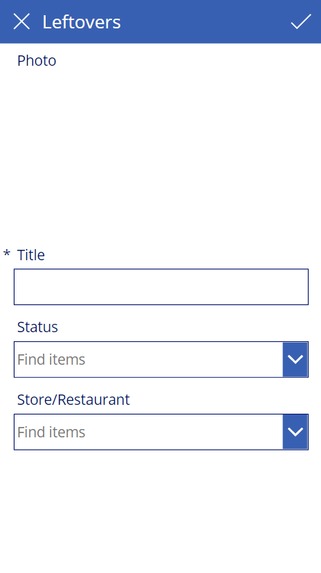
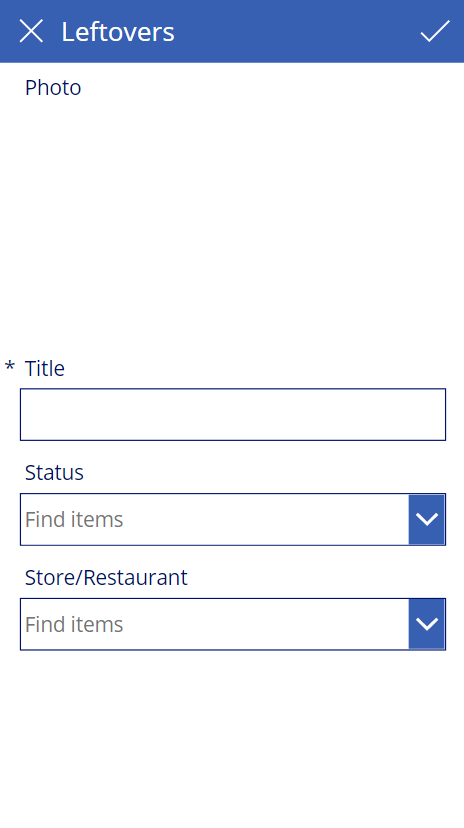
Add a product section for business owners
-
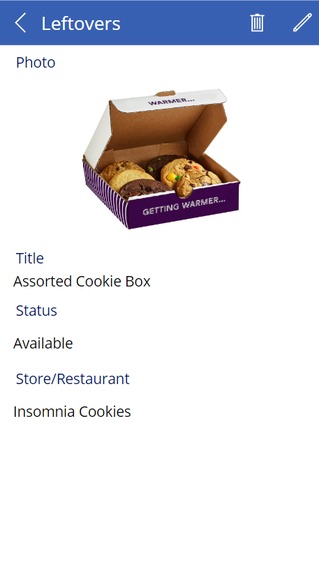
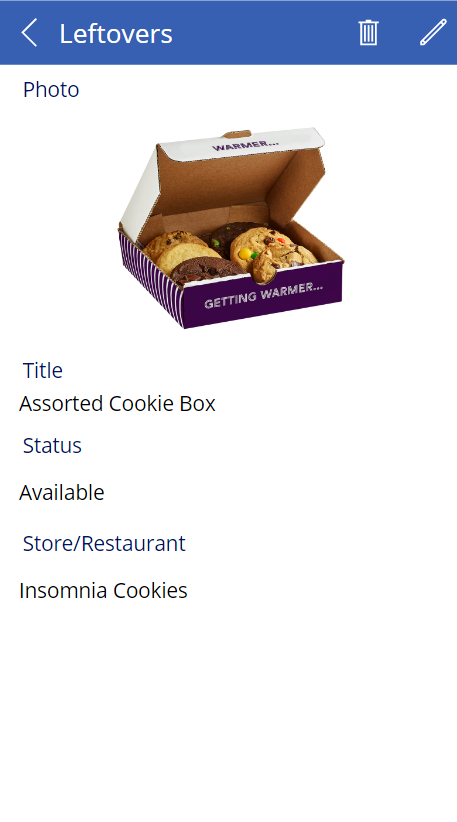
Details section for leftover food
-
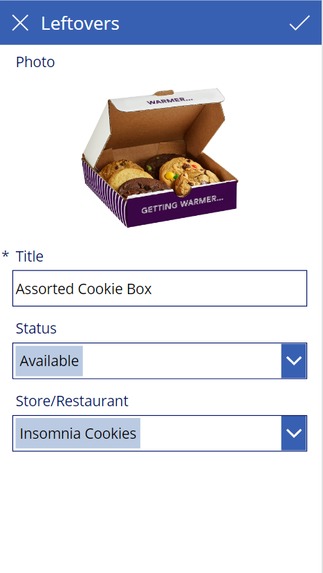
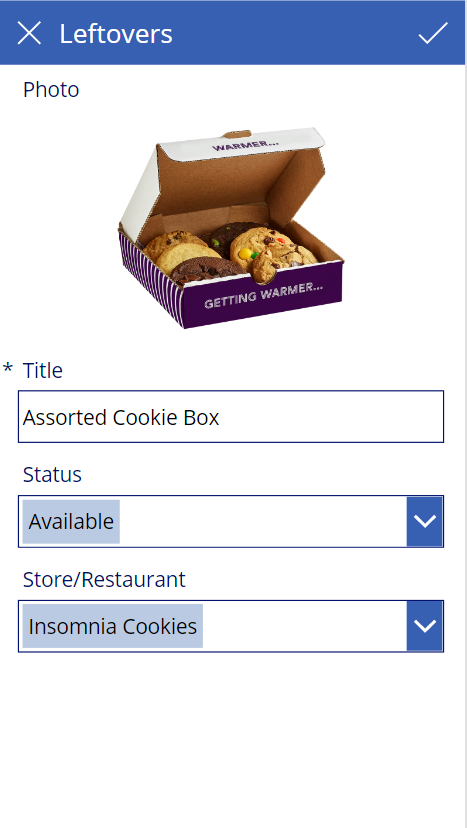
Editing section for owners and their product
Inspiration
Waste not, want not. I'm sure you've heard that saying thrown around before. In a world where consumerism is a cornerstone of living, there's bound to be some excess product here and there. The food industry is primary culprit of this wasteful practice, with over 30% of the national food supply being wasted every year (USDA)... we wanted to make a mobile app where students can help combat this food supply wastage and also get things at a discounted rate and in doing so, helping themselves, the environment, and the businesses. With this businesses would be able to support student life and their own business by potentially making a profit on goods/food they would otherwise throw away, thus reducing waste even further.
What it does
Shop-Over is a business to consumer application that allows Penn State students to view product that a restaurant or store owner or business in general, would normally throw out at the end of day because it didn't sell and due to regulations they cannot sell it the next day, even though it is perfectly edible.
How we built it:
We utilized the Microsoft 365 suite programs, SharePoint and Power Apps to construct a simple but usable demo app. Power apps enabled us to create Shop-Over, which shows the basic user experience and gives the tester an idea of how this program might be implemented on a larger scale. We used SharePoint to create a set of mock data entries then linked them to Power Apps, which allowed us to develop the UX, and customize a simple but practical UI.
Challenges we ran into:
Both programs are fairly easy to use, but difficult to master, and the learning process alone was a challenge, as neither of us had much experience with PowerApps. The research alone on figuring out how to get everything setup and started was a good amount of our time.
Accomplishments that we're proud of
Figuring out how to create a backend data connection, by creating and connecting through SharePoint. Using PowerApps to create a UI based off of our imported data. Tackling an issue with exigence and making it a win-win for both sides.
What we learned
According to Gerson from Time magazine, a mix of federal, state and local laws make it almost impossible to get food that would otherwise be wasted to those who could use it. If you donate food to someone and they get sick or even die, then you could be legally liable for their injury. With this app, owners would be able to notify people and share what they have left before the end of day so they won’t be liable for their injury and selling after-close products. We also learned how to utilize and navigate Microsoft 365 Suite apps: PowerApps and SharePoint for the first time and create a mobile app with a connected backend for data updates (SharePoint and lists) and design an app in accordance with what would make sense with our data (PowerApps).
What's next for Shop-Over
Our goal for Shop-Over is to implement a two sided, customer to business market app, where business owners will be able to post the quantity of excess products available and the price per product. Our current demo template shows the UI that Students would navigate through to see the available options. What we still have to create are separate logins for the customer and businesses. Each respective login will have different functions, the customer side only allows the products to be viewed and purchased, while the businesses side allows owners/managers to post their available options for the end of each day and edit their postings. Therefore, we want to work towards creating an app that will read the lists that the businesses input daily, and auto-refresh the new products for sale on the customer side as well. Changing the app to make it more internal to the company to collect data on their “would-be” food waste, seeing how much food they would be wasting. Then they could use that data for making changes on their supply and inventory levels.
Built With
- powerapps
- sharepoint


Log in or sign up for Devpost to join the conversation.