Inspiration
Every tax time I do the same thing: scroll back through a year of photos looking for receipts, then dig through Downloads for the invoices that were emailed instead. Half the shoebox is on my phone's camera roll, the other half is PDFs. No single app sees both, and the tools that could read them all want me to upload my financial documents to someone else's cloud.
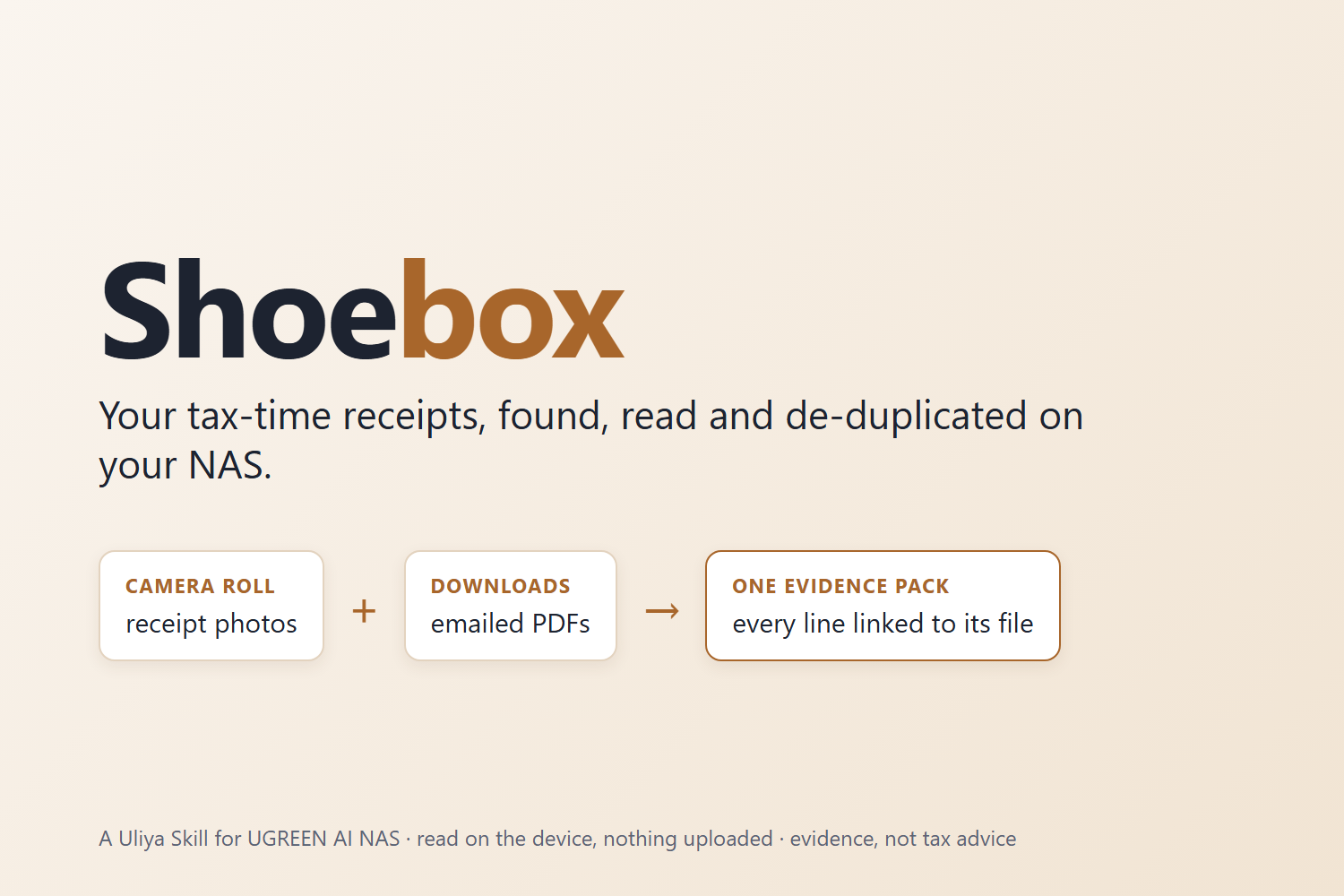
A home NAS already holds both halves. The UGREEN AI NAS can also read them on the device, with photo OCR, document extraction and a vision model, so nothing has to leave the house. Shoebox is the Skill that puts those pieces together.
I'd built a car logbook for tax records before (Odobook, a separate project), and it taught me one rule I kept here: keep the evidence, don't give tax advice.
What it does
You say "gather my receipts for the 2025–26 tax year". Shoebox:
- Confirms the dates (1 July 2025 to 30 June 2026 for Australia; it knows NZ, UK and US years too).
- Finds candidates in both places: documents in your home folder and any folders you name, and receipt photos in your photo library, matched by the words printed on them (TAX INVOICE, GST, VAT, TOTAL…).
- Reads every receipt on the NAS: merchant, date, total, tax and currency. A field that isn't legible stays missing; it is never guessed.
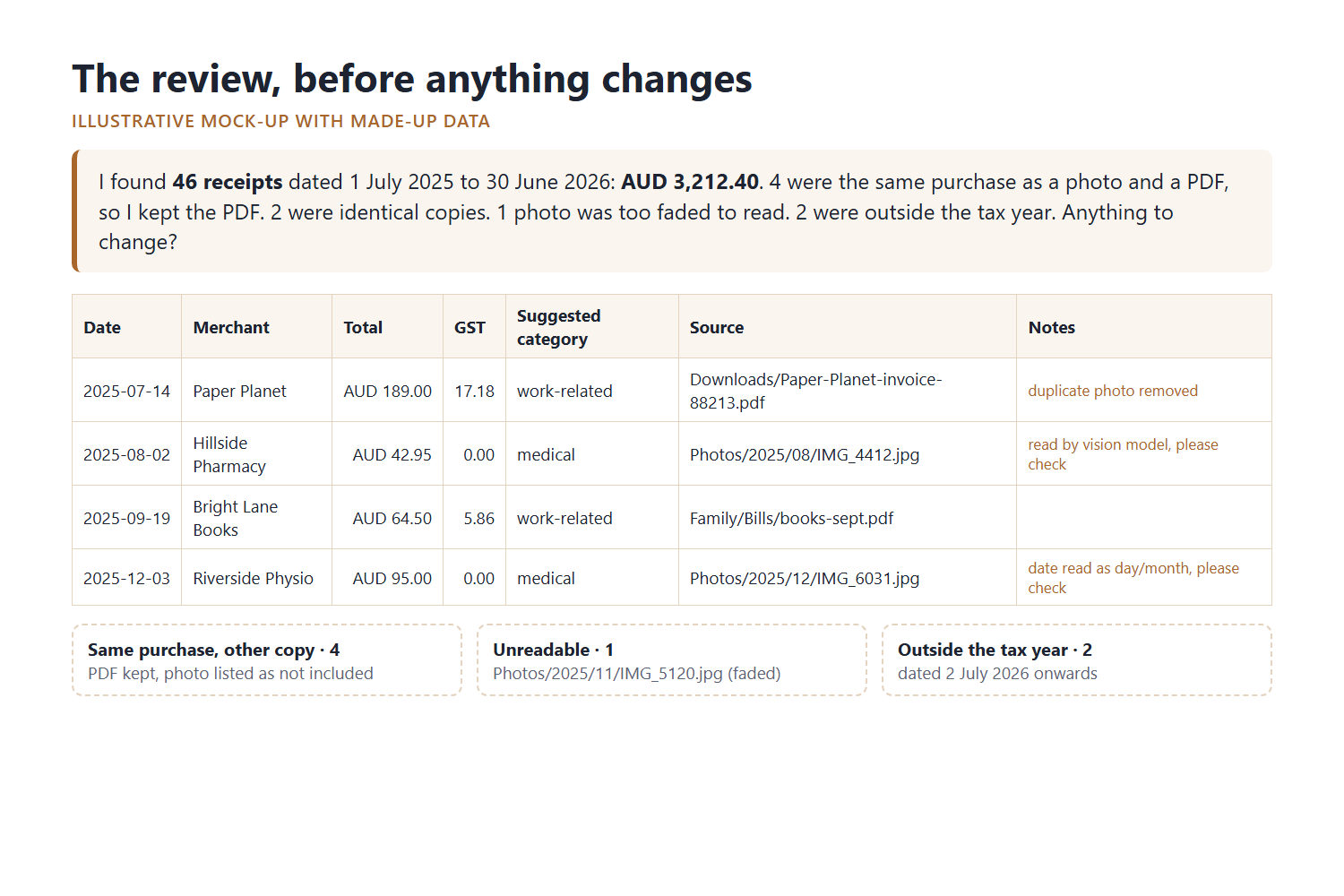
- Catches the same purchase captured twice. Byte-identical copies go first, then the interesting case: a phone photo of a till receipt and the emailed PDF of the same purchase, matched on merchant, amount and date. It keeps the PDF and lists the photo as its duplicate.
- Shows a review table: totals per suggested category and per currency, plus everything it left out and why (duplicates, unreadable, outside the tax year).
- With your yes and the platform's approval: tags each evidence file
Tax 2025-26, copies (never moves) them into one pack folder, and saves a Markdown summary for your accountant where every line points to its source file.
Afterwards you can ask the pack questions: "How much did I spend at the chemist?" Every answer names its files.
How we built it
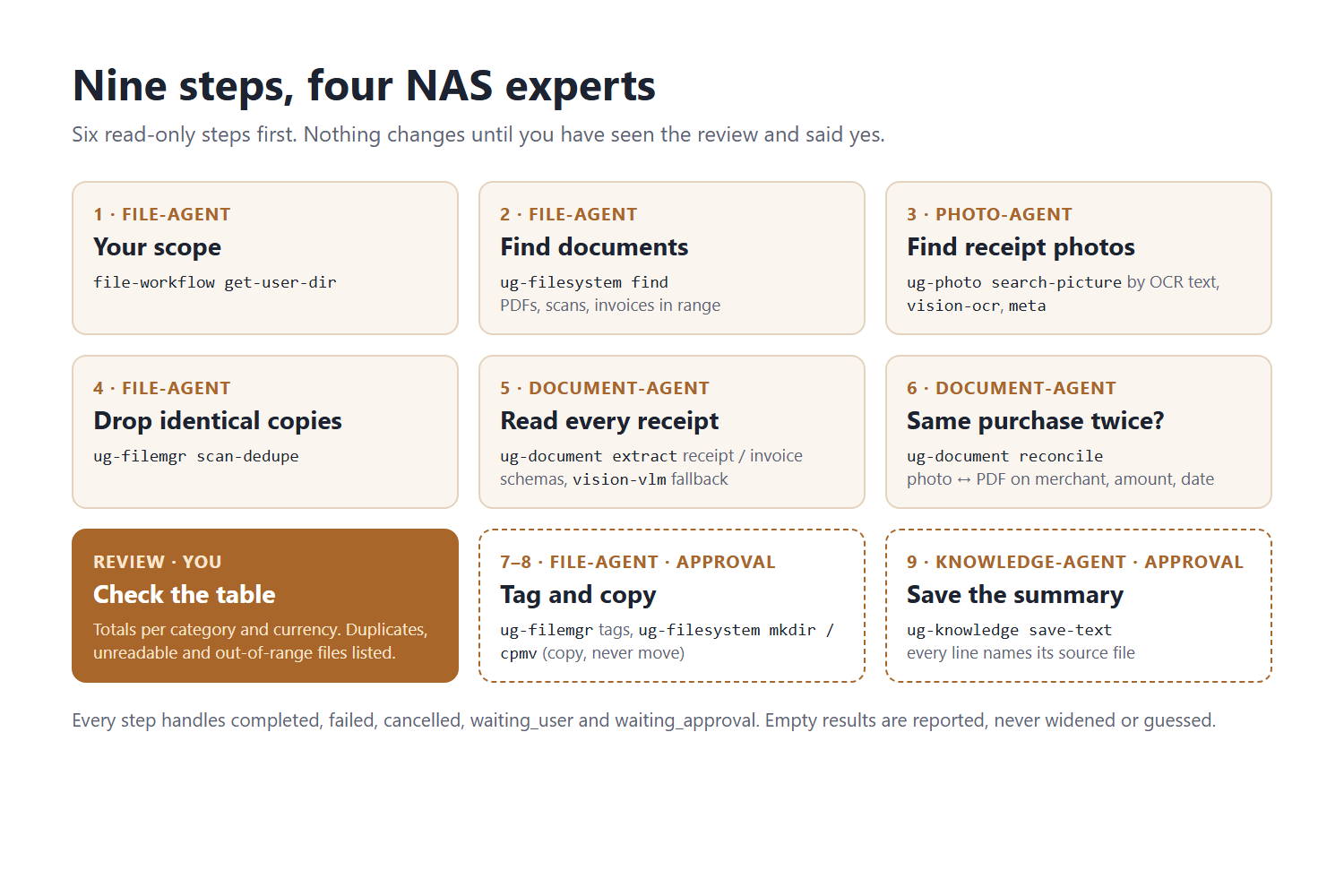
Shoebox is a Uliya orchestration Skill: one SKILL.md and five linked Markdown references, with no code. It delegates to four of the NAS's registered experts:
| Step | Expert | Capability |
|---|---|---|
| Scope | file-agent | file-workflow get-user-dir |
| Documents | file-agent | ug-filesystem find |
| Receipt photos | photo-agent | ug-photo search-picture, vision-ocr, meta |
| Identical copies | file-agent | ug-filemgr scan-dedupe |
| Reading | document-agent | ug-document extract (receipt and invoice schemas) |
| Unreadable photos | photo-agent | ug-photo vision-vlm (fallback) |
| Same purchase twice | document-agent | ug-document reconcile |
| Tag, copy, save | file-agent, knowledge-agent | ug-filemgr tags, ug-filesystem mkdir/cpmv, ug-knowledge save-text |
Design decisions:
- Six read-only steps before any change. Nothing on the NAS is touched until you've seen the review table.
- Only completed results flow downstream. Each delegation passes real paths and records from the step before, never examples or guesses. If a value isn't available, the step isn't sent.
- All five delegation states handled (
completed,failed,cancelled,waiting_user,waiting_approval), step by step, including empty and partial results. A declined approval still leaves you with the read-only table. - Money stays in its own currency. No conversion, no combined total across currencies.
I used the official UGREEN Uliya Skill Kit's capability catalog to choose every capability, and its checker to validate the package: static pass, 0 errors, 0 warnings. I used Claude Code as a pair programmer to read the kit, draft the text and run the checker.
Challenges we ran into
- No NAS in Round 1. I had to design for what I couldn't test. The biggest unknown is whether
ug-document extractaccepts photos as well as PDFs, so there's a designed fallback: photos it can't read go to the vision model, and those lines are flagged please check. - The checker is stricter than the template. The kit's own Skill template uses a section heading the checker rejects, and delegate instructions can't contain apostrophes, double-dash flags or angle-bracket placeholders. I read the checker's rules and wrote to them.
- Dates lie in two ways. 12/03/2026 is March in Australia and December in the US, and invoices are often downloaded weeks after the purchase. Shoebox follows the tax system's convention and flags ambiguous dates. It also searches files modified up to 90 days after the year ends, then reports anything with a purchase date outside the year instead of counting it.
- Not giving advice. It's tempting to say "this is deductible". Shoebox never does. Categories are suggestions you confirm.
What we learned
The interesting part of a NAS skill isn't any single capability; it's the join between them. Photo OCR, document extraction and reconciliation are each ordinary. Together, on a device that already holds both your camera roll and your downloads, they solve a problem no single app can, without uploading anything.
What's next for Shoebox
If Shoebox is selected for the final round: a synthetic test set of 30 fake receipts with an answer key (including a photo and PDF pair, a faded thermal receipt and one dated just after the tax year), a full run on the iDX6011 Pro, and a demo showing the photo and the PDF collapsing into one line.
Built With
- file-workflow
- markdown
- ug-document
- ug-filemgr
- ug-filesystem
- ug-knowledge
- ug-photo
- ugos
- ugreen-ai-nas
- uliya
- uliya-skill-kit
