-
-
Shoppy Mascot
-

Shopping Item
-

🛍️ Sho ify - VR Shopping Experience
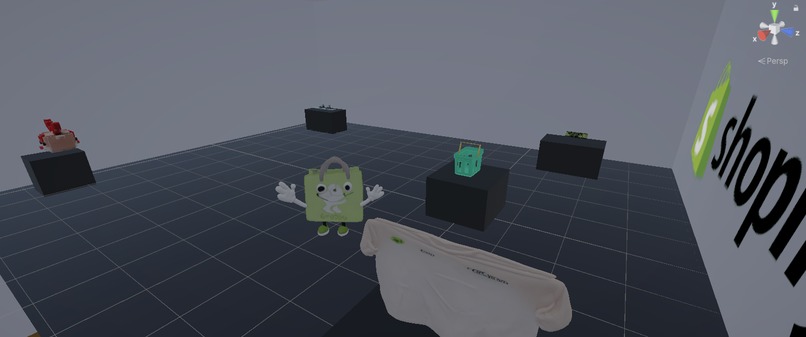
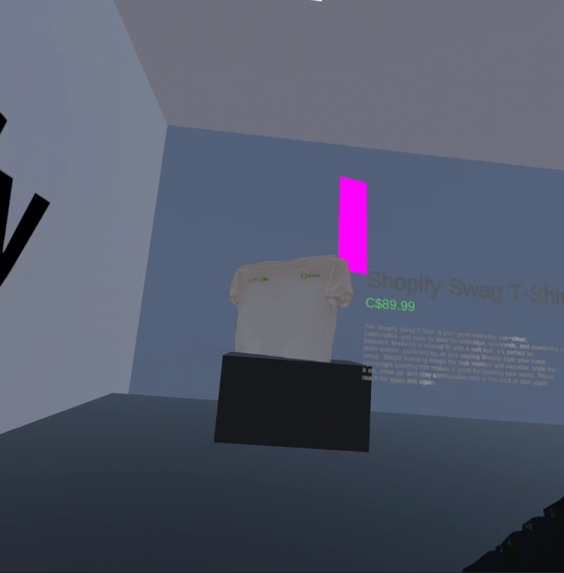
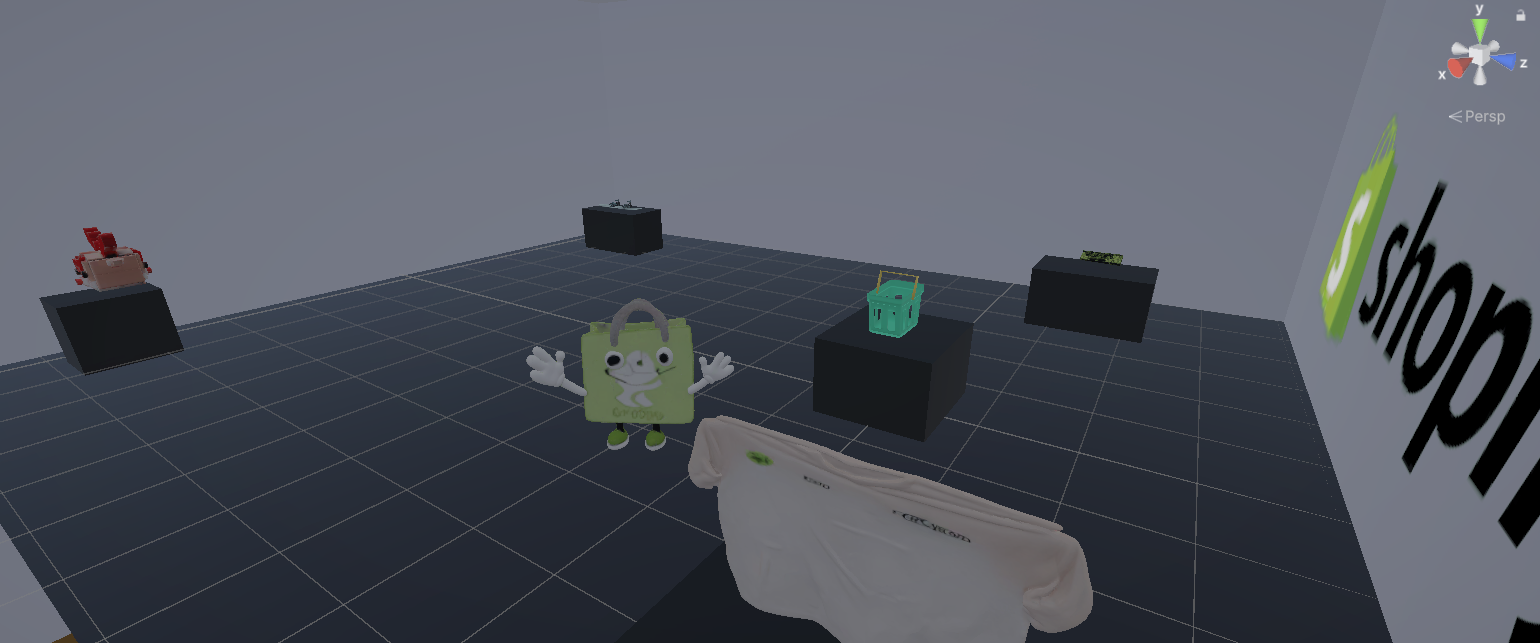
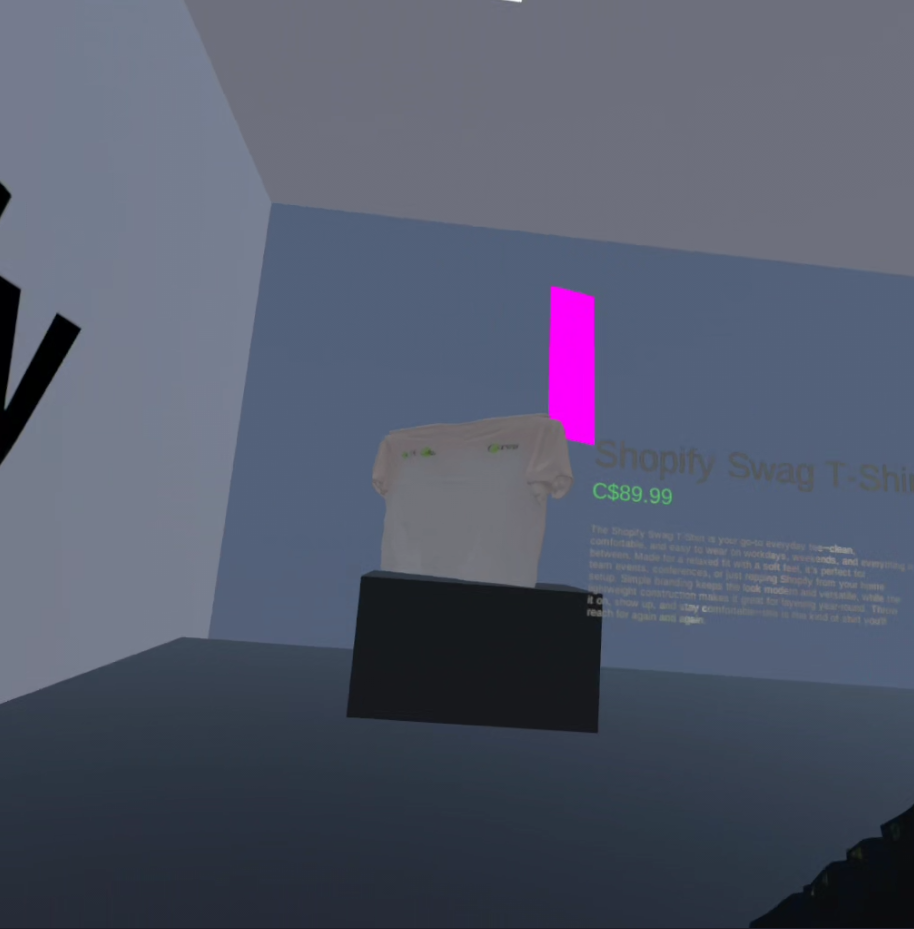
An immersive VR shopping experience built for Meta Quest 3 🥽, powered by Shopify Storefront API 🚀. Step into a virtual store where products come to life, complete with an AI-powered shopping assistant!
💡 Inspiration
🤓 Why Sho ify (not Shopify)
Sho ify is a deliberate abstraction.
We dropped the “p” from Shopify to represent removing the page-based, physical plane of traditional e-commerce. “Sho” reflects shopping in spatial reality, where products exist around you in 3D, not on a flat screen.
- Shopify → shopping on a 2D page
- Sho ify → shopping in 3D space
The missing “p” stands for pages, pointers, and physical constraints—all eliminated in VR.
We wanted to showcase the power of the Shopify Storefront API by transforming e-commerce into an immersive experience. Traditional online shopping lacks the tactile, engaging feel of a physical store—we bridge that gap and increase shopping accessibility and excitement with VR. 🎮
✨ What it does
Sho ify brings any Shopify store into VR:
- 🏪 VR Shopping Room - Immersive 3D environment with realistic lighting
- 📦 Live Product Data - Real-time products from Shopify Storefront API
- 🤖 AI Assistant "Shoppy" - Wandering mascot with OpenAI TTS voice
- 🎯 Interactive Products - Pick up, examine, and add to cart in VR
- 🛒 One Click Checkout - Sent to your phone via Twilio SMS integration
- 🥽 Meta Quest 3 - Fully optimized with hand tracking
🛠️ How we built it
Phase 1: Shopify Storefront API Integration 🔌
We leveraged Shopify Storefront GraphQL API to build a REST wrapper that fetches:
- Product search and details
- Product media (images, videos, etc.)
- Shop information and brand logos
- Variants, pricing, and inventory
Key Storefront API Features Used:
productsquery for search and filteringproductquery for detailed product infomediaquery for 3D models and rich mediashopquery for store branding and settings
Tech: Node.js + Express + TypeScript wrapping Shopify's GraphQL API
Phase 2: AI-Generated 3D Product Creation 🧠🧊
Leveraged HuggingFace Hunyuan3D-2.1, a two-stage diffusion-transformer system that:
- Generates high-quality 3D geometry first
- Applies photorealistic textures in a second pass
- Produces complete 3D assets one-shot from a single product image
The model was hosted on a GPU instance via Gradio, enabling fast, scalable generation. Using product images and metadata, we automatically created beautiful, ready-to-use 3D product models for seamless import into the VR shop environment.
Phase 3: Unity VR Environment 🎮
Built a modular VR shop system:
- Procedural room generation
- Dynamic Shopify brand logo loading
- Product display with Storefront API data
- Optimized for 72fps VR performance
Tech: Unity 3D + Universal Render Pipeline (URP)
Phase 4: AI Shopping Assistant 🤖
Created "Shoppy" using:
- OpenAI TTS API for natural voice
- AI pathfinding for natural movement
- Speech bubbles with synchronized audio
Phase 5: Meta Quest 3 Integration 🥽
- Oculus XR Plugin for headset tracking
- Meta Quest Simulator for debugging
- XR Interaction Toolkit for controllers
- Hand tracking support
Phase 6: One-Click Checkout & SMS Magic Link 🛒📲
Enabled frictionless purchasing with:
- One-click checkout directly from VR
- Twilio SMS integration to send a secure magic link
- Pre-filled checkout with items already in the basket
- Mobile-optimized checkout flow for instant conversion
🚧 Challenges we ran into
VR Performance ⚡ - Maintaining 72fps with dynamic lighting
- Solution: Disabled light probes, cached materials, optimized rendering
Shopify Storefront API Structure 📊 - GraphQL format needed transformation
- Solution: Built REST wrapper with type-safe TypeScript interfaces, matching Shop Minis SDK patterns
Flickering During Movement 💫 - Shoppy flickered when moving
- Solution: Force-disabled light probes in
LateUpdate(), used physics-based movement
- Solution: Force-disabled light probes in
3D Model Loading 📦 - Loading GLB/USDZ from Storefront API
- Solution: Implemented media endpoint that fetches
Model3dtypes from Shopify
- Solution: Implemented media endpoint that fetches
Meta Quest Simulator Setup 🔧 - Debugging without constant headset connection
- Solution: Configured Quest Simulator for rapid iteration
🏆 Accomplishments that we're proud of
✅ Showcased Shopify Storefront API - Built a complete VR experience powered entirely by Storefront API
✅ 3D Product Models - Successfully loaded and displayed GLB models from Shopify
✅ Real-time Store Data - Live product catalog, pricing, and branding from any Shopify store
✅ AI Integration - OpenAI TTS for natural shopping assistant interactions
✅ VR Performance - Achieved smooth 72fps with complex scenes
✅ One-Click Setup - VRShop > Quick Setup generates entire store in seconds
📚 What we learned
- Shopify Storefront API is incredibly powerful for building custom storefronts
- GraphQL to REST wrapper pattern makes APIs more accessible
- VR optimization requires careful lighting and material management
- Meta Quest Simulator is essential for rapid VR development
🚀 What's next for Sho ify
- 👥 Multi-user Shopping - Shop with friends in VR
- 🎨 Store Customization - Dynamic layouts based on Shopify theme
- 📊 Analytics Dashboard - Track VR shopping behavior
- 🌐 WebXR Version - Browser-based VR shopping
🛠️ Tech Stack
- Backend: Node.js, Express, TypeScript
- Shopify: Storefront GraphQL API (products, media, shop queries)
- Frontend: Unity 3D, C#, Universal Render Pipeline
- VR: Meta Quest 3, Oculus XR Plugin, Meta Quest Simulator
- AI: OpenAI TTS API
- 3D Models: GLB/USDZ generated from HuggingFace Hunyuan3D-2.1, a two-stage diffusion-transformer
🎯 Shopify Storefront API Highlights
We used Shopify Storefront API to fetch:
- ✅ Product search and filtering
- ✅ Product details with variants and pricing
- ✅ Shop branding and logos
- ✅ Real-time inventory and availability
All powered by Shopify's powerful GraphQL Storefront API! 🚀
Built during UofT-13 Hackathon with ❤️



Log in or sign up for Devpost to join the conversation.