-
-
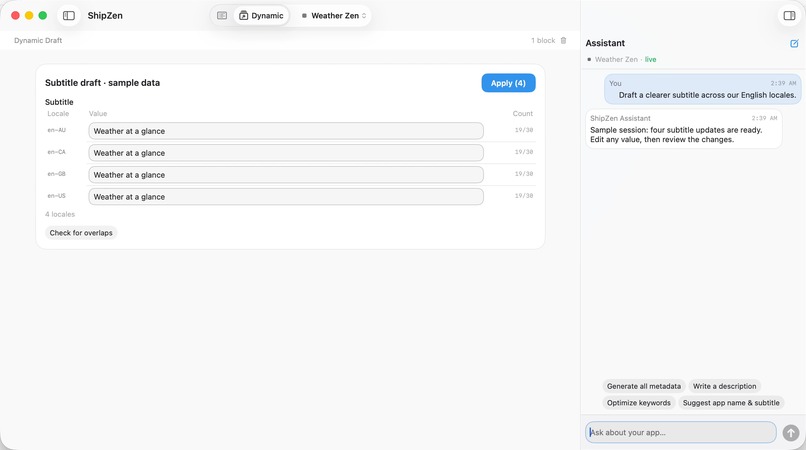
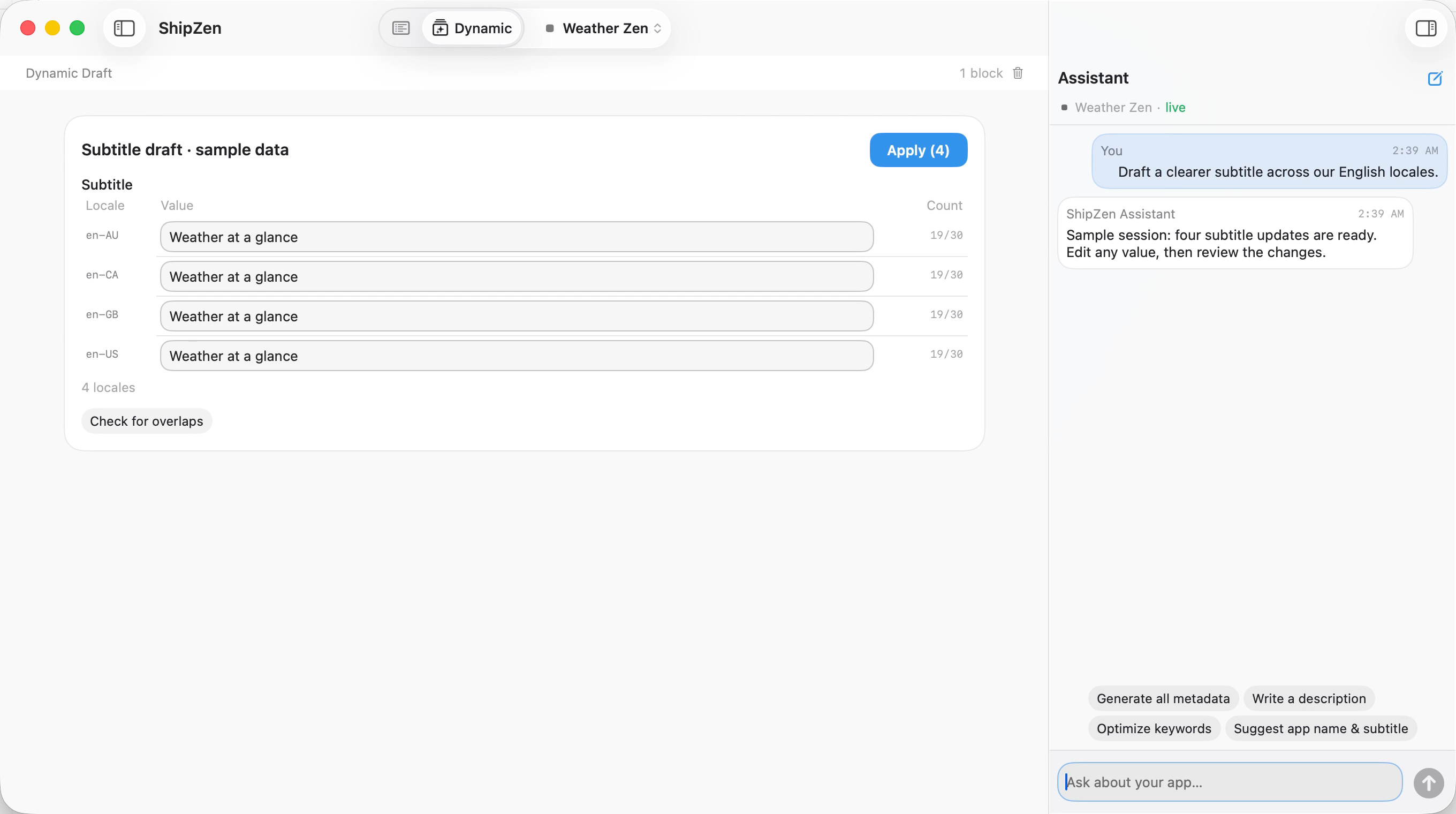
Dynamic Mode: one request brings your chosen fields across all or selected locales into one editable native workspace.
-
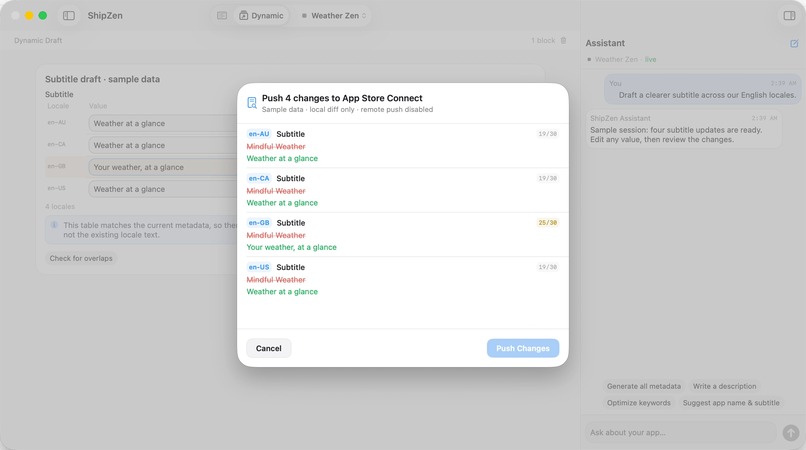
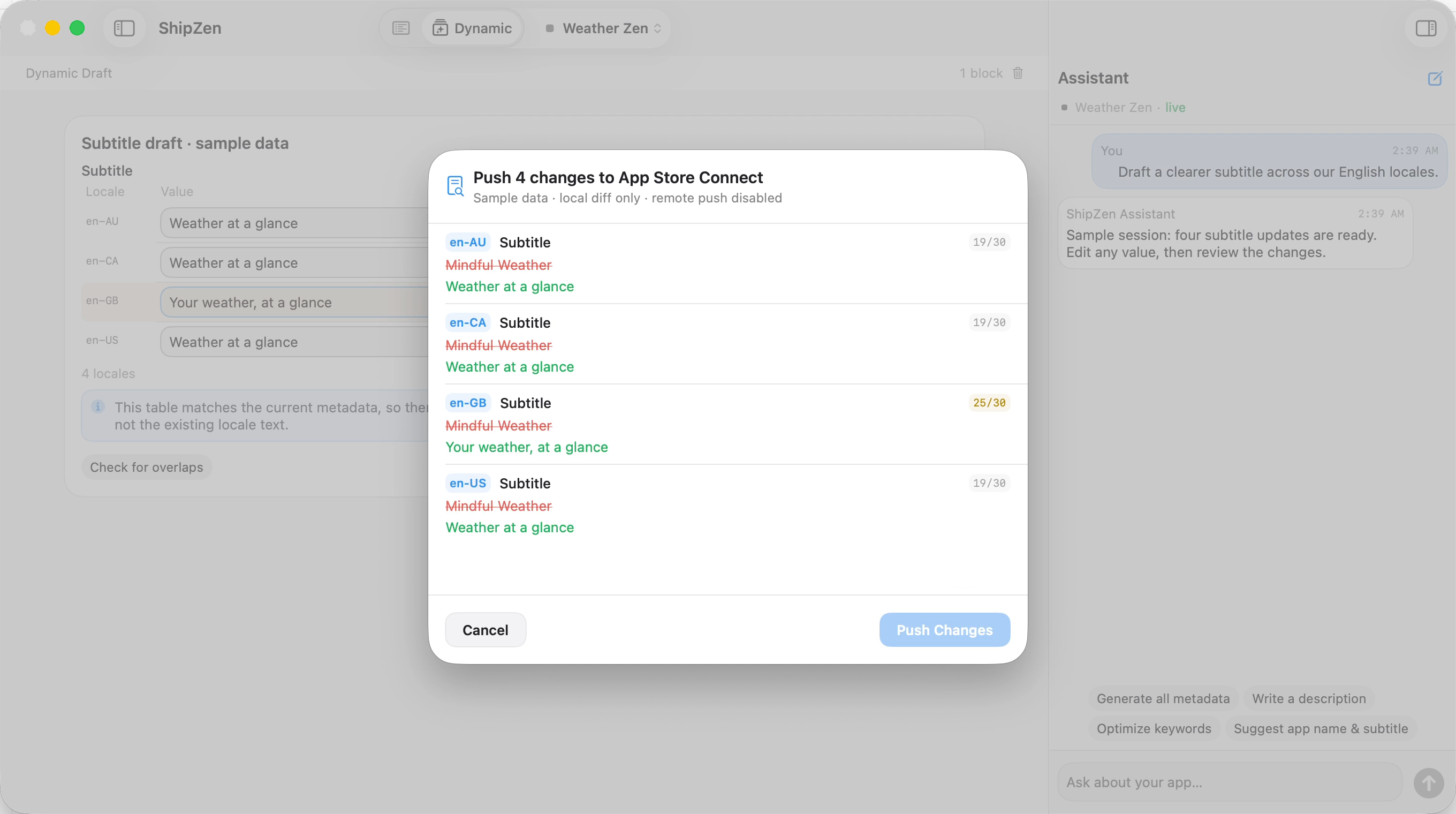
Review AI's proposed metadata changes before pushing to App Store Connect. See exactly what will change before you approve.
-
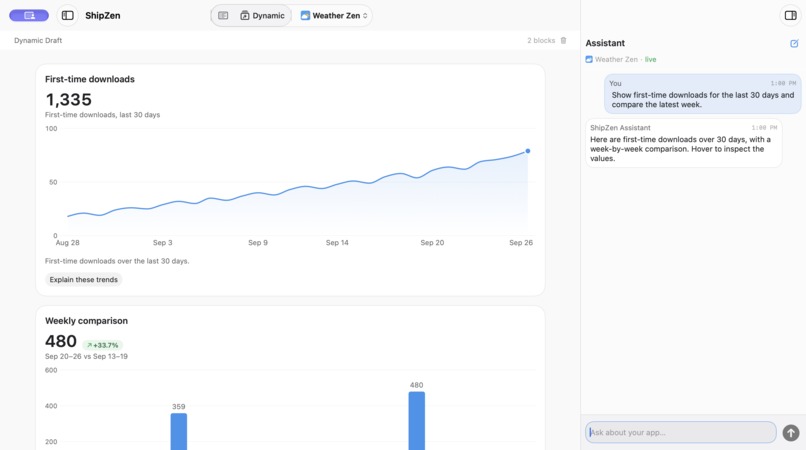
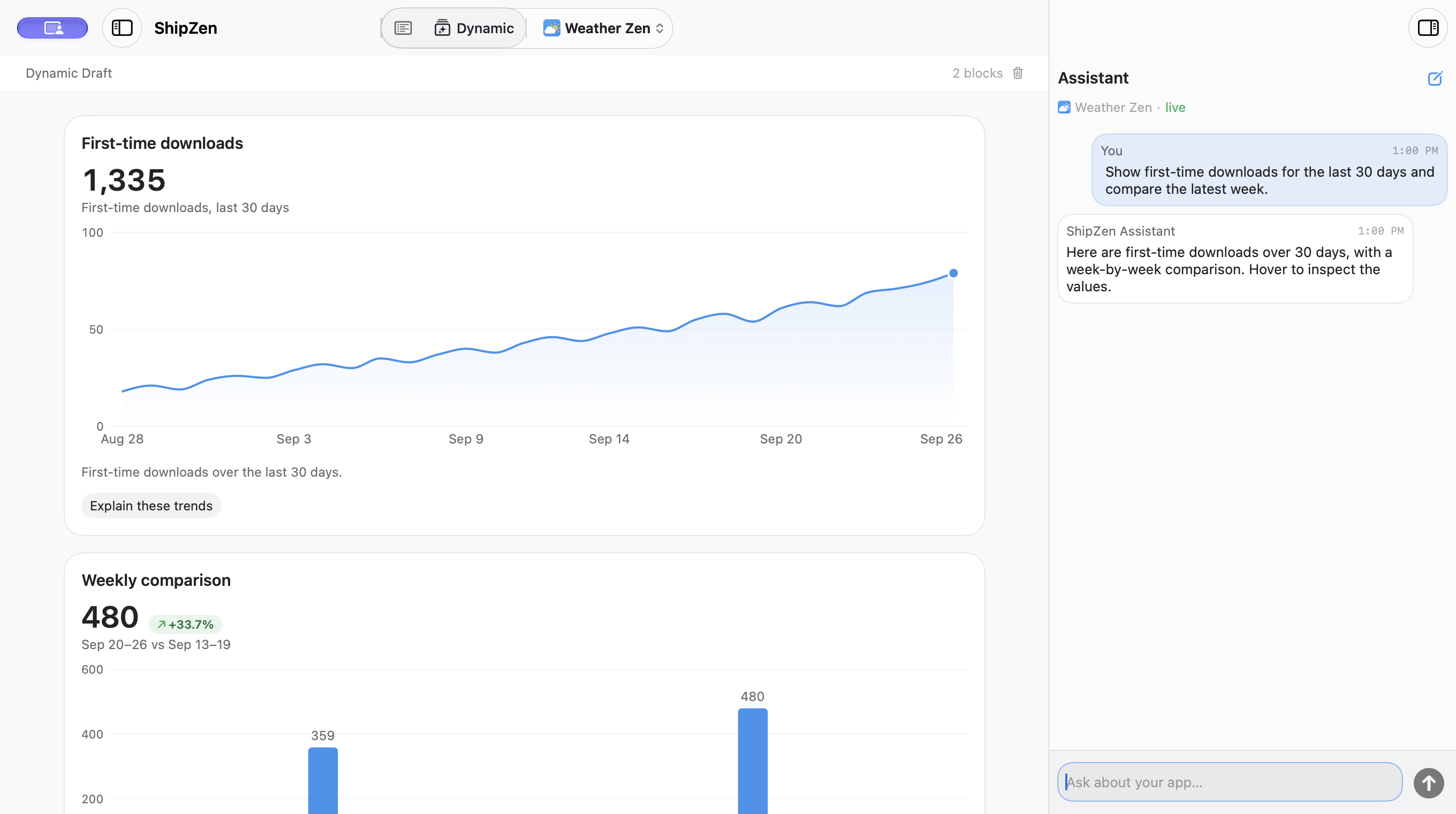
Analytics in Dynamic UI: ask questions about your app's performance and get native charts built around your question.
-
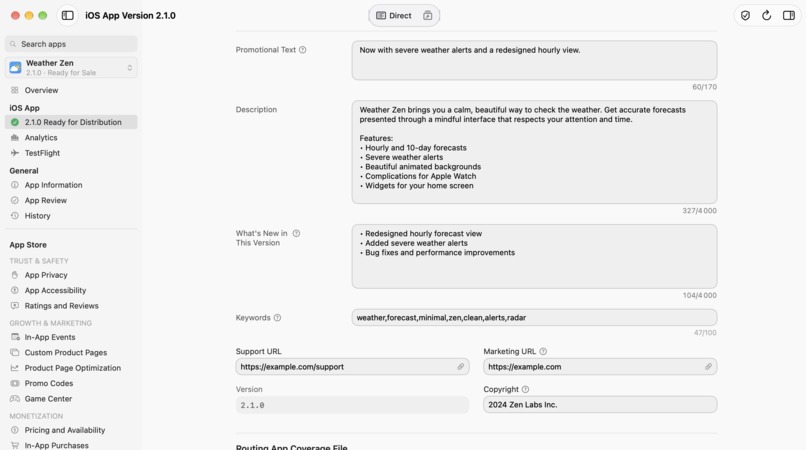
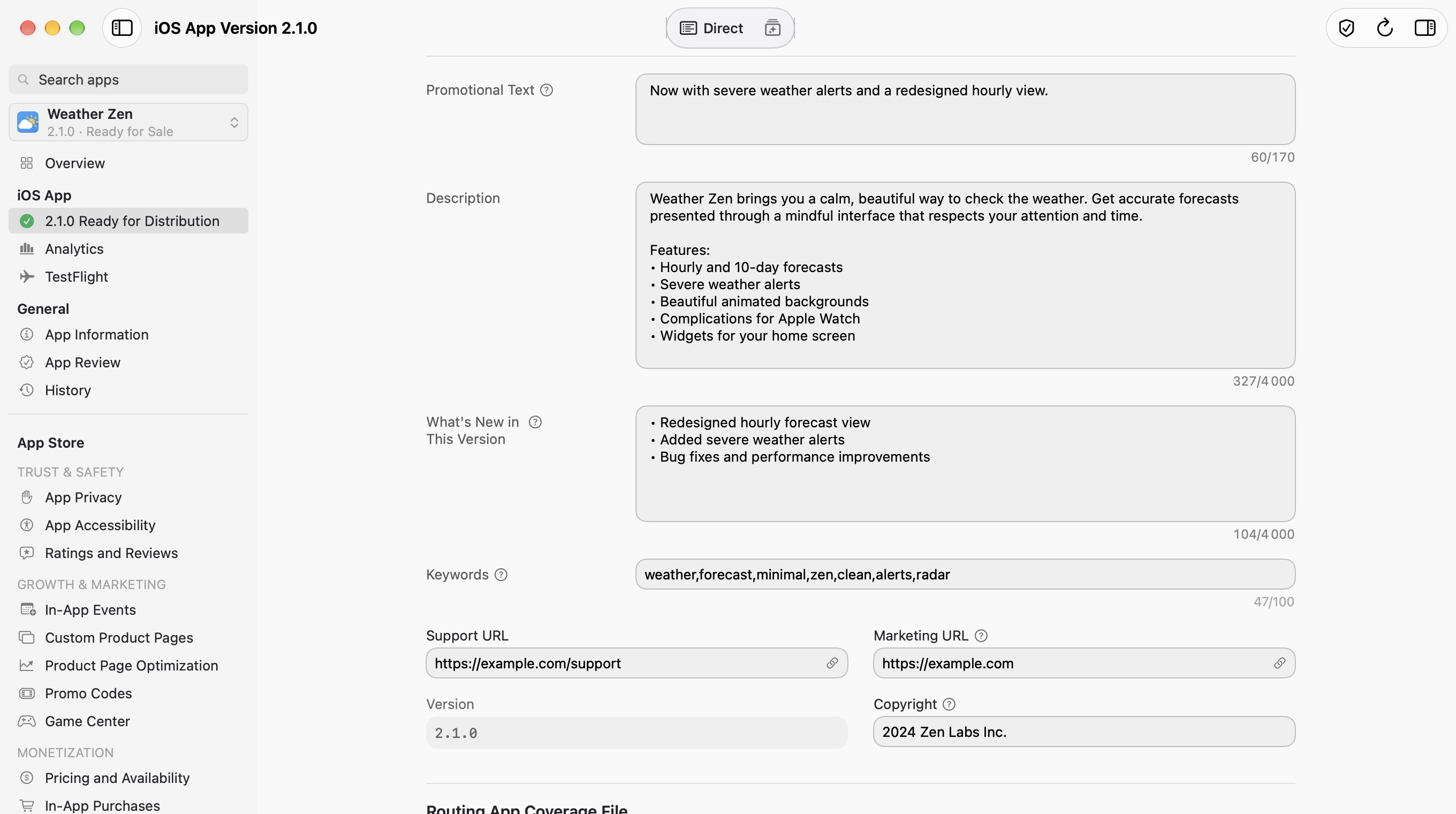
Direct Mode: a native Mac workspace for App Store Connect, with descriptions, release notes, keywords, and more.
-
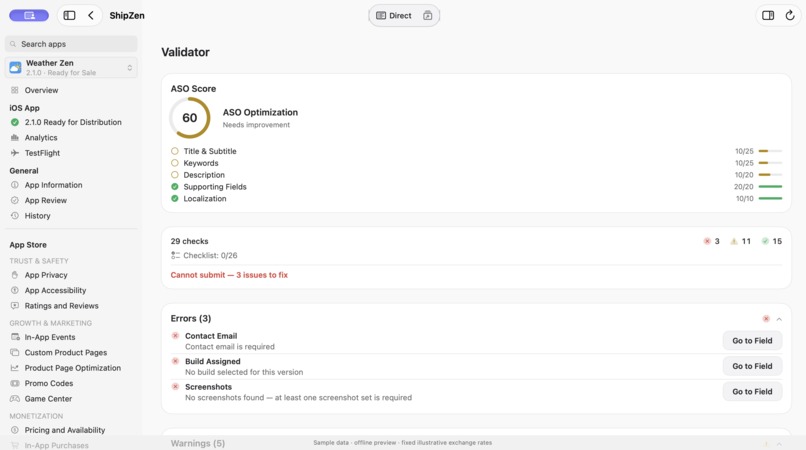
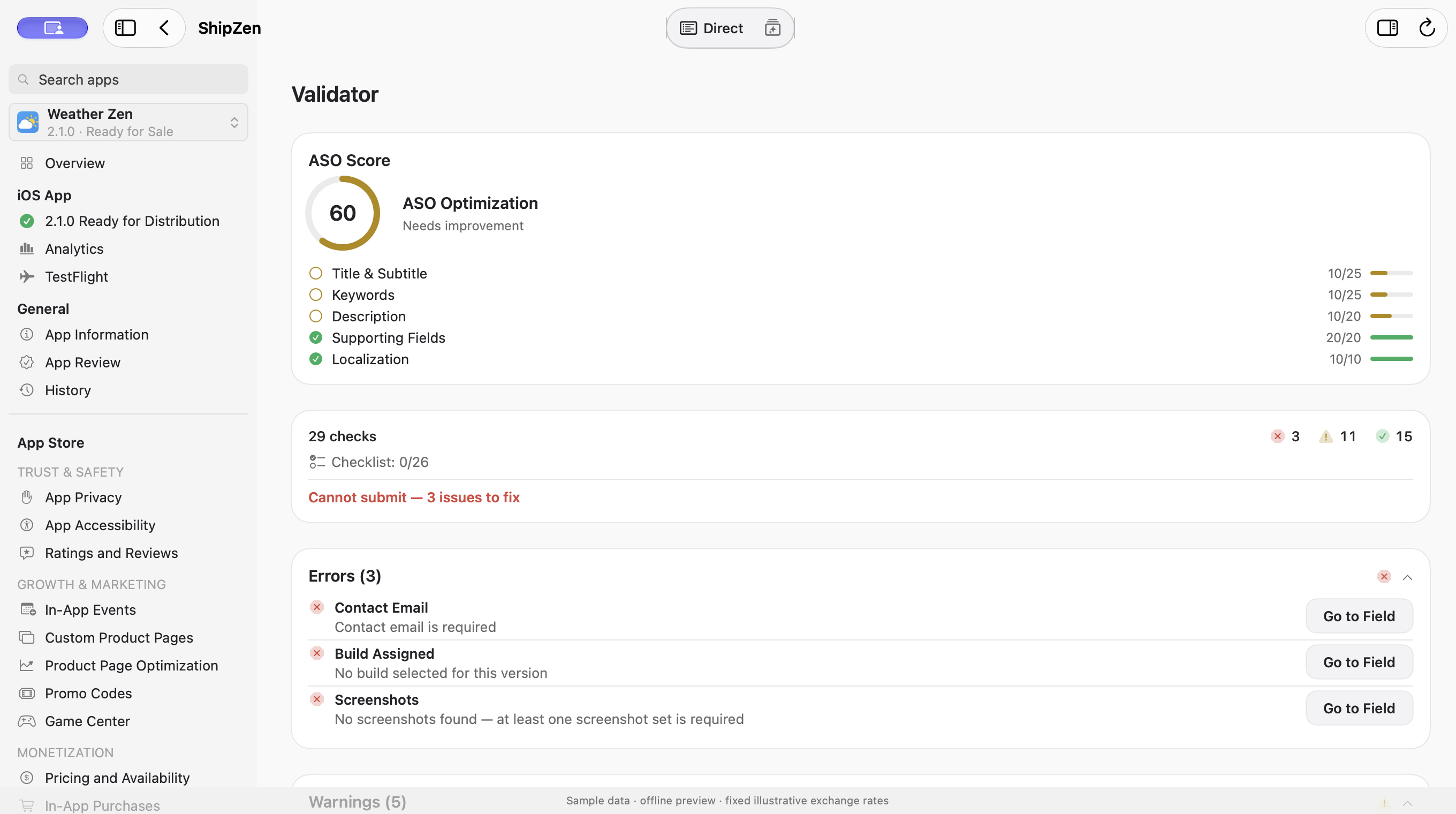
Pre-submission checks: spot metadata, screenshot, and build issues, then work through the release checklist before submitting.
-
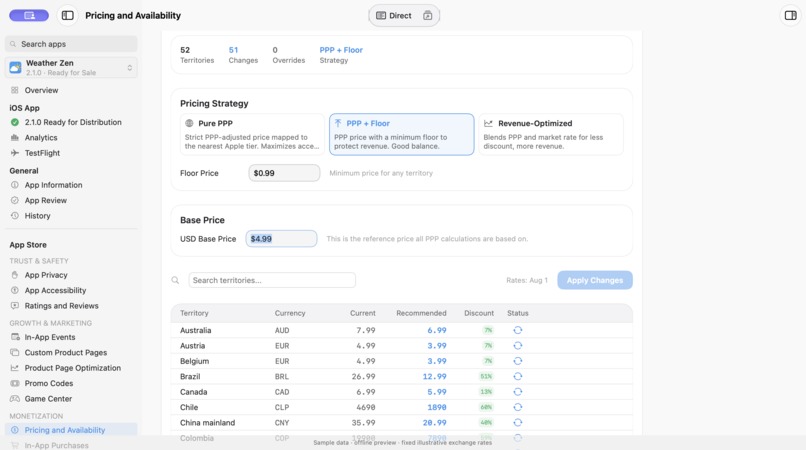
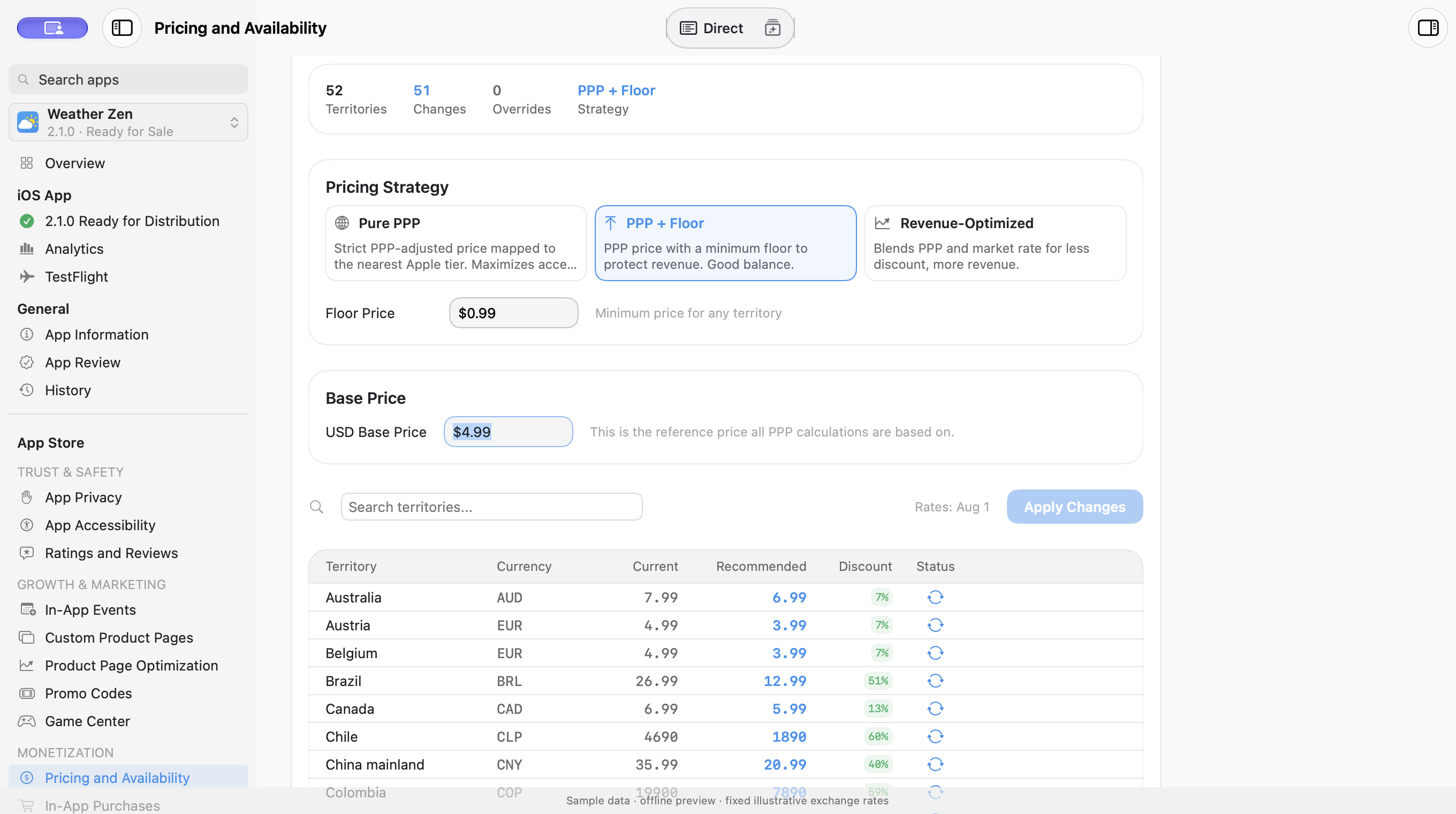
PPP pricing: compare purchasing-power-adjusted recommendations across territories, set a price floor, and review before applying.
-


Inspiration
I built ShipZen because I wanted to see what I was changing and where. CLI tools and MCP servers already offer ways to work with App Store Connect, but I wanted the data and proposed changes in a visual workspace.
That led to Dynamic Mode and its Dynamic Generative UI. I can ask for the metadata fields or analytics I need and get native forms, tables, and charts to work with. For metadata edits, I can refine AI suggestions and review the exact changes before pushing them to App Store Connect.
Sometimes making a quick edit myself is faster than asking AI. That is why I also built Direct Mode, bringing familiar App Store Connect workflows into a native Mac app. Descriptions, release notes, keywords, and other app details are available to edit directly.
What it does
Dynamic Mode turns a request into an editable native interface (Dynamic Generative UI). Ask for the metadata fields you need across all your app's locales or a selection. ShipZen brings them into an editable workspace with locale labels and character counts. Refine AI suggestions directly, choose Apply, and review every proposed metadata change in a before-and-after diff before pushing to App Store Connect.
Analytics in Dynamic UI is shaped around your question. Describe the view you need using your app's available data. Combine metrics and display multiple charts together, then refine them with follow-up requests. For example, show daily downloads with a 7-day average, compare downloads with sessions, or switch a trend to weekly totals.
That complete interaction is the heart of ShipZen: request, edit, review. The developer can shape the result at each step.
Direct Mode brings App Store Connect into a native Mac workspace. Edit descriptions, release notes, keywords, and URLs, and upload, preview, reorder, and delete screenshots. The workspace also includes TestFlight, customer reviews, pricing, availability, and release preparation. Locale Health and the pre-submission validator surface missing or invalid metadata and other release checks.
How it is built
ShipZen uses Swift 6 and SwiftUI on macOS 15 and later, with Apple's App Store Connect API. Dynamic Mode assembles native App Store Connect components into a workspace around each request. Editable metadata, screenshot galleries, pricing grids, TestFlight and review summaries, and interactive charts can appear together. Both editing modes share the same metadata and review-and-save pipeline.
Users can sign in with ChatGPT or bring their own OpenAI or Anthropic API access. RevenueCat powers monthly and annual Pro subscriptions, purchases, restores, and entitlement state. Free includes manual work for one App Store Connect account and 15 successful AI requests per calendar month on that Mac. Pro adds multiple accounts, batch automation, external MCP writes, and removes ShipZen's AI request cap. AI provider limits and charges still apply.
Challenges
Rebuilding App Store Connect as a native Mac app meant mapping its pages, sections, dialogs, and different states. I gathered references from the pages I could access in my own account and used them to build familiar workflows in Direct Mode. That work is still ongoing.
Analytics meant working with two different reporting flows. Apple's Analytics Reports are generated as downloadable files, while Sales and Trends data is fetched day by day. I had to download, parse, combine, and cache those reports, then load the available history while keeping the interface useful.
Getting Dynamic Mode to understand intent took repeated manual testing with different requests. I refined the AI instructions and tool definitions to help it choose the right fields, locales, and native components. Connecting the result to the selected app, keeping it editable, and showing a clear metadata diff before saving were part of the same challenge.
What we learned
Building in public gave me specific problems to investigate. A developer asked for analytics across many apps. That pushed me to investigate how Apple’s sales reports could support account-wide analysis. A question about screenshots and release notes showed me that I needed to explain what each mode could preview more clearly.
I also learned that each control needs to set the right expectation. I removed “Decode Rejection” because ShipZen could read the rejection status but not Apple’s message. My own App Review mistakes became pre-submission warnings and checklist items.
Accomplishments
ShipZen is available on the Mac App Store. Its first public release was September 9, 2026.
I’m most proud of the Dynamic UI we built. AI can assemble the App Store Connect fields, locales, and analytics I ask for into one native workspace, with editable forms and interactive charts. I can compare values, make changes directly, and review the metadata diff before pushing. Having those components together means less navigating between pages to find each control.
This entry focuses on the RevenueCat Design, #BuildInPublic, and HAMM awards.
Screenshots and video use sample data.

Log in or sign up for Devpost to join the conversation.