-
-
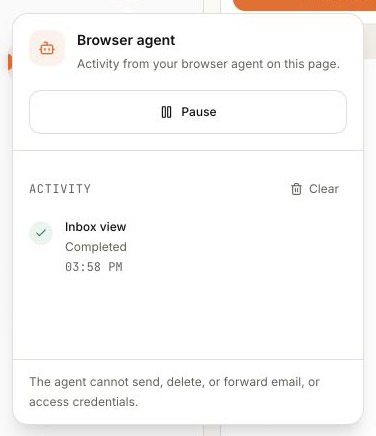
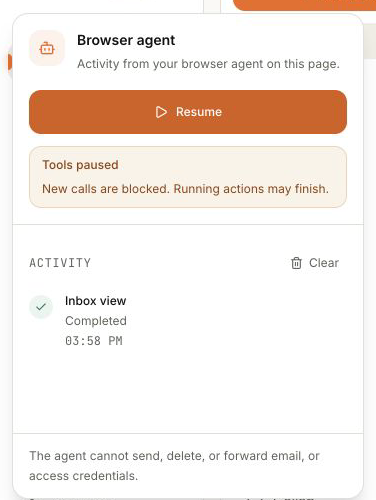
A completed tool call in the Browser agent activity log.
-
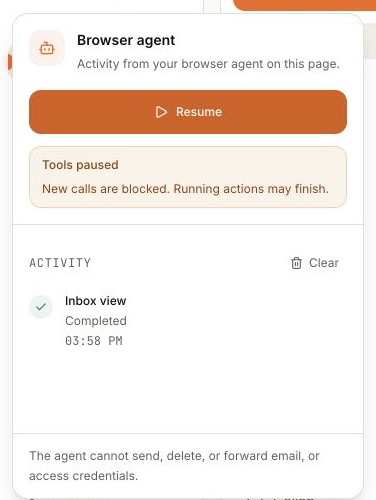
Pause removes the signed-in tools until you resume.
-
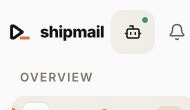
The Browser agent button stays in the header until you need it.
Why WebMCP fits Shipmail
Setting up business email means bouncing between Shipmail and DNS: add a domain, copy the records, wait, create a mailbox, and send a test. Shipmail already has the details. WebMCP lets a browser agent use the tools on the page you have open, so you don't have to copy values into a chat or keep a checklist on the side.
What you can do with it
On Inbox, your agent can read what's on screen, check recent mail, or open a draft. On Domains, it can check setup, return the exact MX, SPF, DKIM, and DMARC records, test propagation, and create a mailbox.
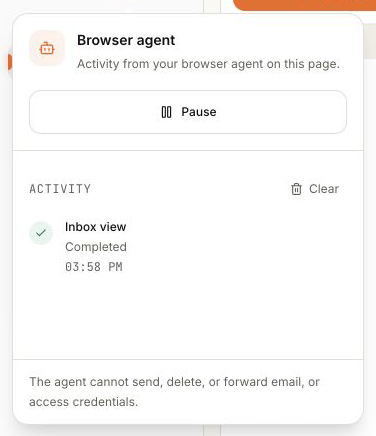
Shipmail changes the tools with the page. Each call leaves a timestamped receipt in the Browser agent popover. Press Pause and the signed-in tools disappear from discovery. Press Resume and Shipmail registers them again.
Shipmail keeps sensitive or irreversible actions out of WebMCP. The agent cannot send, delete, or forward email, change billing, or read credentials. Mailbox passwords stay on the server. Preparing an email opens the usual composer, where you review it and press Send.
How we built it
Shipmail registers tools with document.modelContext. We kept navigator.modelContext as a temporary fallback for older prototype builds.
Each call goes through the same authentication and permissions as the rest of Shipmail. Tool annotations say whether a call reads or changes data. Mail and DNS results from outside Shipmail are marked as untrusted.
Pause aborts the current registration. Resume makes a new controller and registers the tools for the page again.
shipmail.to is enrolled in Chrome's WebMCP origin trial. It serves Origin-Agent-Cluster: ?1 and Permissions-Policy: tools=(self).
What we added for the challenge
Shipmail already had four public WebMCP tools. We added eight signed-in tools for setup, domains, DNS, mailboxes, drafts, recent mail, and the inbox on screen. We also built the activity popover, receipts, and Pause/Resume control.
The browser API changed during the build, so we moved the code and types to document.modelContext, isolated the legacy fallback, and updated the tests.
What we tested
We used Chrome's #enable-webmcp-testing flag and the official inspector on the live Inbox. The inspector found the tools, ran shipmail_get_inbox_view, and Shipmail logged the completed call. Pause removed the account tools. Resume brought them back.
Next
We want the agent to carry DNS values between Shipmail and your DNS provider, then help when a record won't verify.
Built With
- bun
- chrome
- next.js
- react
- remotion
- typescript
- vercel
- webmcp

Log in or sign up for Devpost to join the conversation.