-
-
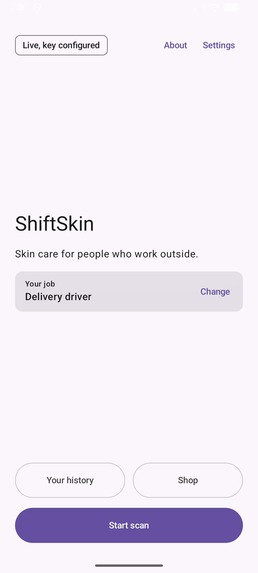
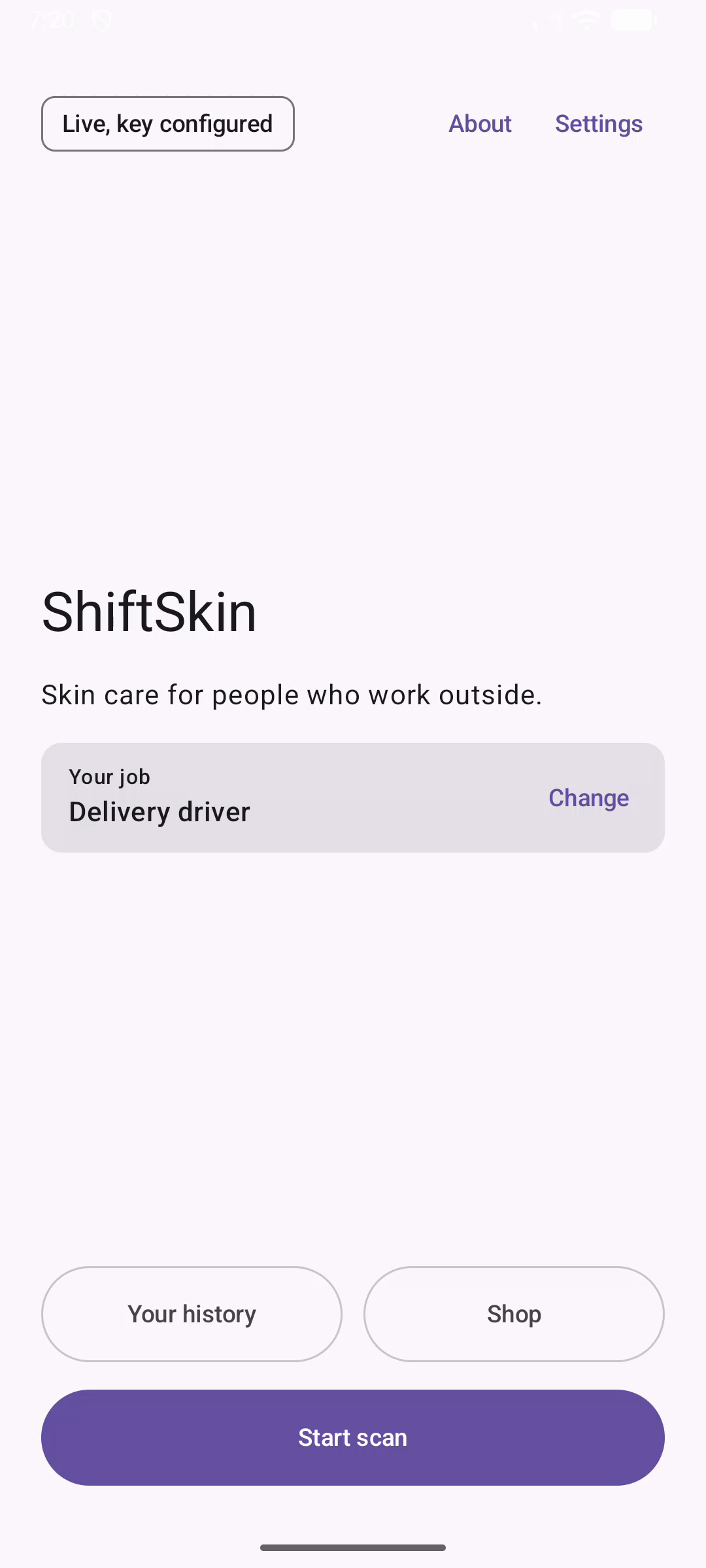
Start from your job. The app shows the live YouCam connection and asks which outdoor job you do, because the job decides the hazards.
-
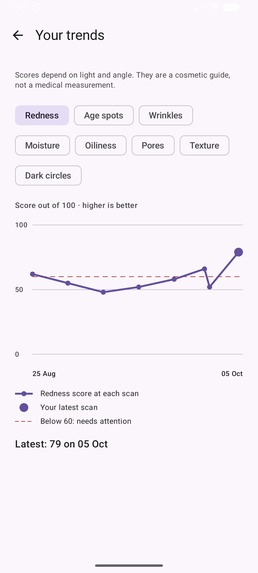
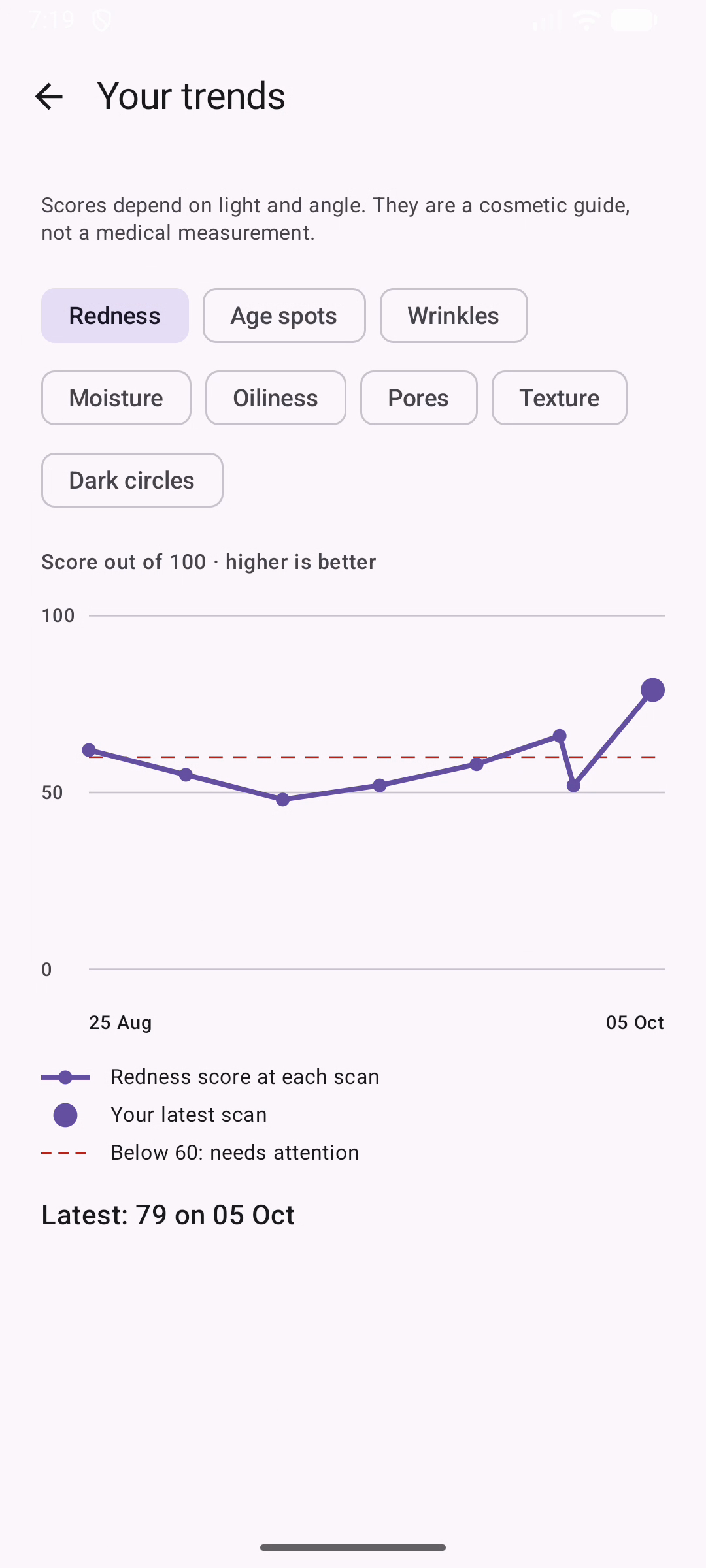
Every scan stays on the phone. A trend chart per concern shows whether your routine is working, shift after shift.
-
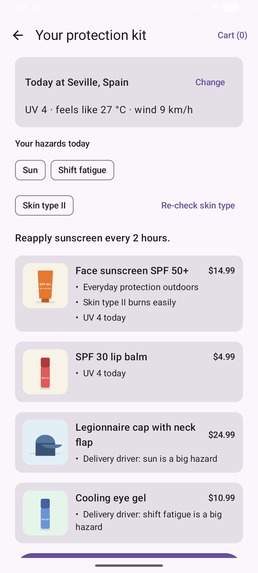
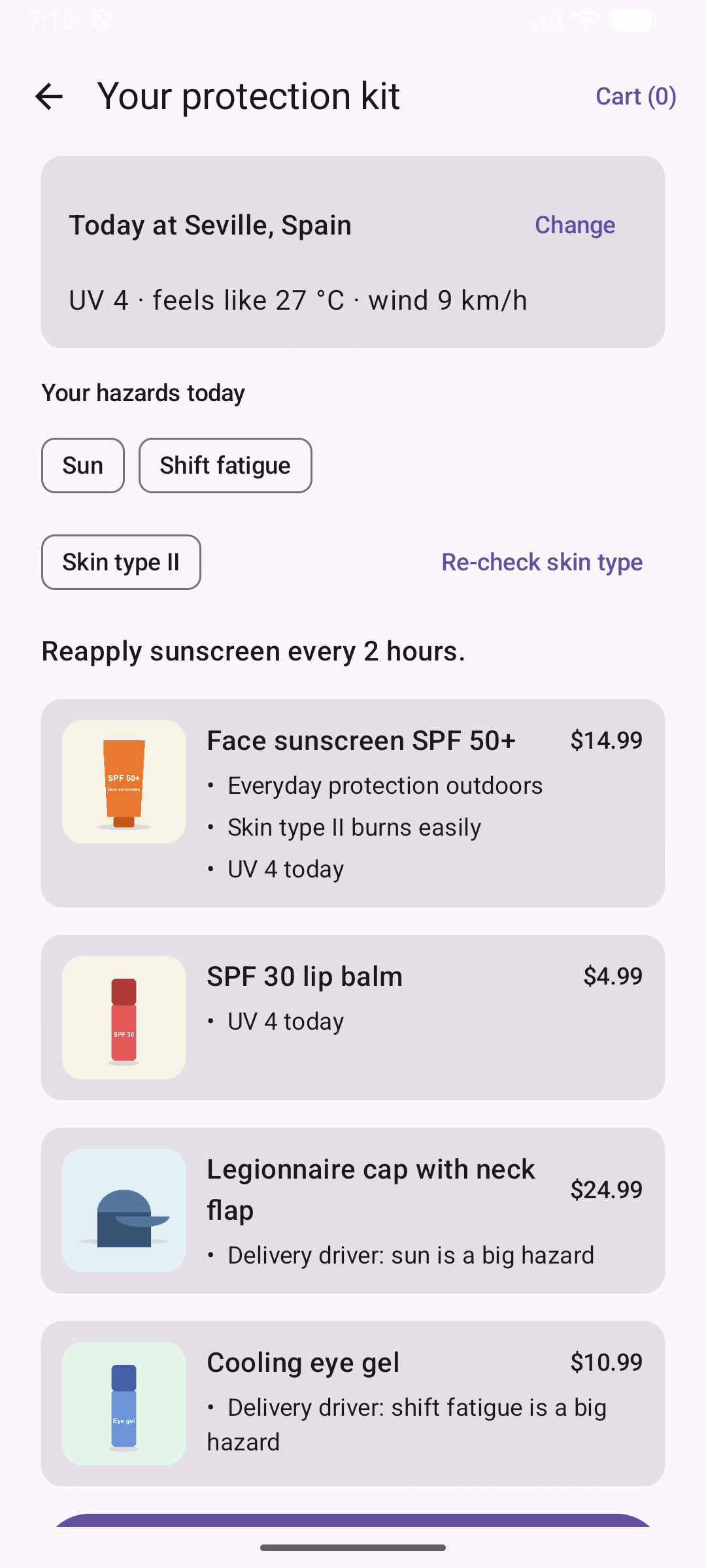
A protective-care kit built from your skin type (YouCam Fitzpatrick), today's weather at your work town (Open-Meteo) and your job.
-
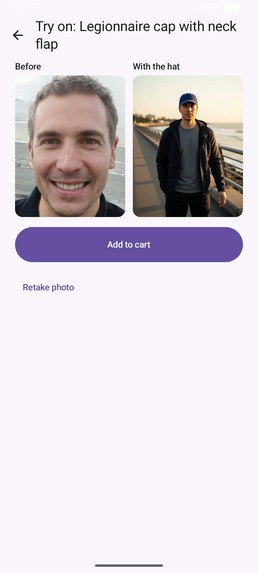
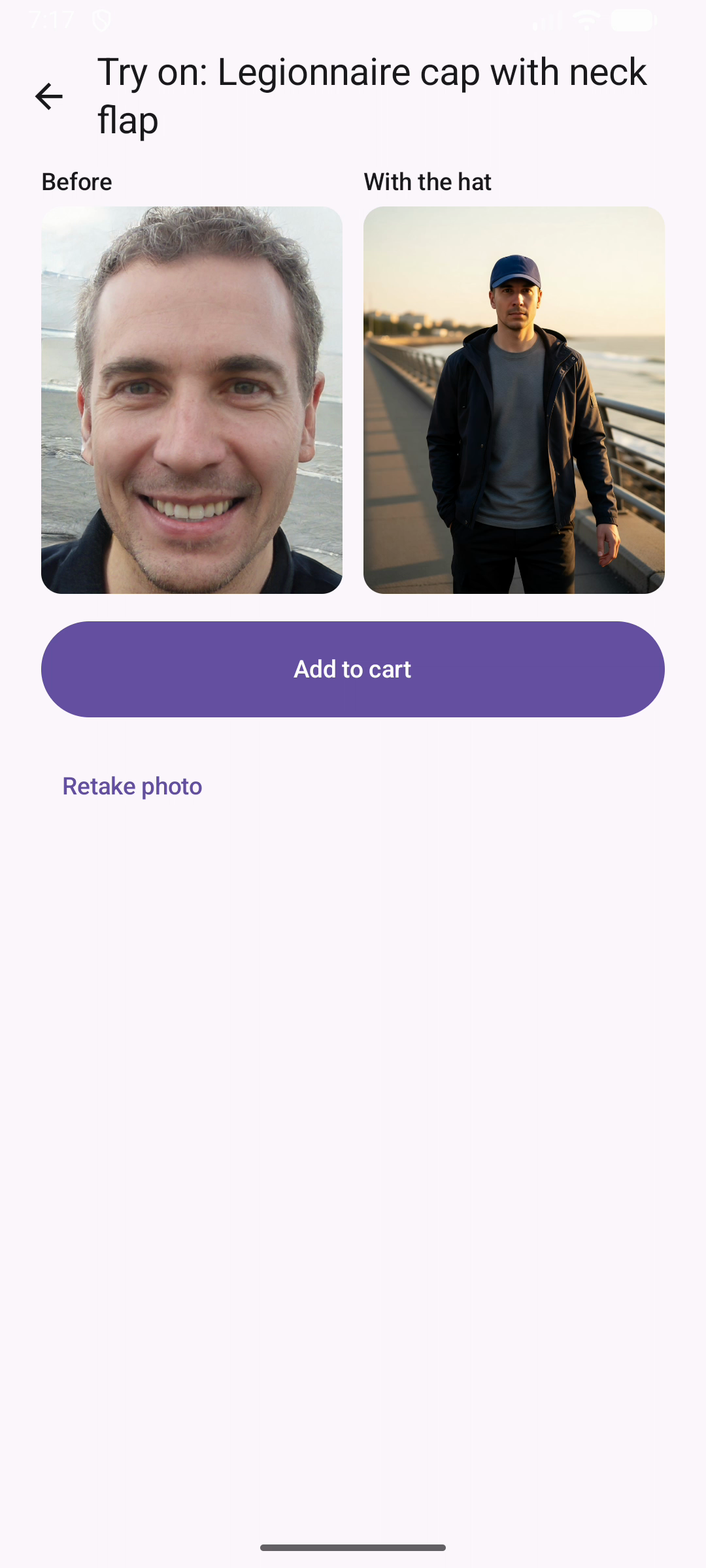
See a protective hat on you before you buy it, with YouCam AI Hat Virtual Try-On and our own brand-free hat images.
-
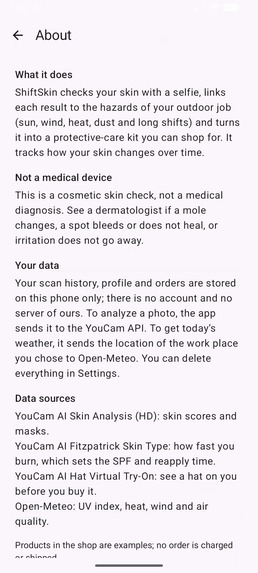
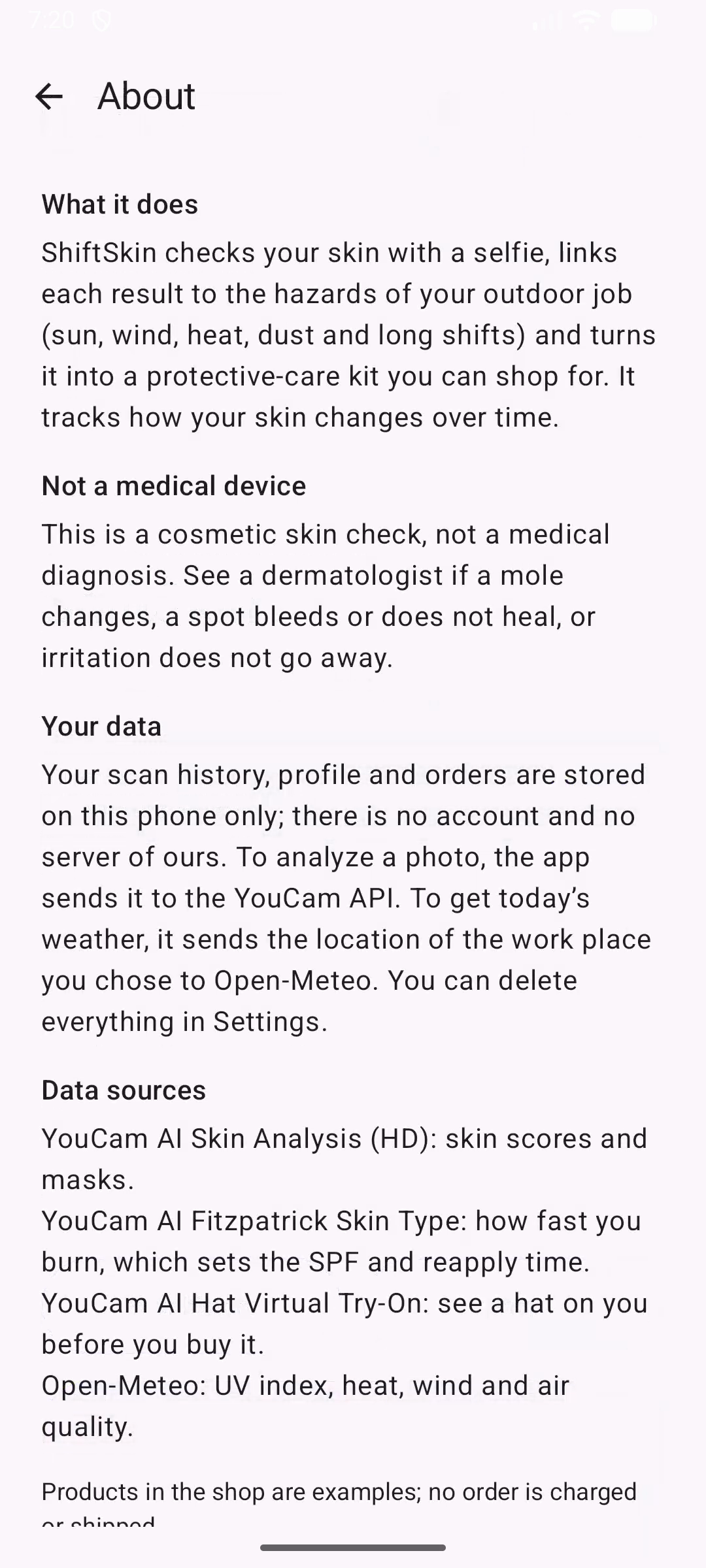
Honest by design. It's a cosmetic skin check, not a medical device, with a clear privacy summary and the data sources the app uses.
-
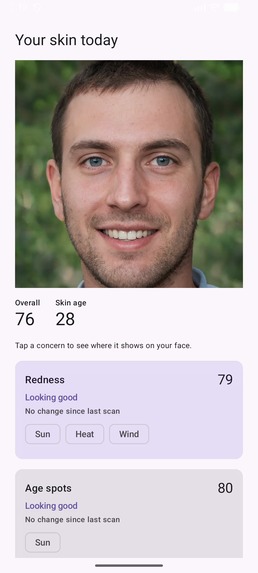
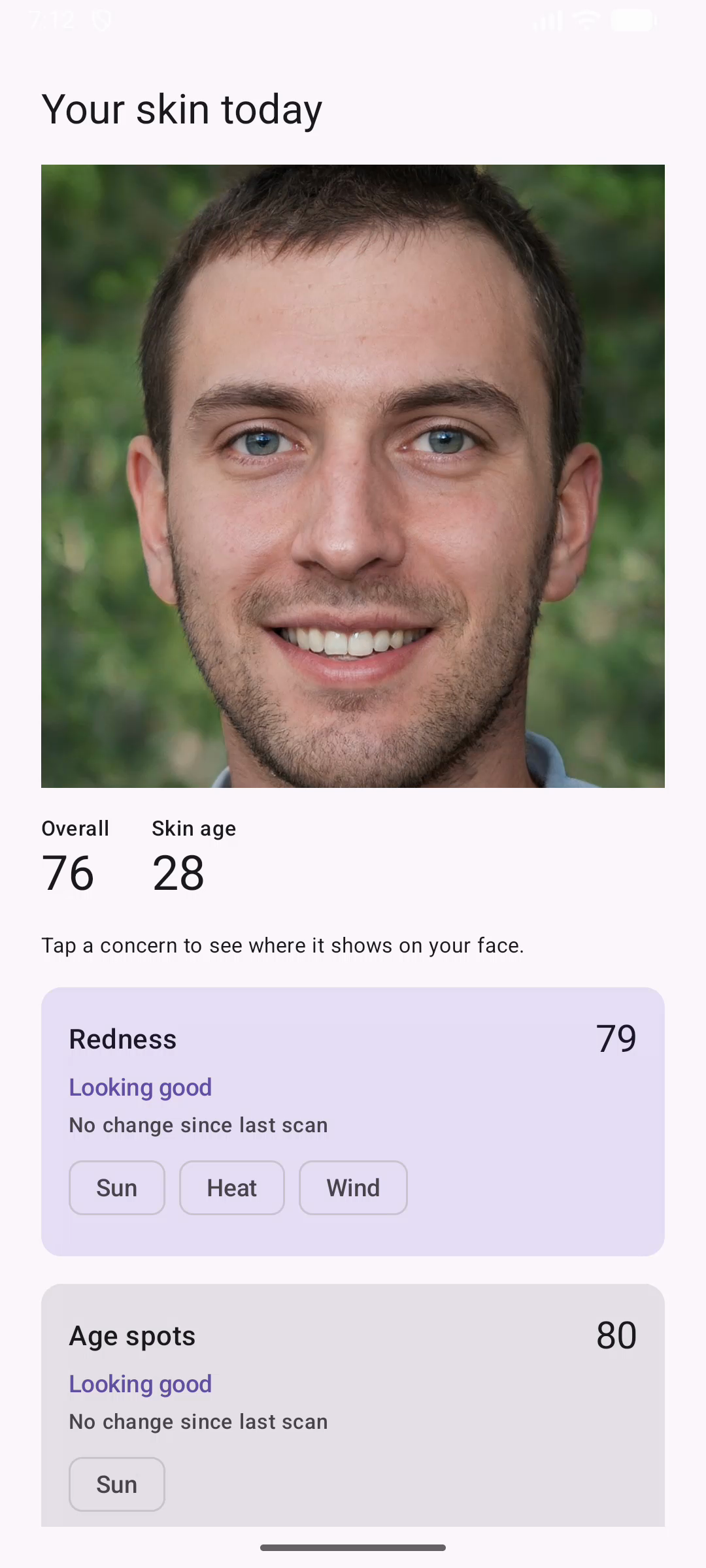
A real YouCam AI Skin Analysis (HD) result in about 11 seconds.Tap a concern to see its mask on your face.
Inspiration
Delivery drivers, farmers and construction workers spend their whole working day in sun, wind, heat and dust. Skin care advice is written for an office day with a short walk outside. It rarely says what a full shift outdoors does to your skin, what to use about it, or how often to put sunscreen on again. We wanted a skin app that starts from the job.
What it does
- Pick your job. Delivery driver, farmer, construction or other outdoor work. The job sets which hazards (sun, wind, heat, dust, shift fatigue) matter most.
- Scan. One close-up selfie goes to YouCam AI Skin Analysis (HD), which scores eight skin concerns (redness, age spots, wrinkles, moisture, oiliness, pores, texture, dark circles) and returns a mask for each one. ShiftSkin links every concern to the hazards of the job that make it worse.
- Get a protective-care kit. YouCam AI Fitzpatrick Skin Type says how quickly you burn. Combined with today's UV index, heat, wind and air quality from Open-Meteo for your work town, it sets the SPF level and the reapply interval. Every product in the kit says why it is there ("UV 9 today", "Redness needs attention").
- See it on you. Protective hats can be tried on with YouCam AI Hat Virtual Try-On.
- Shop. Add the whole kit, or single products, to the cart and place a demo order.
- Track. Every scan is saved on the phone with all its scores. A trend chart per concern and "change since last scan" show whether the routine is helping.
- Never a dead end. If a live scan cannot finish (no units left, the service busy or down, a timeout or no network), the app offers "See a sample result", clearly labelled Sample and never saved to history.
- Honest by design. It is cosmetic skin-condition tracking, not a medical device. The results, the kit and the About screen say to see a dermatologist if a mole changes, a spot bleeds or does not heal, or irritation does not go away.
How we built it
- Kotlin Multiplatform with one Compose Multiplatform UI for Android and iOS, using Koin, Ktor, kotlinx.serialization, Room (on-device history), Navigation Compose and Coil.
- Three YouCam APIs:
- AI Skin Analysis v2.1 (HD): upload via
POST /s2s/v2.0/fileplus a signedPUT, create the task, then poll every 5 seconds (3-minute timeout). A live HD scan comes back in about 11 seconds, and its masks are drawn over the photo. - AI Fitzpatrick Skin Type: the same selfie, cached per profile so the 10-unit call is not repeated for every kit.
- AI Hat Virtual Try-On: a second photo plus our own generated, brand-free hat images.
- AI Skin Analysis v2.1 (HD): upload via
- Open-Meteo (free, no key) for geocoding the work town and for current UV index, apparent temperature, wind, gusts and air quality.
- Our own kit rules and catalog, because there is no product-catalog API. Hazards from the job and from today's weather, plus the concerns that need attention, map to products.
- Fixture mode. Every YouCam and Open-Meteo call goes through one client interface. By default the app serves bundled sample responses, so almost all development used no units; the whole demo video used 44.
- Privacy. There is no backend. History, profile and orders live in an on-device database. The only data that leaves the phone is the photo sent to YouCam and the work-town location sent to Open-Meteo.
- Spec-driven. Every feature was specified, designed and tested before it was built (OpenSpec), with 150 Android and 134 iOS unit tests.
Challenges we ran into
- The unit budget. An HD scan with eight concerns costs 16 units, so we built fixture mode first and developed nearly everything against bundled responses.
- HD photo requirements. The long side must be at most 4096 px, the short side at least 1080 px, and the face wider than 60% of the image. The app resizes and checks the photo before it spends units, and turns every YouCam error code (face too small, too dark, bad pose) into a plain instruction to retake the photo.
- Two photos for two APIs. Skin analysis needs a close-up; hat try-on works best with head and shoulders. The flows ask for the right photo at the right time.
- Not breaking while judged. Our first live run hit "not enough credits". That shaped the sample fallback: if units run out or the service is down, the app shows a clearly labelled sample instead of an error, while a rejected key or a bad photo still shows the real problem.
Accomplishments that we're proud of
- A complete loop on Android and iOS from one codebase: scan → hazards → kit → try-on → cart → trends.
- Every recommendation explains itself, and nothing claims to be a diagnosis.
- The demo runs on the live YouCam APIs, with the whole video costing 44 units.
What we learned
- Linking a skin score to a cause the user recognises ("wind on the bike all day") makes it something they can act on.
- Designing for a fixed unit budget is good engineering for any paid API: fixtures, caching, and checks before paid calls.
What's next for ShiftSkin
- Reapply reminders driven by the hourly UV forecast for the shift.
- Kits an employer can offer a whole crew.
- More languages for seasonal and migrant workers.

Log in or sign up for Devpost to join the conversation.