-
-
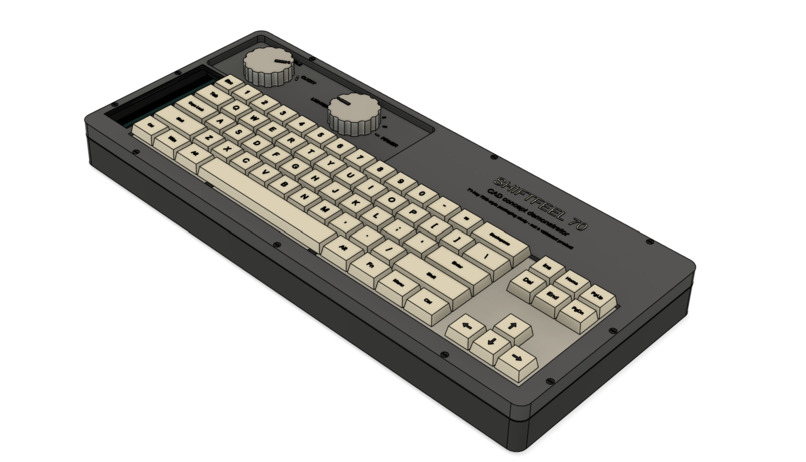
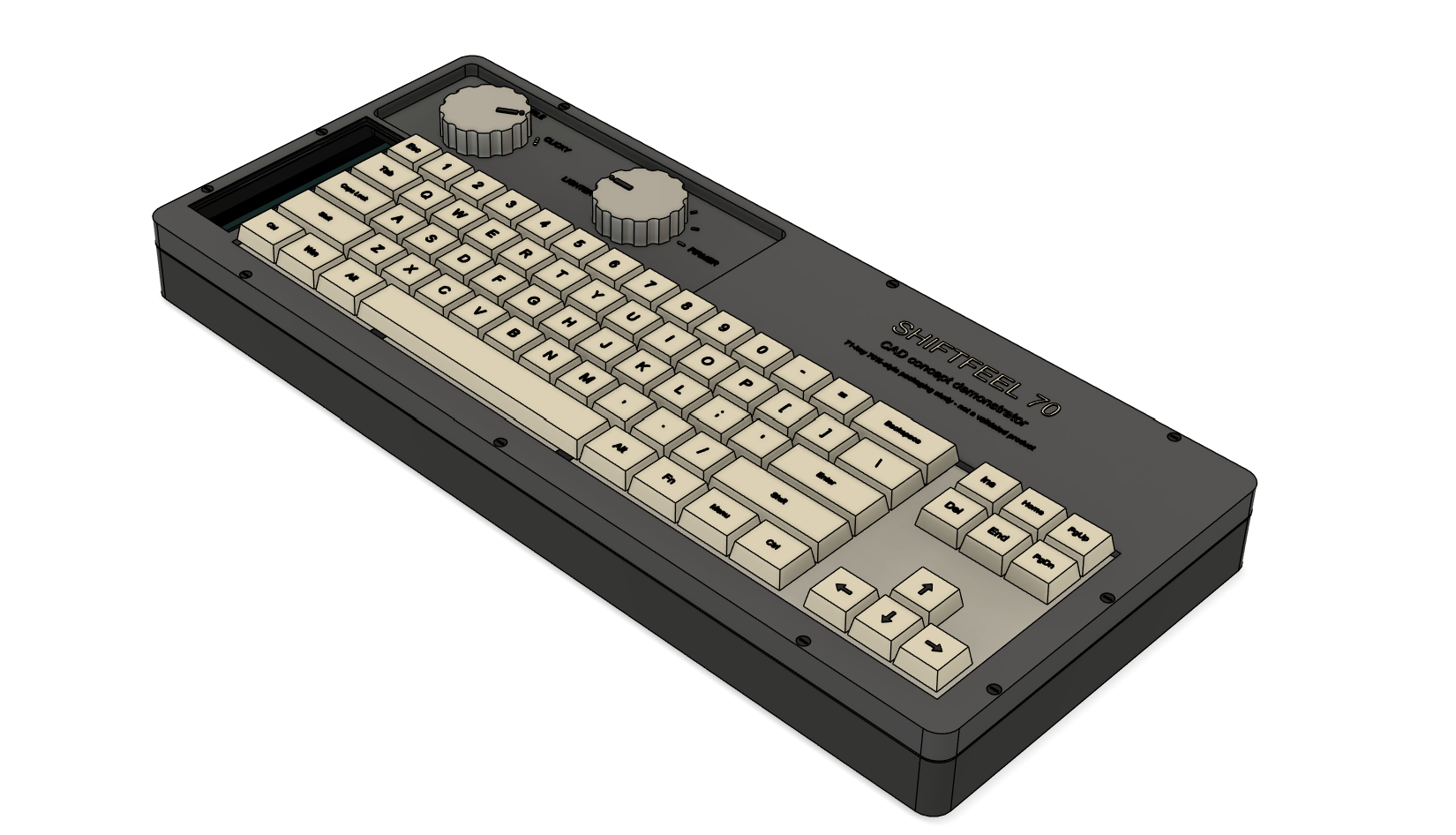
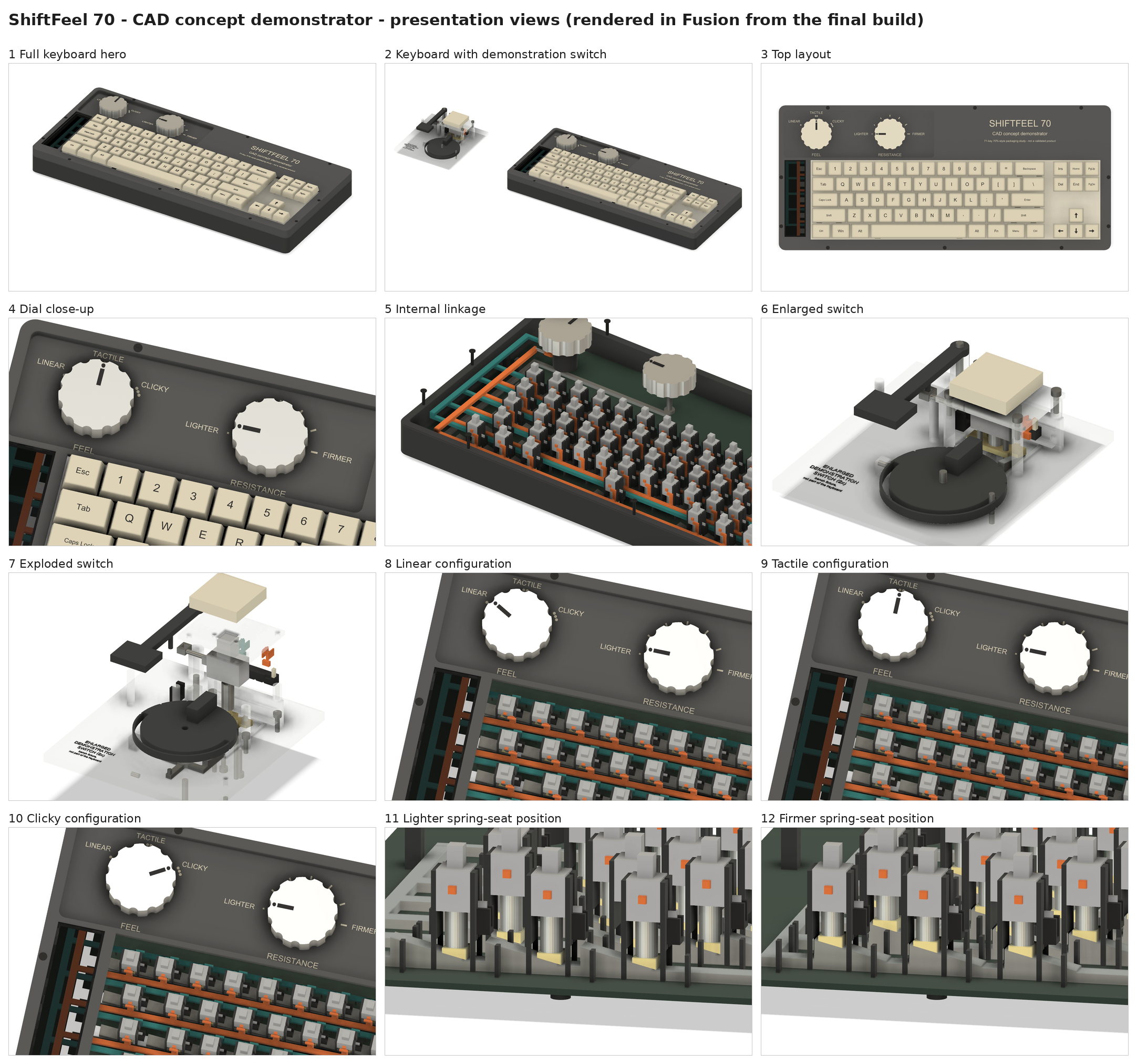
Full keyboard
-
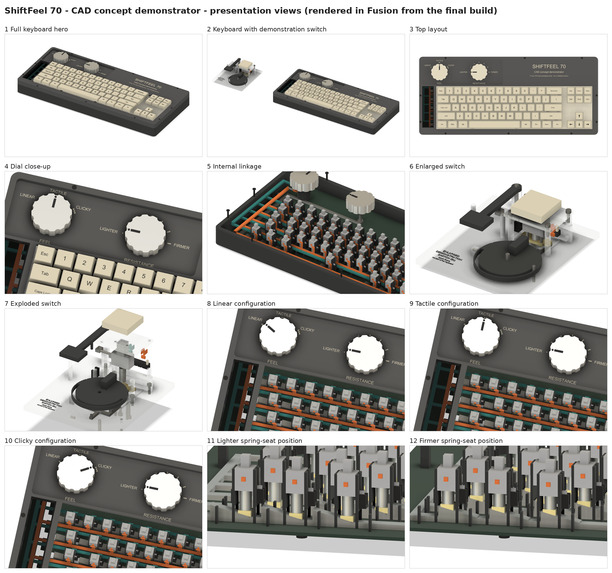
Isometric and cross sectional views
-
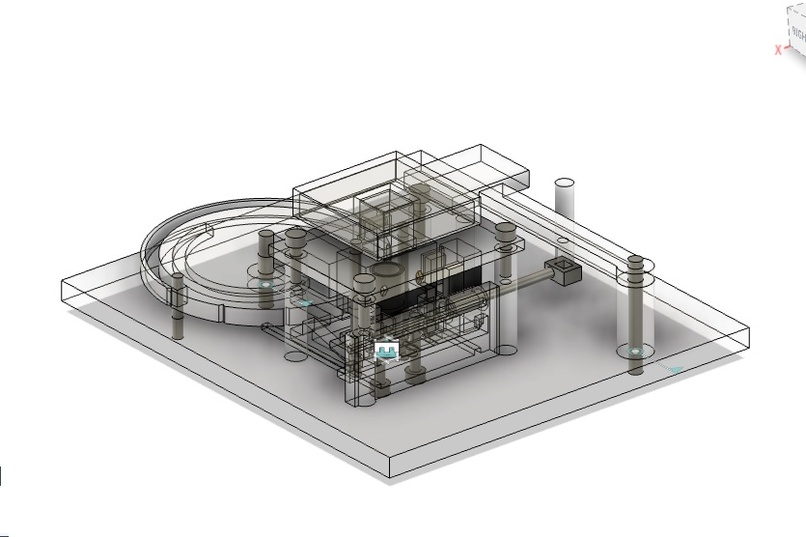
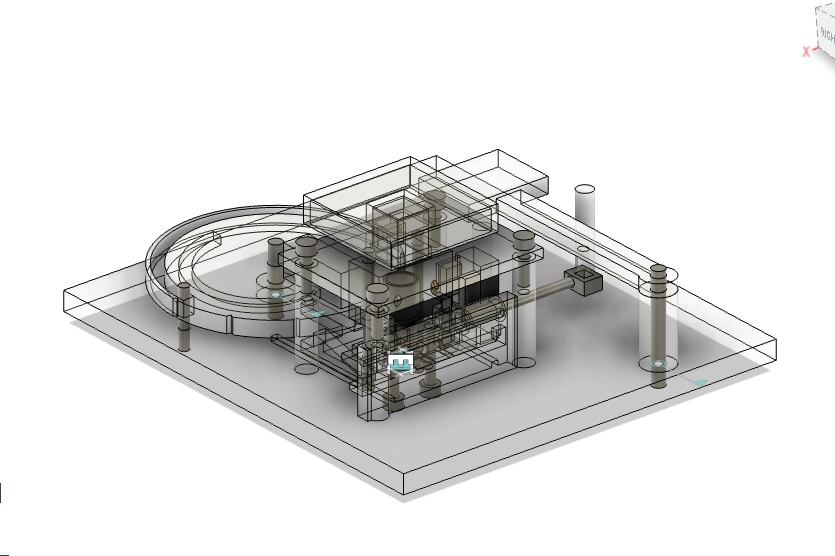
Single key view
Inspiration
Choosing a keyboard often means committing to one feel. Blue switches have a tactile bump and an audible click. Brown switches provide a bump without the deliberate click, while red switches offer a smooth press.
We wanted the freedom to change that feel for studying, typing, or gaming without replacing switches or reaching for another keyboard.
That idea became ShiftFeel: a keyboard concept that puts three feedback styles and adjustable pressing resistance within reach of two dials. We also wanted to make customization easier for people who find small switches difficult to handle.
What it does
ShiftFeel gives users two separate controls over how their keyboard feels.
A physical mode dial selects between three feedback styles:
- Red-like / Linear: A smooth press with the tactile mechanism and click bar disengaged.
- Brown-like / Tactile: A noticeable bump with the click bar disengaged.
- Blue-like / Clicky: A tactile bump paired with a mechanical click.
A separate resistance dial adjusts spring compression to make keys easier or harder to press. Neither adjustment requires removing keycaps or replacing switches.
ShiftFeel could help users tailor their keyboard to their comfort and sensory preferences, with potential appeal across education, gaming, and workplace markets.
ShiftFeel is currently a CAD concept. The design shows how these behaviors could work; physical testing will determine how well the mechanism delivers them.
How we built it
We designed the mechanism around a guided key stem and compression spring, with an adjustable spring platform beneath it. A tactile follower provides the bump, while a separate click bar produces the selectable click.
The mode dial controls a proposed cam-and-linkage system that moves the feedback components into or out of the stem’s path. The resistance dial raises or lowers the spring platform, changing the spring’s preload.
Our CAD work focuses on how these components fit and move together. Fixed rubber pads cushion the key’s landing in every mode.
Challenges we ran into
The hardest problem was giving users independent control over pressing resistance, tactile feedback, and sound. Increasing spring compression makes a key heavier, but a spring alone cannot produce all three feedback styles.
We also had to account for limited space inside each switch, coordinated adjustments across multiple keys, and potential interference during mode changes.
These constraints shaped our competition demonstration: a CAD concept with a defined mechanism and clear questions for physical testing.
Accomplishments that we're proud of
We developed a concept that brings three familiar keyboard experiences into one adjustable mechanism.
We’re especially proud that the controls address a practical barrier to customization. Changing keyboard feel should be easier for users who struggle to grip, remove, or replace small components.
What we learned
We learned that switch feel depends on how mechanical parts interact. Springs control resistance, while tactile and click mechanisms create distinct feedback.
We also learned to treat accessibility as a need for choice. A lighter press may suit one person, while another prefers greater resistance or a tactile bump without an audible click. Those preferences helped shape our separate controls.
What's next for ShiftFeel
Our next step is to build one adjustable switch and measure its pressing force, sound, and return behavior.
From there, we plan to test a linked group of keys and refine the release-before-change mechanism. Feedback from gamers and users with different dexterity and sensory needs will help us assess whether the adjustments are useful and easy to operate.
Those results will guide our work toward a reliable full keyboard.
Built With
- autodesk-fusion-360
- ffmpeg
- fusion-python-api
- kokoro-text-to-speech
- numpy
- pillow
- python

Log in or sign up for Devpost to join the conversation.