-
-
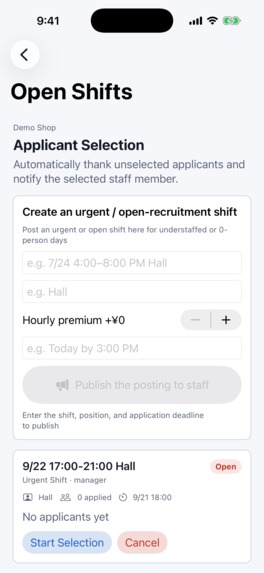
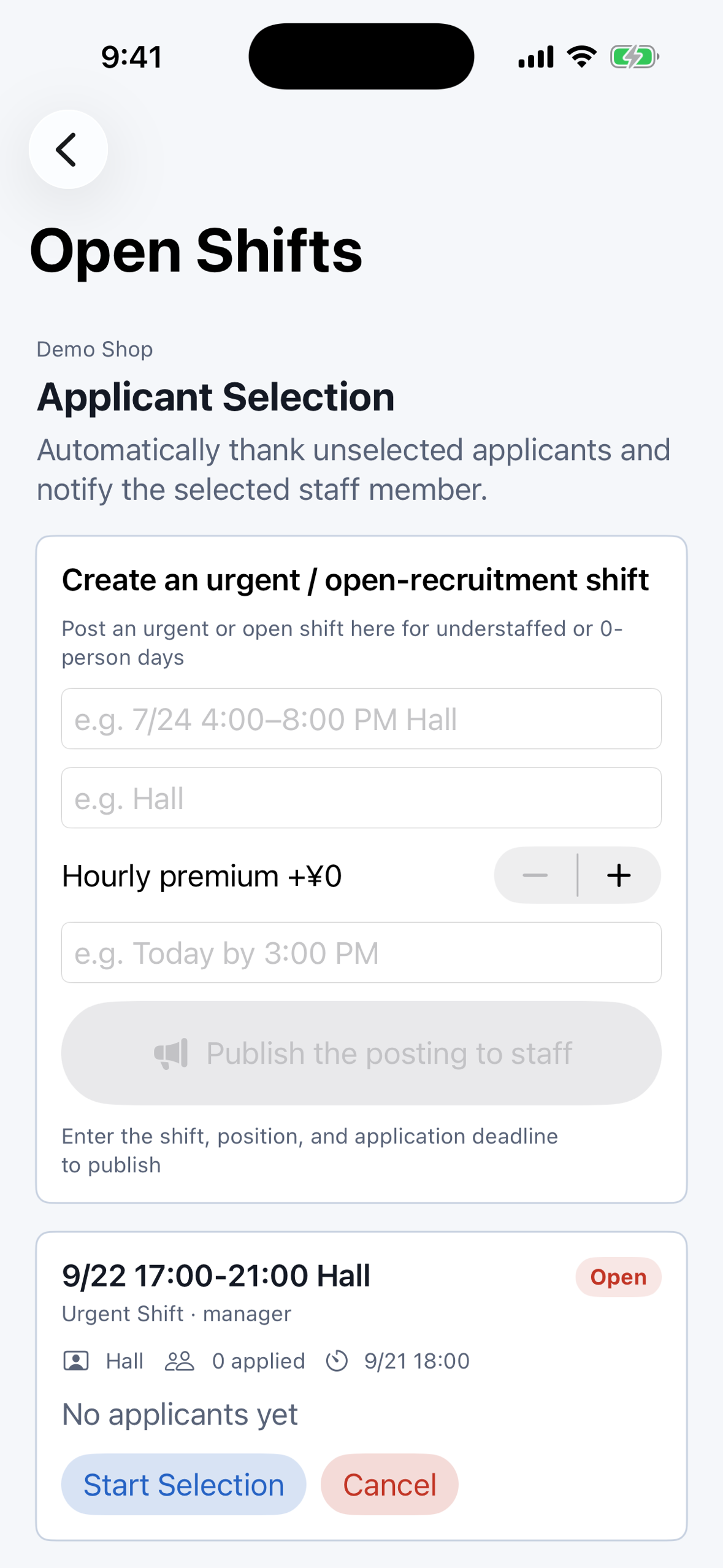
Open Shifts: post a last-minute gap, pick one applicant, and everyone else gets an automatic thank-you.
-
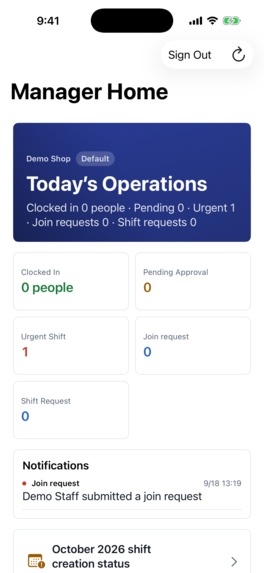
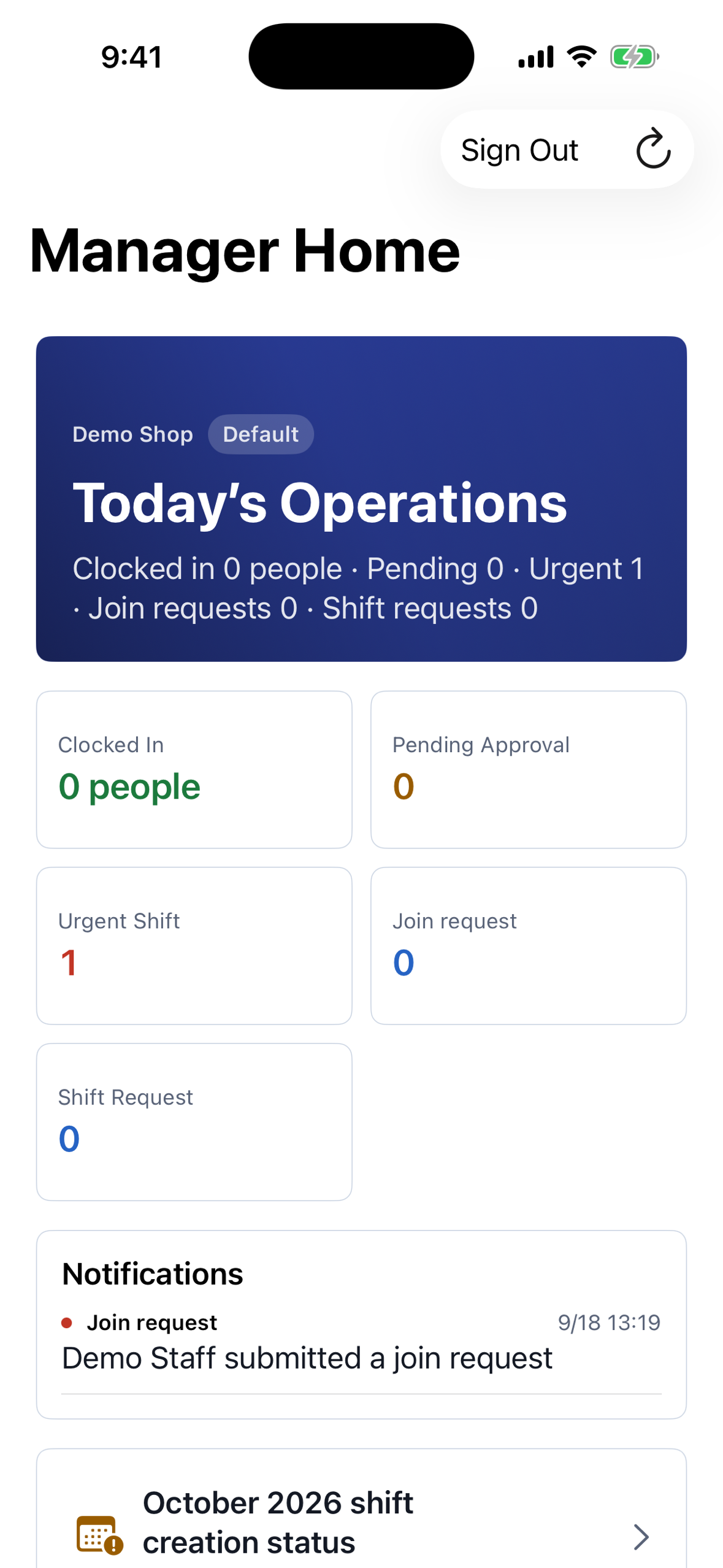
Manager Home: who is clocked in, what is waiting for approval, and any urgent open shift, at a glance.
-

App icon.
-
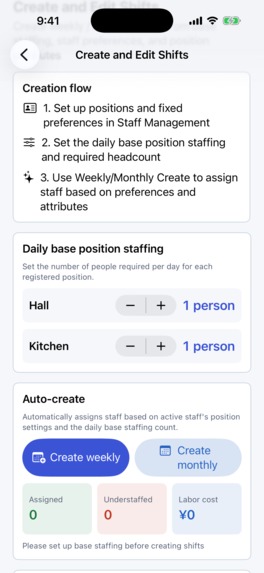
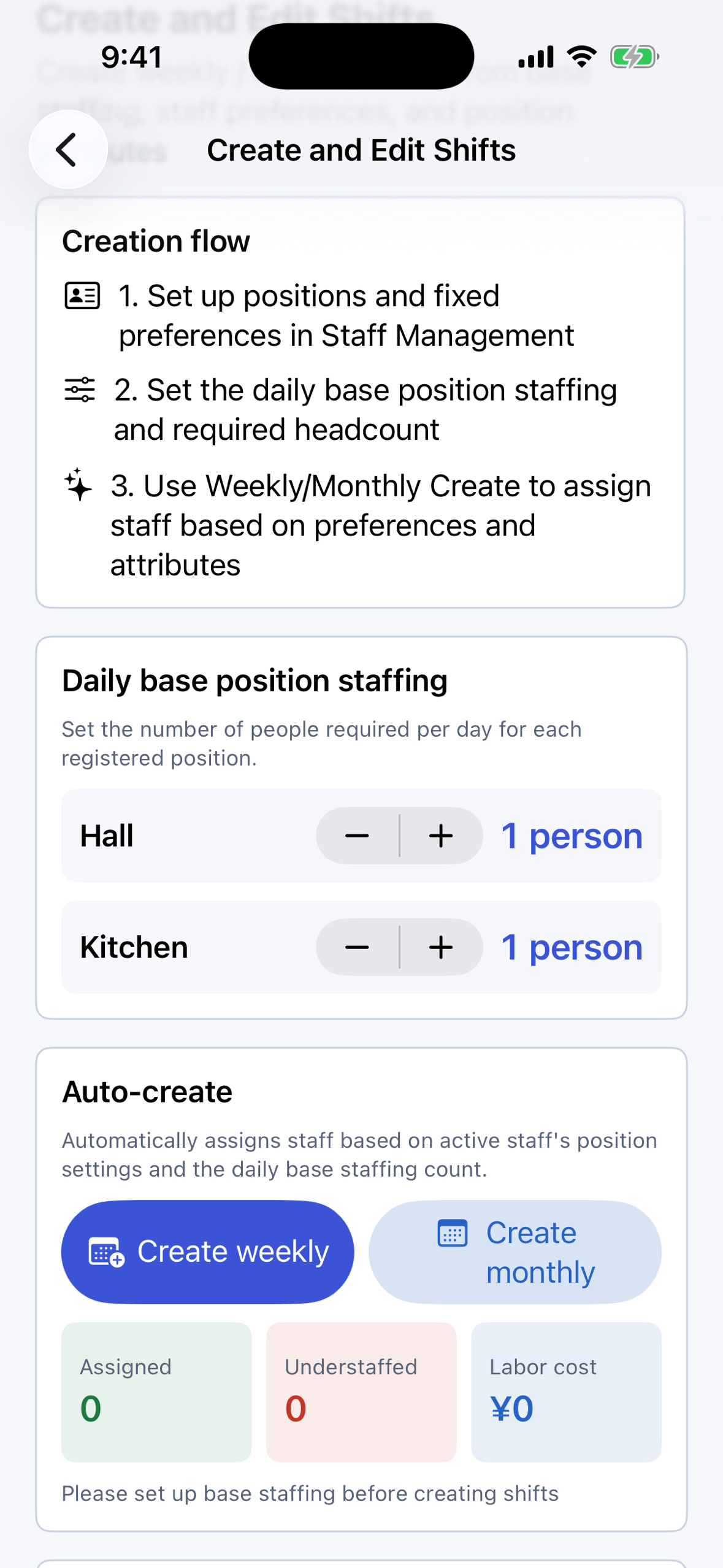
Create Shifts: set daily headcount per position, then auto-create a weekly or monthly schedule.

Inspiration
A staff schedule is out of date the day after it goes up on the wall. Someone needs Thursday off, two people agree to swap, a shift opens at short notice, and a manager has to work out who actually showed up this morning. None of that lives in the schedule. It lives in a group chat, on a paper request slip, and in a conversation nobody wrote down.
The schedule itself is the easy part. What breaks a small team is everything that happens to the schedule afterwards — and the fact that a verbal "sure, I'll cover you" is indistinguishable from a real change until someone doesn't turn up.
We built Shift Management Agent so that a promise and a change are the same thing: nothing alters the schedule until the manager approves it, and every approval is recorded where both sides can see it.
What it does
One app that shows a different set of screens depending on who signs in. Managers build and approve. Staff check their shifts, submit preferences and clock in.
- Build the schedule. Set positions and the headcount each one needs per day, then build weekly or monthly schedules with staff preferences and attributes in view. Published shifts appear as a daily Gantt chart, a weekly heatmap and a monthly coverage view.
- Preferences and four kinds of change request. Staff submit preferred days and time slots for next month. Once shifts are published, a change can be a swap, a time change, a swap already agreed in person, or a fill-in request. For a swap, the other person accepts or declines in the app first, and a manager approves after that — so a change is never just a verbal promise. Managers who also work shifts submit preferences the same way.
- Open shifts for last-minute gaps. A manager publishes an open shift, staff apply, the manager picks one. Everyone who wasn't picked gets an automatic thank-you, so nobody has to write "sorry, not this time" five times by hand.
- Time clock, and who hasn't arrived. Staff clock in, take breaks and clock out. On the manager's schedule, anyone not clocked in turns yellow shortly before their start time and red after it — both thresholds set in minutes by the manager. A past day keeps its red mark if no clock-in was ever recorded.
- Each store's data stays with that store. Staff join with an invite code and see only their own department's shifts and their own information. This is enforced by the database itself through row-level security, not only by the app, so another department's data is never handed to the device in the first place. Run several locations and you can add departments under one account, switch between them, move staff in bulk, and archive a department without losing its time records.
Staff use the app for free. The Manager Plan is a monthly subscription with a 14-day free trial, priced by how many members are on shifts in the account: up to 15, 30, 60, 120 or 200 people.
How we built it
Swift and SwiftUI on the client, Supabase (Postgres) as the backend, and RevenueCat with StoreKit 2 for the subscription.
- Row-level security as the separation boundary. Every table that holds shifts, members, requests or time records is gated by policies tied to the signed-in user's department membership. Separation is a property of the database, not a filter the client is trusted to apply.
- Identity checks by ID, not by display name. Clock-ins and requests are recorded as the acting person's own actions, matched on the account ID rather than on a name string that two people could share.
- Edge Functions for the flows that must not be client-driven, such as sending the automatic thank-you when an open shift is filled.
- RevenueCat with a single entitlement per plan tier, and the headcount limit enforced against the plan the account actually holds.
- A design-token system shared between the manager and staff surfaces, so two quite different information densities still read as one product.
Challenges we ran into
We built a subscription nobody had a reason to buy. Late in development we tested the free tier the way a real shop would, and found that an unpaid account could register 50 members and keep using the app indefinitely. Every paid feature was reachable for free — not by a bug in the paywall, but because no limit had ever been enforced anywhere. We set a free ceiling of 3 members, routed the two places where a team crosses that ceiling (registering a member, and approving a join request) to the purchase screen, and brought existing accounts down to the same ceiling by migration. The lesson was that a paywall is not a screen; it is whichever line in the code says "no."
Shifts that a manager could not see. In a live test on the production database, join requests and submitted preferences from staff never reached the manager's screen in one specific case: when the manager was the account owner. The client code was correct. The row-level security policy was not — it granted visibility through department membership, and an owner who had created the department did not have a membership row in the sense the policy expected. The failure mode of a security policy is silence, and silence looks exactly like "nobody submitted anything."
A gate that fails open, on purpose. Our schedule marks a shift red when nobody clocked in. Deciding what that mark should do when the app cannot reach the server took longer than writing it. We chose to show the shift as unverified rather than as fine, because a manager who is wrongly told everything is fine stops checking.
Accomplishments that we're proud of
An approval chain that a small shop will actually use. The alternative to this app is not a competing app — it is a group chat, and a group chat wins whenever the app takes more steps. So a swap is: the other person taps accept, the manager taps approve, and the schedule changes. Two taps, and now it is written down.
We are also proud that the separation between stores is enforced where it cannot be bypassed. It would have been far quicker to filter by department in the client and move on. Putting it in the database meant writing and testing policies for every table, and it is the part of this app we would defend hardest.
What we learned
A localization percentage is not a localization. Our string catalog reported 97.6% of keys translated into English, and we took that as done. Reviewing screenshots for this submission, we found Japanese still on several English-language screens. The untranslated text was never in the catalog at all — it was hardcoded in the Swift views, so it could not appear as a missing key no matter how carefully we read the report. The only measurement that would have caught it is the one we should have run first: open every screen in English and look at it.
Test on the account that owns the thing. The invisible-requests bug only appeared for the owner of a department, which is the one account a developer uses constantly and therefore never tests as if it were unusual.
What's next for Shift Management Agent
Finishing the English localization properly — moving the hardcoded strings into the catalog and re-recording every English screenshot — is the first release after launch, not a later cleanup. After that: telling a manager why an auto-built schedule came back empty (today it silently produces nothing when positions haven't been assigned), and giving managers a way to set their own display name, which currently falls back to the local part of their email address in front of their whole team.
Built With
- b2b
- csv
- deno
- edge-functions
- ios
- ipados
- postgresql
- revenuecat
- row-level-security
- storekit
- supabase
- swift
- swiftui

Log in or sign up for Devpost to join the conversation.