-
-
Home
-
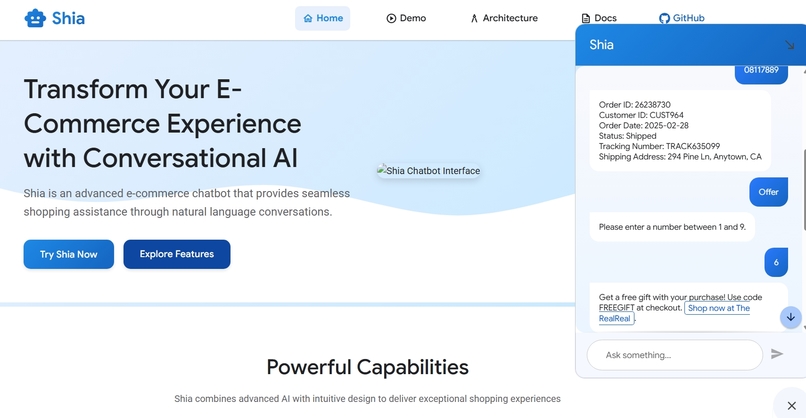
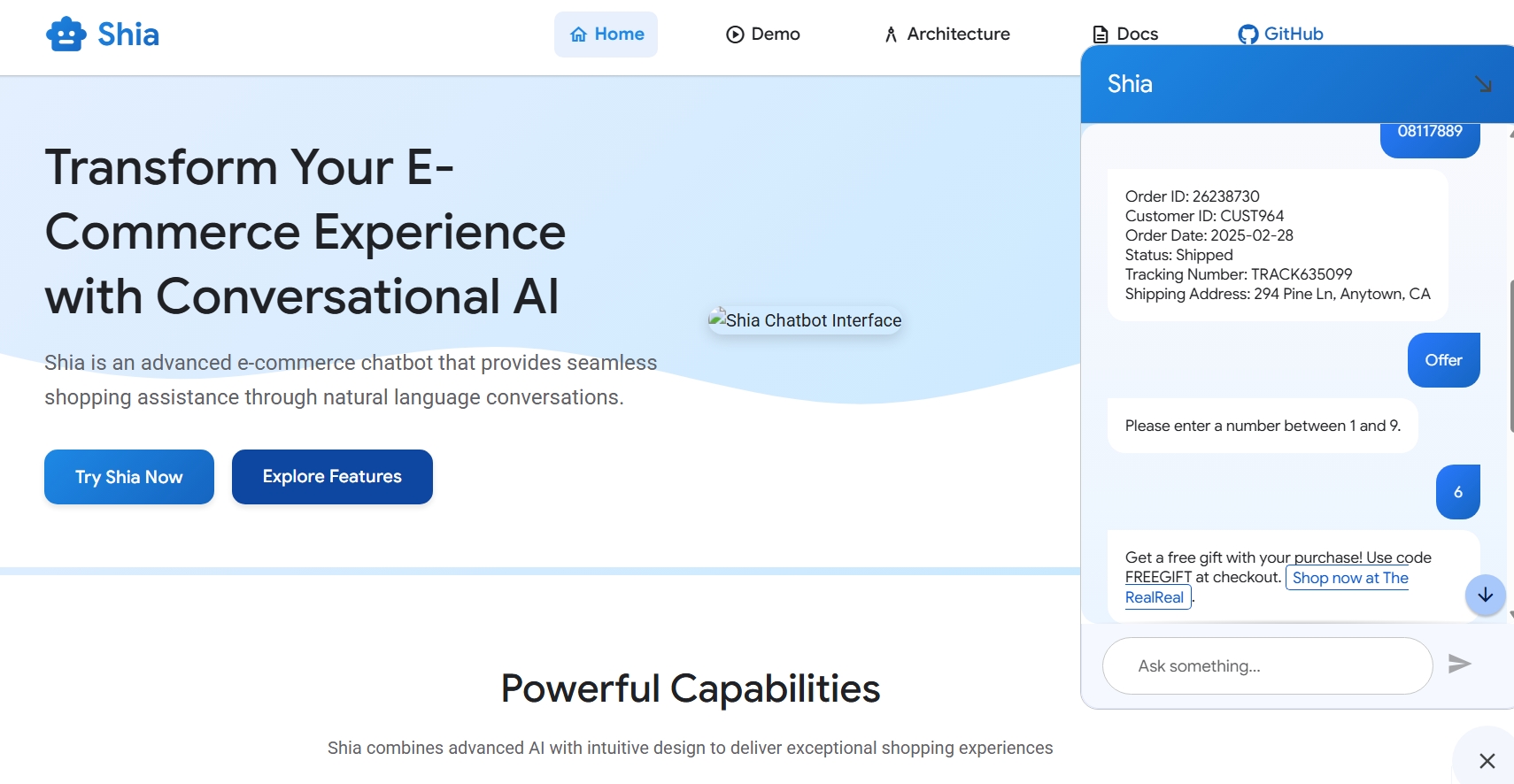
Order status
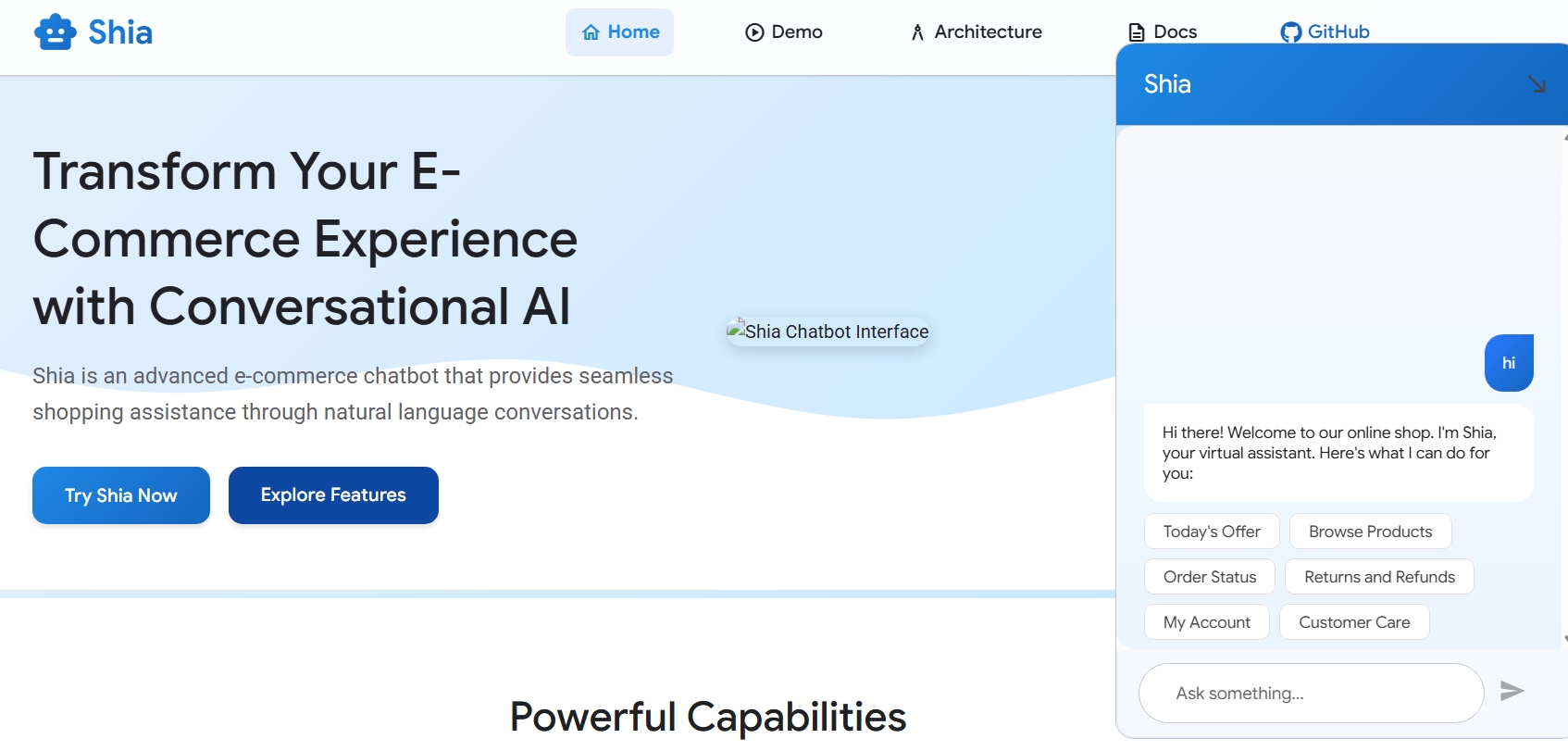
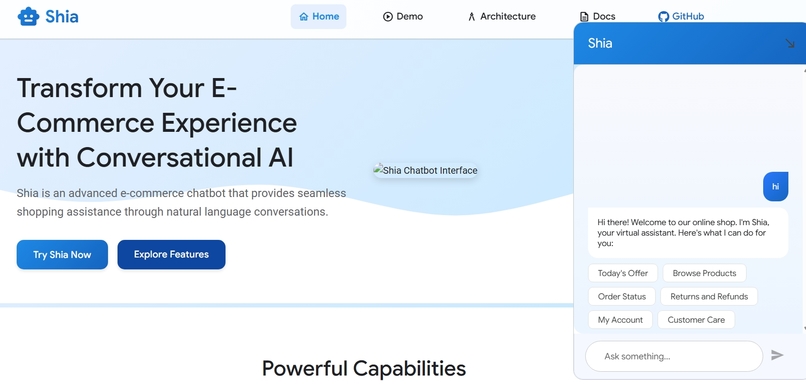
🛒💬 Shia E-Commerce Chatbot
🤖 Transforming E-commerce with Intelligent Conversation 🛍️
Powered by Google Cloud & Dialogflow CX
📋 Project Overview
Shia is an advanced e-commerce chatbot built with Dialogflow CX, powered by Google Cloud Functions, and utilizing BigQuery for data storage and analytics. This conversational agent provides customers with a seamless shopping experience through natural language interactions.
✨ Key Features - 🔍 **Intelligent Product Search** - Natural language product discovery - 📦 **Order Tracking** - Real-time updates on customer orders - 🛠️ **Customer Support** - Automated issue resolution and complaint handling - 👤 **Account Management** - User profile viewing and editing - 🏷️ **Personalized Offers** - Custom promotions based on user preferences - 📊 **Analytics Dashboard** - Comprehensive conversation insights💡 Core Purpose: To enhance customer experience by providing a conversational interface for e-commerce operations including product browsing, order tracking, account management, and customer support.
🏗️ Architecture
High-Level Components
graph TD
    A[Dialogflow CX Agent] <--> B[Cloud Functions]
    B <--> C[BigQuery Database]
    A <--> D[User Interface]
    C <--> E[Analytics Dashboard]

    style A fill:#f9f,stroke:#333,stroke-width:2px
    style B fill:#bbf,stroke:#333,stroke-width:2px
    style C fill:#bfb,stroke:#333,stroke-width:2px
    style D fill:#fbb,stroke:#333,stroke-width:2px
    style E fill:#fbf,stroke:#333,stroke-width:2px
🔄 Flow Structure
The chatbot is organized around a hub-and-spoke model with the following main flows:
| Flow Name | Icon | Description | Primary Functions |
|---|---|---|---|
| Start Page | 🚪 | Entry point and routing hub | Welcome, intent detection |
| MAIN_MENU | 🧭 | Primary navigation | Options presentation, routing |
| ORDER_STATUS | 📦 | Order tracking | Order lookup, status updates |
| BROWSE_PRODUCTS | 🔍 | Product discovery | Catalog search, filtering, recommendations |
| COMPLAINT | ⚠️ | Issue resolution | Complaint logging, escalation |
| MY_ACCOUNT | 👤 | User profile management | Profile viewing/editing, preferences |
| OFFER | 🏷️ | Promotions and deals | Personalized offers, discount codes |
🔧 Technical Components
1. 🧠 Dialogflow CX
Shia leverages Dialogflow CX's advanced conversation management capabilities:
🔄 State-based conversation management
Complex, multi-turn conversations
🏷️ Advanced entity handling
Product catalogs, user profiles, order details
📊 Flow-based design
Independent conversation modules with clear transitions
💬 Rich response types
Text, cards, carousels, quick replies
Agent Structure
shia-ecommerce-agent/
├── 📁 flows/
│   ├── 🚪 start.flow
│   ├── 🧭 main_menu.flow
│   ├── 📦 order_status.flow
│   ├── 🔍 browse_products.flow
│   ├── ⚠️ complaint.flow
│   ├── 👤 my_account.flow
│   └── 🏷️ offer.flow
├── 📁 intents/
│   ├── navigation_intents.json
│   ├── product_intents.json
│   ├── order_intents.json
│   └── ...
├── 📁 entities/
│   ├── product_type.json
│   ├── order_status.json
│   └── ...
└── 📁 webhooks/
    ├── product_lookup.json
    ├── order_fetch.json
    └── ...
2. ⚡ Cloud Functions
Cloud Functions serve as the backend processing layer, handling:
- 🔌 Webhook fulfillment: Dynamic responses based on database queries
- 🔗 API integration: Connections to inventory, order management, and payment systems
- 🔄 Data processing: Formatting and transforming data for both BigQuery and Dialogflow
- 🔒 Authentication: Secure user verification and session management
Key Functions
📋 View Example Code ```javascript // Example of a product search function exports.productSearch = (req, res) => { const parameters = req.body.queryResult.parameters; const productType = parameters.product_type; const priceRange = parameters.price_range; // Query products from database return queryProducts(productType, priceRange) .then(products => { // Format response for Dialogflow res.json({ fulfillmentMessages: formatProductResults(products) }); }) .catch(err => { console.error('Error querying products:', err); res.status(500).send('Internal Server Error'); }); }; ```3. 💾 BigQuery Database
BigQuery provides a scalable data storage solution with powerful analytics capabilities:
- 📐 Schema Design: Optimized for e-commerce data and conversation history
- ⚡ Real-time Analytics: Monitoring conversation performance and user behavior
- 🔄 Data Integration: Connected to product catalog, order system, and user profiles
- 📝 Conversation Logging: Complete history for improvement and personalization
Core Tables
| Table Name | Icon | Purpose | Key Fields |
|---|---|---|---|
products |
🛍️ | Product catalog | product_id, name, price, category, inventory |
orders |
📦 | Order tracking | order_id, user_id, status, items, total |
users |
👤 | Customer profiles | user_id, name, preferences, history |
conversations |
💬 | Chat history | session_id, timestamp, input, response, intent |
complaints |
⚠️ | Issue tracking | complaint_id, user_id, type, status, resolution |
🚀 Setup & Installation
Prerequisites
| 🌐 Google Cloud Platform account | with billing enabled |
| 🤖 Dialogflow CX API access | for agent creation and management |
| 📦 Node.js v14+ | and npm for Cloud Functions |
| ⌨️ gcloud CLI | for deployment and configuration |
Installation Steps
🔧 Step 1: GCP Project Setup ```bash # Create a new GCP project gcloud projects create shia-ecommerce-chatbot --name="Shia E-commerce Chatbot" # Set the project as current gcloud config set project shia-ecommerce-chatbot # Enable required APIs gcloud services enable dialogflow.googleapis.com gcloud services enable cloudfunctions.googleapis.com gcloud services enable bigquery.googleapis.com ``` 💾 Step 2: BigQuery Setup ```bash # Create dataset bq mk --dataset ecommerce_data # Create tables from schema files bq mk --table ecommerce_data.products schema/products_schema.json bq mk --table ecommerce_data.orders schema/orders_schema.json bq mk --table ecommerce_data.users schema/users_schema.json bq mk --table ecommerce_data.conversations schema/conversations_schema.json ``` ⚡ Step 3: Cloud Functions Deployment ```bash # Navigate to functions directory cd cloud_functions # Install dependencies npm install # Deploy product search function gcloud functions deploy productSearch \ --runtime nodejs14 \ --trigger-http \ --allow-unauthenticated # Deploy other functions similarly gcloud functions deploy orderStatus \ --runtime nodejs14 \ --trigger-http \ --allow-unauthenticated ``` 🤖 Step 4: Dialogflow CX Setup 1. Create a new agent in Dialogflow CX console 2. Import the provided agent zip file from `dialogflow/shia-agent.zip` 3. Configure webhook URLs to point to your deployed Cloud Functions 4. Test the agent in the Dialogflow simulator📝 Implementation Details
Conversation Flows
🚪 Start Page
The entry point for all conversations, responsible for:
- 👋 Welcoming users
- 🧠 Collecting basic context
- 🚦 Routing to appropriate specialized flows
🧭 Main Menu Flow
flowchart TD
    A[Welcome Page] --> B{Intent Recognition}
    B -->|browse_products| C[BROWSE_PRODUCTS]
    B -->|check_order| D[ORDER_STATUS]
    B -->|file_complaint| E[COMPLAINT]
    B -->|view_account| F[MY_ACCOUNT]
    B -->|check_offers| G[OFFER]
    B -->|fallback| H[Fallback Response]
📦 Order Status Flow
| Step | Process | Details |
| Order Identification |
• By Order Number • By Recent Orders |
"What's your order number?" "Here are your recent orders..." |
| Status Retrieval | Webhook: orderStatusLookup | Cloud Function processes the request |
| Status Communication |
• Status update • Delivery ETA • Tracking information |
"Your order #12345 is currently being shipped." |
Database Schema Details
📋 Products Table Schema ```json [ {"name": "product_id", "type": "STRING", "mode": "REQUIRED"}, {"name": "name", "type": "STRING", "mode": "REQUIRED"}, {"name": "description", "type": "STRING", "mode": "NULLABLE"}, {"name": "price", "type": "FLOAT", "mode": "REQUIRED"}, {"name": "category", "type": "STRING", "mode": "REQUIRED"}, {"name": "subcategory", "type": "STRING", "mode": "NULLABLE"}, {"name": "inventory_count", "type": "INTEGER", "mode": "REQUIRED"}, {"name": "image_url", "type": "STRING", "mode": "NULLABLE"}, {"name": "last_updated", "type": "TIMESTAMP", "mode": "REQUIRED"} ] ```🔌 Integration Guide
Webhook Configuration
Connect your Dialogflow CX agent to Cloud Functions by configuring webhooks:
1In Dialogflow CX console, navigate to Manage tab
2Select Webhooks
3Create a new webhook for each function:
      URL: https://[REGION]-[PROJECT_ID].cloudfunctions.net/[FUNCTION_NAME]

      Method: POST

      Request Format: Dialogflow CX Webhook Request
Testing Locally
For local development and testing:
# Install the Dialogflow CX CLI
npm install -g @google-cloud/dialogflow-cx

# Run local webhook server
npm run dev-server

# Test with simulated requests
dialogflow-cx simulate --project-id=shia-ecommerce-chatbot
📊 Performance Monitoring
Key Metrics
Monitor these essential metrics:
| Metric | Description | Target |
|---|---|---|
| 🎯 Conversation Completion Rate | % of conversations reaching successful resolution | >85% |
| 🧠 Intent Recognition Accuracy | % of correctly identified user intents | >90% |
| ⚠️ Fallback Rate | % of queries resulting in fallback responses | <15% |
| 📏 Average Conversation Length | Number of turns to complete common tasks | <5 turns |
| 😊 User Satisfaction | Post-conversation ratings | >4.2/5 |
Monitoring Dashboard
graph LR
    A[Conversation Data] --> B[BigQuery]
    B --> C[Data Studio]
    C --> D[Monitoring Dashboard]
    D --> E[Performance KPIs]
    D --> F[User Satisfaction]
    D --> G[Technical Metrics]
Example Monitoring Query
📋 Daily Fallback Rate Query ```sql -- Example BigQuery monitoring query for daily fallback rate SELECT DATE(timestamp) as date, COUNT(CASE WHEN intent = 'Default Fallback Intent' THEN 1 END) / COUNT(*) * 100 as fallback_rate FROM ecommerce_data.conversations GROUP BY date ORDER BY date DESC LIMIT 14; ```🌐 Deployment
Production Deployment Checklist
Ensure all entity types are thoroughly tested Verify all webhook connections are operational Test full conversation flows from start to completion Configure proper IAM permissions Set up monitoring alerts Establish CI/CD pipeline for agent updatesIntegration Options
| Platform | Icon | Integration Method | Documentation |
|---|---|---|---|
| Website | 🌐 | Dialogflow Messenger | Documentation |
| Mobile App | 📱 | Dialogflow API | Documentation |
| Facebook Messenger | 💬 | Built-in Integration | Documentation |
| Google Assistant | 🔊 | Built-in Integration | Documentation |
🔍 Troubleshooting Guide
Common Issues
| Issue | Icon | Possible Causes | Solutions |
|---|---|---|---|
| Intent recognition failures | 🧠 | Insufficient training phrases | Add more varied examples to training phrases |
| Webhook timeouts | ⏱️ | Function execution taking too long | Optimize database queries, add caching |
| Entity extraction issues | 🏷️ | Entity definitions too narrow | Broaden entity definitions, add synonyms |
| Conversation loops | 🔄 | Missing exit conditions in flows | Add clear exit paths, improve error handling |
Debugging Tips
📋 View Cloud Function Logs ```bash # View Cloud Function logs gcloud functions logs read productSearch --limit=50 ``` 🔌 Test Webhook Directly ```bash # Test webhook directly curl -X POST \ -H "Content-Type: application/json" \ -d @test-payloads/product-search.json \ https://[REGION]-[PROJECT_ID].cloudfunctions.net/productSearch ```🔮 Future Enhancements
🌍Multi-language Support
Expanding to additional languages
🔊Voice Interface
Adding telephony integration
🎯Personalization Engine
Improved product recommendations
💳Payment Processing
Direct checkout capabilities
😊Sentiment Analysis
Real-time customer satisfaction monitoring
👥 Contributing
Contributions are welcome! Please follow these steps:
gitGraph:
    commit id: "Initial Setup"
    branch feature
    checkout feature
    commit id: "New Feature"
    commit id: "Testing"
    checkout main
    merge feature
    commit id: "Release"
- Fork the repository
- Create a feature branch (
git checkout -b feature/amazing-feature) - Commit your changes (
git commit -m 'Add some amazing feature') - Push to the branch (
git push origin feature/amazing-feature) - Open a Pull Request
See CONTRIBUTING.md for detailed guidelines.
📄 License
This project is licensed under the MIT License - see the LICENSE file for details.
🙏 Acknowledgements
☁️ Google Cloud team for Dialogflow CX and BigQuery 🌐 The open-source community for various tools and libraries 👥 All contributors and testers who helped shape this projectMade with ❤️ by the Shia Team
Built With
- dialogflow
- python


Log in or sign up for Devpost to join the conversation.