-
-

Sherpa
-
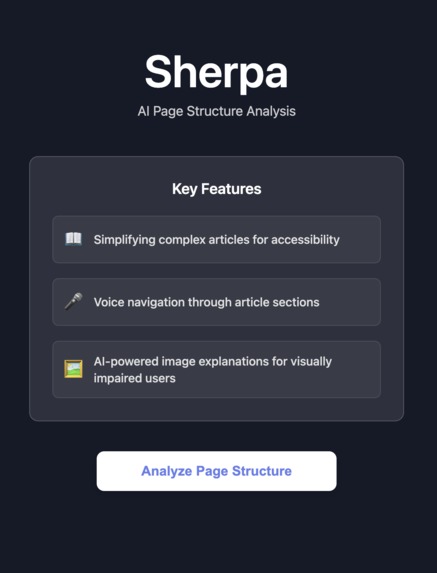
Sherpa main Features
-
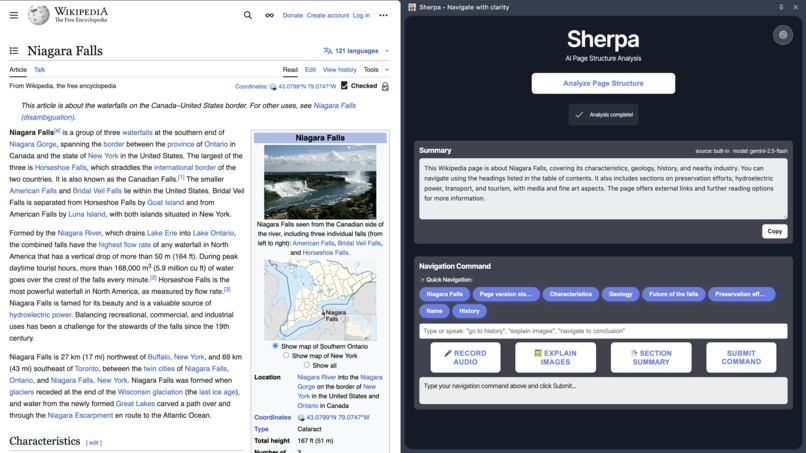
Sherpa Navigation and Summary
-
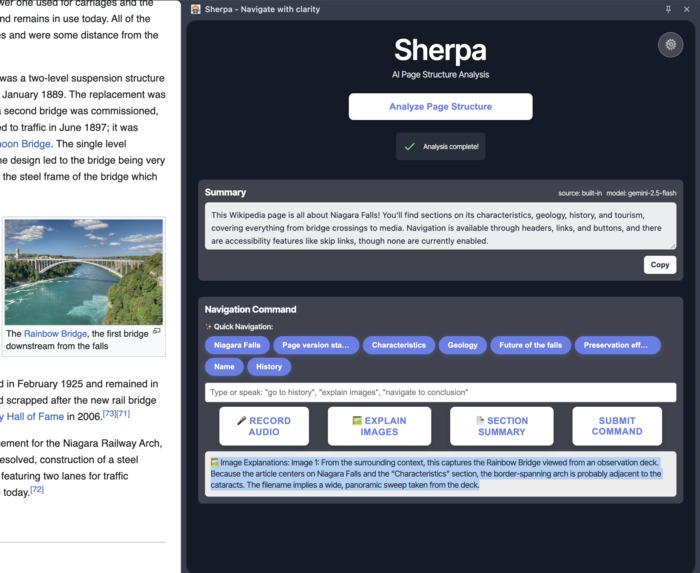
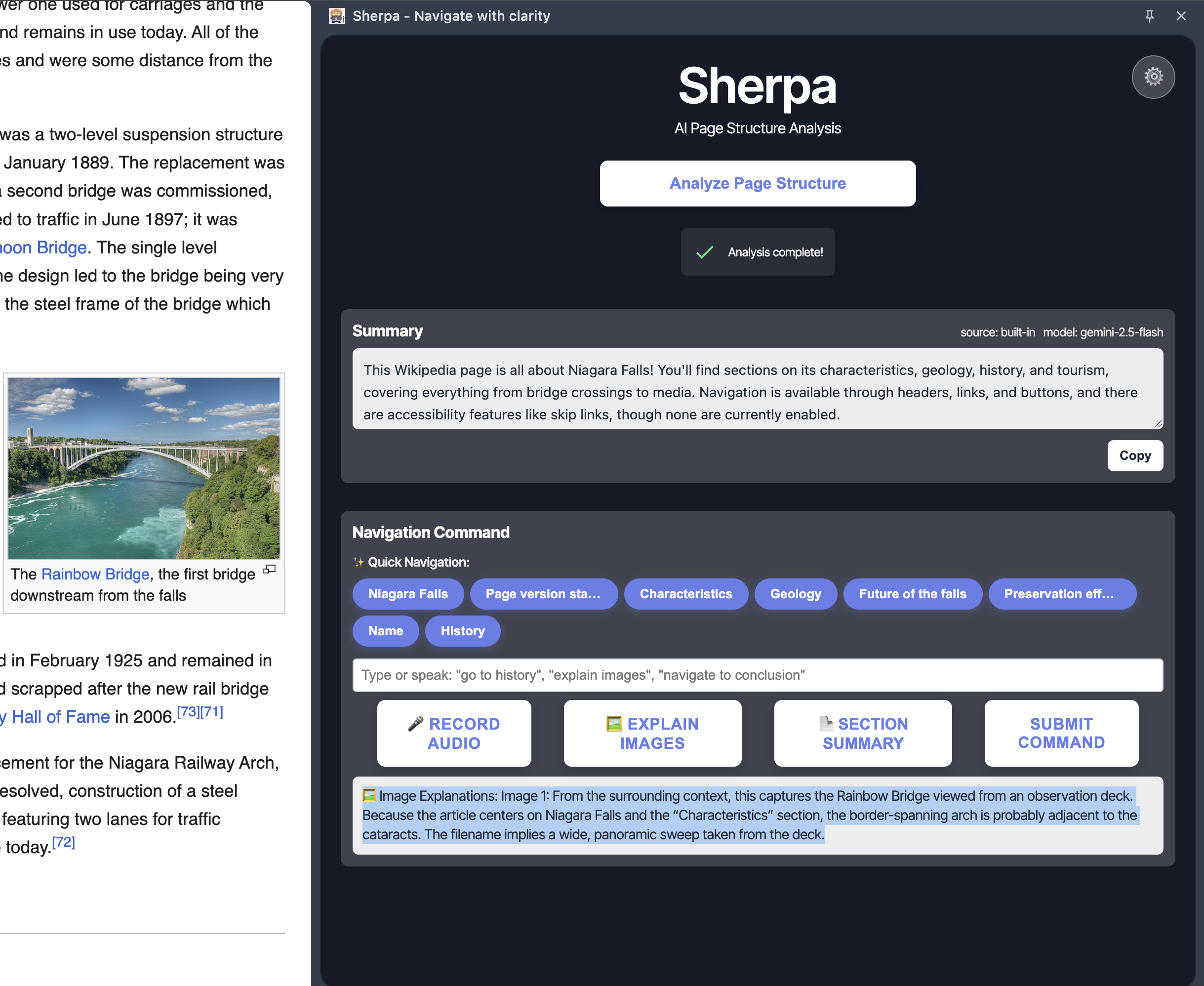
Sherpa Image Description


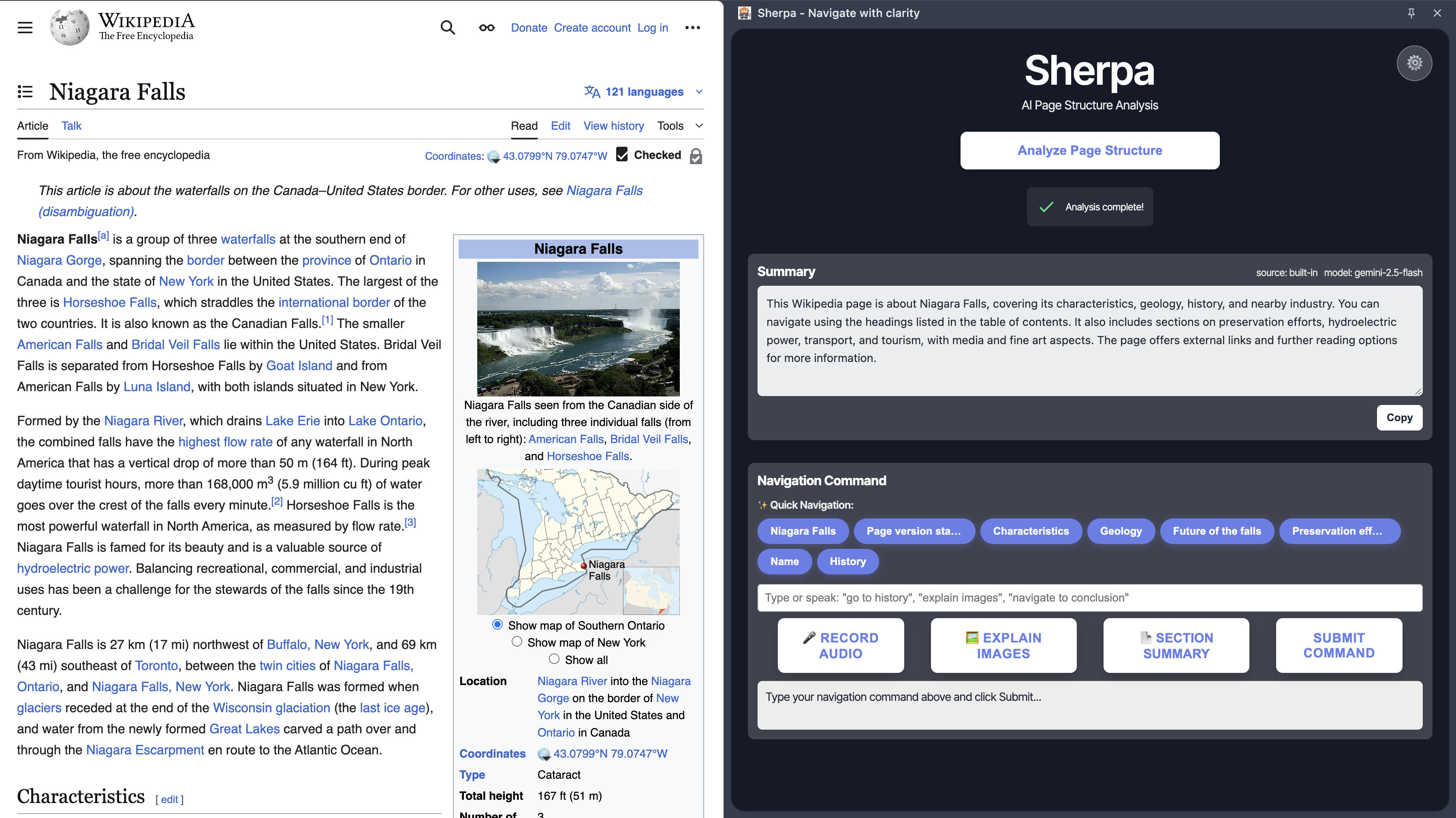
Inspiration
Our inspiration for Sherpa came from recognizing a critical gap in web accessibility. Despite the internet being a vast repository of knowledge, many users—particularly those with visual impairments—struggle to navigate and understand complex web content effectively. Traditional screen readers provide text-to-speech, but they often miss the contextual understanding and structural navigation that sighted users take for granted.
We observed that while AI technology has advanced tremendously, there was no solution that could intelligently analyze webpage structure, provide contextual summaries, and enable voice-based navigation through content. This realization became the foundation of Sherpa—an AI-powered accessibility tool that transforms how users interact with web content.
We believe that technology should be inclusive by design. If we can create AI that understands context and structure, we can make the web truly accessible to everyone, regardless of their abilities.
What it does
Sherpa is a Chrome extension that revolutionizes web accessibility through AI-powered page analysis and intelligent navigation. It transforms complex web content into an accessible, navigable experience for users with visual impairments and anyone who benefits from structured content understanding.
Key features include:
- AI Page Structure Analysis: Automatically analyzes webpage content and generates structured summaries with bullet points highlighting main sections
- Voice Navigation: Enables users to navigate through article sections using natural language commands like "go to history section" or "show me the conclusion"
- Image Explanation: AI-powered descriptions of images in the viewport, providing context and details that screen readers typically miss
- Section Summaries: Generates concise summaries of specific sections users are currently viewing
- Quick Navigation: Provides clickable buttons for common sections after analysis
- Keyboard Shortcuts: Full keyboard accessibility with customizable shortcuts for all major functions
How we built it
Technical Architecture:
Frontend Technologies:
- Chrome Extension APIs: Manifest V3 with side panel, content scripts, and background service workers
- JavaScript (ES6+): Core extension logic with modern async/await patterns
- CSS: Responsive design with smooth transitions and accessibility-focused styling
- Web Speech API: Voice recognition and text-to-speech capabilities
Backend & AI Services:
- FastAPI: RESTful API backend for session management and command interpretation
- Google Gemini API: Large language model for content analysis, summarization, and image explanation
- Pydantic: Data validation and serialization for robust API communication
- Railway: Cloud deployment platform for scalable backend hosting
Content Analysis & Processing:
- DOM Parsing: Advanced HTML structure analysis and content extraction
- Viewport Detection: Intelligent identification of visible content and images
- Section Mapping: Hierarchical content organization with heading-based navigation
- Context Extraction: Surrounding text analysis for image descriptions
Accessibility Features:
- Screen Reader Integration: ARIA labels and semantic HTML for assistive technology compatibility
- Keyboard Navigation: Full keyboard accessibility with focus management
- Voice Commands: Natural language processing for intuitive navigation
- Progressive Enhancement: Graceful degradation for users with different accessibility needs
Data Management:
- Local Storage: User preferences and session state management
- Chrome Storage API: Extension settings and API key management
- Session-based Processing: Efficient content analysis with caching
Challenges we ran into
Technical Challenges:
- Content Structure Variability: Different websites have vastly different HTML structures, making universal content parsing extremely challenging
- Real-time Analysis: Balancing comprehensive content analysis with fast response times for a smooth user experience
- Cross-origin Restrictions: Working within Chrome extension security constraints while maintaining functionality across all websites
- AI Model Integration: Optimizing prompts and handling API rate limits while maintaining high-quality responses
Accessibility Challenges:
- Screen Reader Compatibility: Ensuring our dynamic content updates work seamlessly with various assistive technologies
- Voice Recognition Accuracy: Handling different accents, speech patterns, and background noise for reliable voice commands
- Context Preservation: Maintaining user context during navigation while providing accurate section identification
User Experience Challenges:
- First-time User Onboarding: Creating an intuitive experience for users who may be new to AI-powered accessibility tools
- Performance Optimization: Ensuring the extension doesn't slow down webpage loading while providing comprehensive analysis
Accomplishments that we're proud of
We're proud of creating a tool that:
- Bridges the Accessibility Gap: Provides AI-powered content understanding that goes beyond traditional screen readers
- Works Universally: Functions across any website without requiring site-specific modifications
- Enhances User Agency: Gives users control over how they consume and navigate web content
- Leverages Modern AI: Successfully integrates cutting-edge language models for practical accessibility solutions
- Maintains Performance: Delivers comprehensive analysis without compromising webpage performance
- Provides Multiple Interaction Methods: Supports voice, keyboard, and visual interaction patterns
What we learned
Through this project, we learned that:
- Accessibility is a Design Challenge: True accessibility requires rethinking how users interact with content, not just adding screen reader support
- AI Can Bridge Context Gaps: Modern language models can provide the contextual understanding that traditional accessibility tools lack
- User Agency Matters: Giving users control over their content consumption experience is as important as the technology itself
- Universal Design Benefits Everyone: Features designed for accessibility often improve the experience for all users
- Technical Constraints Drive Innovation: Working within browser security models led to creative solutions we wouldn't have considered otherwise
What's next for Untitled
Moving forward, we aim to:
- Expand AI Capabilities: Integrate more sophisticated content analysis including table interpretation and complex layout understanding
- Enhance Voice Features: Improve voice recognition accuracy and add more natural language processing capabilities
- Cross-Platform Support: Extend functionality to other browsers and potentially mobile platforms
- Community Features: Allow users to share and discover accessible content summaries
- Advanced Customization: Provide more granular control over content analysis and presentation preferences
- Integration Ecosystem: Connect with other accessibility tools and assistive technologies
We believe that web accessibility shouldn't be an afterthought—it should be a fundamental feature. Sherpa represents our commitment to making the internet truly inclusive, one page at a time.
Built With
- css
- fastapi
- gemini
- html
- javascript
- pydantic
- python
- railway
- webspeechapi


Log in or sign up for Devpost to join the conversation.