-
-
sherpa logo
-
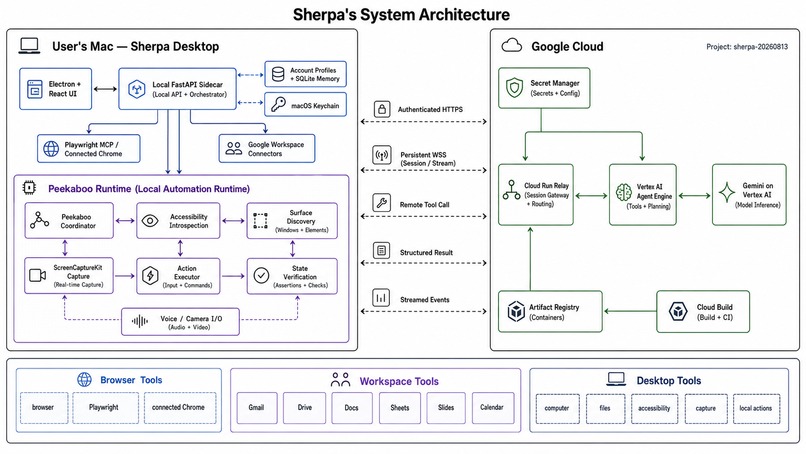
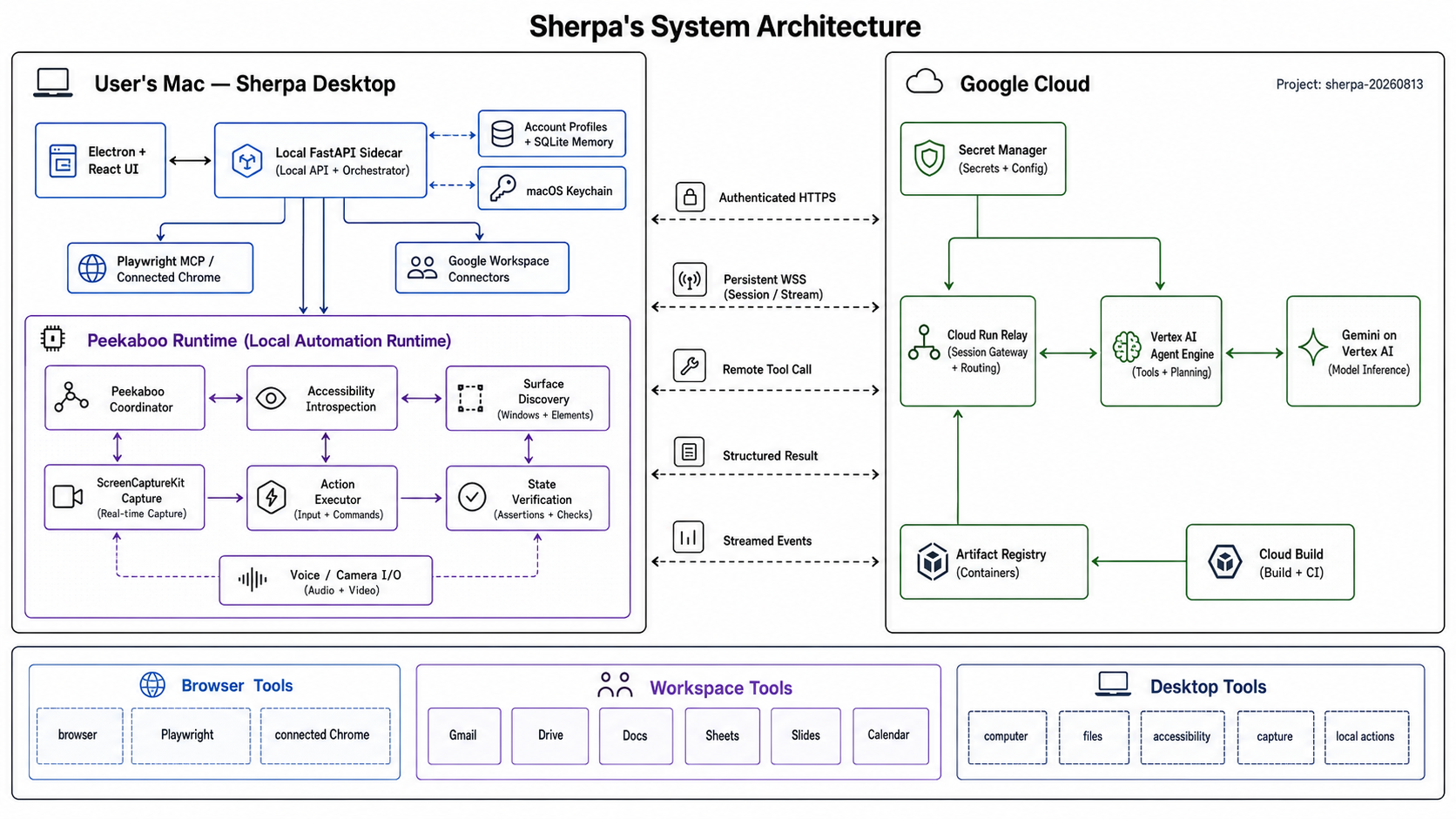
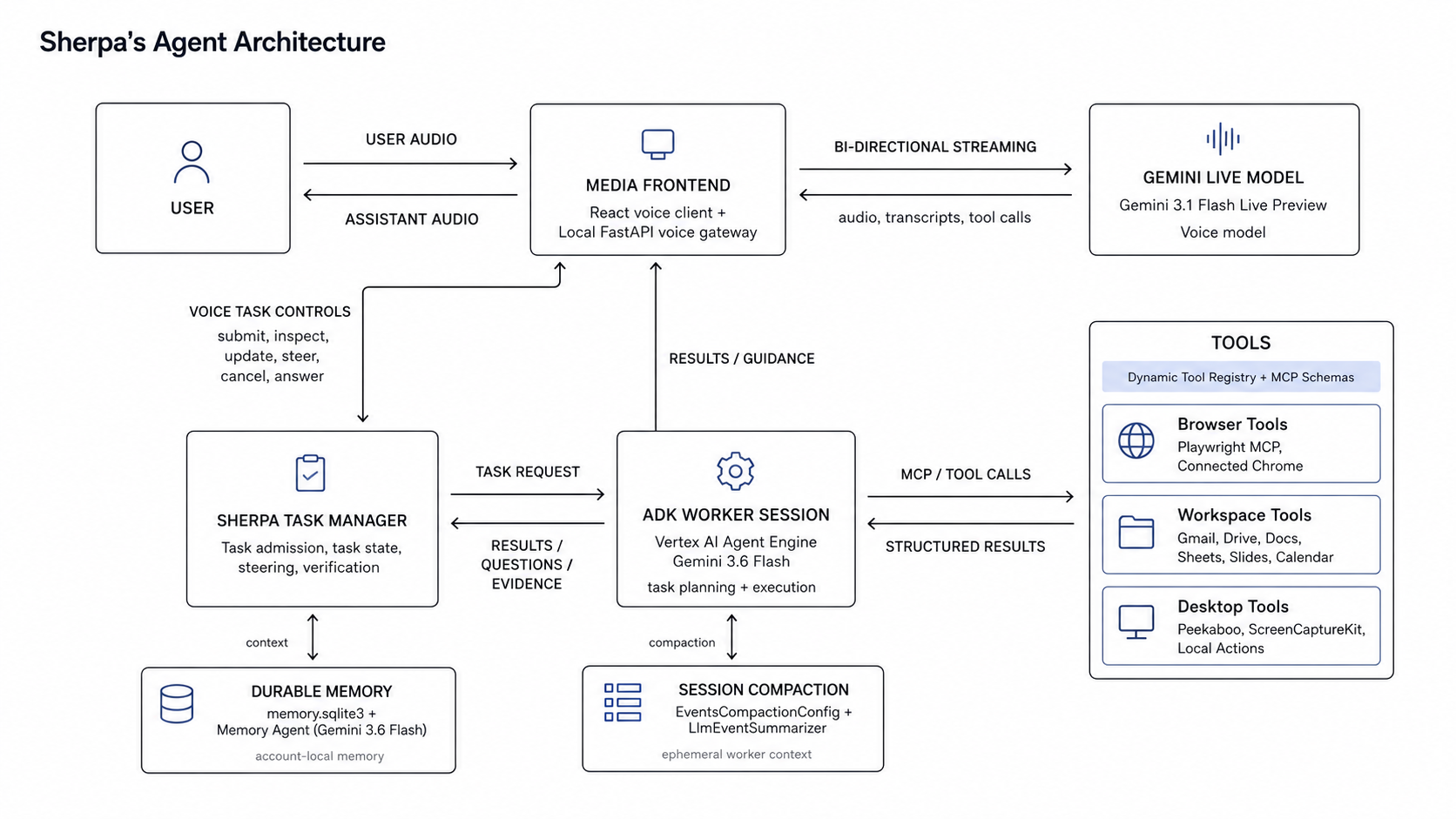
system architecture
-
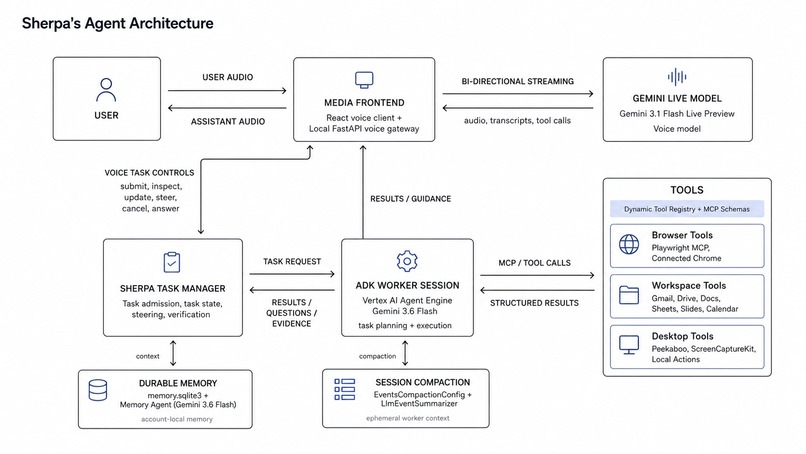
Sherpa voice agent architecture
-
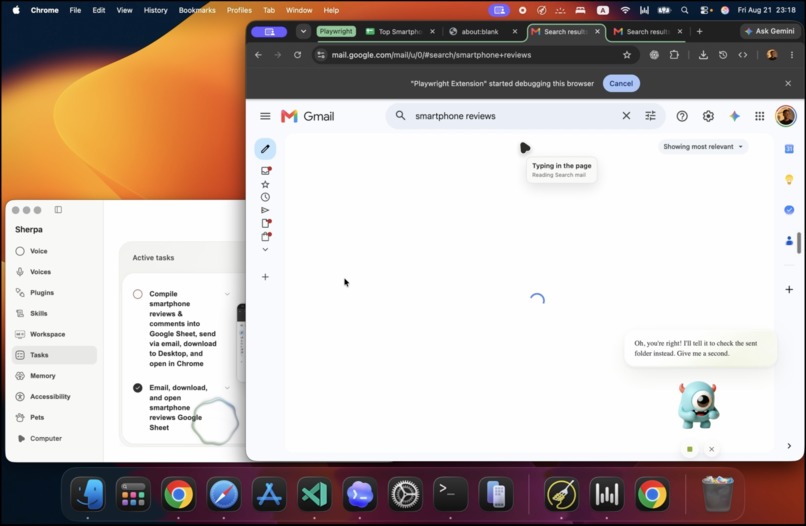
Working agents.
-
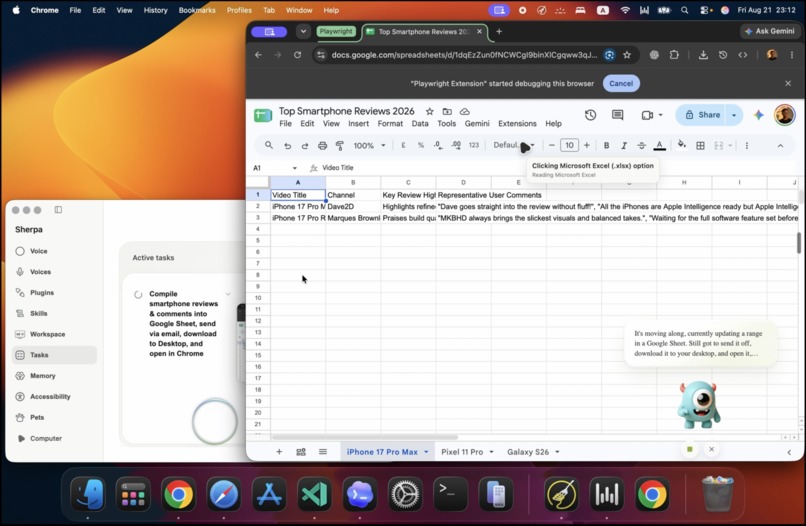
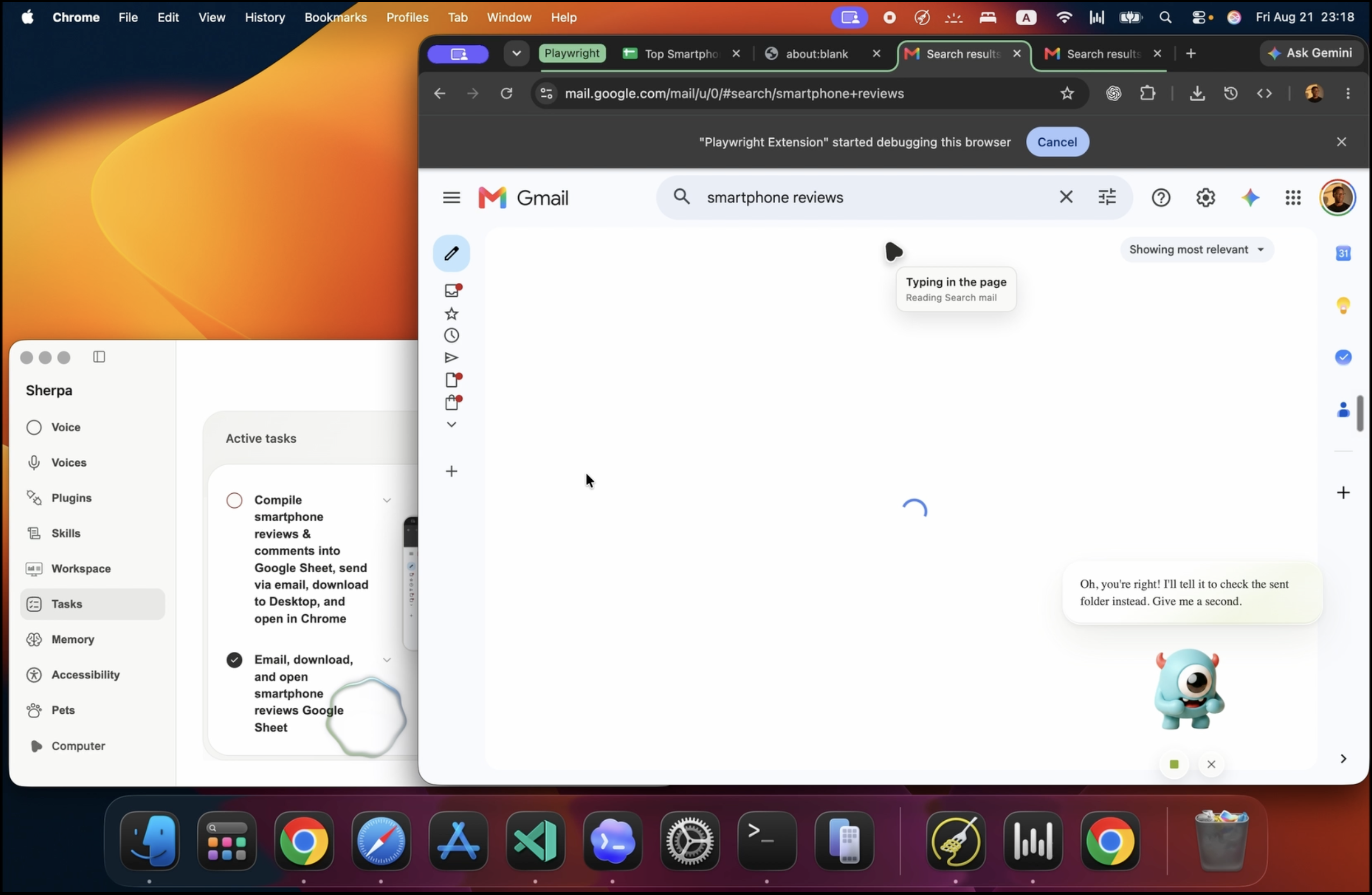
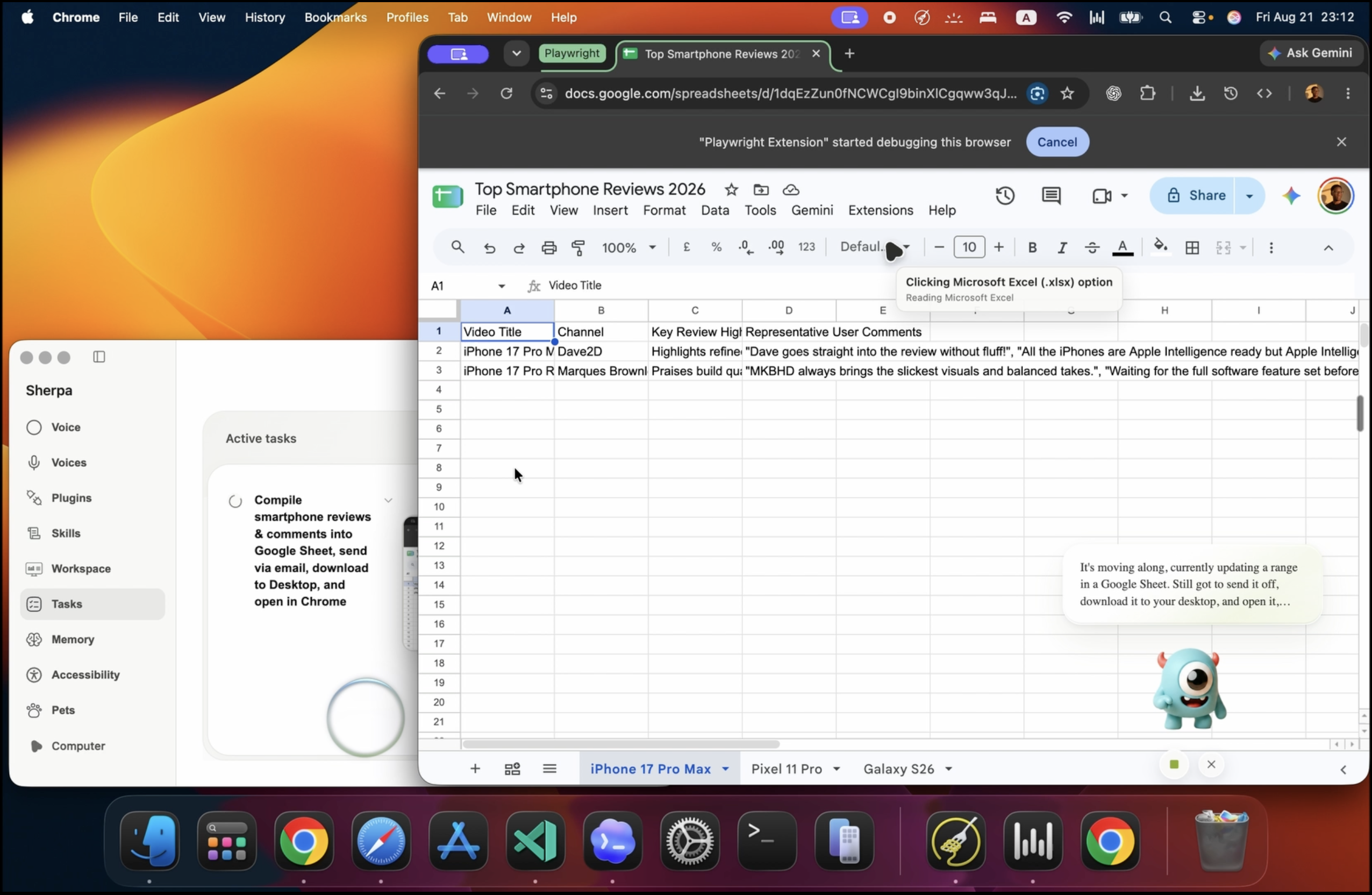
Sherpa Manipulating Excel
-
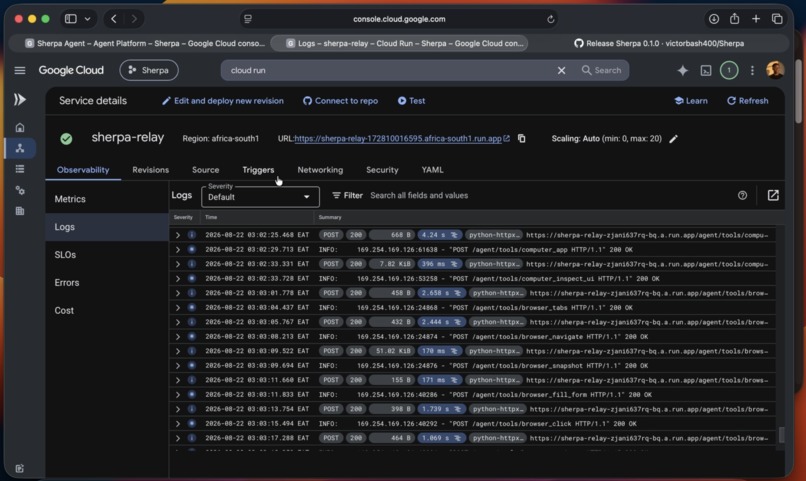
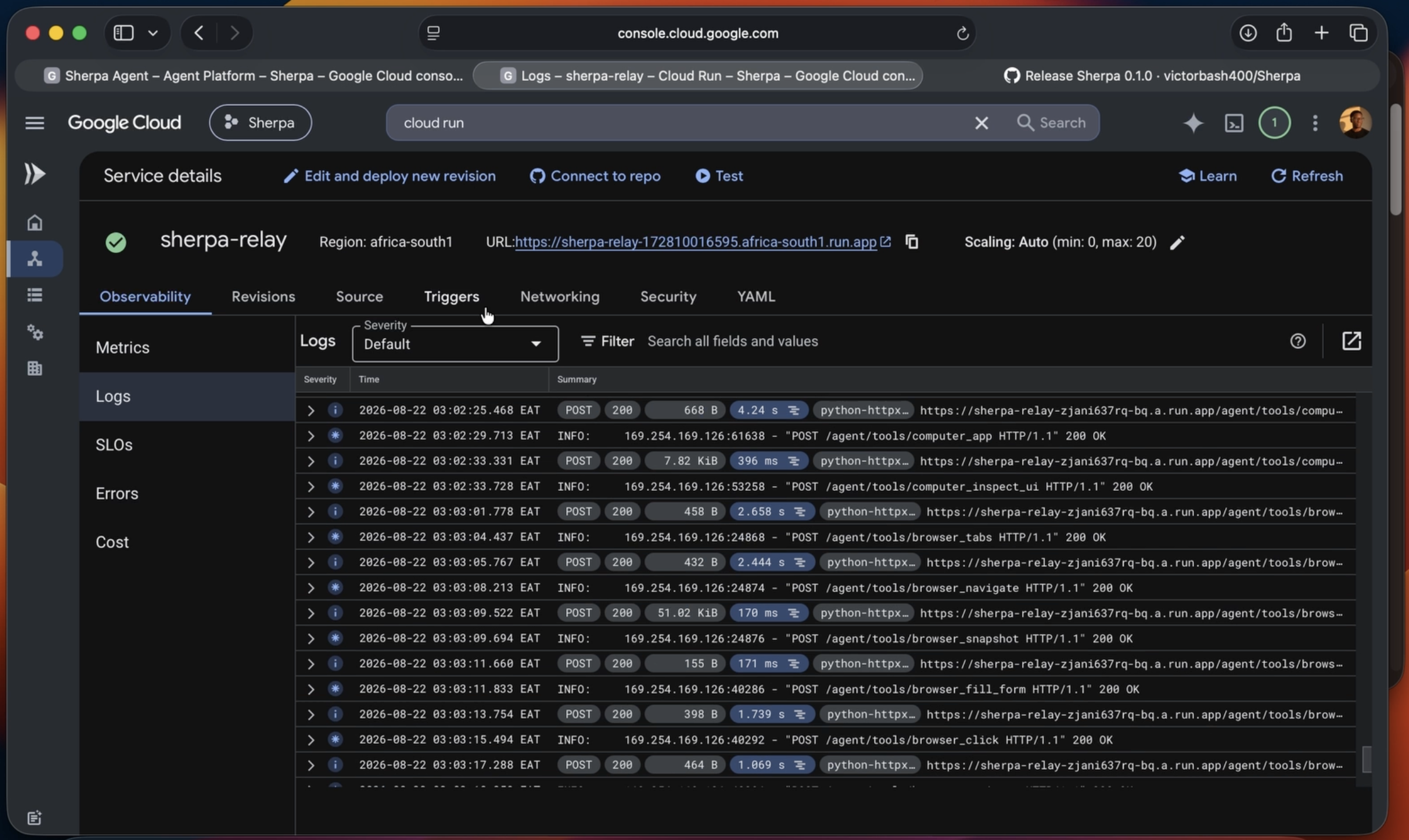
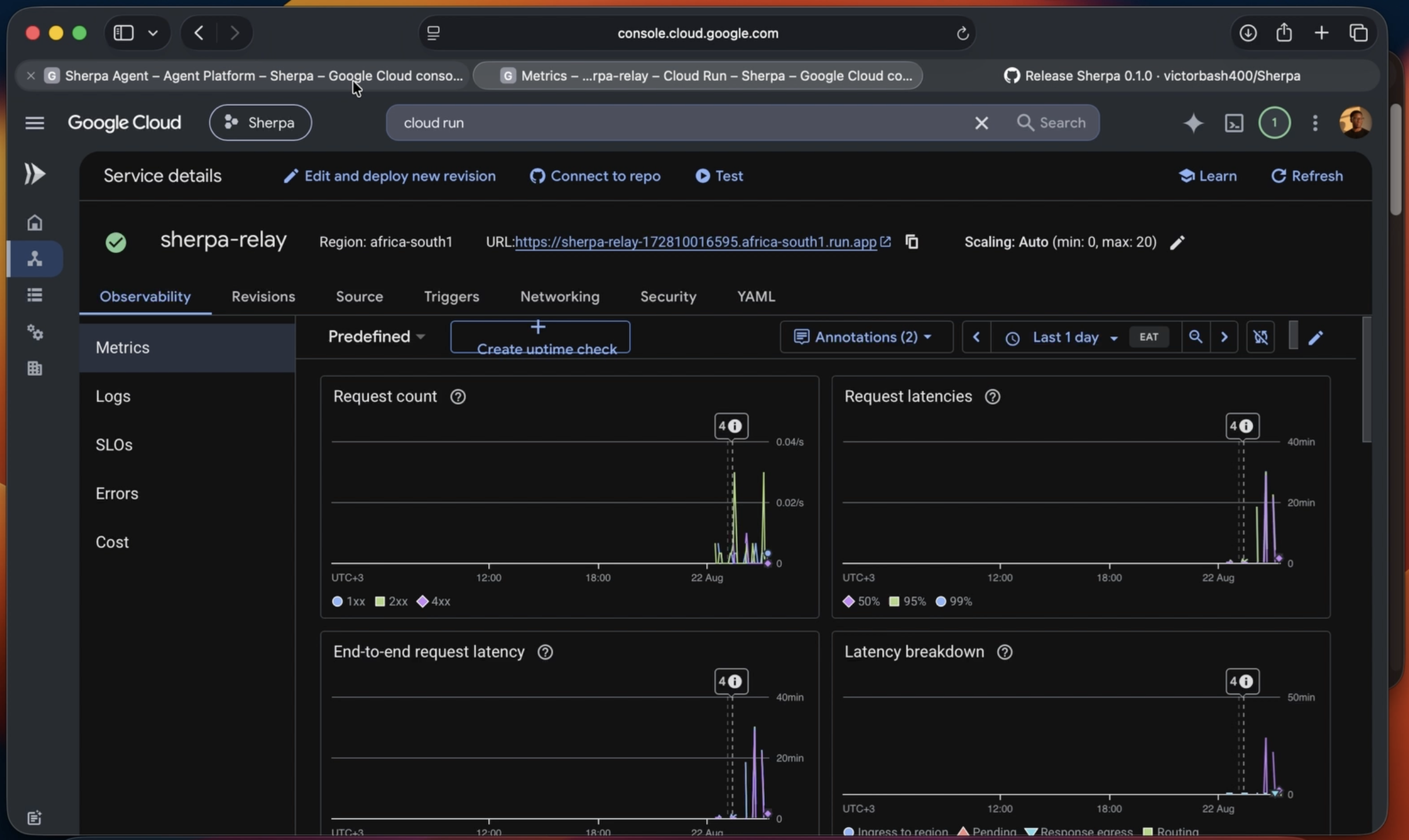
Sherpa in Cloud Run
-
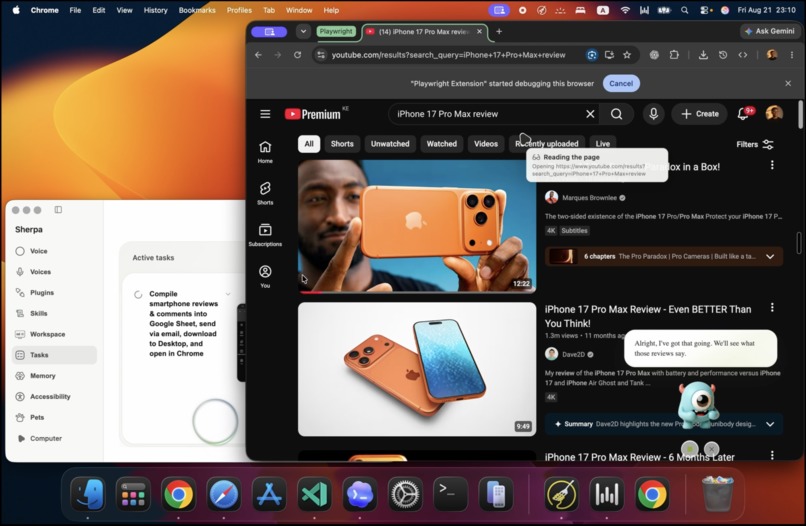
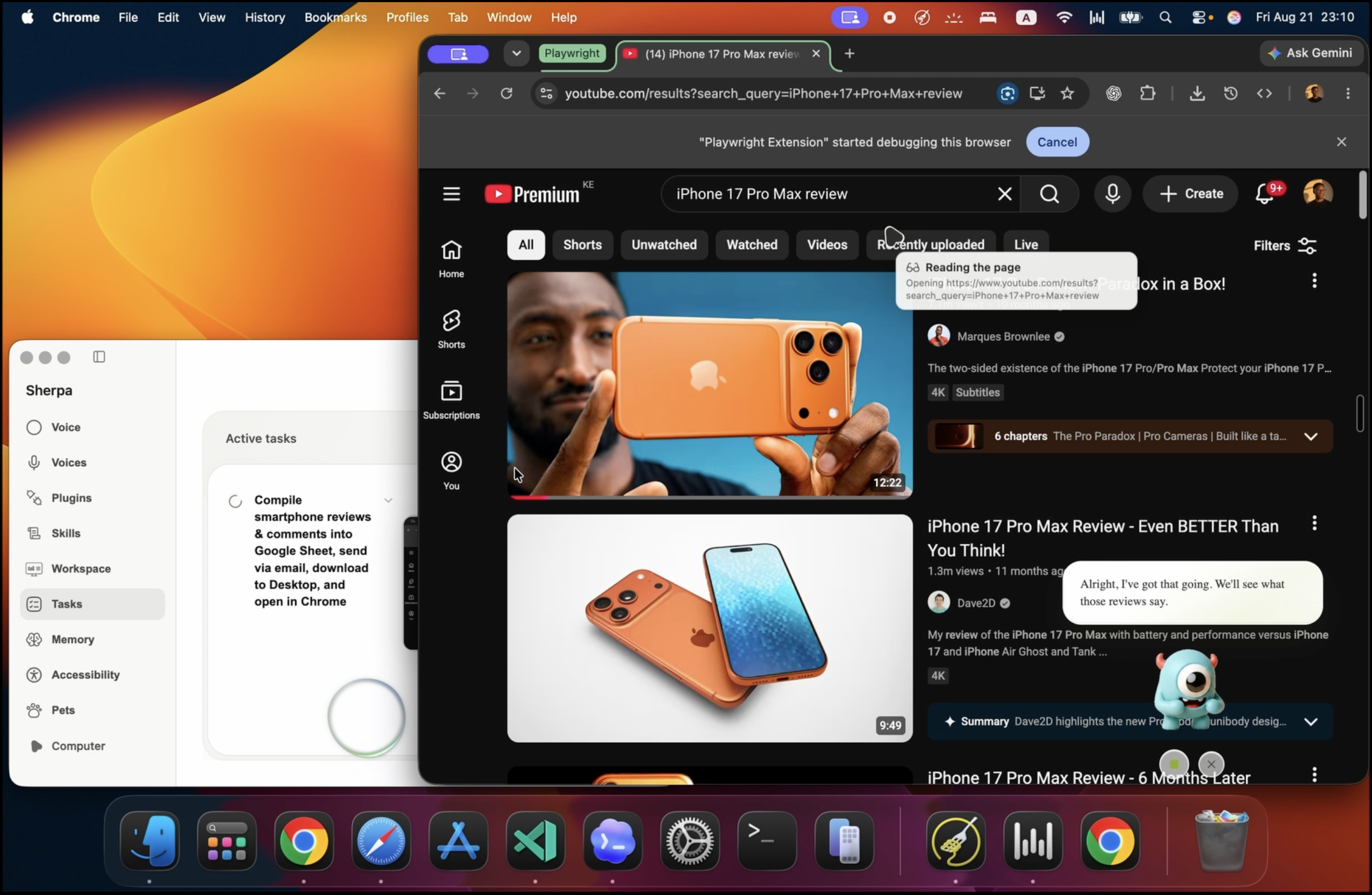
Sherpa in YouTube
-
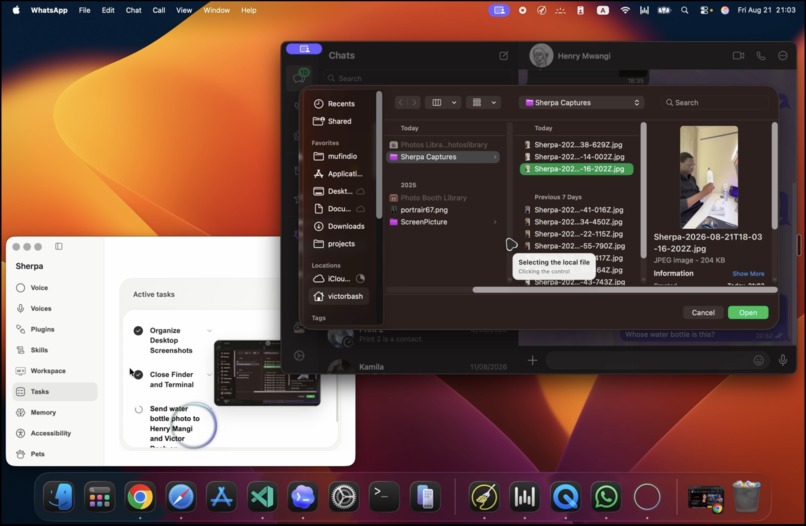
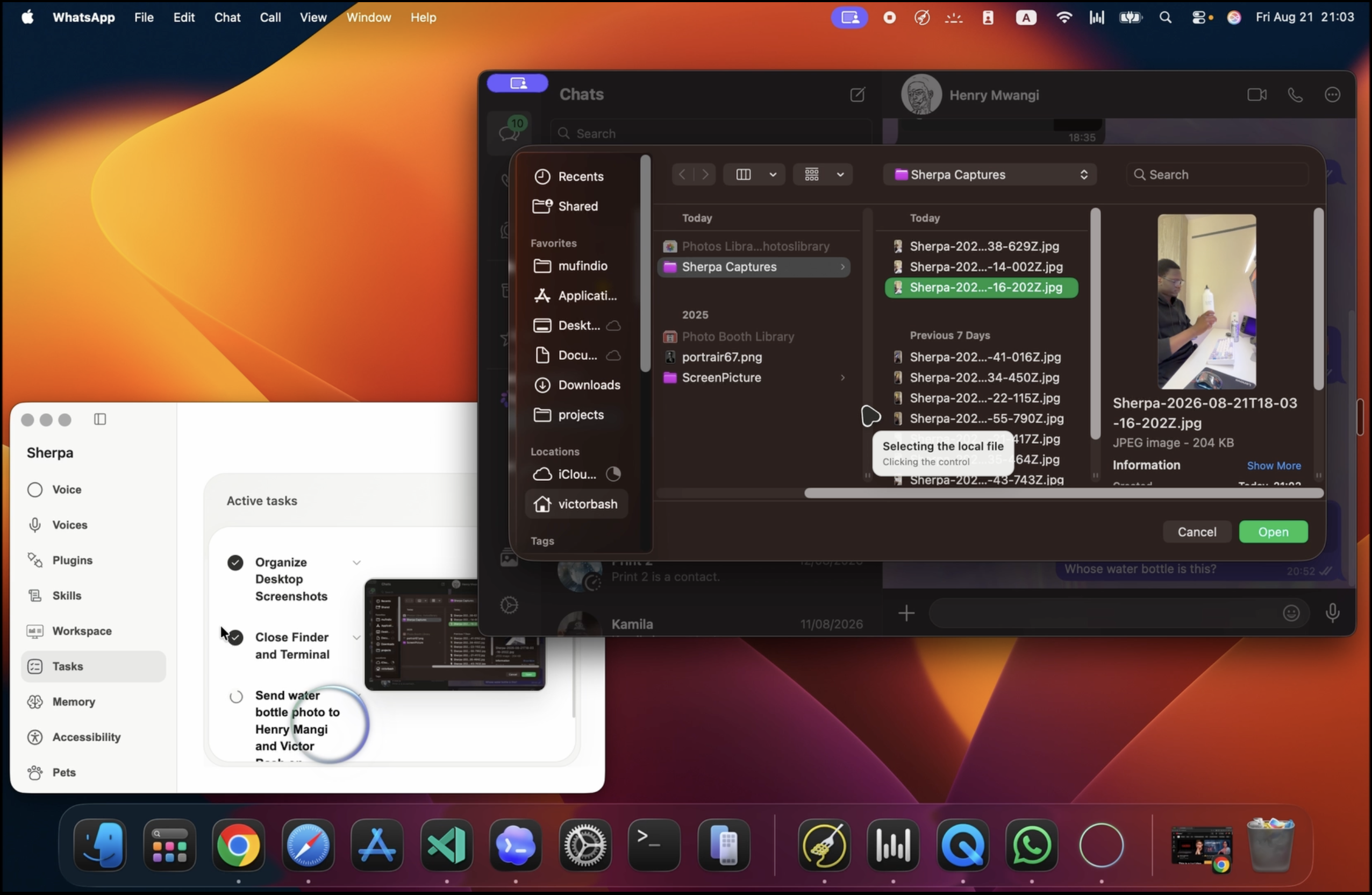
Sherpa using native finder
-
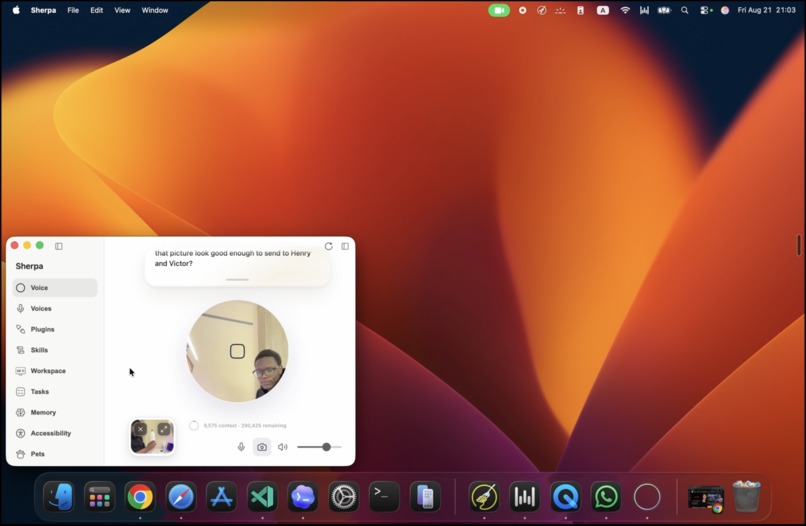
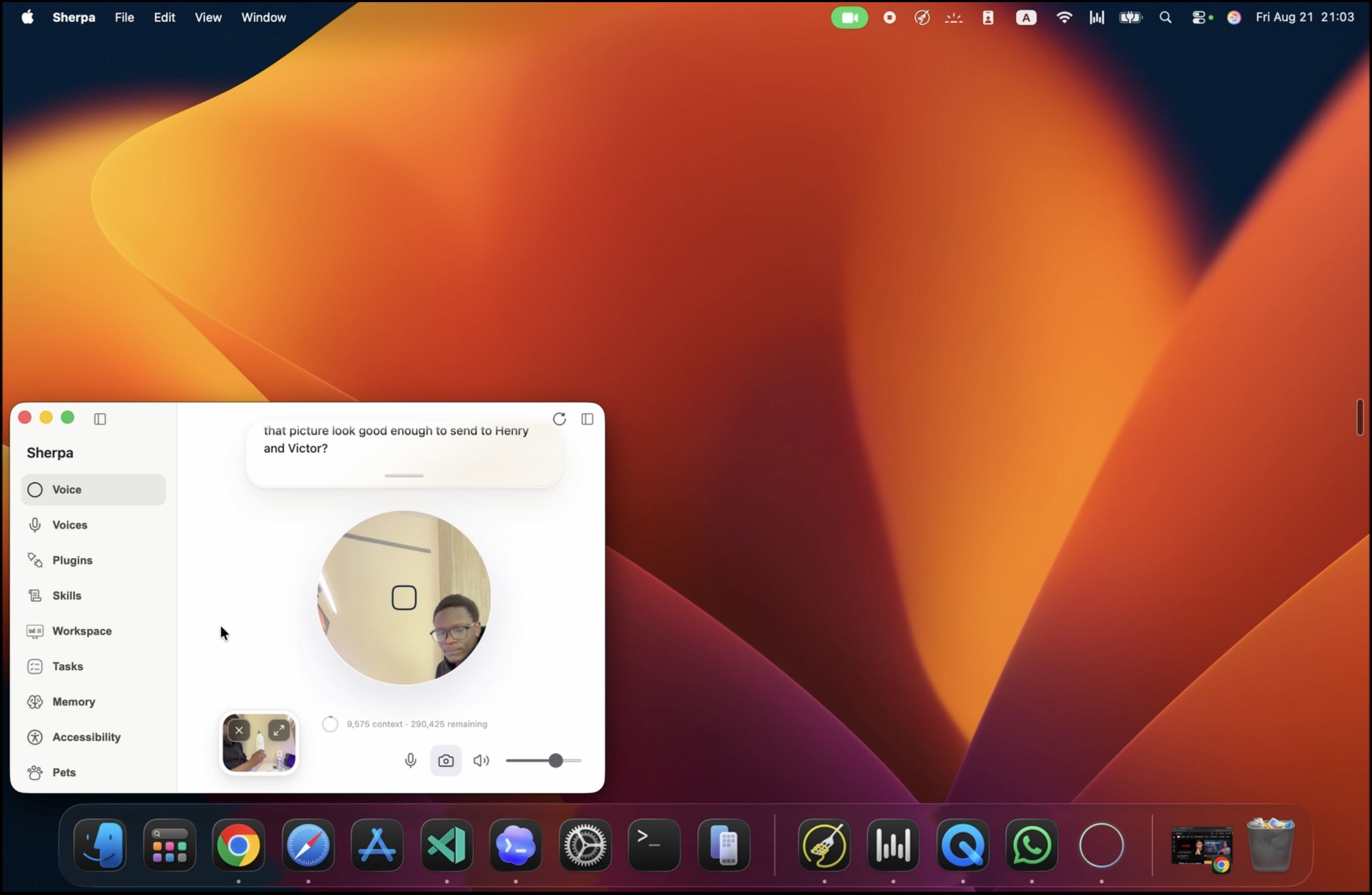
Multi-modal Sherpa
-
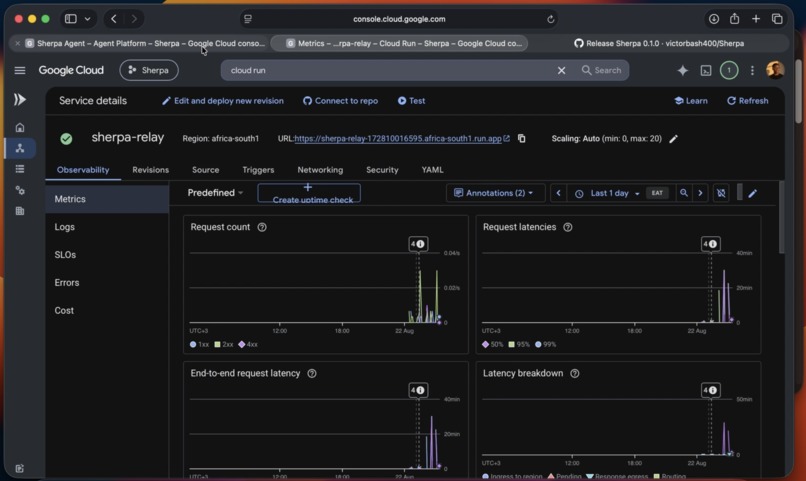
Sherpa Agent Engine
Sherpa
A voice-first agent for computer work.
Inspiration
Many computer tasks are predictable but still require sustained attention. Sending the latest version of a file may involve finding the correct conversation, locating the file, operating a native file picker, and checking that the attachment appeared. Moving information between email, documents, spreadsheets, websites, and calendars has the same problem: the desired outcome is already known, but the user must still carry it across several interfaces.
Communication interruptions also have a measurable cost. A field experiment found that reducing notification-driven interruptions improved performance and reduced strain because people no longer had to repeatedly suspend and reconstruct their current goal (Effects of task interruptions caused by notifications from communication applications on strain and performance).
Sherpa began as an attempt to delegate this computer work through ordinary speech. The user should be able to describe the outcome, continue the conversation or another activity, and receive a result when the work finishes or requires a decision.
What it does
Sherpa is a native macOS application with a live voice and camera session, a visible task queue, and workers that operate applications and connected services.
A user can ask Sherpa to perform work such as:
- operate an installed macOS application;
- use the user's connected Chrome session;
- find, inspect, move, or attach local files;
- work with Gmail, Drive, Docs, Sheets, Slides, Calendar, Contacts, Tasks, Forms, and Meet; or
- inspect and manage supported Google Cloud resources.
For example, “Open WhatsApp, find the conversation with Ben, and attach the latest proposal from Downloads” becomes one task. A worker inspects the installed application, locates the conversation, verifies the file, handles the native file picker, and checks the resulting interface.
The worker does not occupy the live voice session. While it runs, the user can continue speaking, submit another request, change queued work, steer the active task, answer a worker's question, or cancel work. Tasks expose explicit queued, running, blocked, completed, failed, and cancelled states in the desktop interface.
Gemini Live also receives optional camera frames when the user refers to something they are showing Sherpa. Photo capture has a separate confirmation step: capturing and saving a frame does not authorize a worker to send or upload it.
How we built it
Sherpa has two coordinated paths: a realtime conversation that stays responsive, and a task runtime that can continue working independently.
                              SHERPA

  User <--> macOS app <--> Gemini Live       realtime conversation
                |               |
                |          task-control tools
                |               |
                |               v
                |       planner + task manager
                |               |
                |               v
                |       ADK worker on Agent Engine
                |               |
                |          remote tool call
                |               v
                +------ Cloud Run relay
                                |
                       outbound WebSocket
                                v
                         tools on the Mac
                    apps | Chrome | files | APIs
Realtime voice and task execution use separate paths
The desktop captures microphone audio with an AudioWorklet and sends it through a local WebSocket to a packaged FastAPI sidecar. The sidecar maintains a gemini-3.1-flash-live-preview session and streams audio, transcripts, camera frames, speech boundaries, tool calls, and task events between Gemini and the React interface. The implementation is in src/hooks/useVoiceSession.ts and backend/main.py.
  microphone + camera
          |
          | PCM audio, speech state, frames
          v
  input AudioWorklet --> local WebSocket --> FastAPI sidecar <==> Gemini Live
  speakers <-- output AudioWorklet <-- local WebSocket
            streamed model audio

  Gemini Live --> task-control call --> FastAPI --> planner + task manager
  Gemini Live <-- grounded task event <-- FastAPI <-- task state / result

  The socket remains open in both directions, so the user can interrupt,
  keep talking, steer work, or start another task while a worker is running.
The voice model only receives task-control tools. It can submit, inspect, update, steer, cancel, answer, remember, and capture a photo. It cannot directly operate Chrome, Finder, WhatsApp, or Workspace. Once the user finishes a complete request, the voice model calls submit_task; application work continues outside the audio path. The tool declarations are in backend/tools/voice_tools.py.
Requests are admitted against work that already exists
Spoken requests do not form a clean job queue. A user may repeat a request, revise queued work, change a running task, or submit work that depends on an earlier result.
SherpaTaskManager owns task admission, ordering, dependencies, questions, steering, cancellation, and worker sessions. Before changing the queue, a Google ADK planner reads the new request together with the active task ledger and available skills. It returns typed create, reuse, update, steer, or cancel operations. New tasks can declare dependencies, required inputs, and expected outputs.
The planner schema is in backend/agents/task_planner.py, its planning procedure is in backend/task_planning_skill.md, and the deterministic runtime is in backend/sherpa_tasks.py.
The default unit is one outcome rather than one application. A request that crosses Drive, Chrome, local files, and WhatsApp remains one task. Work is split only when a later task consumes named outputs from an earlier task.
Each task receives its own worker context
Sherpa does not maintain permanent email, browser, spreadsheet, file, and application agents. Those categories do not match requests that cross several surfaces.
It uses one Google ADK worker design with gemini-3.6-flash. For each task, Sherpa creates an isolated session containing the complete task instruction, verified dependency outputs, selected skill procedures, account-local memory, and initial tool namespaces. The worker construction is in backend/agents/sherpa_agent.py.
Skills provide procedures rather than separate agents or permissions. Tool capabilities are grouped into namespaces such as computer, browser, workspace.gmail, and workspace.sheets. Skills preload likely namespaces; if the task expands, the worker calls load_tools with another exact namespace and receives those tools on the next model step. The registry is implemented in backend/tool_registry.py.
Agent Engine calls tools on the user's Mac
The ADK worker runs in Vertex AI Agent Engine. Local tools cannot run there because they require the user's installed applications, Chrome profile, files, Keychain, and macOS Accessibility permission.
Agent Engine therefore receives remote versions of the same tool declarations. A remote tool call sends its name, arguments, installation ID, function-call ID, and session state to a Cloud Run relay. The relay creates a call ID and forwards the request over the selected Sherpa installation's persistent outbound WebSocket. The desktop checks the active account and permissions, executes the real local tool, and returns a structured result with the same call ID. The relay resolves the waiting request and returns the result to the ADK worker.
The remote wrappers are in backend/remote_tools.py. The relay is in cloud/relay/main.py. The desktop connection and dispatcher are in backend/tool_relay_client.py and backend/local_tool_dispatcher.py.
The desktop opens the connection to Cloud Run, so it does not expose a local port. Its installation identity is stored in macOS Keychain. Agent Engine session state carries both the installation and signed-in account, and the cloud and desktop boundaries validate that binding before local execution.
Shared foreground input is serialized
Voice, planning, and task admission can operate independently. Foreground computer workers currently run sequentially.
This is a physical constraint rather than a model constraint. One Mac has one pointer, keyboard focus, clipboard, and set of modal dialogs. Two workers can each have a valid plan but invalidate one another's observations as soon as they change the same interface. SherpaTaskManager therefore uses an execution lease around worker execution while allowing later work to be planned and queued.
Running work can be changed safely
Queued work is updated by replacing its stored instruction. Changes to running work enter a directive queue and are applied at a model-tool boundary.
A focused answer can resume the existing ADK session. A substantive change creates a new worker session with the original request and new direction. The replacement worker must inspect current external state before acting because restarting model reasoning does not reverse a sent message, moved file, or partially completed form.
Long task context and user memory are separate
Google ADK event compaction handles long worker sessions. At 300,000 prompt tokens, Sherpa summarizes older events and retains the latest 20. This preserves the operational context of one task; the configuration is in backend/compaction.py.
Durable user information uses a separate account-local SQLite store. A memory agent extracts bounded preferences, identity, project, and workflow information while excluding credentials, transient interface state, and unsupported inference. The implementation is in backend/memory_manager.py and backend/memory_store.py.
Challenges we ran into
Preserving the live conversation during long work
Allowing the realtime model to execute application workflows directly coupled voice responsiveness to every observation, tool call, upload, and service response. Moving execution into durable tasks removed those operations from the audio path but required task events, questions, steering, and results to return to the same conversation.
Deploying a worker whose tools are local
Agent Engine can run the ADK worker but cannot reach a user's local MCP processes or macOS APIs. The Cloud Run relay preserves the tool contract while routing execution to a specific authenticated installation. Session creation, streaming responses, disconnected desktops, reconnection, and call correlation all had to work across that boundary.
Coordinating several requests on one computer
Parallel model calls are not equivalent to parallel computer control. Serial execution prevents workers from competing for application focus and modal interfaces. The remaining scheduling problem is to distinguish background-safe APIs from foreground capabilities that require exclusive access.
Handling corrections after external actions
A new instruction cannot assume previous actions were rolled back. Steering therefore occurs at tool boundaries, and major changes restart reasoning while requiring a fresh observation of external state.
Keeping tool context bounded
Giving every worker every schema increased irrelevant context and made tool selection less precise. Skill-selected initial namespaces and explicit dynamic loading reduced the starting surface without restricting tasks to a fixed category.
Accomplishments that we're proud of
The current application supports:
- bidirectional Gemini Live audio with interruption and transcripts;
- optional camera context and confirmation-gated photo capture;
- task admission that can create, reuse, update, steer, or cancel work;
- visible queued and running work outside the voice session;
- task-specific ADK worker sessions using Gemini 3.6 Flash;
- dynamically loaded native, browser, Workspace, and Google Cloud tools;
- native macOS control through Peekaboo and Accessibility APIs;
- the user's existing Chrome session through Playwright MCP;
- direct Google Workspace APIs;
- task questions and same-session answers;
- account-isolated profiles, permissions, and local memory;
- ADK context compaction for long tasks;
- a deployed worker in Vertex AI Agent Engine; and
- a Cloud Run relay connecting that worker to device-local tools.
The deployed worker is the same ADK application used by Sherpa's task runtime. Agent Engine manages worker execution and sessions; Cloud Run supplies reachability; the Mac retains its applications, browser state, credentials, files, and permission boundaries.
What we learned
The primary problem was not making a model select a computer tool. It was coordinating two systems with different timing and state requirements. Voice must remain responsive and interruptible. Computer work can be long-running, partially observable, and externally irreversible. Separate lifecycles allow both to operate without forcing the conversation to wait for the task.
Requests are also better represented as outcomes than application categories. One worker with relevant procedures and dynamically loaded capabilities can preserve the complete objective across several surfaces without application-agent handoffs.
Cloud execution and local execution are both required. Agent Engine provides a managed ADK runtime, while the Mac supplies the user-specific environment in which native tools are meaningful. The relay exists because neither boundary can replace the other.
Finally, concurrency has to follow the resources being changed. Multiple workers are only useful when their operations do not compete for the same foreground interface.
What's next for Sherpa
The next scheduler will distinguish background-safe work from shared foreground input. Workspace and other API operations should be able to overlap while pointer movement, typing, clipboard access, drag operations, and modal dialogs use narrower exclusive leases.
Task recovery also needs to extend across desktop restarts. A resumable task must retain verified outputs, unresolved questions, and a safe continuation point without assuming that an application window remains unchanged.
Evaluation will expand from component tests to repeatable end-state tasks across native applications, Chrome, Workspace APIs, file operations, interruptions, steering, ambiguous dialogs, and partial side effects. Latency measurement will cover the full path from the end of a spoken request to task admission, first worker progress, and final result.

Log in or sign up for Devpost to join the conversation.