-
-
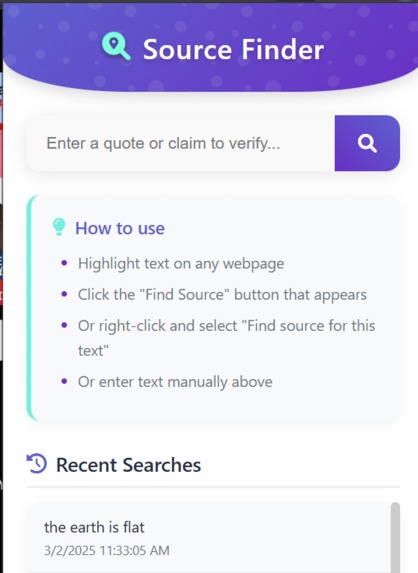
Home Screen
-
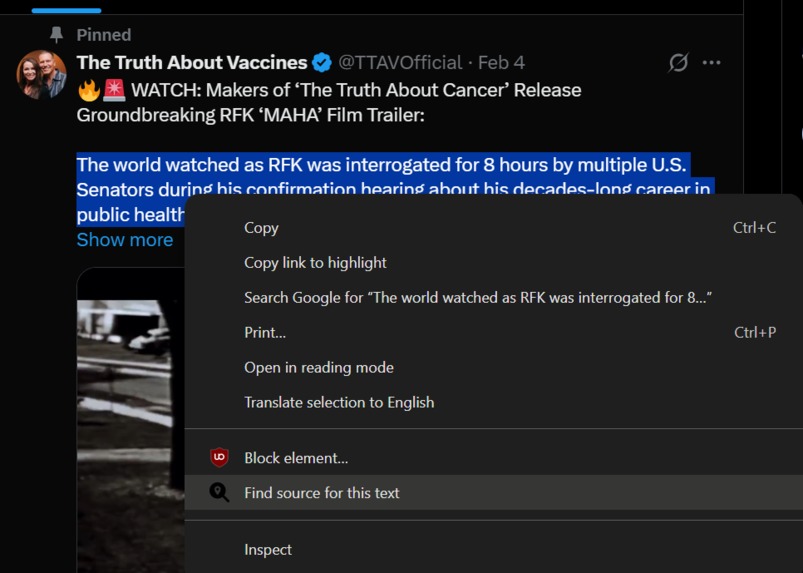
Highlighting Text
-
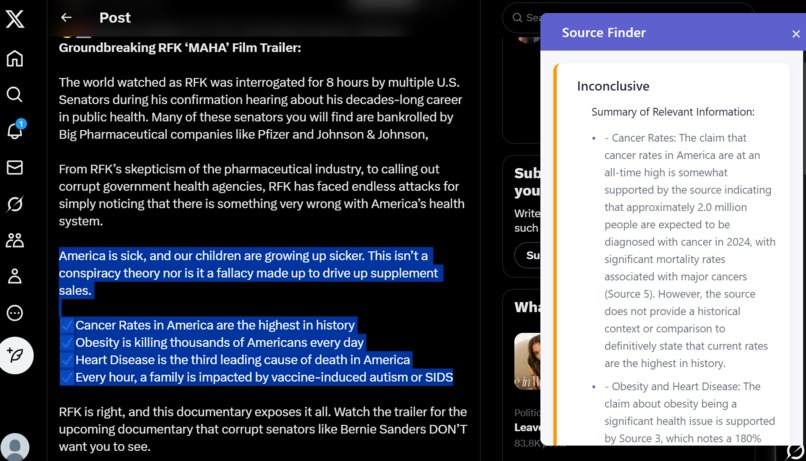
Showing Final Results
Inspiration
As we all know, despite how useful the internet is, it is rife with misinformation. Whether that be social media, legacy news outlets, or even small scale blogs, no one is immune to quoting something that may or may not exist. Unfortunately, despite this, users often find that independently verifying a claim can be a tedious process; from simply opening a new tab to search, to parsing through several websites, there is quite a bit of friction in the fact-checking process. That is why we built Sherlock, a chrome extension that leverages AI to quickly verify claims, give summaries, and provide links to enable further research into a given claim.
What it does
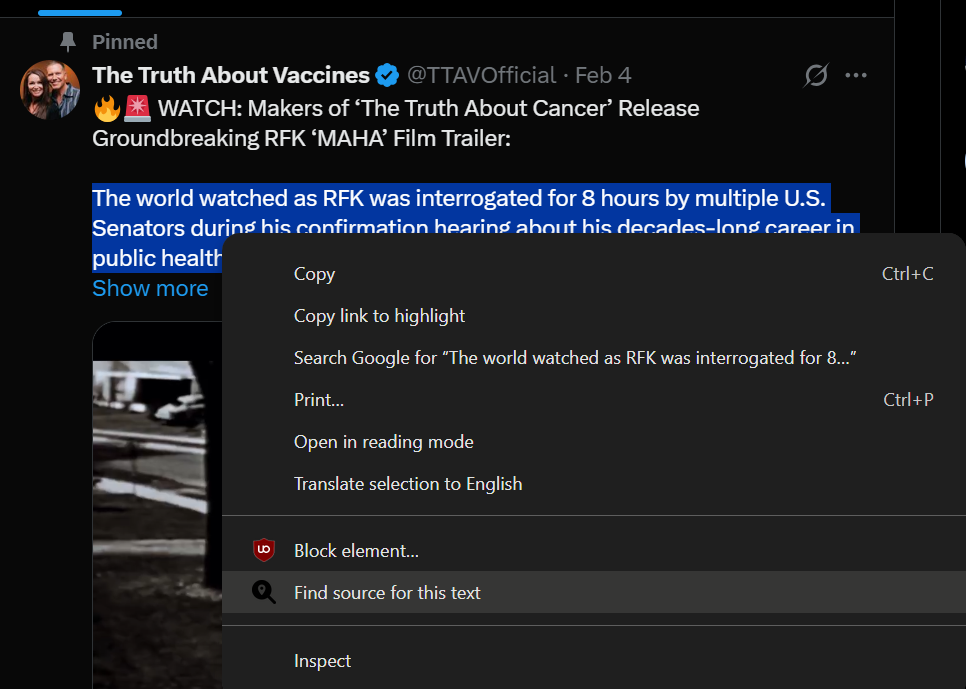
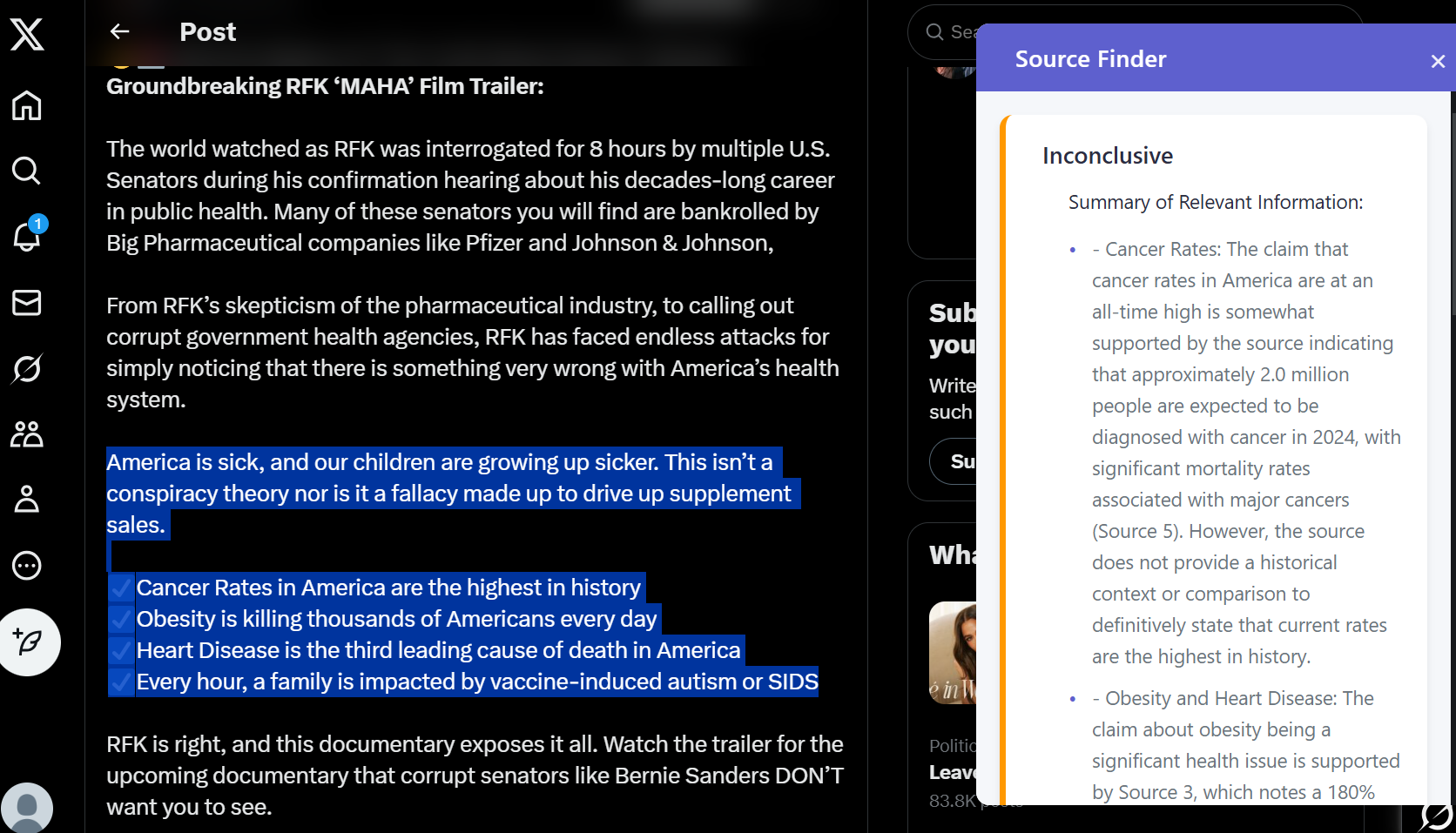
We built our chrome extension with ease-of-use at the forefront of the development process, in order to encourage people to be more critical about the things they see online. By simply highlighting a piece of text on a website and right-clicking, a user can quickly access several pieces of core information. Our extension provides a verdict on whether or not it thinks it's true (or inconclusive, as claims don't always have a clear answer) as well as a brief summary that explains why it thinks so, citing sources it uses along the way. Sherlock also provides a list of sources that it finds most reputable, so users can easily continue down a rabbit hole that they find interesting.
How we built it
First, we will touch on the front-end, the most straightforward part. This involved simply using javascript and html+css to create a chrome extension that was nice to look at as well as functional.
The back end was made primarily with Python. The text highlighted or searched is sent to OpenAI's API to convert this text into a search optimized string. This is designed to provide the most relevant results to the text input. This new string is then sent to the googlesearch-python API that runs the search prompt through Google's search engine, providing a title and URL for the top 50 sites. The content of these sites is then collected using a web scraper to then feed as input to the OpenAI' API. From there, the API digests the contents of the page and reasons about whether or not the prompt follows from given information. We take these sites and present the best, based on several metrics that we engineer the system to use, summarize these results and then give an overall conclusion.
Challenges we ran into
Surprisingly enough, the majority of the challenges appeared in the front end. Since none of us had very much experience with front-end coding to begin with, there was certainly a lot that needed to be learned. This involved rapidly iterating and breaking our code until we got the results we wanted. Another area of difficulty was specifically prompt engineering OpenAI's API to give consistent results every time. This forced us get more creative with things, involving splitting up the pipeline of the prompt to accurately refine our goal. We were also forced to leverage features such as tuning the temperature of the model to get consistent results.
Accomplishments that we're proud of
Overall the system works as we thought it would. It is able to accurately and consistently give a response to the factuality of a statement, a summary of the sources used, and links to those sources. The UI/UX is clean and makes the system easy to use. Despite trying to break it in as many ways as possible, our code remained resilient and never did anything too far out of the ordinary. It also runs relatively fast; we could always explore how to optimize further, but it still gives results quicker than independent research.
What we learned
We learned a significant amount about interacting with the OpenAI API, Flask, and how to integrate python into a chrome extension.
What's next for Sherlock
We plan to continue working on Sherlock to implement a few features and actually release on the chrome extension store. As far as feature we would like to add the ability to take screen shots of posts and extract text from these images to be able to check for factuality. We would also like to add in the ability to automatically check a site for factuality and highlight areas on the site that are particularly problematic claims. Finally we would like to actually make this available to use on the chrome store. Currently in order to use this extension the user must have the python server running locally. Obliviously this limits useability.
Built With
- beautiful-soup
- css
- flask
- googlesearch
- html
- javascript
- json
- openai
- python
- regex

Log in or sign up for Devpost to join the conversation.