-
-
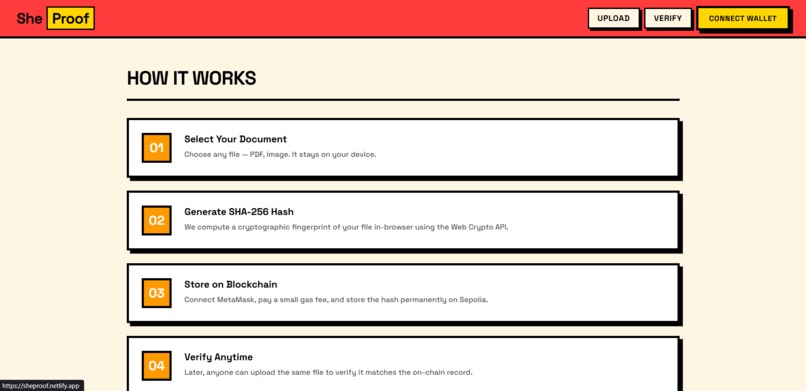
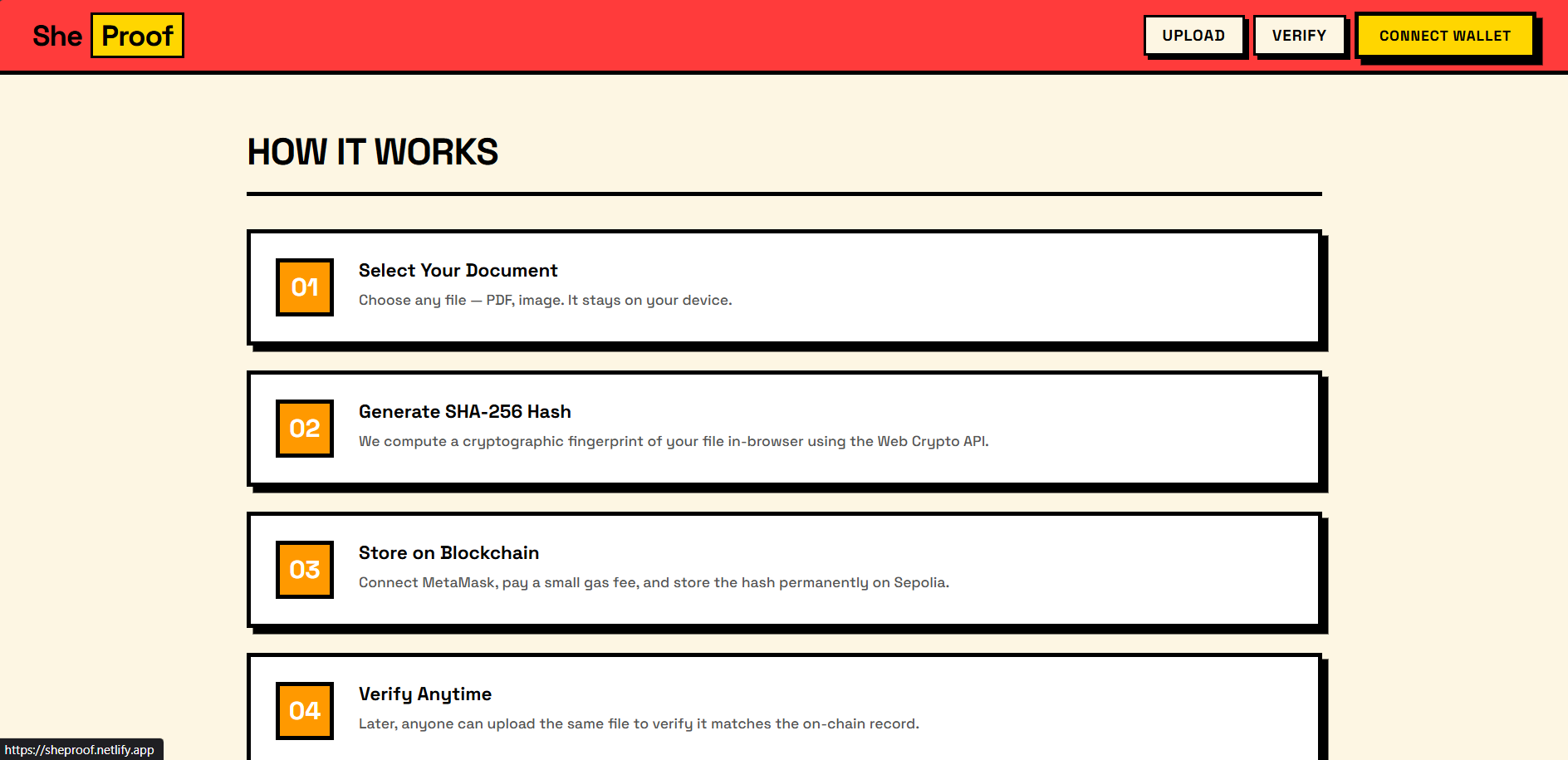
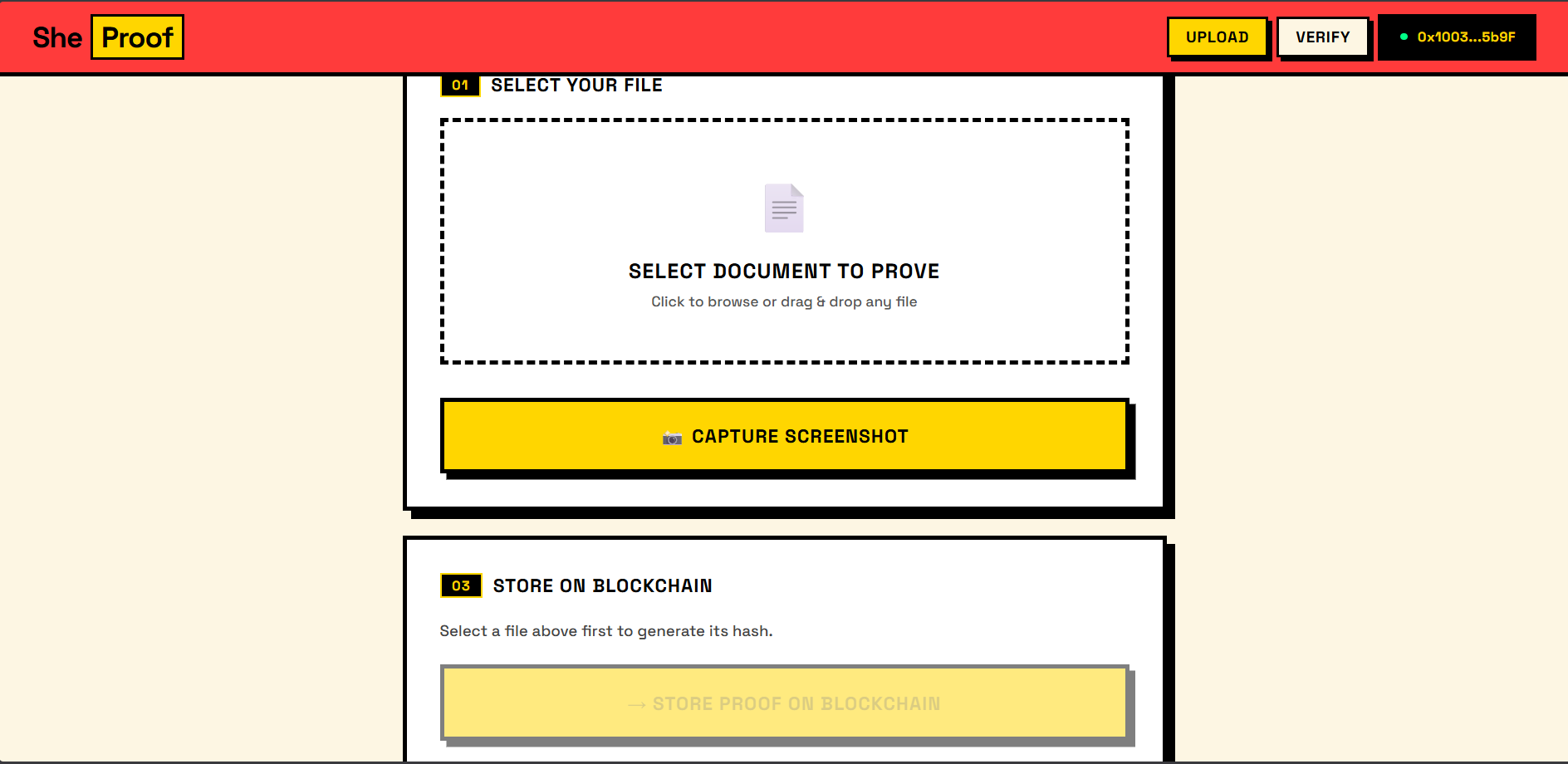
Step-by-step workflow showing how SheProof generates a cryptographic hash and stores proof on the blockchain.
-
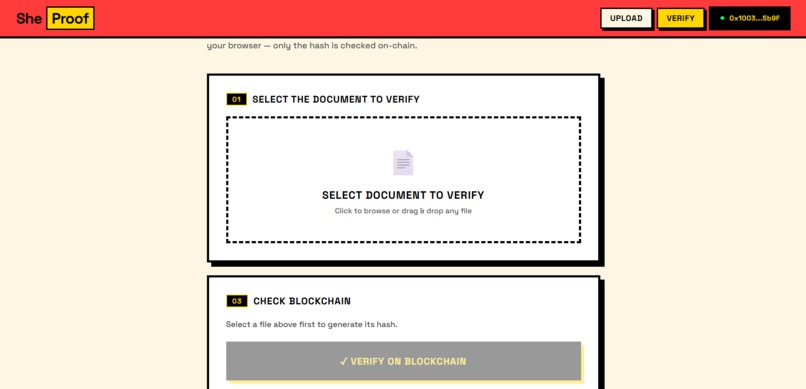
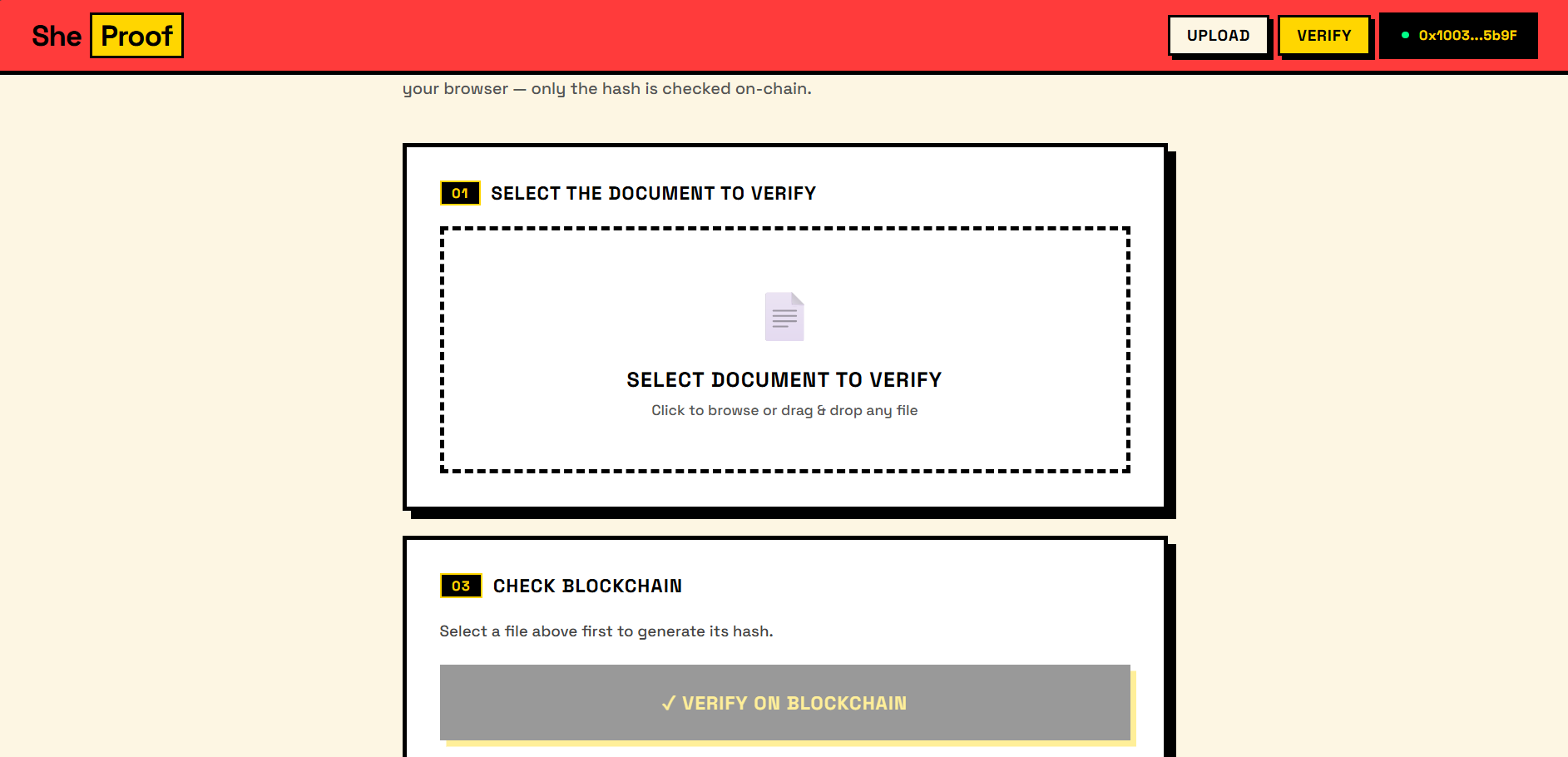
Verification page where users can re-upload a file and check if it matches the blockchain record.
-
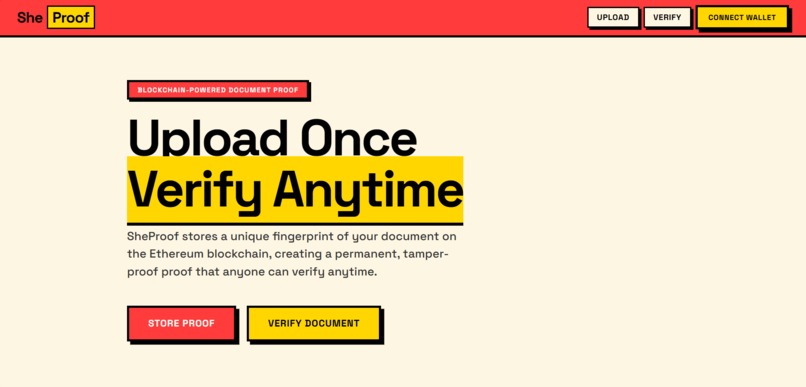
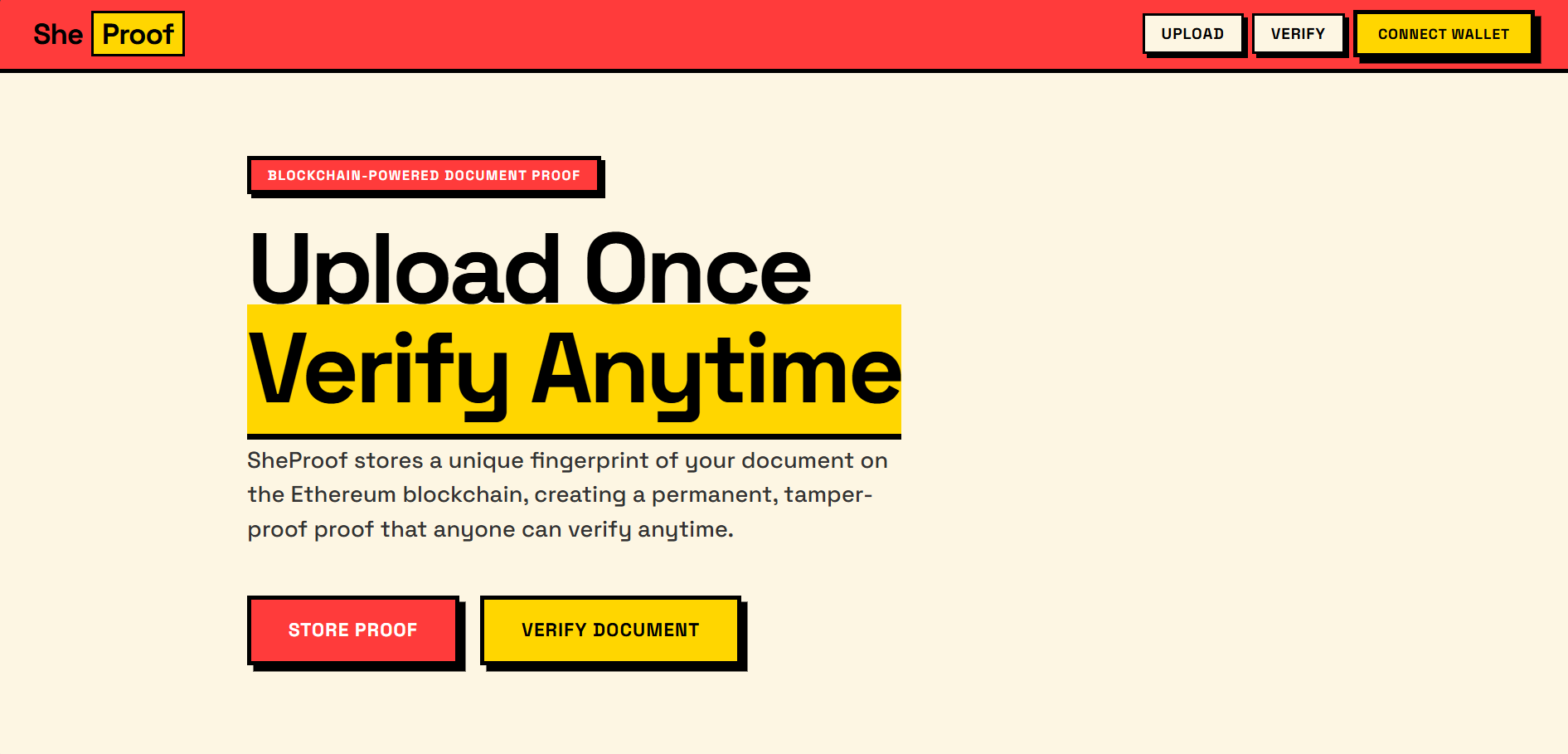
SheProof homepage where users can upload a document and verify its authenticity anytime.
-
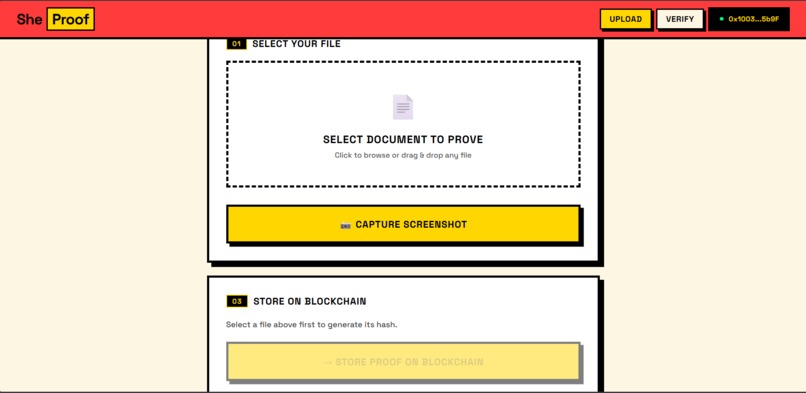
User uploading a digital file to generate a SHA-256 hash and create tamper-proof proof of authenticity.
-
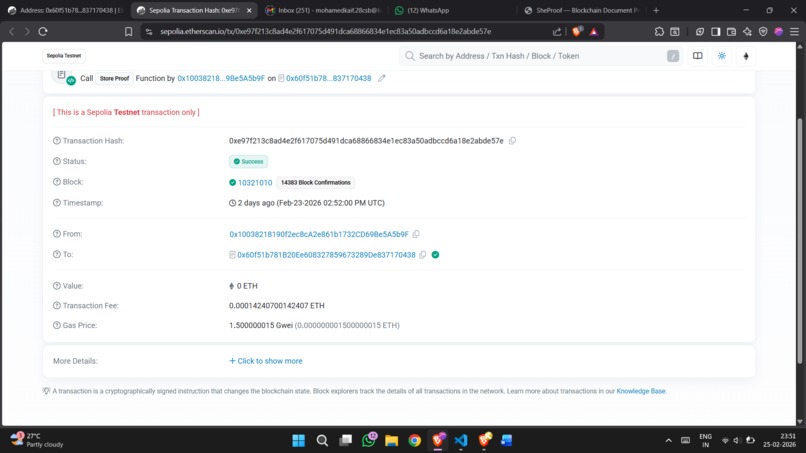
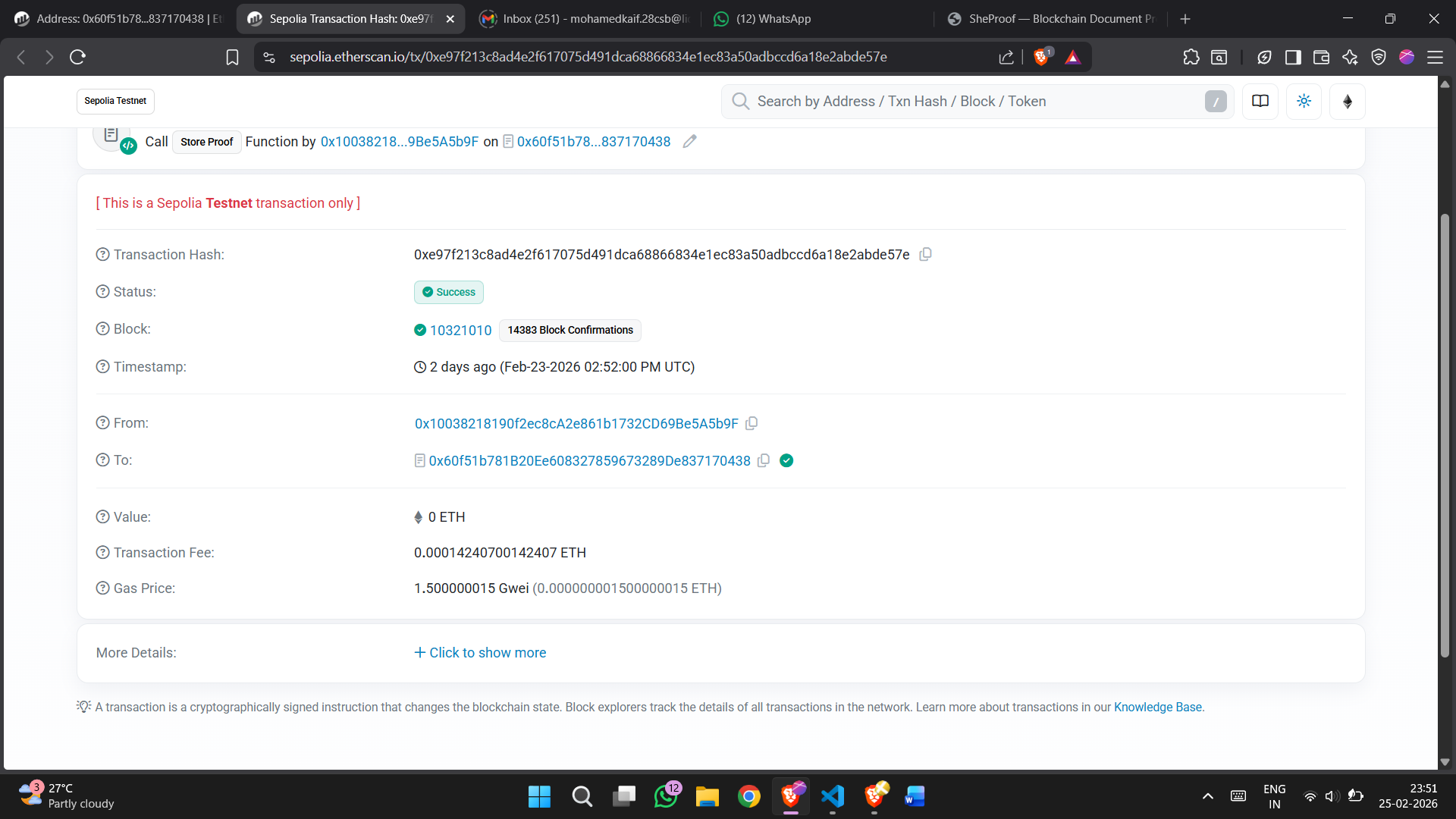
Blockchain transaction on Ethereum Sepolia storing the document hash and timestamp for tamper-proof verification.
Inspiration
A girl from my neighbourhood began receiving abusive messages and threats online. To protect herself, she took screenshots of the conversations and tried to report the incident.
However, when she tried to present the screenshots as proof, the authenticity of the images was questioned. Because screenshots can easily be edited using simple tools, it became difficult to prove whether the evidence was original or manipulated.
Situations like this happen frequently in cases of online harassment, cyberbullying, and digital fraud, where victims depend on screenshots or images as evidence but struggle to prove their authenticity.
This inspired us to create SheProof — a system that generates a cryptographic fingerprint of digital evidence and stores it on blockchain. Instead of trusting the image itself, anyone can verify the mathematical proof of its authenticity.
With SheProof, digital evidence can become tamper-proof, verifiable, and trustworthy.
What it does
SheProof allows users to verify whether a digital file has been altered.
When a user uploads a file:
- The system generates a cryptographic hash (unique digital fingerprint) of the file.
- This hash is recorded on the blockchain.
- The original file remains with the user, ensuring privacy and security.
- Later, the file can be uploaded again to verify its authenticity.
If the generated hash matches the blockchain record, the file is authentic and unchanged.
If it does not match, the file has been tampered with.
This creates a tamper-proof proof of existence for digital evidence.
How we built it
The system works through three main components.
1. File Processing
- Files are uploaded through a web interface.
- The system generates a SHA-256 cryptographic hash of the file.
2. Blockchain Storage
- Instead of storing the entire file, only the hash value is stored on the blockchain.
- This keeps the blockchain lightweight and privacy-preserving.
3. Verification System
- Users can re-upload a file.
- The system recomputes the hash and compares it with the stored blockchain hash.
If both match → The file is verified as original and unchanged.
Challenges we ran into
While building SheProof, we faced several challenges:
- Blockchain storage limitations — storing large files directly on-chain is expensive and inefficient.
- Privacy concerns — users should not be forced to upload sensitive evidence publicly.
- Ease of use — the system must remain simple for non-technical users.
We solved these problems by storing only cryptographic hashes instead of files, ensuring both efficiency and privacy.
What we learned
During the development of this project we learned:
- How cryptographic hashing ensures data integrity
- How blockchain creates tamper-proof records
- The importance of privacy-first system design
- How to design systems that are secure and easy to use
What's next for SheProof
Future improvements could include:
- Integration with legal evidence systems
- Timestamp verification for court admissibility
- Mobile application support
- Multi-file evidence bundles
- AI-powered evidence classification
Our goal is to make digital evidence trustworthy, verifiable, and tamper-proof.
The Impact
SheProof can help:
- Victims of online harassment
- Users facing digital fraud
- Organizations handling digital disputes
- Anyone needing proof that a file existed at a certain time
By combining cryptography and blockchain, SheProof creates a trust layer for digital evidence.
Built With
- blockchain
- ethereum
- javascript
- node.js
- react
- sha-256
- solidity
- vite
- web3


Log in or sign up for Devpost to join the conversation.