-
-
Shelly - Smart Command-Line Assistant
-
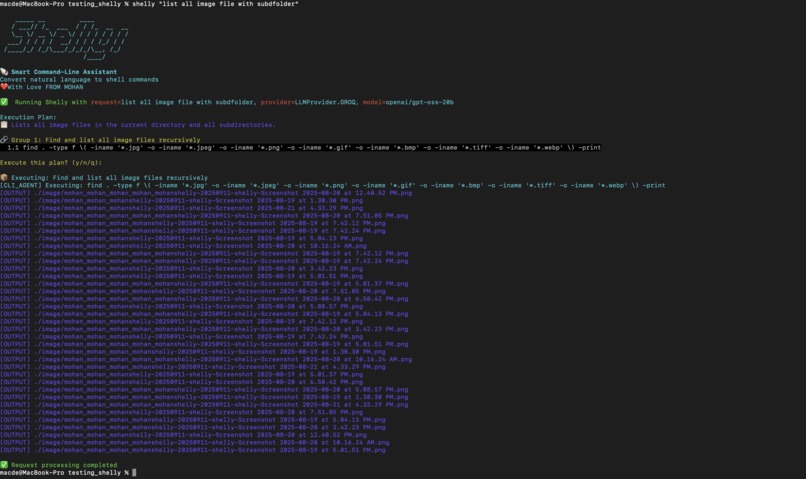
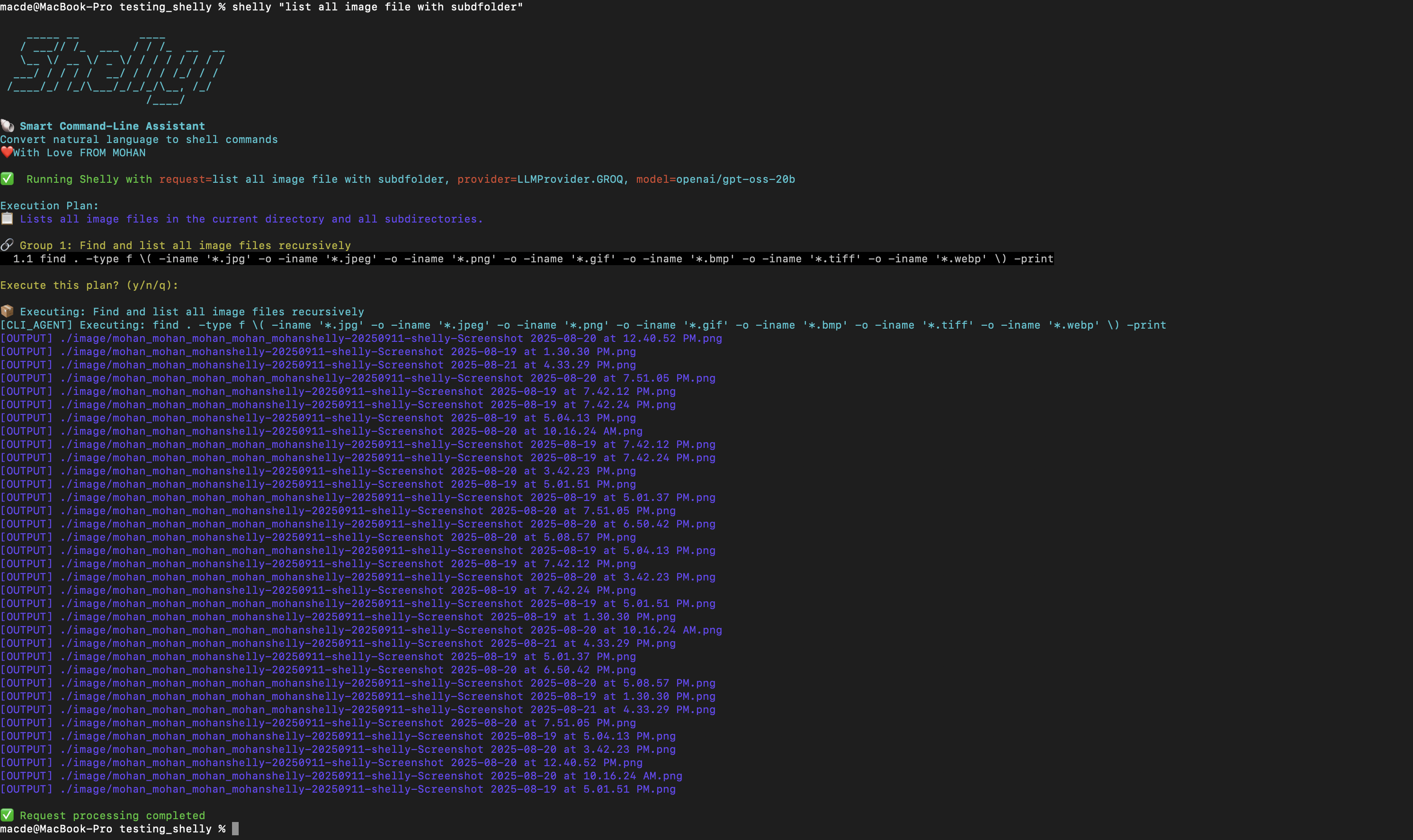
Listing all image files from directory and sub folders too
-
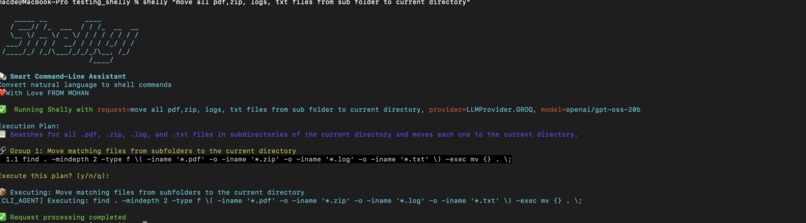
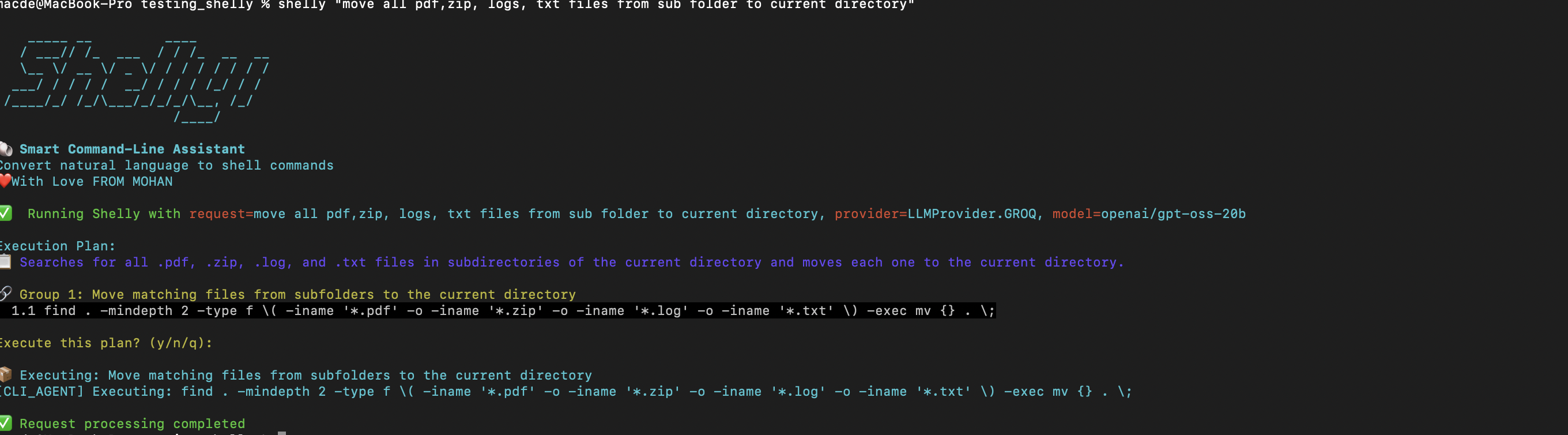
move all zip,pdf,logs,txt files to main folder
Shelly - Smart Command-Line Assistant
Inspiration
The command line is incredibly powerful, but it has a steep learning curve. We've all been there - trying to remember the exact syntax for find, struggling with awk patterns, or googling "ffmpeg convert video" for the hundredth time. We were inspired by the idea that natural language could bridge this gap, making the terminal accessible to everyone while still maintaining the power and efficiency that command-line tools provide. The vision was simple: Just tell your computer what you want to do, and let it figure out how.
What it does
Shelly is a natural language interface for your terminal that translates everyday requests into precise shell commands. Instead of memorizing complex syntax, you simply describe what you want to accomplish:
- Shelly "find all '.log' files in my home directory larger than 10MB and zip them"
- Shelly "convert all .mov files in this folder to .mp4"
- Shelly "show me the 10 largest files in the current directory"
Shelly interprets your request, generates the appropriate command, shows it to you for review, and executes it only after your confirmation. This approach combines the accessibility of natural language with the transparency and control of traditional command-line usage.
How we built it
Shelly is built as a Python application using several key components:
- Natural Language Processing: We developed a carefully crafted prompt system that analyzes user requests and maps them to appropriate shell commands.
- Command Generation Engine: The core logic translates natural language into shell syntax, handling complex operations like piping, file operations, and system utilities
- Safety Layer: Before execution, Shelly displays the generated command and requires user confirmation, preventing accidental destructive operations
- Execution Environment: Using Python's subprocess module, we safely execute validated commands while capturing output and handling errors gracefully
The architecture prioritizes transparency - users can see exactly what command will run, learn from the translations, and build confidence in both Shelly and the underlying shell tools.
Challenges I ran into
- Command Safety: Ensuring generated commands are safe and won't accidentally delete important files or cause system damage
- Context Awareness: Making Shelly understand relative paths, current directory context, and user intent accurately
- Edge Case Handling: Dealing with special characters, file names with spaces, and complex nested operations
- Balance of Simplicity vs. Power: Creating an interface simple enough for beginners while powerful enough for complex operations
- Cross-platform Compatibility: Ensuring commands work across different operating systems and shell environments
Accomplishments that we're proud of
Successfully created a working prototype that actually translates natural language to functional shell commands Implemented a safety-first approach with command preview and confirmation Built a system that's educational - users learn shell commands by seeing the translations Achieved a balance between accessibility and transparency Created something that both beginners and experienced users can benefit from
What we learned
The importance of user trust when building tools that execute system commands How much domain knowledge goes into crafting effective command-line operations The value of transparency in AI-assisted tools - showing the "how" builds user confidence That natural language interfaces work best when they enhance rather than replace existing workflows The critical importance of safety mechanisms in any system that executes user commands
What's next for Shelly
- Enhanced Learning: Add explanations for each command component to help users understand what each part does
- Command History: Remember frequently used patterns and suggest optimizations
- Advanced Operations: Support for more complex workflows like database operations, network diagnostics, and system administration tasks
- Customization: Allow users to define custom shortcuts and domain-specific command patterns
- Integration: Plugin support for popular tools like Docker, Git, and cloud platforms
- Multi-platform: Expand support for Windows PowerShell and other shell environments
- Smart Suggestions: Proactively suggest useful commands based on current directory contents and user patterns

Log in or sign up for Devpost to join the conversation.