Inspiration
Studying for CEH v13 meant jumping between 15 browser tabs, PDFs, GitHub repos, and cheat sheets just to find one Nmap flag or recall which tool does subdomain enumeration. Every context switch broke my flow. I wanted a single, fast, searchable workspace that worked like a professional terminal — not a Wikipedia page. ShellStack is that workspace.
What It Does
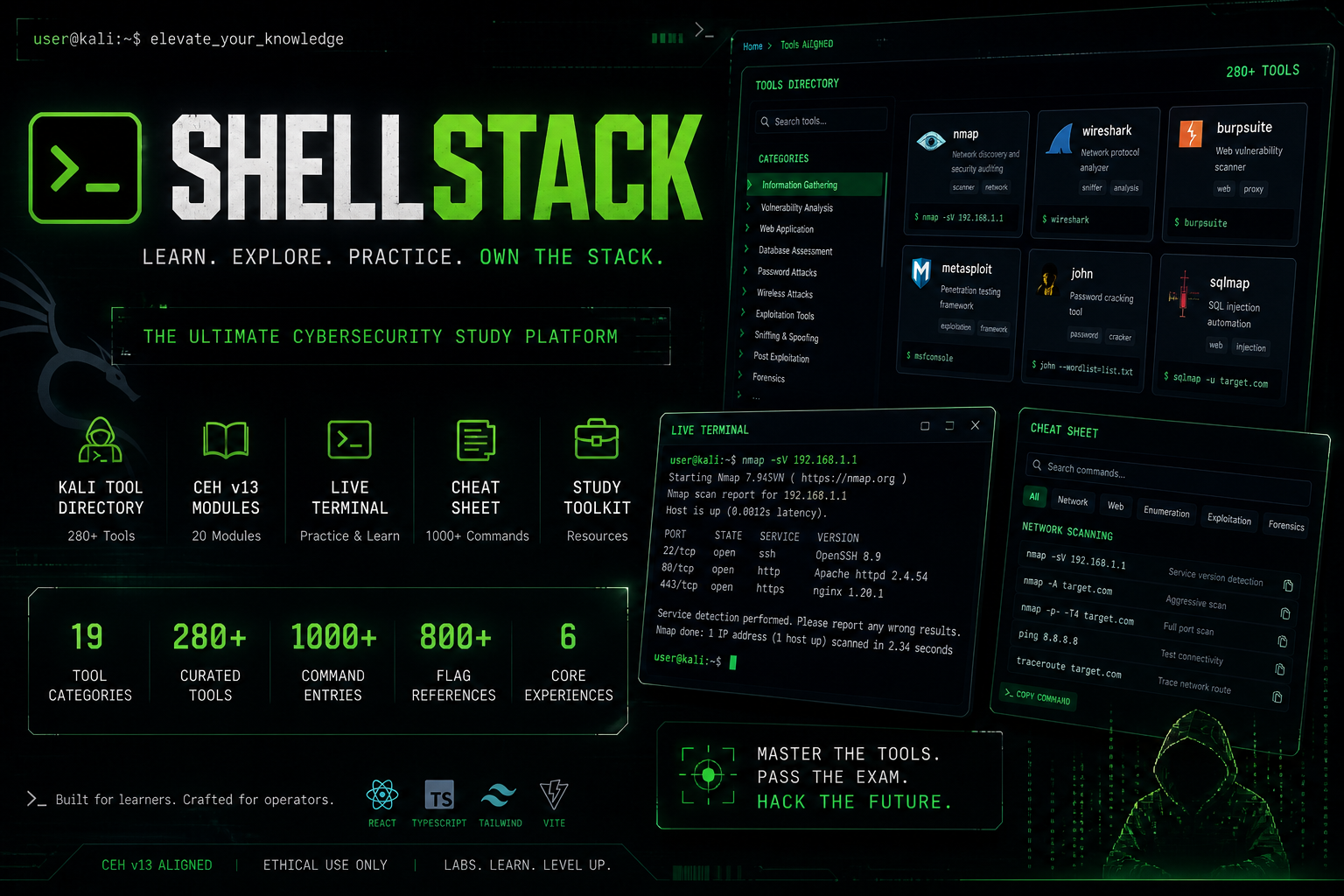
ShellStack is a high-density offensive security intelligence hub unifying 280+ tools and 1,000+ commands into a terminal-inspired React web application:
- Interactive Command Builders — Fill in a form, get a perfectly constructed parameterized command instantly ready for clipboard. Works for Nmap, Gobuster, SQLMap, Metasploit, Hydra, and 50+ other tools.
- Deep-Tool Intelligence Modals — Multi-tab modals for each tool containing full walkthroughs, common flags, practical use cases, example outputs, and tactical notes. Not just a man page — an operational guide.
- CEH Module Explorer — Structured learning content mapped across 20 distinct CEH v13 modules: Active Directory, Cloud Security, Web App Hacking, Cryptography, Malware Analysis, IoT Security, and more.
- Ranked Search Engine — Real-time search that ranks results by relevance across tool names, descriptions, and command syntax. Finds what you need in under a second.
- Terminal-Native UX — Dense, keyboard-optimized interface with animated cyber elements, dark mode by default, and a layout that feels like a professional ops dashboard, not a tutorial site.
How I Built It
Built with React 19 and Vite for maximum performance, deployed on Vercel. Every tool is defined in a declarative JSON schema containing its flags, types, defaults, and metadata. The command builder system reads this schema reactively and generates the command string in real time as users fill in options. The search engine runs a custom relevance scoring function that weights tool name matches higher than description matches, so searching "nmap" surfaces the Nmap tool first — not every command that mentions nmap in its description. All data is static JSON, making the app load instantly with zero backend dependency.
Challenges I Ran Into
- Designing a data schema that works consistently across 280+ tools — each with wildly different flag structures, argument types, and syntaxes — was the biggest challenge. Getting it wrong early would mean rewriting hundreds of tool definitions.
- Building a search ranking function that feels intelligent (not just substring matching) required building a custom scorer from scratch rather than using a search library.
- Making the dense, information-heavy interface feel navigable rather than overwhelming required significant layout iteration.
What I Learned
How to architect large-scale static React applications with complex data structures, and how information architecture — not just code quality — determines whether a reference tool gets bookmarked or forgotten after one visit.
What's Next
- User-contributed tool entries with community review
- Printable CEH v13 cheat sheet PDF export
- Interactive lab mode with sandboxed command execution
- Mobile-optimized layout for on-the-go reference
- Integration with HackTheBox and TryHackMe room walkthroughs
Built With
- css
- html
- javascript
- json
- react-19
- typescript
- vercel
- vite


Log in or sign up for Devpost to join the conversation.