Inspiration
It started at home. My sister loves skincare, and I kept watching the same thing happen: she'd stand in a store reading the back of a bottle, buy it because the box promised the world, and a few weeks later it would sit unused on the shelf because it broke her skin out or simply didn't do anything.
I wanted to know if it was just her, so I started asking around: my sister, my female friends, my friends' sisters, and even some of my guy friends who had recently got into skincare. Everyone had the same story:
- "I can't understand the ingredient list, so I just trust the packaging."
- "I bought something that went viral and it made my skin worse."
- "I've wasted so much money on products that weren't right for me."
- "Even after buying, I never really know if it's working."
That last one stuck with me. The problem wasn't only choosing the right product. People were trusting products blindly, before and after buying.
Most skin-AI apps only recommend products from their own catalog, so the moment you walk into a real store, they can't help. I wanted to build what my sister actually needed: take YouCam's skin intelligence out of the app and into every aisle. Point your phone at any product, know if it suits your skin before you buy it, and then see whether it really works.
What it does
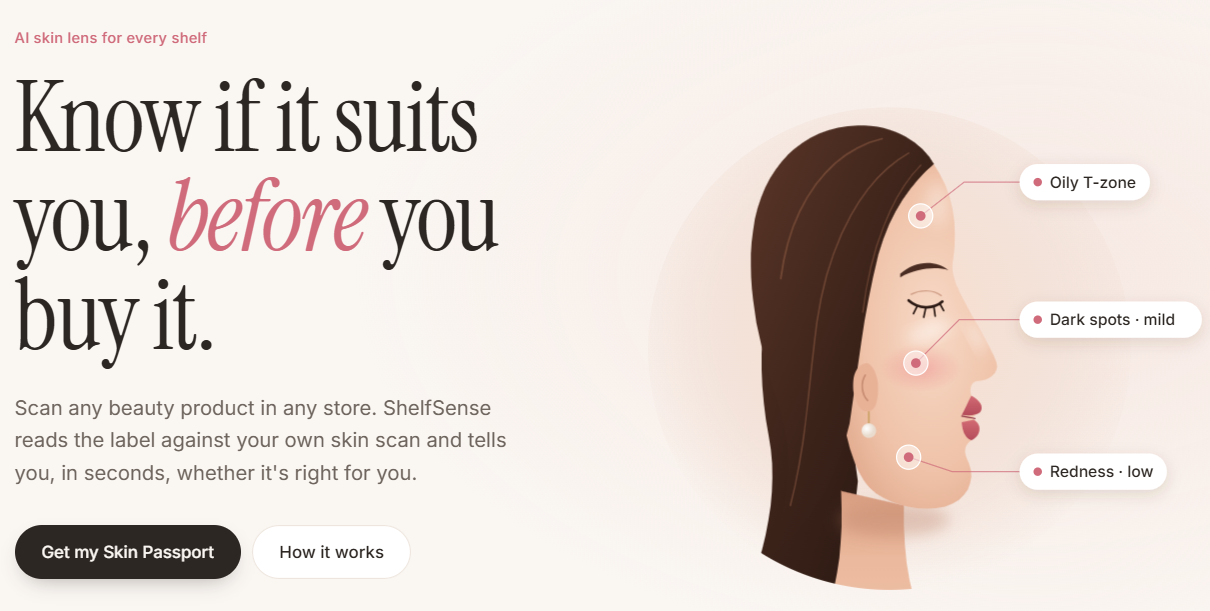
ShelfSense is an AI skin lens for every shelf. One selfie, any product, a personal verdict in seconds.
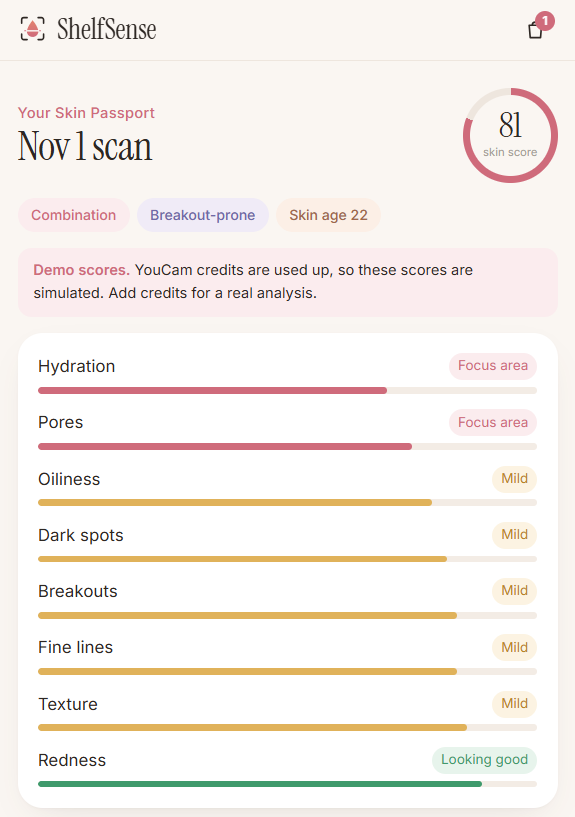
- Your skin → Skin Passport. One selfie goes to YouCam AI Skin Analysis, which scores 8 concerns: breakouts, dark spots, redness, oiliness, pores, hydration, texture and fine lines. ShelfSense turns this into a private Skin Passport with your skin type and a personal ingredient guide: what to look for, and what to go easy on.
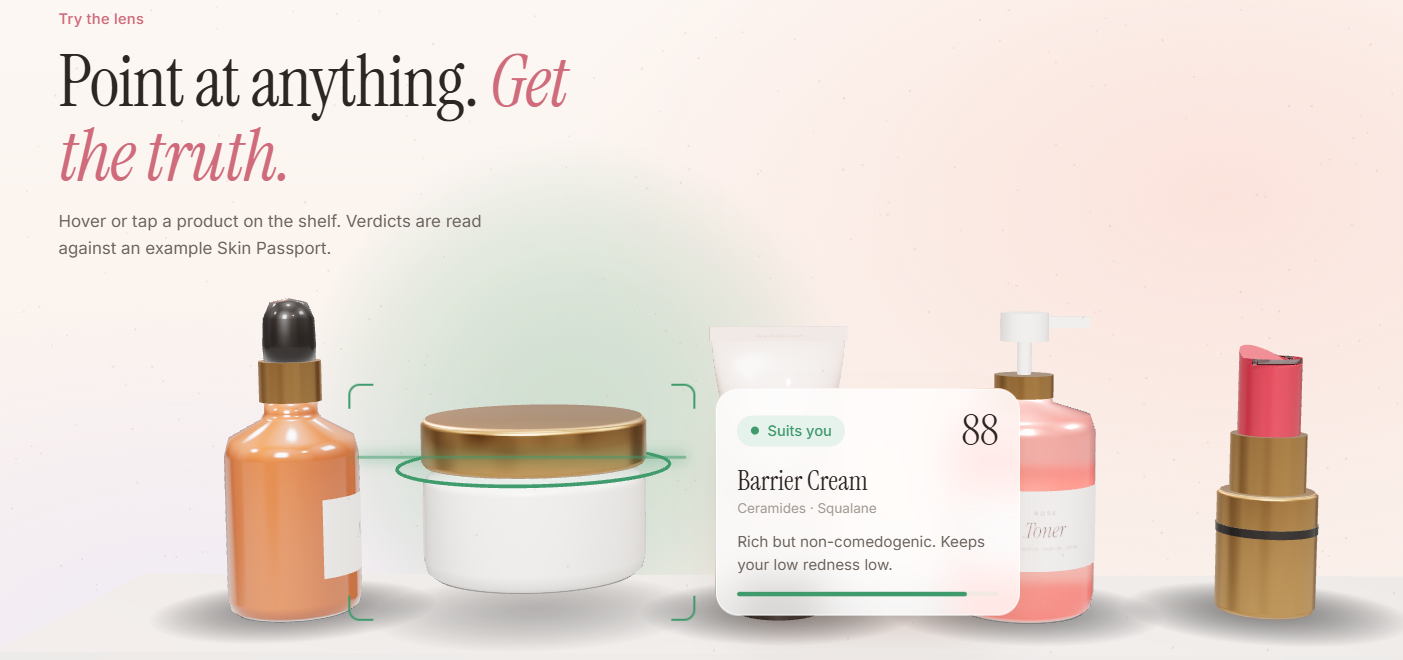
- The label → live AR lens. Point your phone at any barcode. ShelfSense reads it in real time, pulls the full ingredient list from Open Beauty Facts, and pins a verdict tag onto the product in AR.
- The verdict. Suits you, Patch test first or Skip it, with reasons drawn from your scan, such as "Fragrance can irritate sensitive skin, and your scan shows redness." Every ingredient is a tappable chip that explains what it does for you. Scan several products and ShelfSense crowns the best pick on the shelf.
- See it on me. For lipsticks and foundations, YouCam Makeup Virtual Try-On renders the exact shade on your selfie. Hold to compare before and after.
- Routine and clash check. Products in your bag become an ordered morning and evening routine. Retinoids and acids move to the night, vitamin C to the morning, and clashes like retinoid + AHA or benzoyl peroxide + vitamin C are flagged with what to do instead.
- The proof, after you buy. Start a 30-day trial and take a quick selfie each week. YouCam re-scans your skin and charts the concerns the product targets, so you can see whether it actually works. It refuses to judge before week 3, because actives need time.
Plus: verdicts you can read aloud for hands-free or low-vision shopping, one-tap sharing, a scan history, and a bag.
How we built it
- Frontend: React 18 + Vite, plain CSS with design tokens. The landing page tells the story with Three.js: a procedural glass serum bottle scanned as you scroll, with ingredient tags orbiting it, and an interactive 3D shelf where you hover over products to see the lens read them.
- AR lens:
getUserMediawith the nativeBarcodeDetectorwhere available and ZXing as a fallback. Detection boxes are mapped from video pixels to screen space (accounting forobject-fit: cover) and eased between frames so tags glide with the camera. - YouCam integration: a small Node backend that implements the full v2 flow: register the file →
PUTto the pre-signed URL → create the task → polltask_statusuntil success. It covers AI Skin Analysis (8 SD concerns) and Makeup VTO (lip_colorandfoundationeffects built from each product's shade). - The verdict engine: about 30 transparent ingredient rules. Each one lists the YouCam concerns an ingredient helps (niacinamide → dark spots, oiliness, pores) or may aggravate (coconut oil → breakouts). A concern's severity comes from your own
ui_score, calibrated to the range YouCam actually returns:
$$ s_c = \min\left(\max\left(\frac{92 - \text{ui}_c}{22},\ 0\right),\ 1\right) $$
Benefits \( B \) and harms \( H \) are weighted by how much each concern matters for you, with diminishing returns so stacking actives doesn't max out the score:
$$ \text{score} = \text{base} + 36\left(1 - e^{-B/2.5}\right) - 16H $$
A score of 72 or more means Suits you, 50–71 means Patch test first, and below 50 means Skip it. Every verdict comes with reasons tied to the scan.
- Deployment: a single Node server serves the built site and the API on Render. The YouCam key lives only on the server.
Challenges we ran into
error_src_face_too_smallon laptop webcams. Wide webcam frames left the face too small for YouCam. We added a face-oval guide, crop the selfie to it, and upscale to at least 720 px on the short side, which turned failures into successful analyses.- Calibrating to real output. Real
ui_scorevalues cluster between about 70 and 99, not 0–100. Our first verdicts were all "fine" until we mapped severity onto the real range. - Making AR tags feel stable. Raw barcode detections jitter and drop frames. Easing positions, fading stale tags and removing them after 2.5 s made the lens feel anchored.
- Expiring results. VTO result URLs expire after about 2 hours, so the server downloads the image right away and returns it inline.
- Credits. A skin analysis costs 12 units and a try-on 1 unit. We cache every real result by a SHA-256 of the image and request, so a repeated photo never costs twice. We check the balance (free) before each paid call, rate-limit paid routes per visitor on the public demo, and fall back to a clearly labelled demo mode instead of failing.
Accomplishments that we're proud of
- A complete before-and-after-purchase loop: scan your skin → scan the shelf → get a verdict → try it on → build a routine → prove it works.
- It works on real products in real stores, not just a curated catalog.
- Explainable AI: every score comes with plain-language reasons linked to your own scan, and every ingredient can be tapped for an explanation.
- Treating the YouCam API as production infrastructure: the server-side key, retries with backoff, plain-language error tips, caching and graceful degradation.
- A calm, premium design, with 3D that explains the product instead of just decorating it.
What we learned
- Talk to real users first. Asking my sister and friends shaped the whole product: the 30-day proof feature exists because almost everyone said they never know if a product is working.
- Great skin AI needs a great input pipeline: framing, cropping and resolution mattered as much as the model.
- People trust a verdict far more when it explains itself in terms of their own skin.
- The most valuable moment isn't only before buying. Proving a product works afterwards builds lasting trust.
- Designing for real API constraints (cost, latency, expiring URLs) early makes the whole experience faster and more reliable.
What's next for ShelfSense
- Retailer widget: one script tag that adds the ShelfSense lens to any product page or in-store QR code.
- Put-back insights: anonymous data on why shoppers skip a product (the ingredient, the shade or the skin concern).
- YouCam Skin Tone Analysis for undertone-aware foundation matching.
- Label OCR for products missing from Open Beauty Facts.
- Voice-first shopping, extending read-aloud verdicts into a fully hands-free mode.
Try it live: https://shelfsense-165w.onrender.com · Code: https://github.com/Noufalthecoder/ShelfSense
Built With
- augmented-reality
- barcodedetector
- javascript
- node.js
- three.js
- web-speech-api
- youcam-ai-skin-analysis
- youcam-api
- youcam-makeup-vto

Log in or sign up for Devpost to join the conversation.