-
-
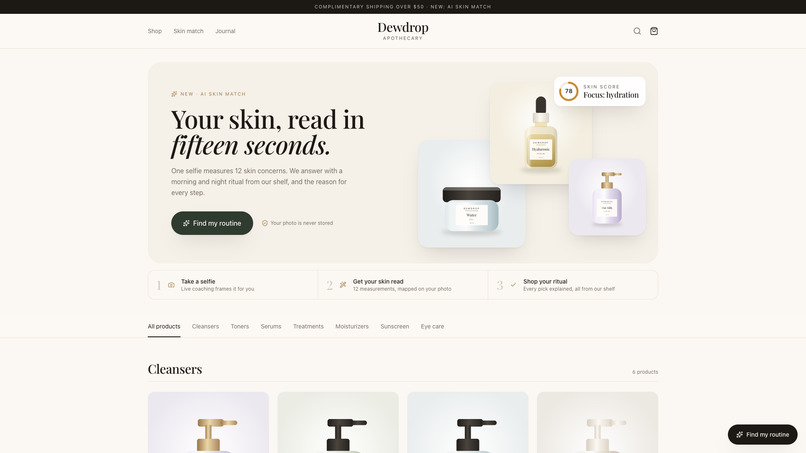
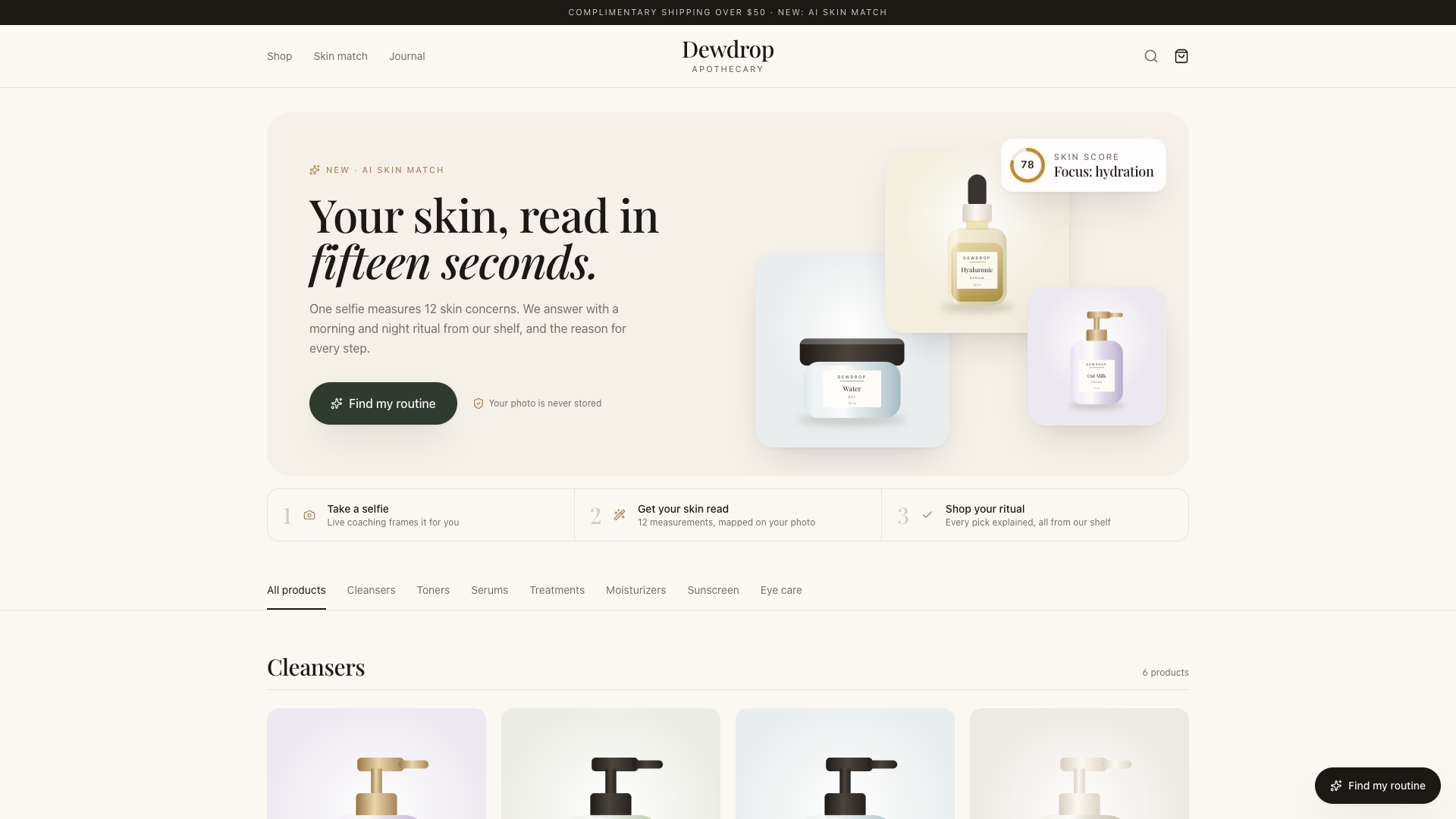
Demo store "Dewdrop Apothecary". Every product is tagged by the skin concerns it treats. Shoppers tap "Find my routine" to start.
-

Live coaching: on-device face detection checks distance, light and angle, then crops for YouCam.
-

Morning and night routine from this store's shelf only. Every pick explains why.
-
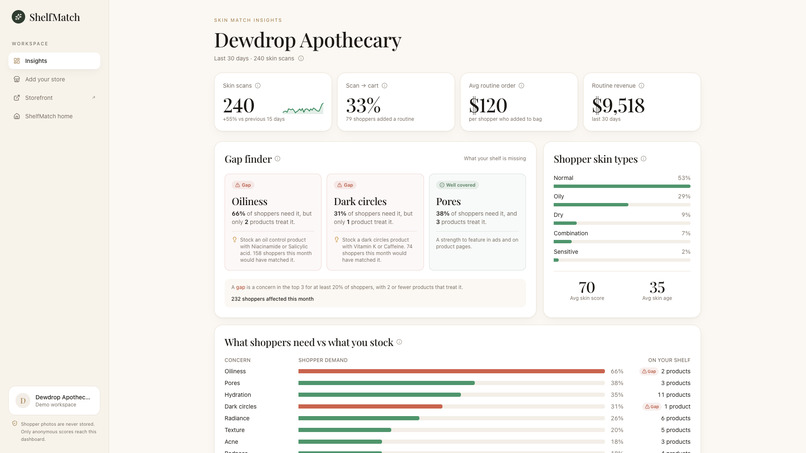
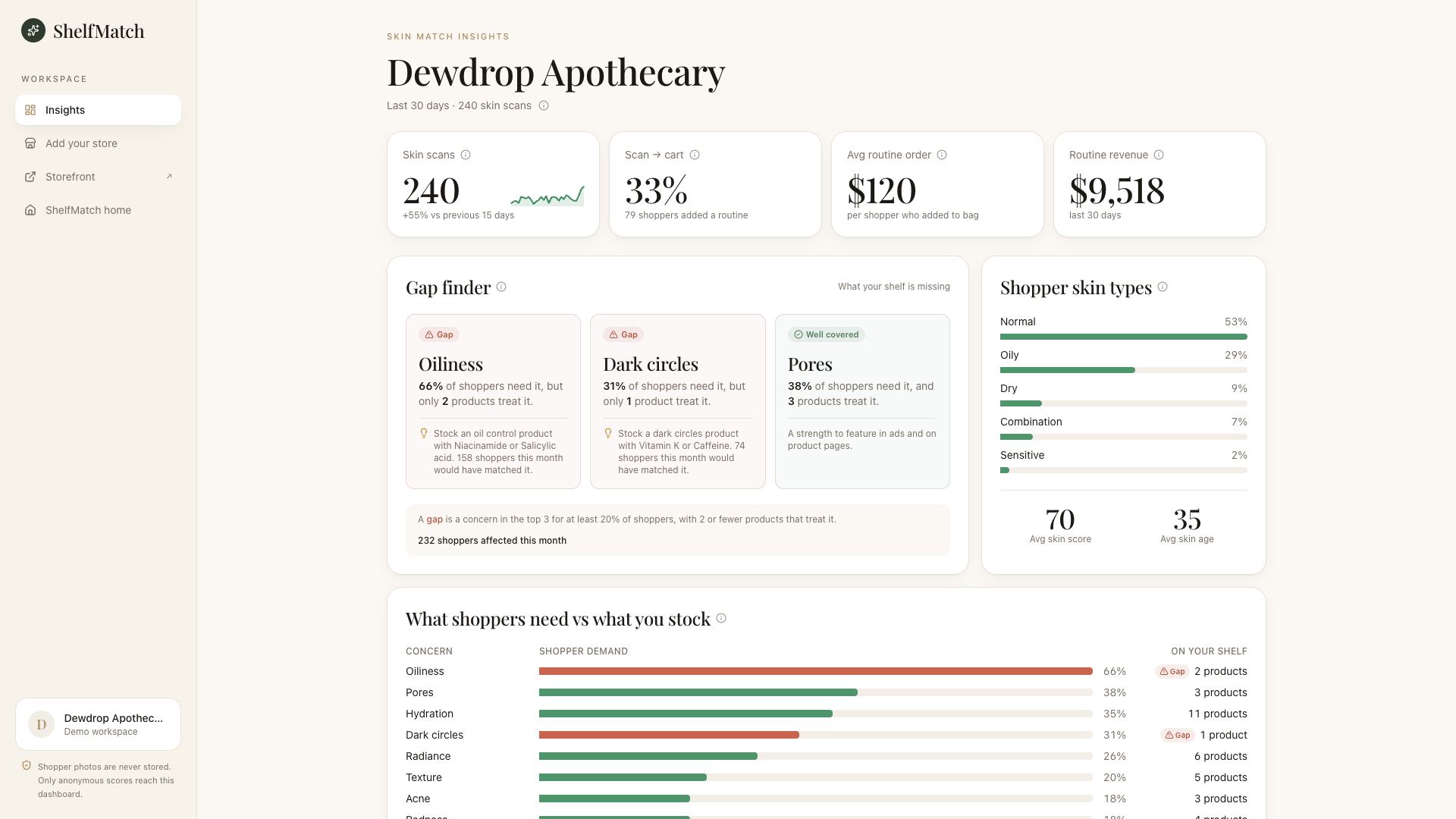
Gap finder: 66% of shoppers need oil control, but only 2 products treat it.
-
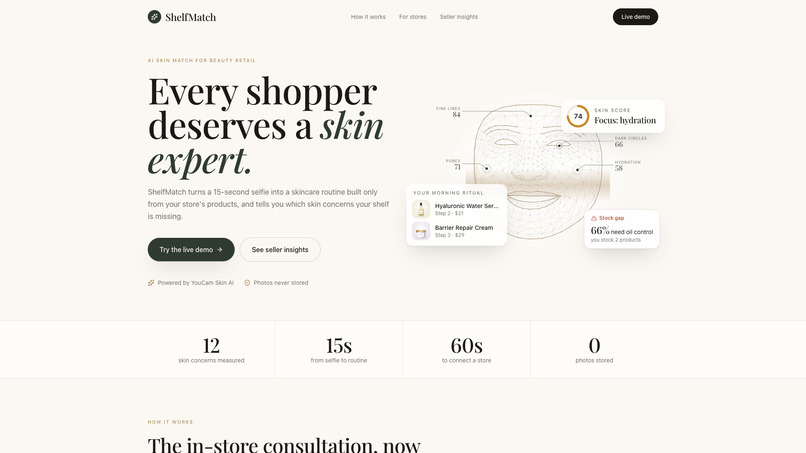
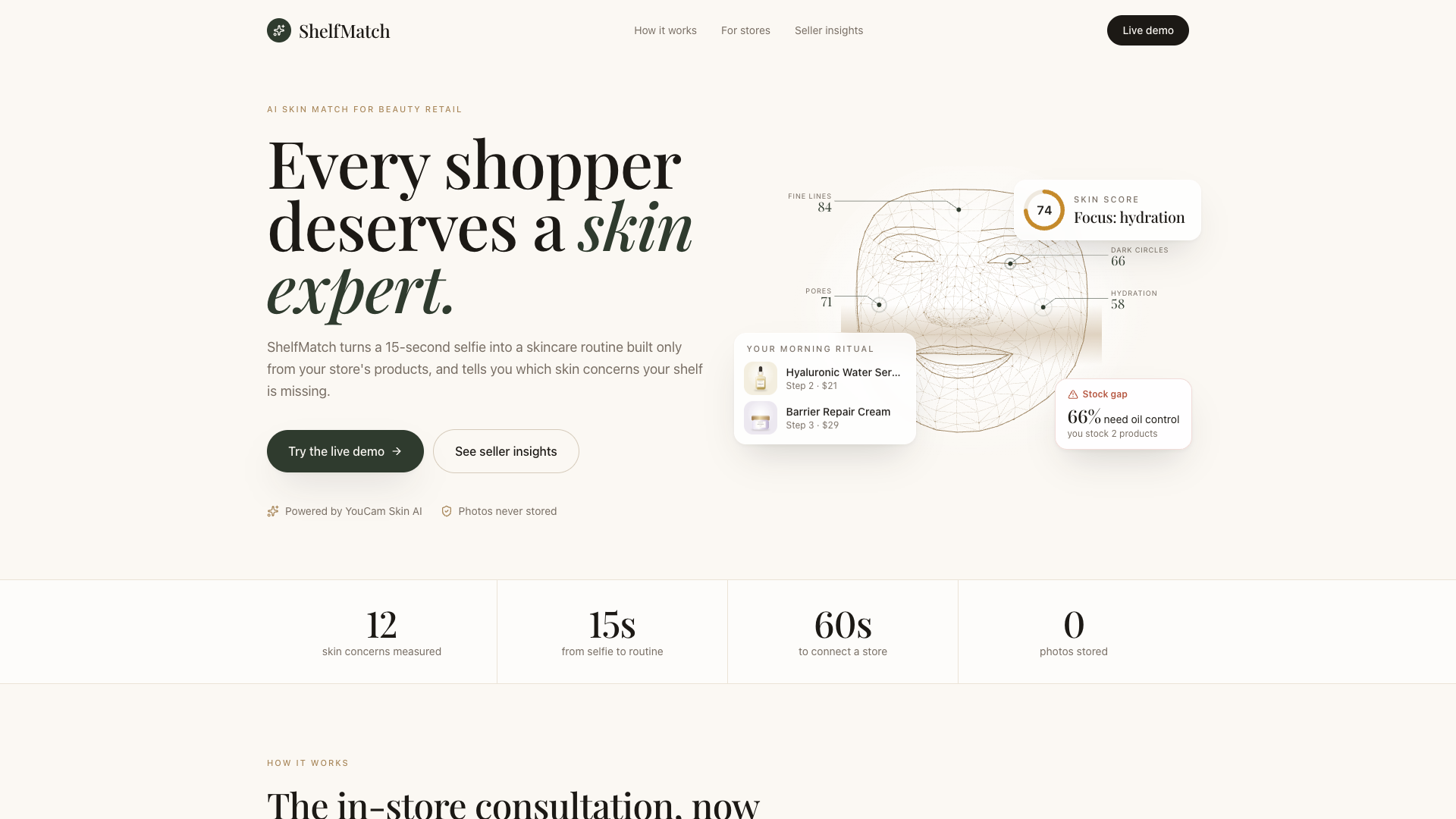
ShelfMatch: a 15-second selfie becomes a skincare routine from your store's own products.
-
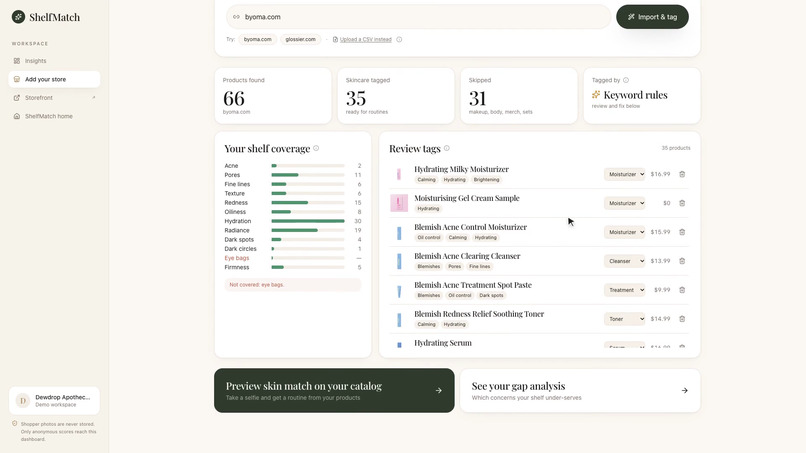
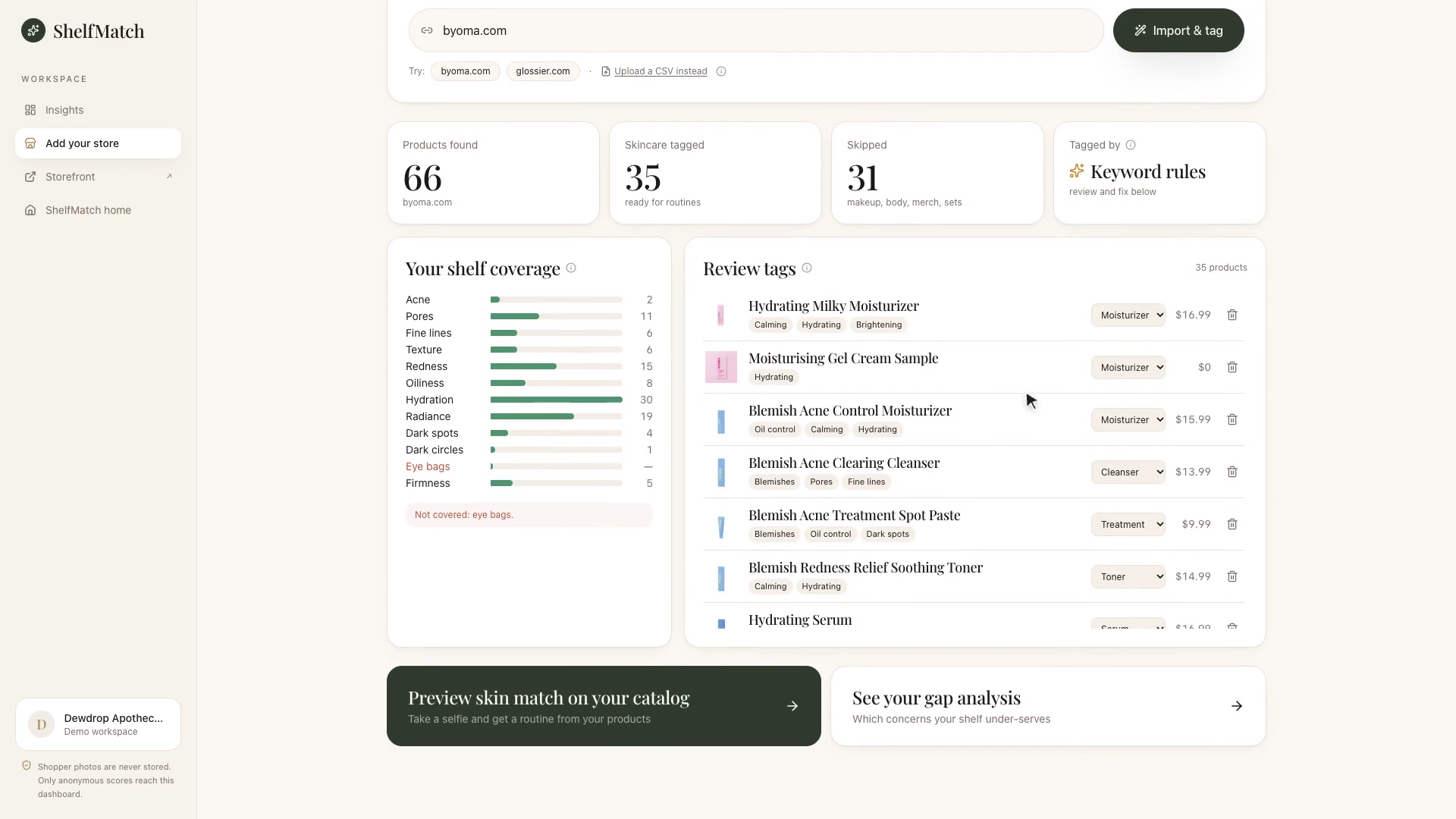
Paste a Shopify address: ShelfMatch reads the catalog and tags every product by skin concern.
-
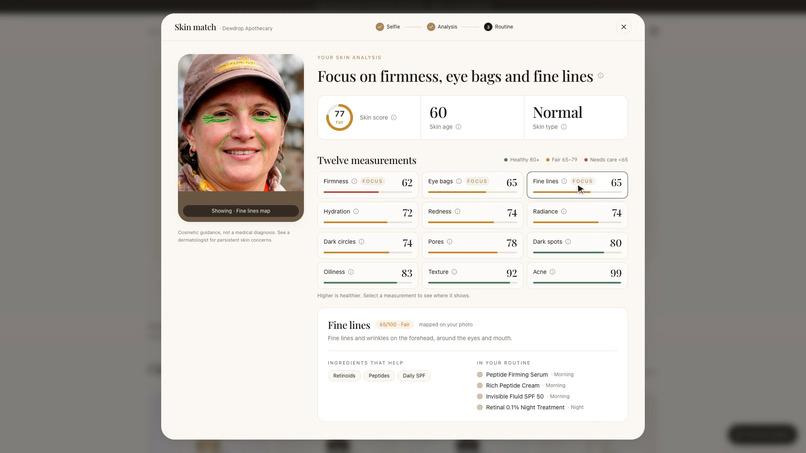
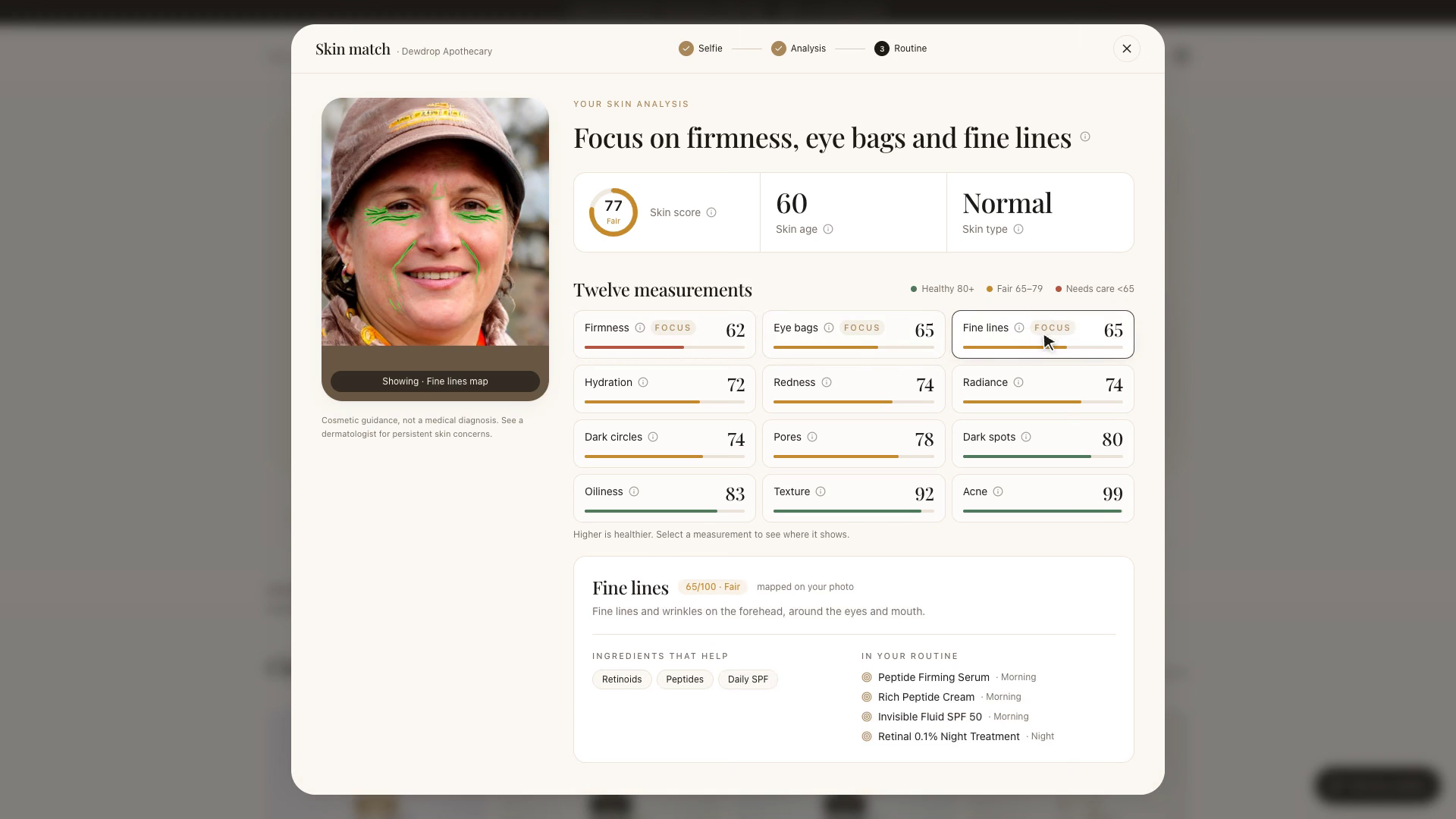
Real YouCam Skin AI result: 12 concerns scored with face maps, skin age and an overall score.


Inspiration
In a beauty store, an expert looks at your skin and walks you to the right shelf. Online, shoppers face hundreds of serums and creams with nobody to ask, so they guess, buy the wrong thing, and return it. Big brands can afford custom skin-analysis setups. The thousands of small and mid-sized beauty stores can't. We wanted any store to offer that in-store consultation with one script tag, and to learn from it.
What it does
For shoppers
- Selfie skin analysis in the browser. YouCam's AI Skin Analysis API scores 12 concerns (acne, pores, fine lines, texture, redness, oiliness, hydration, radiance, dark spots, dark circles, eye bags, firmness), with skin age, an overall score, and a map of where each concern shows on the face.
- A routine built only from the store's own catalog. Morning and night steps, each explaining itself: "For your oiliness (41/100) · with niacinamide 10%", plus how to use it and safety tips. One tap adds the whole routine to the bag.
- Works on an ordinary laptop webcam. Live coaching ("Move closer", "Find brighter light", "Keep your head level") and on-device face framing make the photo pass YouCam's quality checks. Photos are never stored.
For stores
- One-minute onboarding. Paste a Shopify address (or upload a CSV). ShelfMatch reads the public catalog, keeps face skincare, and tags every product by the skin concerns it treats, with Claude AI or keyword rules as a fallback. The seller can review and fix tags.
- Gap finder. Face scans become stocking decisions: "66% of shoppers need oil control, but only 2 of your products treat it", with what to stock.
- Insights dashboard. Scans, scan-to-cart conversion, routine order value, shopper skin types, demand vs shelf for all 12 concerns, most and never-recommended products.
How we built it
- YouCam AI Skin Analysis API v2.1 (server-side only): register the file →
PUTto the pre-signed URL → create a skin-analysis task with 12 SD actions and mask overlays → poll until success. YouCam's photo error codes become plain-language tips for the shopper. - In-browser face framing with MediaPipe BlazeFace, self-hosted, running on the shopper's device. It checks distance, centring, head tilt and turn, brightness and face count every ~140 ms, then crops a 3:4 portrait around the face. Uploads are auto-cropped too, and HEIC and oversized photos are converted.
- A deterministic, explainable routine engine. Each product is scored per routine step by Σ(product strength for a concern × how much that concern needs care), with the shopper's three lowest scores counted double. Products unsuitable for the skin type are excluded, retinoids, acids and masks stay at night, and strong actives are never doubled. Every pick can be traced back to a number.
- Catalog tagging with Claude (structured output into the 12 YouCam concerns, skin types and key actives), with a keyword fallback so onboarding always works.
- Next.js 15, TypeScript, Tailwind CSS 4, deployed on Vercel. The demo dashboard needs no database: it combines 240 simulated shoppers, each run through the real routine engine, with the real scans made in your browser, so judges see their own scan appear live.
- Quality: 33 unit tests, plus 45 end-to-end UI checks driven over the Chrome DevTools Protocol on desktop and mobile, run against the live deployment.
Challenges we ran into
- Real webcams failed YouCam's face-size rule. The API requires the face to cover more than 60% of the image width; a laptop camera at arm's length gives 20–35%. Our first real selfie came back
error_src_face_too_small. We fixed it with on-device face detection, live coaching and automatic cropping, and confirmed it against the real API: the same frame fails with a plain centre crop and passes with our face crop. - Reading the real response shape. In JSON mode, overall score, skin age and the base photo arrive as extra entries inside the
outputlist. We captured a real response, built tests on it, and parse it correctly. - Giving safe advice. The first engine version put a retinoid in the morning and paired two retinoids at night. We added explicit safety rules and tests for both.
- Messy store catalogs. Real Shopify stores mix skincare with makeup, merch and gift sets. We use the store's own product types, and Claude, to keep only face care.
Accomplishments that we're proud of
- A real YouCam scan to a shoppable routine in about 15 seconds, on a normal laptop or phone.
- Recommendations that explain themselves, which builds trust for shoppers and judges.
- A seller-side product, not just a consumer app: the gap finder turns skin data into stocking and marketing decisions.
- Privacy by design: photos go only to YouCam for analysis and are never stored.
What we learned
Most of the work in an AI product is around the model: getting a good photo, handling every error, and explaining the result. Small, specific feedback ("Move closer") turned a failing camera flow into a reliable one.
What's next for ShelfMatch
- An embeddable widget and a Shopify app: one script tag on any product page.
- A persistent database and real cart and checkout attribution for stores.
- Progress tracking: rescan in 4–6 weeks and see which concerns improved.
- Pairing skin analysis with YouCam's makeup and skin-tone APIs for foundation shade matching.
Built With
- anthropic
- claude
- mediapipe
- next.js
- perfect-corp
- react
- tailwindcss
- typescript
- vercel
- vitest
- youcam-api

Log in or sign up for Devpost to join the conversation.