-
-
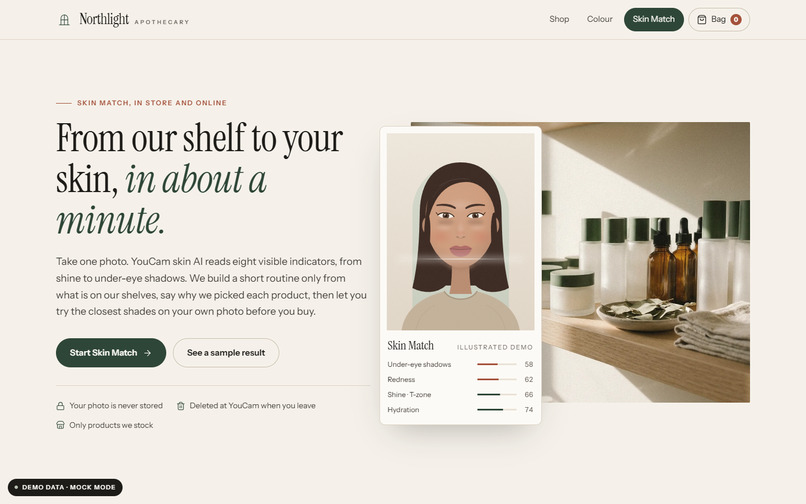
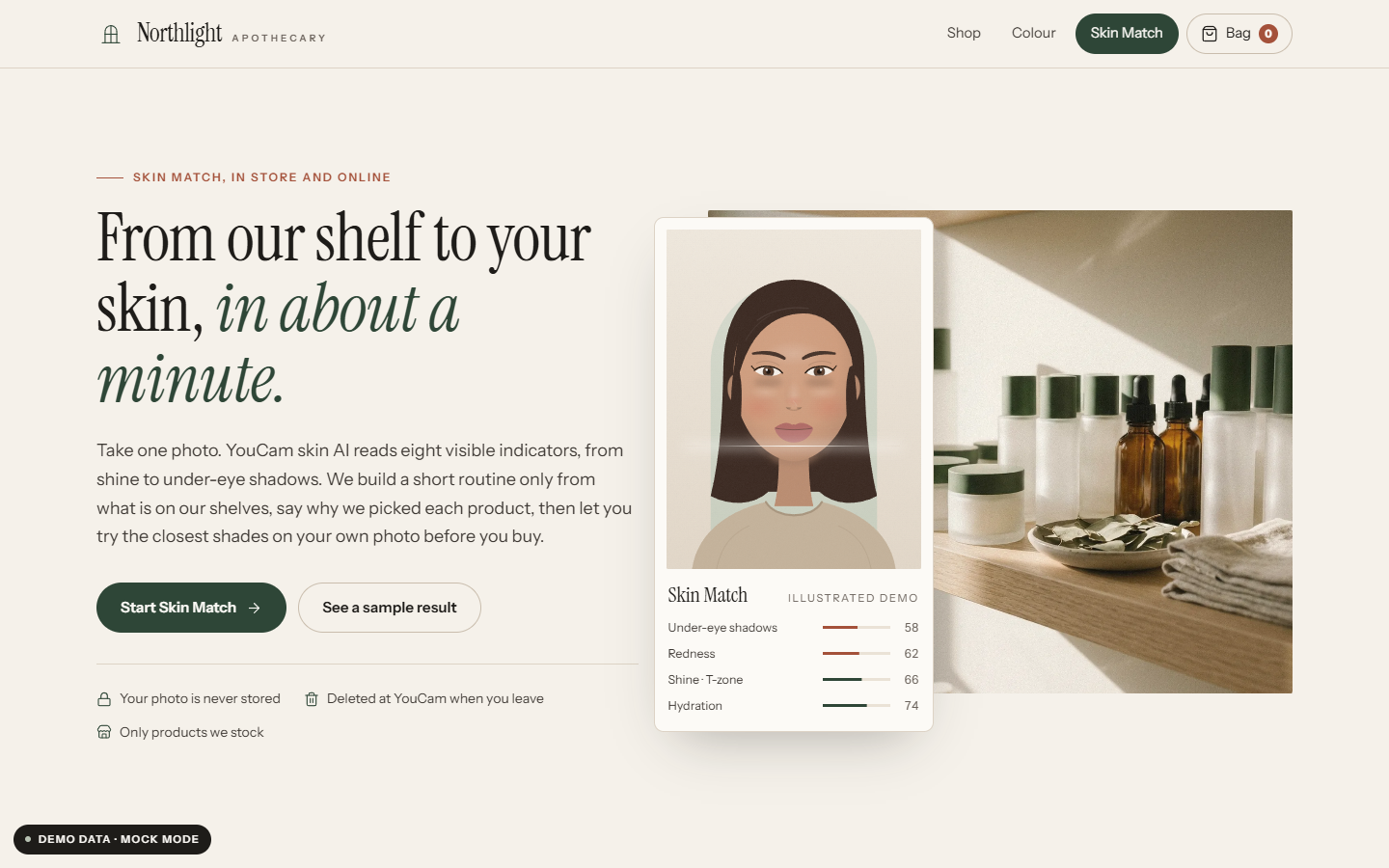
Storefront: the Skin Match lives on the independent shop's own site (demo data, mock mode).
-
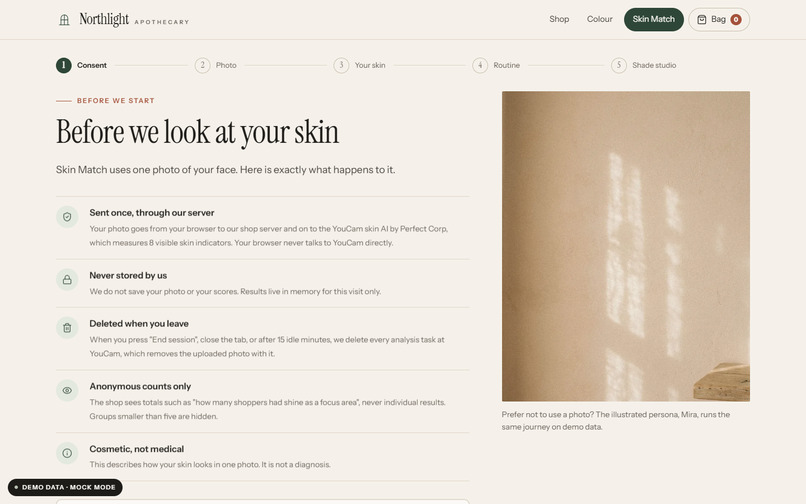
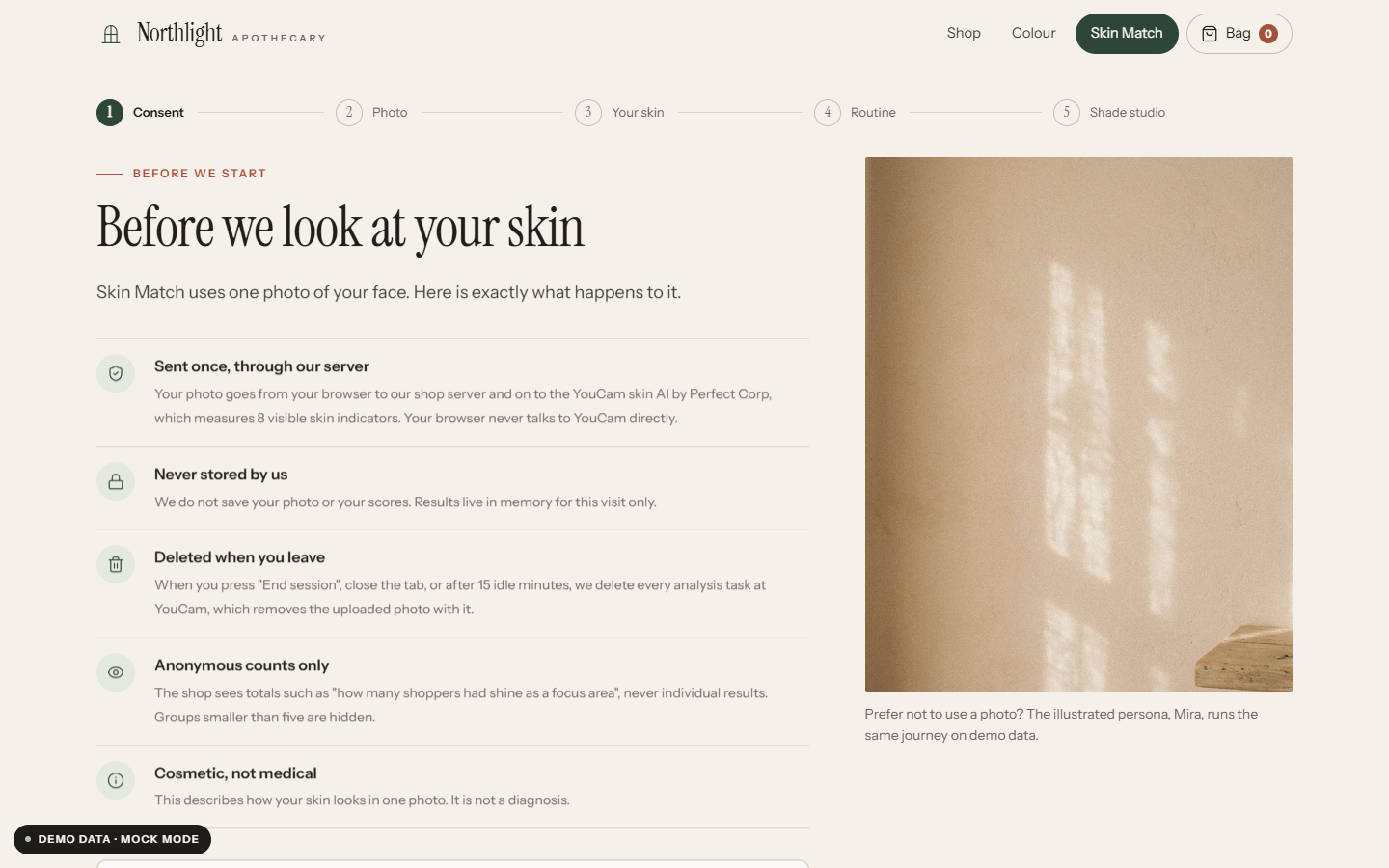
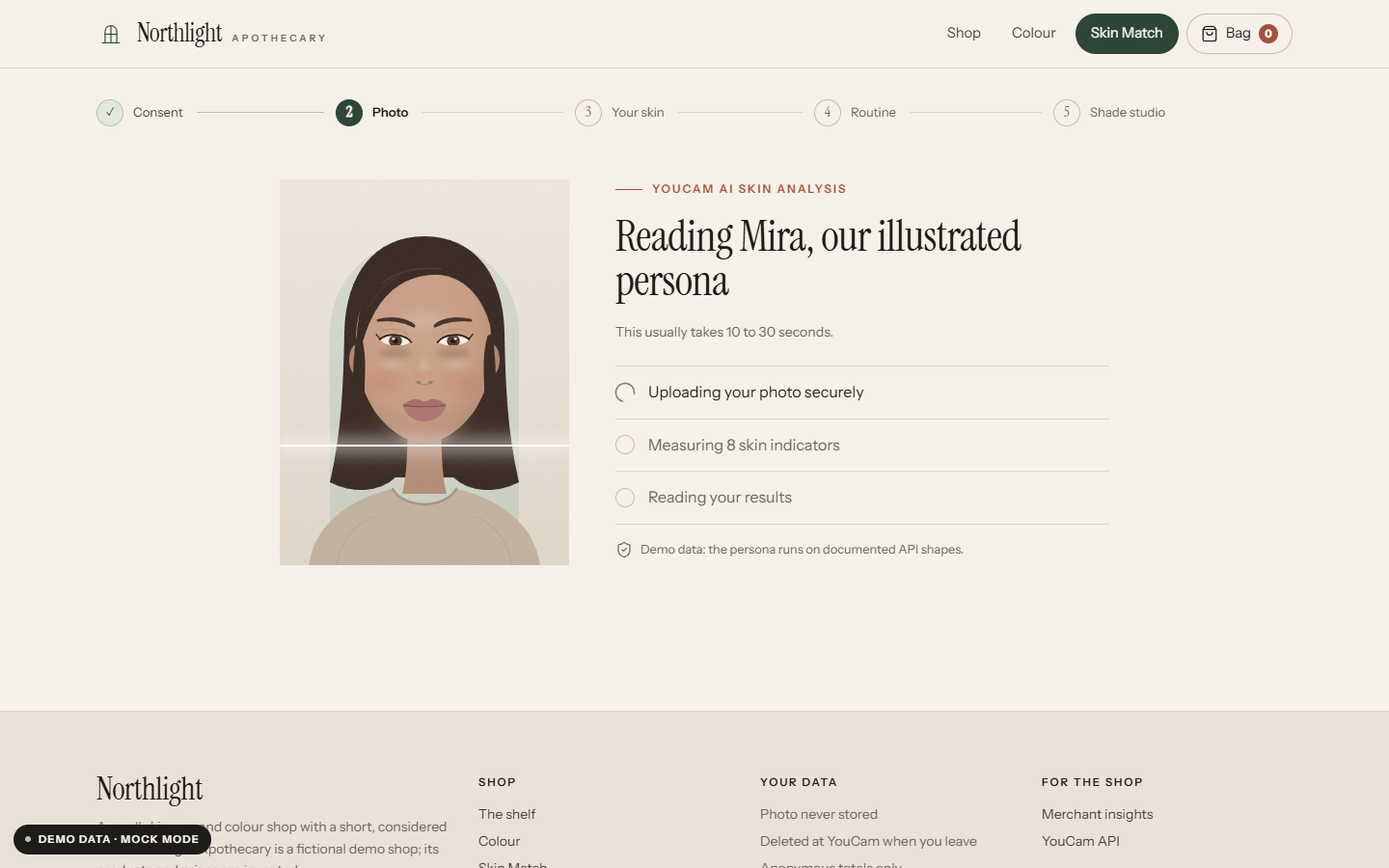
Consent first: exactly what happens to the photo, before anything is sent.
-
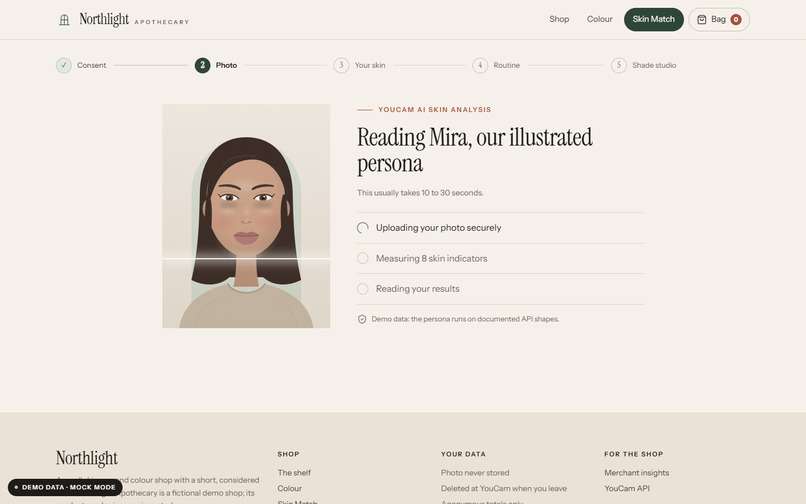
Analysing with YouCam AI Skin Analysis (illustrated persona, demo data).
-
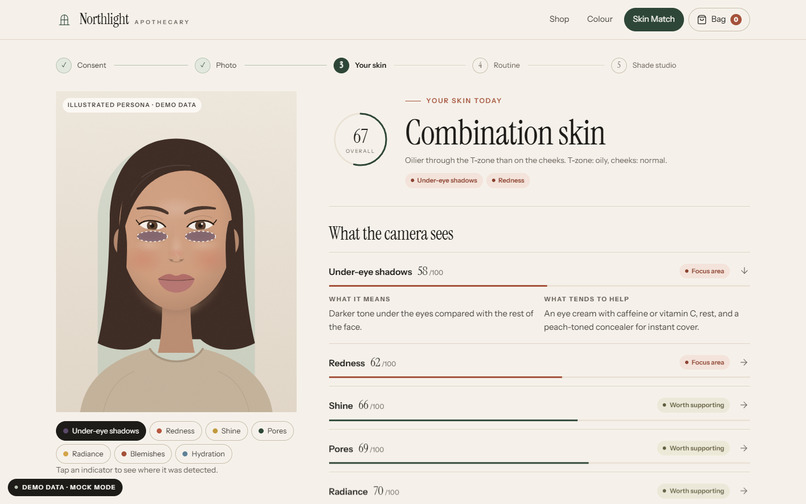
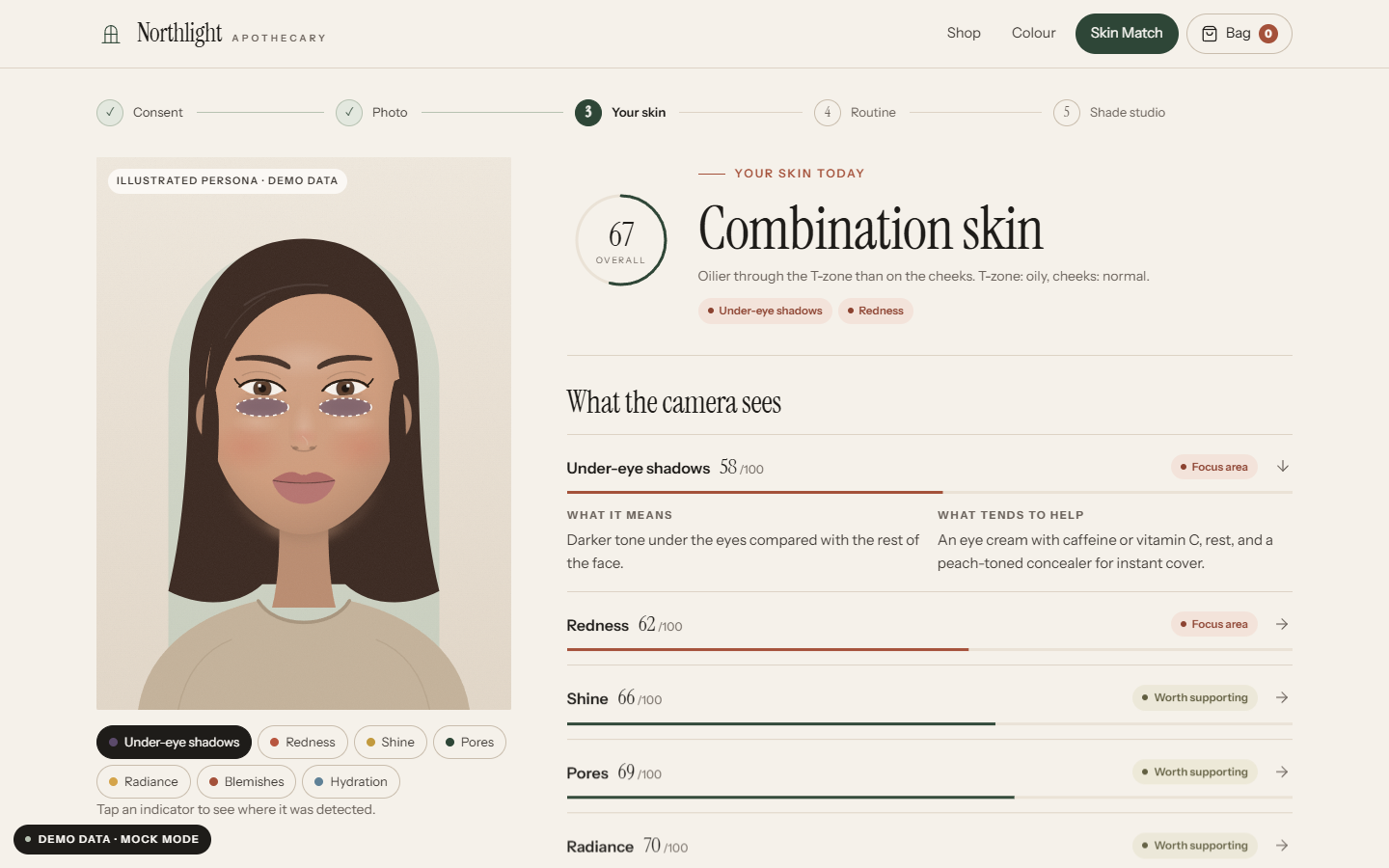
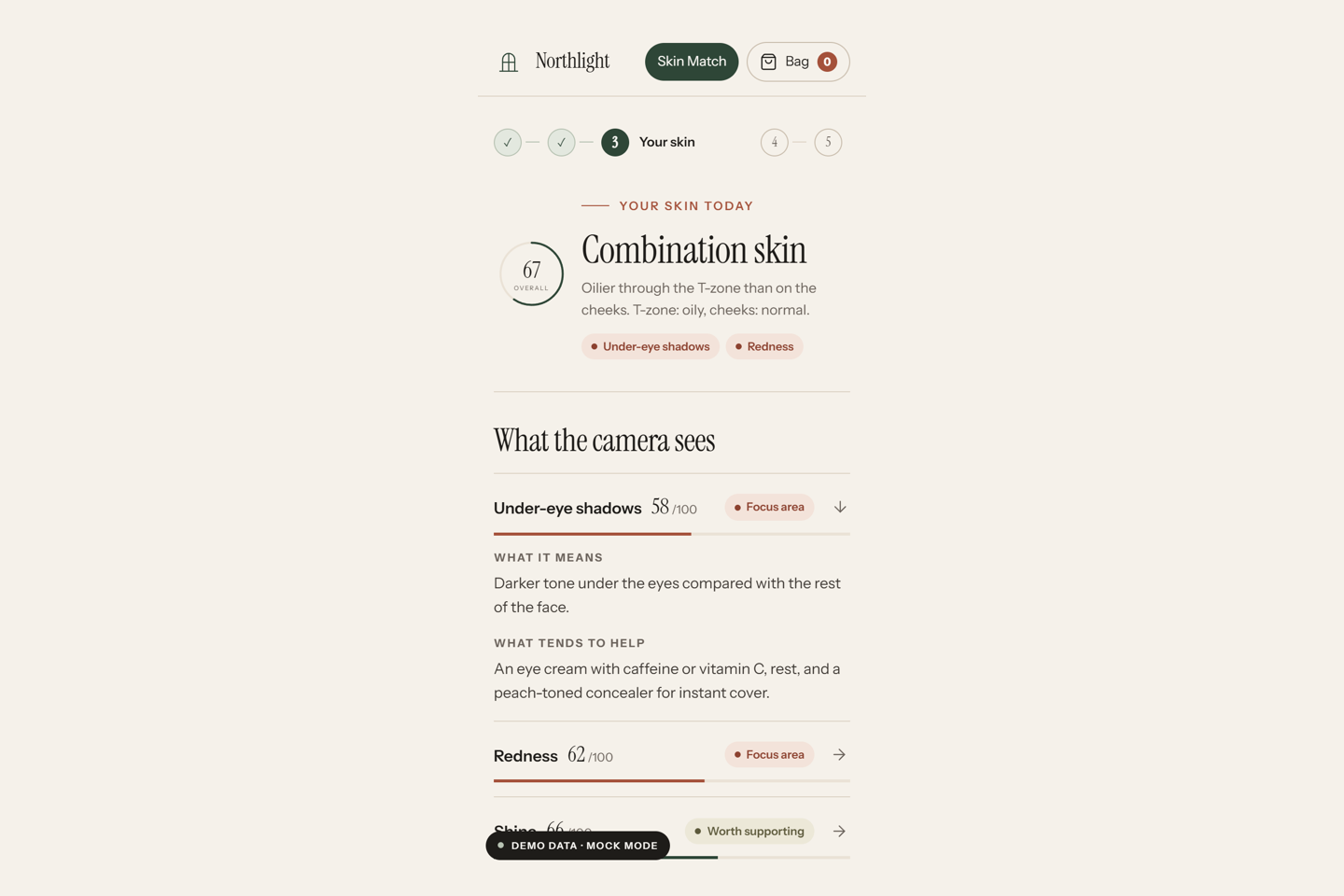
Your skin: 8 visible indicators in plain language, with detection overlays. Never a diagnosis.
-
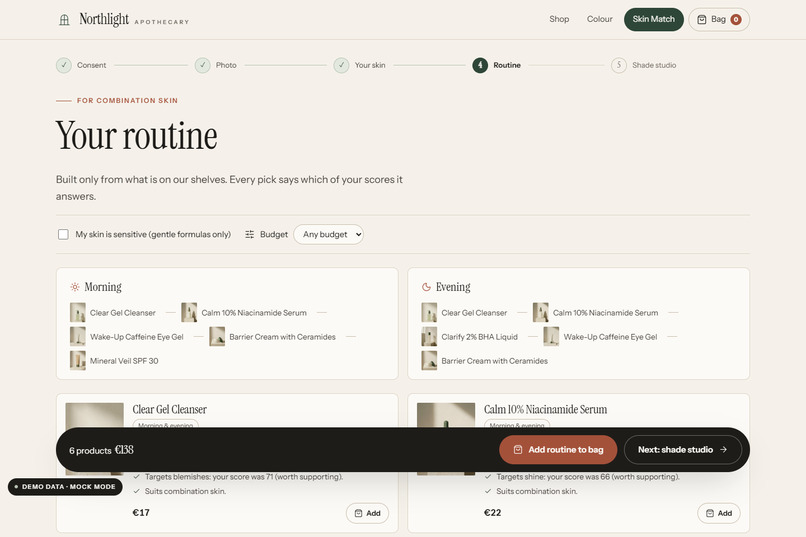
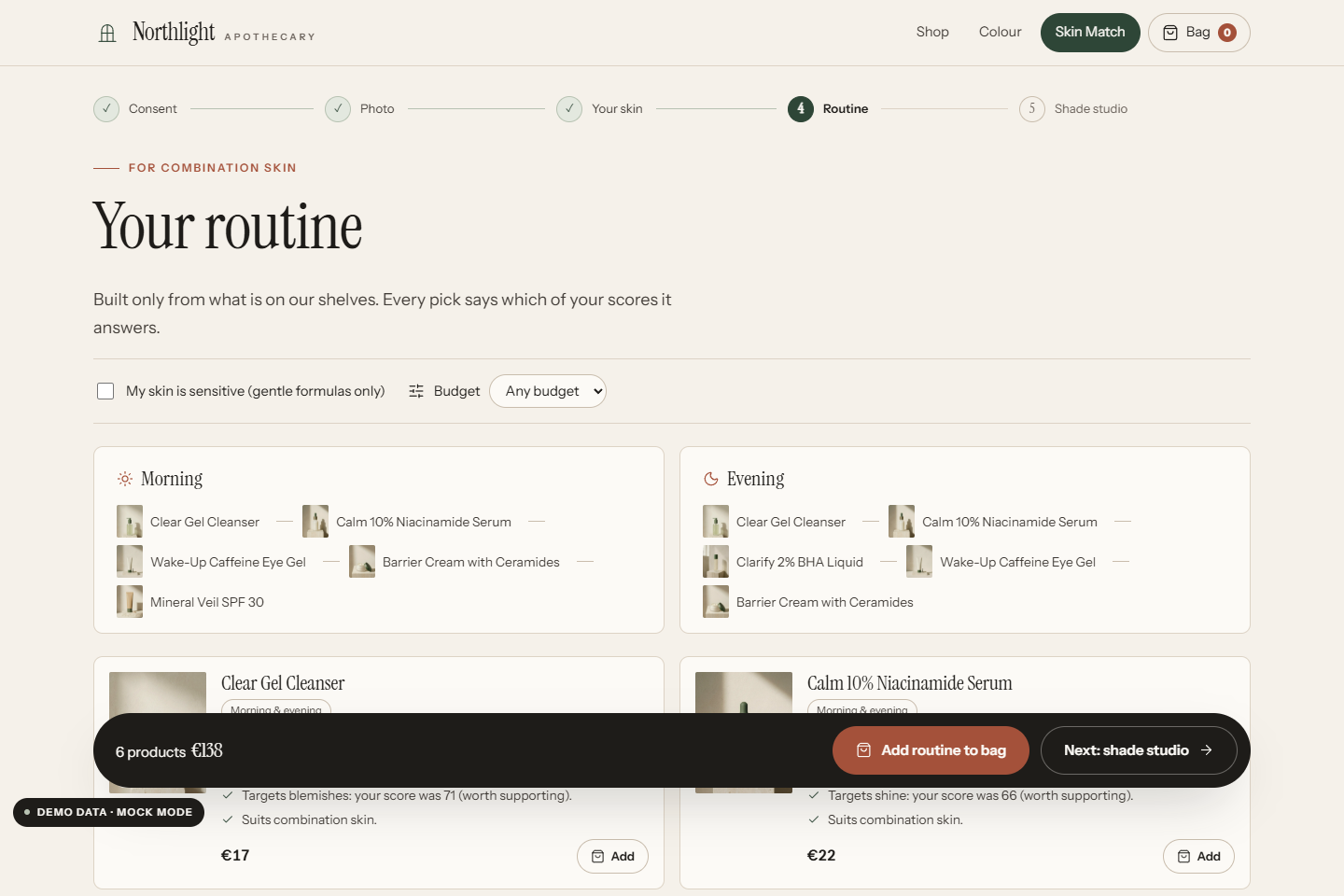
Routine built only from the shop's own shelf; every pick names the score it answers.
-
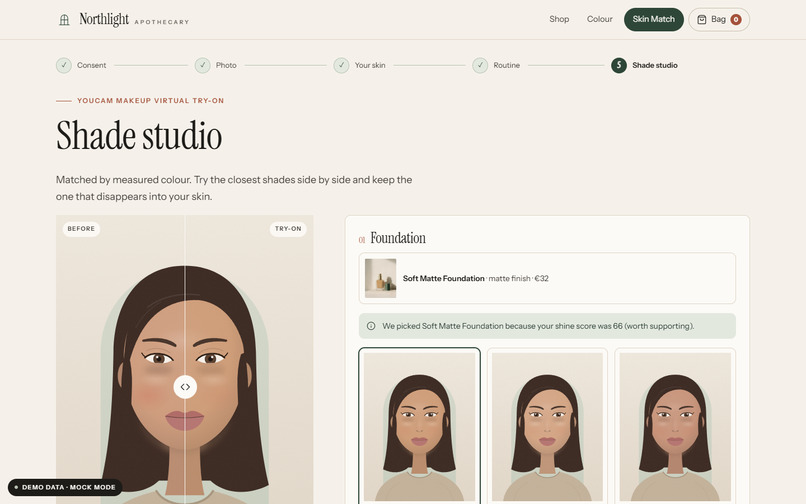
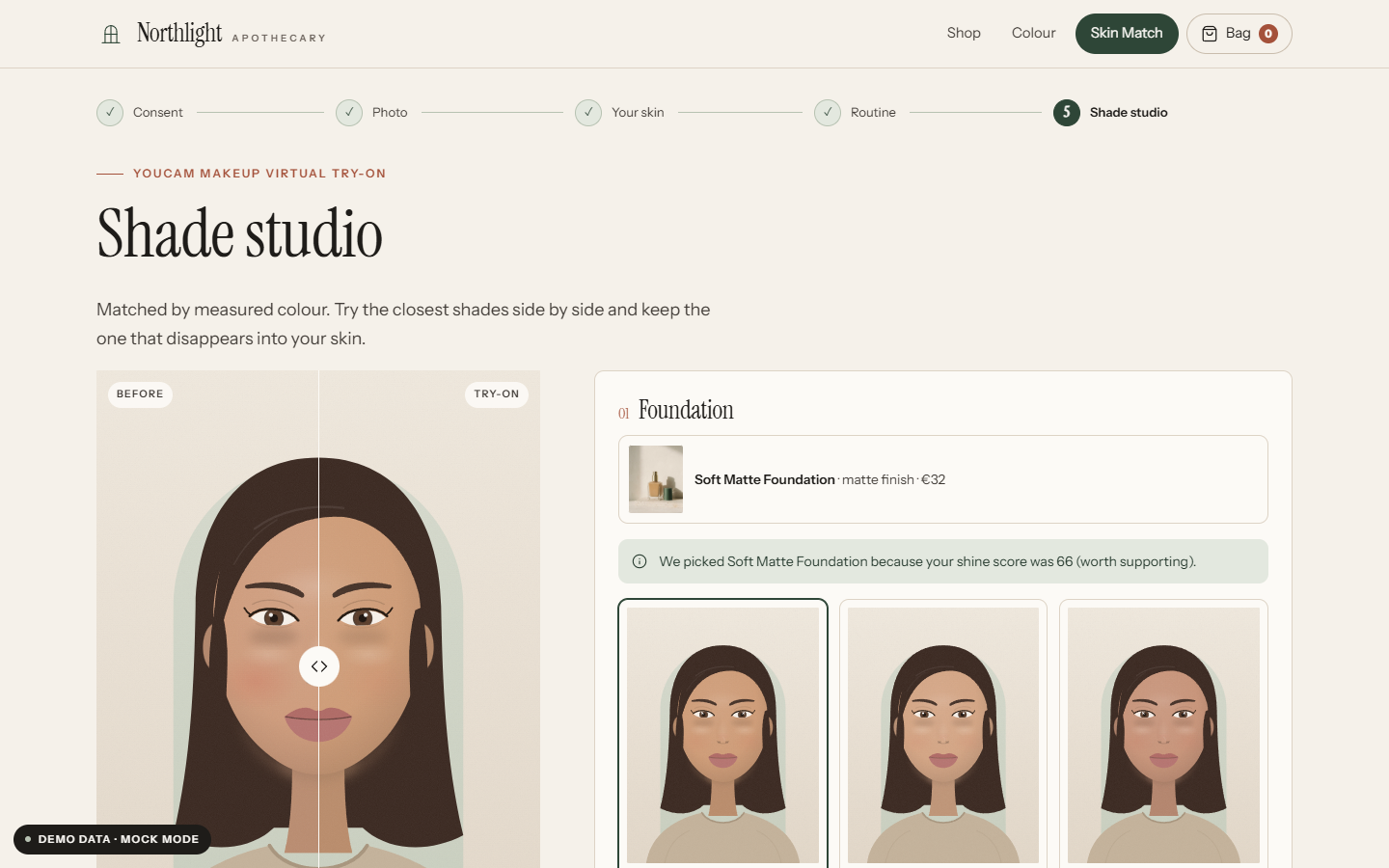
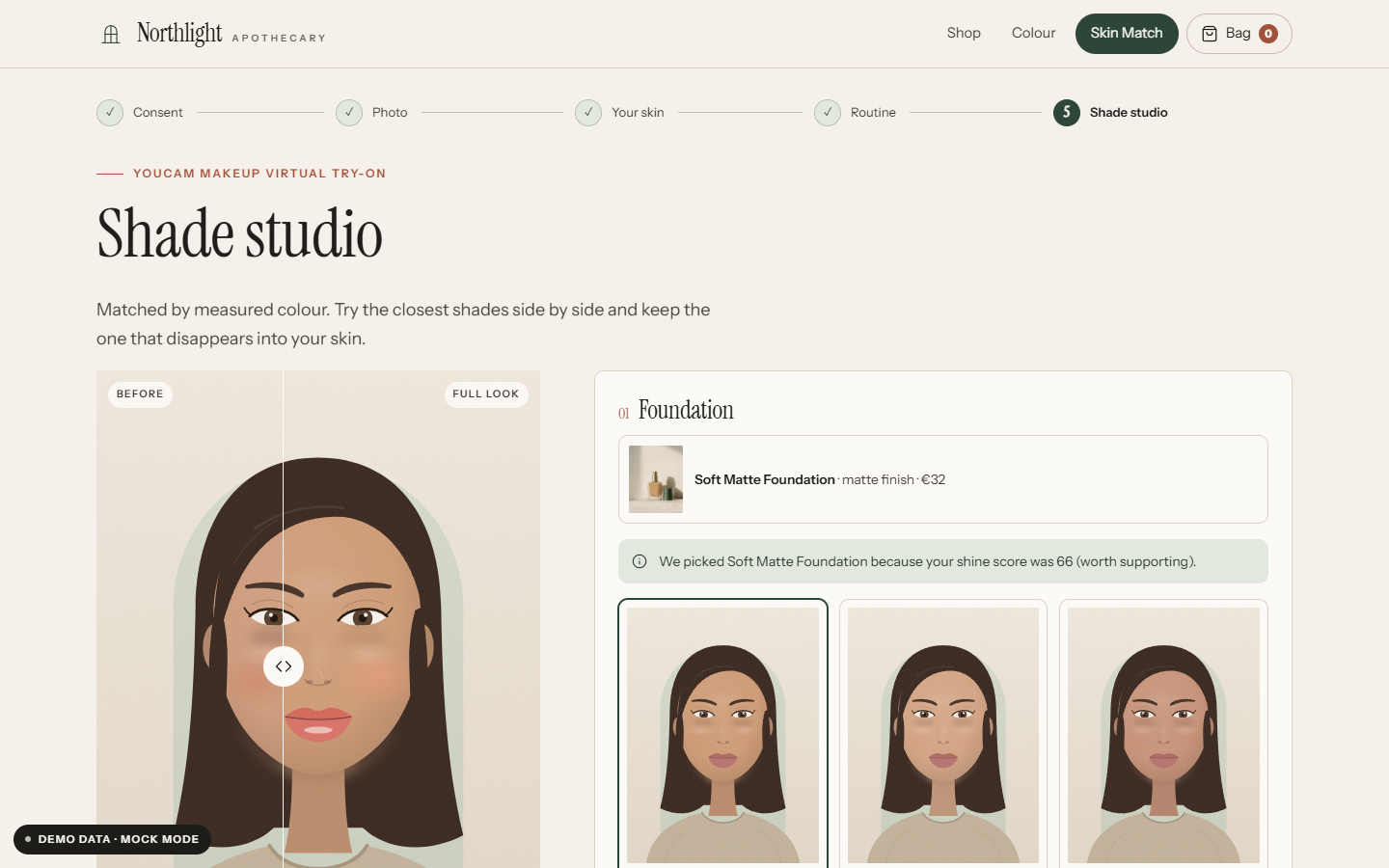
Shade studio: the three closest foundation shades rendered with YouCam AI Makeup Virtual Try-On.
-
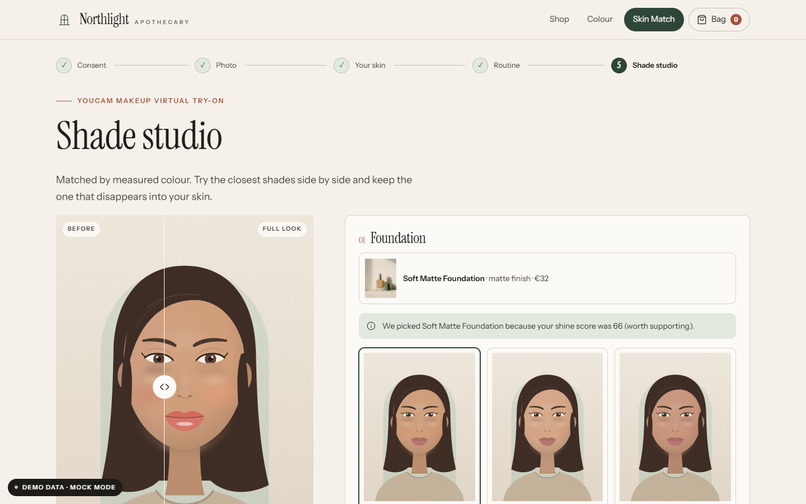
Full look, tuned by the analysis (concealer strength, coverage, matte formula), with before/after.
-
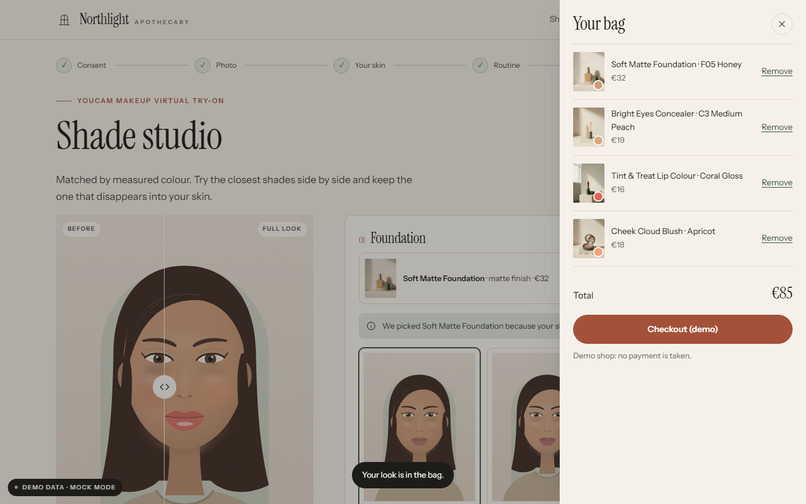
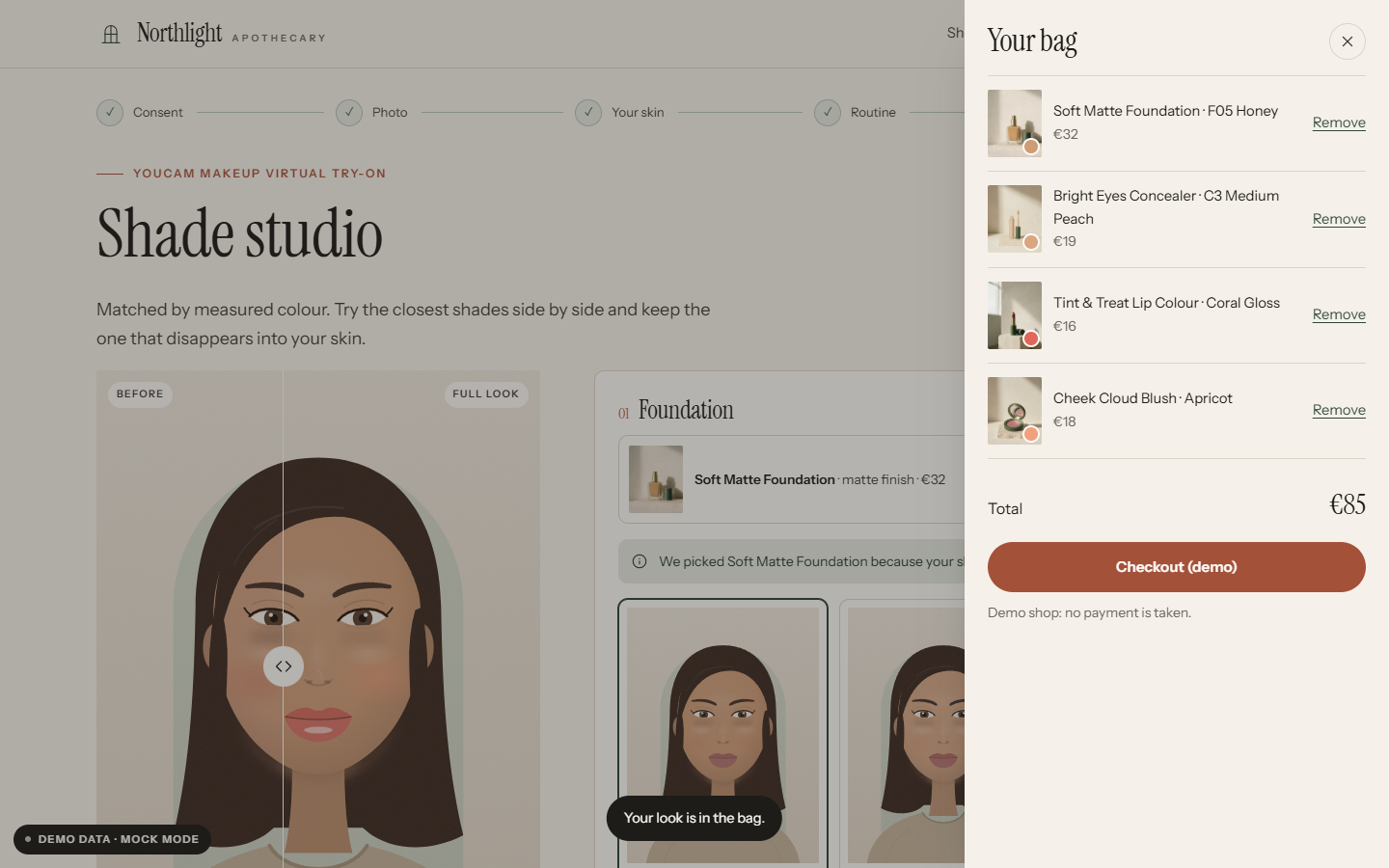
Bag, then End session: YouCam task/delete removes every task and the uploaded photo.
-
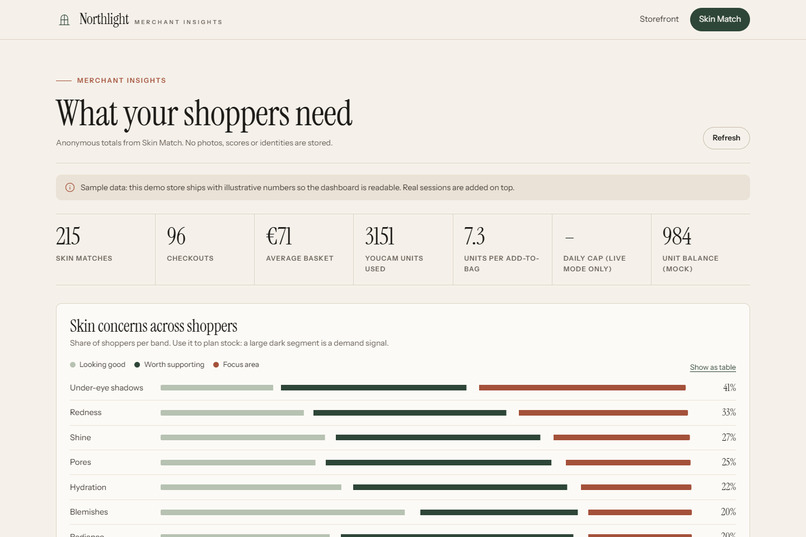
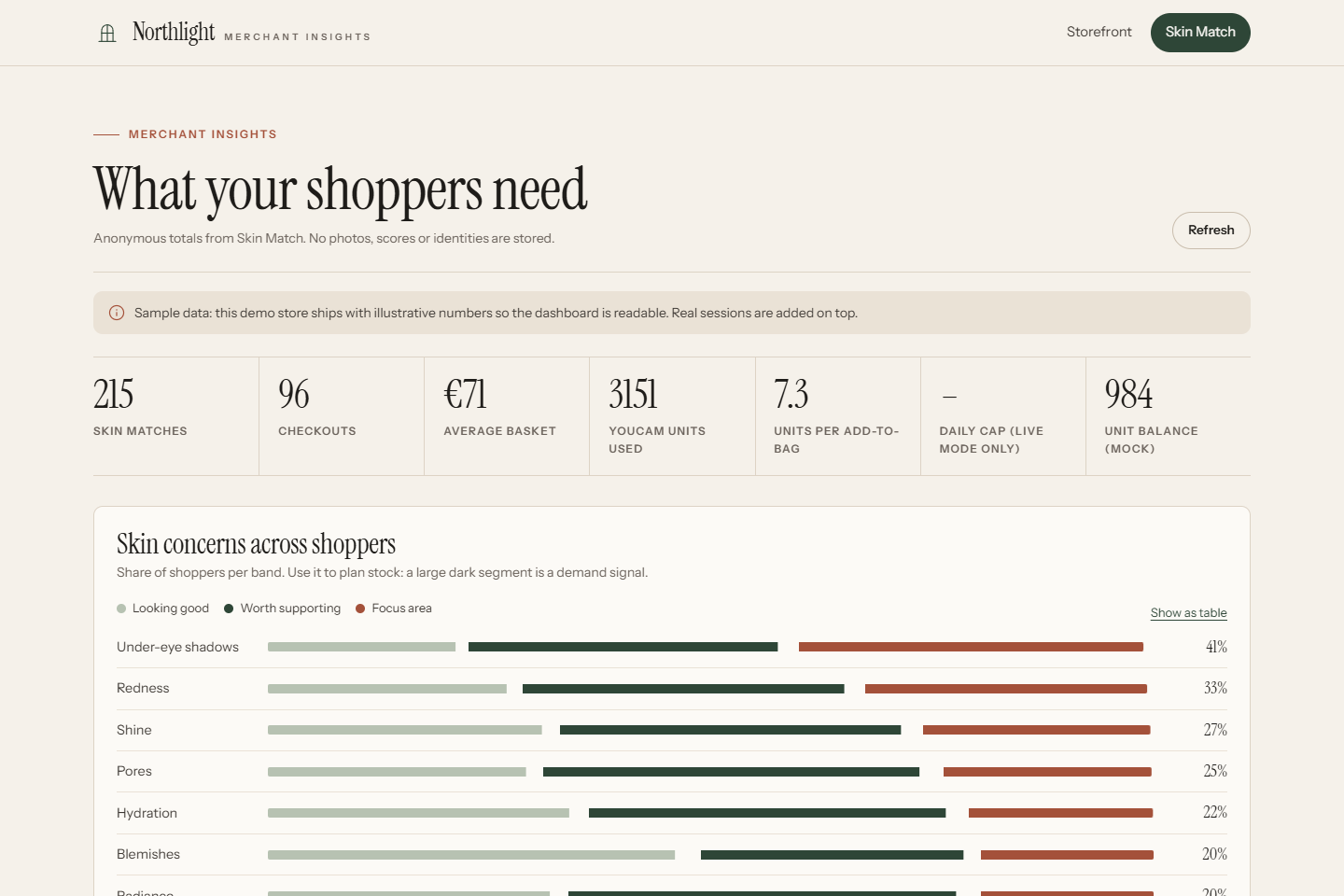
Merchant dashboard: anonymous totals only; groups under five are hidden.
-
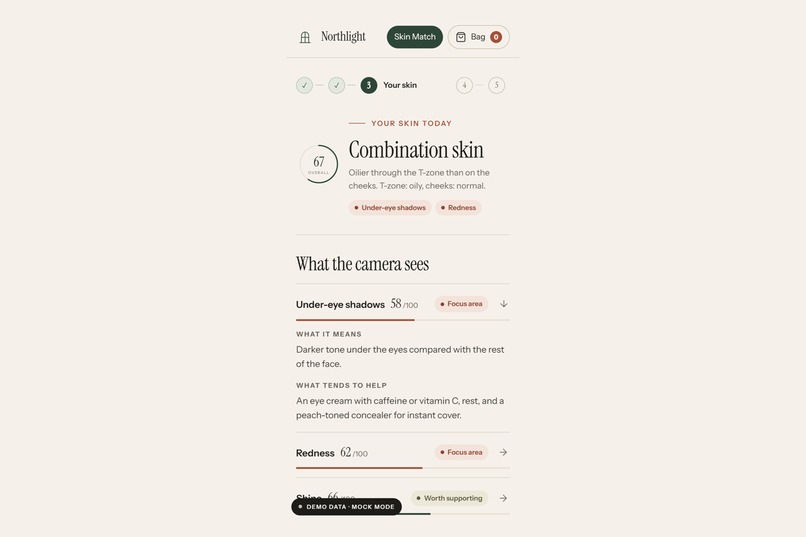
The same journey on the shopper's phone.
Inspiration
Big beauty retailers have skin diagnostics and virtual try-on in their apps. The independent shop down the road, with a curated shelf and a knowledgeable owner, does not. Its customers face the same question big retailers try to answer - what should I actually use, and which shade is mine? - right at the moment of purchase, on a product page, with nobody to ask. We wanted to give a small shop that moment: an honest skin read, a routine made only from products it really stocks, and a way to see the shade on your own face before you buy.
What it does
- Consent first. The shopper sees exactly what happens to their photo (sent once through the shop's server to YouCam, never stored, deleted when they leave) and agrees, or uses an illustrated demo persona.
- Photo. Camera with a face guide, upload, or the YouCam JS Camera Kit for guided capture. The photo is checked and resized in the browser so an unusable picture never costs an API unit.
- Your skin. YouCam AI Skin Analysis measures 8 visible indicators (skin type, blemishes, redness, shine, hydration, pores, under-eye shadows, radiance). Each one is explained in plain language - what the camera sees and what tends to help - with tap-to-show detection overlays.
- Routine. A rule-based engine builds a short morning and evening routine from the shop's own catalogue. Every pick shows the score that triggered it ("Targets redness: your score was 62, focus area"). It never stacks two strong actives, keeps sensitive skin to gentle formulas, always puts sunscreen in the morning, and respects a budget by dropping optional steps first.
- Shade studio. The three closest foundation shades (CIEDE2000 colour distance, or two quick questions about depth and undertone) are rendered side by side on the shopper's photo with YouCam AI Makeup Virtual Try-On, then a full look with concealer, lip colour and blush, with a before/after slider.
- Bag and session end. One tap adds the routine or the look to the bag. "End session & delete my data" (or closing the tab, or 15 idle minutes) deletes every YouCam task - and with it the uploaded photo.
- Merchant dashboard. Anonymous totals: which concerns shoppers have (stock planning), which recommendations and try-ons convert, units spent per add-to-bag. Groups under 5 are hidden.
The non-obvious part: skin analysis drives the try-on
The two APIs are chained, not just shown next to each other. Analysis scores parameterise the
makeup-VTO request: a low under-eye score raises the concealer's colorUnderEyeIntensity, visible redness
raises foundation coverageIntensity, low radiance adds glowIntensity, and shine moves the shopper to the
matte formula. So the try-on shows the shopper their best version of the product, not a generic one.
How we built it
- Server-side proxy only. A dependency-free Node.js server holds the YouCam key and runs the documented
v2 flow: File API -> PUT to the pre-signed URL -> run task -> poll -> download ->
task/delete. The browser never talks to YouCam and never sees the key or a storage URL. - One pipeline, two adapters. A live adapter and a mock adapter share one interface; the mock returns the response shapes from the API reference, so the full flow can be built and demonstrated without spending units. A zero-cost live smoke test proves the real flow end to end (see below).
- Unit discipline. Per-session caching (same photo or same look = no second call), a daily unit ceiling
reserved before each task and refunded on failure, client-side image checks, and unit costs read from
GET /s2s/v2.0/credit/feature-cost. A typical session costs about 16 units. - Quality. 25 automated tests, including an end-to-end run of the real live adapter against a fake YouCam HTTP API that asserts the key only ever goes to the API host and that every task is deleted.
Design: a shop worth trusting with your face
A skin read only works if the shopper trusts the shop. We gave the demo shop, Northlight Apothecary,
a complete, quiet visual system (design/STYLE_GUIDE.md): seven colour tokens, two open-licence
typefaces (Instrument Serif and Instrument Sans, self-hosted), one icon family (Lucide), hairline rules
instead of shadows, and calm motion that switches off with prefers-reduced-motion. Every product on
the shelf has its own packaging photograph in one consistent north-window light; the product names are
real typography, never text rendered by an image model. The merchant dashboard uses the same system,
with a band ramp that still reads in greyscale.
AI disclosure: the product photographs and editorial still lifes are AI-generated (Google Flow,
Nano Banana Pro) and logged prompt by prompt in design/GENERATED_ASSETS.md. They show invented,
unbranded packaging and interiors, never people. The demo persona Mira is a vector illustration drawn
in code, and the demo video's product shots are real screen captures of the app in mock mode, labelled
on screen.
Challenges
- Testing without units. We validated the live integration at zero cost by sending a face-less image:
both tasks are accepted and then end in
error_no_face, which YouCam does not charge for. That exercises auth, upload, request bodies, polling, error mapping and deletion with the balance unchanged. - Making privacy real, not a banner. Deleting the session had to delete the photo at the provider, not just in our memory; the Task Management API's delete endpoint (which removes input files too) made that possible.
- Honest copy. Skin scores are easy to over-sell. All wording describes what the camera can see, never diagnoses, and skin age (which the API returns) is deliberately not shown.
Accomplishments
- A complete shopper journey and a merchant view, not a single API call.
- A storefront that looks like a real independent brand, so the Skin Match is judged in context.
- A recommendation engine a shop owner can predict and trust, with reasons on every pick.
- Privacy that is enforced in code and covered by tests.
What we learned
- The
format=jsonskin-analysis response makes per-region scores and masks easy to use directly. - Small shops do not need a black-box model for recommendations: transparent rules over their own catalogue are easier to explain to customers and to staff.
What's next
- A Shopify / WooCommerce embed so the Skin Match runs on real product pages.
- Merchant-editable rules and product tags in the dashboard.
- Optional YouCam skin-tone analysis for automatic shade matching where the shop's budget allows it.
- Progress tracking across visits - only with explicit opt-in.
Testing instructions (for judges)
Source code: the repository https://github.com/RuiCodex-dev/shelf-to-skin is private and shared read-only with Perfect Corp, as the rules allow (invitation sent to [email protected], GitHub user YouCamAPI). If the invitation has expired, email [email protected] and we will re-send it the same day.
Requires Node.js 22+. No npm install needed.
npm start                  -> http://127.0.0.1:5173 (mock mode, documented API shapes)
Click "See a sample result" for the full journey without a camera.
Merchant dashboard: http://127.0.0.1:5173/merchant
Live mode: set YOUCAM_API_KEY, then npm run start:live
About the demo media
The video and gallery screenshots are real captures of the app running in mock mode (the response shapes documented in the YouCam API reference), labelled "Demo data - mock mode" on screen. The face is Mira, an illustrated persona drawn in code; no photo of a real person is used. The narration is neural text-to-speech and the music is original, synthesised in code.
New for this hackathon
Shelf-to-Skin was written from scratch for this hackathon, during the submission period (first commit October 15, 2026). No earlier project or code was reused.
Built by Rui Codex (Belgium).
Built With
- css3
- html5
- javascript
- node.js
- youcam-ai-makeup-virtual-try-on-api
- youcam-ai-skin-analysis-api
- youcam-file-api
- youcam-js-camera-kit
- youcam-task-management-api

Log in or sign up for Devpost to join the conversation.