-
-
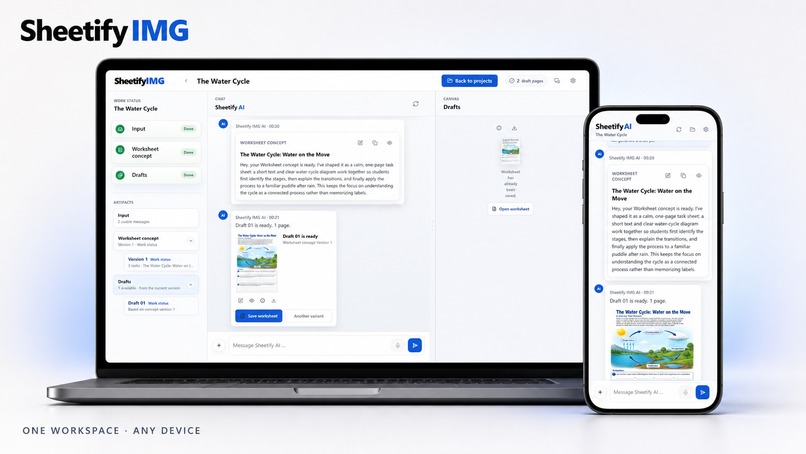
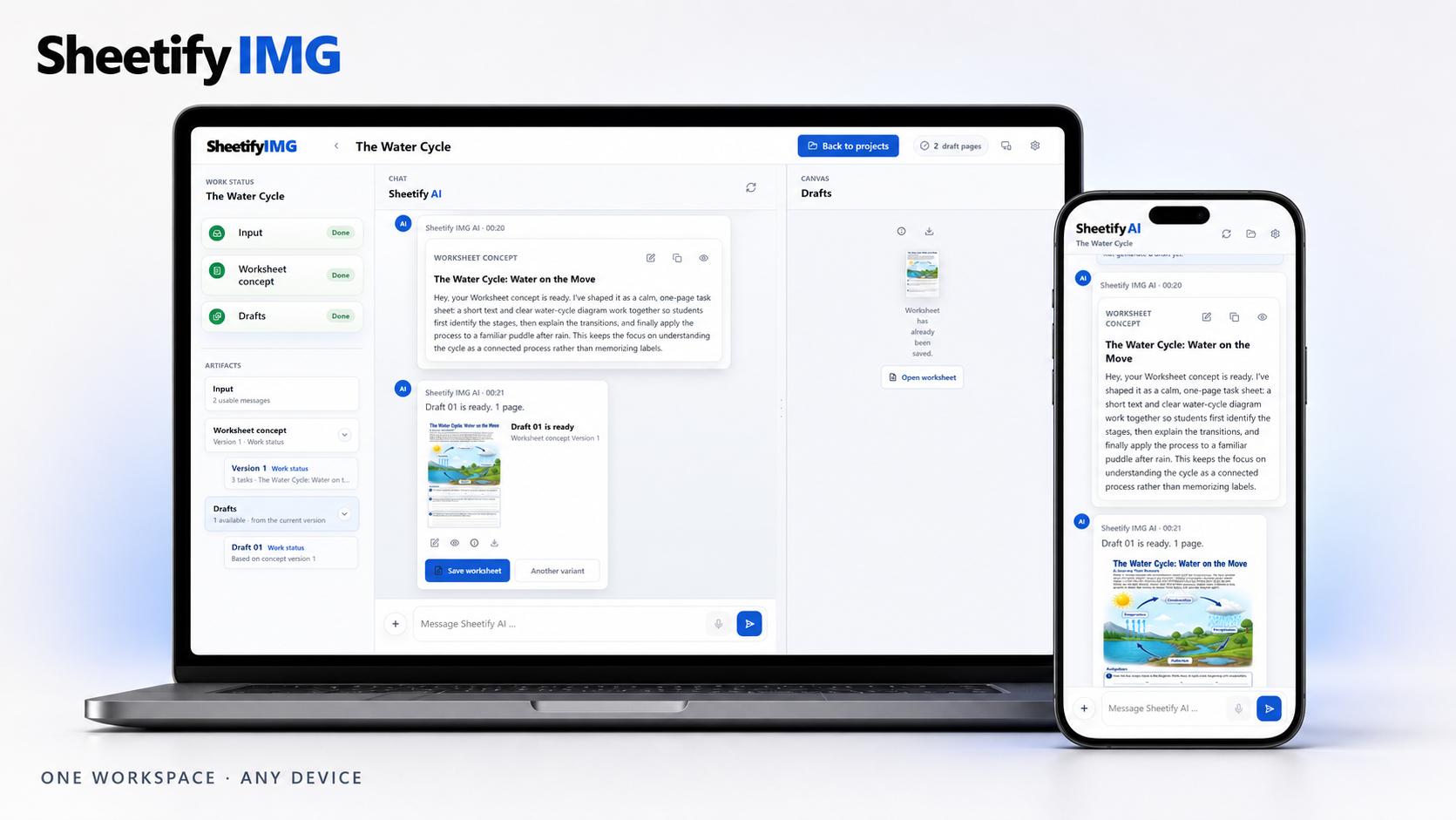
SheetifyIMG works seamlessly across desktop and mobile, keeping projects, concepts and generated worksheets available wherever teachers work
-
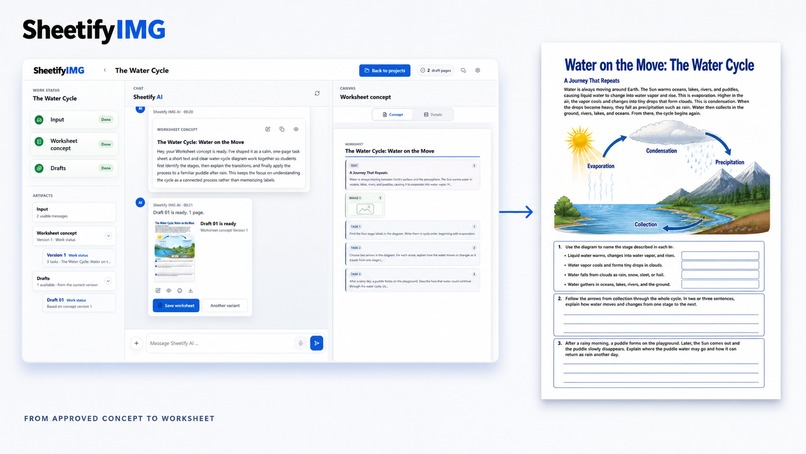
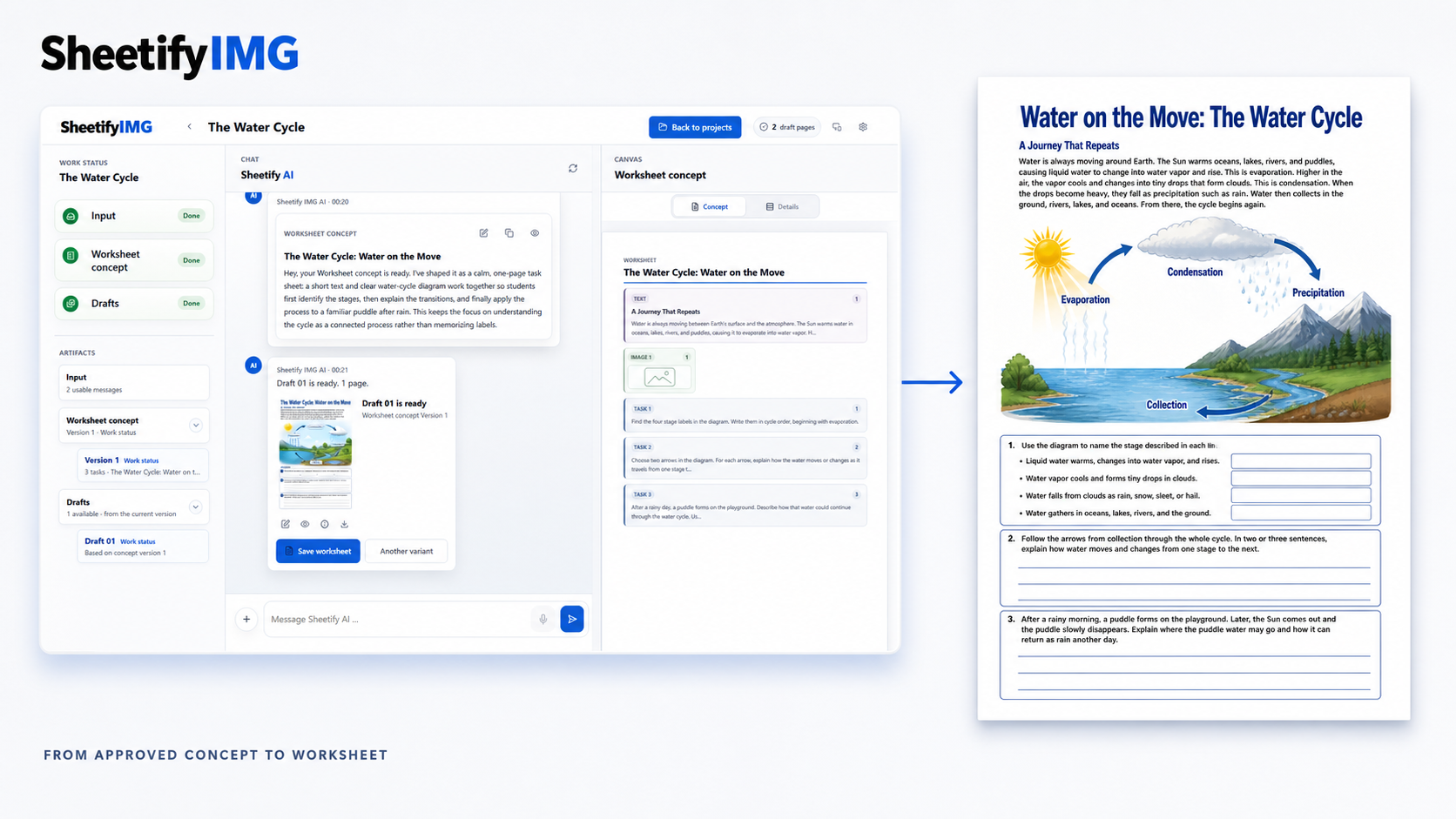
Once the teacher approves the concept, SheetifyIMG turns it into a classroom-ready visual worksheet while preserving the intended content.
-
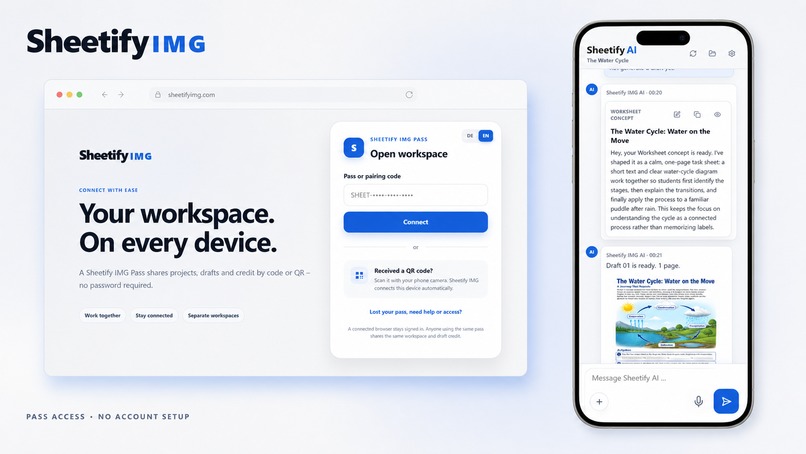
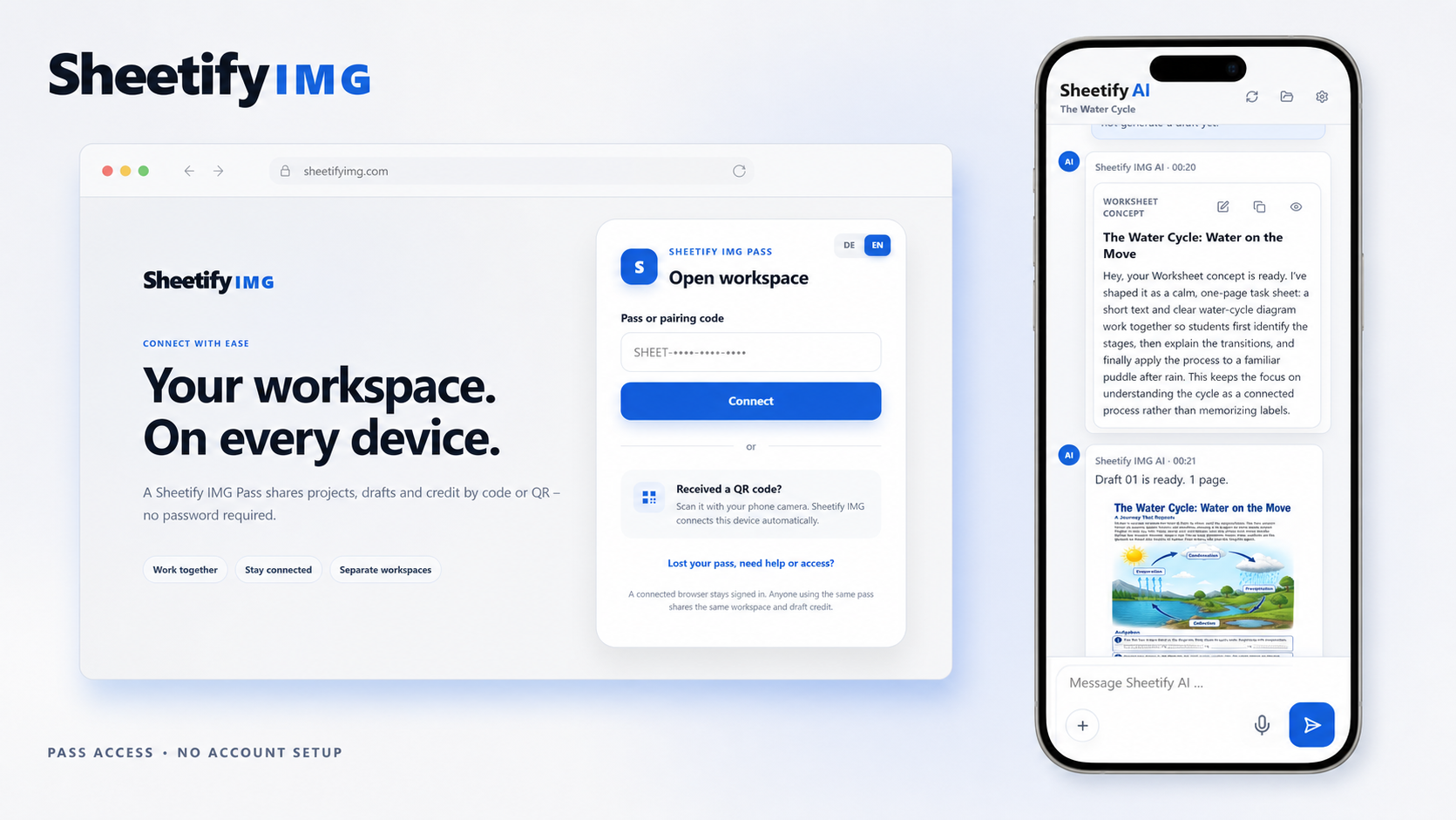
A lightweight pass and QR-based access system lets users open the same workspace across devices— no account or membership.
-
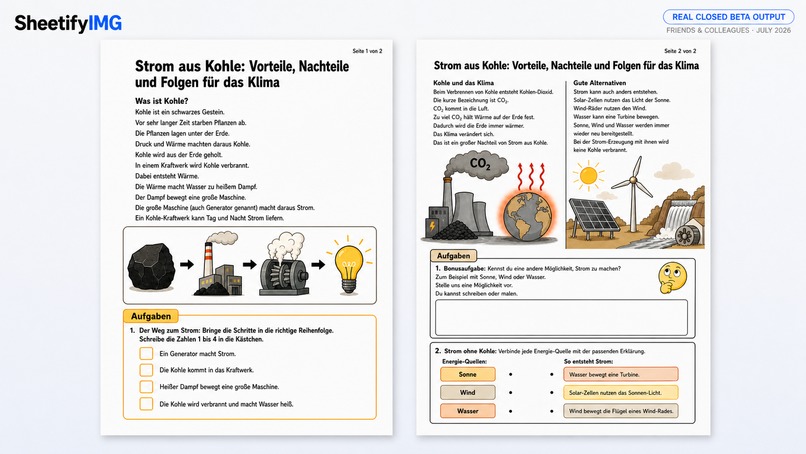
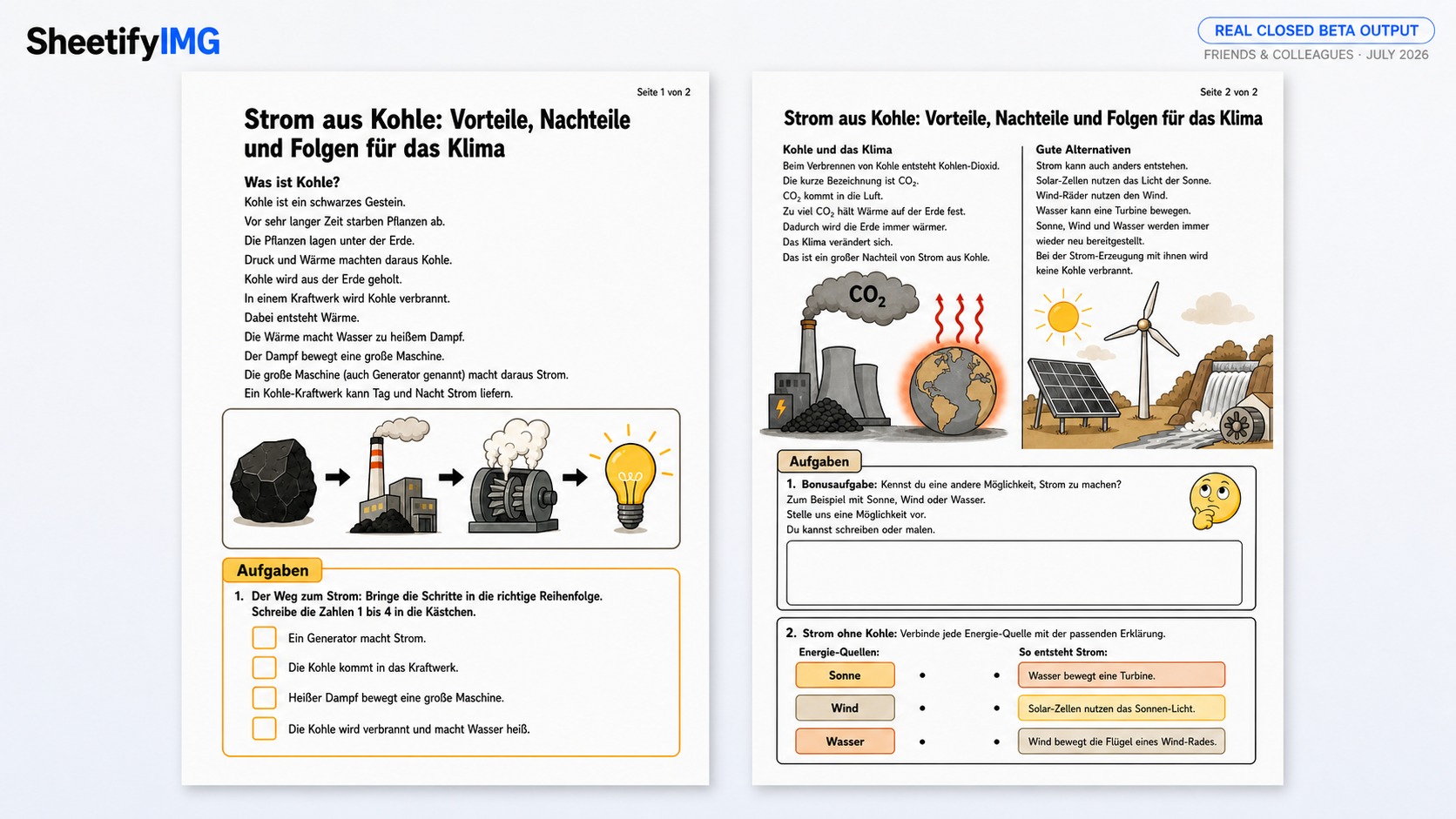
Worksheet on "ressources" generated during the Closed Beta.
-
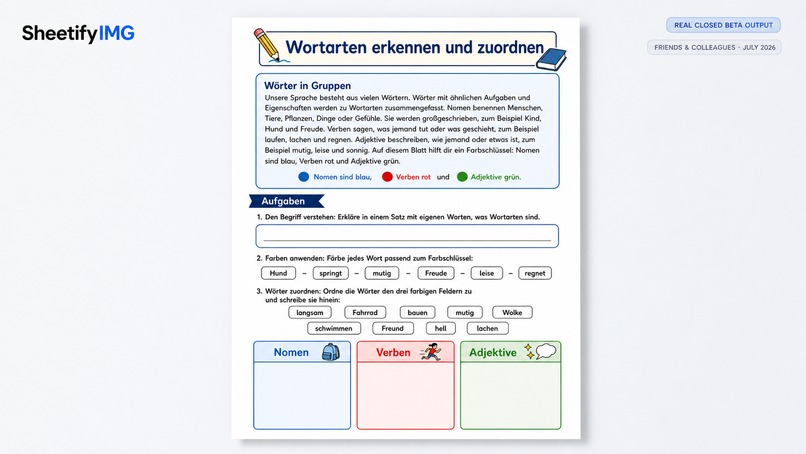
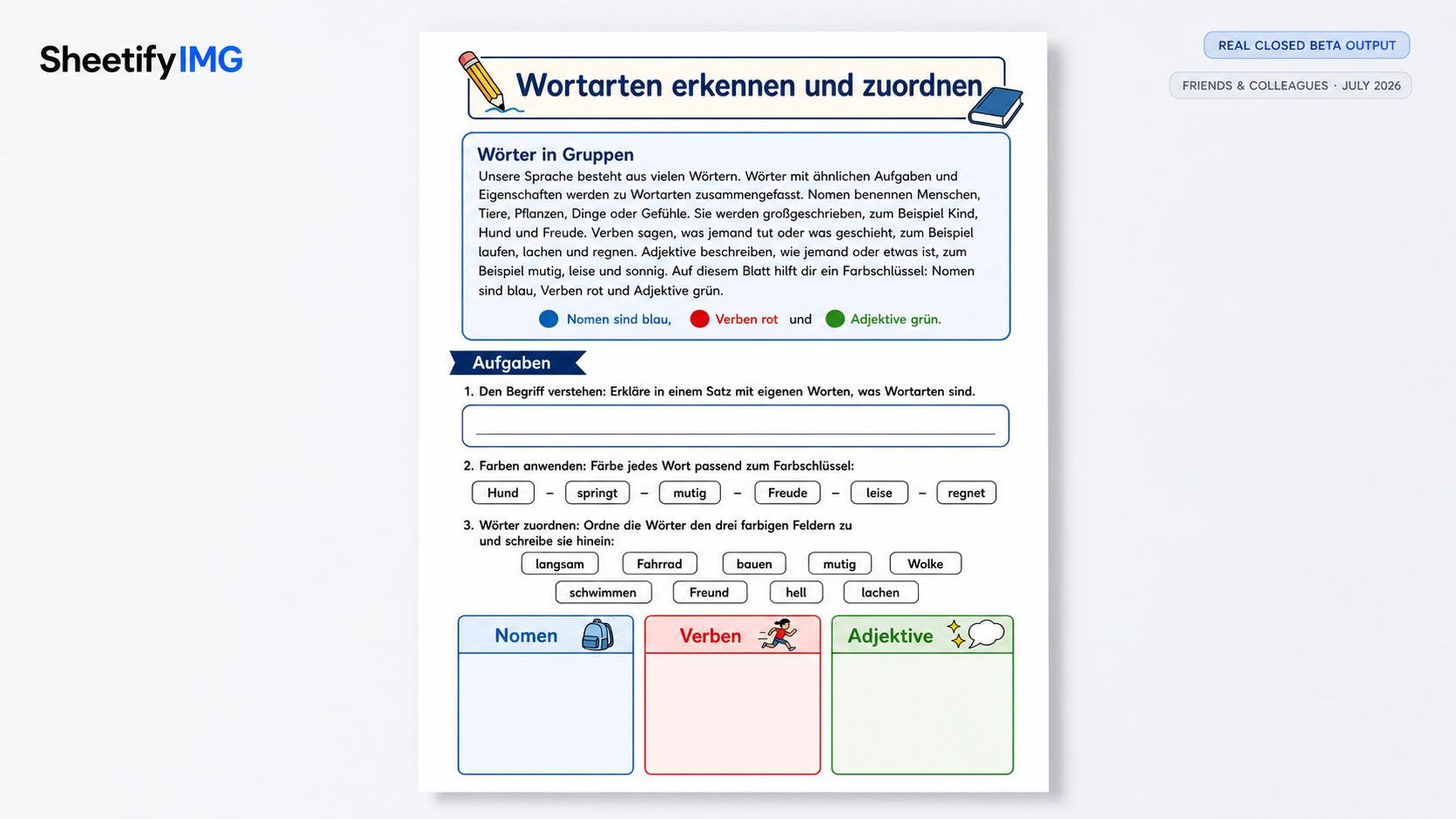
Worksheet on "words" generated during the Closed Beta.
-
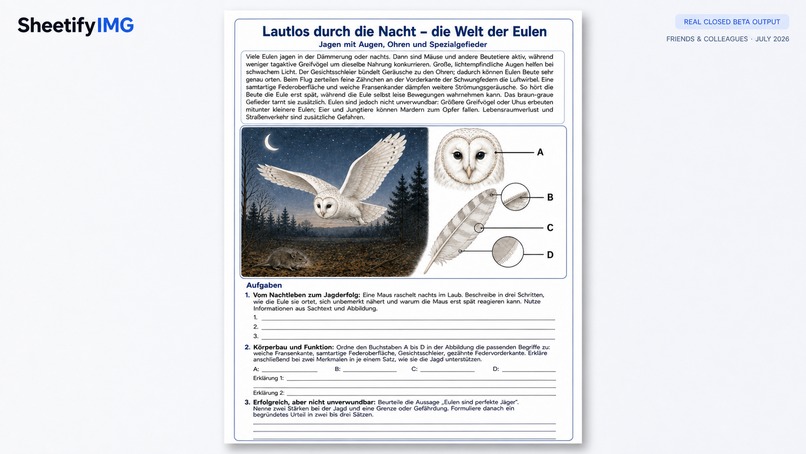
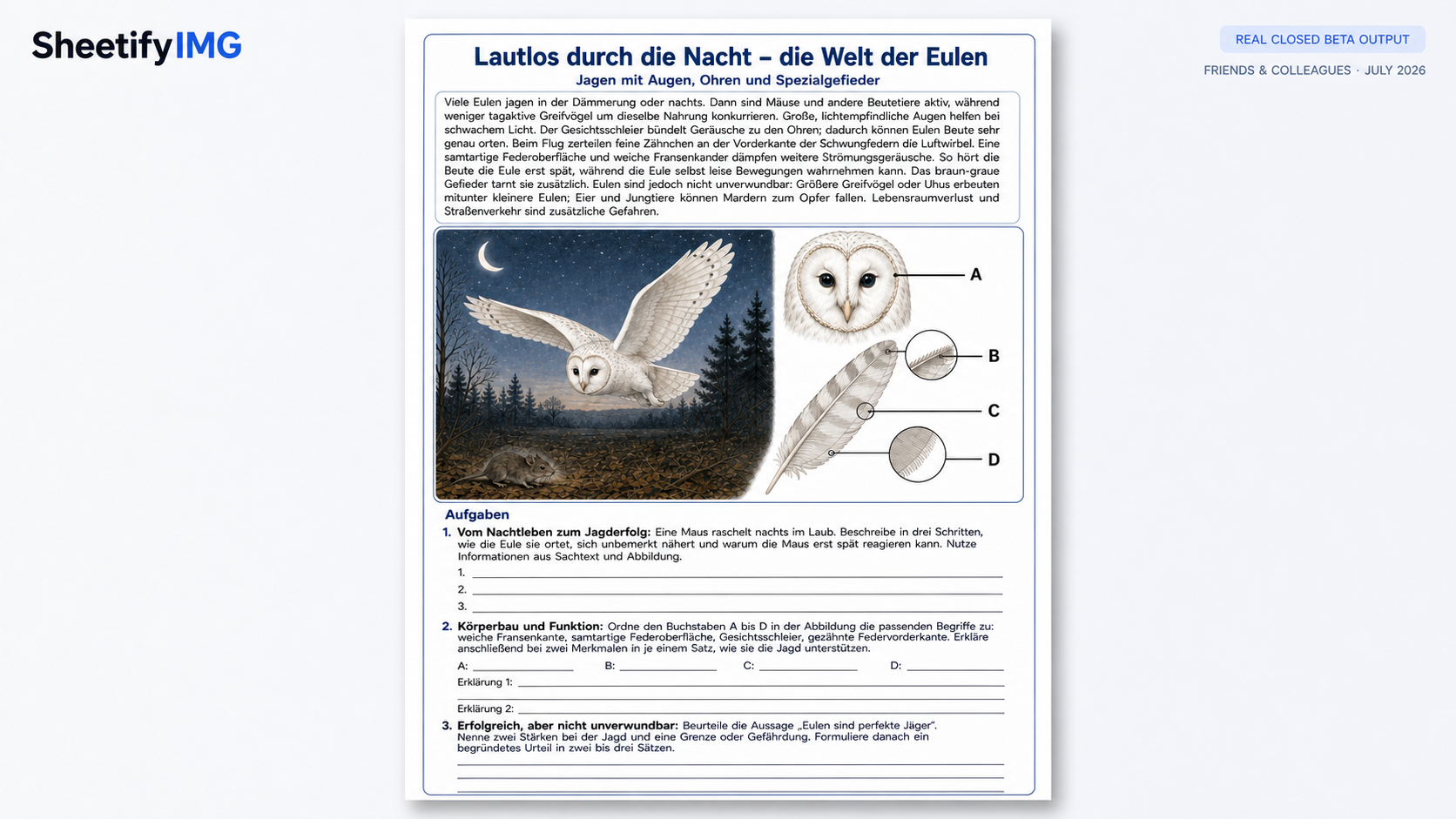
Worksheet on "oils" generated during the Closed Beta.
-
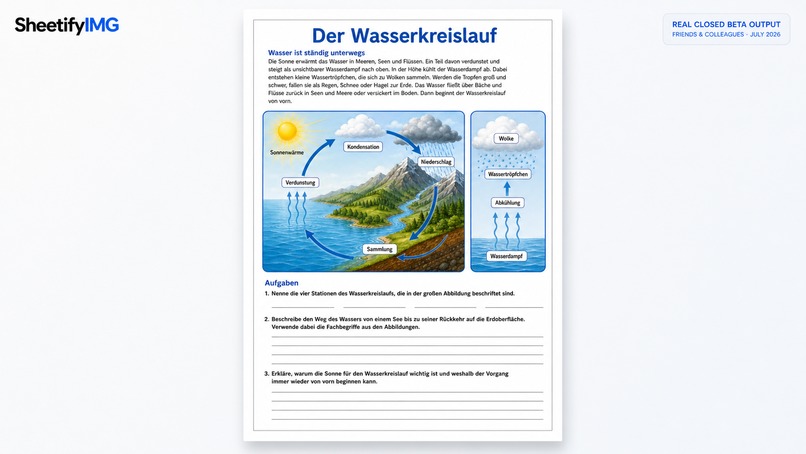
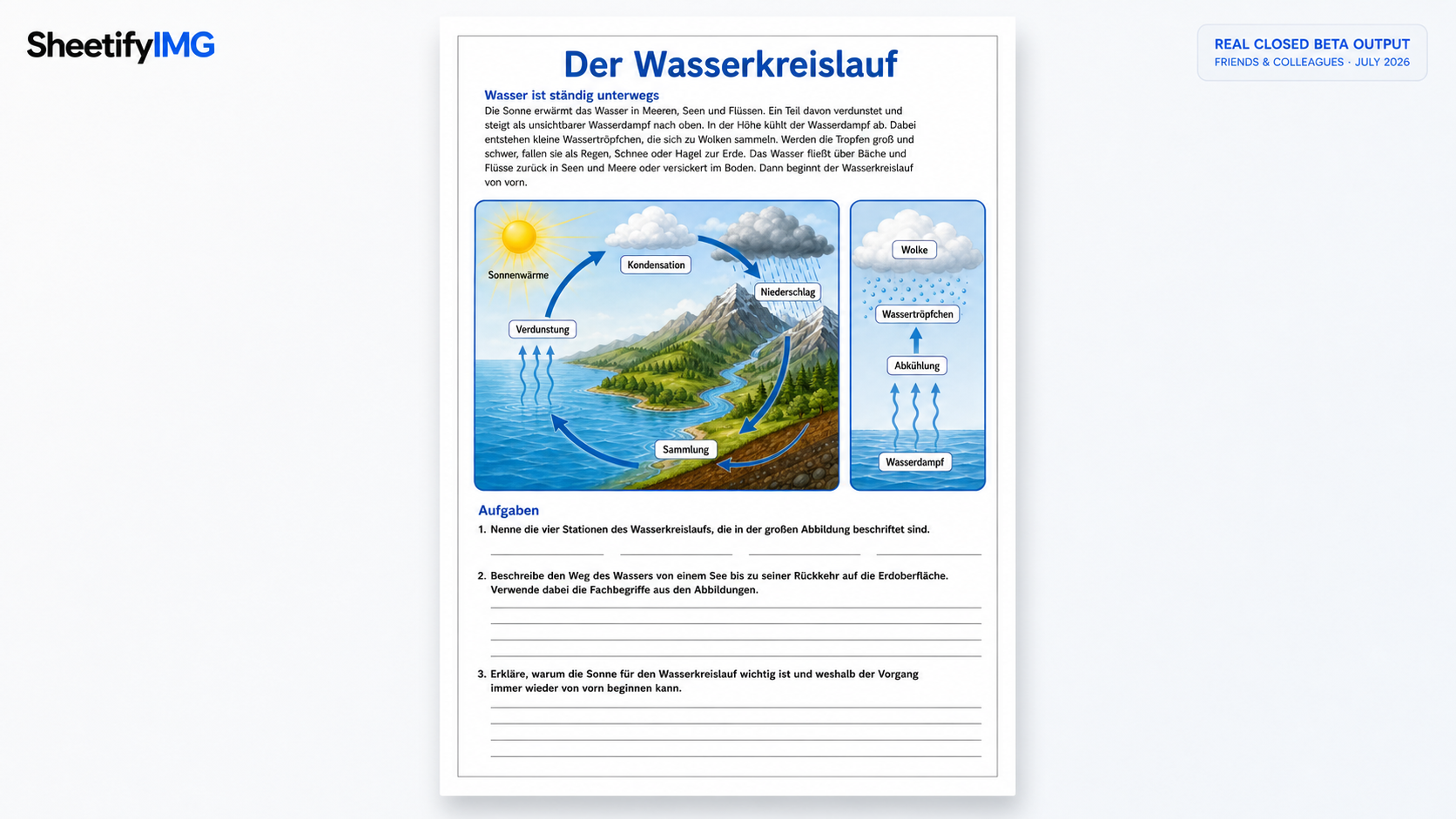
Water-cycle worksheet generated during the Closed Beta.
-
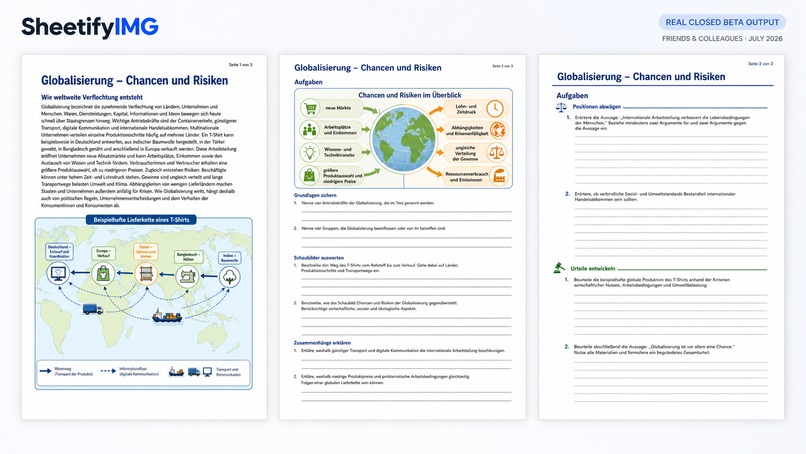
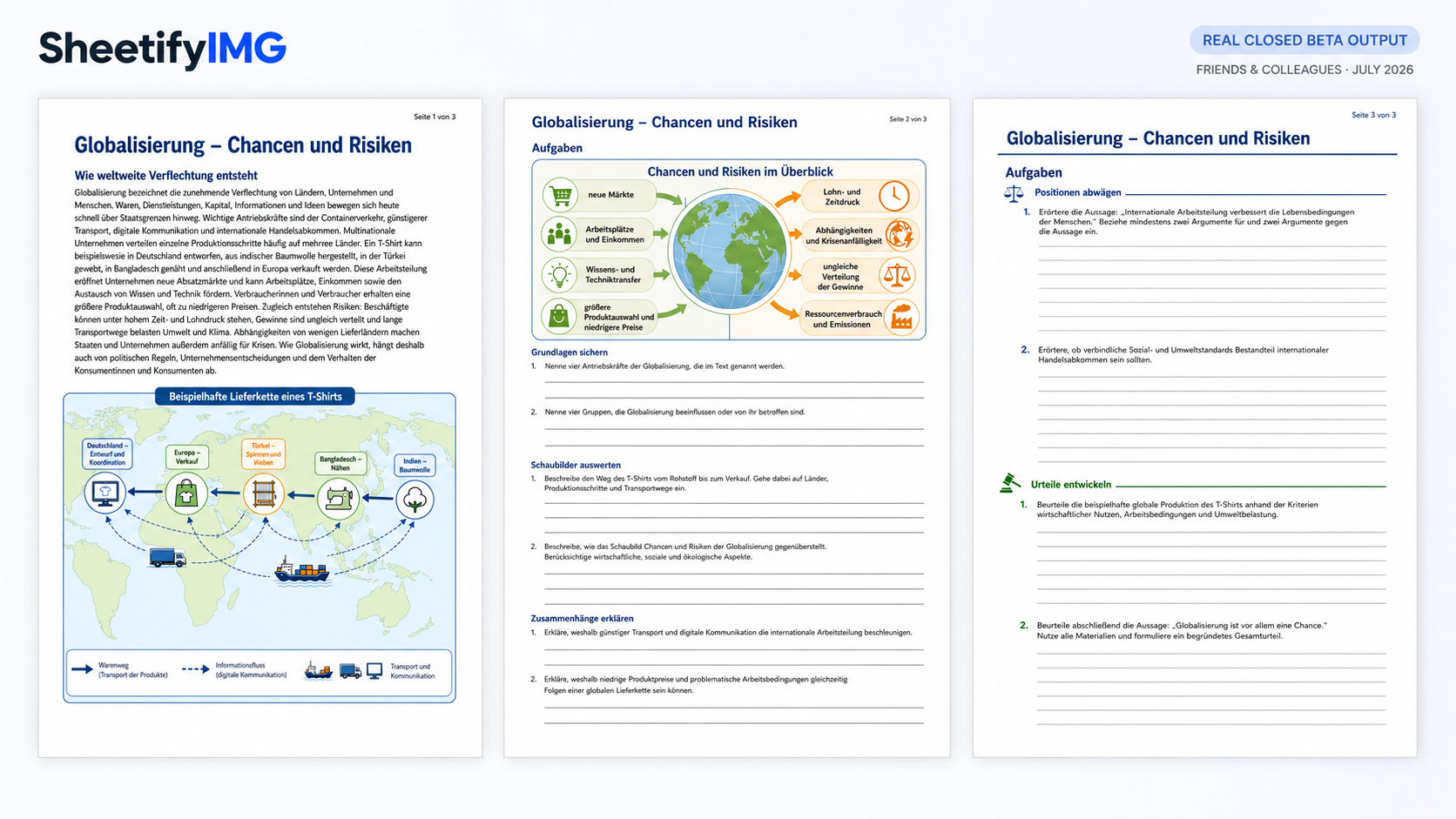
Worksheet on "globalization" generated during the Closed Beta.
-
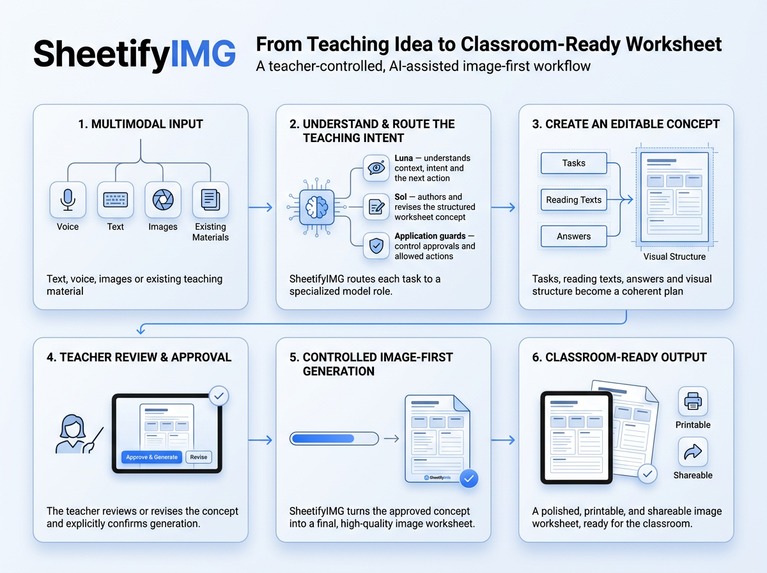
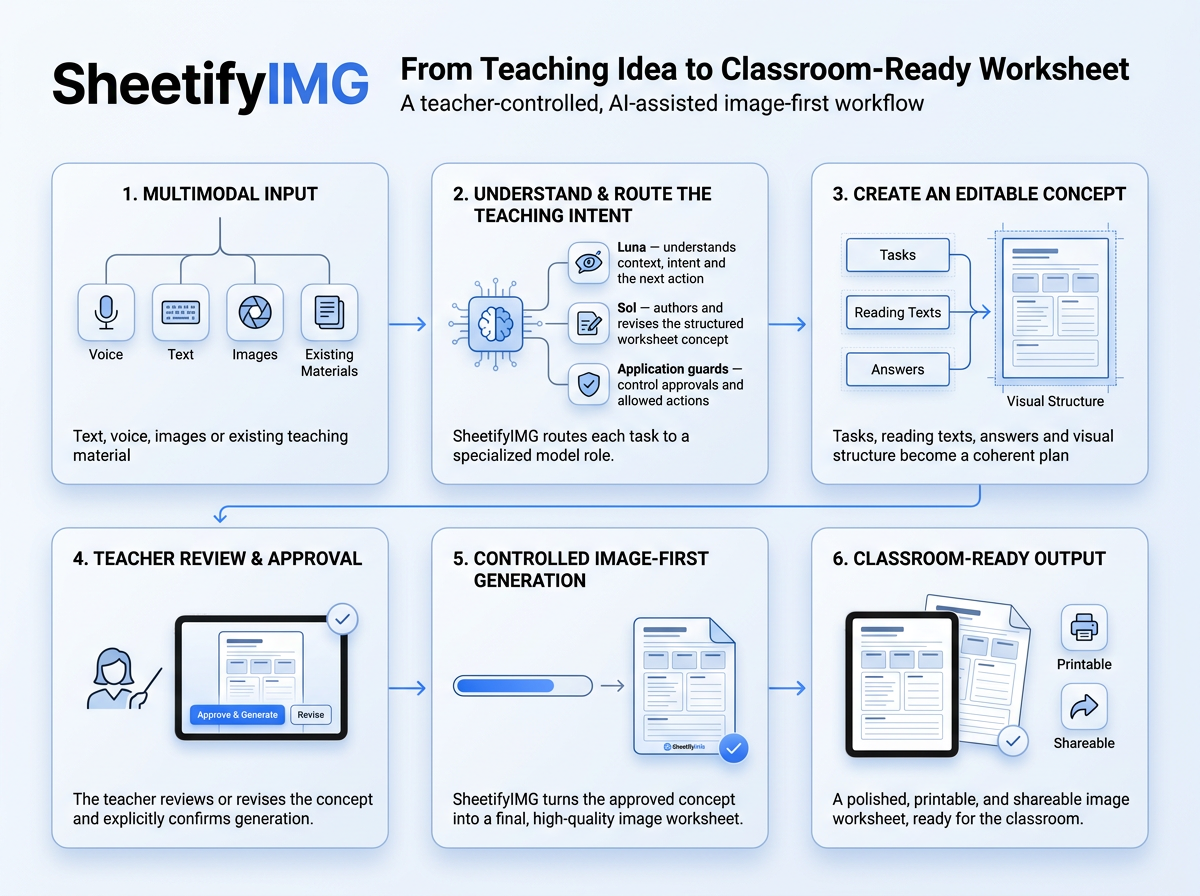
Infographic: SheetifyIMGs basic workflow
-
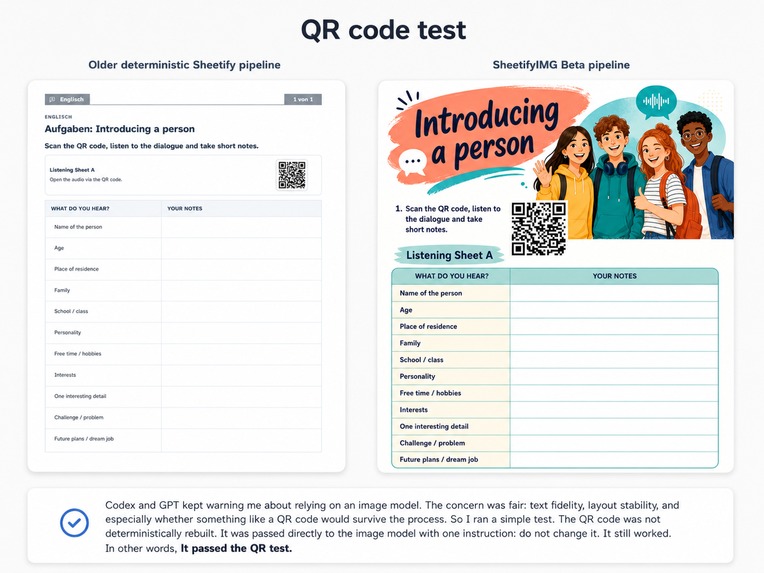
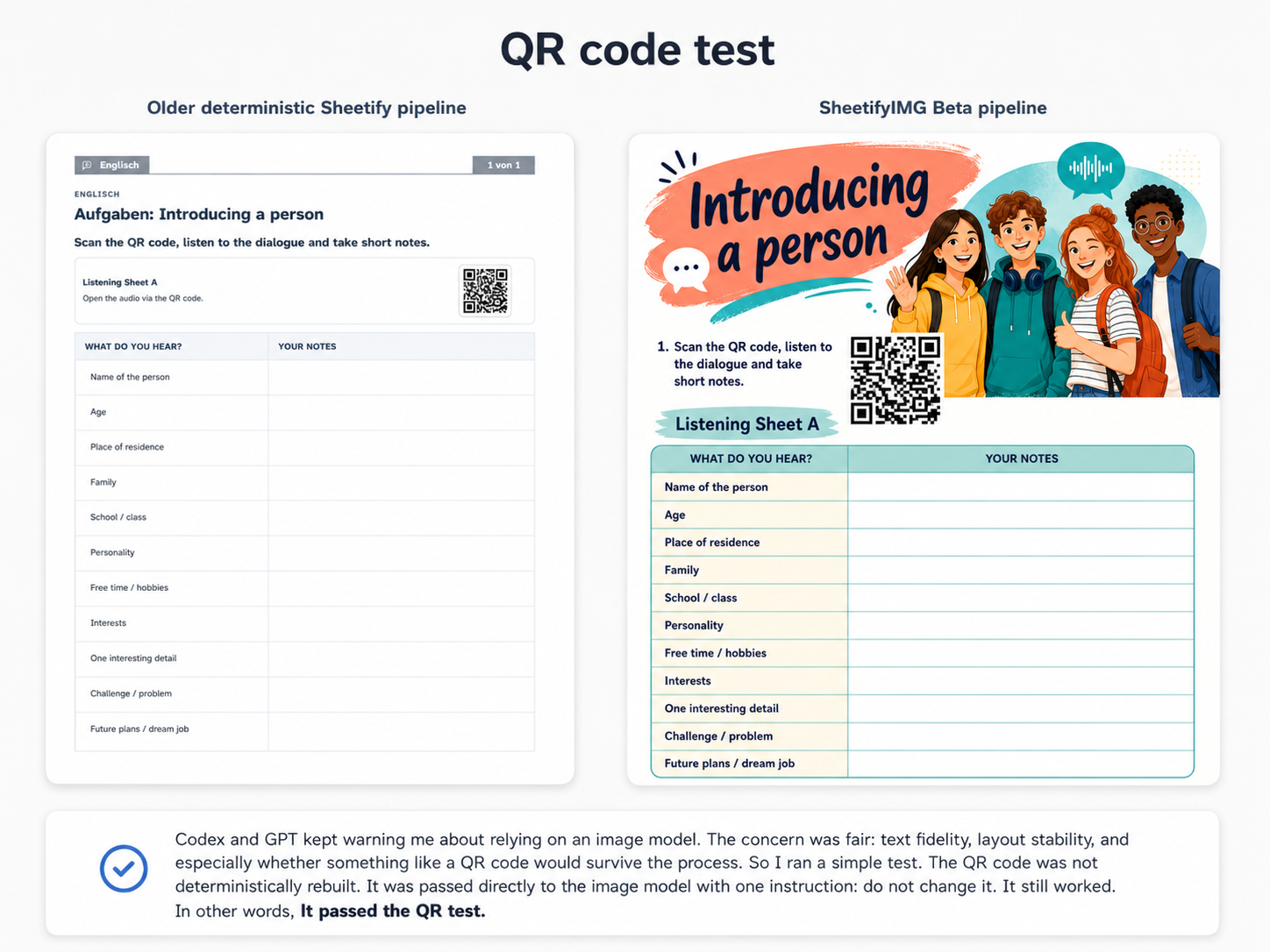
QR test: Will the pipeline be able to implement a QR code via the image pipeline instead of a deterministic approach?
-
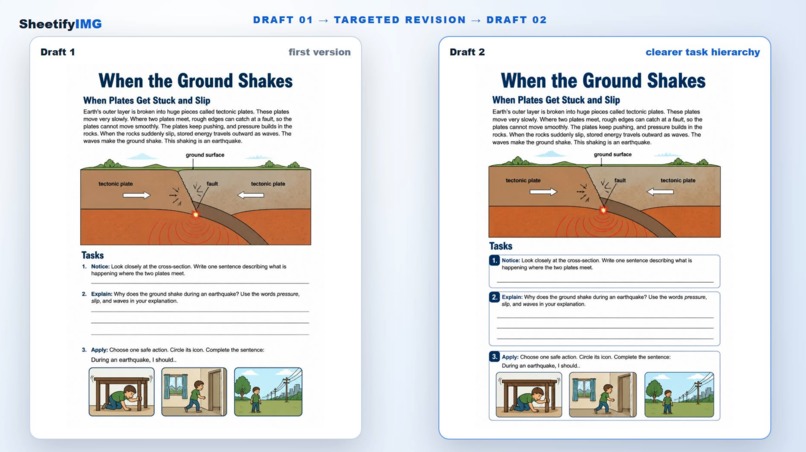
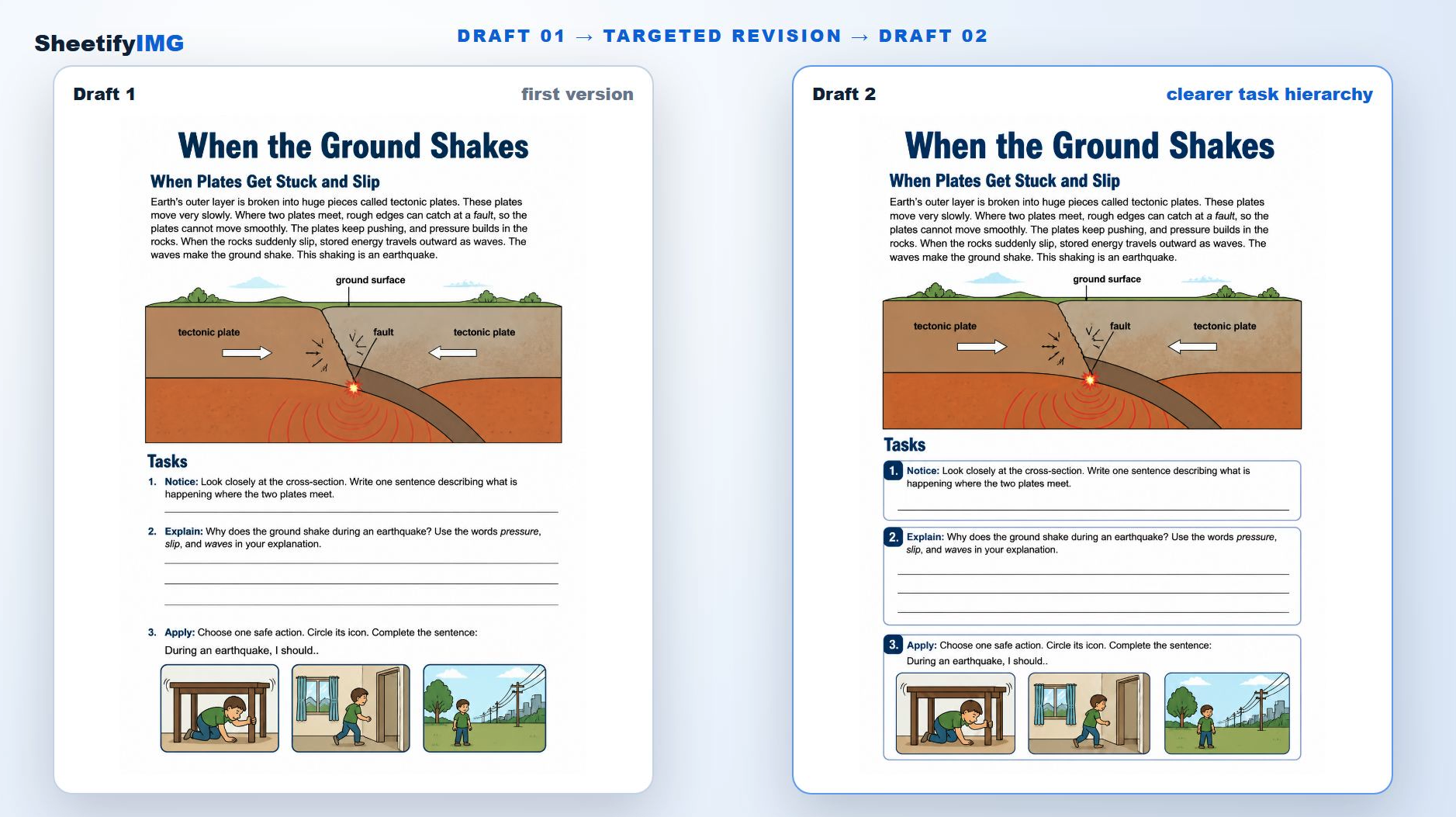
Stability: Can you make specific changes to worksheets without altering the rest of the rest of the layout?
-
Test results after GPT 5.6 analysis. (bug fix)
-
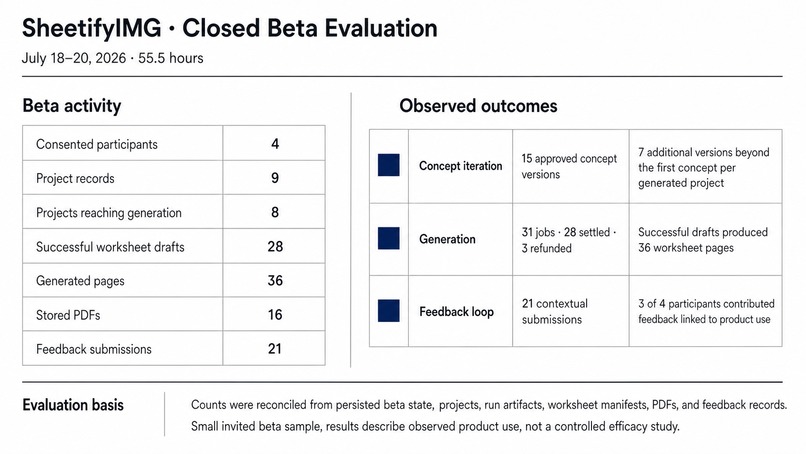
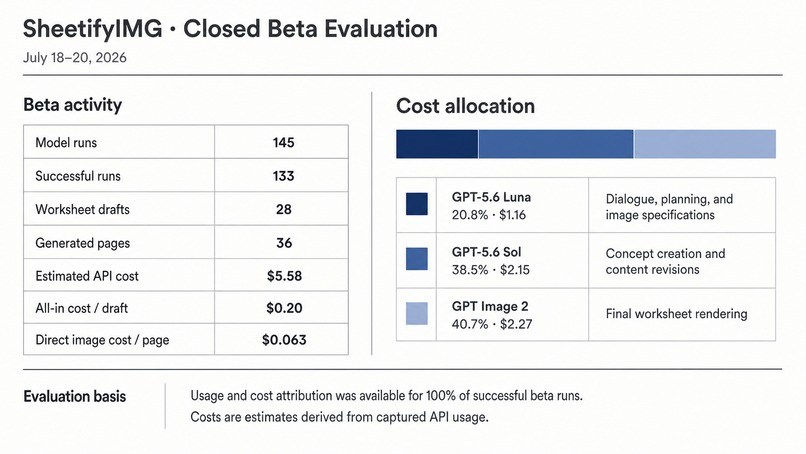
Test results after GPT 5.6 analysis. (beta evaluation)
SheetifyIMG: an image-first worksheet workflow with teacher approval
Inspiration
I teach English at a small special education school in Germany. I often know what I want a lesson to achieve before I have the material for it. Too often, I choose the least-wrong worksheet—and the worksheet starts shaping the lesson instead of the other way around.
An earlier version of Sheetify used a deterministic renderer. It was reliable, but repetitive. When I gave one of its structured concepts to an image model, I preferred the result: the page was more varied and visually coherent than what my renderer produced. That inconvenient result changed the direction of the project.
I wrote more about that transition in this illustrated project note.
What SheetifyIMG does
SheetifyIMG turns a teaching idea, source text or image reference into a visible worksheet concept and then into visual drafts.
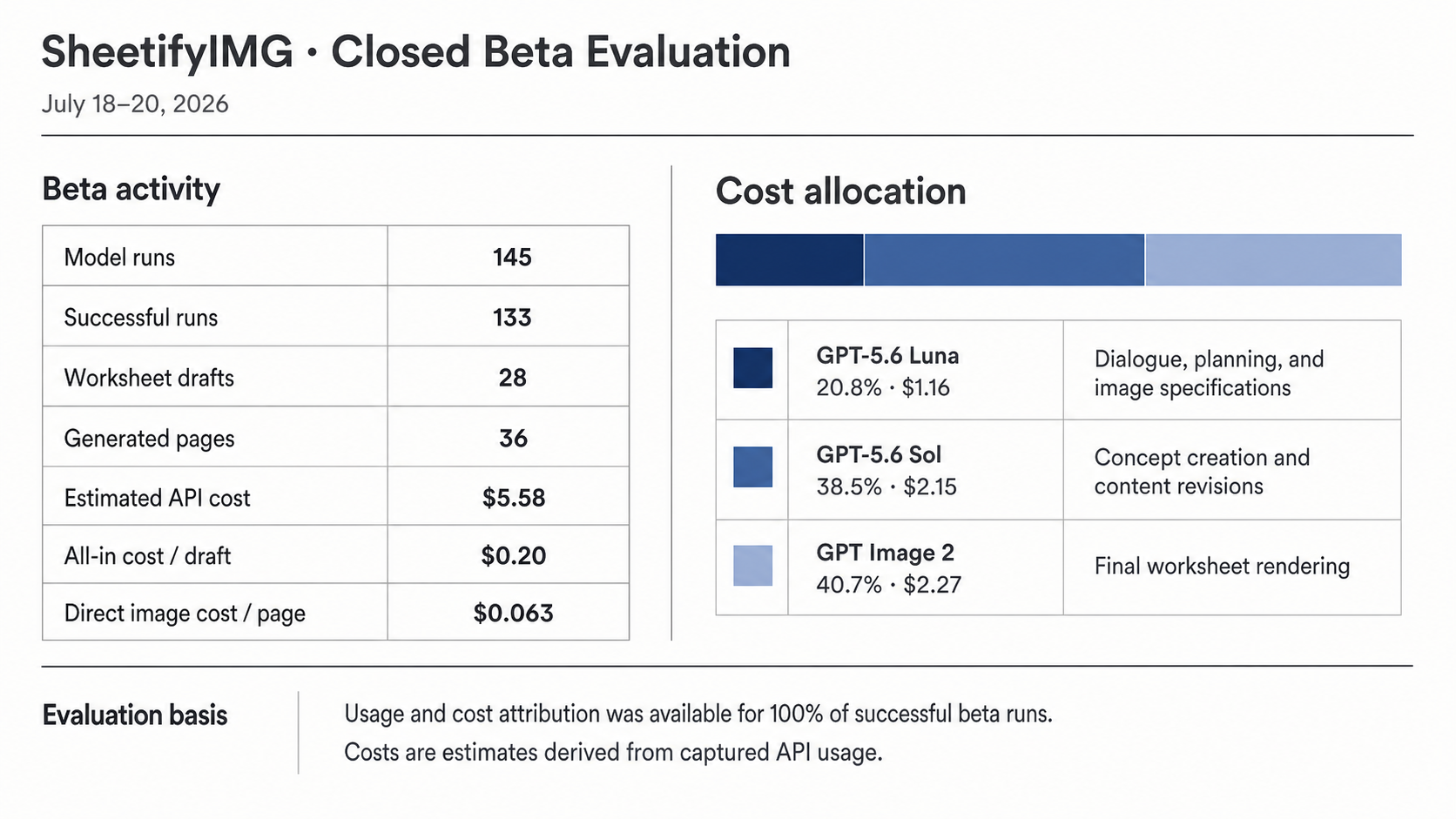
I route conversational planning to GPT-5.6 Luna, which interprets the teacher’s input and proposes the next structured action. GPT-5.6 Sol writes and revises the worksheet concept: its texts, tasks, wording and sequence.
The concept is shown before rendering. A teacher can replace a task, adjust the difficulty or remove something that does not fit the class. Only after approval does the application derive an ImageSpec and send the page to GPT Image 2. The teacher can then compare candidates, request revisions and save the preferred worksheet as a PDF.
Luna and Sol run through the Responses API with structured outputs. Routing, approval, paid generation, credits, versioning and persistence remain application-controlled.
What changed during Build Week
SheetifyIMG was not built from scratch during Build Week. A personal prototype already supported concepts, Image-First generation, draft review and PDF storage.
I used Build Week to turn that prototype into something another person could use without me beside them. I added pass-scoped workspaces, persistent sessions, device pairing, credits, beta administration, contextual feedback, recovery paths, bilingual access, generation recovery and reliability checks.
The Build Week boundary, baseline and release provenance are documented in the public Build Week record.
How I worked with Codex
I used Codex for repository analysis, architecture, implementation, testing, debugging, deployment preparation and release cleanup. It was not a one-shot hand-off. I defined the classroom problem, compared approaches, inspected the results and decided what was ready.
One example involved targeted concept revisions. If a teacher asks to replace the final task, the system should not recreate the complete worksheet concept. Codex helped me trace that request through the model-call path and build a real API comparison.
The first result was worse than expected. The revision path still reused the large prompt contract intended for complete concept creation, making a supposedly small operation unnecessarily expensive.
Working with Codex, I replaced that path with a structured delta. For a targeted revision, Sol returns the requested changes rather than another complete concept. Application code validates the delta, applies it as a new version and retains the previous version.
In a controlled four-scenario, text-only comparison:
- model calls fell from 27 to 14;
- total tokens fell from 99,359 to 71,224.
These are narrow engineering results: image generation was excluded, the complete raw report was not retained and independent blind quality review remains open.
The broader challenge was making open-ended conversation, explicit teacher actions, versioned state and several model roles behave like one assistant. A model can interpret an informal idea, but it cannot silently approve a concept, start paid generation or overwrite an earlier version.
Results and limitations
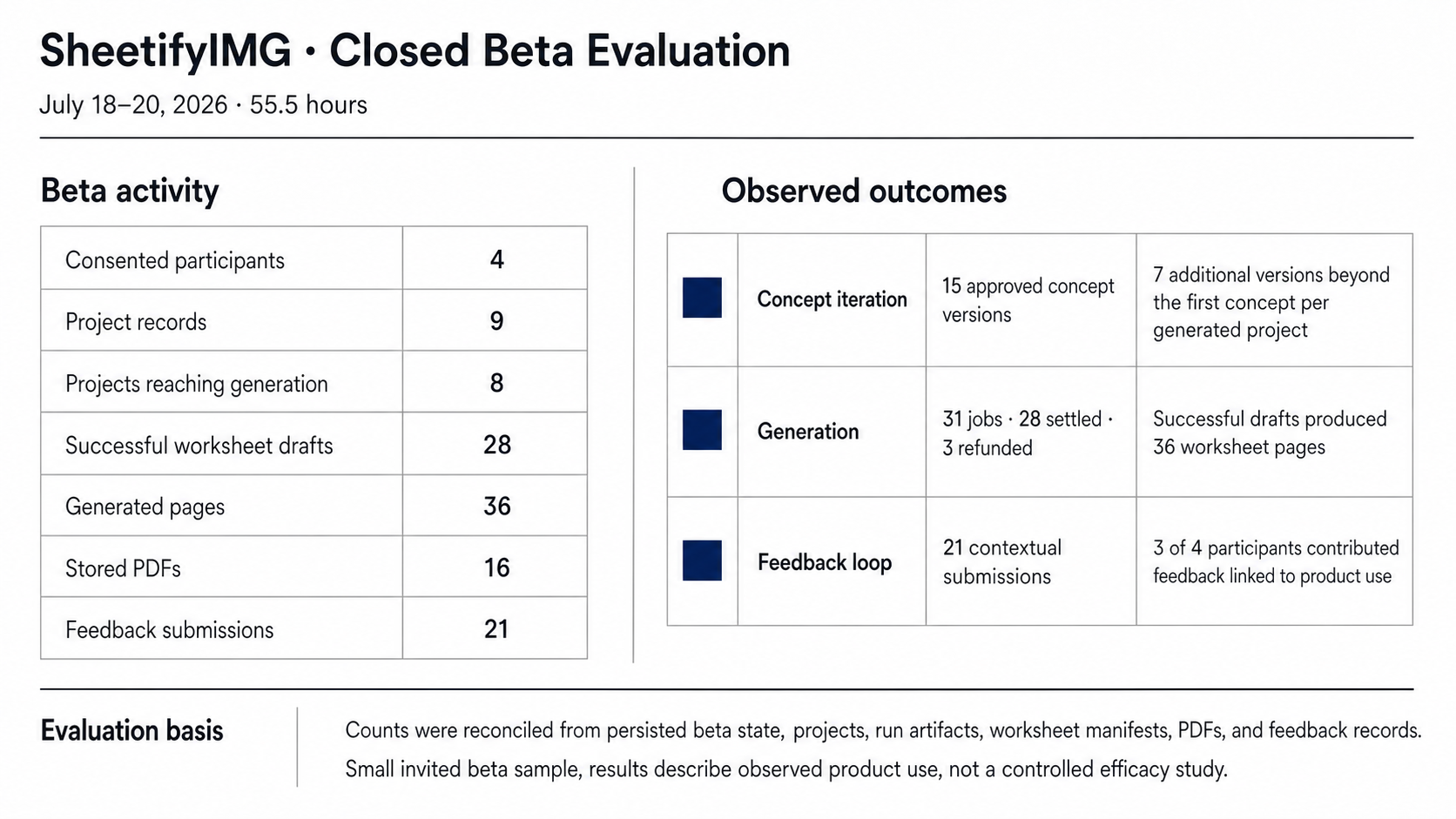
Four active participants in a small invited beta created nine projects. The system completed:
- 28 generation jobs;
- 36 generated pages;
- 16 saved worksheet PDFs.
The workflow was no longer confined to my desk. Other people planned worksheets, approved concepts, generated and revised drafts, saved PDFs and returned to their projects. The sample is much too small to establish educational effectiveness or broad demand.
The clearest technical risk is semantic fidelity. GPT Image 2 renders the complete page, including its text, so a visually convincing result can still misspell, omit or change approved content.
My next priority is an OCR- or vision-based comparison between the concept and rendered page, followed by broader teacher testing.
What I learned
Capability alone does not create a useful workflow.
Teachers need to see what is being planned, change it and make a real decision before generation. Turning a personal prototype into a beta required more work than building the visible prototype itself.
Codex expanded what I could build, but the classroom problem and product decisions remained mine.
Repository: JUJIES/SheetifyIMG-OpenAI-Build-Week-2026
Built With
- 5.6-luna
- 5.6-sol
- cloudflare
- codex
- elevenlabs
- gpt-4o
- gpt-5.6
- gpt-image-2
- image-generation
- javascript
- node.js
- openai
- playwright
- pwa
- remotion
- response-api
- speech-to-text
- text-to-speech
- transcribe-mini-4.0

Log in or sign up for Devpost to join the conversation.