-
-
Logo
-
How sharpLearn works
-
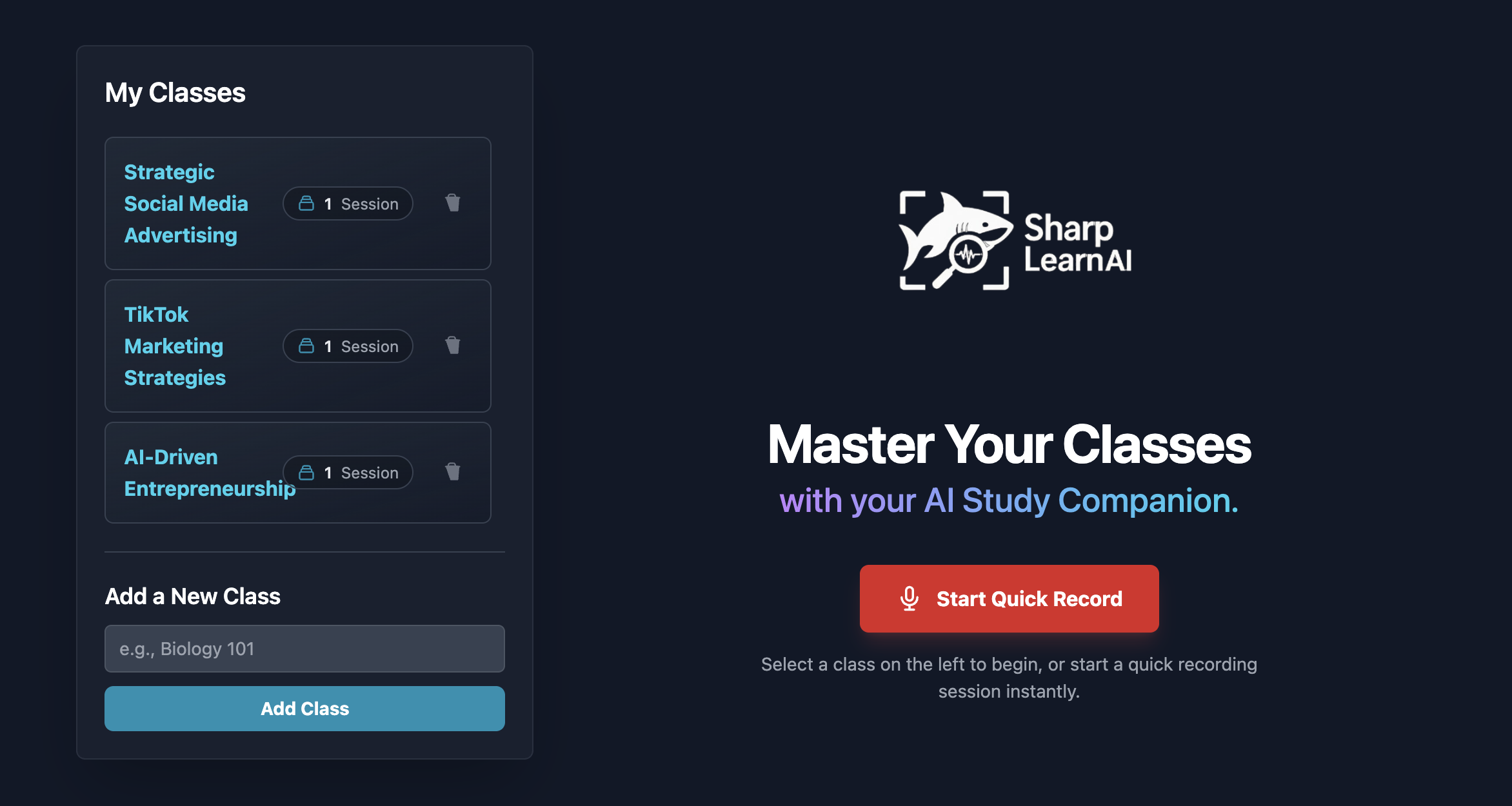
Landing Page

About the project — SharpLearn
Inspiration
Two problems kept coming up in real classes:
1) taking good notes while paying attention is hard, and
2) staying focused for 60–90 minutes is even harder.
SharpLearn was born from the idea of an AI class assistant that listens, takes clear notes for you, and gently helps you keep attention—without being intrusive or creepy.
What it does
- Live transcription → clean notes: Captures lecture audio and turns it into concise, structured notes (headings, bullets, key terms).
- Focus tracking (privacy-aware): Uses webcam signals (gaze + head pose) to estimate attention every 2 seconds. Looking straight ahead or upward (toward the board) still counts as focused; looking down for long periods reduces the focus score.
- Session Summary dashboard: Four clickable cards—Focus Over Time, Review Key Moments, AI Summary, Generated Notes—open as full-screen views for deep dives.
- Smart highlights: “Key Moments” are auto-bookmarked when your focus dips or the lecturer stresses a concept.
- Account & sync: Email/password and Google Sign-In so your notes and summaries are saved to your profile.
- Real-time instructor alert: when the attention score falls below a threshold, SharpLearn sends an anonymous, live notification to the instructor that one of their students has disengaged—prompting them to re-engage before more learners drift.
How we built it
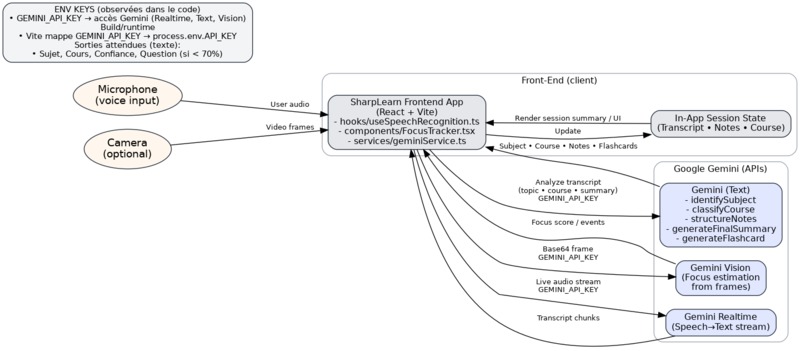
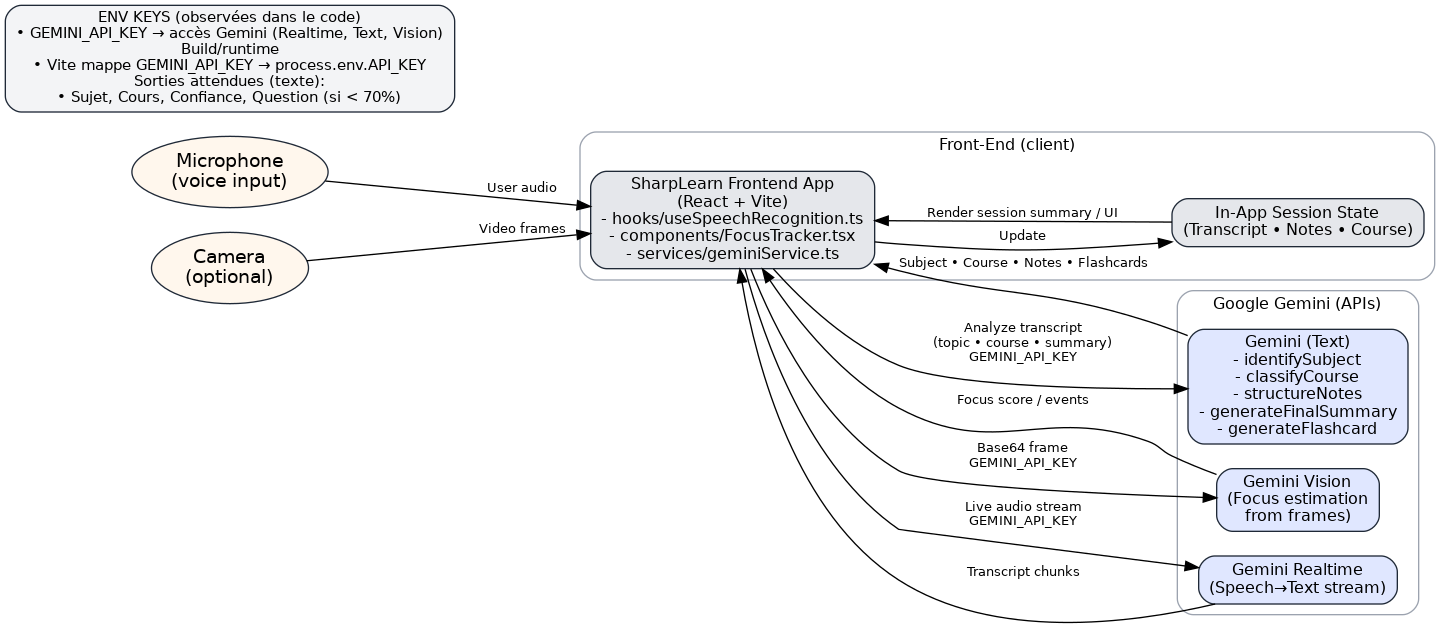
Frontend. React + TypeScript (Vite). Web Audio API streams audio; a light UI system renders the four summary cards with smooth, app-wide-styled scrollbars and large, readable summaries (no raw Markdown feeling).
Backend. Node/FastAPI with REST endpoints for:
/transcribe→ handles audio chunks and returns partial transcripts/summarize→ turns transcripts into structured notes & TL;DR/focus→ ingests client-side focus metrics for analytics and, when the focus score drops below a threshold, triggers an IFTTT Webhooks event to send an anonymous, real-time alert to the instructor (SMS).
AI/ML.
- ASR & Notes: Gemini via Google AI Studio for diarization hints, key-point extraction, headings, definitions, and “study-friendly” formatting.
- Focus estimation: Lightweight webcam heuristics (gaze/pose + temporal smoothing) computed on-device; only the final numeric score/time series is stored.
Data. Firestore (or Postgres) for users, sessions, transcripts, notes, and focus time series.
Infra. Deployed as a minimal cloud service with CORS, rate limiting, and API keys managed via server environment variables.
Focus score (simplified)
We smooth instantaneous signals to avoid jitter: Focust=σ(αgazet+βposet−γdistractiont) with a rule override: if the user looks forward or upward, treat as focused even if eye-aspect ratios fluctuate.
Challenges we ran into
- Latency vs. accuracy: Getting near-real-time transcripts while keeping summaries high-quality.
- Attention heuristics: Avoiding false negatives when students look up at the board (fixed with our “forward/up = focused” rule + 2-second cadence).
- UI readability: Making AI summaries design-forward (not Markdown-ish) and the four dashboard cards truly “click-to-zoom.”
- Privacy & comfort: On-device focus inference, opt-in nudges, and no raw images stored.
What we learned
- Face tracking (gaze & head-pose estimation): we learned to robustly extract privacy-aware attention signals (on-device), smoothing noise and avoiding false negatives (e.g., when looking up at the board).
- Backend LLM orchestration with Gemini: we built reliable server-side calls (chunked transcripts → prompts → structured notes), learned prompt/batching patterns, and hardened retries/rate-limits for stability.
- UX/UI craft matters: consistent scrollbars, click-to-expand dashboards, and readable, non-Markdown-ish summaries noticeably improved adoption and study flow.
- Human-centered rules beat raw CV: combining simple heuristics with temporal smoothing outperformed heavier vision models for attention tracking.
What’s next
- Slides & whiteboard integration to align notes with visual content.
- Instructor mode (opt-in) for aggregated, anonymous focus heatmaps.
- Multi-speaker labeling and smarter “Key Moments” using emphasis/prosody cues.
- Export & LMS plugins (Notion/Google Docs/Canvas).
Built With
- fastapi
- python
- react
- tailwind
- typescript
- vite


Log in or sign up for Devpost to join the conversation.