Inspiration
In Pew Research Center's 2018 survey of U.S. teens ages 13–17, 17% said they are often or sometimes unable to complete homework because they don't have reliable access to a computer or internet connection. 12% said they at least sometimes use public Wi-Fi for schoolwork because they have no home internet. And 35% said they often or sometimes do homework on a cellphone, rising to 45% among teens in households earning under $30,000 a year. (Pew Research Center, 2018)
Those students work on library computers with time limits, shared family phones and old Androids with little data. Many learning tools assume a personal device, an account, and a fast connection. Shared devices and public networks also create a privacy problem: logging a student into an account on a public computer isn't a safe default. And the safety lessons students need — what a 403 means, who should see a file, how to spot a scam message — often live behind that same account-and-bandwidth wall.
I wanted the opposite assumptions: no account, no personal data, no connection needed after the first load, and nothing left behind — and a curriculum a teacher can hand out as a printed QR code.
What it does
ShareSafe Practice is a tiny offline-first web app that plays content packs.
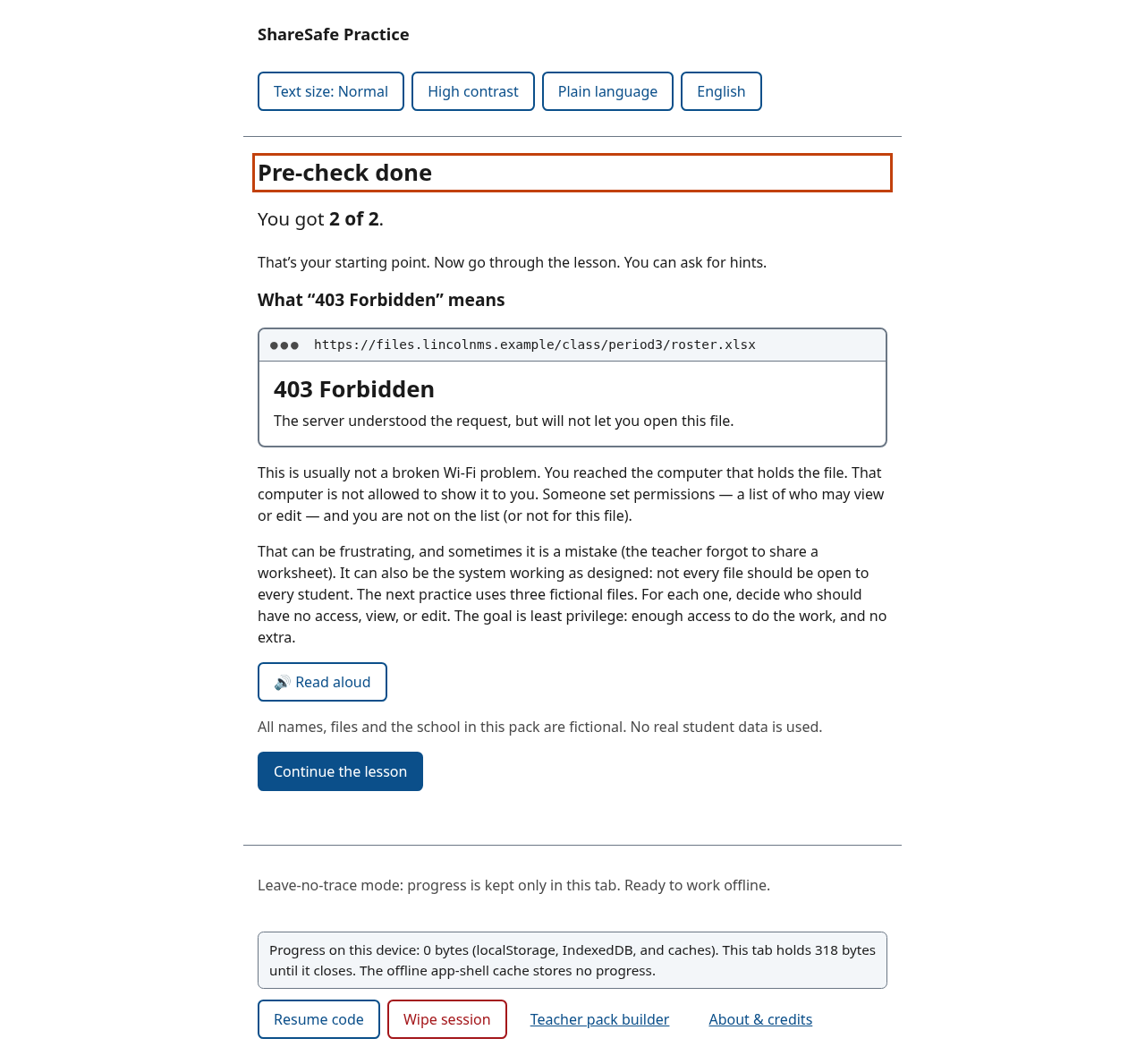
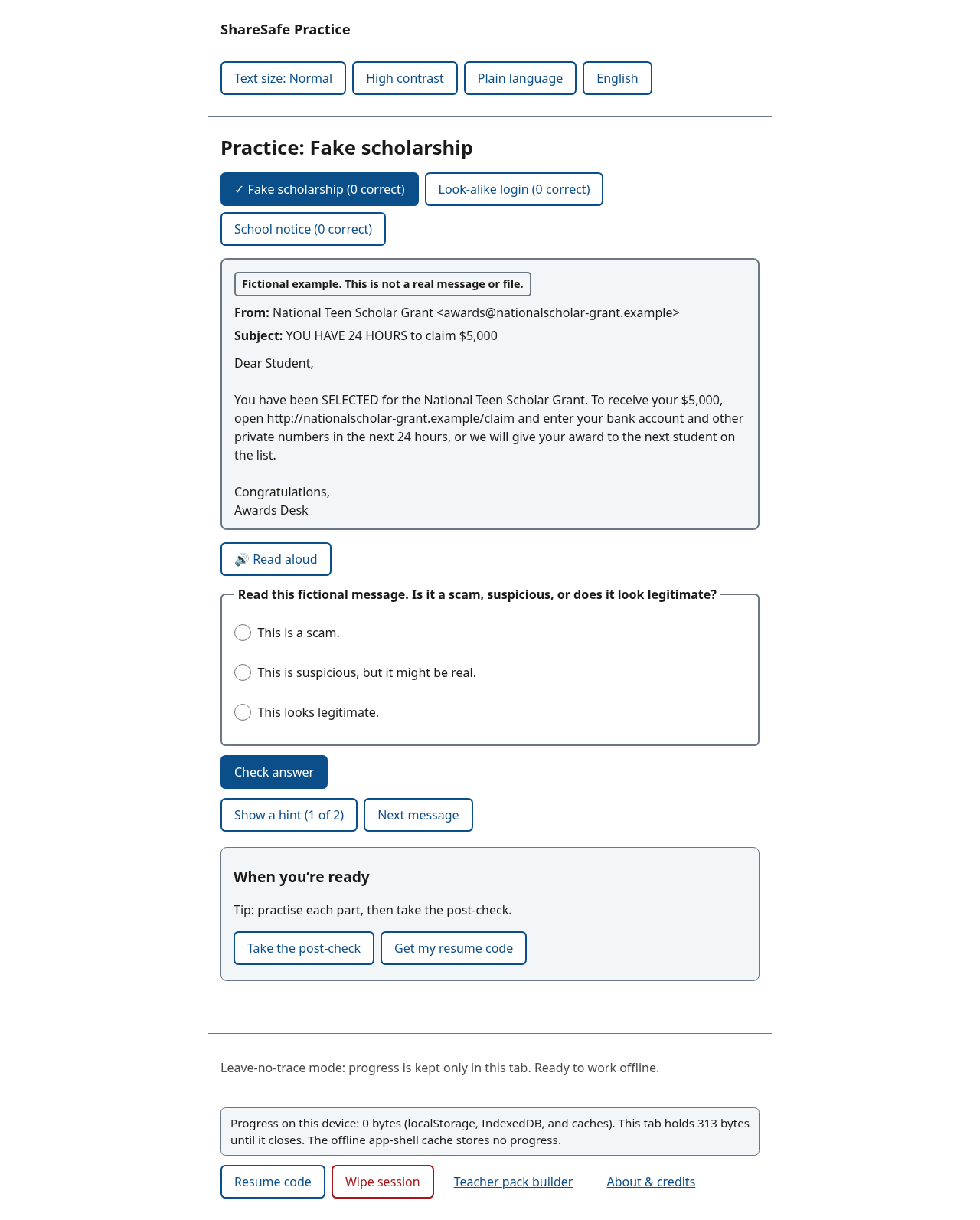
- Digital Survival Curriculum (the core): Permission to Learn starts from a confusing “403 Forbidden” screen, then practises least privilege on fictional school files. Spot the Scam uses fictional student messages (a fake scholarship, a look-alike login, and a legitimate notice), all badged as fiction and using
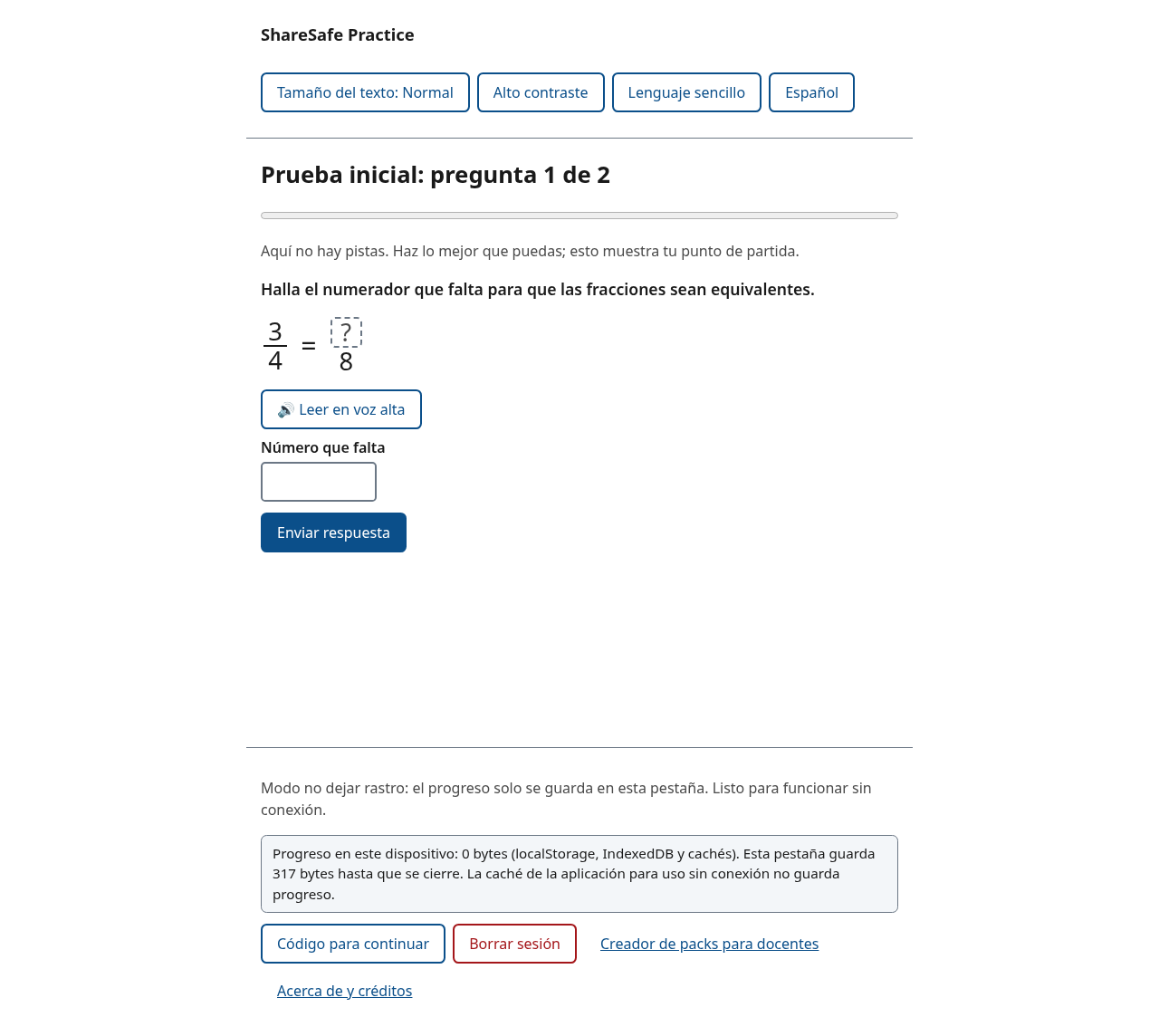
.exampledomains. - Everyday Fractions: Bilingual Teacher Pack Demo shows that a teacher can hand out offline homework with a printed QR code and no student accounts. Practice is generated and fully bilingual.
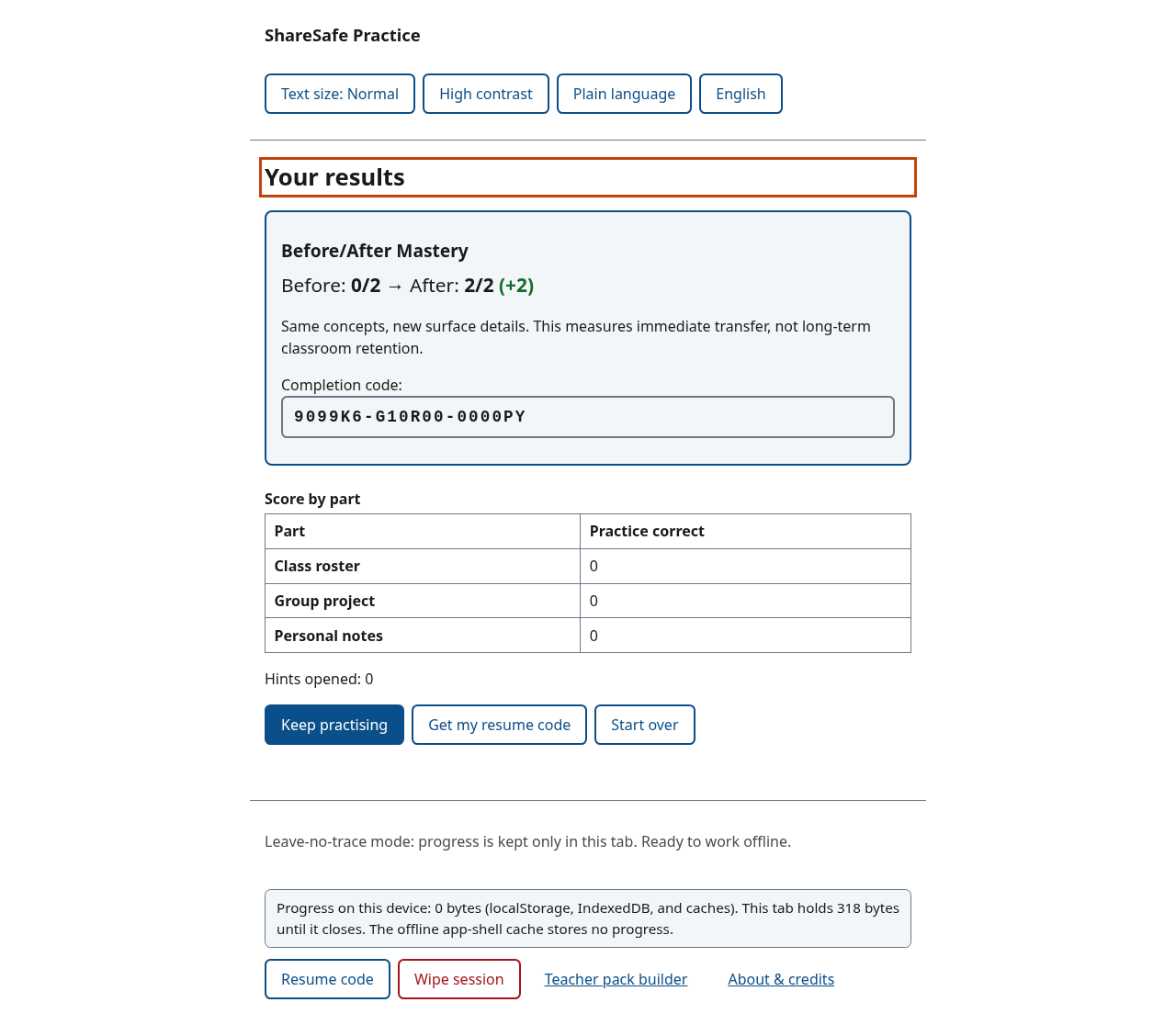
- Every pack has a 2-item baseline pre-check, interactive practice, and a 2-item isomorphic post-check (same concept, new surface details — not repeated items), then a Before/After Mastery card with the delta and a completion code. The card says this is immediate transfer, not long-term retention.
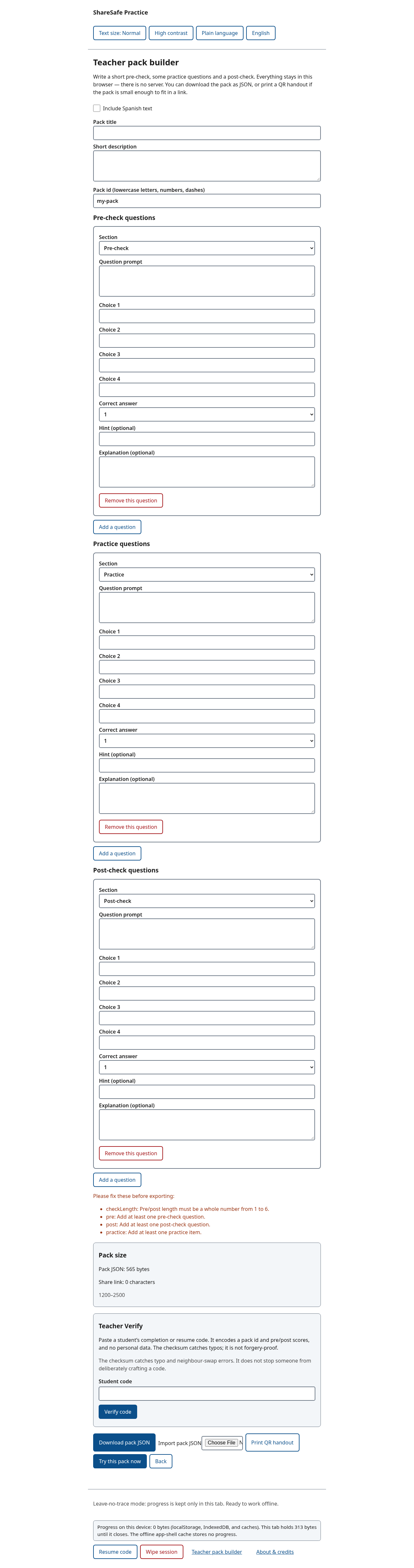
- Teacher pack builder (no backend): multiple-choice questions, an optional Spanish toggle, a pre/practice/post tag, a live byte counter, JSON export/import, a printable QR handout, and Teacher Verify, which decodes pack id and pre/post scores from the checksummed 18-character code, with zero PII. The UI says the checksum catches typos but is not forgery-proof.
- No account. Works offline after one visit. The first load is about 31.1 KB gzipped (Lighthouse reports 33 KiB transferred).
- Leave no trace (on by default). A live storage badge actually measures localStorage, sessionStorage, IndexedDB and caches. In leave-no-trace mode it shows 0 bytes of progress in persistent stores; the open tab may hold a few hundred bytes until it closes; the service-worker app-shell cache is for offline use and stores no progress. Wipe session, or Escape twice, opens an announced confirmation, then wipes.
- Accessible, in English and Spanish. Full keyboard use, focus moved to the new heading on each view,
aria-live="polite"feedback, and a language switcher that setsdocument.documentElement.lang. Mixed-language tokens such as “403 Forbidden” carry alangattribute.
A concrete before and after: Maya, a 7th grader with no home internet, has 30 minutes on a library PC and an old phone with almost no data. Maya is an illustrative scenario, not a real student.
- Before: a typical account-based lesson needs an email sign-up, stores a session on a shared machine, and cannot be used at home without internet.
- After: she starts immediately, misses the 2-item pre-check (0/2), works through the 403 and the file-access practice, takes an isomorphic post-check (2/2), and sees Before 0/2 → After 2/2 (+2) on the mastery card. She copies the completion code, wipes the library PC (0 persistent bytes), and restores the same pack on her phone in airplane mode.
(The scores are illustrative of the built-in flow; this exact path is covered by an automated end-to-end test.)
How I built it
- Stack: TypeScript and Vite, no UI framework. The only runtime library is
qrcode-generator, loaded only when a QR is shown. No analytics, no LLM calls, no network after the first load. - Packs are data, with optional
esfields on every string. Built-in packs are lazy chunks.validatePack()checks imported and teacher-built packs. - Resume / completion code (version 2): a 10-bit pack hash, seed, stage, and pre/post masks, plus a CRC-10 checksum, as 18 Crockford base32 characters. It is a checksum, not a signature. A Teacher Verify box decodes pack id and scores from the same code.
- Storage: sessionStorage for tab-only progress by default; localStorage only if the student opts in. The live badge measures those stores, plus IndexedDB (unused for progress) and Cache Storage (app shell only).
- AI assistance: I used an AI assistant (Grok Bot) to draft much of the code, tests, lesson text, Spanish translation and documentation. I set the problem, users, scope and constraints and reviewed the work. Commits by the assistant are labelled. See AI Attribution below.
Challenges I ran into
- Keeping a bilingual first load under ~32 KB gzipped: packs, the builder, fractions and the QR library are lazy chunks; the first load is 31.1 KB gzipped (Lighthouse transfer 33 KiB including manifest and icon).
- Fitting pack identity into an 18-character code without giving up typo detection.
- A native
<input type=file>overflowed a 320 px viewport by about 25 px in an emulated reflow test; the visible control is now the labelled button, and the file input is visually hidden. - Being honest about what a client-side checksum can and cannot do, and about what automated accessibility checks cannot certify.
Accomplishments that I'm proud of
- Lighthouse 100 for Performance, Accessibility, Best Practices and SEO on mobile and desktop (Lighthouse 13.6.0).
- 0 axe-core 4.14.0 violations in 25 scans, including the mastery card, Teacher Verify, Spanish fractions, and emulated 320 px + forced-colors views.
- 32 unit tests and 17 end-to-end tests, all passing, covering isomorphic pre/post scoring, language/
langswitching, code decode and Teacher Verify, wipe, and the storage badge. - A complete loop — 403 explanation, least-privilege practice, scam flags, measurable transfer, a teacher QR handout — with no backend.
What I learned
- A pack format makes “offline, no account” reusable, including as a teacher demo in another subject.
- Feedback that says how an answer is wrong (too open vs. too tight) teaches more than “incorrect”.
- Translation is more than strings:
langattributes, speech language, and not leaving a leftover English status line after a switch. - Automated accessibility checks are a baseline. They and emulated 320 px / forced-colors passes caught real bugs; only real assistive-technology testing will show the rest, and that testing is still to do.
Honest Testing Matrix
Verified Automated
Vitest 5.1.0: 32/32 unit tests. Playwright 1.65.0: 17/17 e2e tests. axe-core 4.14.0: 0 violations in 25 scans. Lighthouse 13.6.0: 100/100/100/100 on mobile and desktop. Gzipped first load 31.1 KB; Lighthouse transfer 33 KiB. Emulated 2G: usable in 2.2 s; Slow 3G: 1.75 s. Reports are in docs/reports/.
Verified Manual
Emulated only, in Playwright, Nov 18, 2026: keyboard-only journey; 320×640 reflow (file-input overflow found and fixed); forcedColors: 'active'; reducedMotion: 'reduce'.
TODO, not run: VoiceOver (macOS/iOS), NVDA, Safari desktop, Safari/iOS, physical-phone airplane-mode offline resume, printed QR scan with a native camera, and native-speaker review of the Spanish. See docs/tejas-manual-test-checklist.md.
Explicitly Untested
No K-12 students were tested. Pre/post gains measure immediate scenario transfer, not longitudinal retention. JAWS and refreshable braille displays were not evaluated.
AI Attribution
Most of the code, tests, lesson text, Spanish translation and documentation were drafted by an AI assistant (Grok Bot) at Tejas Chaudhari's direction. Tejas chose the problem, users, direction and constraints, and reviews the work. Commits by the assistant are authored as "Grok Bot (AI assistant for Tejas Chaudhari)".
What's next
Complete the manual checklist (real screen readers in English and Spanish, Safari, a physical phone after deploy, a printed QR, and a fluent Spanish review). No feature work after the hard code freeze.
Built With
- axe-core
- css3
- html5
- lighthouse
- playwright
- pwa
- qrcode-generator
- service-workers
- typescript
- vercel
- vite
- vitest
