-
-
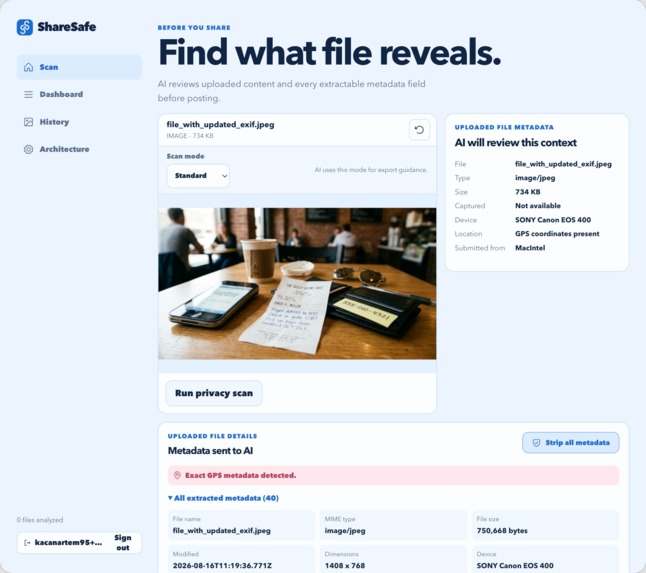
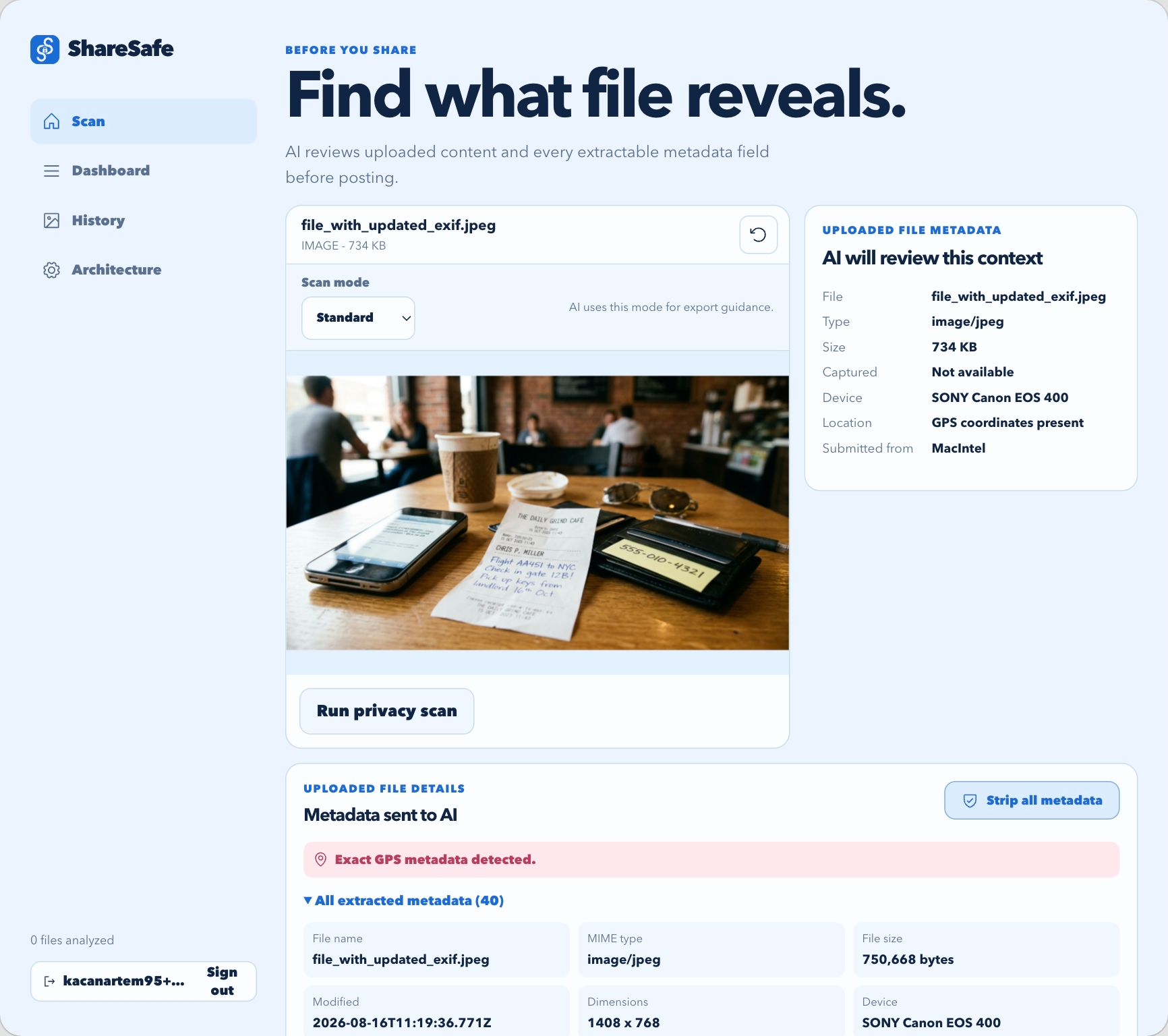
upload screen
-
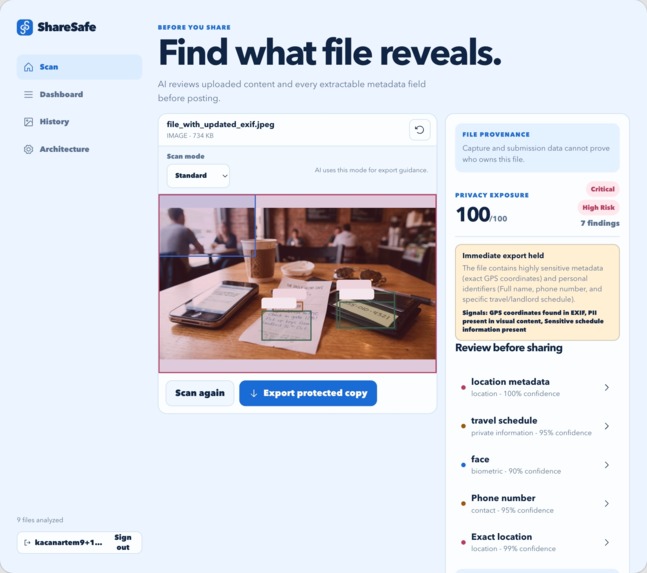
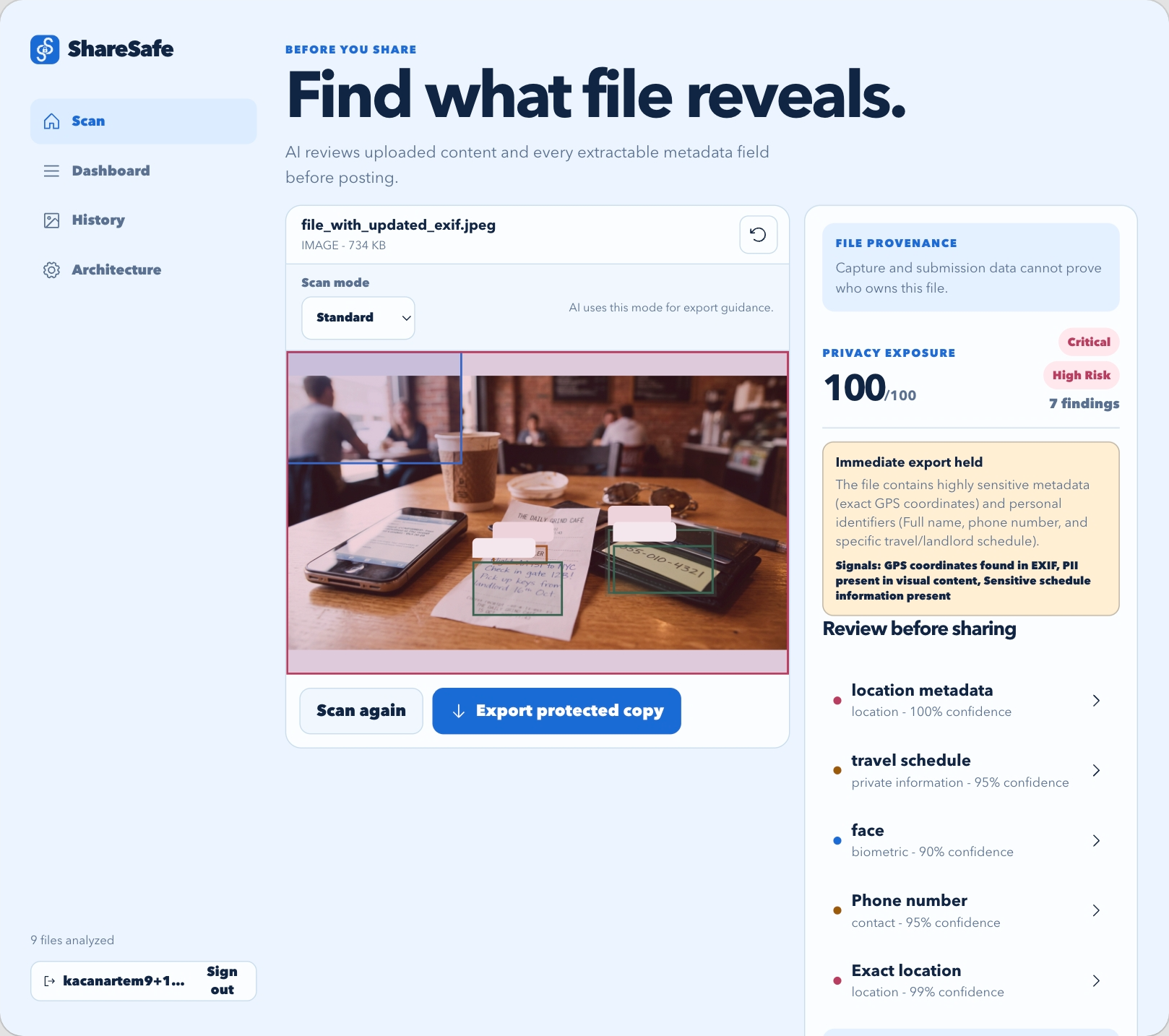
scan result
-
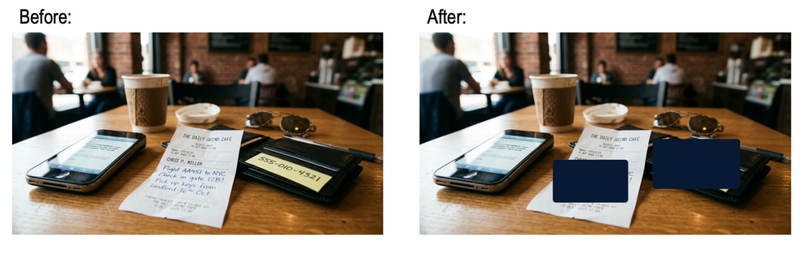
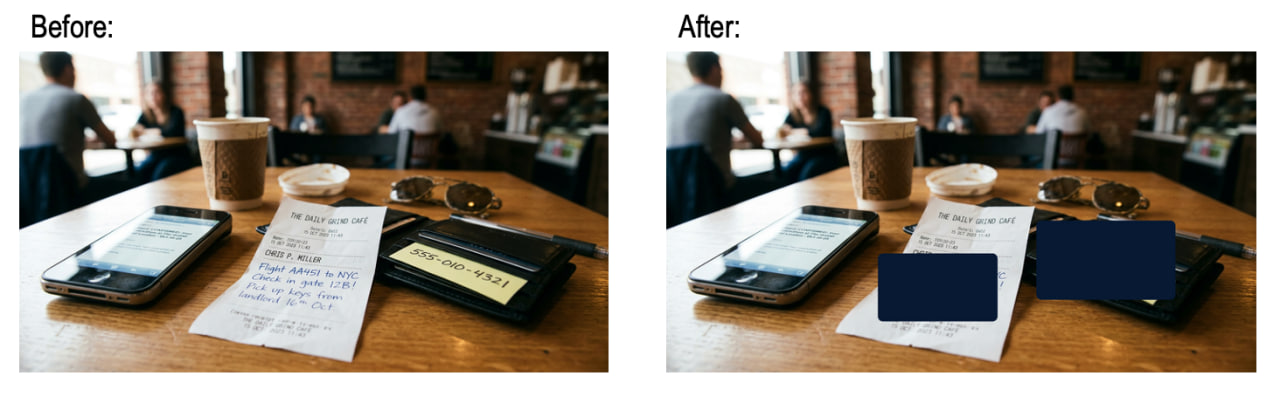
before/after protection
-
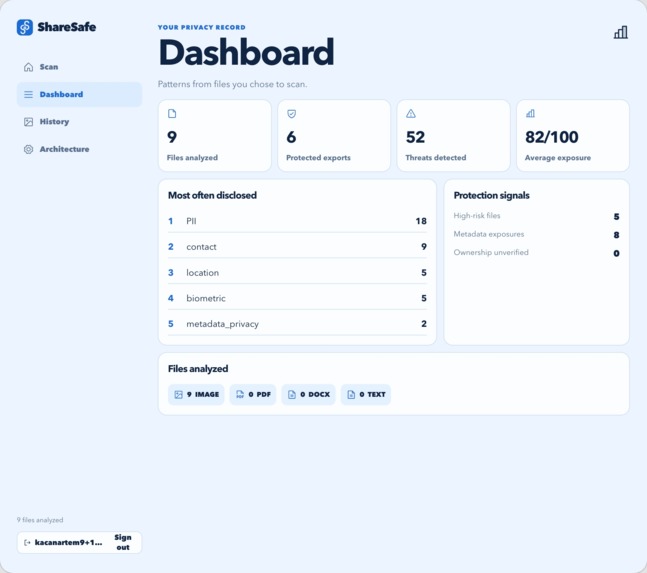
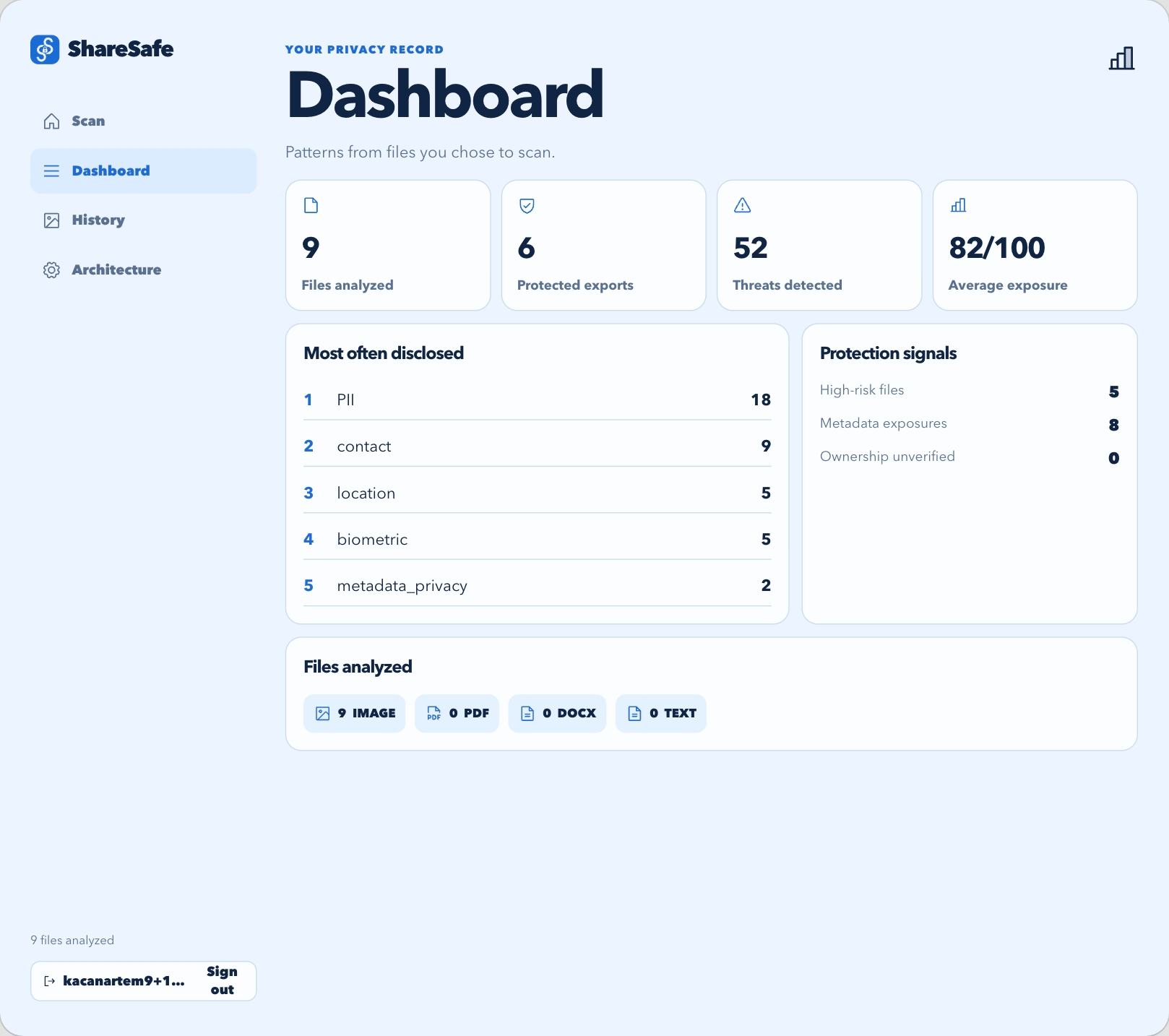
dashboard
-
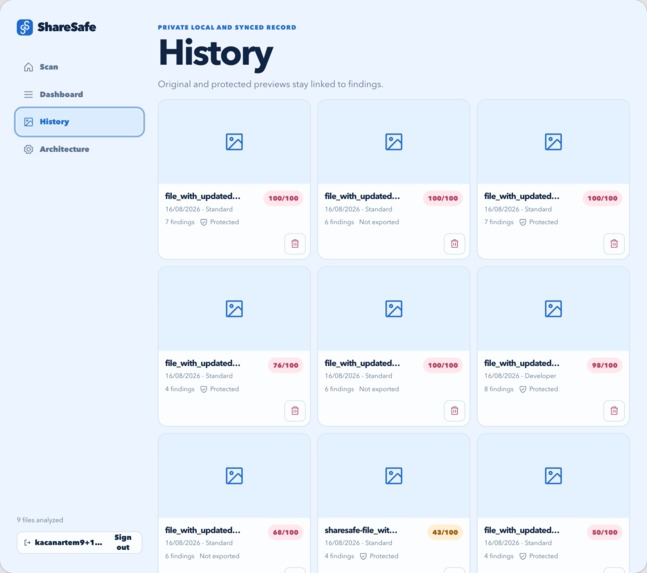
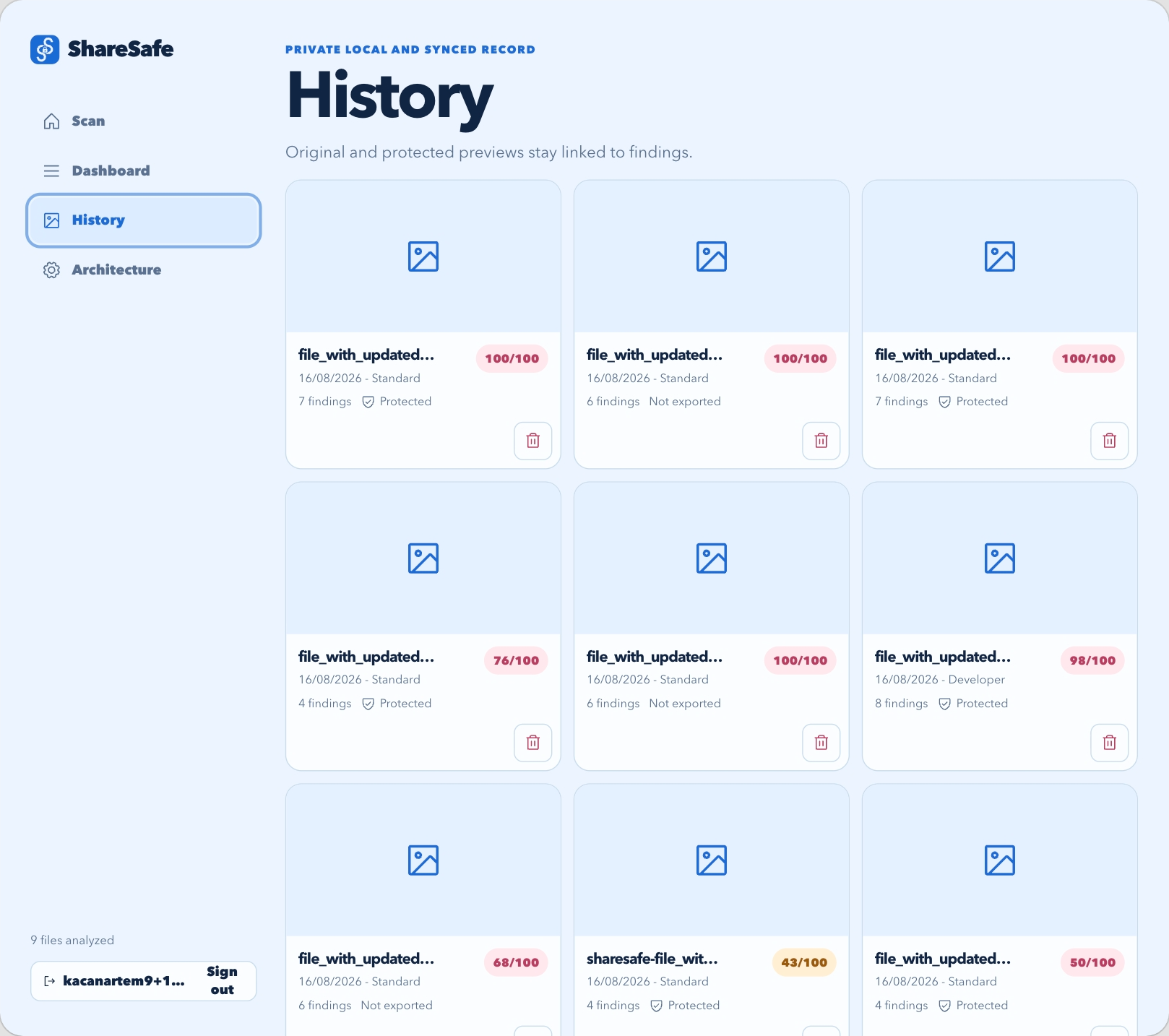
history
Inspiration
We share screenshots, photos, documents, receipts, tickets, and pieces of our work constantly. The problem is that people usually review these files with their eyes alone.
That misses a surprising amount of information.
A screenshot may contain an email address, account identifier, internal URL, QR code, API token, or a small piece of text in the background. A photo may carry GPS coordinates, capture time, device information, or editing history in its metadata. Several details that seem harmless individually can reveal much more when connected together.
Before building ShareSafe, we conducted 16 customer-development interviews and spoke with cybersecurity researchers and industry professionals about how ordinary users understand privacy exposure. A recurring problem was the gap between information being technically visible and users understanding why that information matters.
We wanted to build a privacy review step that happens before exposure, while the user can still do something about it.
What it does
ShareSafe asks one question:
What could another person learn from this file?
Users can upload PNG, JPEG, WebP, PDF, DOCX, and TXT files and choose a scanning mode based on how the file will be shared.
ShareSafe then checks for several classes of exposure:
- personally identifiable information such as emails and phone numbers
- location information and GPS coordinates
- QR codes and account identifiers
- developer information such as access tokens, IP addresses, and internal URLs
- file metadata including capture date, device information, editing software, dimensions, and filename clues
- provenance and ownership clues
- contextual risks created by combining multiple findings
Each finding contains a severity level, confidence, category, explanation, and information about how the exposed data could be used.
For image findings, ShareSafe can place the result directly over the relevant area of the preview.
The user remains in control. They review the findings, select what they want to protect, and create a redacted copy. The original file is preserved.
How we built it
ShareSafe uses a hybrid privacy-analysis pipeline rather than relying on one model to make every decision.
When a file is uploaded, the browser first validates it and extracts available metadata locally. This includes information such as EXIF fields, GPS coordinates, capture time, device information, editing software, dimensions, and filename indicators.
The client then sends the file and relevant metadata to our /api/scan endpoint.
On the server, ShareSafe:
- validates the upload and metadata
- requests structured visual and contextual analysis from Gemini
- normalizes the model response into a predictable schema
- runs deterministic detection for structured information such as emails, phone numbers, access tokens, IP addresses, card-like numbers, and coordinate strings
- correlates related findings
- calculates an overall privacy score and risk level
This hybrid approach is important because privacy exposure is both structured and contextual. A regular expression can reliably identify something shaped like an email address, while contextual analysis can recognize that a hotel name combined with GPS metadata may reveal where someone is staying.
The browser then renders the findings and overlays applicable detections on the file preview.
Redaction is performed locally where possible. ShareSafe uses browser Canvas processing for images, pdf-lib for PDFs, JSZip-based document processing for DOCX files, and text replacement for plain-text files.
The Gemini API key remains server-side rather than being exposed to the browser.
Authentication is handled through Supabase, with optional Google OAuth support. Scan history can operate locally in the browser, with optional Supabase-backed persistence when configured.
Challenges we ran into
One of the hardest parts was combining deterministic security checks with probabilistic AI analysis.
AI is useful for understanding context, but security-related findings need predictable structure. We built a normalization layer around the model output and supplement it with deterministic detection for data that can be recognized reliably.
Another challenge was reasoning across different sources of information. A visible landmark or hotel name may not be especially sensitive by itself. GPS metadata attached to the same image changes the risk substantially. ShareSafe therefore has to reason about relationships between findings instead of treating every detection independently.
Supporting several document types created another engineering problem. An image, PDF, DOCX file, and TXT file require different extraction and protection strategies, so we built separate processing paths behind one consistent review interface.
We also had to avoid presenting a privacy score as a guarantee. ShareSafe reports likely exposure and gives the user evidence to review rather than declaring a file completely safe.
Accomplishments that we're proud of
We built the complete scan-review-protect workflow instead of stopping at an AI classification demo.
The current prototype supports six common file formats, metadata analysis, structured AI output, deterministic privacy detection, composite risk reasoning, finding coordinates, privacy scoring, several redaction workflows, authentication, scan history, and protected exports.
We are particularly proud of the composite analysis. ShareSafe can connect information found visually with metadata associated with the same file and explain the resulting privacy risk.
We also designed the system so that the user makes the final redaction decision. The tool explains the exposure and provides controls rather than silently modifying the original file.
The current project passes both npm run lint and npm run build in our development environment.
What we learned
The largest lesson was that privacy risk is highly contextual.
Detecting a phone number or email address is comparatively straightforward. Understanding that several ordinary-looking clues reveal someone's current location, identity, workplace, or account requires reasoning across the file as a whole.
We also learned that AI works better here as one component of a security pipeline rather than the sole detection mechanism. Combining model-based contextual understanding with deterministic rules gives us stronger and more explainable results.
Another important lesson was that redaction has different guarantees depending on the file format. Visually covering information in a PDF, for example, should not automatically be described as forensic removal.
That changed how we designed the product language. ShareSafe reports findings and protections precisely rather than giving users a false guarantee of safety.
What's next for ShareSafe
The next step is strengthening the transition from prototype to a production privacy tool.
We want to:
- add automated unit and end-to-end testing
- enforce export policy decisions consistently
- strengthen PDF sanitization and redaction guarantees
- complete and verify cloud history synchronization
- improve detection of provenance and location relationships
- expand contextual analysis for developer and security leaks
- measure which findings users actually choose to redact
- improve privacy scoring using feedback from real scans
- add organization and team workflows
- continue security and usability testing with users and researchers
Longer term, ShareSafe could become a privacy layer that sits directly inside existing sharing workflows, giving people a review step before information leaves their device.

Log in or sign up for Devpost to join the conversation.