-
-
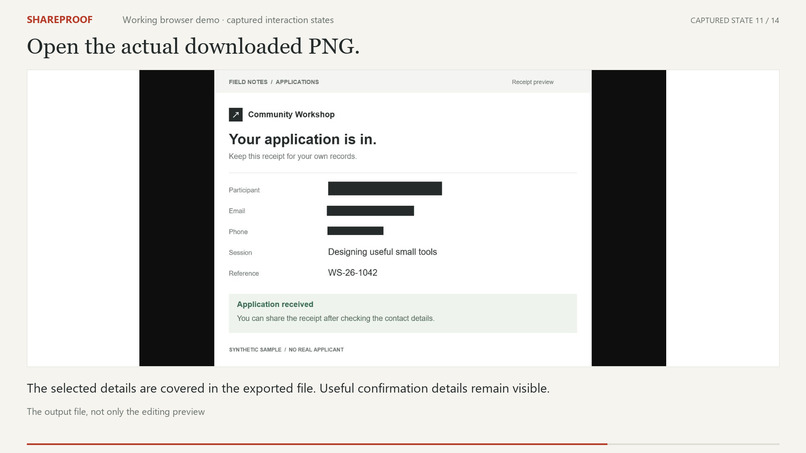
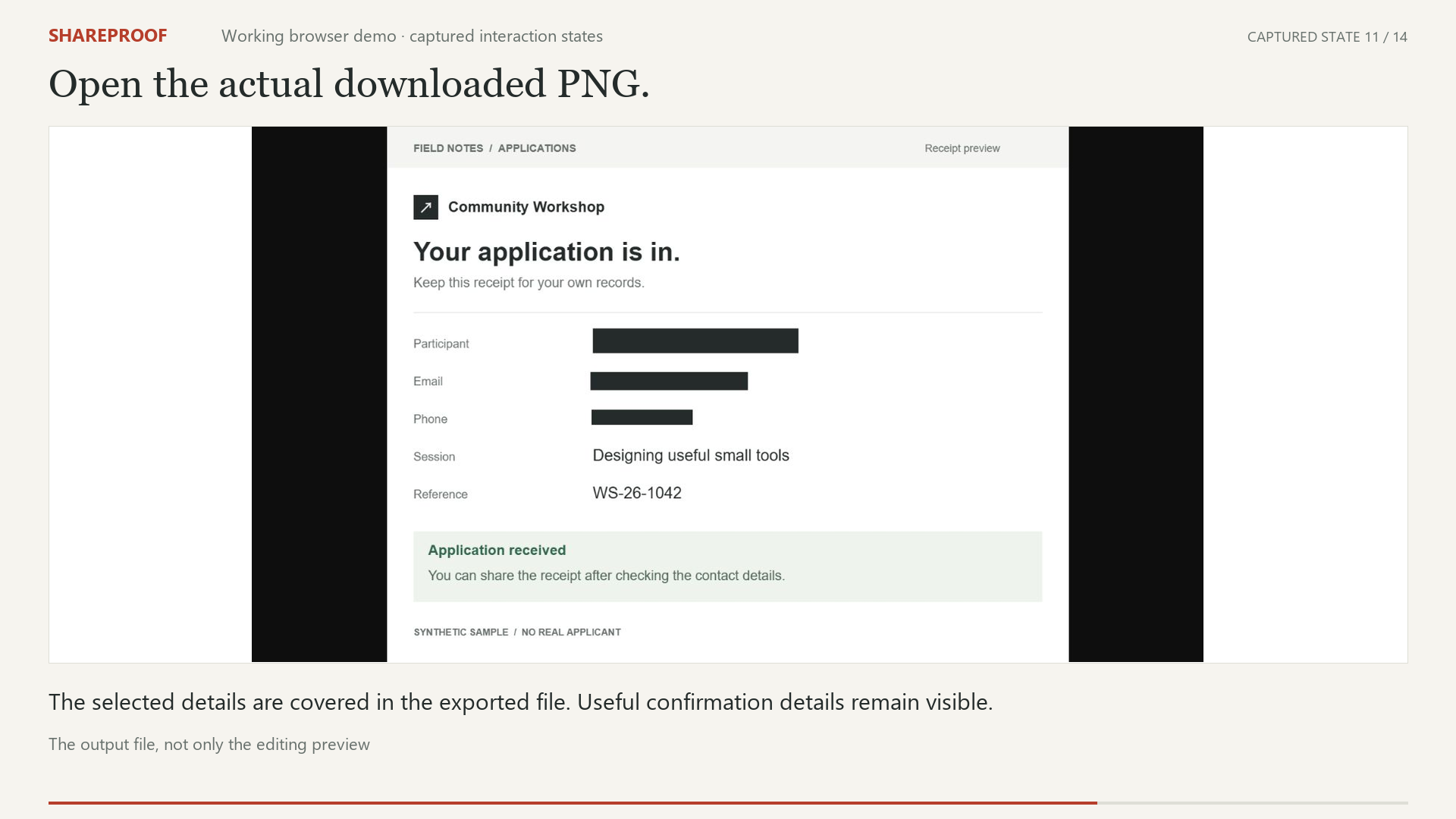
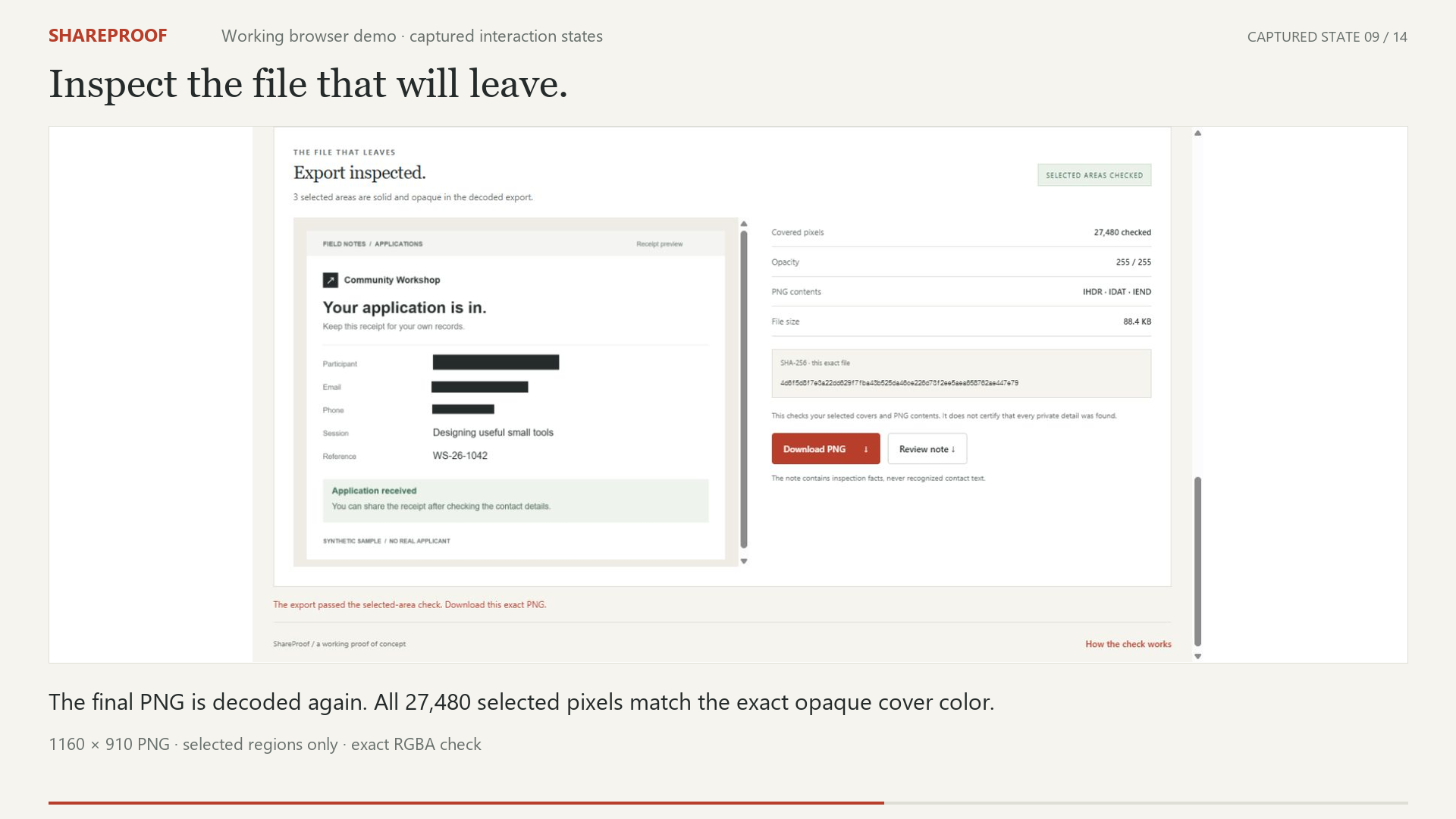
The actual downloaded PNG keeps the receipt readable with the selected details covered.
-
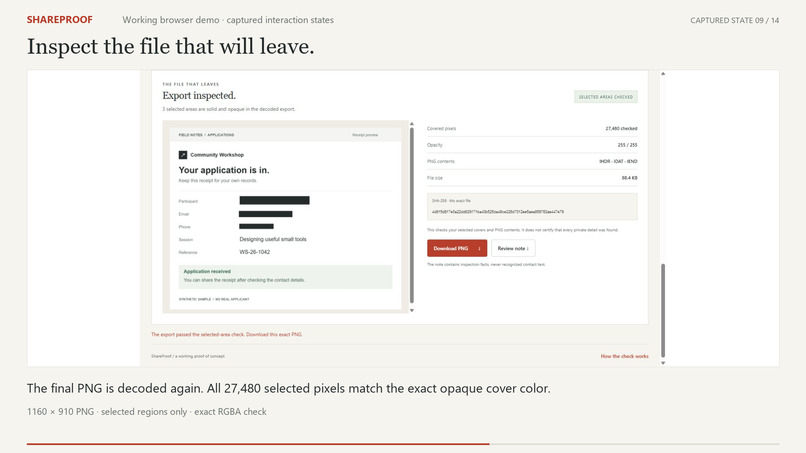
The decoded PNG passes exact opacity and color checks across 27,480 selected pixels.
-
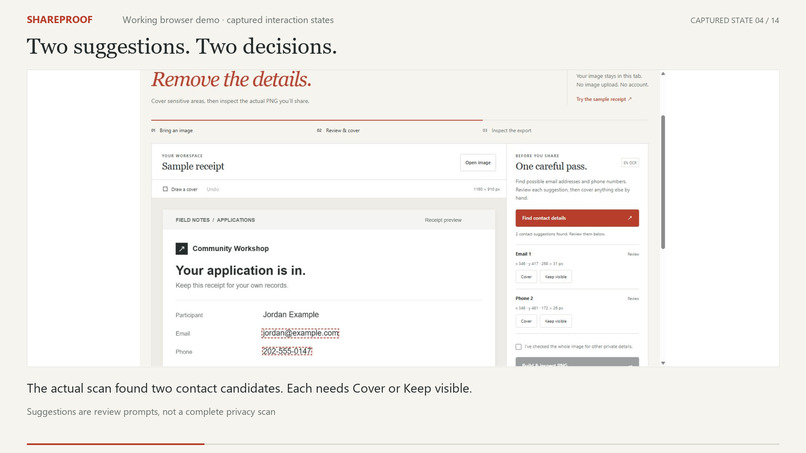
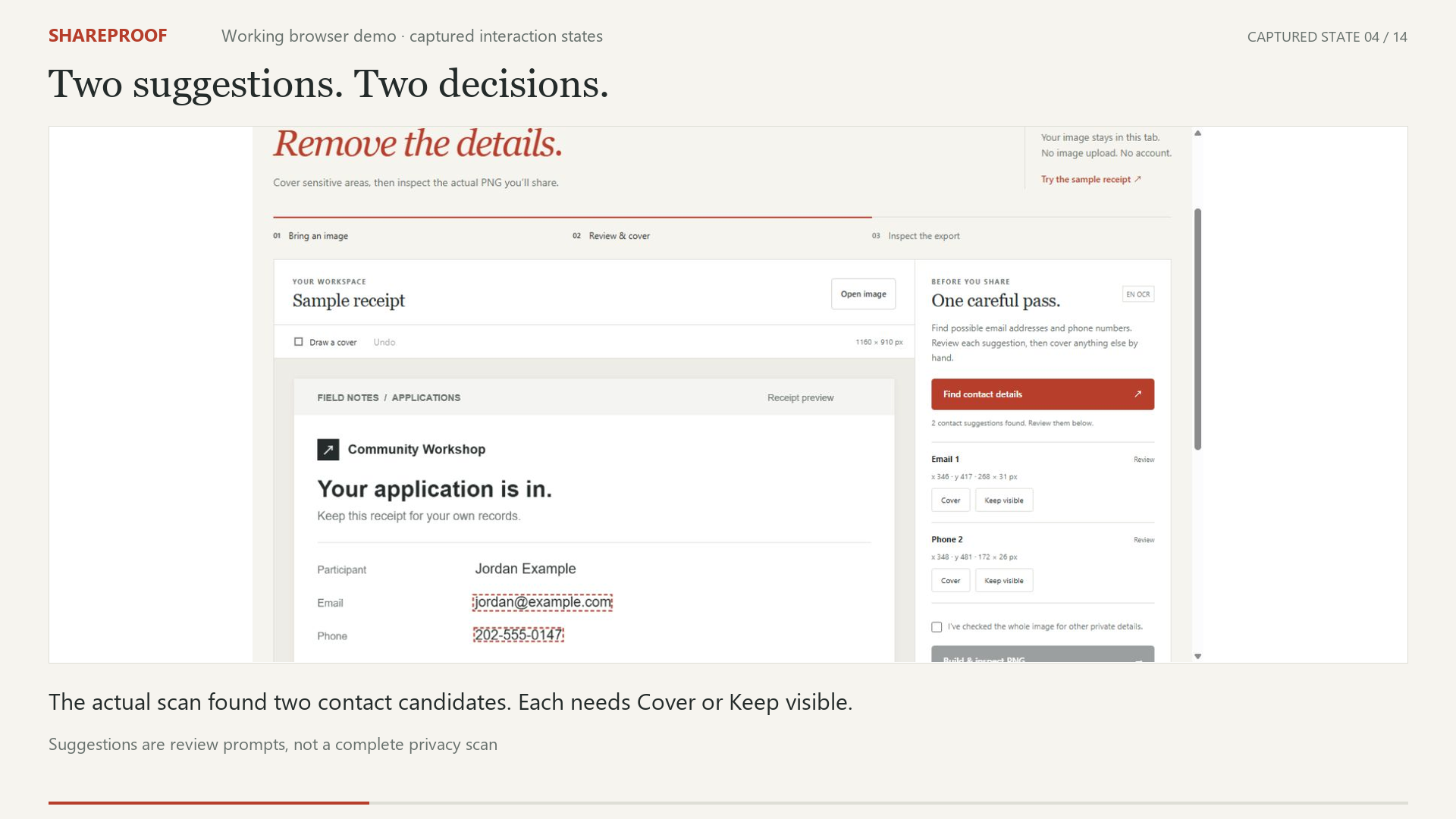
Local OCR proposes contact regions; each suggestion needs an explicit review decision.
Inspiration
An application receipt can show a successful submission and expose someone's contact details in the same image. Cropping may remove the confirmation; a quick cover can leave uncertainty about the exported file.
ShareProof focuses on that small but consequential moment before sharing. It is intended for students, applicants and people posting software screenshots who want to preserve useful context while choosing which details remain visible.
What it does
Open a PNG, JPEG or WebP image, or try the fictional sample receipt. Local English OCR suggests possible email and phone regions. Each suggestion needs a decision: cover it or deliberately keep it visible. Names, addresses and other details can be covered with a drawn rectangle or coordinate controls.
After a full-image visual review, the app builds a fresh PNG, removes unnecessary ancillary chunks and decodes the final bytes again. Every pixel inside each selected cover must match its solid, fully opaque fill. The preview shows that decoded output, and the download uses those same inspected bytes.
A JSON note records the file's SHA-256, dimensions, selected regions and inspection results. It excludes recognized contact text and the original filename. Changing an image or cover invalidates the previous inspection.
How it was built
ShareProof was created during the competition period. The official Devpost Learn Skill Pack structured its scope, requirements, specification and verification. OpenAI Codex assisted implementation and documentation; the repository includes the project documents.
The interface uses HTML, CSS, JavaScript and Canvas. Tesseract.js supplies pretrained English OCR in a browser worker. Its scripts, WebAssembly cores and language model are bundled with the app; recognition uses no remote model API. The application makes no image-upload request and keeps review state in the current tab. Third-party code and model licenses are retained separately from the project's MIT license.
Build lessons
The hardest boundary was between what the editor shows and what the file contains. Inspection therefore happens after PNG encoding and sanitization. Tests check fractional rectangle edges, overlapping covers, exact color and alpha values, metadata removal and malformed PNG rejection.
Asynchronous work needed another boundary: an old image load or inspection must not overwrite a newer review. Version checks, locked controls and cancelled drawing gestures keep those states aligned.
OCR also has a deliberately limited role. It proposes regions; the owner decides. Missed details remain a reason for manual review, and an OCR failure leaves the hand-cover tools available.
Verification and next steps
All 12 core tests pass. In a real browser run, OCR found the synthetic receipt's email and phone regions; both were covered, followed by a manual name cover. Independent decoding verified all 27,480 selected pixels in the 1160 × 910 exported PNG. Its hash matched the note, checksums were valid, and only IHDR, IDAT and IEND chunks remained.
That result verifies one sample and its selected covers, rather than complete detection of private information. Next steps are Korean OCR, measured user testing and broader suggestion types. PDF redaction and complete anonymization remain outside this build.
Built With
- css3
- html5
- javascript
- tesseract.js

Log in or sign up for Devpost to join the conversation.