Inspiration
Our team saw the challenge for Adobe Express and wanted to give it a go. None of us had ever heard of it before, but we quickly came to love it for how awesome it was. Being able to quickly make great looking designs was a fantastically fun process, but we soon found it lacked the ability to quickly and swiftly make some more custom and abstract shapes we desired. Instead of using longer workarounds or giving up entirely, we created ShapeShiftr out of a desire to improve the experience for everyone.
What it does
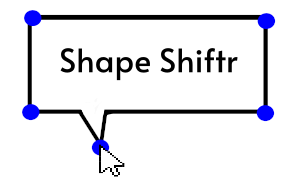
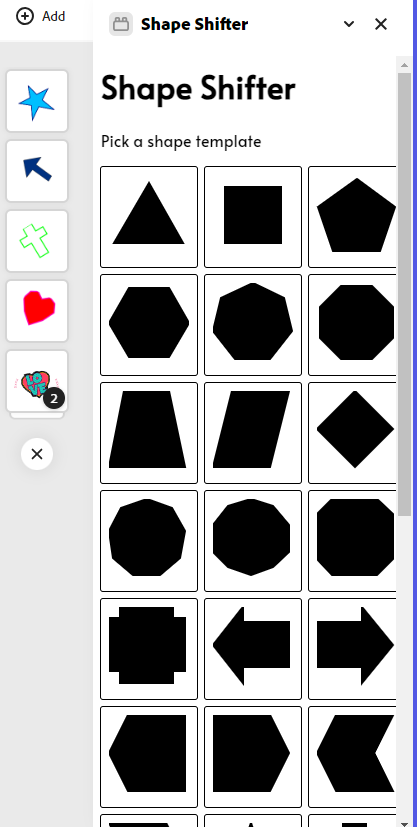
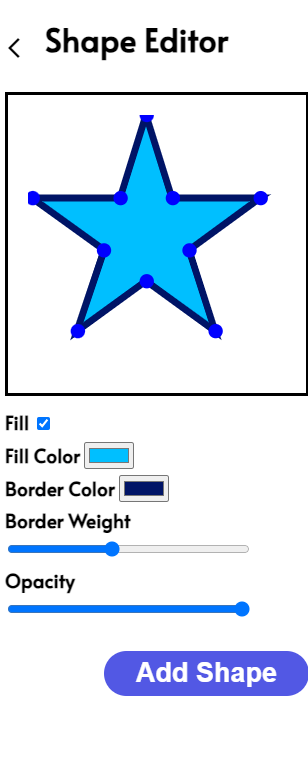
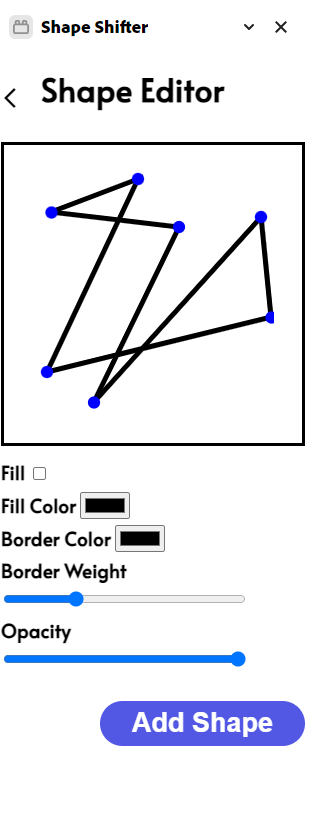
ShapeShiftr easily allows anyone to create custom shapes for usage with Adobe Express. It adds a simple and intuitive user interface that allows for anyone to make the shape they need. Simply pick the base shape, drag the points to turn it into what you need, adjust any parameters, and click “Add Shape” to instantly add it to your Adobe Express project!
How we built it
Development was simple as Adobe Express makes it super simple to develop add-ons. Our project used Javascript and HTML to create a fun and snappy add-on with all the features you need.
Challenges we ran into
Working with Adobe Express had a bit of a learning curve to it. It was our first time using it, and on top of that, it was our first time developing an extension for anything. Learning to work and integrate with an existing product took a while to get used to, but the results truly paid off!
Accomplishments that we're proud of
We’re super excited that we were able to add a feature that Adobe Express was missing. It seems almost like a trivial thing, but being able to quickly make our own custom shapes made the process of creating unique designs in Adobe Express so much more fun and interesting. We know we’ll keep using it for our future work in Adobe Express, and we hope others can find as much utility in it as we do!
What we learned
Most developers don’t think about images. They’re just something we take for granted. So it was very difficult to learn how to work with them on the scale that we did. It was much more than simply displaying images, as there was a user interaction component to it. Having to make it easy to interact with these was very difficult. Let us tell you, we had several versions where edits you made did not work as you would expect. But we were able to overcome this, and now we are able to take this experience into future projects.
What's next for ShapeShiftr
ShapeShiftr excels at geometric shapes. If it has straight lines, we have you covered. However, curves are a bit more of a challenge. In our next version of ShapeShiftr, we plan to add support of curved shapes. No longer will ovals be out of grasp!
Built With
- adobe-express
- css
- html
- java
- javascript
- node.js


Log in or sign up for Devpost to join the conversation.