-
-
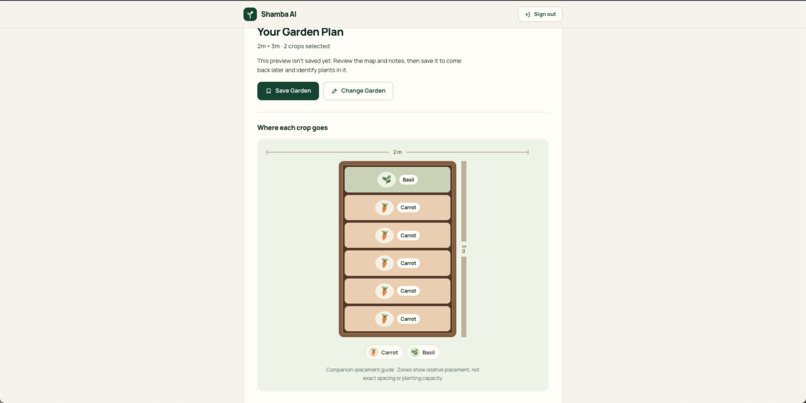
Generating Garden Plan
-
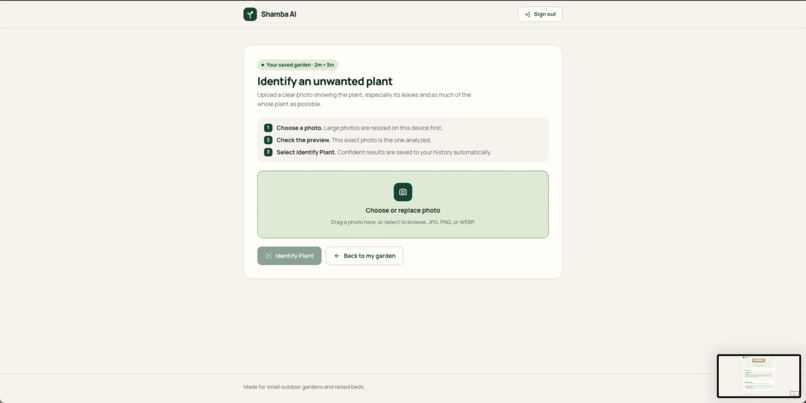
Identify seeds form
-
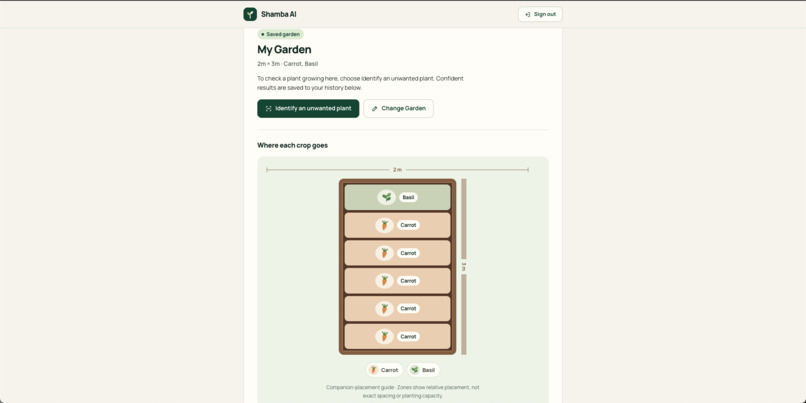
Garden Plan
-
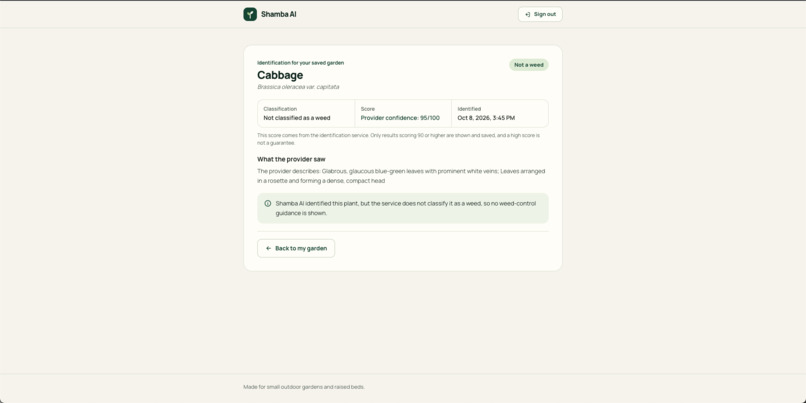
Identifying seed details page
-
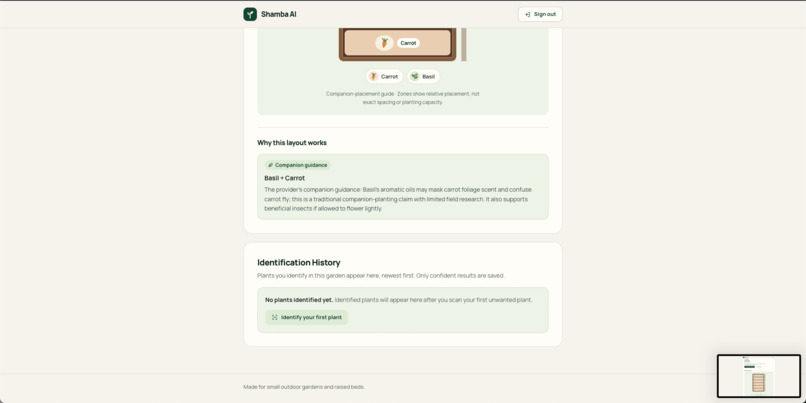
Garden Plan description
-
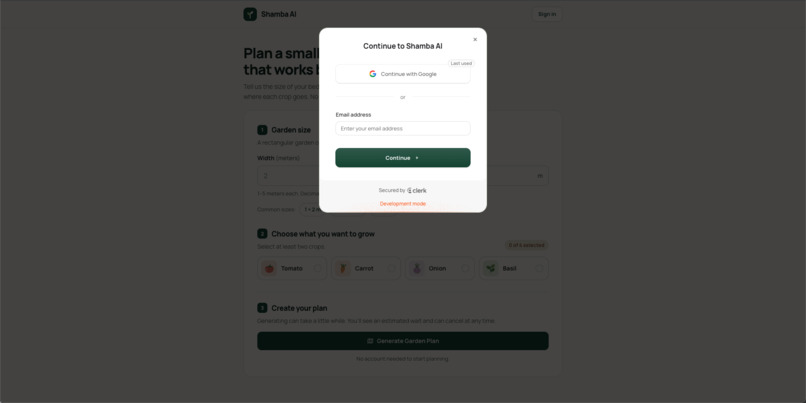
Sign in modal
-
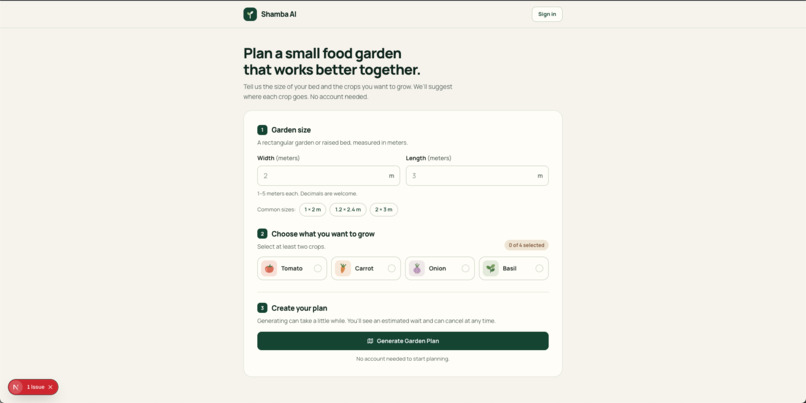
Landing page
-
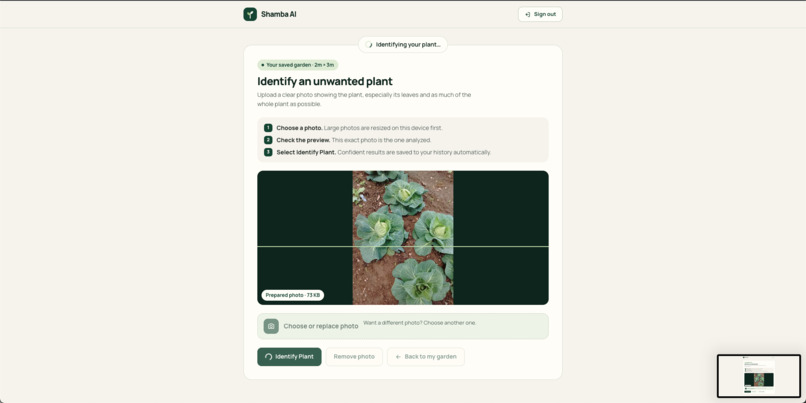
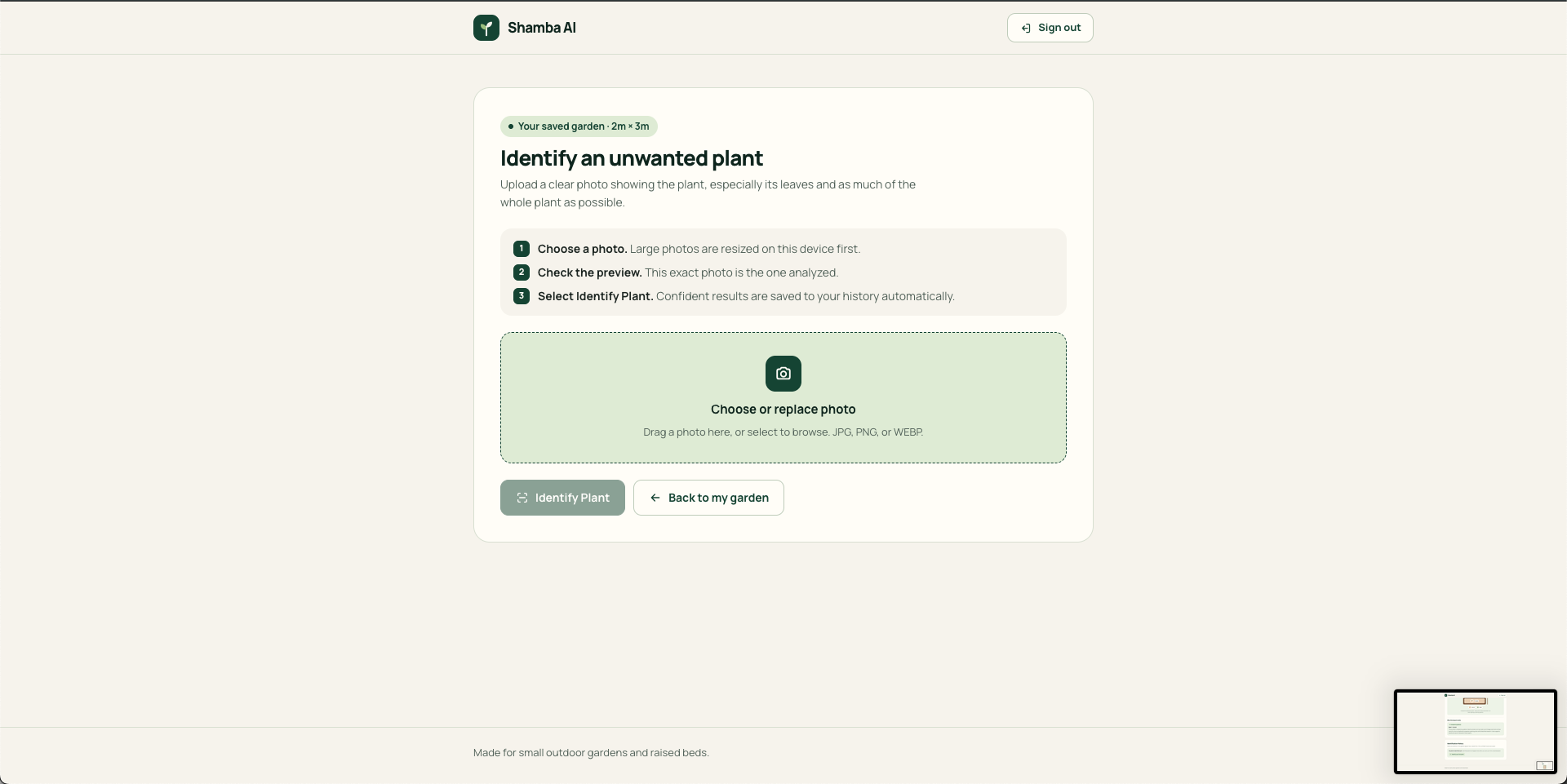
Scaning image for identifying seed
-
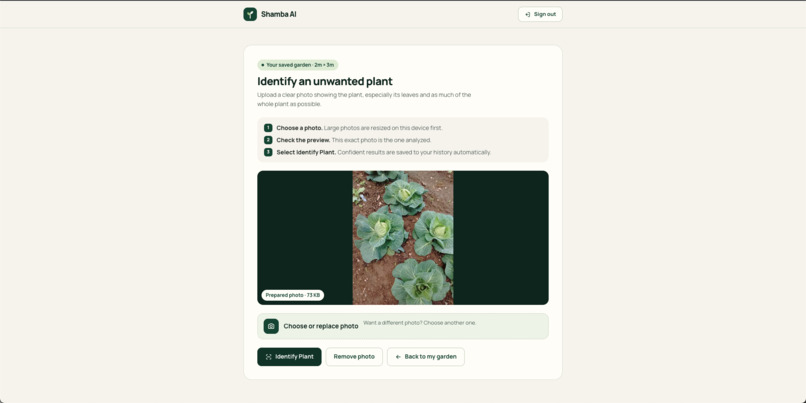
Identify seed add image
-
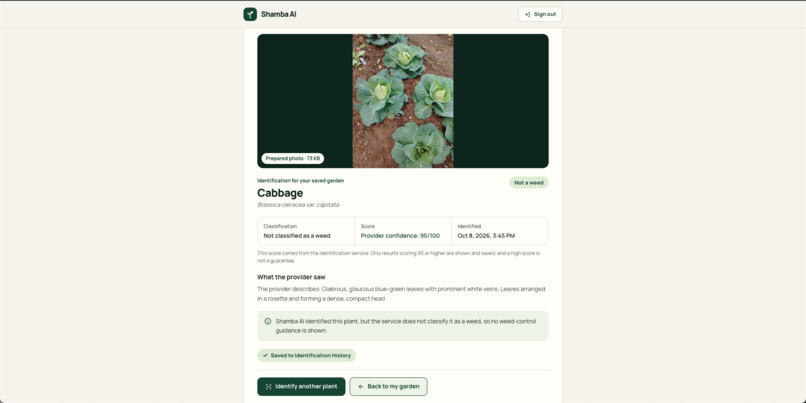
Identifying seed result
Inspiration
Growing your own food can be challenging, especially for beginners who have limited gardening space and little experience.
Many people want to grow vegetables at home but do not know which crops grow well together, how to organize their garden, or how to identify unwanted plants that may affect their crops.
I wanted to make gardening easier by combining artificial intelligence with a simple, beginner-friendly platform.
That inspired me to build Shamba AI, a smart gardening assistant that helps people plan small food gardens, understand companion planting, and identify unwanted plants using photos.
My goal is to make useful gardening knowledge more accessible and help people grow their own food with greater confidence.
What Shamba AI does
Shamba AI is an AI-powered gardening assistant that helps beginners plan and manage small food gardens.
The platform provides three main features:
1. Smart Garden Planning
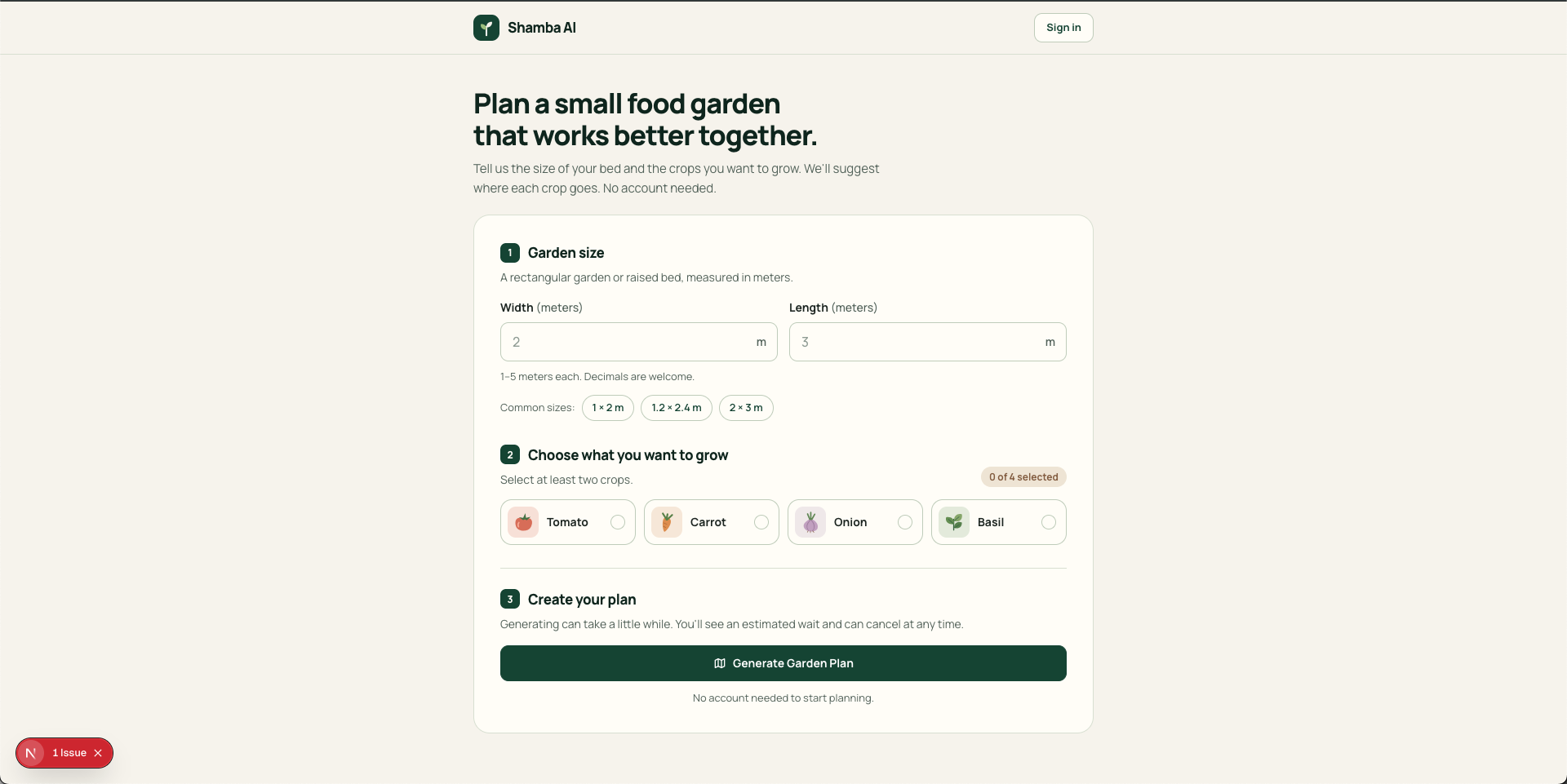
Users enter their garden's width and length and select the crops they want to grow, such as tomatoes, carrots, onions, or basil.
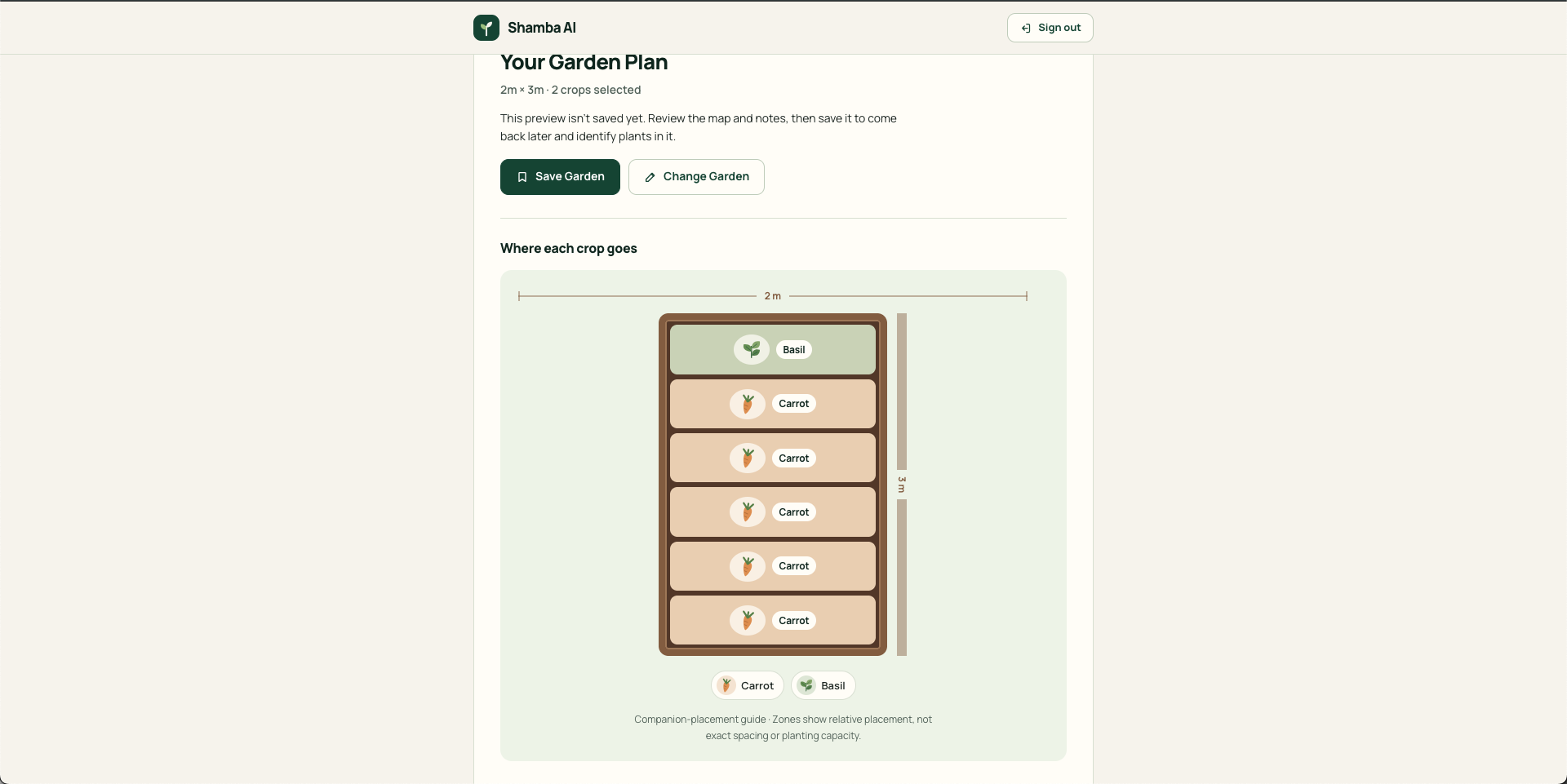
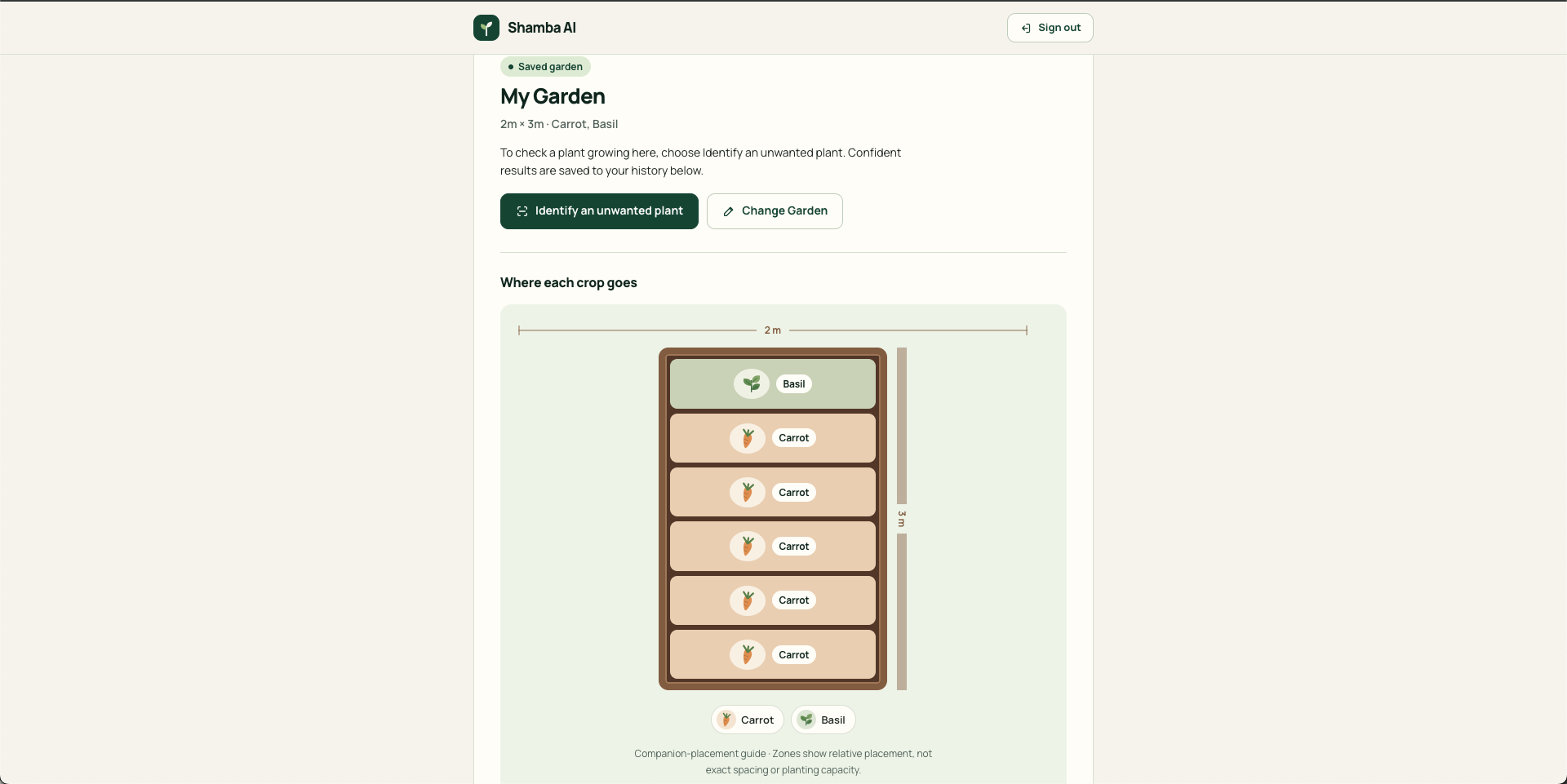
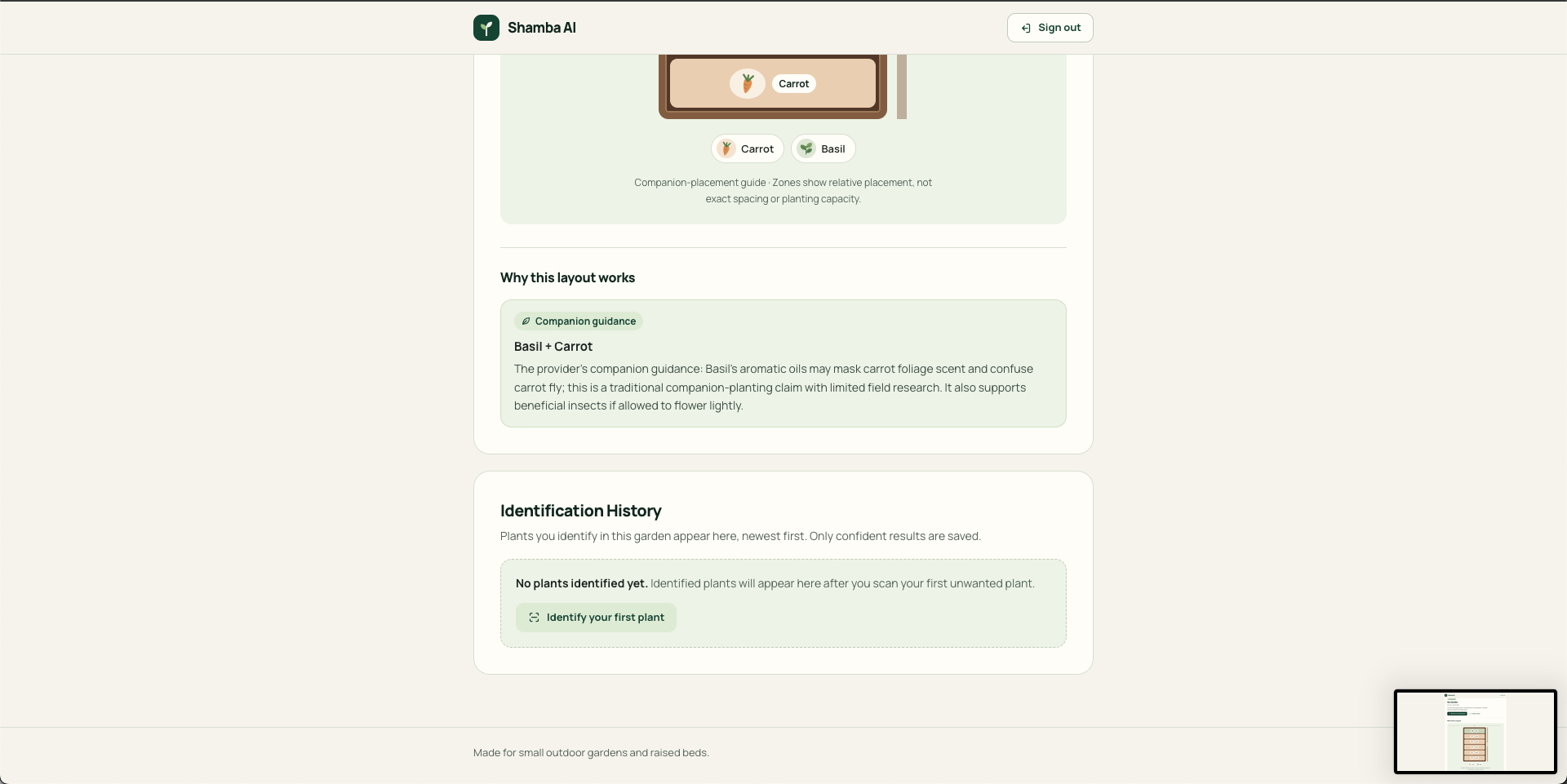
Shamba AI uses a companion planting API to generate a visual garden layout showing how selected crops can be arranged. It also explains which crops grow well together and highlights potential planting conflicts.
2. AI-Powered Plant and Weed Identification
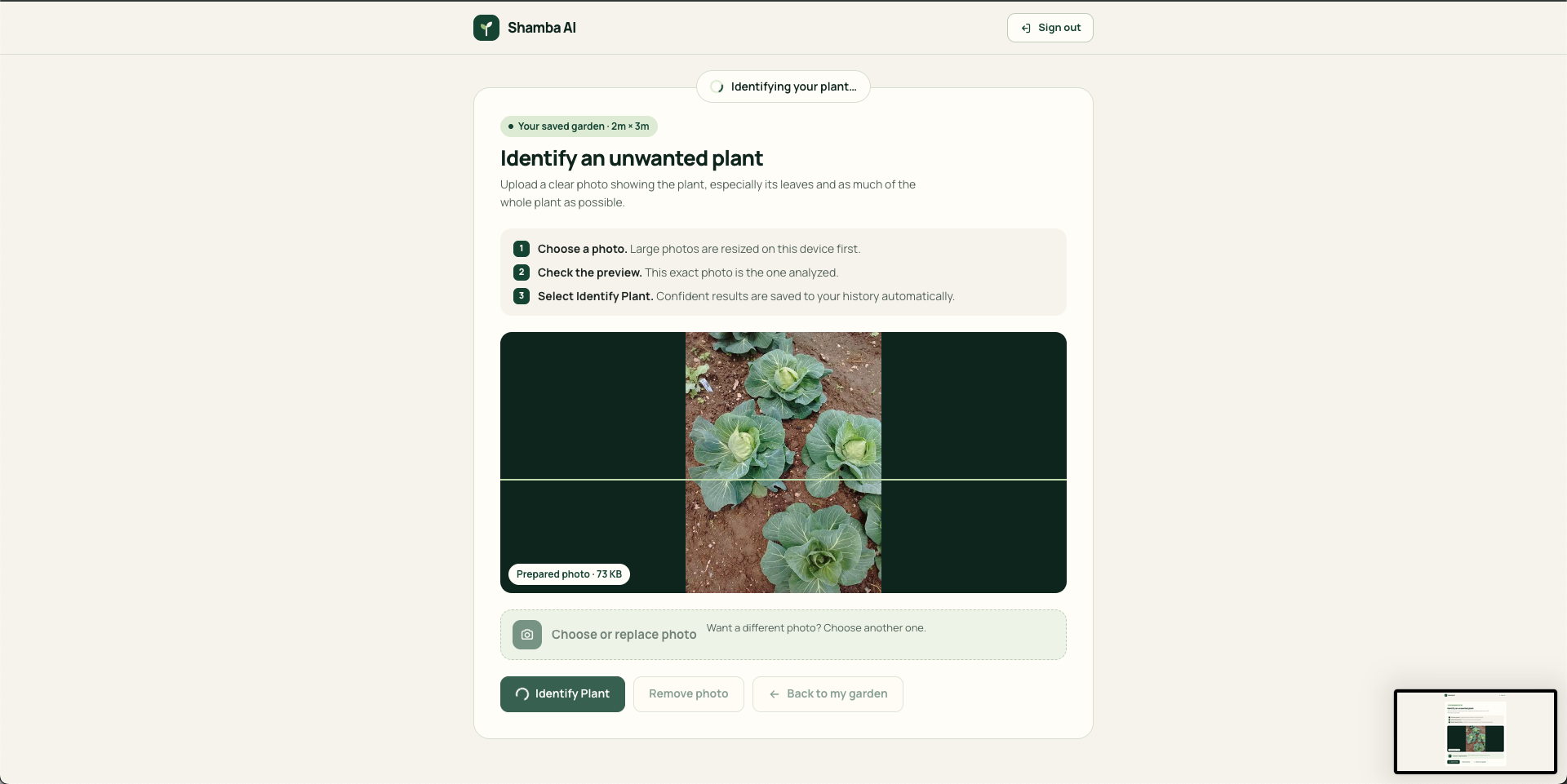
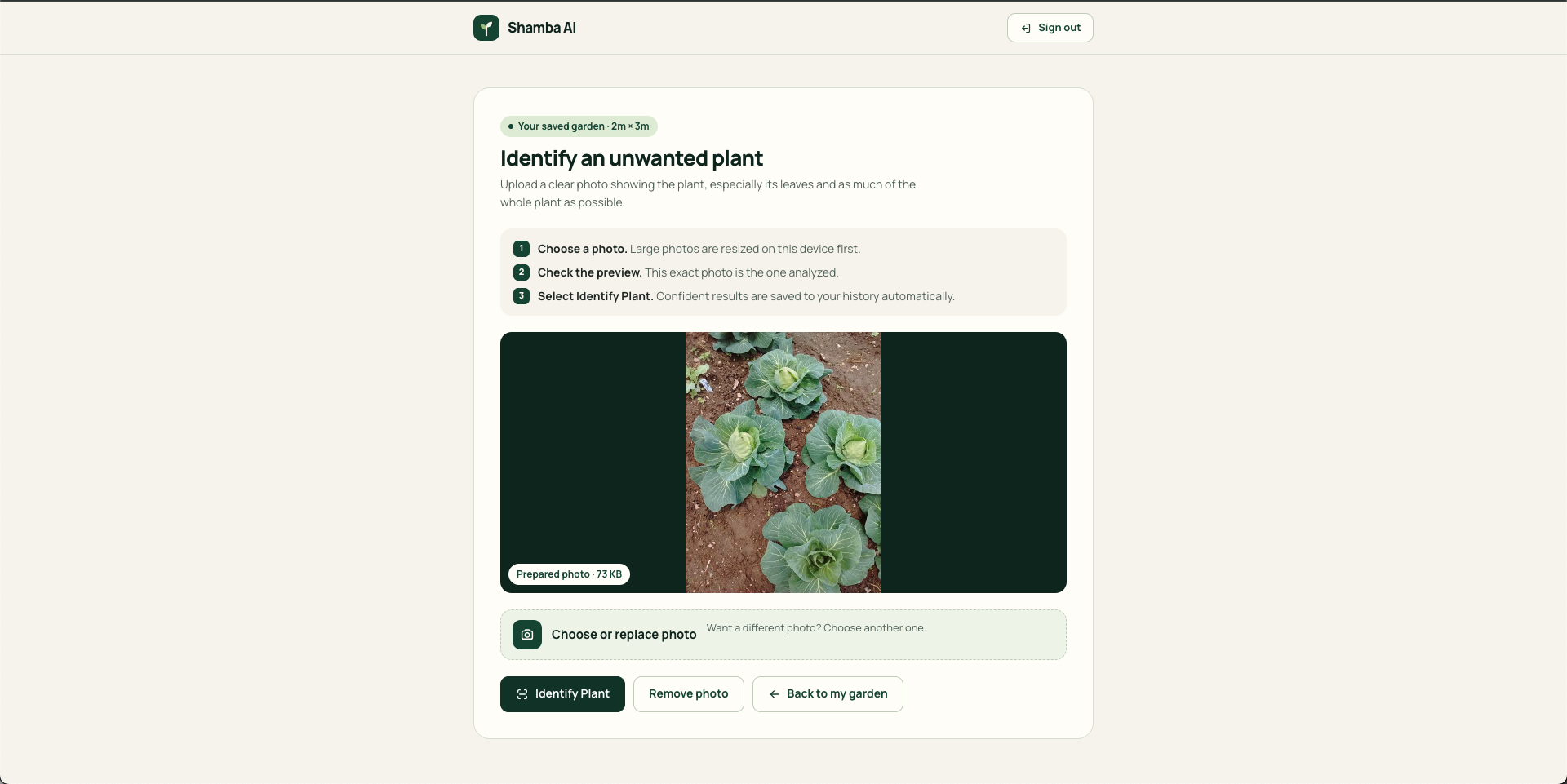
Users can upload a photo of an unwanted plant growing in their garden.
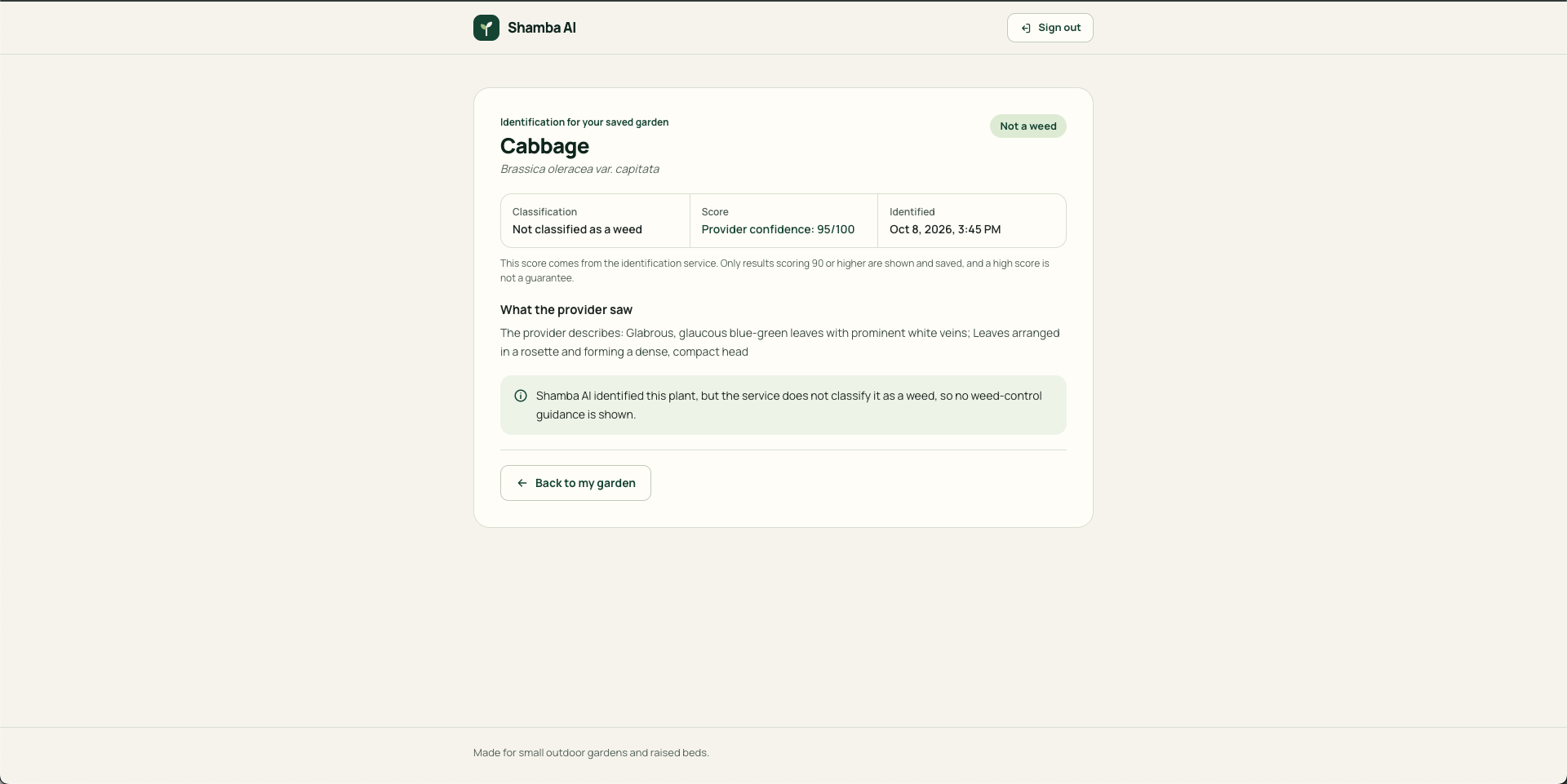
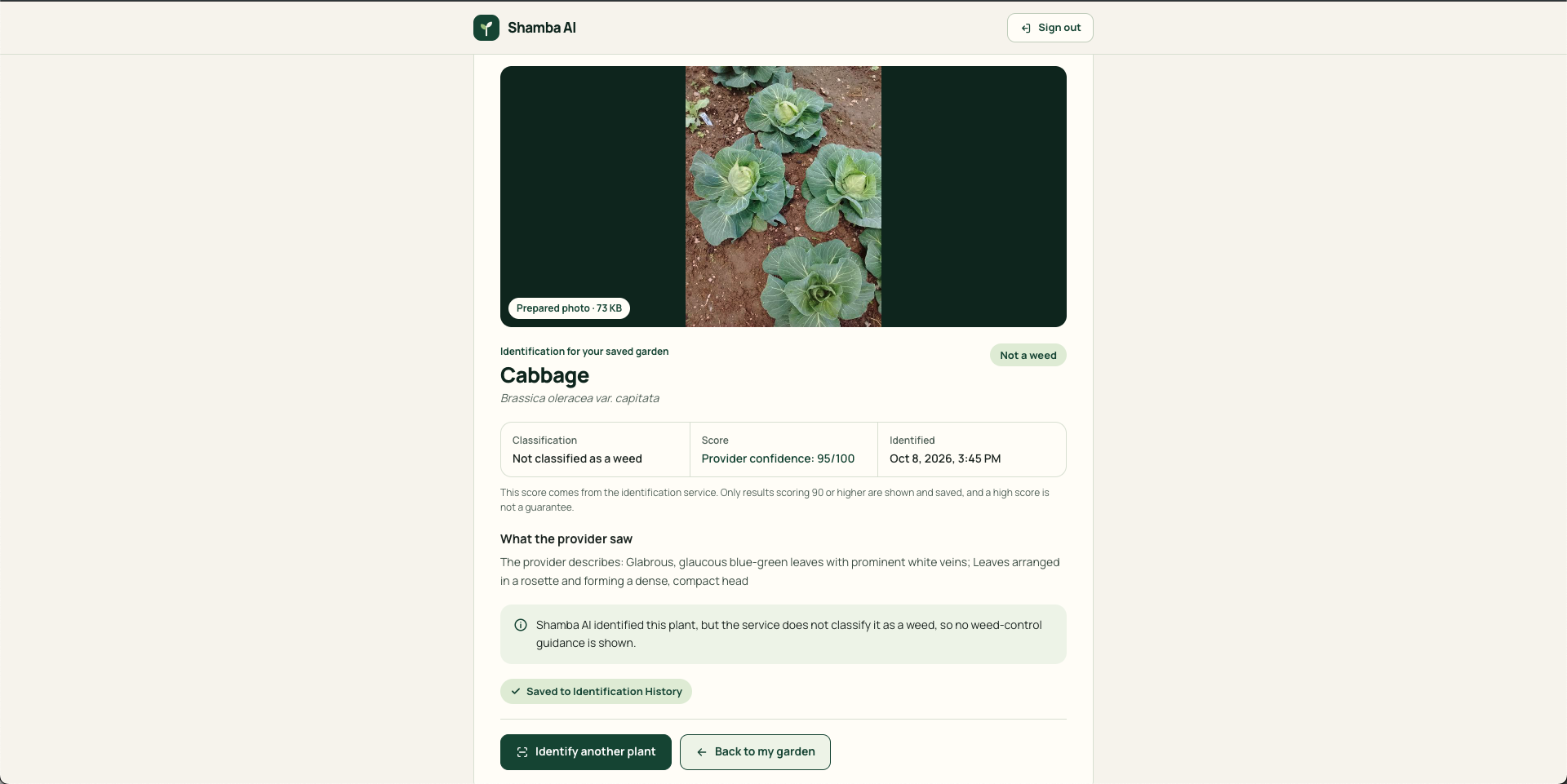
Shamba AI analyzes the image and provides the plant's name, whether it is classified as a weed, an identification confidence score, and an explanation.
When suitable guidance is available, the platform also provides practical information about managing the identified weed.
3. Personal Garden Management
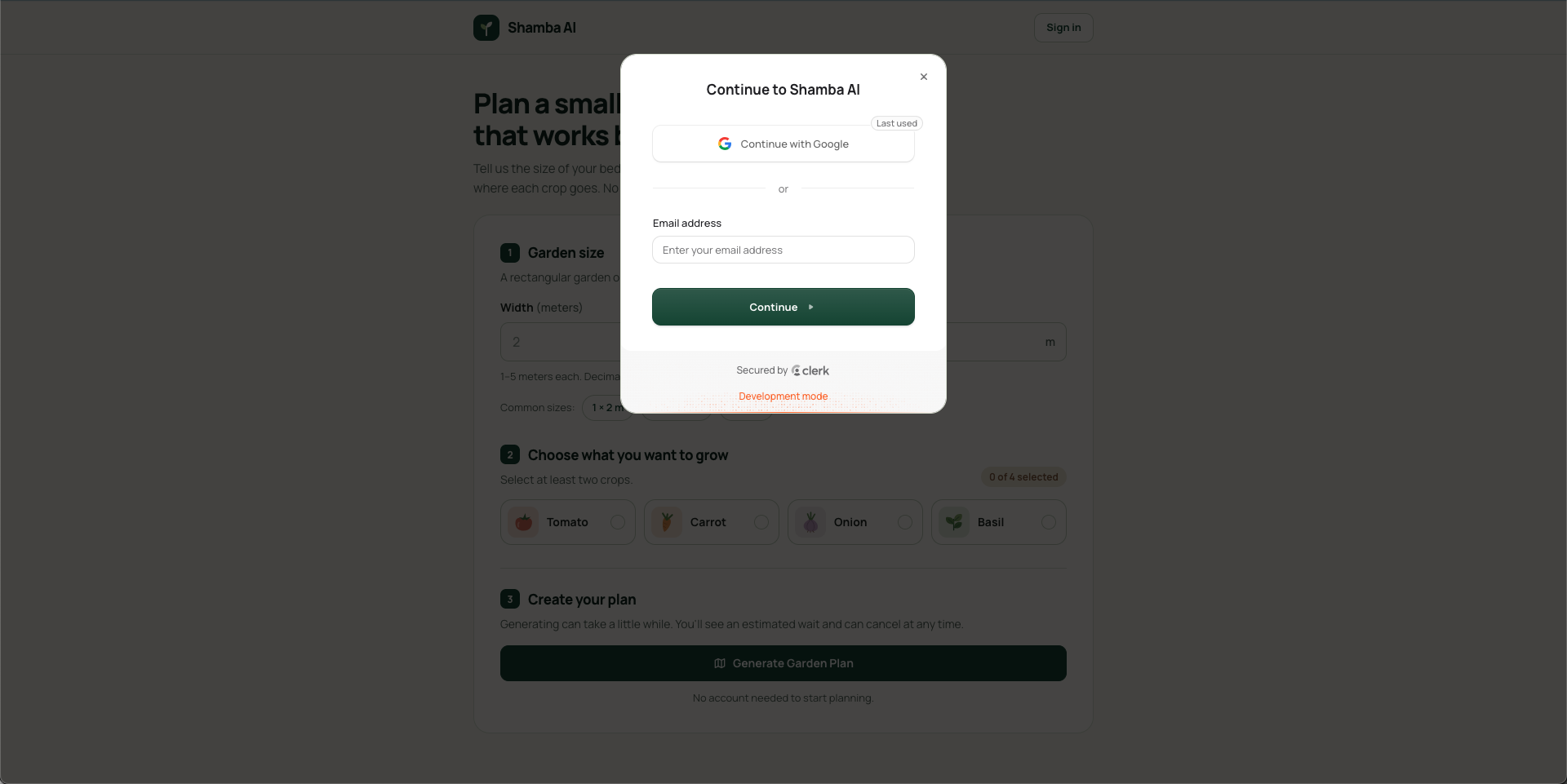
Users can create an account to save their garden plans and access them later.
The platform also saves confidently identified plants in an identification history, allowing users to review previous results without uploading the same photos again.
The entire experience is designed to be simple, visual, and accessible on both mobile phones and computers.
How I built it
I built Shamba AI using modern web technologies and external AI-powered APIs.
Frontend and Backend
I used Next.js with TypeScript to build both the frontend and backend within a single application.
Next.js App Router handles the application's pages and navigation, while Route Handlers manage API requests, input validation, and communication with external services.
For the interface, I used CSS Modules for component styling and GSAP for lightweight animations. I focused on creating a clean, responsive design that feels natural and easy to use.
AI and API Integration
I integrated two services through RapidAPI:
- Companion Planting API: Generates planting recommendations and information about compatible crops.
- Weed Identification API: Analyzes uploaded plant images and returns identification results.
These APIs are accessed through the Next.js backend to keep API credentials secure.
I also used Zod to validate inputs and API responses before presenting information to users.
Authentication and Database
I integrated Clerk for user authentication, allowing users to sign up, sign in, and securely access their gardens.
For data storage, I used Neon PostgreSQL together with Prisma ORM to manage garden plans and plant identification history.
Testing and Reliability
I used Vitest and React Testing Library to test important functionality, including garden planning, authentication-related workflows, plant identification, and data handling.
The project currently has 104 passing automated tests, along with successful linting, type checking, and production build verification.
Challenges I faced
Building Shamba AI involved several technical and product challenges.
1. Turning API Responses Into Visual Garden Layouts
One of the biggest challenges was converting companion planting information into a clear visual garden layout.
The API provides planting recommendations, but displaying those recommendations in a way that beginners can understand required additional logic.
I developed a layout system that organizes selected crops into labeled garden sections while maintaining the proportions of the user's garden.
I also had to handle planting conflicts carefully so the platform would not display misleading recommendations.
2. Handling Uncertain AI Results
AI-powered plant identification does not always produce reliable results.
I needed to prevent the application from presenting uncertain identifications as confirmed facts.
To address this, I implemented validation rules that check identification confidence and supporting evidence.
Only results meeting the application's confidence requirements are automatically saved. Uncertain results are clearly communicated to users.
3. Managing Large Image Uploads
Users may upload photos taken with modern smartphones, which can be too large for some API requests.
I implemented browser-based image resizing and compression to reduce file sizes while preserving useful image detail.
This helped make the identification feature more practical without requiring permanent photo storage.
4. Protecting Saved Garden Data
Another challenge was making sure users could update their gardens without accidentally losing information.
I implemented confirmation steps and database transactions to ensure garden replacements are handled safely.
I also added safeguards to prevent duplicate identification records and to ensure that identification history belongs to the correct user and garden.
5. Building a Simple User Experience
Although the platform uses several technologies, I wanted the experience to remain easy for someone with no technical or gardening knowledge.
I had to balance useful information with a clean interface, especially when displaying planting recommendations, identification results, and warnings.
What I learned
Building Shamba AI taught me several important lessons about software development, artificial intelligence, and product design.
1. AI Integration Requires More Than Connecting an API
I learned that integrating an AI-powered service is only the beginning.
A reliable application must validate responses, handle unexpected results, communicate uncertainty, and protect users from misleading information.
2. Planning Before Coding Makes Development Easier
I learned the importance of defining the problem, identifying the essential features, and breaking development into smaller stages.
Instead of building everything at once, I worked on garden planning first, followed by user accounts and saved gardens, and finally plant identification.
This approach made development easier to manage and test.
3. Database Reliability and Security Matter
Working with Clerk, Prisma, and Neon PostgreSQL helped me improve my understanding of authentication, database relationships, transactions, and secure data management.
I also learned how to protect API keys and keep sensitive operations on the server.
4. Good Design Makes Technology Accessible
I learned that a useful AI application does not need to feel complicated.
Simple forms, visual explanations, clear feedback, and responsive interfaces can make advanced technology easier for beginners to use.
5. Testing Is an Important Part of Building Reliable Products
Writing automated tests helped me identify potential problems early and verify that important features continued working as the project evolved.
Most importantly, building Shamba AI showed me how technology can help solve everyday problems.
This project strengthened my full-stack development skills and gave me more experience building practical applications with AI-powered services.
My long-term vision is to continue improving Shamba AI into a more helpful gardening companion that makes growing food easier and more accessible, especially for people with limited space, resources, or gardening experience.

Log in or sign up for Devpost to join the conversation.