-
-
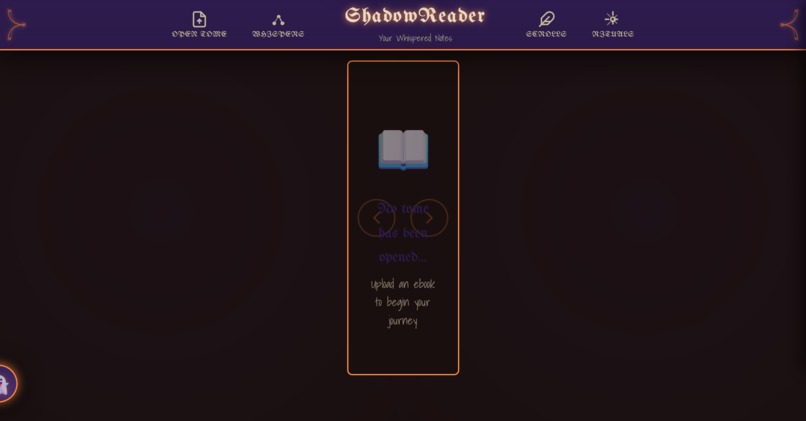
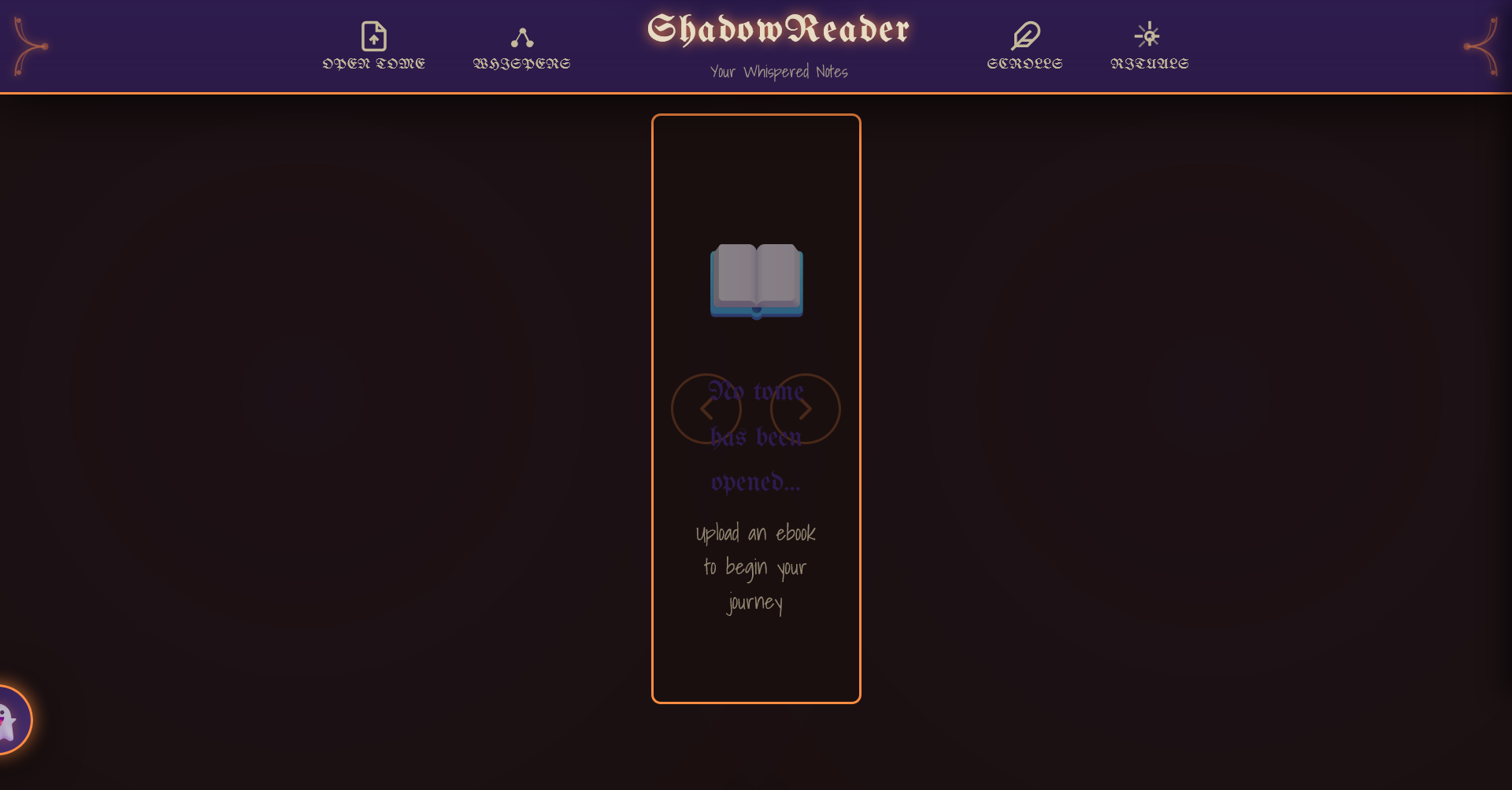
Initial screen
-
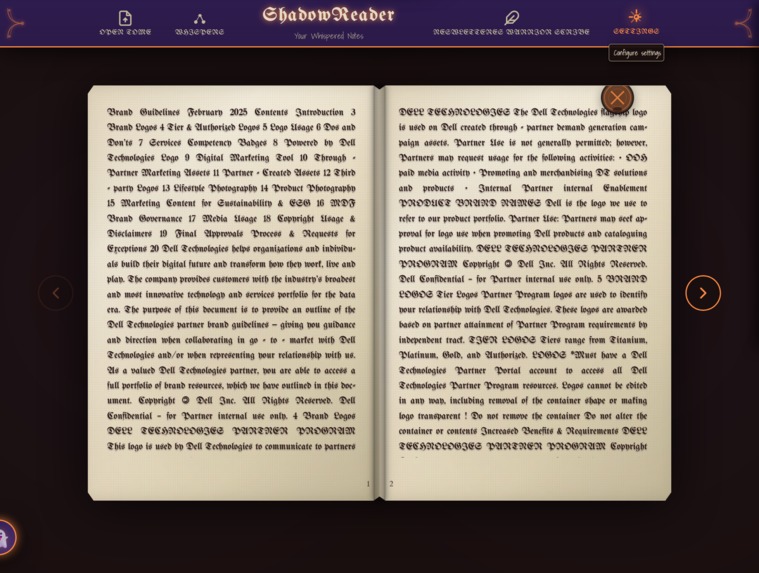
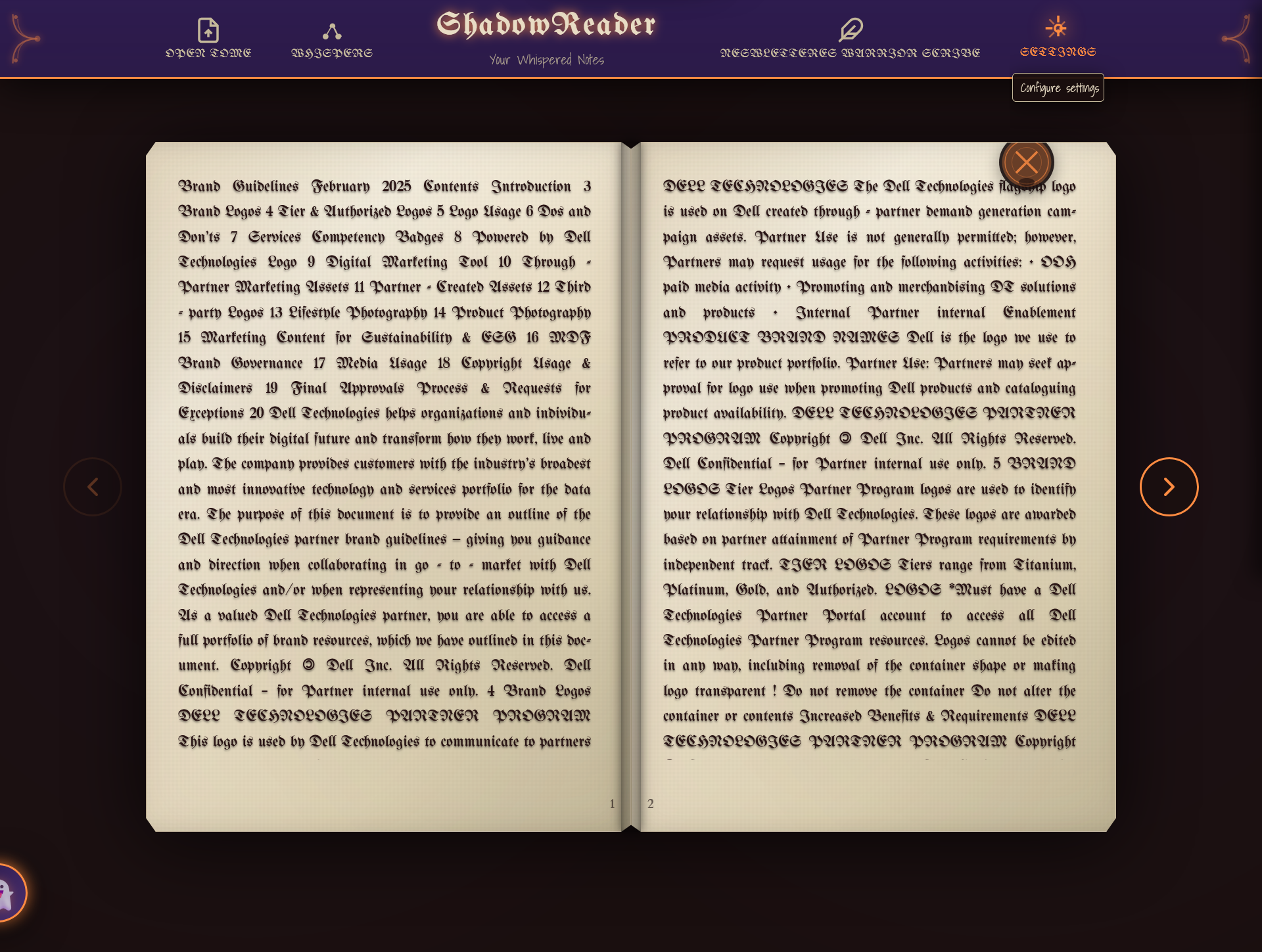
Reading area
-
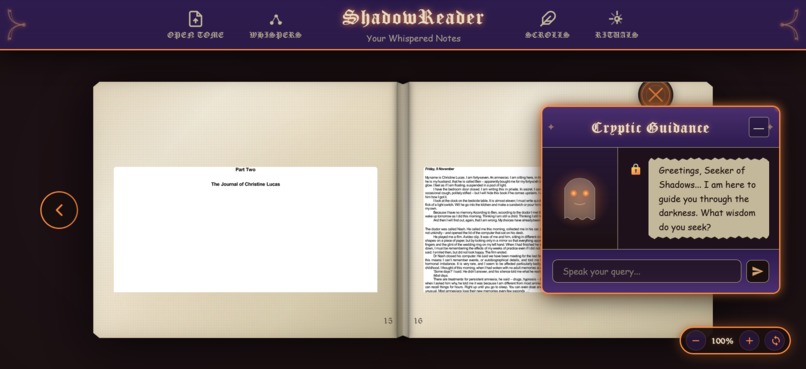
Ghost assistant to answer queries

Inspiration
Reading should be more than just consuming text—it should be an experience. We wanted to create an ebook reader that doesn't just display books but transports readers into a gothic, atmospheric world.

The inspiration came from classic horror literature and the desire to make digital reading feel more tangible and immersive, like holding an ancient tome in a candlelit library. We asked ourselves: "What if your ebook reader felt like discovering a mysterious book in a haunted mansion?"

Traditional ebook readers are functional but uninspiring. They lack personality, atmosphere, and the tactile experience of holding a real book. We set out to change that.
What it does
ShadowReader is a fully-featured web-based ebook reader with a gothic horror theme that provides:

📚 Multi-format Support: Read PDF, EPUB, and TXT files with full image support

🎨 Immersive Interface: Gothic-themed UI with parchment textures, ornate decorations, and realistic 3D page-flip animations

📝 Smart Notes System: Highlight text and create notes with ethereal visual effects. All notes are saved locally and organized by page.

👻 Ghost Assistant: Interactive AI companion that provides cryptic guidance and help with a personality that matches the gothic theme

🕯️ Atmospheric Effects: Animated candles, fog, ghost silhouettes, and floating particles that create an immersive reading environment

⚙️ Customizable Experience: Three gothic themes (Classic, Midnight, Crimson), adjustable horror intensity, and performance settings

🔌 Offline-First: Works completely offline once libraries are installed—no internet required for reading

♿ Fully Accessible: Complete keyboard navigation, screen reader support, ARIA labels, and WCAG 2.1 AA compliance

📱 Responsive Design: Seamless experience across desktop, tablet, and mobile devices

⚡ Performance Optimized: Adaptive quality system that maintains 60 FPS by automatically adjusting effects based on device capabilities
How we built it
ShadowReader is built using a modern component-based architecture with vanilla JavaScript ES6 modules—no frameworks, no build tools, just pure web technologies.
Technology Stack: • Frontend: Vanilla JavaScript (ES6+), HTML5, CSS3 • Libraries: PDF.js for PDF rendering, EPUB.js for EPUB parsing • Storage: LocalStorage API for persistent data • APIs: File API, Canvas API, Web Animations API, Intersection Observer
Architecture: We implemented a clean component-based architecture with three core systems:
- AppController: Main application orchestrator that manages lifecycle and initialization
- StateManager: Centralized state management with LocalStorage persistence
- EventBus: Pub/sub event system for decoupled component communication
Key Technical Achievements:
Zero Build Tools: Pure vanilla JavaScript with ES6 modules—no webpack, no npm build step, no transpilation. This makes the project incredibly accessible and easy to understand.
Component Architecture: Each UI element (ReadingArea, NotesSidebar, GhostAssistant, SettingsModal) is an independent module that communicates via the EventBus, making the code maintainable and extensible.
Performance Optimization: We implemented hardware-accelerated CSS animations, automatic effect reduction when FPS drops below 30, and lazy loading for parsers and effects.
Offline Support: Complete offline functionality with local library caching. Users can download PDF.js and EPUB.js once and never need internet again.
Accessibility First: Built with WCAG 2.1 AA compliance from day one, including full keyboard navigation, screen reader support, focus management, and semantic HTML.
The entire application follows modern design patterns (separation of concerns, single responsibility, event-driven architecture) without relying on any frameworks, proving that vanilla JavaScript is powerful enough for complex applications.
Challenges we ran into
PDF/EPUB Rendering Without Build Tools Integrating PDF.js and EPUB.js without a build system required careful script loading and CORS handling. We had to implement a fallback system that tries local libraries first, then CDN, with proper error handling.
Performance Balance Creating rich atmospheric effects (particles, fog, candles) while maintaining 60 FPS was challenging. We solved this by implementing a performance monitoring system that tracks FPS and automatically reduces effect quality when performance drops.
Text Selection Across Formats Implementing note-taking across different file formats (especially PDFs rendered on canvas) required custom selection handling. Each format needed different approaches to capture and restore text selections.
3D Page Flip Animation Making the page-flip animation work smoothly across different screen sizes and devices required extensive CSS optimization and hardware acceleration. We used CSS transforms and will-change hints to achieve smooth 60 FPS animations.
State Management Without Frameworks Building a robust state management system without Redux or similar libraries required careful planning. We implemented our own StateManager with immutable updates, change notifications, and LocalStorage persistence.
Offline Reliability Ensuring all features work without internet after initial setup required careful dependency management and fallback strategies. We created download scripts for Windows and Mac/Linux to simplify offline setup.
Accessibility in Atmospheric UI Balancing the gothic aesthetic with accessibility requirements was tricky. We had to ensure all decorative elements were properly hidden from screen readers while maintaining full keyboard navigation and ARIA support.
Accomplishments that we're proud of
✨ Zero Dependencies for Core Functionality
Built entirely with vanilla JavaScript—no React, no Vue, no Angular. This proves that modern web APIs are powerful enough for complex applications.

🎨 Unique Immersive UX
Created an ebook reader that makes reading feel like an experience, not just a task. The gothic atmosphere is consistent, polished, and genuinely immersive.

♿ Full Accessibility
Achieved WCAG 2.1 AA compliance with complete keyboard navigation, screen reader support, and proper ARIA labels. Accessibility was a priority from day one, not an afterthought.

📱 True Responsive Design
Works beautifully on mobile, tablet, and desktop with adaptive layouts and touch-friendly controls. The same codebase serves all devices.

🔌 Complete Offline Support
Once set up, works entirely offline with no internet required. Perfect for privacy-conscious users or those with limited connectivity.

⚡ Adaptive Performance
Automatically adjusts visual quality based on device capabilities, ensuring smooth performance on everything from high-end desktops to budget tablets.

🏗️ Clean Architecture
Implemented a maintainable component-based architecture with clear separation of concerns, making the codebase easy to understand and extend.

🎭 Polished Details
Every interaction has been carefully crafted—from the wax seal close buttons to the ethereal note highlights to the ghost assistant's glowing eyes.

📚 Multi-Format Support
Successfully integrated PDF.js and EPUB.js to support multiple ebook formats with a consistent reading experience.

🚀 Production Ready
Not just a prototype—this is a fully functional, polished application ready for real-world use.
What we learned
Vanilla JavaScript is Powerful
Modern ES6+ features (modules, classes, async/await, destructuring) make complex applications possible without frameworks. We learned that frameworks are tools, not requirements.

Performance Requires Constant Attention
Rich visual effects demand careful optimization. We learned to use hardware acceleration, monitor FPS, implement adaptive quality, and profile performance continuously.

Accessibility Makes Better UX for Everyone
Building with accessibility from the start created better UX for all users. Keyboard navigation, clear focus indicators, and semantic HTML benefit everyone, not just users with disabilities.

Component Architecture Transcends Frameworks
Good design patterns (separation of concerns, single responsibility, pub/sub) work regardless of framework choice. The EventBus pattern proved incredibly powerful for decoupled communication.

State Management is About Discipline
Without a framework enforcing patterns, we learned the importance of discipline in state management. Immutable updates, centralized state, and clear data flow are essential.

User Experience is Holistic
Every detail matters—from error messages to loading states to animation timing. The overall experience is the sum of countless small decisions.

Offline-First is Achievable
Building for offline use from the start is easier than retrofitting it later. LocalStorage and careful dependency management make offline apps practical.

CSS is Incredibly Powerful
Modern CSS (Grid, Flexbox, custom properties, animations) can create complex layouts and effects without JavaScript. We learned to leverage CSS first, JavaScript second.

Testing Across Devices is Essential
What works on a desktop doesn't always work on mobile. Regular testing on real devices caught issues that simulators missed.

Documentation is Development
Good documentation (README, code comments, JSDoc) makes development faster and easier. It's not extra work—it's essential work.
What's next for ShadowReader
Short-Term Features (Next 3 months):
• Atmospheric soundscapes with ambient audio
• Library management for organizing ebook collections
• Advanced bookmarks with multiple bookmarks per book
• Reading statistics (time spent, pages read, progress tracking)
• Export/import functionality for notes and settings

Medium-Term Features (3-6 months):
• Custom theme creator for user-designed color schemes
• Progressive Web App (PWA) support for installation
• Cloud sync (optional) for notes and settings
• Text-to-speech with atmospheric voice effects
• Reading modes (focus mode, speed reading, night mode)
• Annotation tools (drawing, highlighting colors)

Long-Term Vision (6-12 months):
• Mobile apps (iOS/Android) using Capacitor
• WebAssembly for faster PDF rendering
• WebGL effects for even richer visuals
• Plugin system for community extensions
• Social features (book clubs, shared notes)
• Integration with ebook stores and libraries
• Multi-language support
• Collaborative reading features

Technical Improvements:
• Service Worker for better offline caching
• IndexedDB for larger book storage
• Web Workers for background parsing
• TypeScript migration for better type safety
• Comprehensive test suite (unit, integration, E2E)
• Performance benchmarking suite
• Automated accessibility testing

Community Goals:
• Build an active user community
• Accept contributions from developers
• Create comprehensive API documentation
• Develop plugin/extension system
• Host community themes and effects
• Gather user feedback for improvements

The ultimate goal is to make ShadowReader the go-to ebook reader for users who want more than just functionality - they want an experience. We want to prove that web applications can be beautiful, accessible, and powerful without sacrificing any of those qualities.

Log in or sign up for Devpost to join the conversation.