-
-
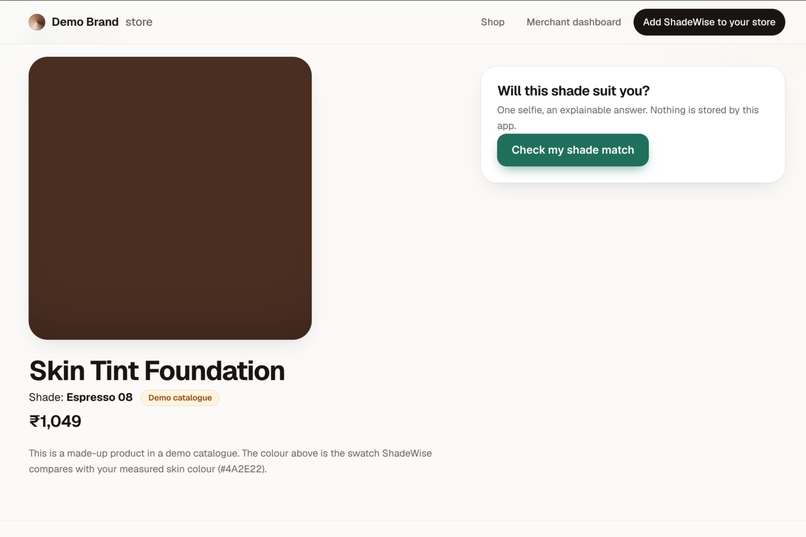
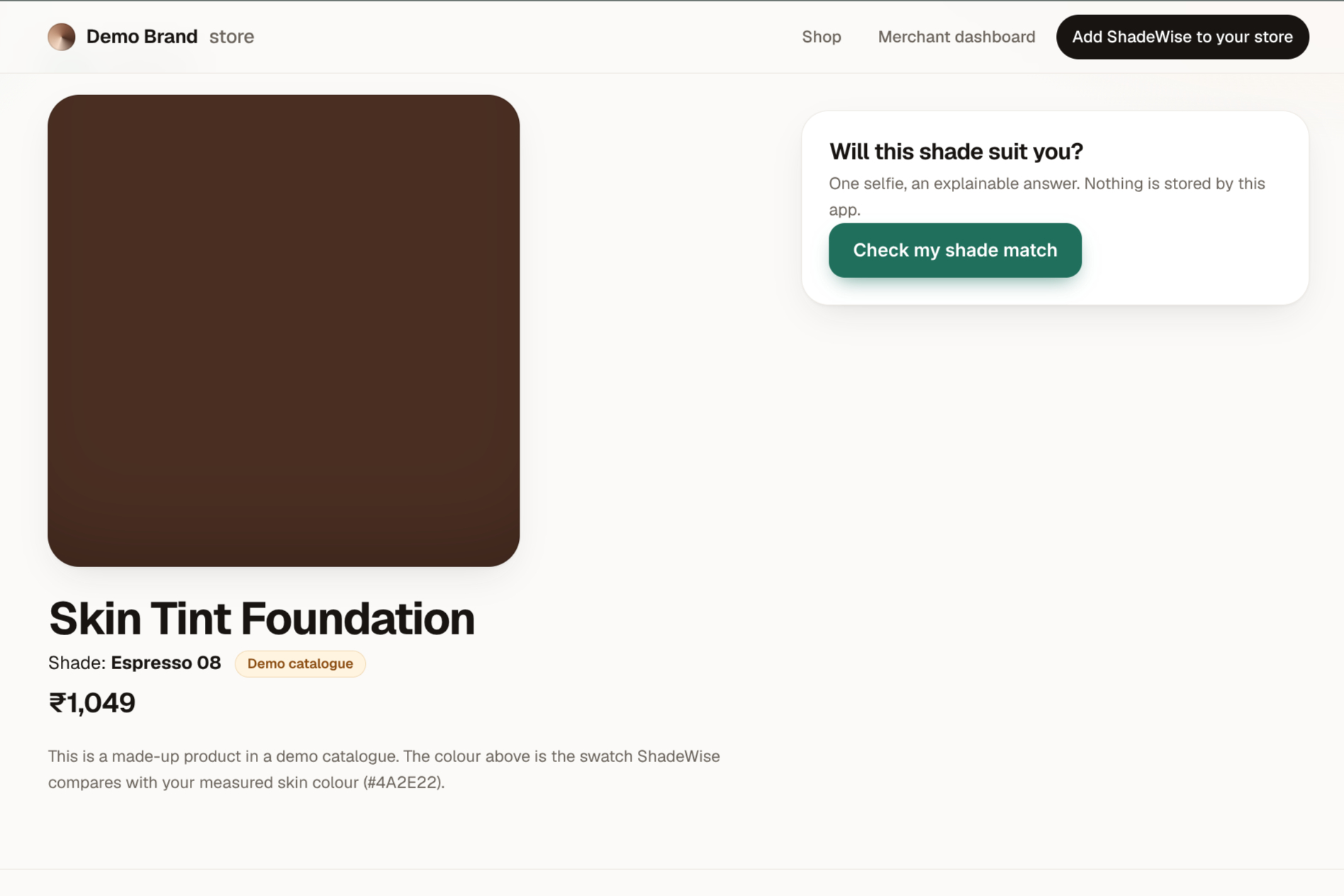
The product page with the widget.
-
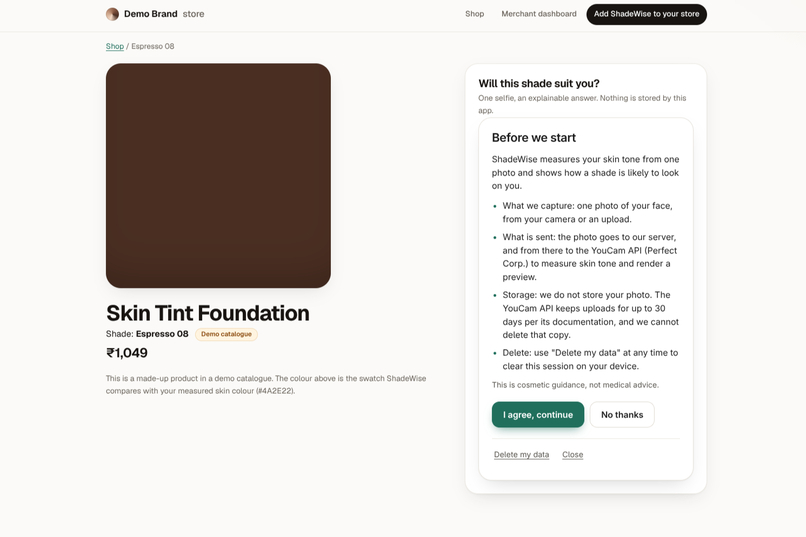
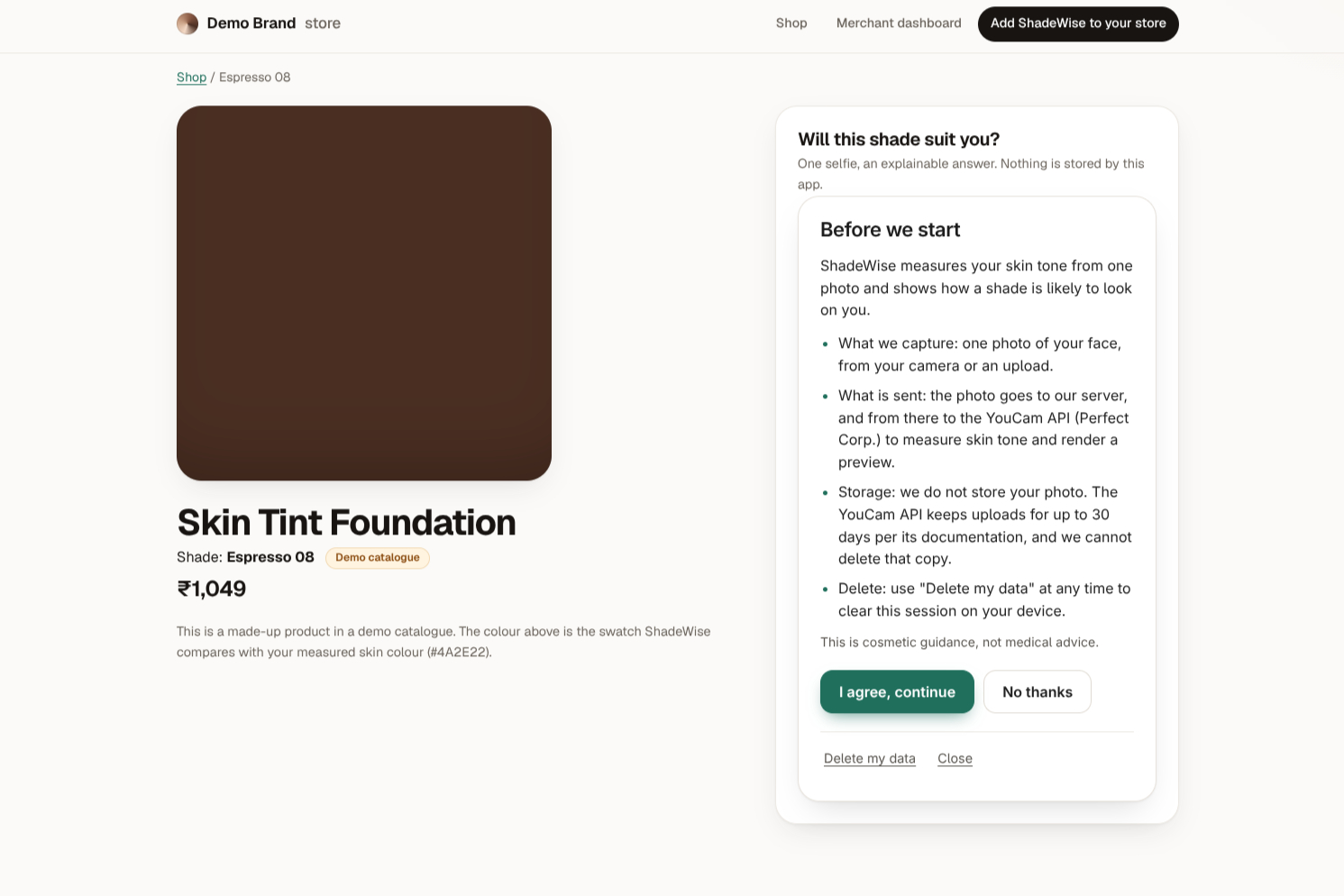
The consent screen.
-
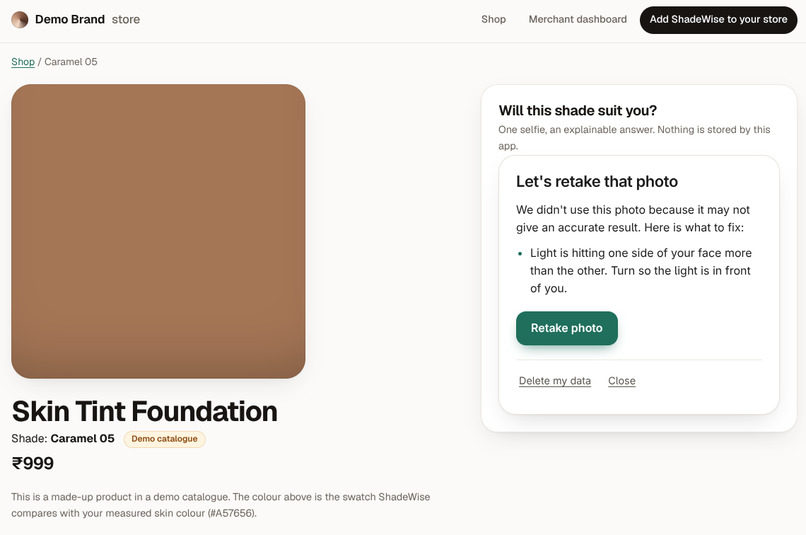
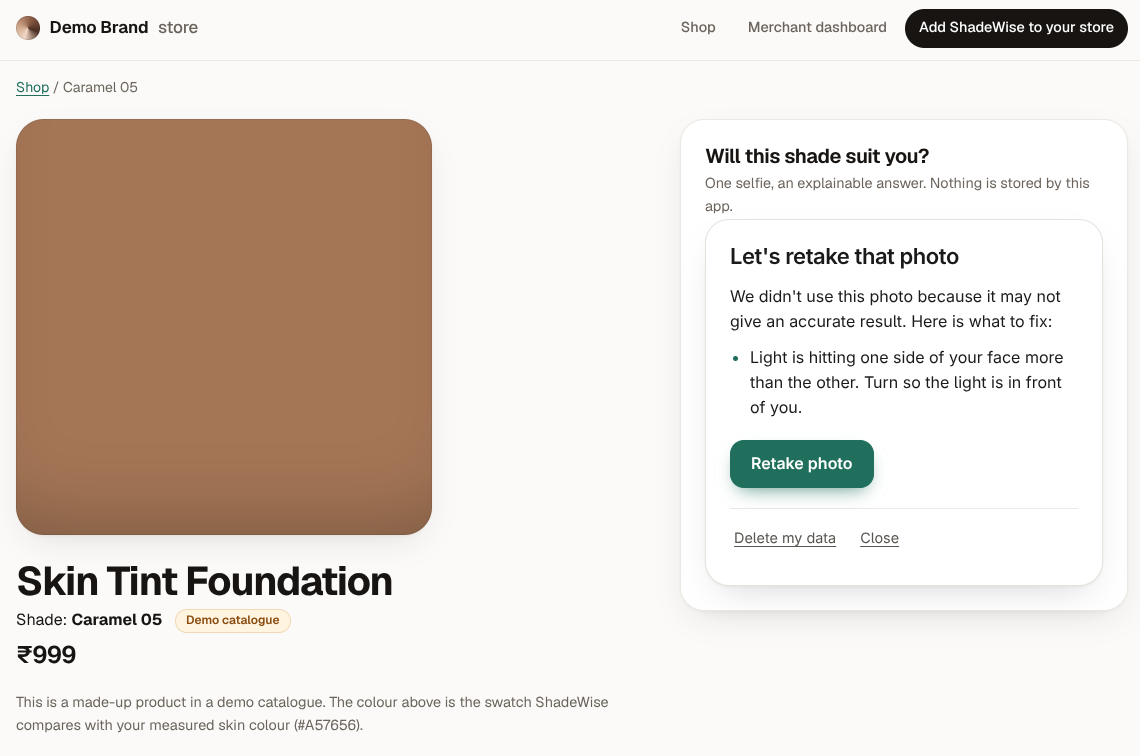
The refusal screen with its fix tip.
-
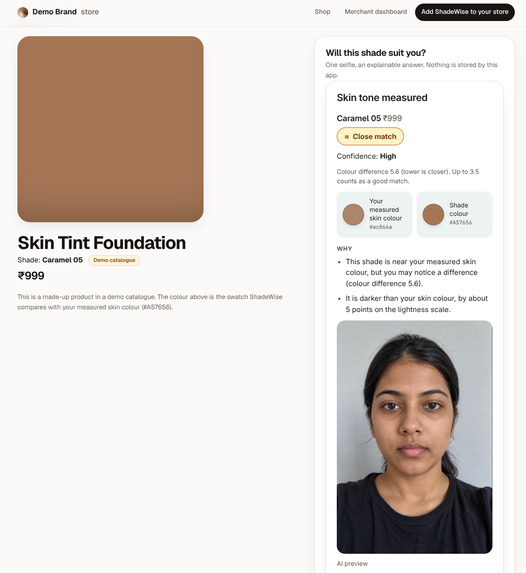
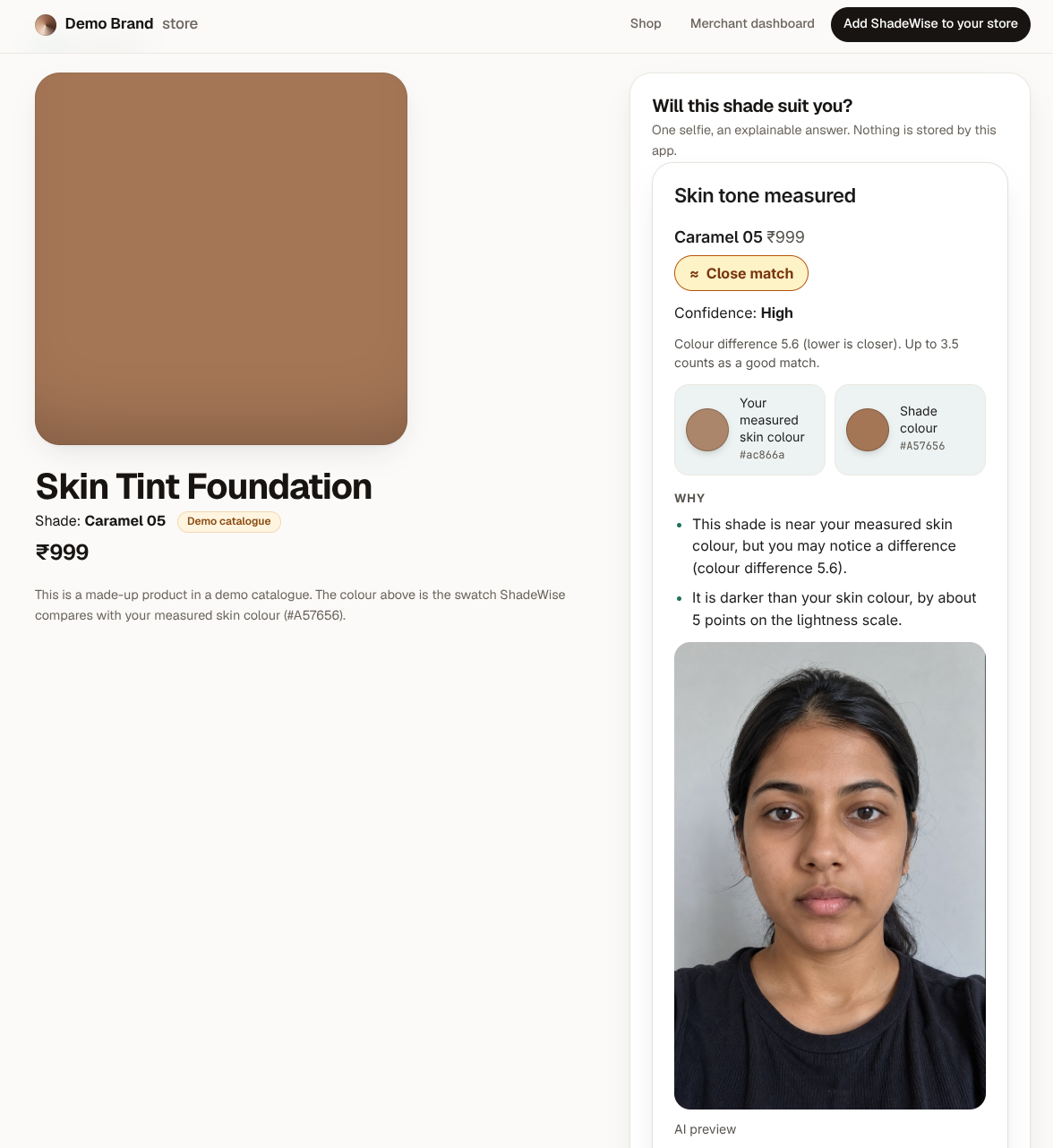
The verdict with confidence, swatches, reasons and the AI preview.
-
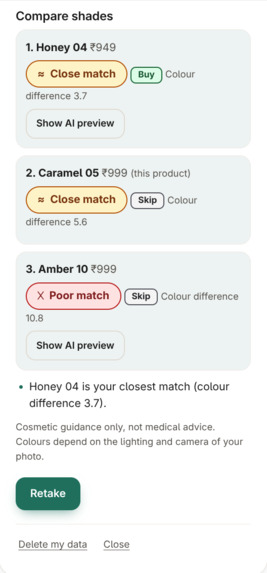
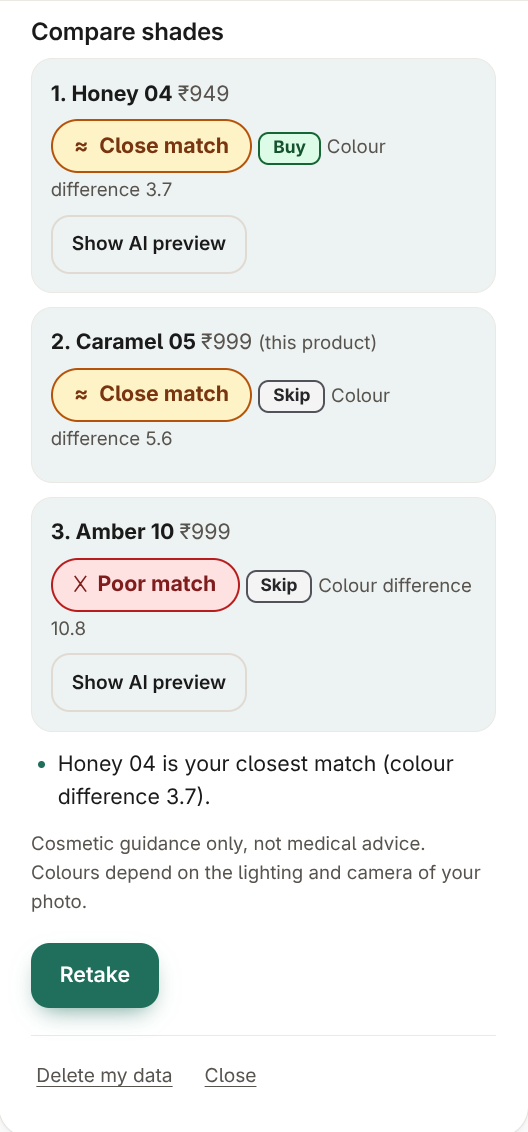
The shade comparison with Buy, Consider, Skip.
-
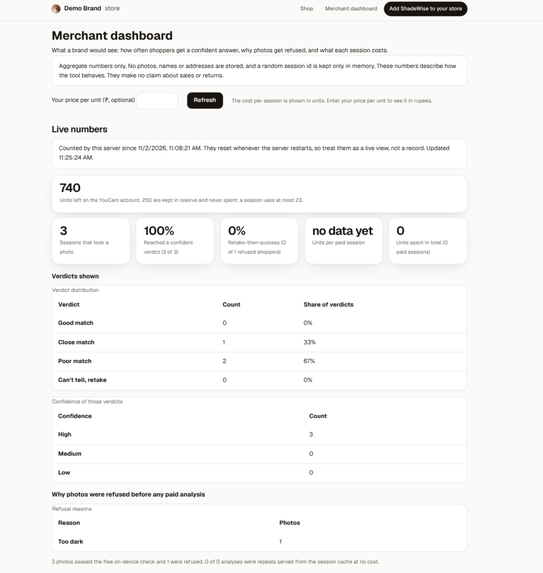
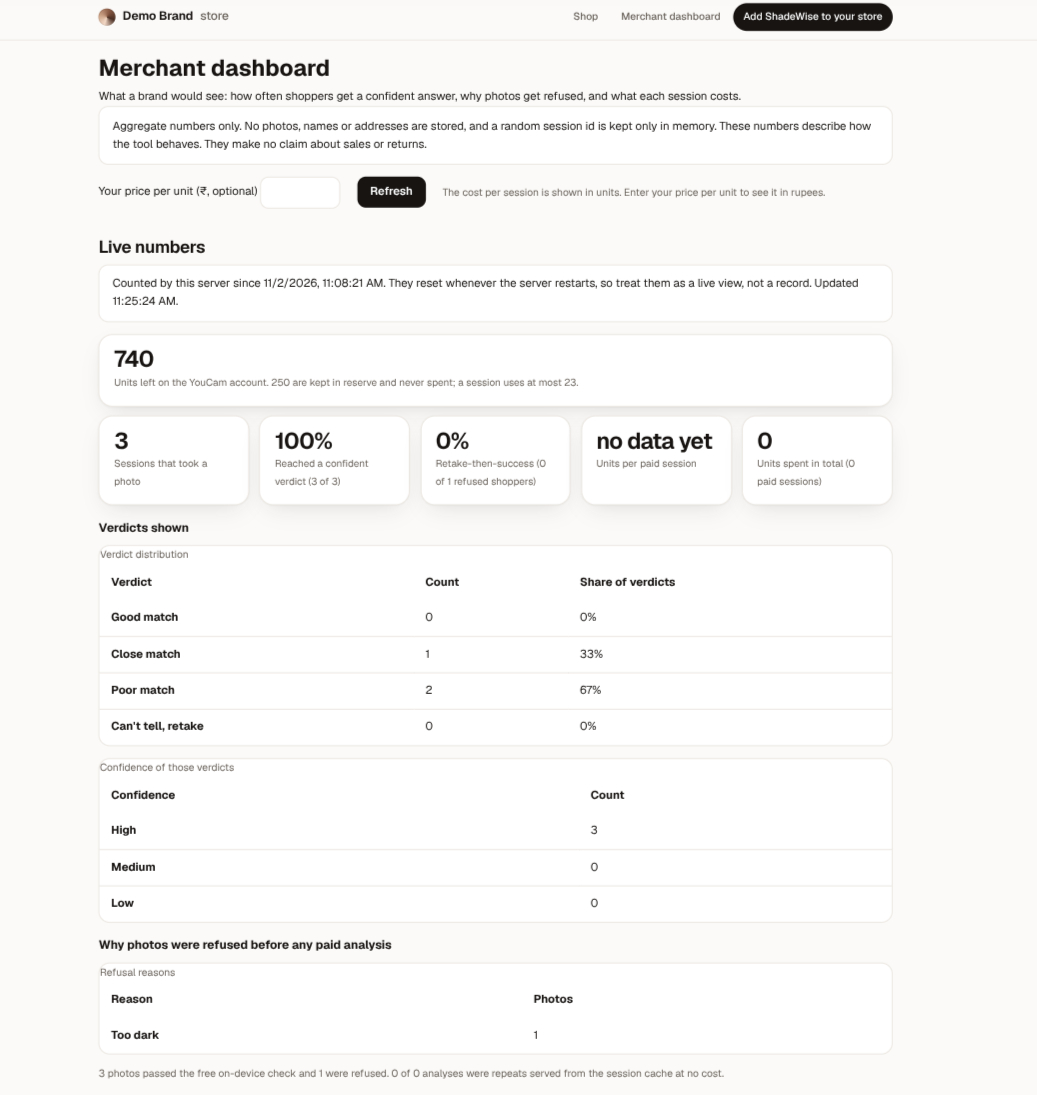
The merchant dashboard with live numbers.
-
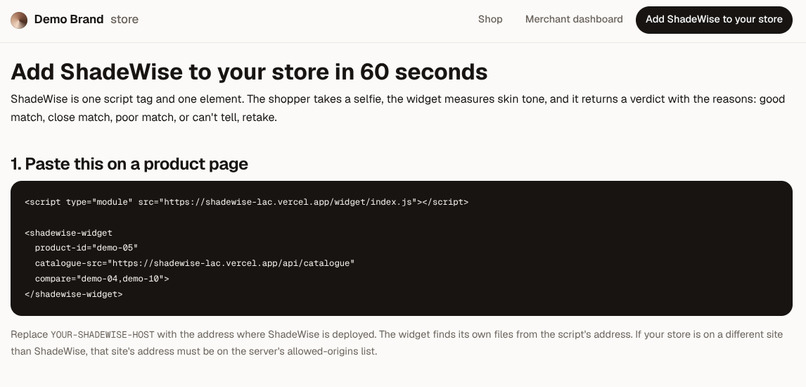
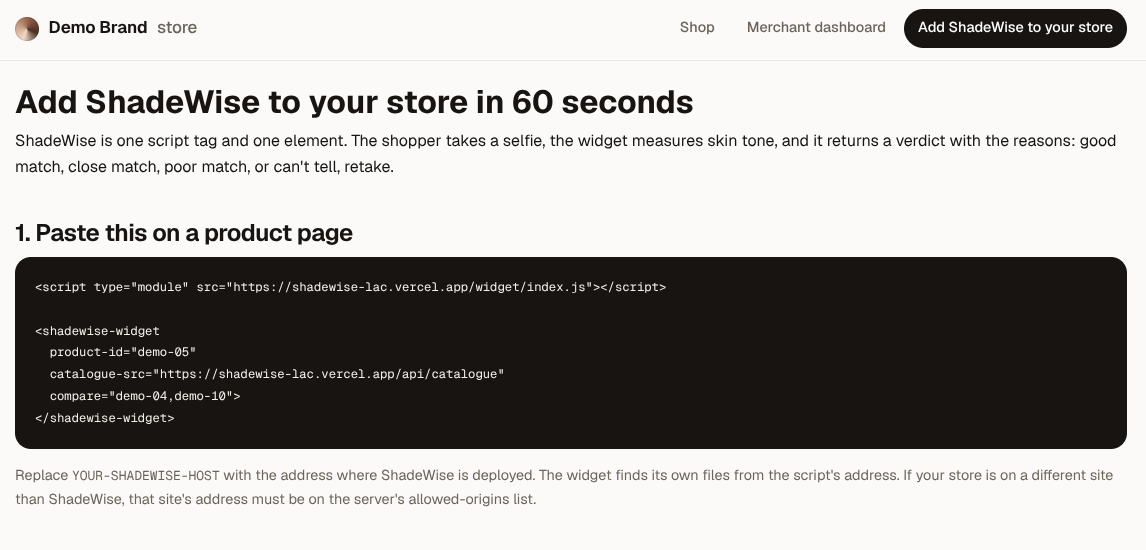
The embed page with the snippet.
Inspiration
A shopper one click away from buying foundation often cannot tell whether a shade will suit them. A swatch on a screen is not their skin, so the decision becomes a guess. A poor match can mean a return and less trust in future shade recommendations.
Many AI tools still produce an answer when the input is unreliable. I wanted to build one that checks the photo first, explains its reasoning, and says "I can't tell" when the evidence is insufficient.
What it does
- Checks before spending. A free, on-device check evaluates face count, face size, head angle, lighting, shadows, brightness evenness, blur, and colour cast. If a photo is rejected, the shopper receives a specific suggestion, such as "move toward a window". This step does not upload the photo for analysis or consume paid API units.
- Provides explainable verdicts. ShadeWise compares the skin colour measured by YouCam with the selected shade using CIEDE2000, a perceptual colour-difference metric. The result includes a verdict, a quality-based confidence level, the colour difference, a side-by-side colour comparison, and template-generated explanations covering lighter or darker shades, warmer or cooler estimates, and proximity to decision thresholds.
- Handles uncertainty honestly. The shopper sees "Good match", "Close match", "Poor match", or "Can't tell, retake". The AI preview is explicitly labelled illustrative and does not influence the verdict.
- Compares shades. Two or three shades can be ranked as Buy, Consider, or Skip. The comparison includes price differences in rupees and explains when the colour differences are too small to support a meaningful distinction.
- Provides a merchant dashboard. Merchants can view aggregate, photo-free metrics, including confident verdicts, photo rejection reasons, retake-to-success rates, and API units used per session.
- Embeds easily. A single script tag and custom element integrate the widget into a store. Shadow DOM isolates its styling from the host page, and four CSS variables allow basic theming.
- Supports laptop webcams. When a webcam image contains a small face, ShadeWise crops around the detected face on the device before running its quality checks.
How I use the YouCam API
| API | Endpoint | Purpose | Observed cost |
|---|---|---|---|
| AI Facial Color Tones Analyzer | POST /s2s/v2.0/task/skin-tone-analysis |
Measures skin colour and returns a photo-quality result | 20 units, approximately 6.5 seconds |
| AI Makeup Virtual Try-On, foundation effect | POST /s2s/v2.0/task/makeup-vto |
Generates an illustrative foundation preview with smoothing disabled | 1 unit, approximately 4.3 seconds |
| Credit balance | GET /s2s/v1.0/client/credit |
Checks available credits before paid calls | Free |
These are the costs and timings I observed during testing, not guarantees for every request.
The API workflow registers the file, uploads it to the pre-signed address, creates the task, and polls for completion with backoff and a hard timeout. I validate responses against schemas so unexpected response shapes fail explicitly rather than silently corrupting results.
Verified against the live API
I tested the API calls directly and recorded differences between the documentation and actual responses:
- The documentation specifies a face width greater than 60% of the photo. A live request accepted a face occupying 52.5%, so I adjusted the local gate and added automatic framing for webcam images.
- The documentation presents the try-on result as a list, while the live API returned an object containing a
url. - The skin-tone response includes a photo-quality block that was not described on the reference page. It does not return an undertone or confidence value. ShadeWise derives its own quality-based confidence score; warmth is presented as an estimate, not an API measurement.
How I built it
I built ShadeWise in TypeScript. Next.js hosts the demo shop, embed documentation, merchant dashboard, and server API. The embeddable widget is a framework-free custom element.
On-device photo checks use MediaPipe Face Landmarker, with the model hosted by my application. The free check does not upload the photo for analysis. The verdict engine is a deterministic module covered by unit tests. I verified the colour calculations against published CIEDE2000 reference pairs and a second implementation.
The application is deployed on Vercel.
Built for different skin tones
A brightness check based only on a face's absolute brightness could incorrectly reject a well-lit person with deep skin. To reduce this risk, ShadeWise evaluates overall frame brightness, measures shadows relative to the face's own brightness, and uses ratios for blur and brightness evenness.
I also tested whether the same small colour differences produced consistent verdicts across light, medium, and deep synthetic skin colours.
In my test set of 21 AI-generated images across these tone categories, nine images with acceptable photo conditions passed the checks, while 12 deliberately degraded images were rejected. The same intended outcomes held across the tested tone categories.
This is a controlled logic test, not a clinical study or proof of real-world fairness. The test set is small and synthetic. More testing with real people, cameras, and lighting conditions is necessary. The fairness document describes the remaining gaps.
Challenges I ran into
- Distinguishing webcam softness from actual blur. My first blur metric scored a soft laptop webcam image similarly to a motion-blurred image. I replaced it with two eye-region measures to better distinguish the cases.
- Thresholds that did not generalise. Thresholds calibrated using generated faces did not work reliably on real webcam images, so I recalibrated them using real webcam captures.
- A browser security policy that broke face detection. I caught the problem by testing the actual face-detection engine in a browser before release.
- Limited API credits. I added a credit reserve, per-session spending cap, caching, and a clearly labelled recorded-sample mode to control spending and keep the demo usable.
Accomplishments I'm proud of
- Poor-quality photos can be rejected before paid analysis, with actionable retake instructions.
- Verdicts are auditable: tests check that every number used in the explanation comes from a computed value.
- The spending guard fails closed when it cannot verify the available credit balance.
- Demo catalogue items, AI previews, recorded samples, and uncertain results are labelled explicitly rather than presented as verified outcomes.
What I learned
During testing with my recorded face, none of the ten demo shades qualified as a good match. The best result was a close match, with a colour difference of 4.3 against a good-match cutoff of 3.5. ShadeWise reported that result instead of presenting the shade as a perfect match.
I also learned that live API testing can reveal important differences from documentation, and that fairness checks are easier to incorporate into the original design than to retrofit later.
What's next
- Test with more real people across skin tones, devices, and lighting conditions, then recalibrate thresholds using the resulting evidence.
- Add persistent storage for merchant metrics.
- Integrate real brand shade catalogues and expand to categories such as concealer and clothing colourways.
- Add colour-harmony guidance, clearly labelled as styling advice rather than an objective match verdict.
- Evaluate whether a stronger preview setting improves usefulness without misleading shoppers.
Built with
TypeScript, Next.js, React, MediaPipe Face Landmarker, Zod, Vitest, Vercel, and the YouCam API (AI Facial Color Tones Analyzer and AI Makeup Virtual Try-On).
Try it out (for judges)
No login or API key is required.
- Open https://shadewise-lac.vercel.app and choose a shade.
- Select Check my shade match, read the consent screen, and agree.
- Take a selfie or upload an image. Try a dark or blurry image to see the quality gate in action.
- Alternatively, select See a recorded sample to inspect a complete result without consuming API credits.
A live analysis uses approximately 21 API units under the tested configuration. If live analysis is paused because of the credit limit or another configured safeguard, the application offers a clearly labelled recorded sample instead.
Limitations
ShadeWise provides cosmetic guidance, not medical advice. Measured colour depends on lighting, camera characteristics, and image quality. The verdict cutoffs and quality thresholds are provisional and were developed using a limited number of images. Real-world testing remains limited, so the current fairness results should not be interpreted as proof of unbiased performance.
The confidence score reflects the photo-quality checks; it is not a calibrated probability that a shade will suit the shopper. The AI preview is illustrative and may be subtle. Merchant metrics are currently held in server memory and reset when the server restarts. The YouCam API may retain uploaded files for up to 30 days, and I cannot directly delete those files through the integration. The demo catalogue contains sample data rather than a verified retailer inventory.
Built With
- ciede2000
- github-actions
- mediapipe
- next.js
- node.js
- react
- typescript
- vercel
- vitest
- web-components
- webassembly
- youcam-api
- zod
