-
-
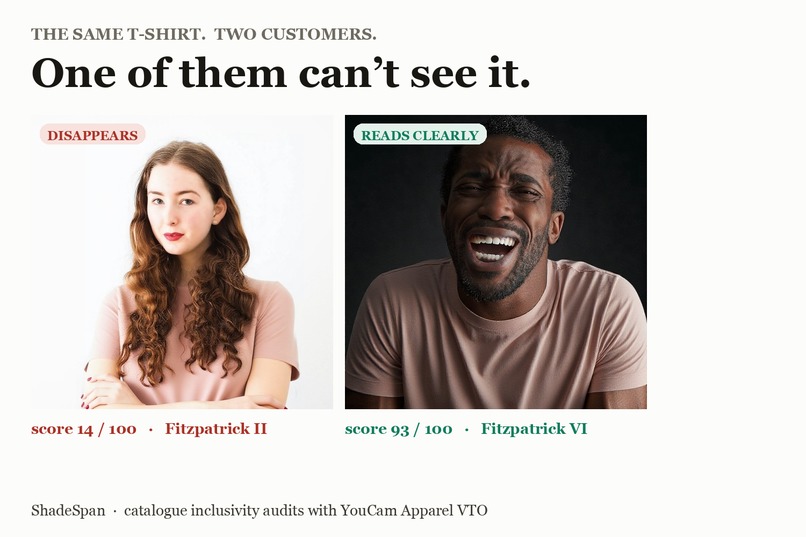
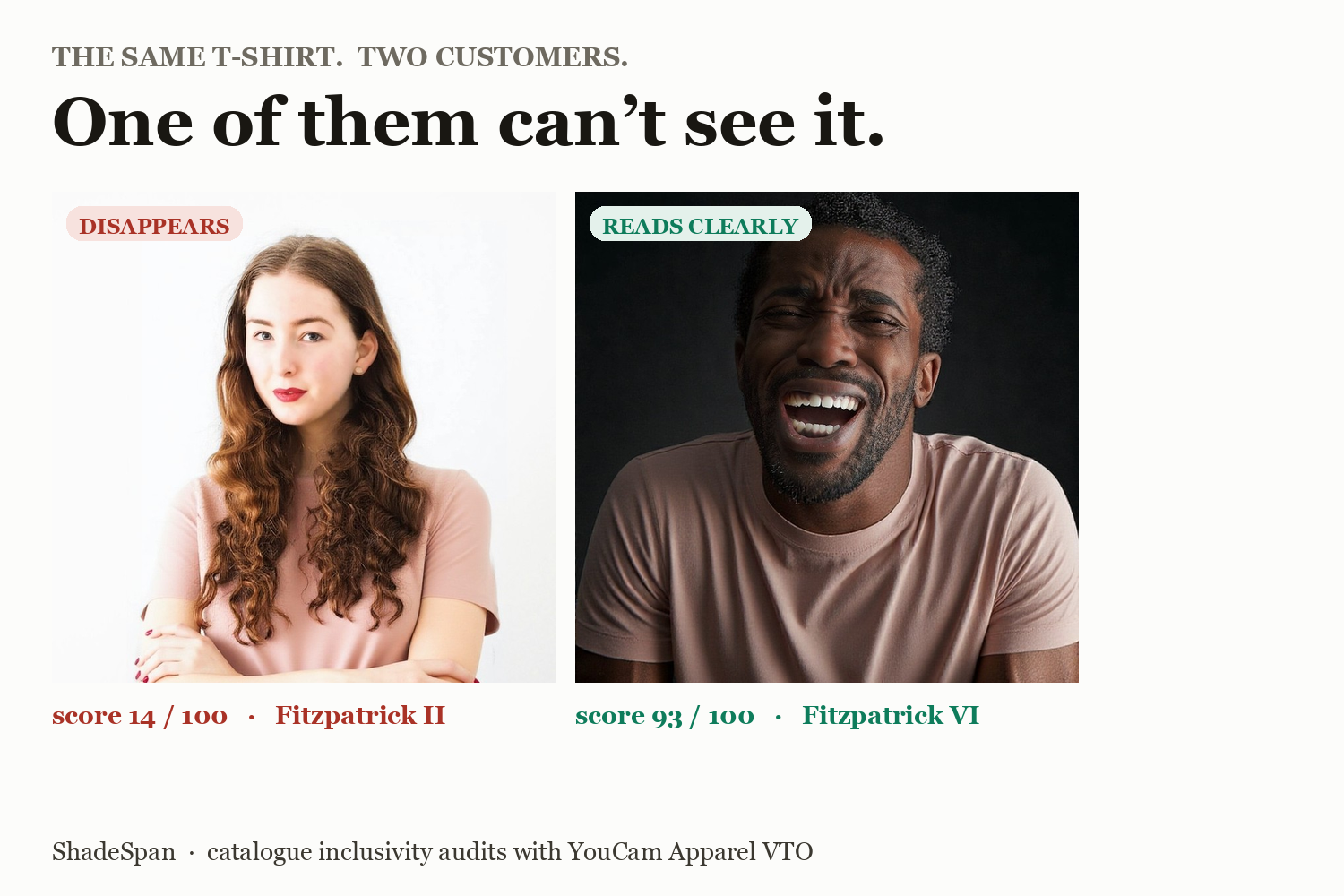
One t-shirt, two customers, one cannot see it
-
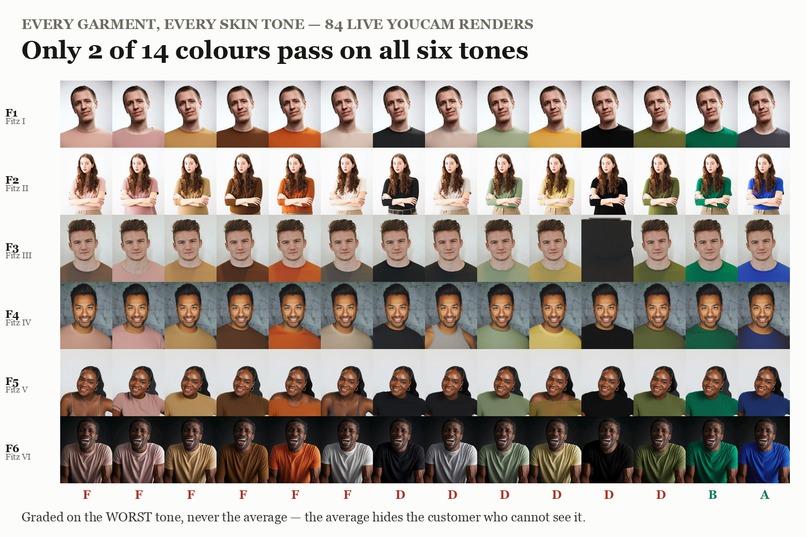
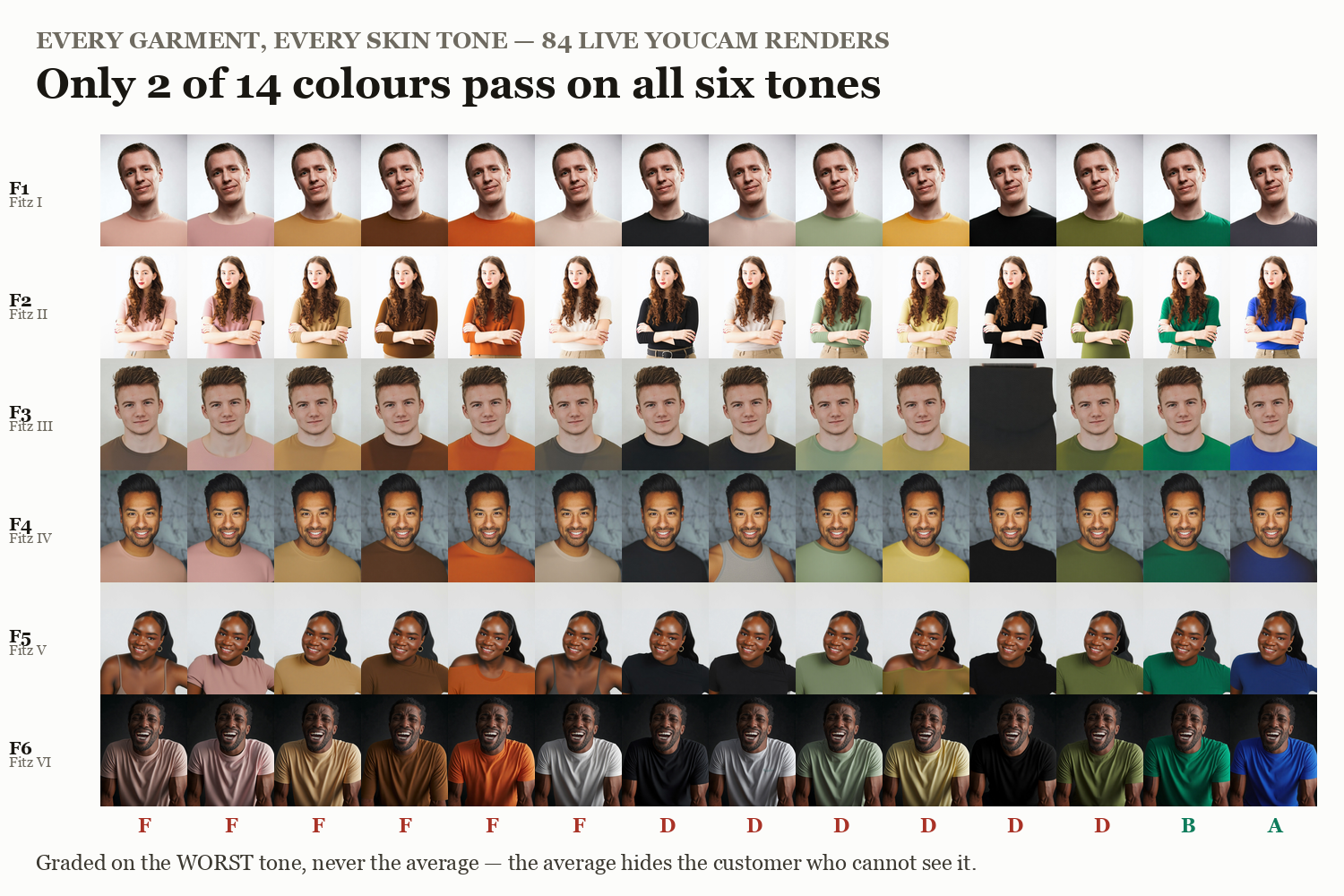
All 84 live renders, grades F to A along the bottom
-
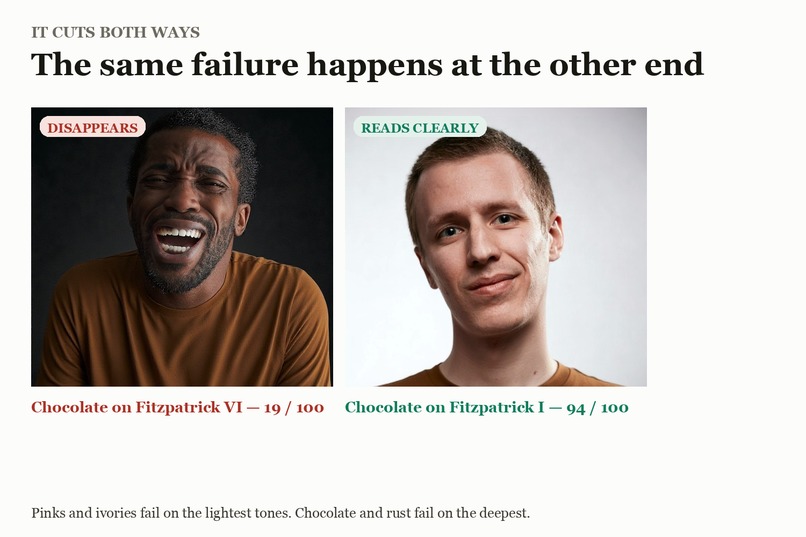
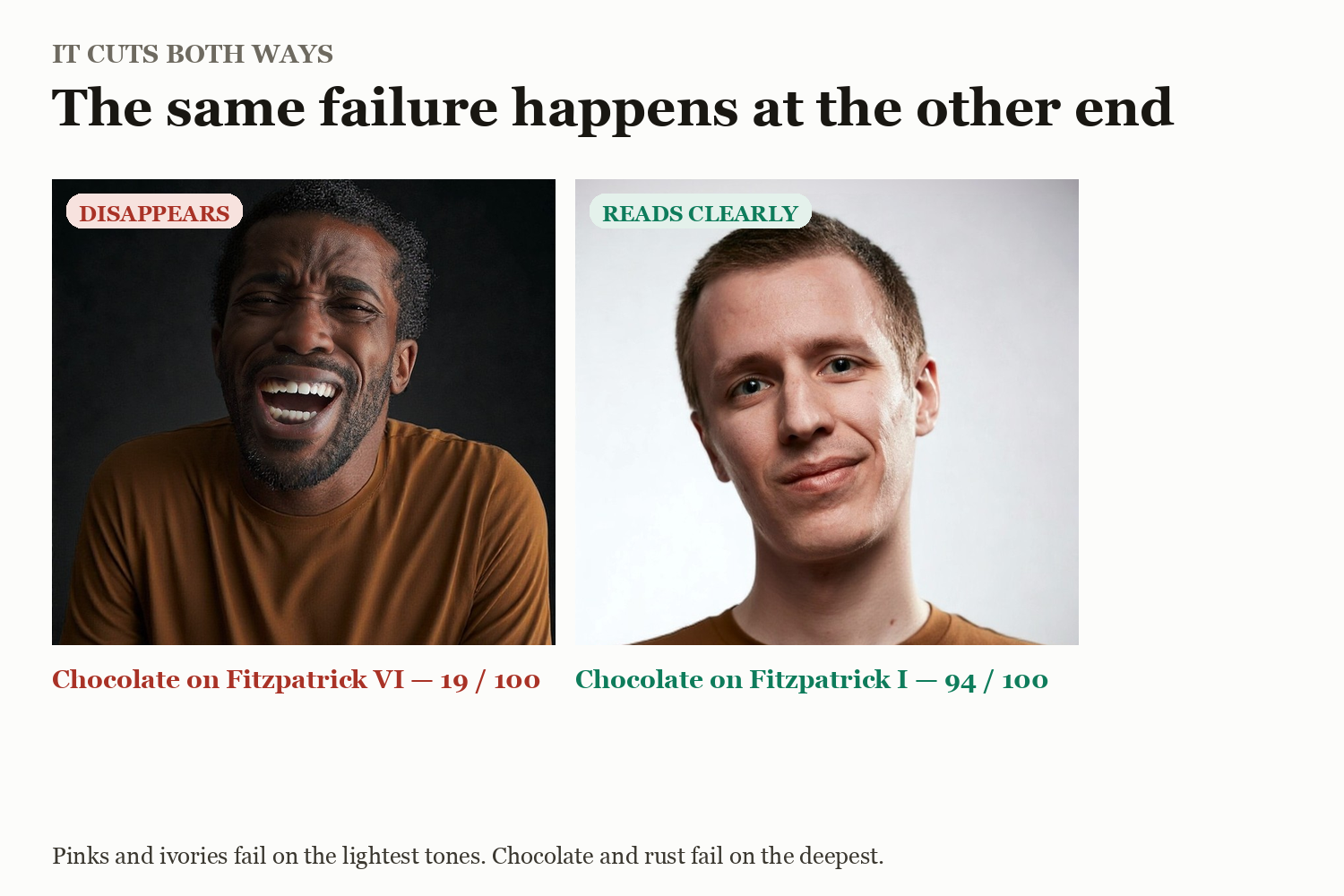
The same failure at the opposite end of the range
-
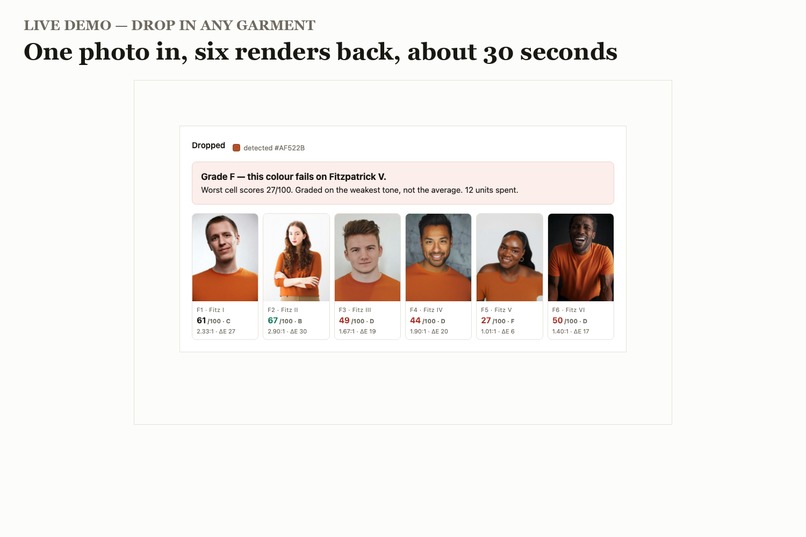
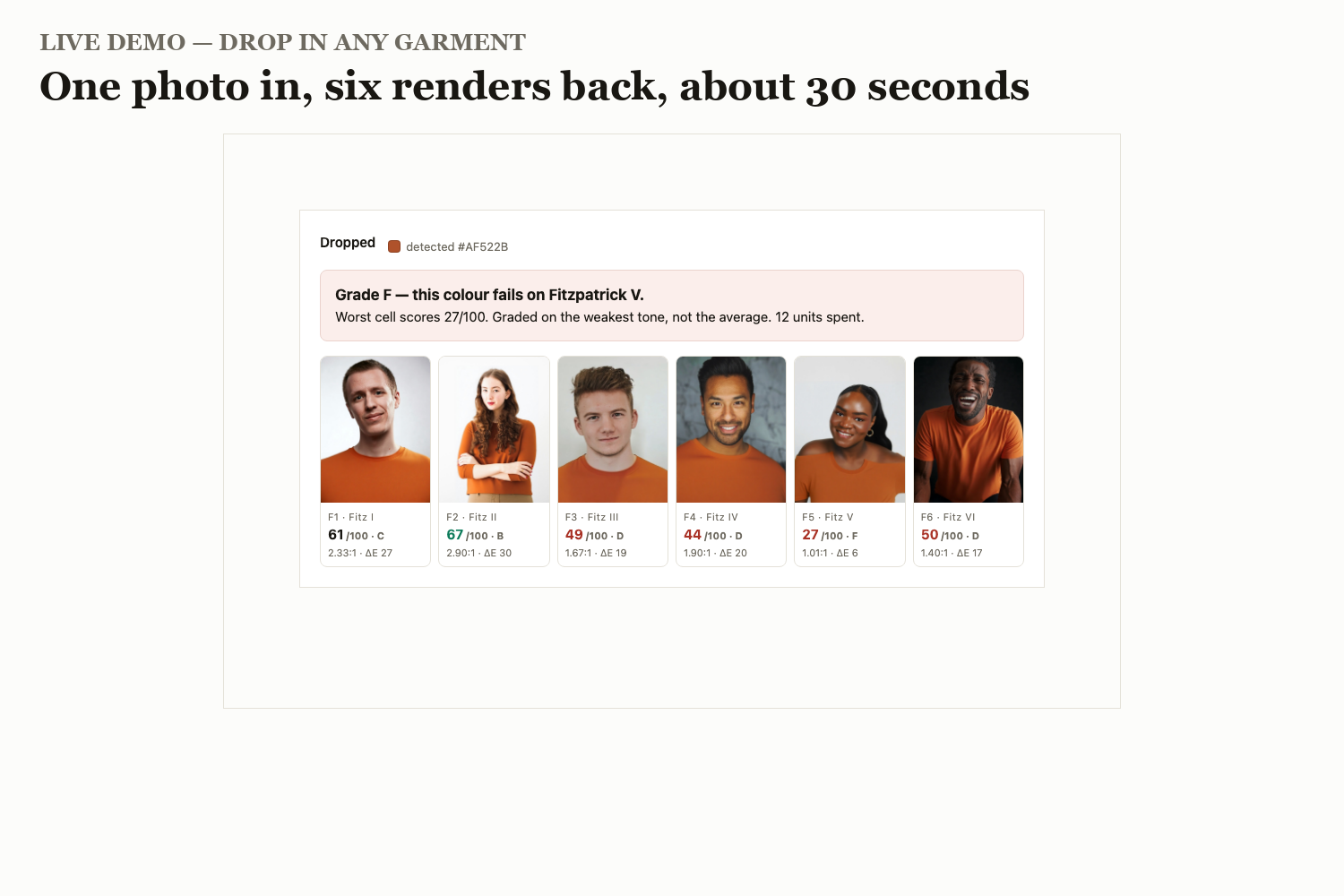
The live demo — drop a garment, six renders back
-
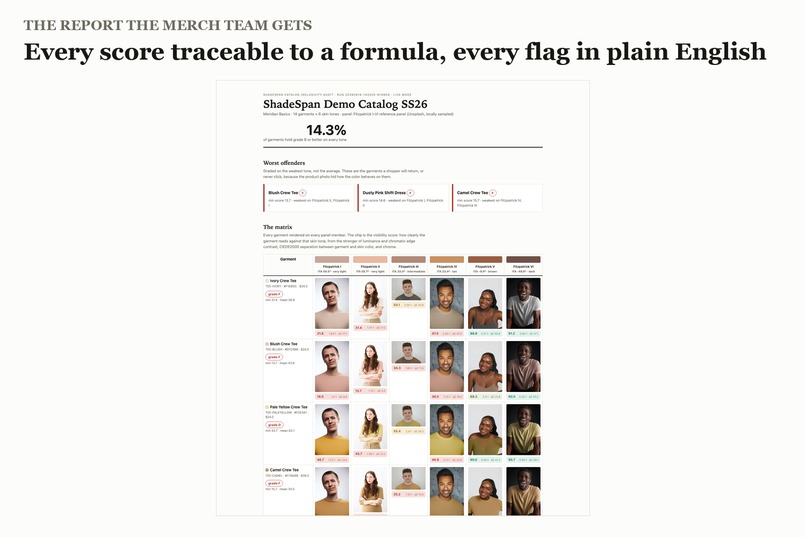
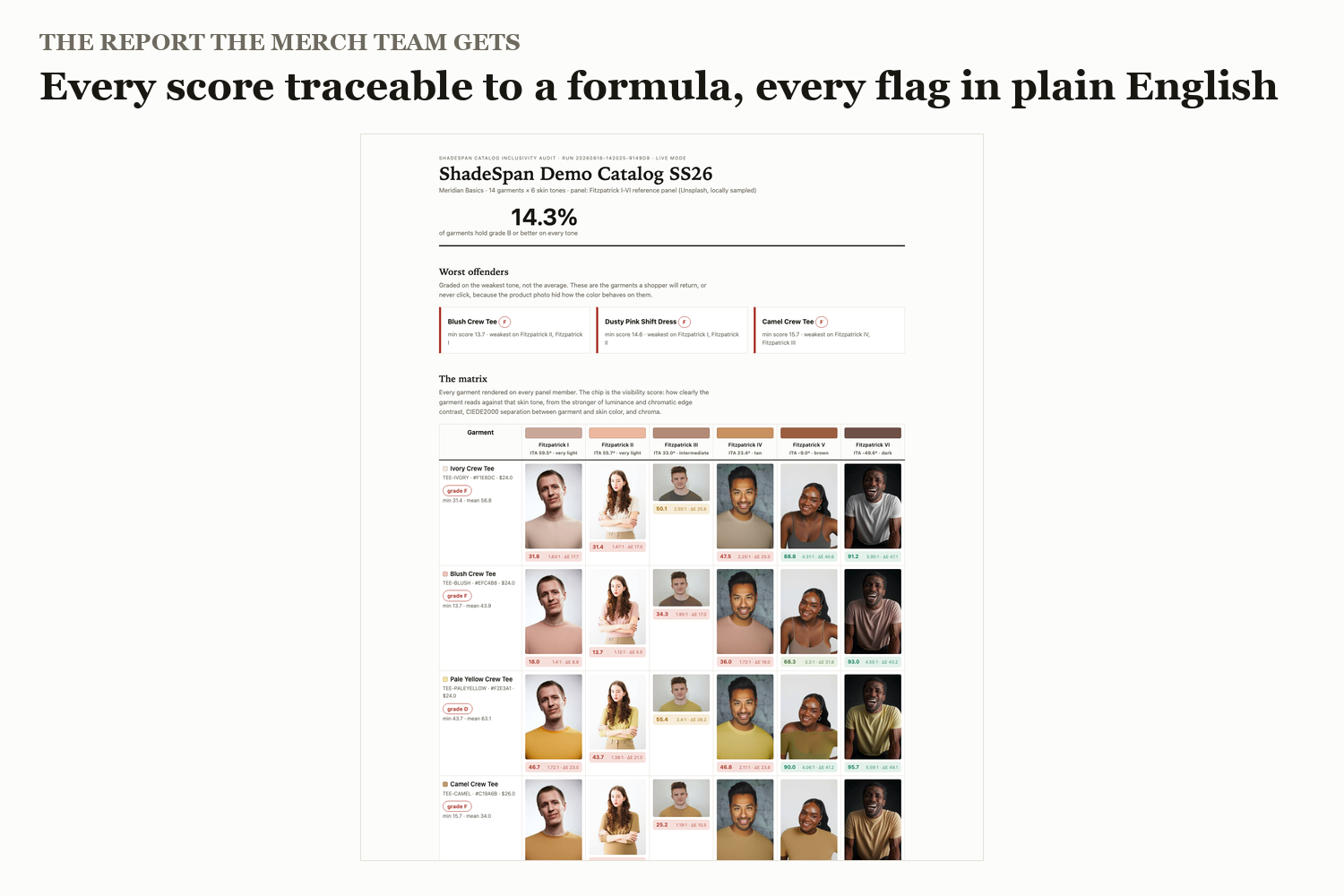
The report a merchandising team gets
-
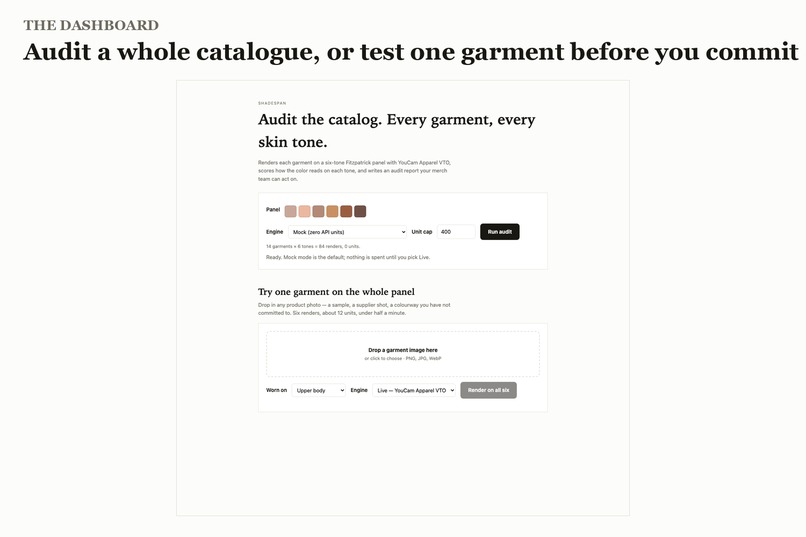
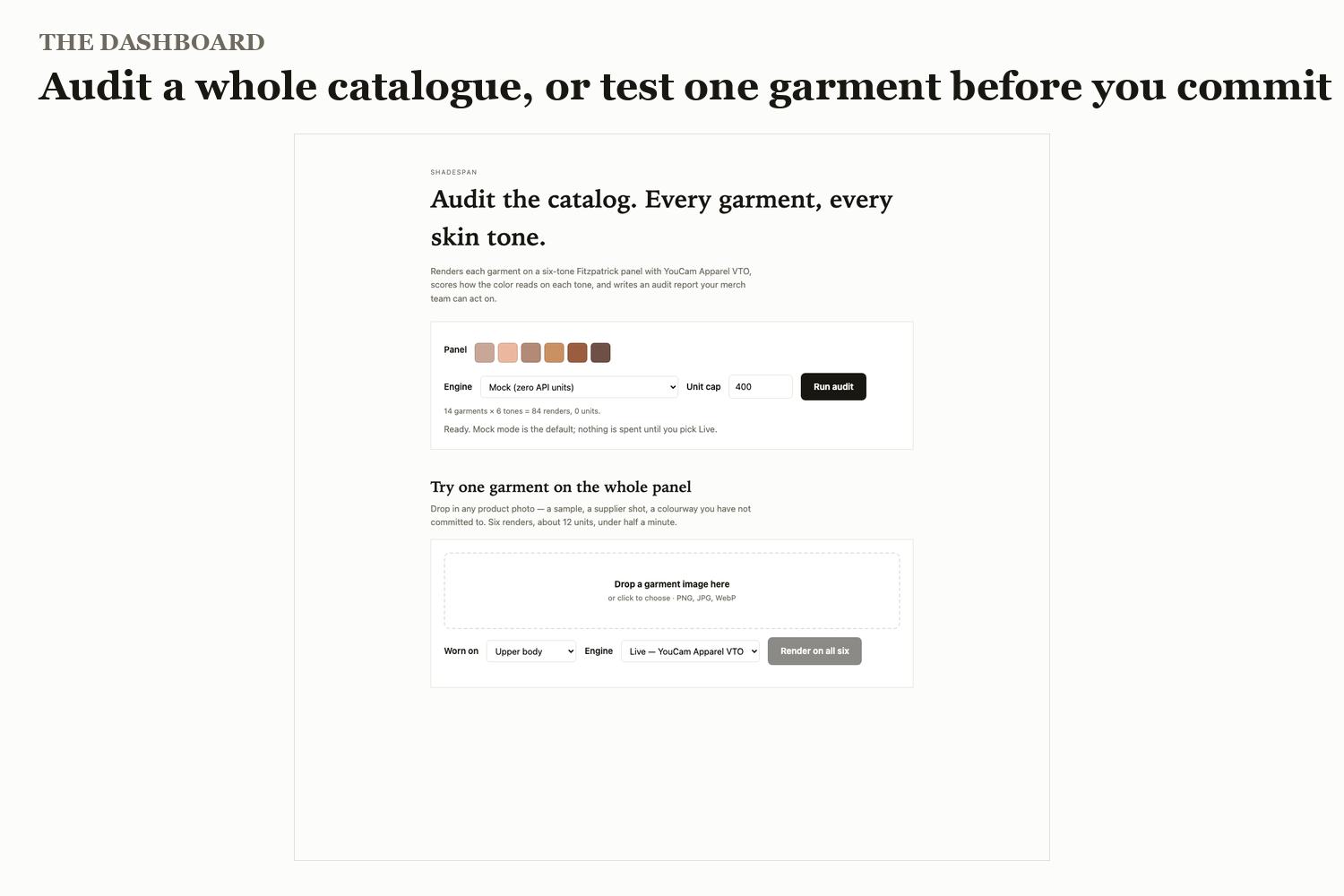
The dashboard
Inspiration
Look at almost any clothing website. Every item is photographed on one model.
If your skin is a different shade from that model, you are guessing. And sometimes the guess costs money. A beige t-shirt can blend straight into fair skin. A chocolate brown can go muddy on deep skin. A camel jumper can almost vanish on the exact skin tone it happens to match. The shopper either never clicks, or buys it and sends it back.
Online clothing in the US gets returned at 30–35%, roughly double the 19.3% e-commerce average. About 23% of returns are put down to style and colour — not size, not fit.
Here is the part that bothered me: brands almost never find out which garments are doing this. To check a 14-piece collection properly you would photograph every garment on six different models. That is 84 separate photo shoots and about a week of studio time, for one small collection. So nobody checks. The colour ships anyway, and the brand only learns about it months later as a line in the returns data that says "style and colour", with no way to trace it back to which garment on which customer.
What it does
ShadeSpan does those 84 photo shoots in about two minutes, then marks them like an exam.
- It takes a catalogue and a panel of six people, one for each Fitzpatrick skin tone, from the very lightest to the deepest.
- It renders every garment on every person using YouCam Apparel Virtual Try-On.
- It scores every combination on how clearly the garment separates from that skin tone.
- It grades each garment on its worst skin tone — never its average.
- It writes a report naming exactly which garment fails, and on whom.
That fourth point is the one that matters. If you grade on the average, a garment that fails badly for one group still looks acceptable overall. The average hides exactly the customer the tool exists to protect. So it is not used.
On the demo catalogue, only 14.3% of garments hold a passing grade on all six tones. Two out of fourteen.
The failures are not random. Pinks and ivories collapse on the lightest tones. Chocolate and rust collapse on the deepest. Camel fails in the middle of the range. Cobalt and emerald clear everybody. The colour maths and the renders were produced independently — one is physics, the other is a generative model — and they agree. That agreement is the result I would point a judge at.
There is also a live mode in the dashboard: drop in any product photo, including one that is not in the catalogue yet, and it comes back rendered on all six people with scores, in about half a minute for roughly 12 API units.
Why point try-on at the catalogue instead of the shopper
Virtual try-on is normally built as a shopper feature. One customer, one garment, one nice moment.
ShadeSpan uses the same API as a measuring instrument aimed at the brand's own catalogue — before launch, by the merchandising team, across a whole grid. Same API, opposite end of the funnel, used to catch a problem the brand currently only discovers through returns data months later.
It is also why the cost works. Auditing a 14-garment capsule costs about 168 API units, roughly what a single shopper session costs, and it informs decisions about the entire season.
How I built it
Python, async throughout. httpx for HTTP, pydantic for the data model, typer for the command line, FastAPI for the dashboard, Jinja2 for the report, numpy and Pillow for the colour maths.
Every YouCam path and payload lives in exactly one file. The orchestrator, the scoring engine and the report never touch an HTTP detail, so an API change is a one-file fix. Renders are cached by content, so re-running after a crash or a threshold change costs nothing, and a ledger checks the budget before every call so a run stops cleanly instead of draining the account.
The scoring is deliberately boring and explainable. Every number traces to a formula:
- Visibility (45 points) — how strongly the garment's edge reads against skin. Brightness contrast using the WCAG standard, or colour contrast in the a*b* plane, whichever is stronger, because human vision uses either cue.
- Distinction (45 points) — CIEDE2000 distance between the garment colour and the skin colour. That is the standard measure for "can a person tell these two colours apart".
- Richness (10 points) — saturated colours survive a small brightness gap better than muted ones, so they earn a little back.
- Washout veto — if a garment sits too close to skin in brightness, saturation and hue at once, the cell is capped at a fail no matter what the rest says. That failure is categorical, not marginal.
No model opinions anywhere in the score. Just published colour science.
Getting the API working
Both features are on v2.0 and share one shape: a flat request body naming file IDs directly, and a task ID polled as a path segment.
POST /s2s/v1.1/file/{feature}        declare -> file_id + presigned PUT
PUT  <presigned url>                 upload the bytes
POST /s2s/v2.0/task/cloth            {src_file_id, ref_file_id, garment_category}
GET  /s2s/v2.0/task/cloth/{task_id}  -> task_status + result url
Three things cost me real time and are worth passing on:
- The apparel slug is
cloth, notclothes. Anything else returns 404. - The older v1.0 endpoints are a trap. They take a nested
request_id/payload/actionsbody and poll with?task_id=. Andv1.0/task/clothwill accept your task and then fail it withinvalid_garment_categoryno matter which category you send, because the category never reaches the engine. The error blames your input for what is actually a versioning mistake. - There is no colour-analysis feature at any version. The slugs that exist are
cloth,skin-analysis,hair-color,makeup,bagandshoes. So skin tone is measured locally from the photo instead.
Valid garment_category values, found by testing against the live validator: upper_body, lower_body, full_body, auto.
Skin AI needs a face, not a catalogue shot. It rejects images where the face is small relative to the frame. Raising the resolution does not help — the constraint is the face-to-frame ratio, not pixel count, and the same photo fails at 1000px and at 2400px. So the panel analyser finds the face and crops to it first, retrying with tighter crops when the API pushes back.
Challenges we ran into
The pictures contradicted the numbers. My first full audit produced a report that confidently said "this blush tee disappears on Fitzpatrick I" — right next to a photograph of a man in a black shirt. The try-on had quietly handed back the model's original clothing instead of the garment I asked for. It happened when the model's own clothing was dark or heavily structured; a thick hoodie and a collared jumper broke it on every pale colour, while saturated colours worked on everyone.
A report whose evidence contradicts its own claim is worse than a report with no pictures. So two fixes. I swapped those two panel photos for people in plain, light tops, which fixed most cells. And because it can happen on any catalogue, I built the check into the pipeline: sample the fabric on the chest of the finished render, compare it to the catalogue colour, and flag anything that drifted.
That measurement turned out to be harder than it looks. Comparing the render against the original photo also catches repainted skin and collar edges. A fixed box on the chest catches whatever the engine left behind when the try-on failed. Neither works alone, so it uses both. And when the old garment and the new one are both dark, the only pixels that change enough to notice are the edges — so a perfectly correct charcoal render measures light grey.
Checked by eye against 14 cells, it agrees on 10. So drift is reported, never scored: it adds a "check this render" note and leaves the grade untouched. A warning a merchandiser can dismiss in a second is worth having at that accuracy. A penalty built on a lighting artefact would quietly corrupt the grade instead. Doing that properly needs real garment segmentation, which is the next job.
Finding the panel was its own lesson. Six openly licensed portraits spanning Fitzpatrick I to VI, front-facing, torso visible, is genuinely hard to assemble — and the deep end is hardest. Most openly licensed deep-skin portraits are moody studio work where the shadow measures darker than the person actually is. Building the tool reproduced, in miniature, the representation gap the tool exists to measure.
Accomplishments that we're proud of
- The colour maths and the renders agree. 84 independent try-ons landed where an independent physical model said they would.
- It grades on the worst tone, not the mean. One line of judgement that decides whether the tool protects anybody at all.
- Honest instrumentation. The remaining balance is read from the account rather than assumed. The cost per render was measured (2 units), not guessed. And the render-fidelity check publishes its own error rate instead of pretending to be exact.
- The whole pipeline runs offline in mock mode, so anyone can review it end to end without spending a single API unit.
What we learned
That an API's error messages describe its model of the world, not yours. invalid_garment_category really meant "you are on the wrong API version".
And that the moment a generated image becomes evidence in a report, you owe the reader a check that the evidence actually says what you claim it says.
What's next for ShadeSpan
Real garment segmentation, so the fidelity check can fold into the score instead of sitting beside it as a warning. Several models per skin tone band rather than one. Retuning the thresholds against a brand's own returns data — they all live in one file exactly so a merchandising team can do that. And a Shopify or PIM hook so an audit runs automatically whenever a new colourway is added.


Log in or sign up for Devpost to join the conversation.