
Inspiration
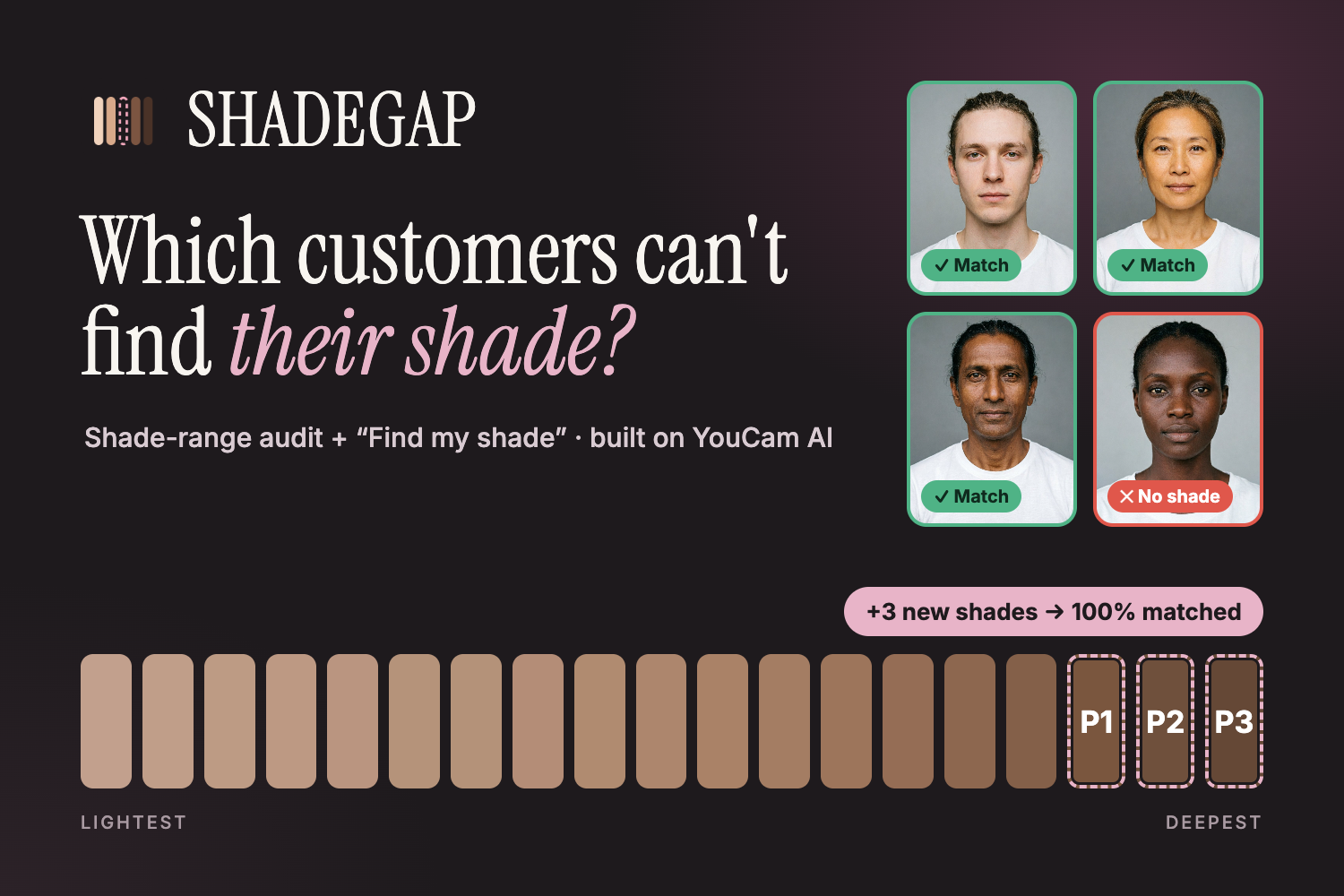
Foundation ranges are still built by eye and hardly ever re-checked. Many end up with five light shades nobody can tell apart, and nothing for very deep or olive skin. A shopper who can't find their shade either leaves, or buys the closest one and sends it back. Brands usually find out from reviews, years later. We wanted to give brands a number for "is our range inclusive?", and a fix their lab can work from, before a single sample is made. We also wanted the shoppers they leave out to get an honest answer instead of a wrong purchase.
What it does
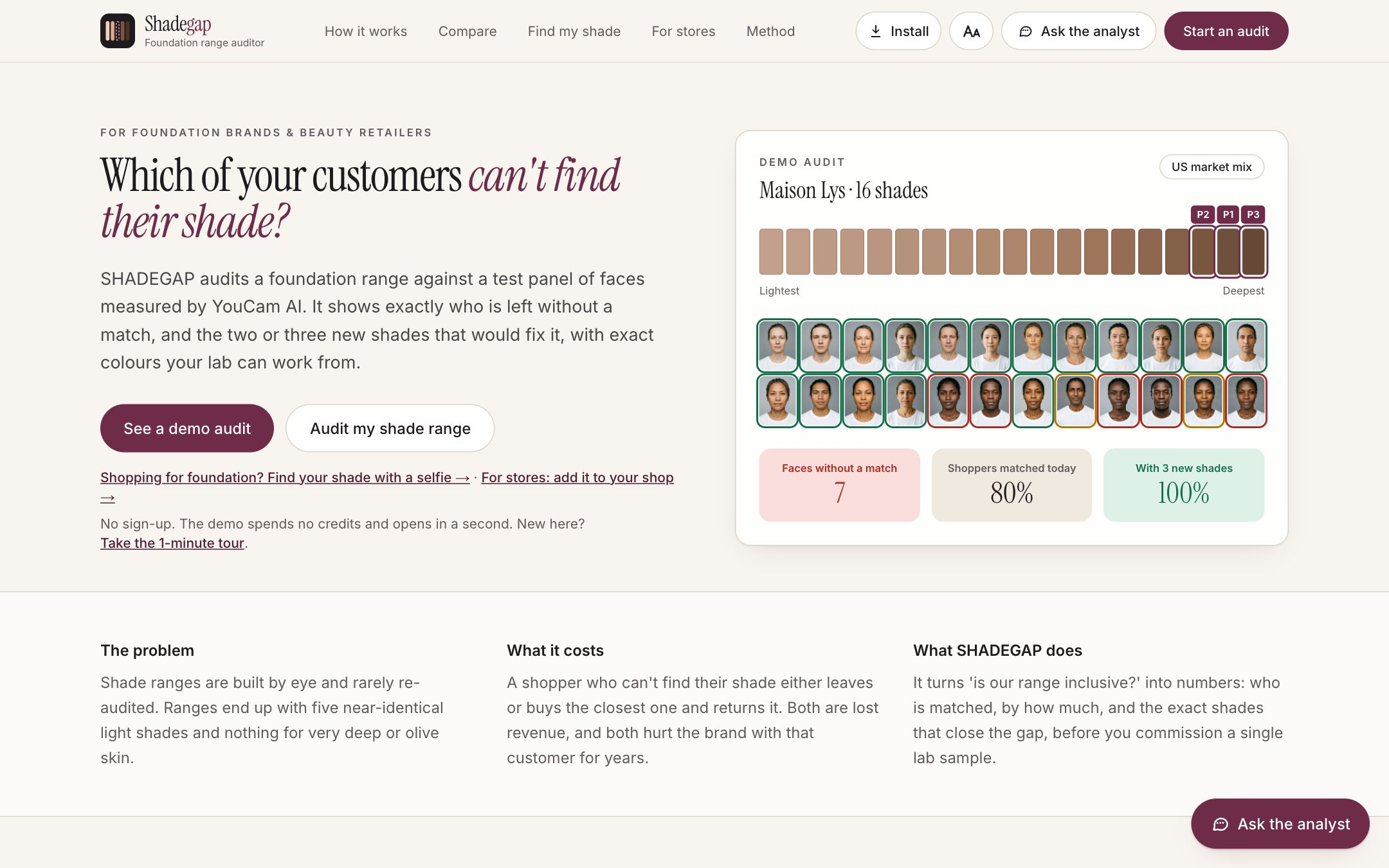
SHADEGAP audits a foundation range against a panel of faces measured by YouCam AI. It shows a brand exactly who the range leaves out, and the new shades that would fix it.
- Add your shade range. Paste names with hex or lab-measured CIELAB values, upload a CSV, or paste a product page link. AI then reads every shade, sampling swatch images when the page lists no colours.
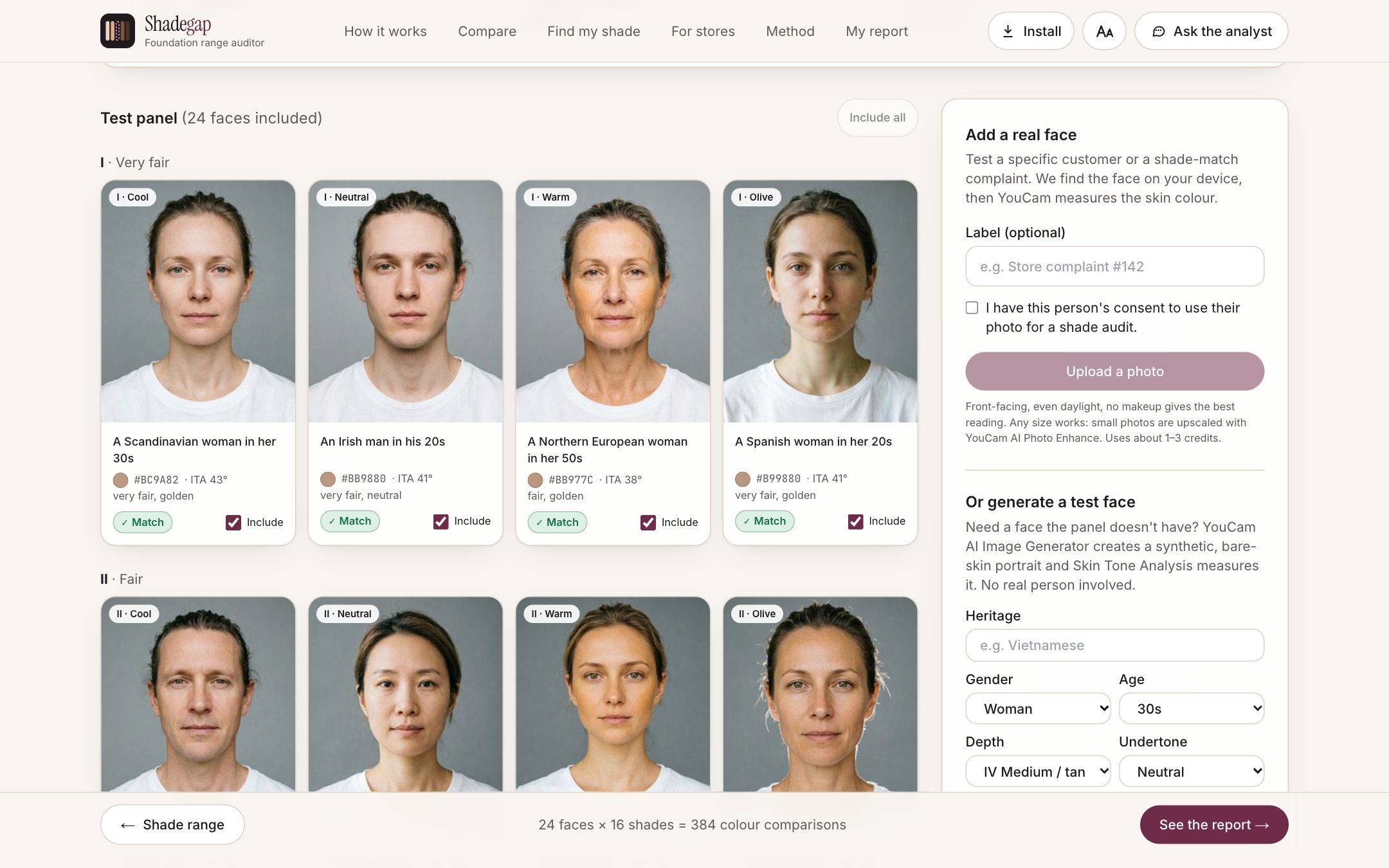
- Test it on a 24-face panel. YouCam AI Image Generator V2 makes synthetic faces across six depth groups and four undertones, so no real person is used. YouCam AI Skin Tone Analysis measures each face's skin colour. Brands can add regional face packs or consented customer photos; small photos are upscaled first with YouCam AI Photo Enhance.
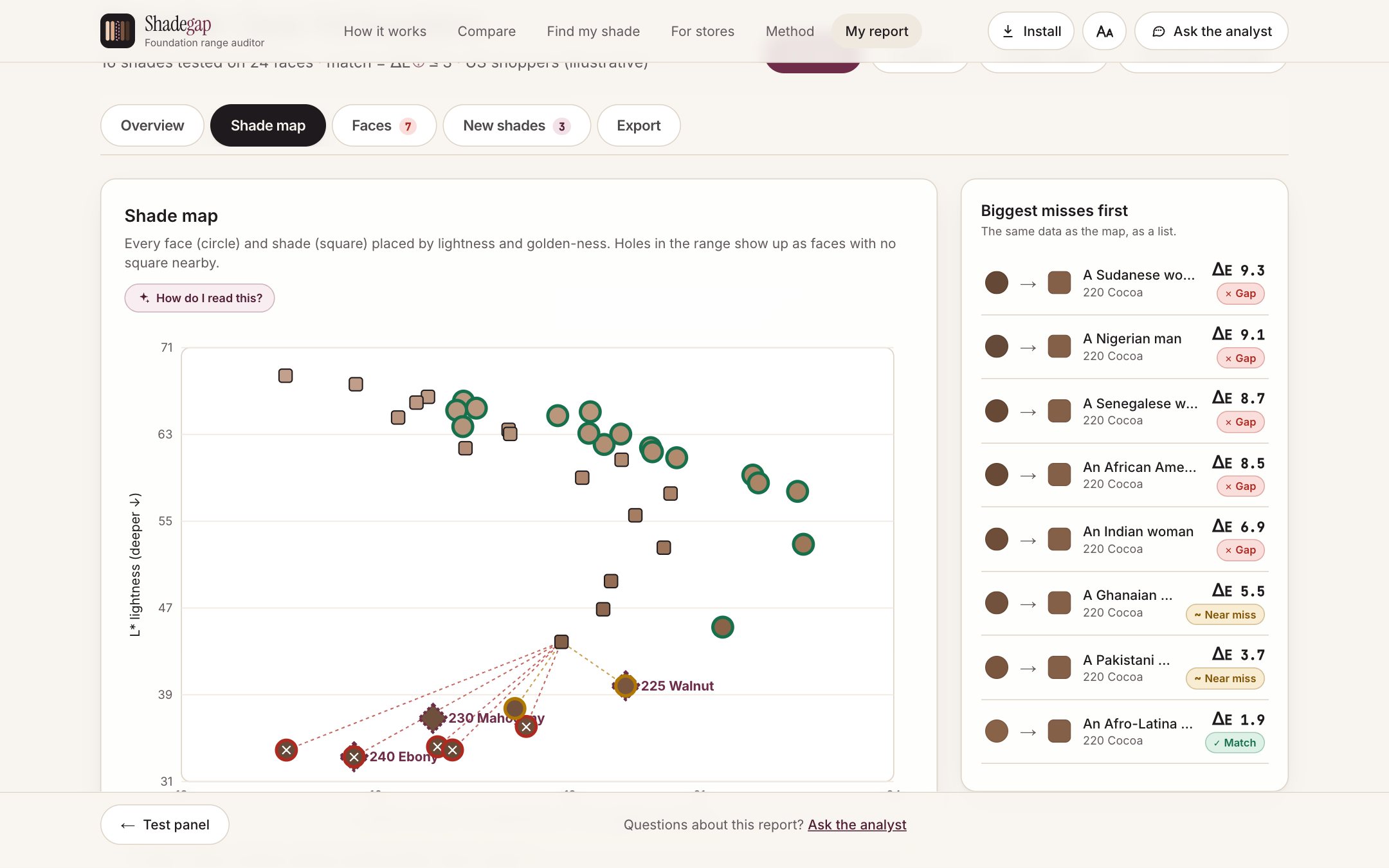
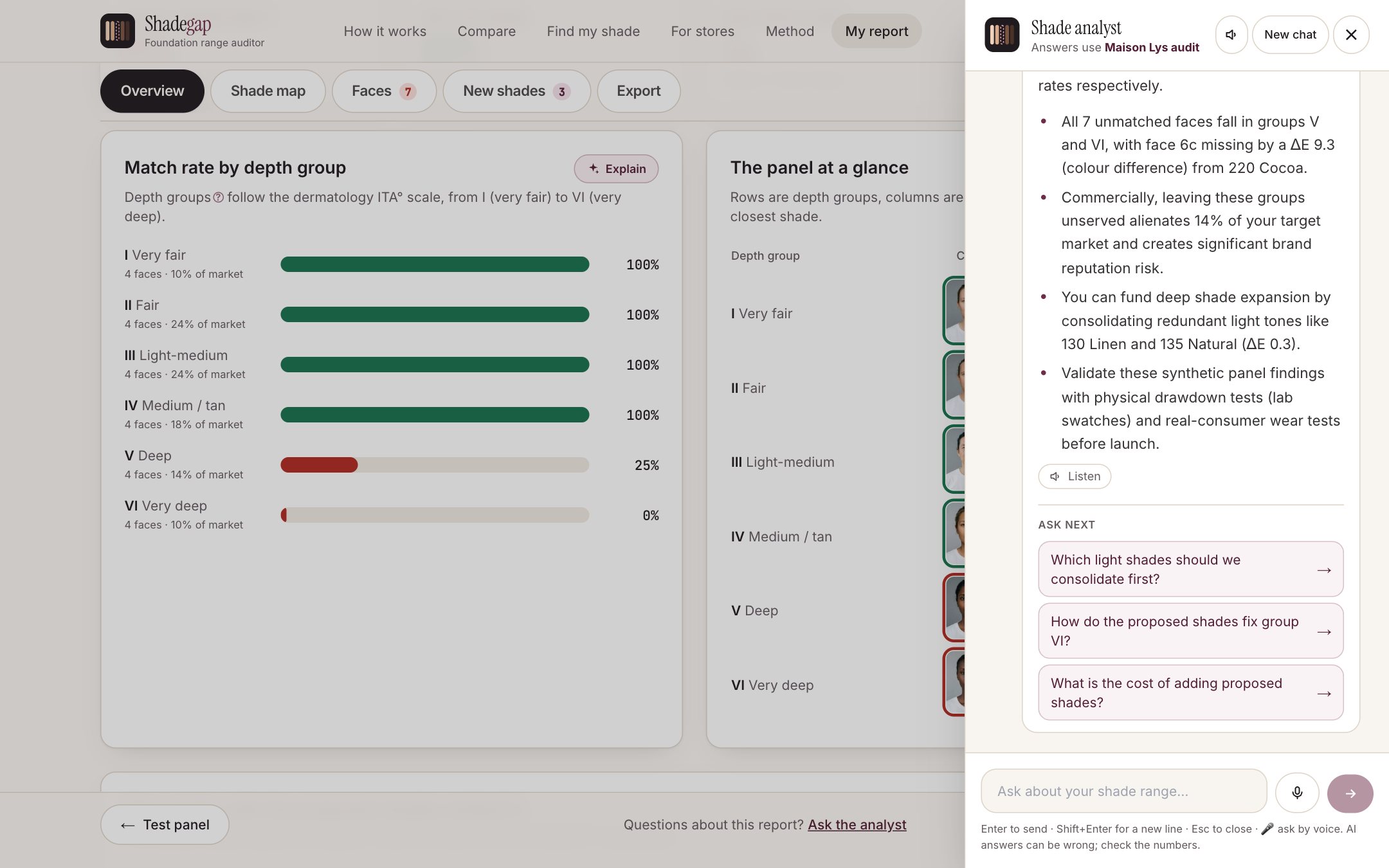
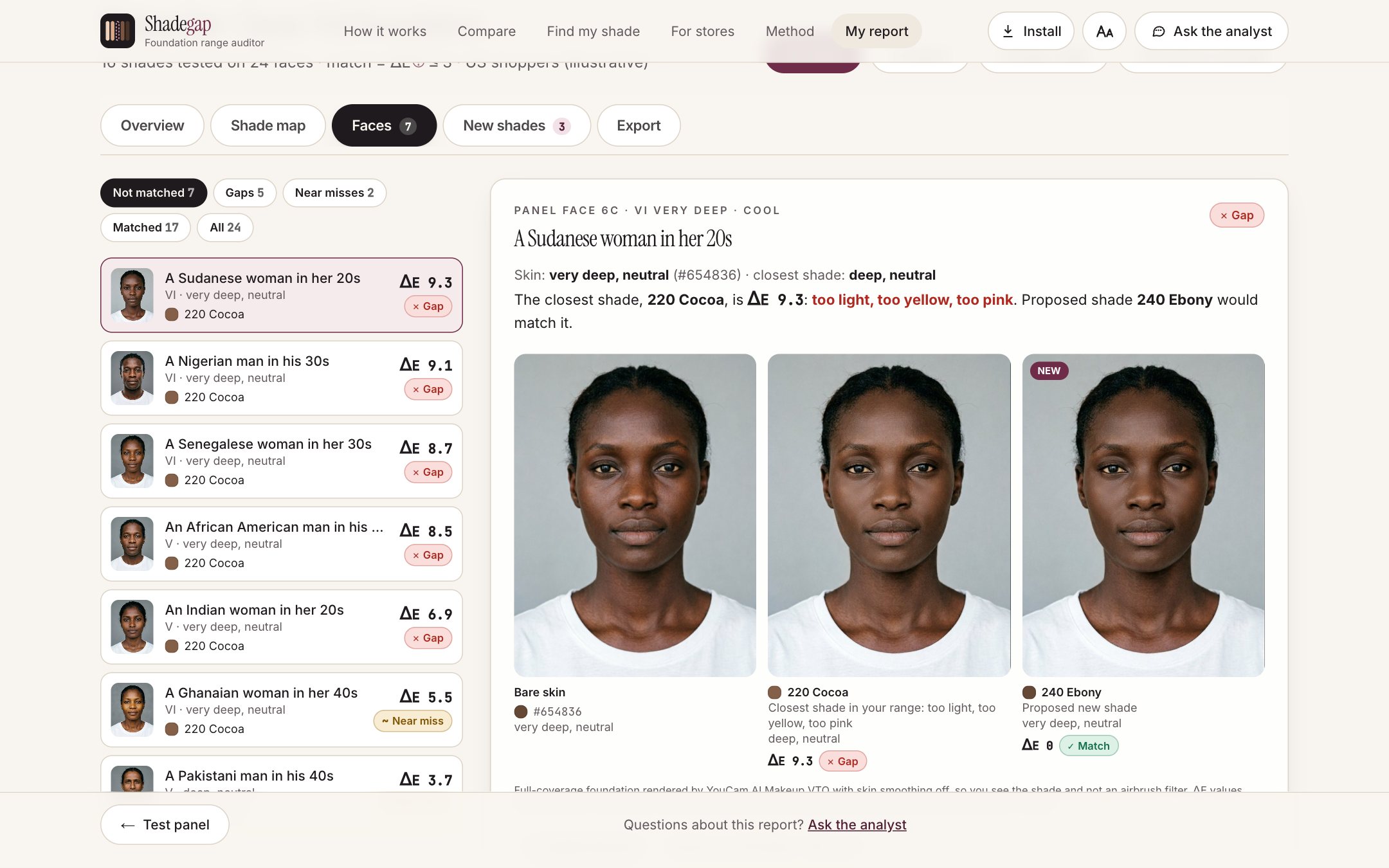
- See who the range fails. Every face is compared with every shade using CIEDE2000, the colour-difference formula labs use. Each face is a match, a near miss or a gap, weighted by the brand's market mix. The report shows coverage by depth group, a shade map of the holes, and near-duplicate shades.
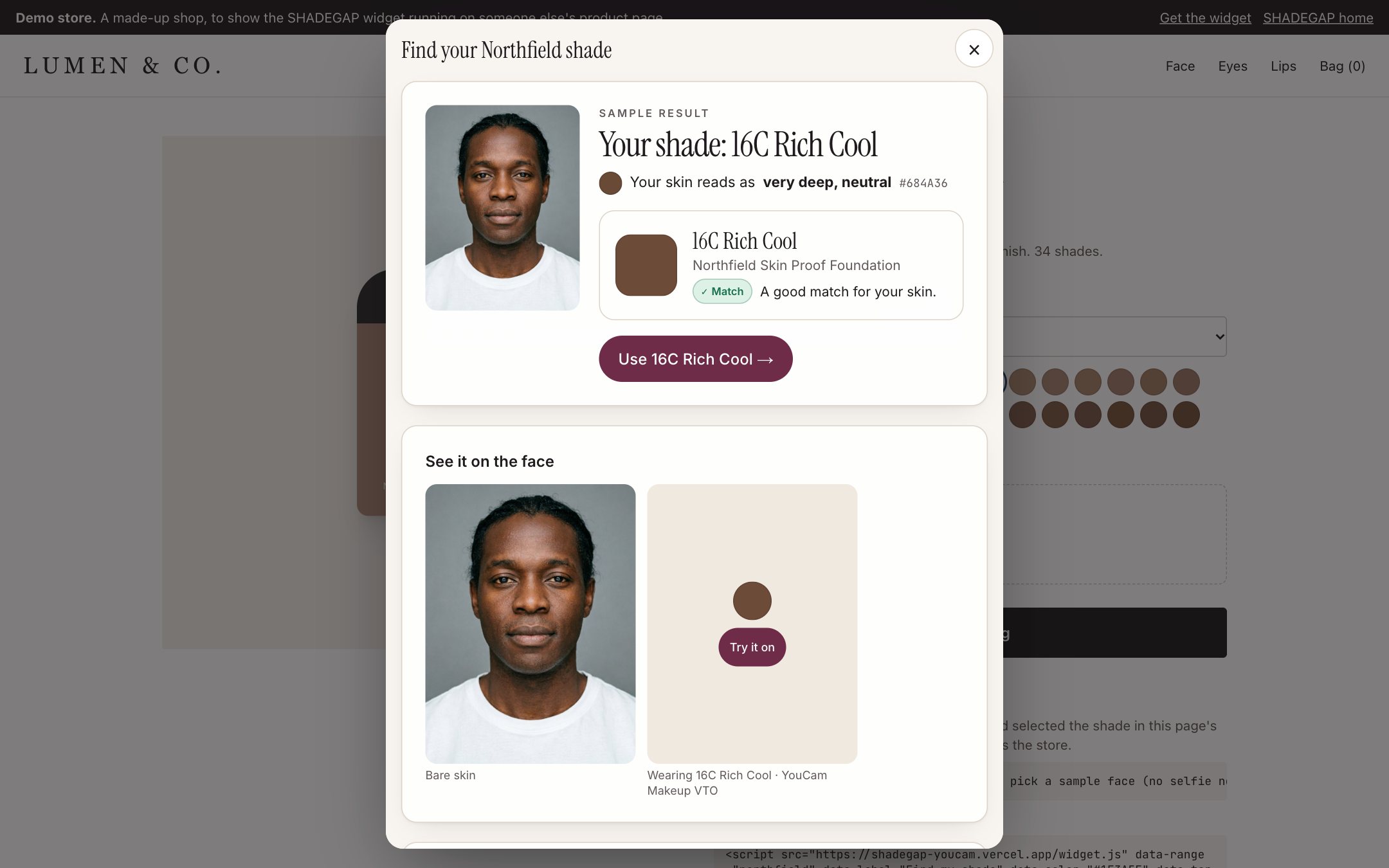
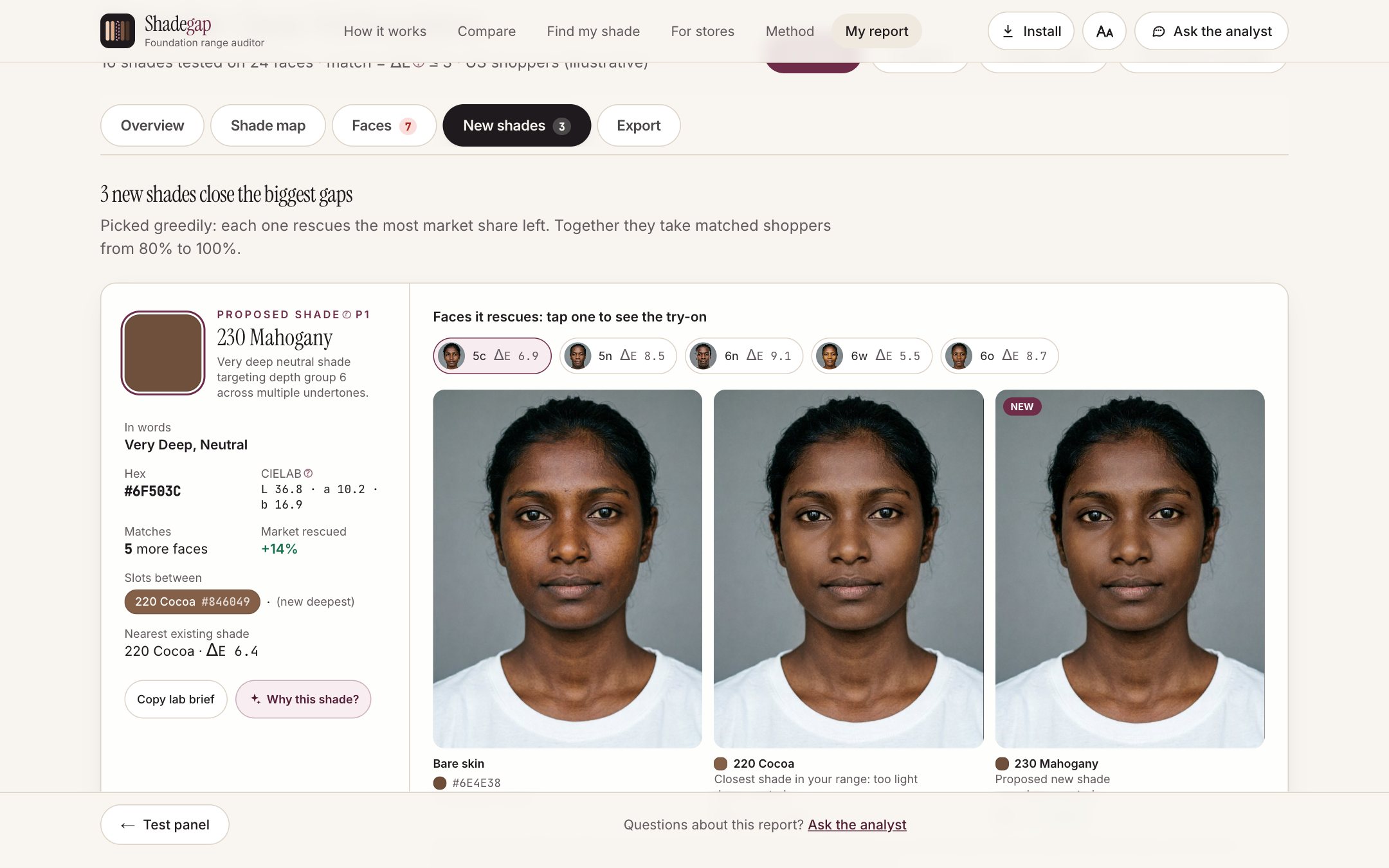
- Get the fix. SHADEGAP proposes 1–5 new shades, each with an exact hex and CIELAB target, the shades it sits between, and the faces it rescues. YouCam Makeup VTO shows each face wearing its closest current shade and the proposed one.
- Ask the analyst. An AI analyst reads the audit's real numbers, explains any section in plain words, suggests follow-up questions, and writes the executive brief.
- Share it. Send the report as a link (nothing is stored on a server), export CSV or JSON for the lab, or turn it into slides, Slack or email. You can also compare two ranges side by side.
For shoppers and stores:
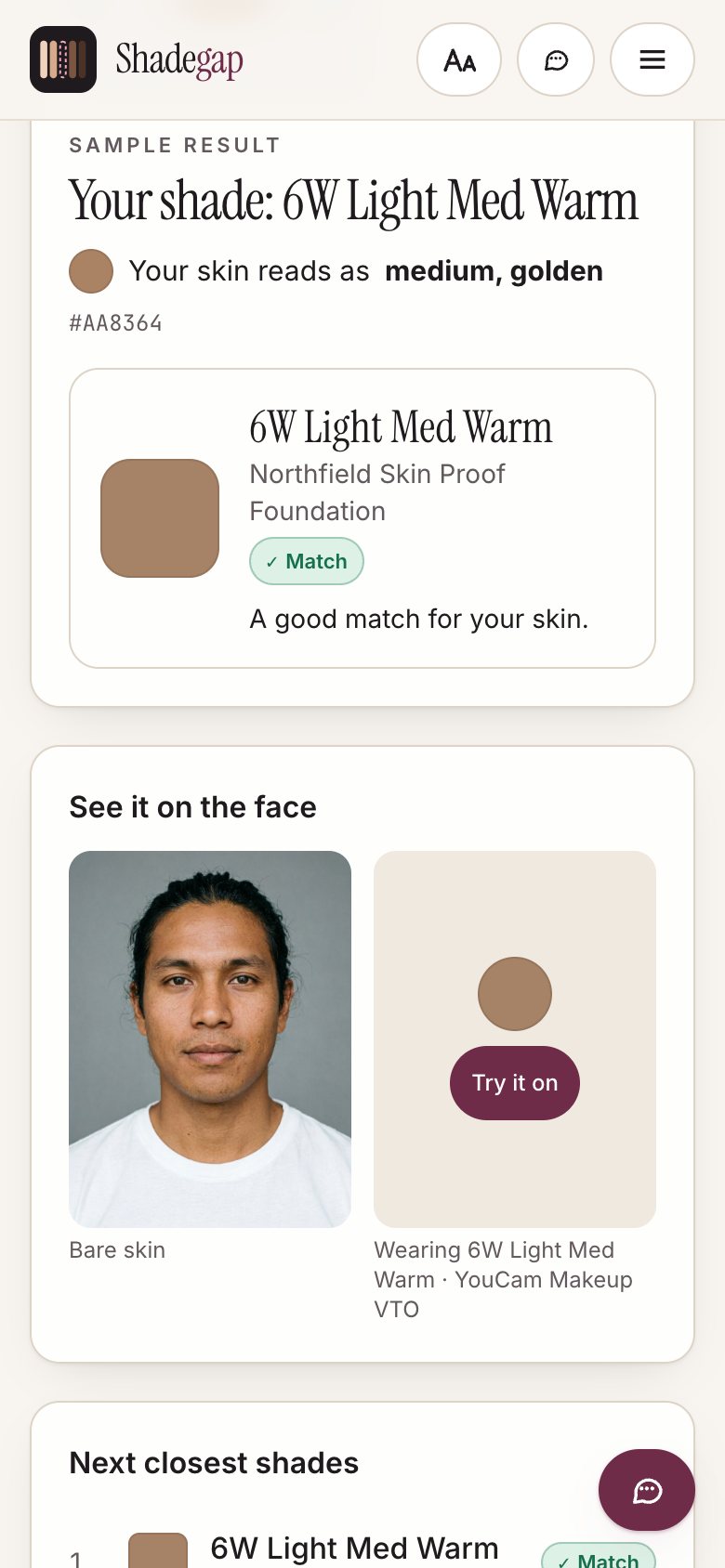
- Find my shade: one selfie gives an honest answer: their shade, the closest one, or "this brand doesn't have your shade yet". It comes with a try-on.
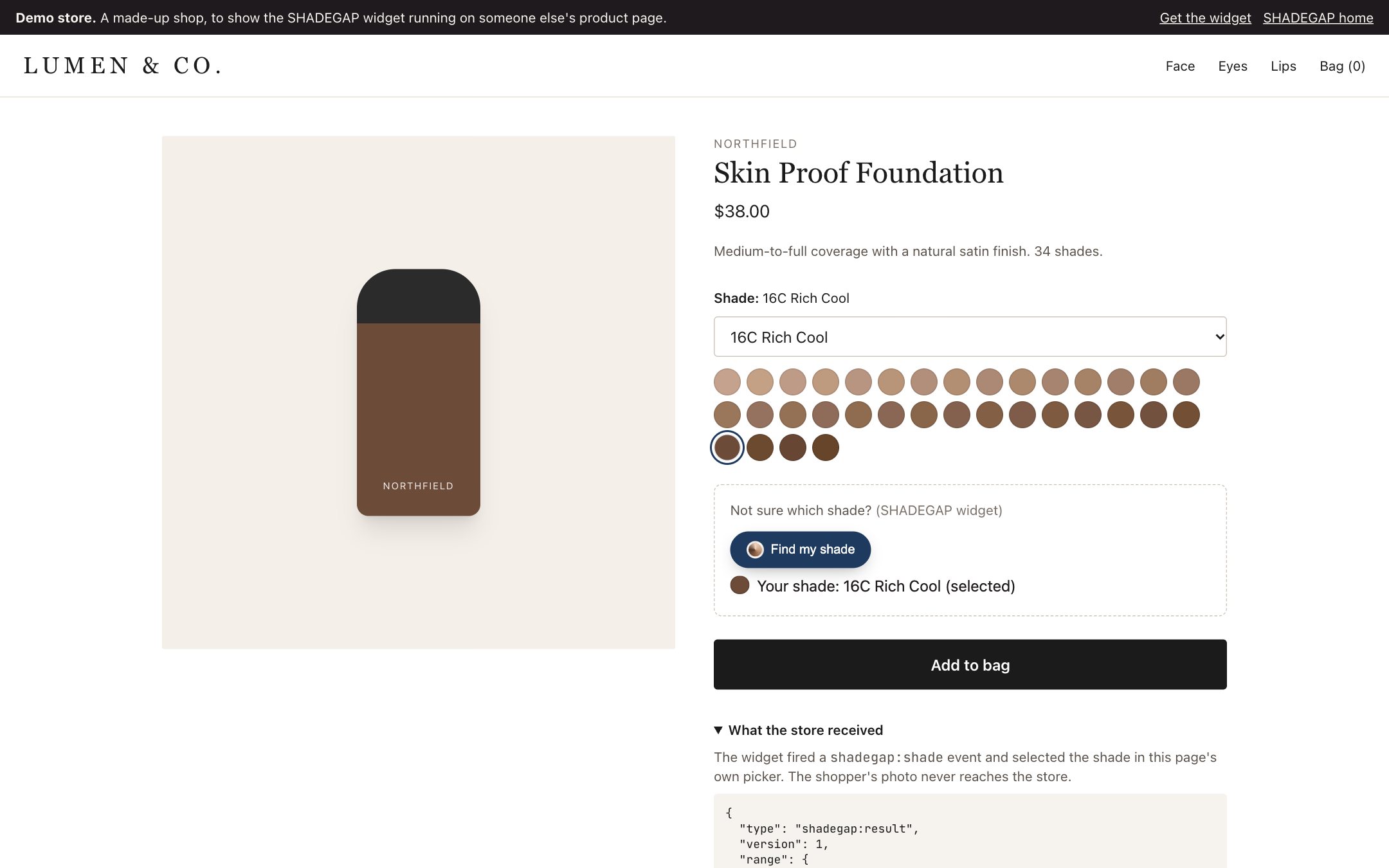
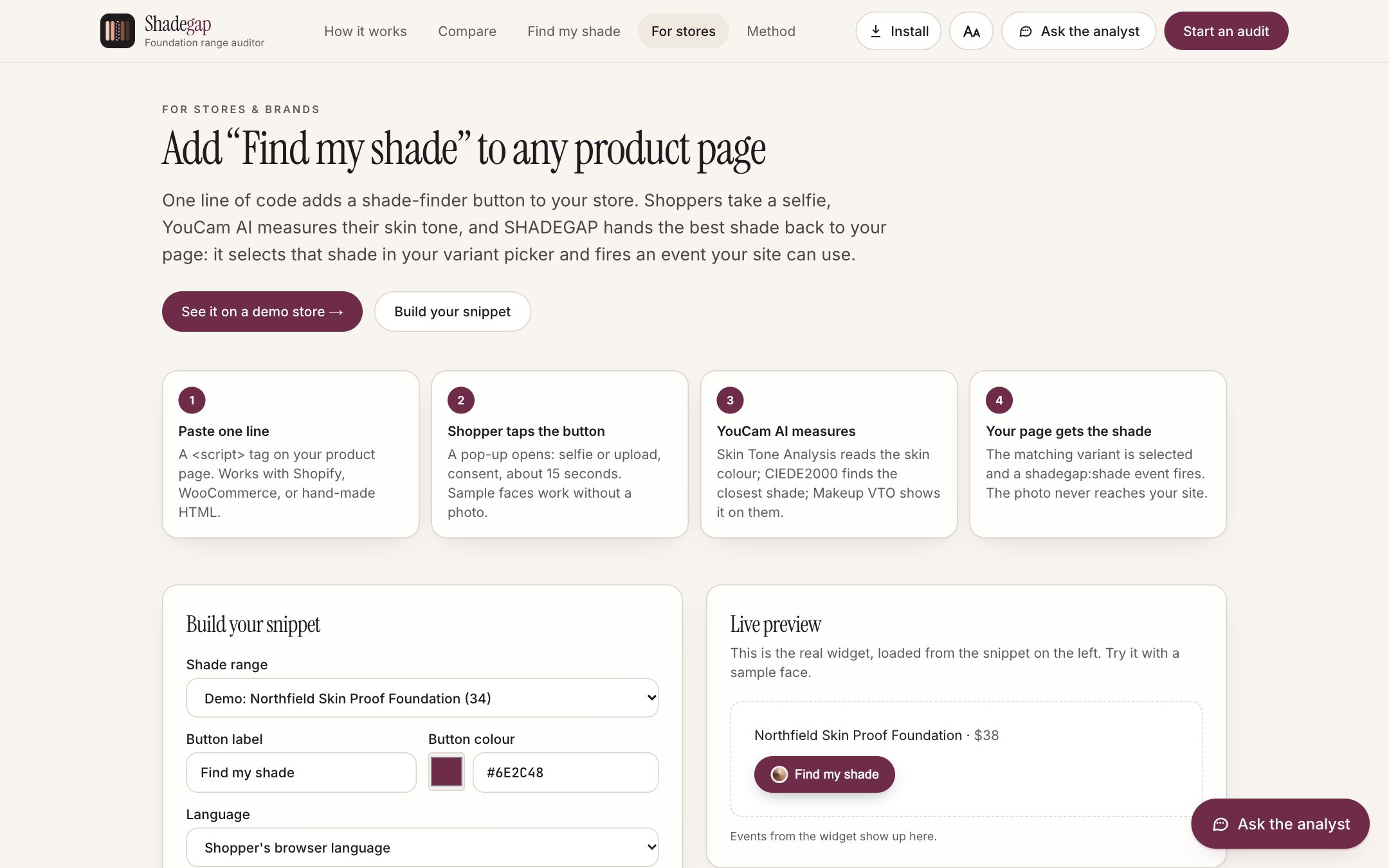
- A one-line store widget: one
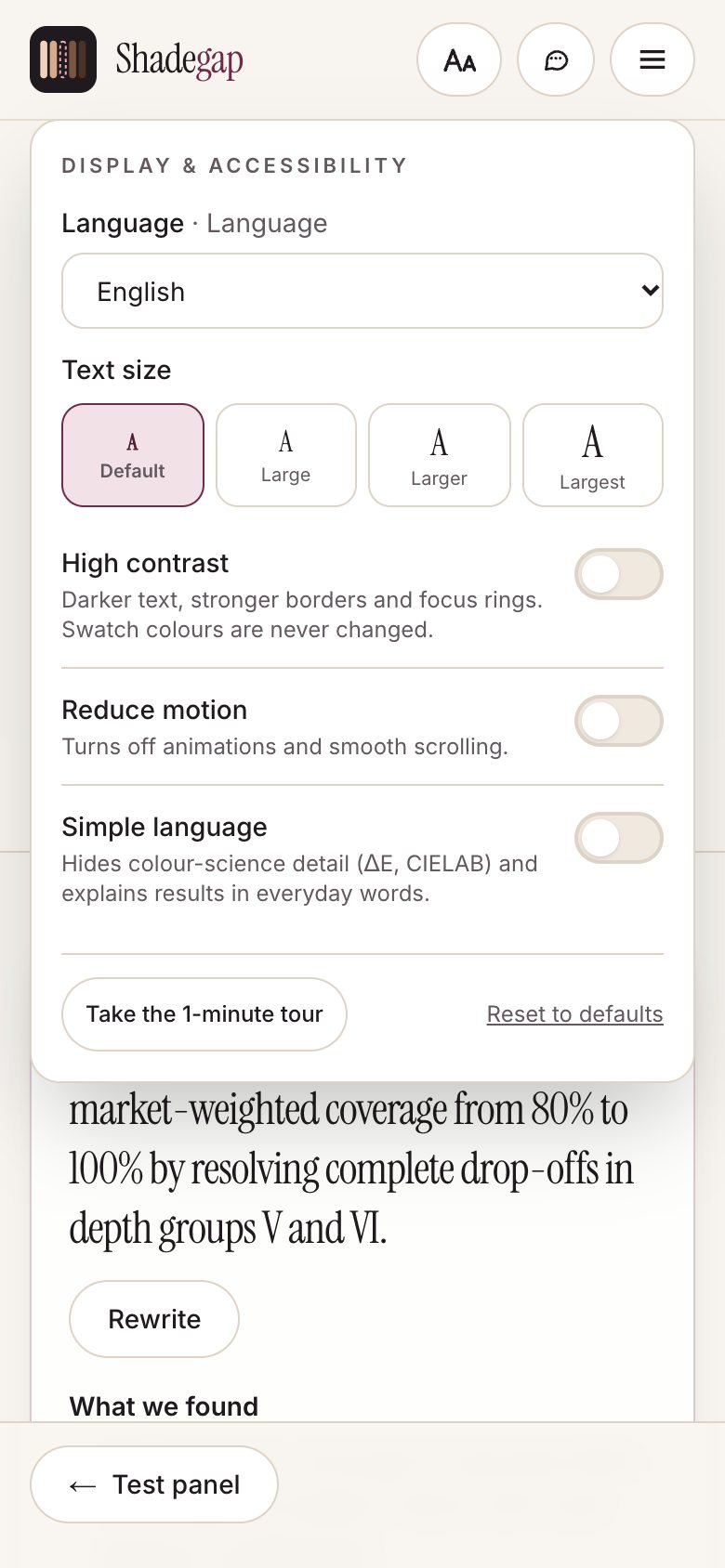
<script>tag adds the same button to any product page. The matching shade is selected in the store's own picker, the store receives ashadegap:shadeevent, and the photo never reaches the store. - Built for everyone: it works on phones and installs as an app. It has six languages, larger text, high contrast, a simple-language mode that turns ΔE into words, and voice in and out.
How we built it
- App: Next.js 14 (App Router, TypeScript, Tailwind), deployed on Vercel as an installable PWA with offline support.
- YouCam APIs, chained: each output decides the next input. AI Image Generator V2 creates the panel, Skin Tone Analysis measures it, our engine finds the gaps and proposes shades, and Makeup VTO renders them on the faces. Photo Enhance rescues small photos. All calls go through server routes (upload → task → poll), so keys never reach the browser.
- Colour science (our own): sRGB → CIELAB (D65), CIEDE2000 (validated against the Sharma 2005 reference pairs in
npm test), ITA° depth groups, and a greedy weighted set cover that picks the new shades rescuing the most market share. - AI analyst: grounded in the audit's own numbers, with key rotation and a fallback chain of models.
- Store widget: vanilla JS in a shadow DOM, and an iframe with an origin-checked
postMessagehandshake. - Privacy: on-device face detection with MediaPipe, share links that compress the whole audit into the URL, and a consent step before any photo is sent.
- Demo video: generated from a script, with a Sarvam TTS voice-over synced line by line to real screen recordings.
Challenges we ran into
- API credits ran out mid-build. While we generated regional face packs, the balance fell from about 377 to 10. We rebuilt the data from the generation logs, shipped only measured faces, and made the whole demo credit-proof: results are cached by image hash, try-ons are pre-rendered, sample faces need no API calls, and the app shows clear "out of credits" messages.
- Undertone was measured much less precisely than depth. Depth separated cleanly (L* 66 down to 33), but undertone varied by only about six degrees of hue. The image generator also took words like "olive" literally and produced green skin. We regenerated 13 faces, and we match on measured colour, saying so openly on the Method page.
- Makeup VTO airbrushes by default, and blends foundation into the skin. We turn smoothing off. We also learned that pixels on a render can't measure a shade, so renders are visual proof and the numbers come from Skin Tone Analysis.
- Importing a range from a real product page. This needed a fetch that's safe against server-side attacks, an AI step that never invents colours, and swatch-image sampling for shades with no colour data.
- Running inside someone else's store. The widget had to be isolated from the store's styling, check every message's origin, and stay safe when a page loads it twice.
- Free-tier AI rate limits. We solved these with key rotation, a four-model fallback and a back-off.
Accomplishments that we're proud of
- A real, working run. It uses a real panel, real YouCam measurements and real try-ons, and every ΔE and every proposed CIELAB value is shown.
- Four YouCam APIs chained into one pipeline that turns "is our range inclusive?" into a number and a lab-ready fix.
- A store integration you can paste in one line, which selects the right shade in the store's own picker. We tested it on a store running on a different site.
- An honest shopper answer: "this brand doesn't have your shade yet" instead of a wrong sale.
- Accessibility built in from the start: six languages, simple language, voice, high contrast, full keyboard and screen-reader support, and every page fits a phone screen.
- A demo that costs nothing to explore. Judges and visitors can try everything without spending credits.
What we learned
- The Skin AI is at its best as a measuring instrument. Pointing it at a product range instead of a single selfie turns it into a design tool for brands.
- Being honest about each API's precision made the product more credible. Showing the reasoning (every face, every ΔE) builds more trust than a single score.
- Synthetic, AI-measured faces make a repeatable, privacy-safe test panel. Real confirmation still needs drawdowns and wear tests on real skin, and the product says so.
- Shared quotas and rate limits are part of the design. Caching, pre-rendering and graceful fallbacks kept the app working when credits ran out.
What's next for ShadeGap
- Calibration: match the panel against spectrophotometer readings of real skin, and let brands upload their own lab measurements and wear-test results.
- Larger and regional panels: more faces per depth group, with full packs for Latin America and Sub-Saharan Africa once credits allow.
- Store insights: show brands which shades shoppers searched for and couldn't find, straight from the widget.
- One-click store apps: Shopify and WooCommerce apps for the widget, plus a "Find my shade" button for every product in a catalogue.
- Beyond foundation: the same audit for concealer, powder, tinted SPF, and "nude" products like bandages, hosiery and lingerie.
Built With
- nextjs

