Inspiration
The last time I bought foundation online, it looked perfect on my screen. When it arrived, it was two shades too light, and it's still sitting in my drawer.
Living in Dubai, surrounded by every skin tone imaginable, almost everyone I know has a story like that. Online, you're guessing from a screen. In store, bright lighting makes a shade look perfect until you step outside. And even when you do find your shade, it doesn't follow you: next time you shop online, you're guessing again.
For beauty retailers, that means wrong-shade returns (often on opened products that can't be resold) and shoppers who don't trust buying shade-dependent products online. We buy almost everything online now. Choosing your shade shouldn't come down to luck.
What it does
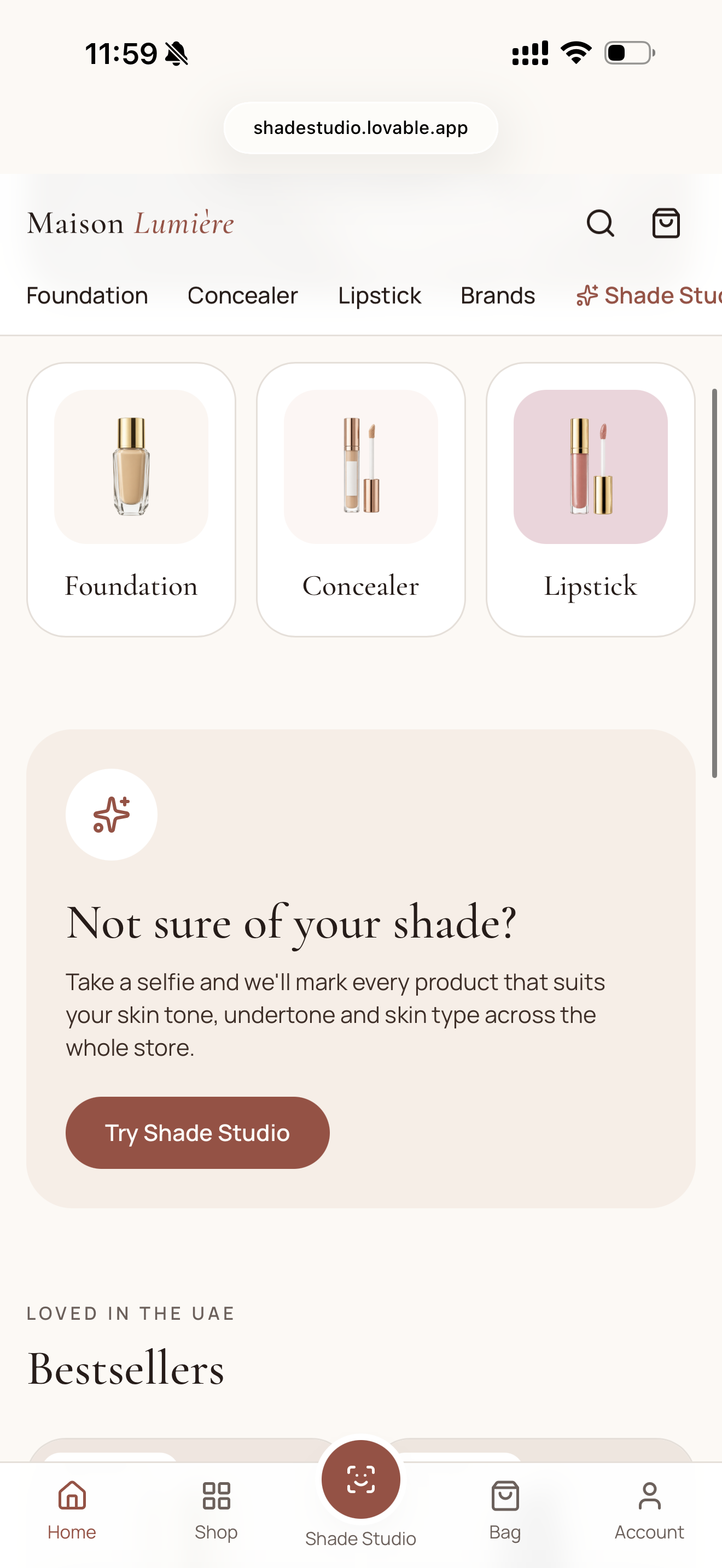
Shade Studio is a shade-matching feature built into a premium beauty store. Scan once, matched everywhere.
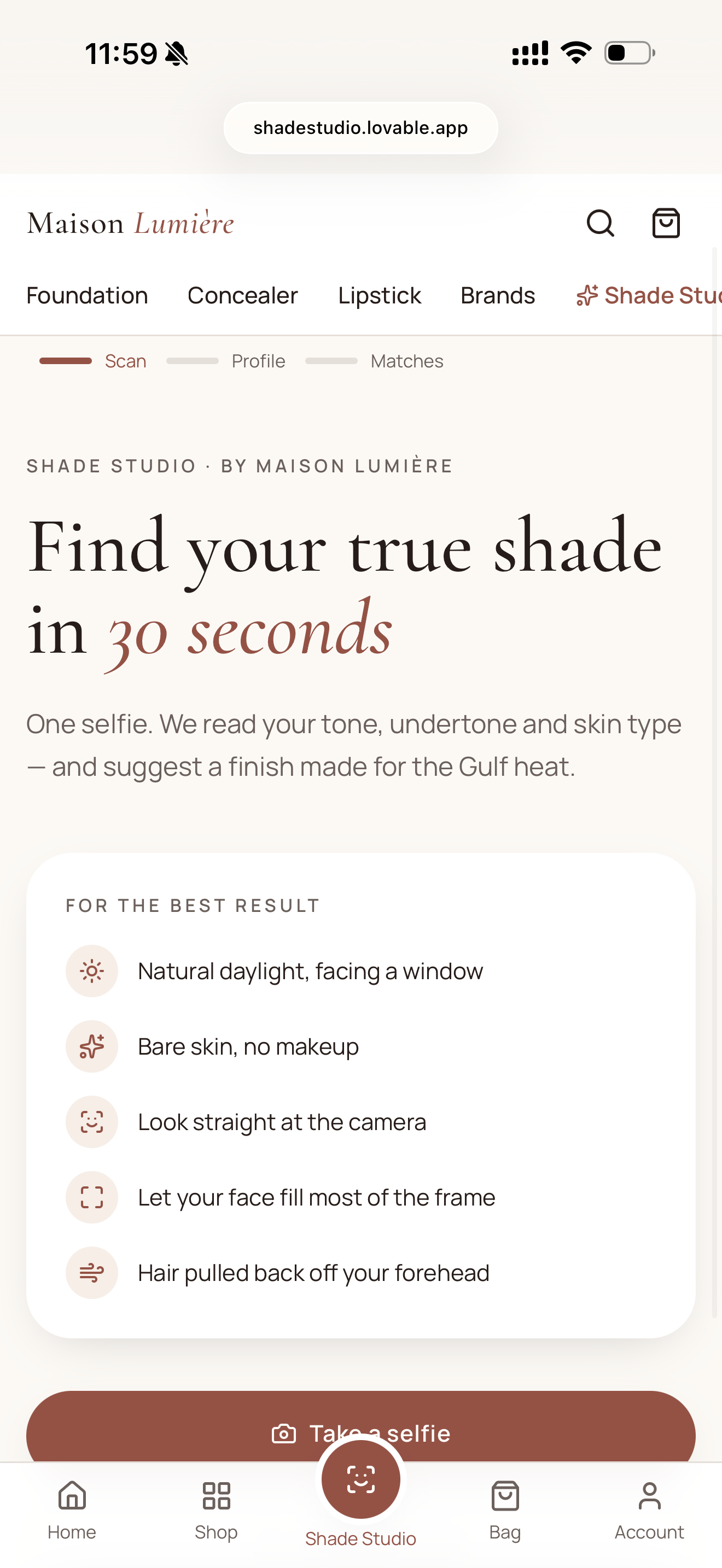
- Guided selfie scan: the camera guides you to the right distance and natural light, and only captures a good photo.
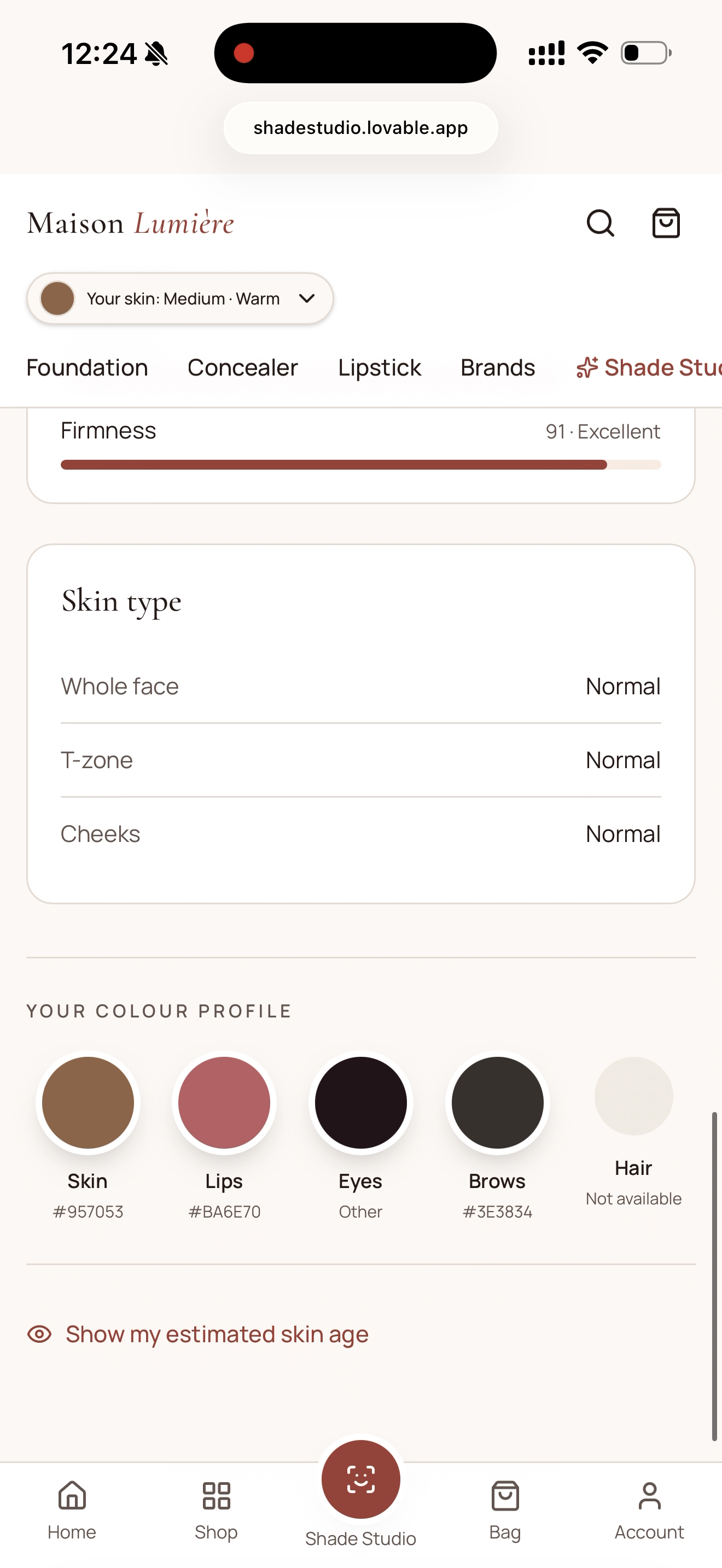
- Skin profile: skin tone, estimated undertone (warm, neutral or cool), and skin type for the whole face, T-zone and cheeks.
- Finish recommendation: matte, satin or dewy based on skin type, because in a hot, humid climate the wrong finish melts by noon.
- Matches across the whole store: foundation, concealer and lipstick across 8 brands, each labeled Great match, Close match or No close shade in this range, so shoppers know how confident to be.
- Your shade in other brands: your equivalent shade in every other brand, and honest guidance when a range doesn't carry your shade.
- Reviews from shade twins: filter reviews to shoppers with your skin tone and undertone.
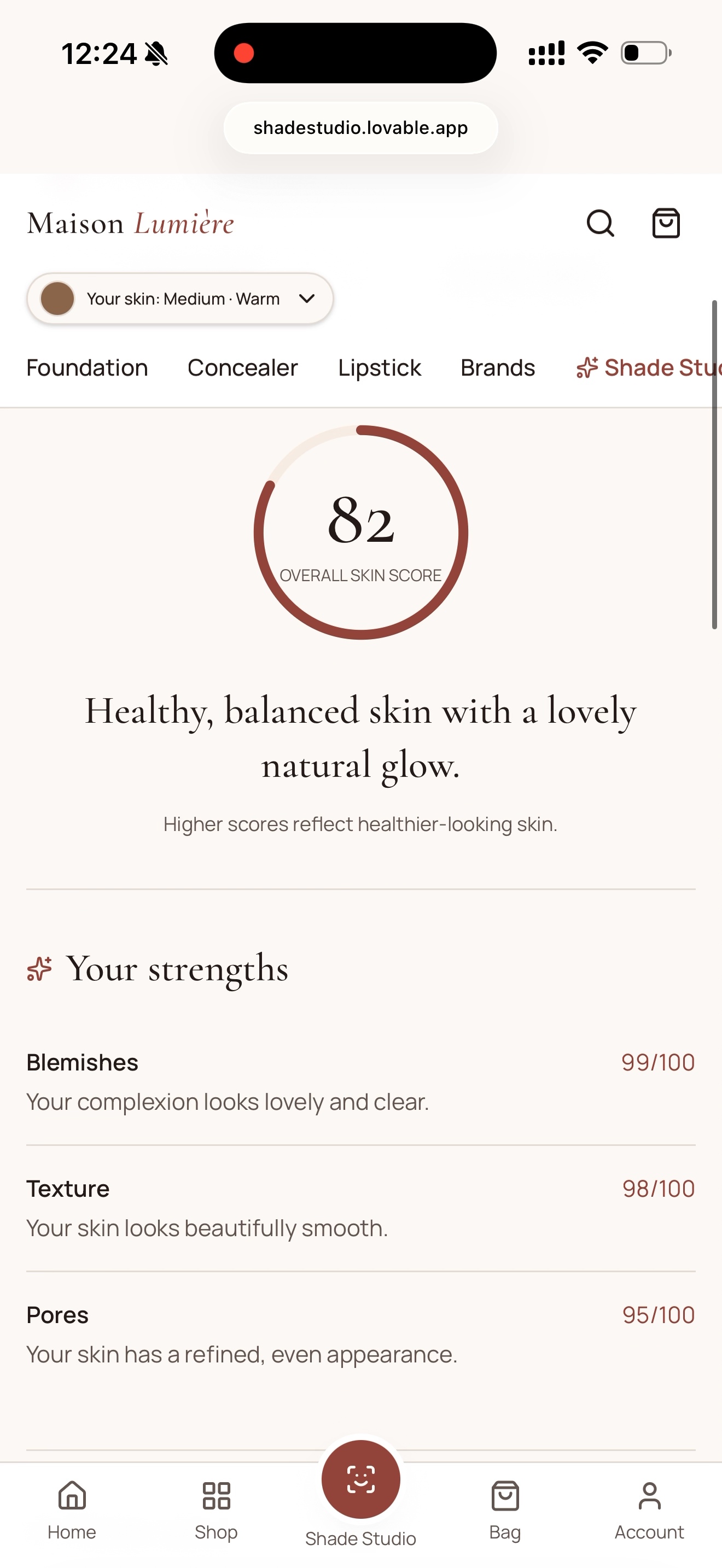
- Full skin report: strengths and focus areas, linked to products that help.
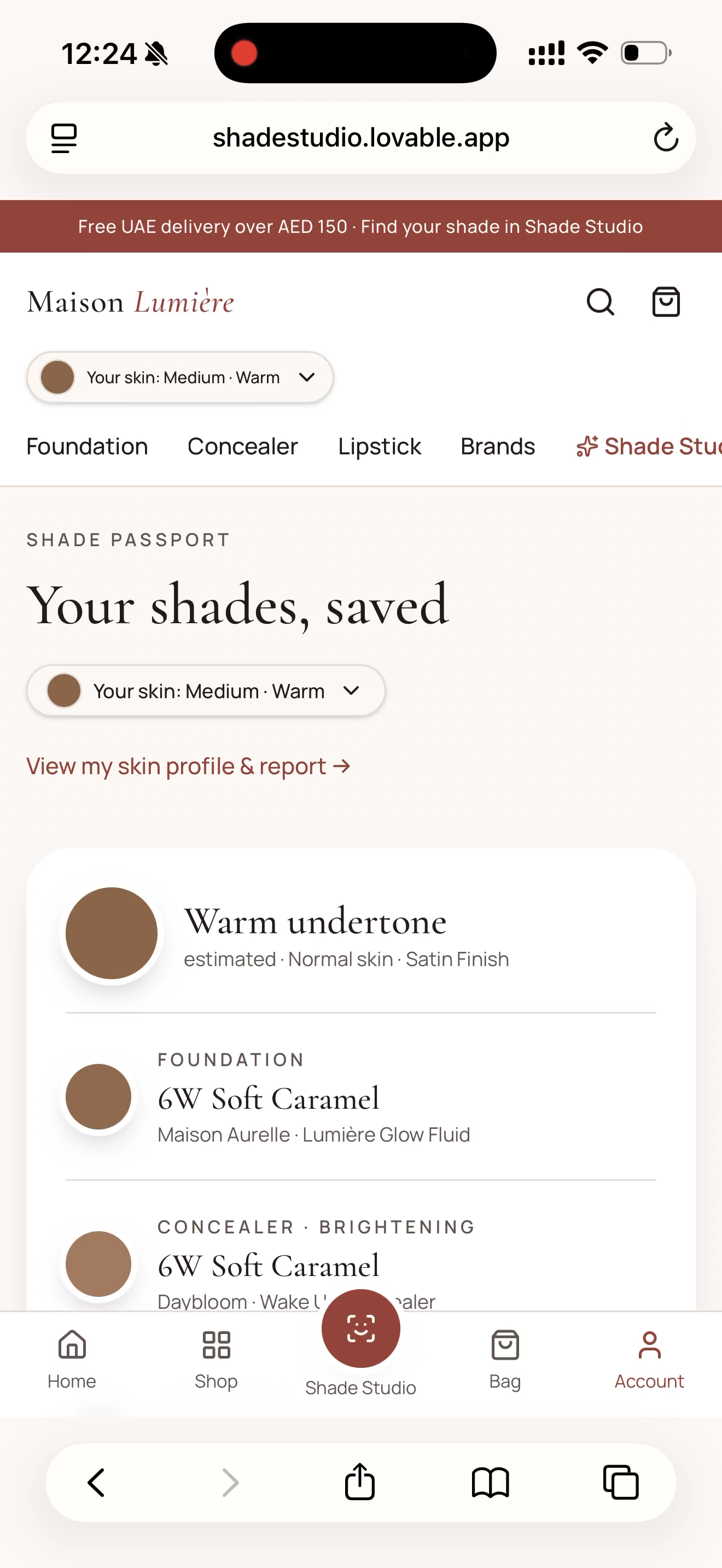
- Shade Passport: a saved profile with a QR code to show a beauty advisor in store, so your shade travels with you online and offline.
- You're in control: redo or remove your scan anytime, from any page.
How I built it
I built Shade Studio by vibe coding with Lovable, writing product specs as prompts and iterating screen by screen, with Lovable Cloud (Supabase Edge Functions) as the backend.
YouCam APIs used:
- AI Facial Color Tones Analyzer: skin and lip color from the selfie
- AI Skin Analysis: skin type by zone, oil balance, hydration and the full skin report
- YouCam JS Camera Kit: guided capture with real-time face quality checks
Flow: the selfie is cropped around the face in the browser, uploaded once through the YouCam File API, and both analysis tasks run on the same file. The backend polls until both finish, then returns the results to the app.
My own logic on top of the API:
- Undertone estimation. The API returns skin color but no undertone, so I estimate it from the color's hue angle in CIELAB space: $$h = \operatorname{atan2}(b^, a^)$$ Higher angles lean golden (warm), lower angles lean pink-red (cool).
- Shade matching. Every shade in the catalog is scored with the CIEDE2000 color difference $\Delta E_{00}$ against the user's skin color, with a small penalty when the shade's undertone differs from the user's. Under 4 is a Great match, 4 to 8 a Close match.
- Finish logic. Based on skin type by zone. For example, an oily T-zone with normal cheeks gets a satin foundation plus a tip to mattify the T-zone.
Privacy: the API key stays on the server, and selfies are never stored.
Challenges I ran into
- Failed scans from small faces. Skin Analysis needs the face to fill most of the frame, so early selfies came back with errors while tone analysis succeeded. I fixed this by cropping around the face before sending, and by making the camera stricter at capture.
- A limited API budget. With about 36 units per full scan, I built a mock mode that mirrors the real API responses, so I could design and test everything without spending units. I also learned to tell my AI builder never to run live tests itself, after it did.
- Reading the scores correctly. In YouCam's results, a higher score means healthier skin, not more of a concern. My first version showed "Oiliness 82/100" as very oily when it meant well balanced, so I redesigned the labels.
- Inclusive matching. An early catalog had too few deep shades, and a deep-skin test profile was told nothing matched. For a product about diverse skin tones, that was the worst possible failure, so I rebuilt the catalog with realistic shade ranges and made the "no match" message rare and honest.
- Consistency. Different pages briefly calculated matches differently. I moved everything to one shared matching function so every page tells the same story.
Accomplishments that I'm proud of
- A working end-to-end flow on real API results: browse, scan, get matched, buy.
- Turning raw API output into decisions a shopper can act on: which shade, how confident, which finish, and where else to find it.
- Designing for the honest answer. Sometimes the right recommendation is "this range doesn't have your shade," and the product still helps the shopper find one that does.
What I learned
- How asynchronous APIs work in practice: start a task, poll for the result, and when you'd switch to webhooks at scale.
- That an API's output is only the starting point. Most of the product value came from the logic and UX built on top of it.
- That clear specs matter even more when an AI is writing the code. Precise prompts, constraints and acceptance checks made the difference.
What's next for Shade Studio
- In-stock matching for nearby stores, recommending the best shade available near you right now.
- Share your skin report with a dermatologist for expert advice (the report is cosmetic guidance, not a diagnosis).
- Climate- and occasion-aware recommendations that adapt to the season and where you are.
- Measuring impact through conversion on shade-dependent products, wrong-shade return rate, and repeat purchases from matched shoppers.
Built With
- ai-skin-analysis
- facial-color-tones-analyzer
- javascript
- lovable
- lovable-cloud
- perfect-corp
- react
- supabase
- supabase-edge-functions
- tailwindcss
- typescript
- vite
- youcam-api
- youcam-camera-kit
