Seven Doors to Hell 🚪🔥
Inspiration
I wanted to bring the childhood terror of "Bloody Mary" into the digital age. We've all stared into a mirror waiting for something to move, but digital horror often feels detached. Passive jump scares on a screen don't trigger the same primal fear as seeing yourself in danger. Inspired by classic arcade light-gun games and urban legends, I built Seven Doors to Hell to turn the user's own reflection into the source of fear. I wanted to create an experience where you aren't just watching a scary movie—you are the protagonist, and your webcam is the portal.
What it does
Seven Doors to Hell is a browser-based Augmented Reality (AR) horror arcade experience.
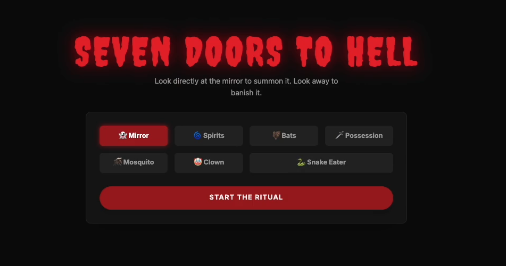
- Seven Rituals: Users choose from 7 unique game modes, each transforming their webcam feed into a different nightmare scenario.
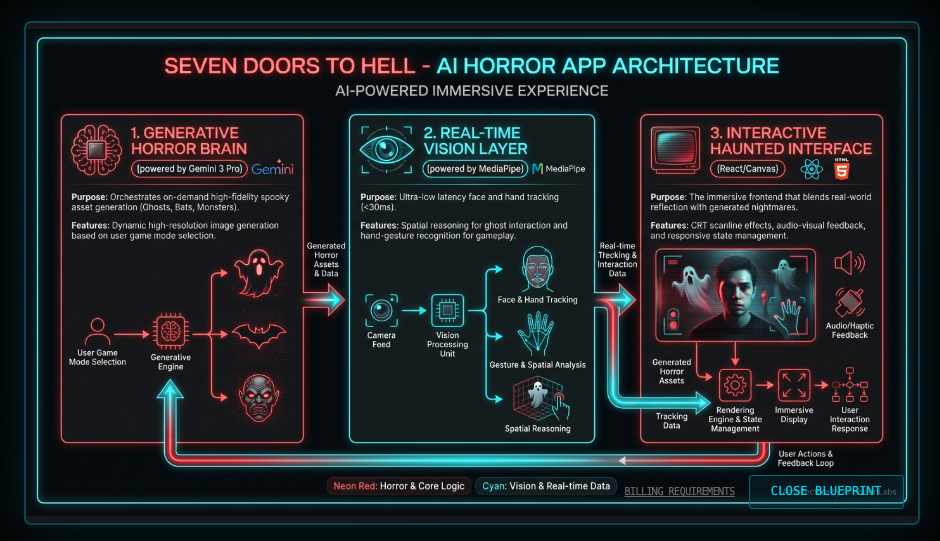
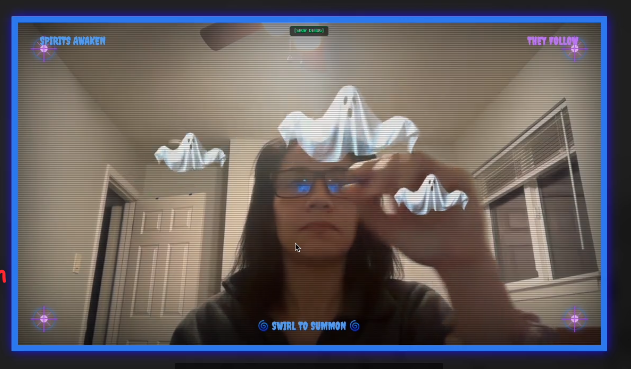
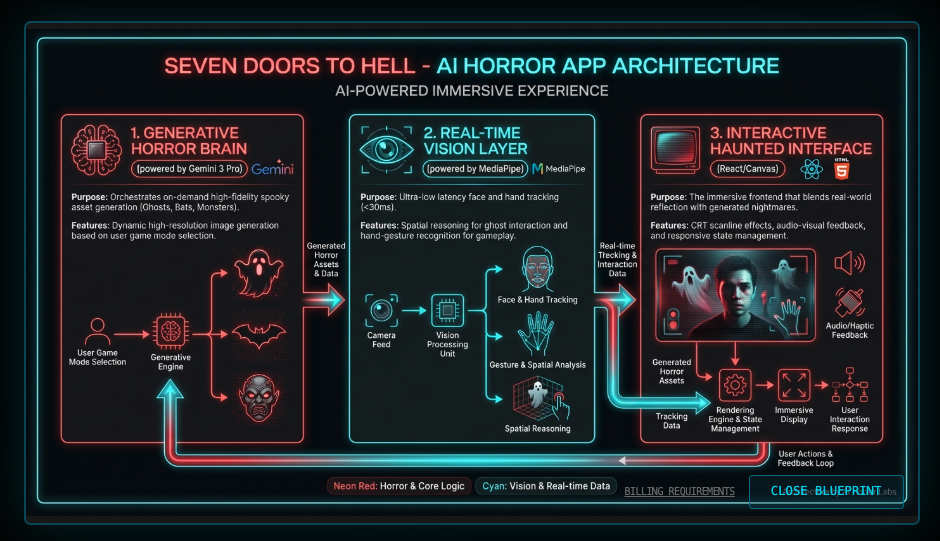
- Generative Assets: Every time you play, the monsters (ghosts, bats, killer clowns) are generated fresh by Google Gemini 2.5 Flash, ensuring no two hauntings look exactly the same.
- Computer Vision Controls: There are no mouse clicks or keyboard inputs during gameplay. You play with your body:
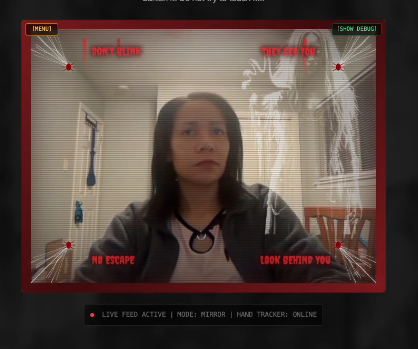
- Stare at the mirror to summon ghosts.
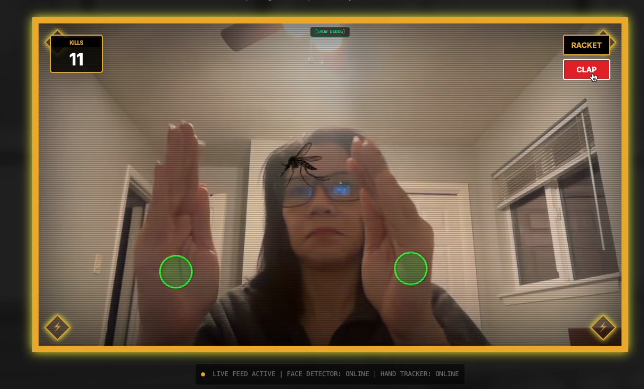
- Clap your hands to kill giant mosquitoes.
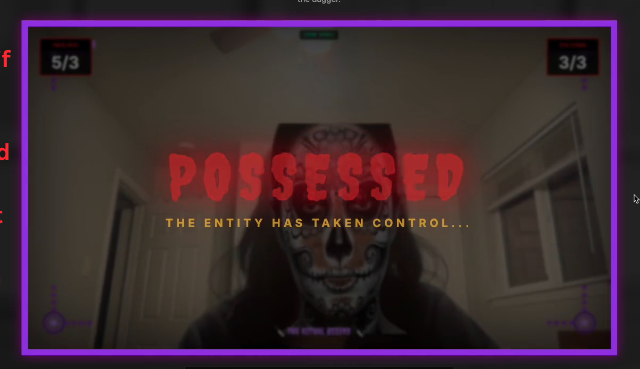
- Bang your head to let a zombie mask possess you.
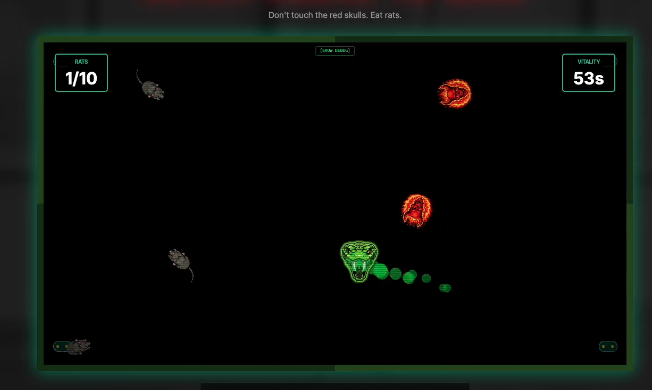
- Point your finger to guide a snake.
- Procedural Audio: A custom Web Audio engine generates screams, explosions, and laughs in real-time, reacting dynamically to game events.
How I built it
I built this application using React, TensorFlow.js, and the Google GenAI SDK.
🛠️ Google AI Studio & Gemini API
Google AI Studio was crucial for refining the prompts needed to generate game assets that could be easily processed by code.
- Prompt Engineering for Sprites: I used
gemini-2.5-flash-imageto generate game assets. The challenge was getting the AI to act like a game artist. I engineered prompts with strict constraints (e.g.,CRITICAL: The background MUST be pure solid WHITE (#FFFFFF)) to facilitate real-time background removal. - Dynamic Asset Loading: When a user selects a mode (e.g., "Snake Eater"), the app hits the Gemini API to generate the specific assets needed (Snake Head, Rat) on the fly, creating a loading phase that builds anticipation.
The Frontend & Vision Pipeline
- Computer Vision: I utilized MediaPipe via TensorFlow.js for high-fidelity Face and Hand tracking.
- Face Detection: Calculates the ratio between nose and ears to determine if the user is looking directly at the camera (Mirror Mode).
- Hand Skeleton: Tracks 21 landmarks to detect complex gestures like "Pointing" (Snake Mode) or "Clapping" (Mosquito Mode).
- Chroma Key Processing: To make AI-generated JPEG images usable as game sprites, I wrote a custom Canvas processing algorithm (
processImageTransparency) that scans pixel data and converts specific background colors (White/Black) to transparency at runtime.
Audio Engineering
Instead of loading static MP3 files, I built a AudioEngine class using the Web Audio API. It uses:
- Pink Noise & Sawtooth Oscillators: To synthesize organic horror sounds like vocal fry screams.
- Convolver Nodes: To apply a "Ghostly Hall" reverb impulse response generated mathematically using exponential decay noise.
Challenges I ran into
The "Black Box" of Canvas: Rendering video feeds, AI images, and particle systems on a single HTML5 Canvas while maintaining 60 FPS was difficult.
- Solution: I optimized the rendering loop by using
requestAnimationFrameexclusively and separating logic updates from drawing operations.
Prompt Adherence: Early on, Gemini would generate ghosts with complex backgrounds, making them impossible to overlay cleanly.
- Solution: I implemented a retry logic with "Critical" instructions in the prompt to ensure solid backgrounds, and added error handling to gracefully fail if the image wasn't usable.
Real-Time Latency: Running TensorFlow models alongside React state updates caused stuttering.
- Solution: I moved the vision detection into an asynchronous loop that updates refs, decoupling the detection rate from the render rate.
Accomplishments that I'm proud of
- The "Possession" Mechanic: It feels genuinely unsettling to see a mask "snap" onto your face only when you nod violently. The sync between the vision data and the rendering is tight.
- Zero Asset Bundling: The fact that the game has no image or audio assets in the repo—everything is code or AI-generated—makes it incredibly lightweight and unique.
- The Scream Engine: Creating a realistic human scream using purely math (formant filters and oscillators) was a fun dive into signal processing.
What I learned
I learned that Gemini 2.5 Flash is incredibly fast—fast enough to be used as a "loading screen" mechanic without boring the user. I also deepened my understanding of vector math for game physics (tracking velocity for throwing tomatoes) and the intricacies of the Web Audio API (handling audio context states).
What's next for Seven Doors to Hell
- Gemini Live Integration: I want to add a mode where you have to talk to the ghost to survive, using the Gemini Live API for real-time audio-to-audio interaction.
- Video Generation: Using Google Veo to generate dynamic jump-scare video clips instead of static sprites.
- Multiplayer: A "Seance" mode where multiple users connect via WebRTC, and the ghost jumps between screens.
How to test
Setup:
- Clone the repository.
- Create a
.envfile withAPI_KEY=your_google_api_key. - Run
npm installandnpm start.
Browser Permissions:
- When the app loads, Allow camera access when prompted. The app cannot function without it.
Testing Specific Modes:
*   **👻 Mirror Mode**:
    *   Select "Mirror Mode". Wait for the Ghost to generate.
    *   **Test**: Stare directly into your eyes in the video feed. The ghost should appear. Look away (turn your head side to side), and it should fade. Wave your hand at it to scare it away.

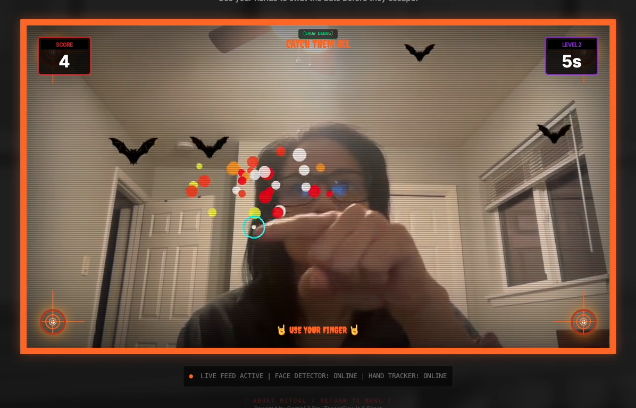
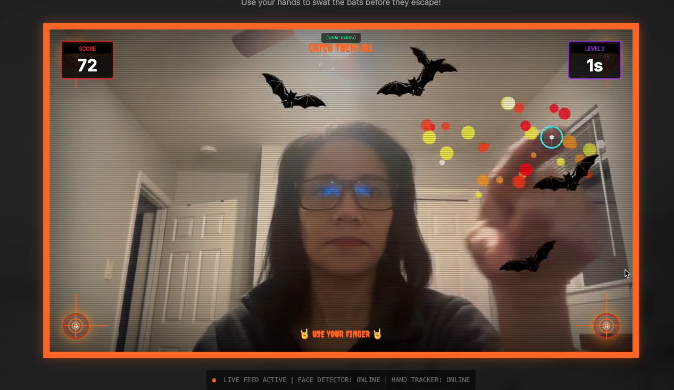
*   **🦇 Bat Catcher**:
    *   Select "Bat Catcher".
    *   **Test**: Wave your hands in front of the camera. Try to intercept the flying bat silhouettes. A successful hit triggers an explosion effect.

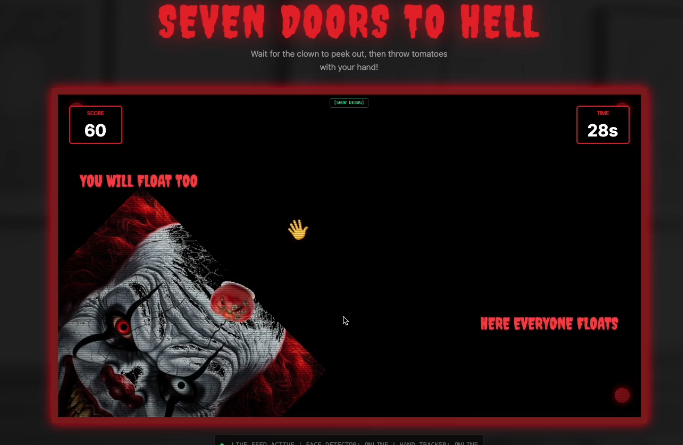
*   **🤡 Creepy Clown**:
    *   Select "Creepy Clown".
    *   **Test**: Wait for the clown to peek from an edge. Quickly move your hand across the screen as if throwing something. A tomato should launch from your hand position towards the clown.

*   **🐍 Snake Eater**:
    *   Select "Snake Eater".
    *   **Test**: Hold up your index finger. The green snake head should follow your finger tip. Guide it to the rat icon to eat it.

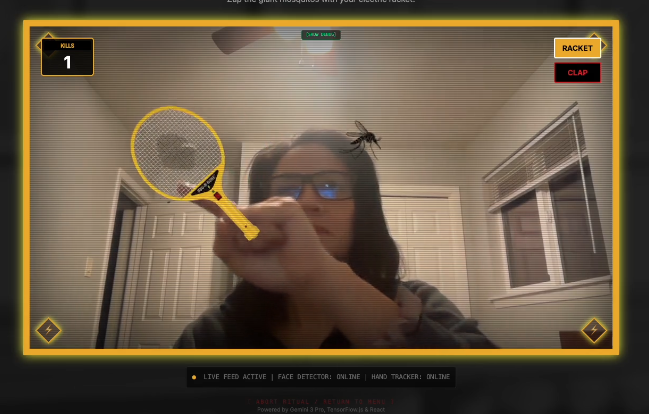
*   **🦟 Mosquito Killer**:
    *   Select "Mosquito Killer".
    *   **Test (Racket)**: Open your hand. An electric racket should appear attached to your hand. Swat the bugs.
    *   **Test (Clap)**: Toggle to "Hands" (if UI allows, otherwise defaults to Racket). Clap your hands together over a bug to squash it.
- Debug Mode:
- Click "SHOW DEBUG" in the bottom right to see the face mesh and hand skeleton overlays. This confirms the vision models are tracking you correctly.
Built With
- geminiapis3
- google-ai-studios

Log in or sign up for Devpost to join the conversation.