-
-
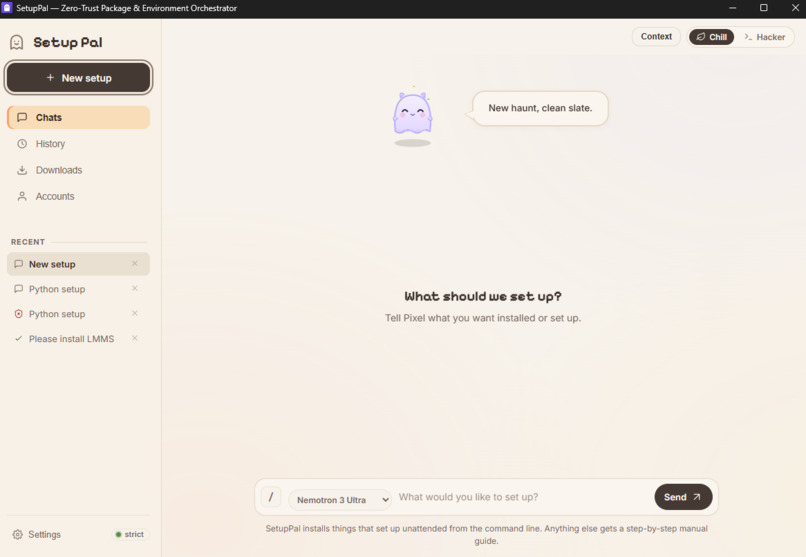
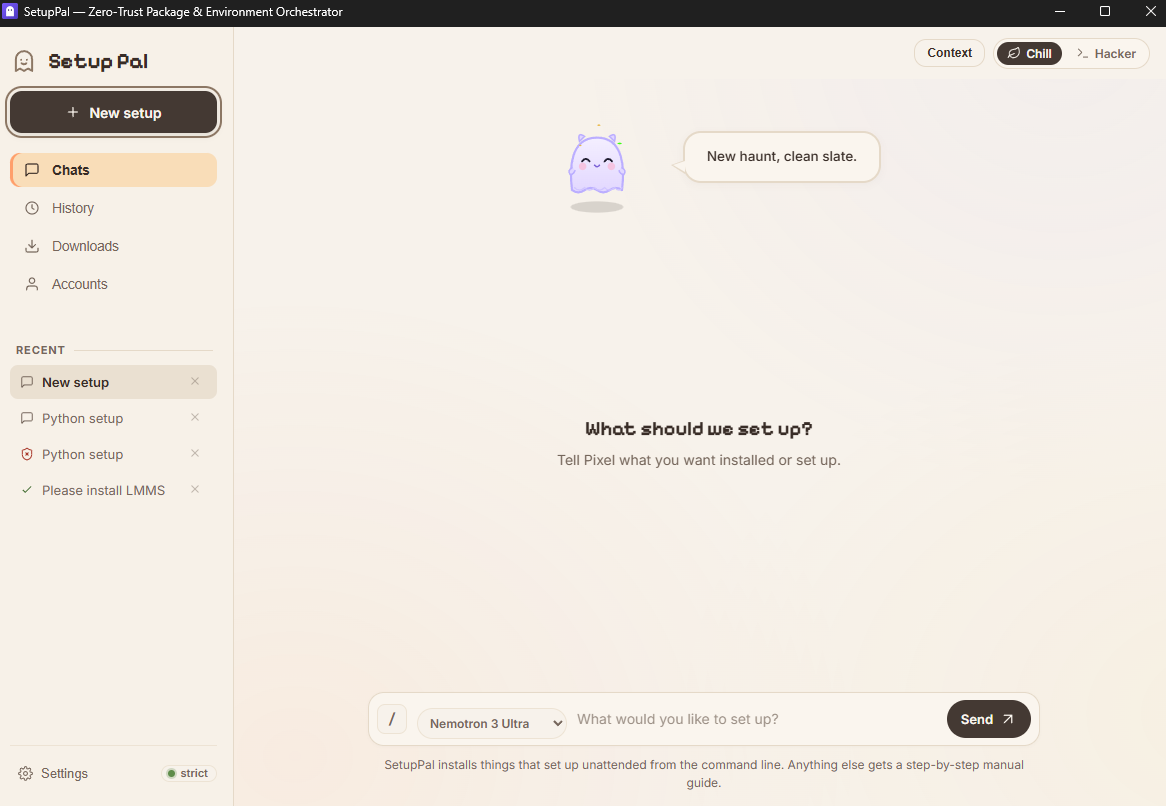
Main Page
-
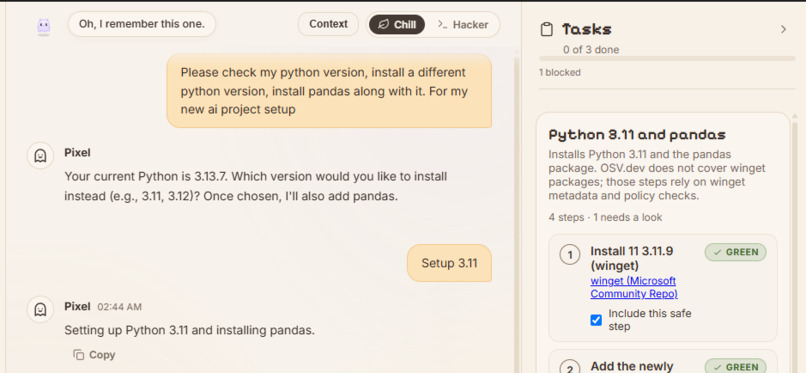
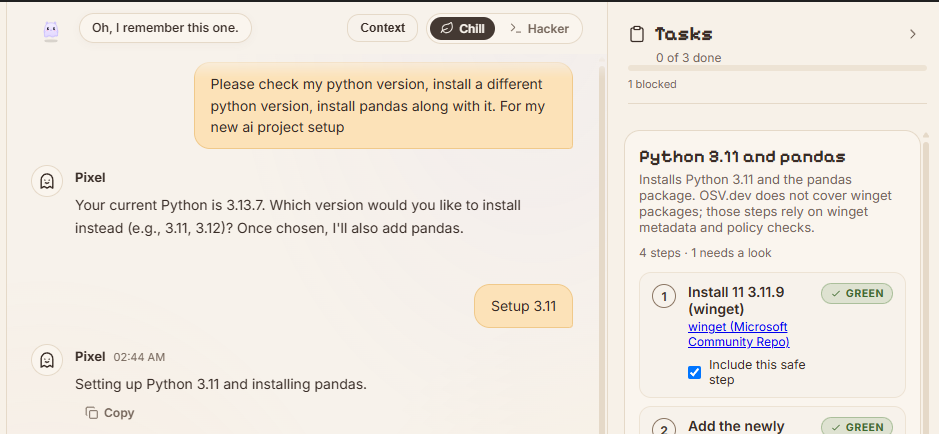
Chat, with made tasklist
-
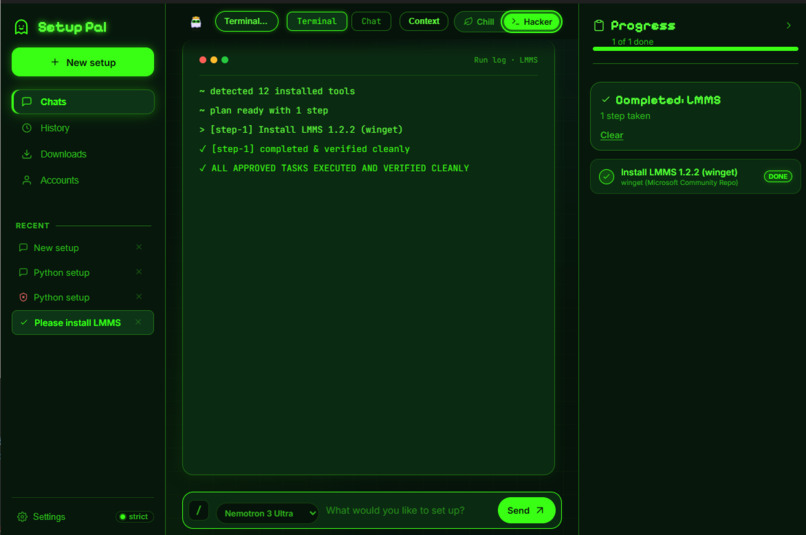
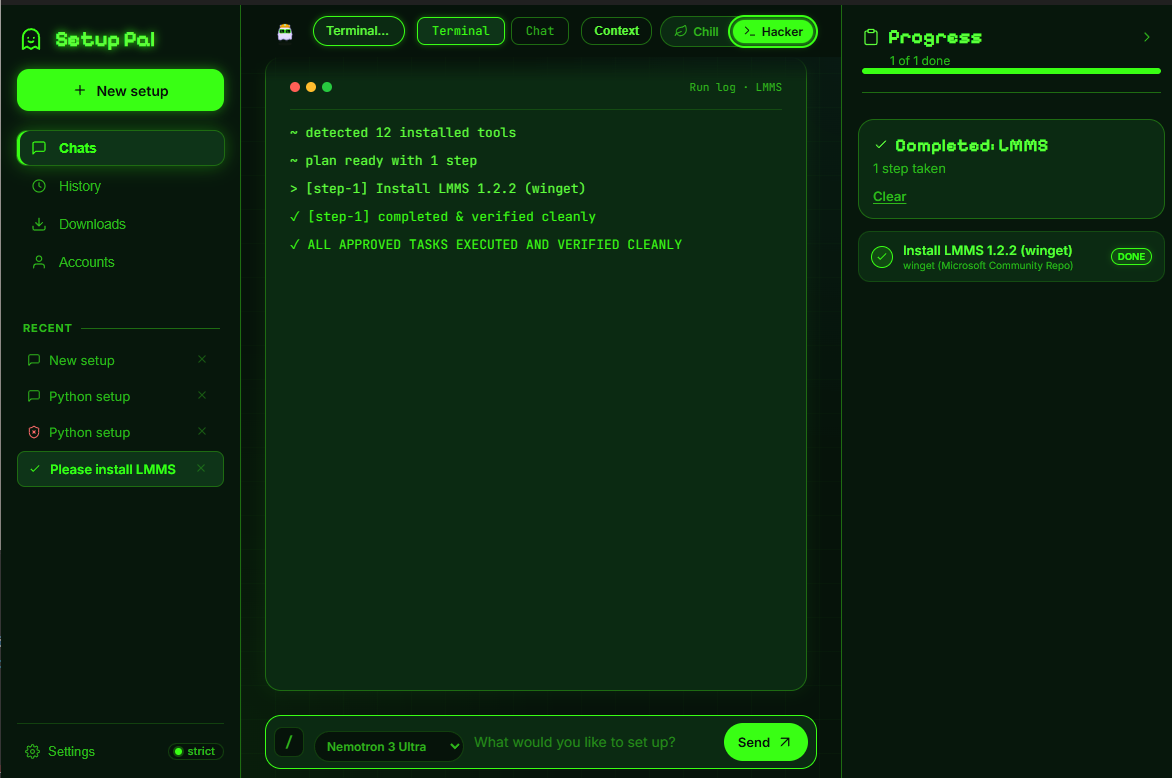
Hacker Themed Waiting Screen for AI
-
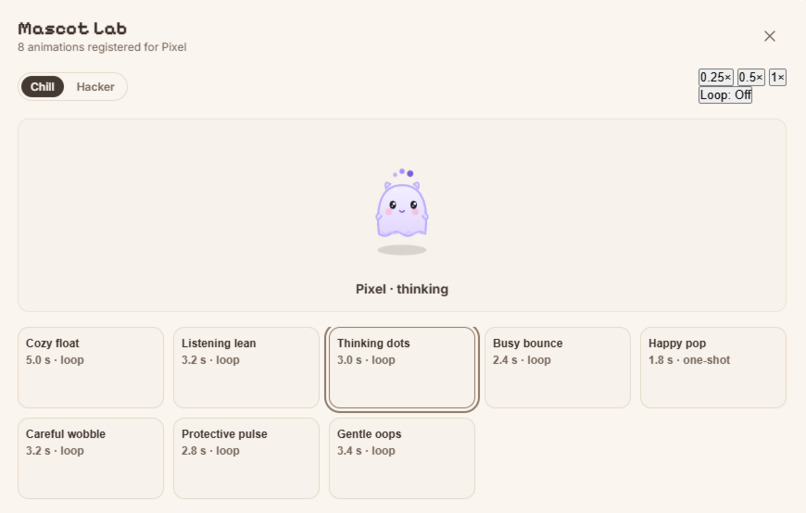
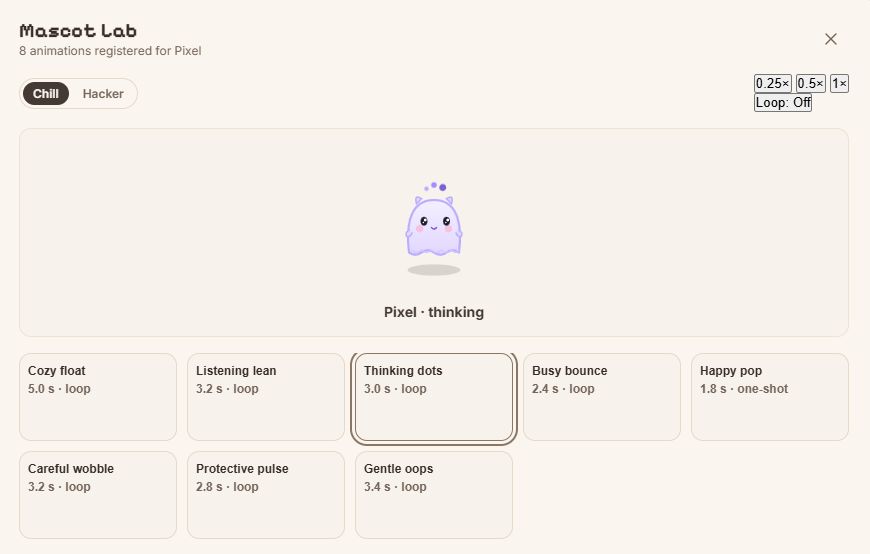
Fun Pal! With Animations.
Inspiration
The idea for SetupPal originated from a friend of ours who approached AI like it was just a simple button to click. He'd often share what he wanted with a chatbot, copy what it suggested, and let it make changes to his computer. We constantly warned him about the potential dangers, but the issue became much more real when we experienced something similar ourselves.
While trying to set up DS4Windows, Gemini pointed us toward software that turned out to be malicious. This was a clear example of the risks involved in relying on AI to make decisions about your computer. An AI can invent package names, overlook small spelling differences, or suggest unsafe software while sounding completely confident.
This experience pushed us to create something that kept the convenience of describing what you need in plain English, without giving an AI free rein over your machine. That's how SetupPal started.
What it does
SetupPal is an AI setup assistant designed specifically for Windows. You describe what you need, whether that's setting up a development environment, installing everyday software, game launchers, music apps, or modding tools. SetupPal then creates a structured installation plan or a manual guide when an automatic setup isn't appropriate.
The important part is that the AI doesn't get to decide what actually runs on your device. Before anything is executed, it passes through our deterministic Rust Safety Engine.
Instead of allowing the model to run arbitrary commands, SetupPal uses a closed set of approved installation actions. It also supports user-scope installations where possible, verifies file integrity through hashing, performs post-install checks, and offers a Rewind feature to undo supported changes when needed.
Every step is assigned a risk level:
- Green: Safe to proceed with the plan.
- Yellow: Requires your approval.
- Red: Blocked from execution.
Our mascot, Pixel, adds some personality to the experience, but safety always comes first.
How we built it
SetupPal was developed by a team of two. One of us focused on the user interface and overall experience, while the other handled the backend, planning, and safety systems.
We used Tauri v2 to build the desktop app, along with a local Axum API and a shared Rust installer_core crate. We also built a command-line interface (CLI) that uses the same core, keeping the safety and installation logic consistent across both.
For AI planning, we integrated Nebius Token Factory with NVIDIA Nemotron models. We also incorporated Tavily for a specific purpose: helping establish consensus around trusted source domains for the Safety Engine, rather than using unrestricted web search.
Initially, we started with Electron and Python, but as development progressed, we realized it wasn't the right direction. Moving to Rust and Tauri helped keep the application lightweight while giving us a more consistent foundation for the safety-critical components.
Challenges we ran into
One of the biggest challenges was figuring out how to make an AI-driven installer genuinely safe without making it frustrating to use.
If users have to approve every single operation, they might as well install everything themselves. On the other hand, if we give the AI too much freedom, we lose the entire purpose of building SetupPal.
Finding that balance took quite a bit of trial and error. We needed to establish clear boundaries between what the AI could suggest and what it was actually allowed to do. This meant building a deterministic safety layer, defining a fixed set of approved installation actions, and making sure the model couldn't bypass those restrictions.
We also made a major switch from Electron and Python to Rust and Tauri fairly late in development. It meant reworking large parts of the application, but ultimately gave us a cleaner foundation to build on.
Accomplishments we're proud of
We're particularly proud that SetupPal became a working desktop application rather than just a chat interface with a few installation commands behind it.
The full workflow is in place: describe a goal, receive a plan, run it through the Safety Engine, approve the necessary steps, verify the results, and rewind supported changes when needed.
We're also happy with how approachable the application feels. We wanted something that wasn't intimidating, especially for people who aren't comfortable setting up software manually. The plan card makes it clear what will happen next, while Pixel adds some personality without distracting from the important decisions.
There's still plenty we want to improve, but we're proud of what we've built so far.
What we learned
We learned that building an AI-powered application is about much more than connecting a model to an interface. The real challenge is deciding what the AI should be allowed to do, how its suggestions should be checked, and how the application handles things when they don't go as planned.
We gained valuable experience integrating Nebius Token Factory and NVIDIA Nemotron into a real application, and explored NVIDIA NIM during testing. We also learned how useful external tools can be when they have a specific purpose rather than unrestricted influence over the application.
Most importantly, we now have a much better understanding of how to build software where AI can be useful without being in control of everything.
What's next for SetupPal
Looking ahead, we want to keep improving SetupPal and make it something people can genuinely rely on when setting up a new computer.
That means better animations, new pets and customization, a wider range of supported software, and continued improvements to the safety and installation systems.
We also hope to get SetupPal in front of more people, hear what they want from it, and encourage community contributions. We started this project to solve a problem we'd experienced ourselves. Now we'd love to see it help other people avoid the same problems.
Built With
- axum
- cargo
- nebius
- osv
- rust
- tauri
- tavily
- tokio
- vite
