Inspiration
As a college student, one of the most challenging aspects of assignments is parsing and remembering the specifics and the nuances from a long assignment. Going to office hours may help, but there’s often a long line, and students end up wasting a lot of time. Additionally, TA's and Professors have to spend a lot of their time explaining the same question to multiple students, wasting their time. This is frustrating for both students, TAs, and Professors.
What it does
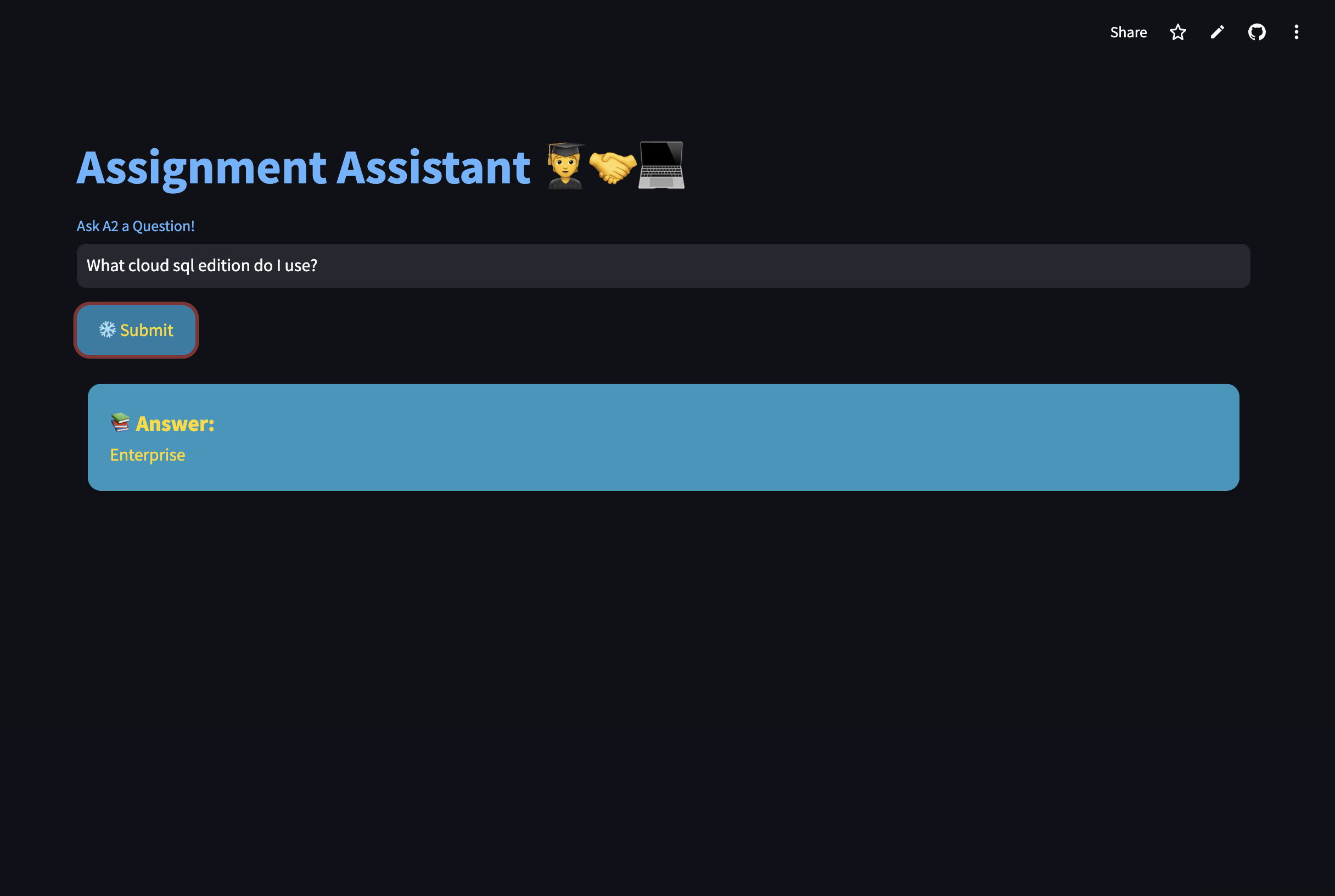
Assignment Assistant, or A2, is an AI-Powered assistant that allows TAs and professors to upload assignments, troubleshooting notes, and solutions to a shared platform. Students can then search through these past solutions and assignment specifics to quickly find answers to common clarification questions or setup issues, thus helping them make progress independently.
How I built it
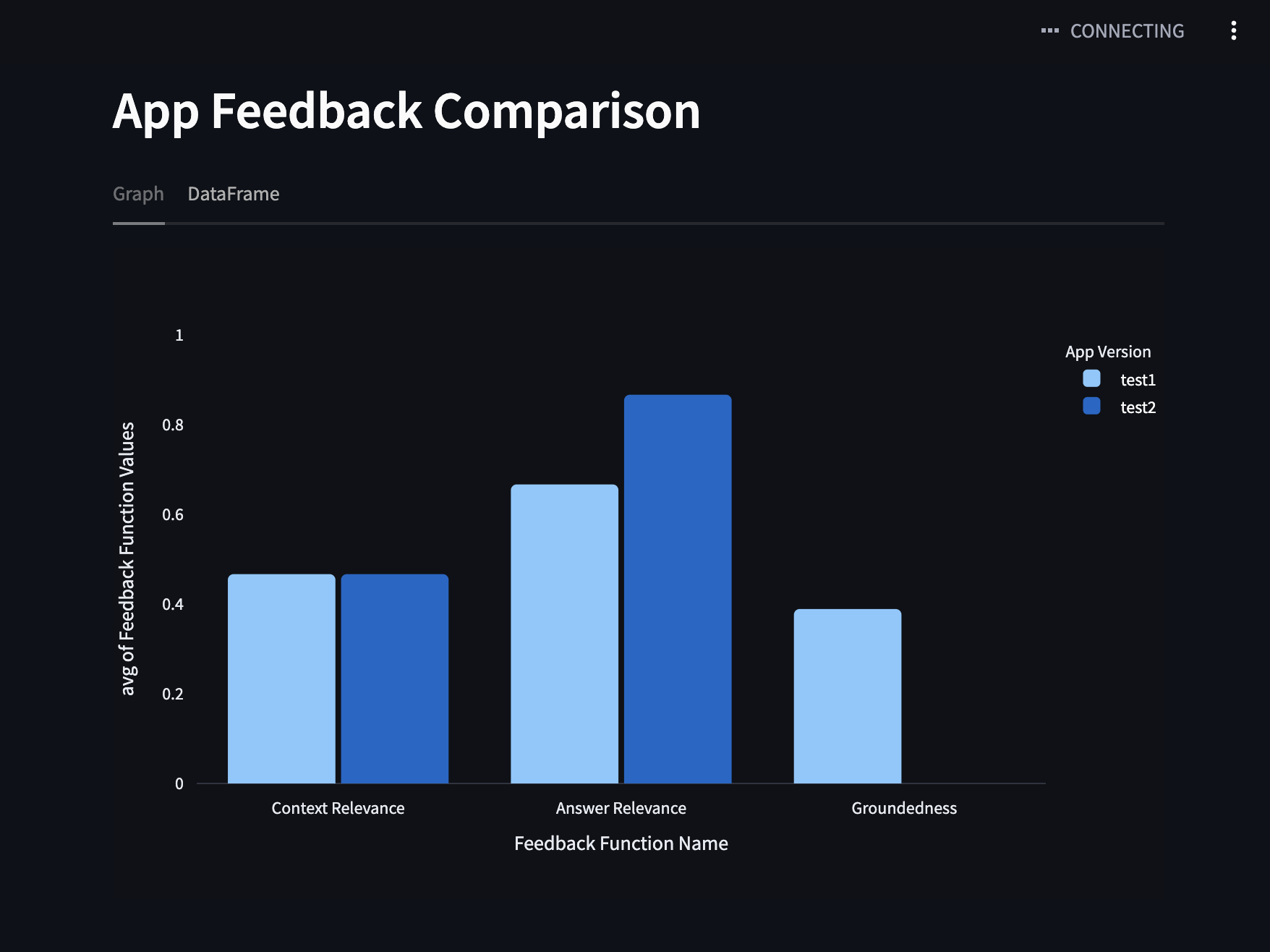
To build the app, I started by using Snowflake’s Stage to upload assignments in PDF format. Once the PDFs were in, I created a table to organize everything neatly. Then, I worked on parsing and breaking down the assignments and solutions into smaller chunks, and did the same for past student questions and TA responses from previous years. All of this data was stored in the Snowflake table for easy access. To make the data searchable, I set up Snowflake’s Cortex Search Service to vectorize and index the chunks, so it could quickly find relevant information. For the app’s main functionality, I used the Mistral-Large2 LLM to build a Retrieval-Augmented Generation (RAG) system that pulls context from the search service. For the frontend, I built it with Streamlit and deployed it using Streamlit Community Cloud. Finally, to keep improving the app, I used the Trulens Evaluation Framework to run A/B tests on different prompts, helping me fine-tune things like answer relevance, context, and groundedness.
Challenges we ran into
Building this app came with some challenges, but each one was a great learning opportunity. Initially, I faced some hurdles integrating Snowflake with Streamlit, but after working through that, I was able to get everything connected. Then, I encountered some issues with setting up Trulens, particularly with establishing a connection between my Snowflake parameters. While these setbacks slowed me down a bit, they ultimately helped me deepen my understanding of the tools and how to troubleshoot effectively.
Accomplishments that I'm proud of
I'm really proud of how I persevered throughout this hackathon. Since I was working with all new technologies, I faced plenty of challenges, but I feel like I really honed my troubleshooting skills along the way. I'm also proud to have created a tool that addresses a real, tangible need. As a student myself, I can easily see how valuable this could be in an academic setting, and I truly believe it would save time and effort for both students and instructors.
What I learned
This hackathon gave me the opportunity to dive into Snowflake, Cortex Search, and Streamlit. While I’ve worked with RAG before, I was really impressed by how convenient and powerful Cortex Search is—I'll definitely be using it in future RAG projects! It was also my first time using SQL for RAG, as I’ve typically relied on Python, so it was a great learning experience to explore another tool and see how it fits into the process.
What's next for A2
Next for A2, I plan to enhance the user interface by adding more filtering options, such as by course or professor, to make it even easier for users to find relevant information. I also want to include citations for the solutions to give them more credibility and allow users to trace the source of the information. Additionally, I’ll work on adding more attributes for filtering from the Cortex Search Service, which will help improve the accuracy and relevance of the generated responses.

Log in or sign up for Devpost to join the conversation.