-
-
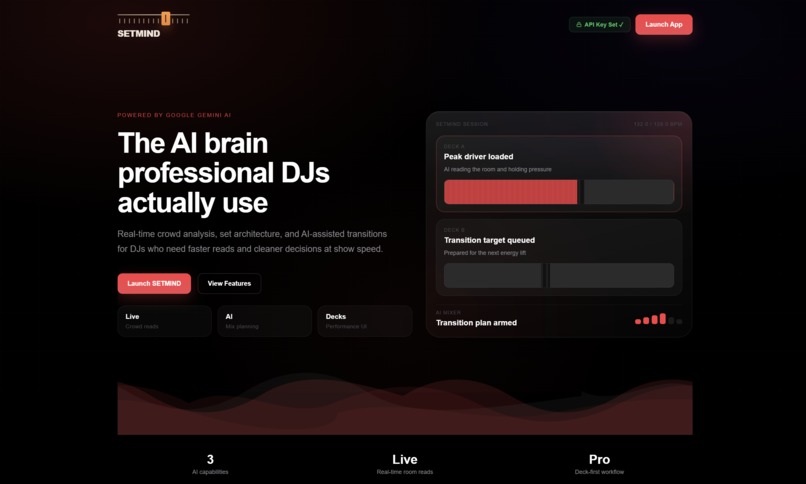
Landing Page
-
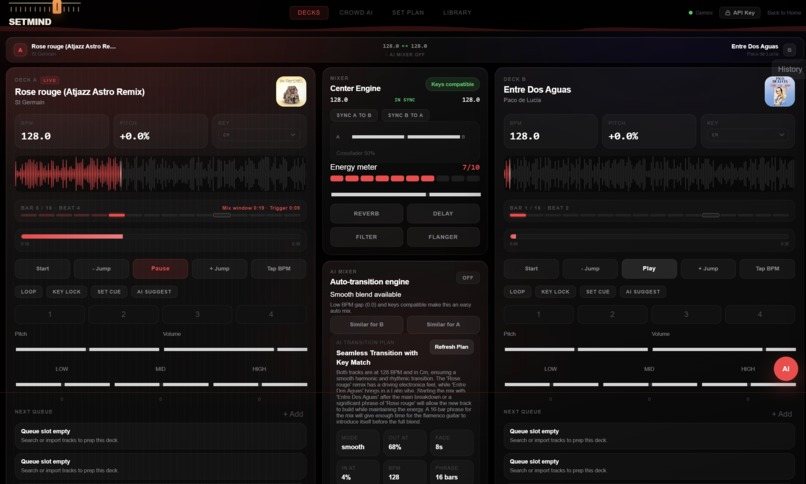
Decks
-
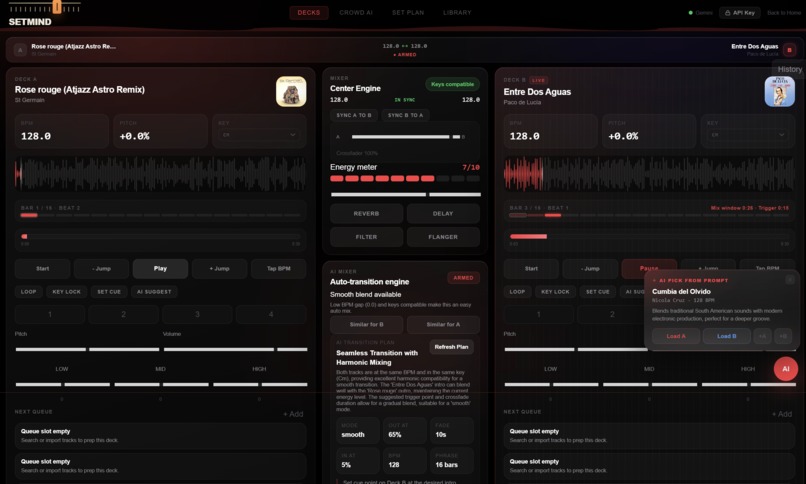
Decks & AI Assist
-
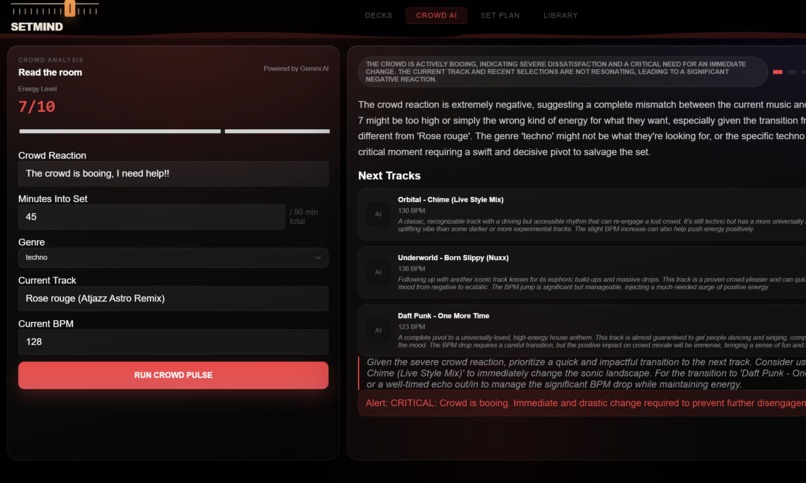
Crowd AI
-
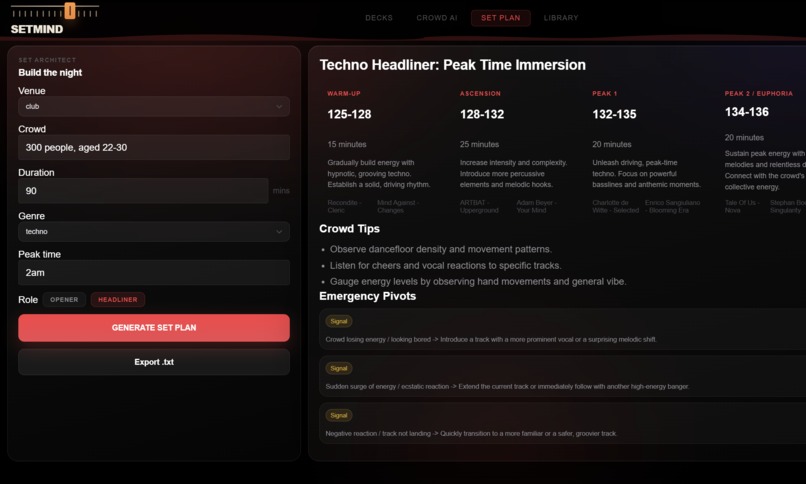
Set Plan
-
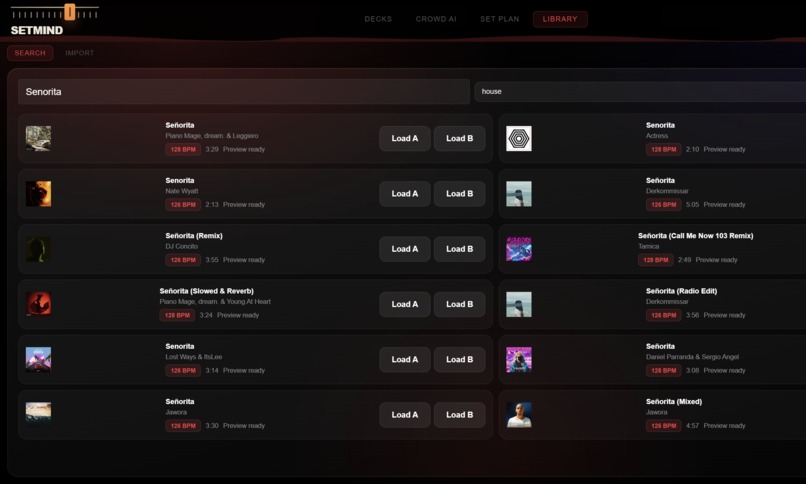
Library
🎧 SETMIND
The AI co-pilot for the DJ booth — by karaoke.vision
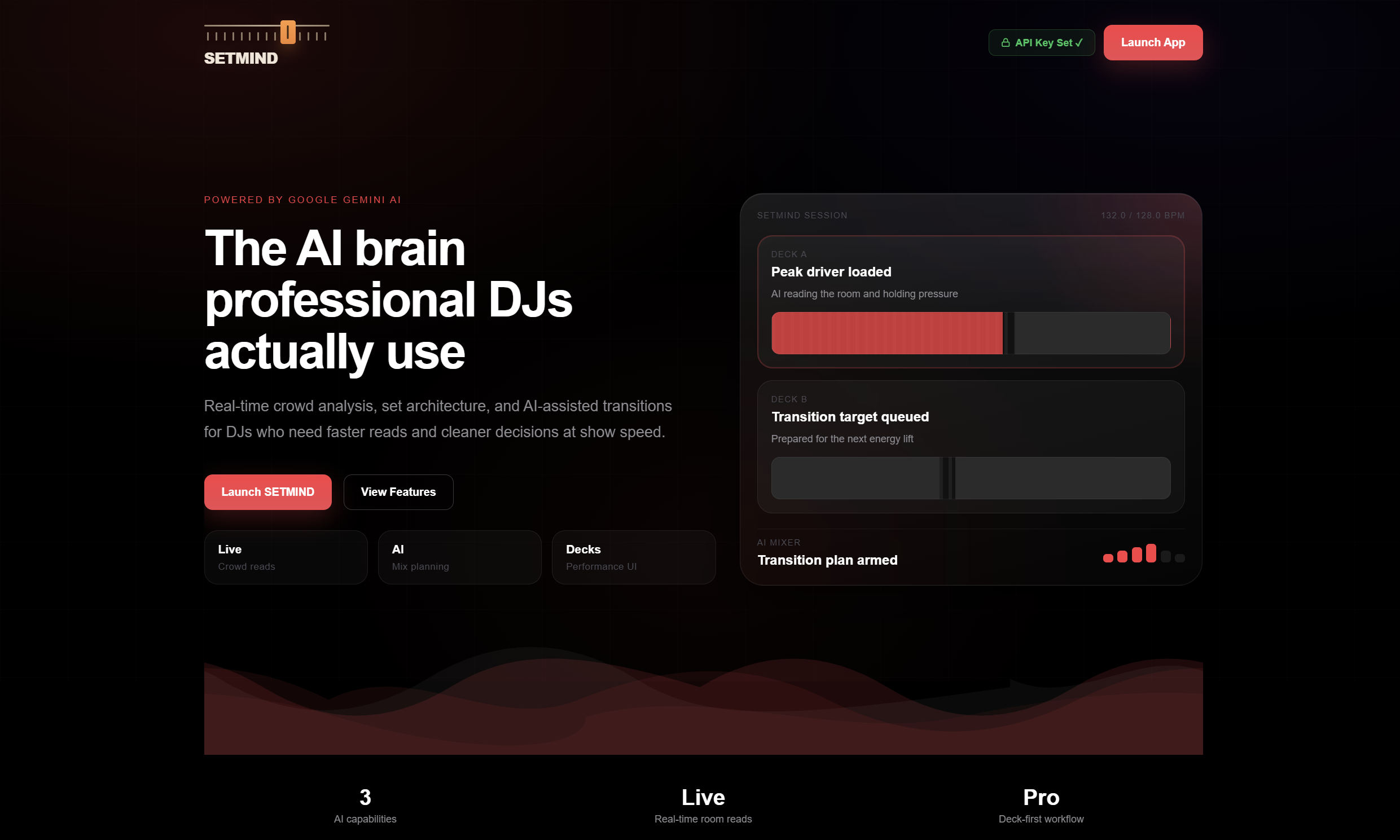
Read the room. Plan the set. Land the transition. SETMIND is a browser-based DJ workstation with an AI brain — it reads crowd energy, recommends the next track, and arms beat-matched transitions in real time, so you can focus on performing instead of calculating tempo, key, and phrase timing under pressure.
🔗 Live demo: setmind-l2sq.onrender.com | 💻 Source: github.com/Bhargav072007/SETMIND
💡 Inspiration
The decisions that separate a competent set from a memorable one happen in seconds — reading the floor's energy, picking a harmonically compatible follow-up, and timing the blend to land on the downbeat. These are exactly the fast, pattern-driven judgment calls AI is built to assist with in real time.
So we built the co-pilot we always wanted in the booth: a system that watches the same signals a DJ does and surfaces the optimal next move before the moment passes.
SETMIND isn't a replacement for taste — it's an amplifier for it.
🎛️ What It Does
A complete DJ environment that runs entirely in the browser, organized into four purpose-built tabs.
| Tab | Purpose | Highlights |
|---|---|---|
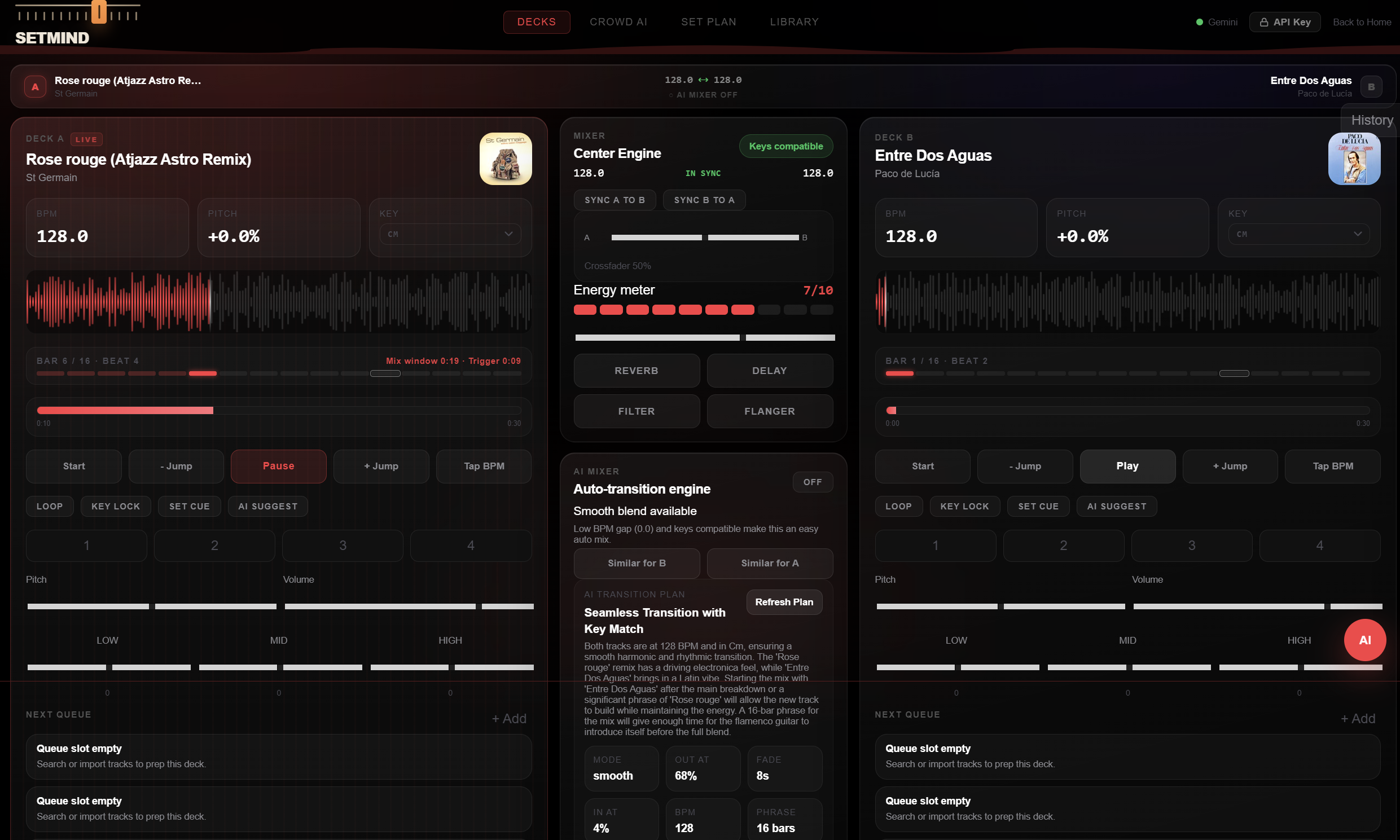
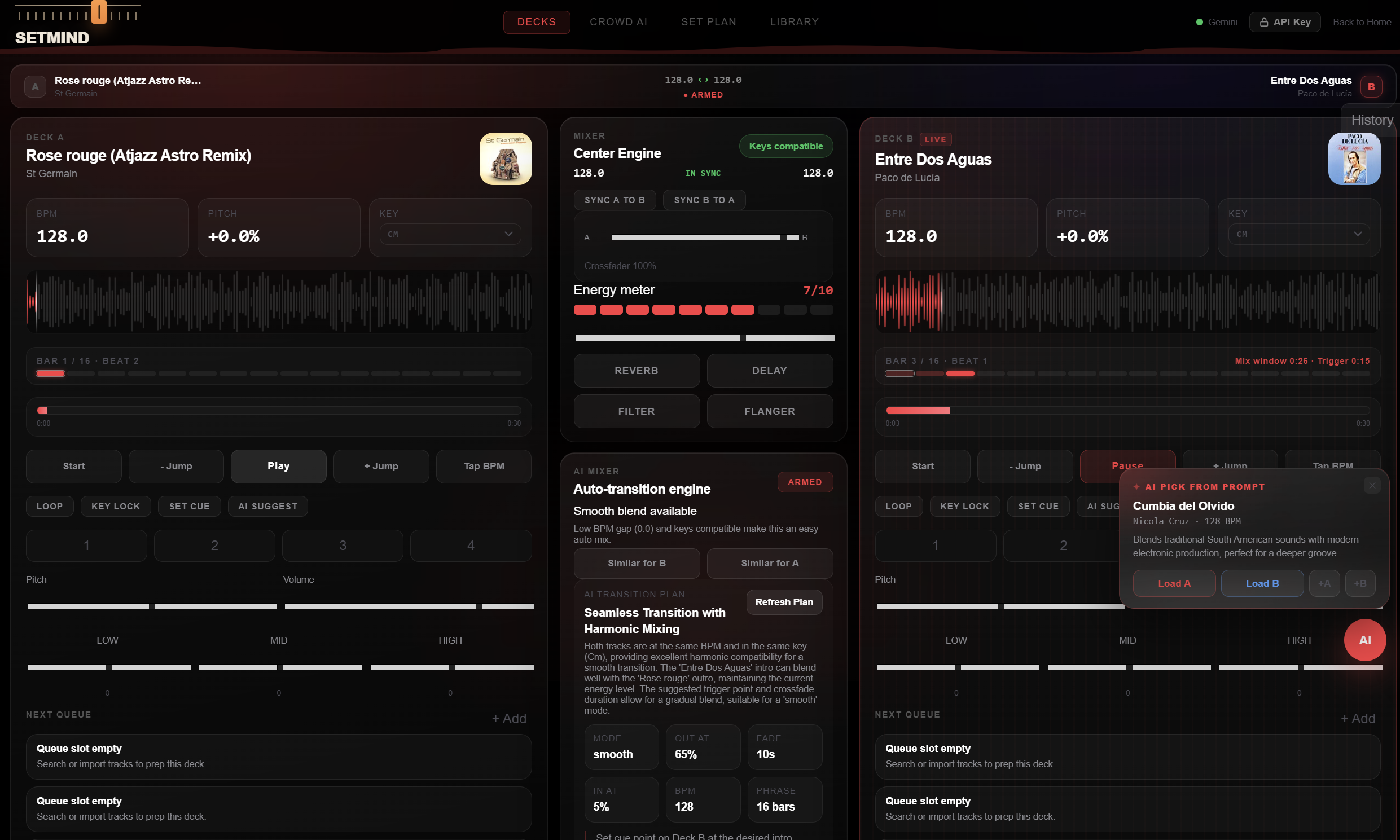
| 🎚️ Decks | Dual-deck performance mixer | Waveforms, BPM sync, pitch & key control, EQ, effects, equal-power crossfader, hot cues, looping, tap-tempo, live phrase indicator |
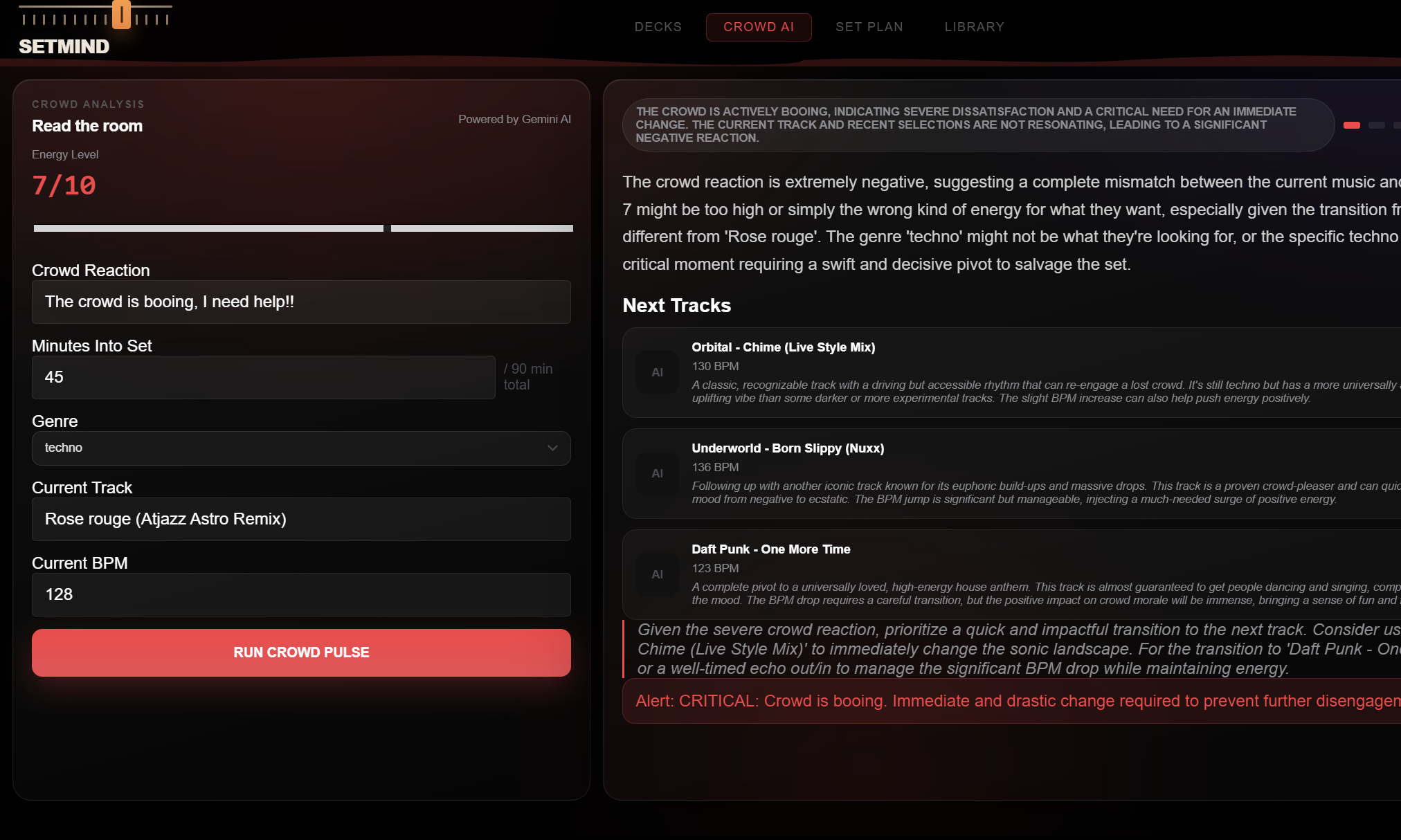
| 🤖 Crowd AI | Real-time crowd analysis | Crowd-state read, momentum score, energy directive, next 3 tracks, transition cue |
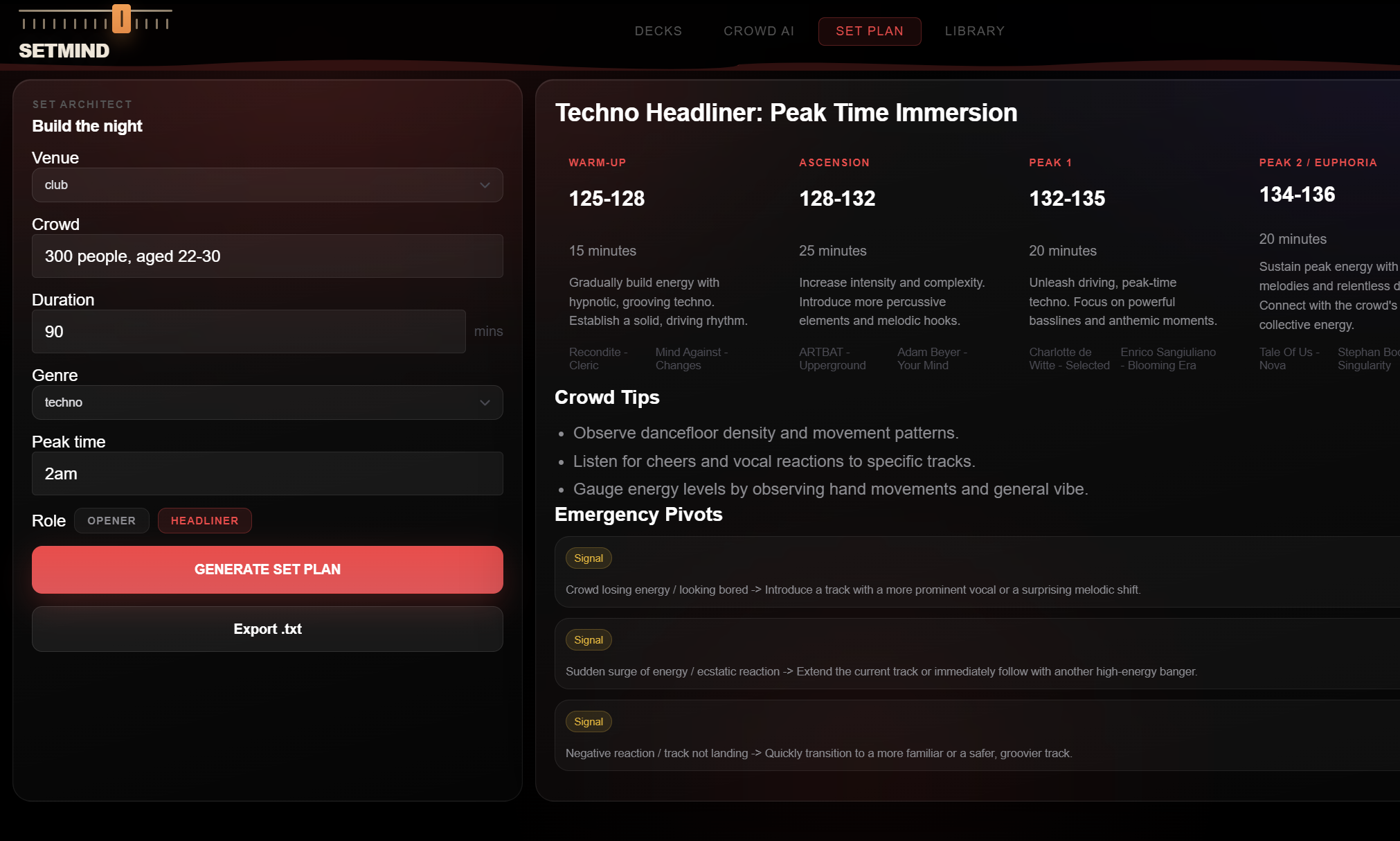
| 📋 Set Plan | Pre-gig set architecture | Five-phase energy arc with BPM ranges, energy targets, example tracks, emergency pivots |
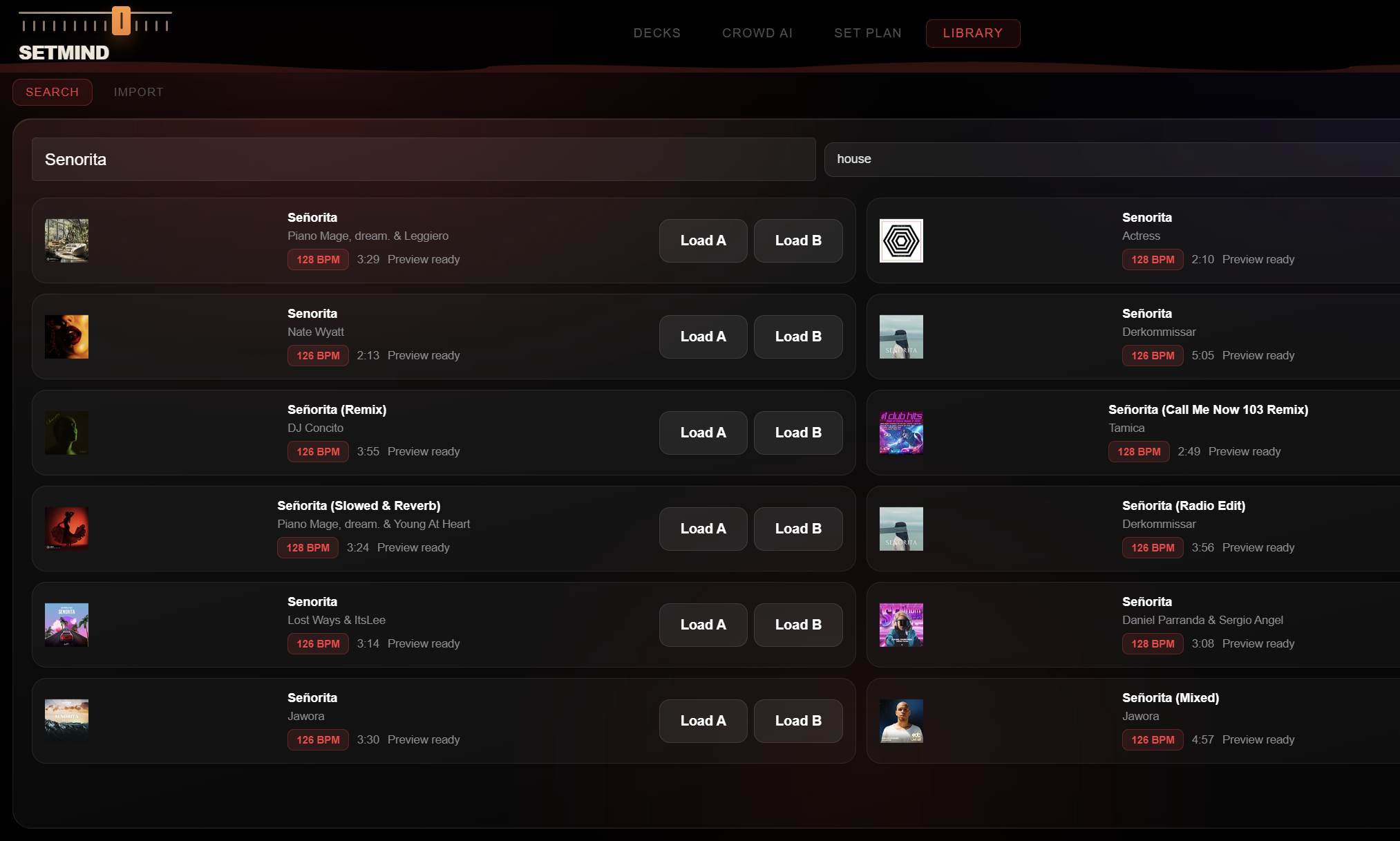
| 📚 Library | Catalog search & loading | iTunes search with artwork & previews, drag-to-deck loading |
🎚️ Decks
A professional dual-deck mixer with everything a live performer expects — waveform displays with a live playhead, BPM sync, pitch and key control with Camelot-wheel compatibility checks, 3-band EQ, effects, and an equal-power crossfader. Hot cues, looping, tap-tempo, and a phrase/beat indicator tracking position within each 16-bar phrase.
🤖 Crowd AI
Describe the floor. SETMIND returns a structured read of the room: a crowd-state assessment, a momentum score, an energy directive (PUSH · HOLD · PIVOT · PULL BACK), the next three recommended tracks with BPM and key, and a transition cue.
📋 Set Plan
Before the gig, SETMIND generates a five-phase energy arc for your entire set — a roadmap with contingency pivots for when the room doesn't cooperate.
📚 Library
Search the iTunes catalog for any track and load it straight onto a deck. Preview-enabled results are instantly playable — audition and load without leaving the app.
🧠 The AI Mixer — Our Centerpiece
When armed, the AI Mixer monitors both decks and executes transitions automatically — but only when the timing is musically correct.
It evaluates three signals before committing:
| Signal | What It Measures | Why It Matters |
|---|---|---|
| BPM Gap | \(\Delta_{\text{BPM}} = \lvert B_A - B_B \rvert\) | Whether a clean beatmatch is achievable |
| Key Compatibility | Camelot-wheel harmonic relationship | Keeps the blend harmonic, not dissonant |
| Phrase Timing | Position within the beat grid | Lands the transition on the downbeat, not mid-phrase |
When the conditions align, the AI Mixer:
- Pre-plans the transition — trigger point, crossfade length, cue-in position.
- Ramps the crossfader over the planned fade window.
- Nudges pitch to close the BPM gap for a seamless beatmatch.
- Hands the room off to the incoming deck on the downbeat.
Track recommendations surface as non-blocking glass popup cards — load or queue them with a single tap. And if the AI service ever drops, a local fallback planner keeps the mix running, so a network blip never stalls a live set.
▶️ How to Use It
| Step | Action |
|---|---|
| 1 · Connect | Enter a Google Gemini API key in the settings panel (stored locally in your browser). A status indicator confirms the connection. |
| 2 · Load tracks | Open Library, search the iTunes catalog, and load a preview-ready track onto Deck A and Deck B. |
| 3 · Play & mix | On Decks, start playback, adjust pitch/EQ, ride the crossfader — or sync both decks with one tap. |
| 4 · Arm the AI Mixer | Toggle the AI Mixer to Armed. It plans and executes the next transition automatically when BPM, key, and phrase timing align. |
| 5 · Read the room | Switch to Crowd AI, describe what you're seeing, and get an energy directive plus the next three recommended tracks. |
| 6 · Plan ahead | Use Set Plan before a gig to generate a complete energy arc for your set. |
💡 Tip: Suggestions arrive as glass popup cards — tap Load A / Load B to drop a pick straight onto a deck, or +A / +B to queue it.
🛠️ How We Built It
| Layer | Technology |
|---|---|
| Frontend | React + Vite |
| Audio | Web Audio API + HTML5 Audio |
| Backend | Node.js + Express |
| AI | Google Gemini |
| Catalog | iTunes Search API |
The backend exposes a dedicated endpoint per AI capability — /api/plan, /api/pulse, /api/brain, /api/prompt, and /api/mixplan. A custom beat-grid analyzer computes bar/phrase position, time-to-trigger, and downbeat windows from BPM and playback progress, driving both the phrase indicator and the AI Mixer's timing. A model fallback ladder with retry logic ensures demand spikes degrade gracefully rather than failing.
⚡ Challenges We Ran Into
- Real-time transition timing. Aligning a crossfade with the actual downbeat — not just "near the end" — required a beat-grid model and a windowing system that only fires within a valid bar/beat range, with a graceful emergency window when a track is about to end.
- Latency for live use. Larger reasoning models gave great output but were too slow for the booth. We switched to a fast flash-class model with a fallback ladder and disabled internal "thinking," dedicating the full token budget to the answer.
- Reliable structured output. Truncated or fenced JSON would otherwise break parsing mid-set. We built a forgiving parser that strips code fences, extracts the JSON block, and repairs truncated objects by closing open strings and brackets in the correct nesting order.
- Clarity in a dense interface. A DJ rig has a lot of controls. Achieving a calm, glassmorphic, clutter-free layout — AI suggestions as non-blocking popups rather than crowding the mixer — took deliberate restraint.
🏆 Accomplishments We're Proud Of
- A genuinely playable browser DJ mixer — responsive dual decks, waveforms, beatmatching, EQ, effects, and crossfader.
- An AI Mixer that times transitions to the phrase, not just the clock — harmonic- and tempo-aware auto-mixing that respects the beat grid.
- Four distinct AI capabilities unified behind one coherent interface, each returning structured, actionable output.
- A resilient AI pipeline — model fallback, retry logic, JSON repair, and a local planner — that holds up under live conditions.
- A glassmorphic, performance-focused UI that delivers AI guidance through elegant, non-intrusive popups.
📚 What We Learned
- Latency is a feature. In a live tool, a slightly less brilliant answer in one second beats a perfect answer in fifteen. Model selection and token budgeting matter as much as raw model quality.
- Music theory makes AI trustworthy. Grounding the model in Camelot harmonic matching and phrase-aware beat grids turned vague recommendations into picks a DJ would actually trust.
- Defensive parsing is non-negotiable when an LLM runs inside a real-time loop — graceful degradation and self-healing output kept the app stable.
- Restraint improves usability. Removing clutter and moving AI suggestions into popups made the whole experience feel faster and more confident.
🚀 What's Next for SETMIND
| Area | Planned Enhancement |
|---|---|
| Audio analysis | Detect BPM and key directly from audio for sample-accurate beatmatching |
| Track sources | Full-length playback beyond 30-second previews, plus local library import |
| Stem separation | Acapella/instrumental transitions and live mashups |
| Personalization | Crowd AI that adapts to the DJ's history and style over time |
| Hardware | MIDI controller support to drive and be driven by physical rigs |
| Performance mode | A hands-free, glance-able booth layout optimized for live sets |
Built With
- cors
- css
- dotenv
- express.js
- gemini-api
- git
- glassmorphism
- google-gemini
- html
- html5-audio
- itunes-search-api
- javascript
- localstorage
- node-fetch
- node.js
- npm
- react
- react-router
- render
- rest-api
- vite
- web-audio-api

Log in or sign up for Devpost to join the conversation.