-
-
The bookend card from the demo video — ServiceLink, built solo with React, TypeScript, and Vite.
-
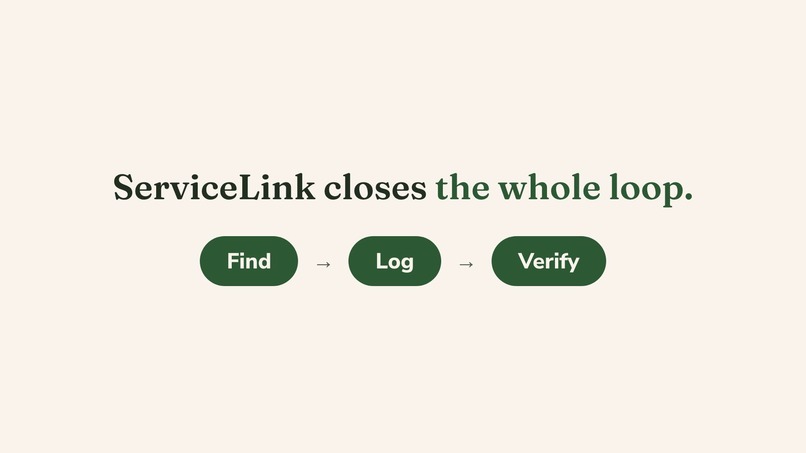
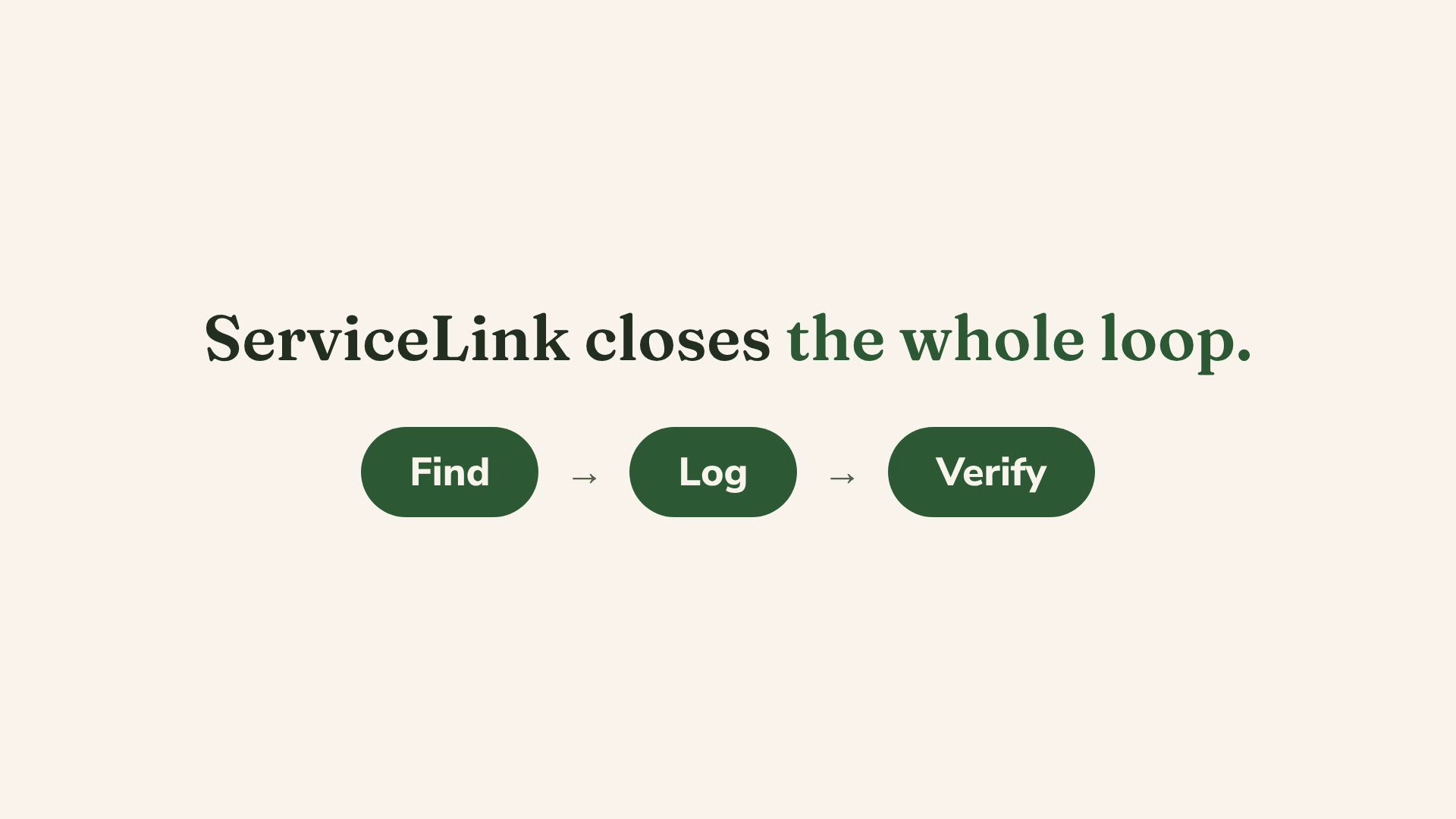
One loop, two sides: students find and log, supervisors verify. Each stage is a live screen in the app.
-
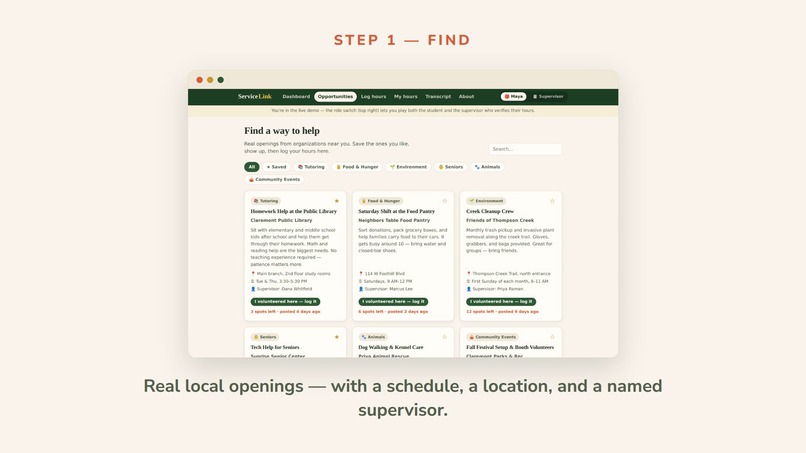
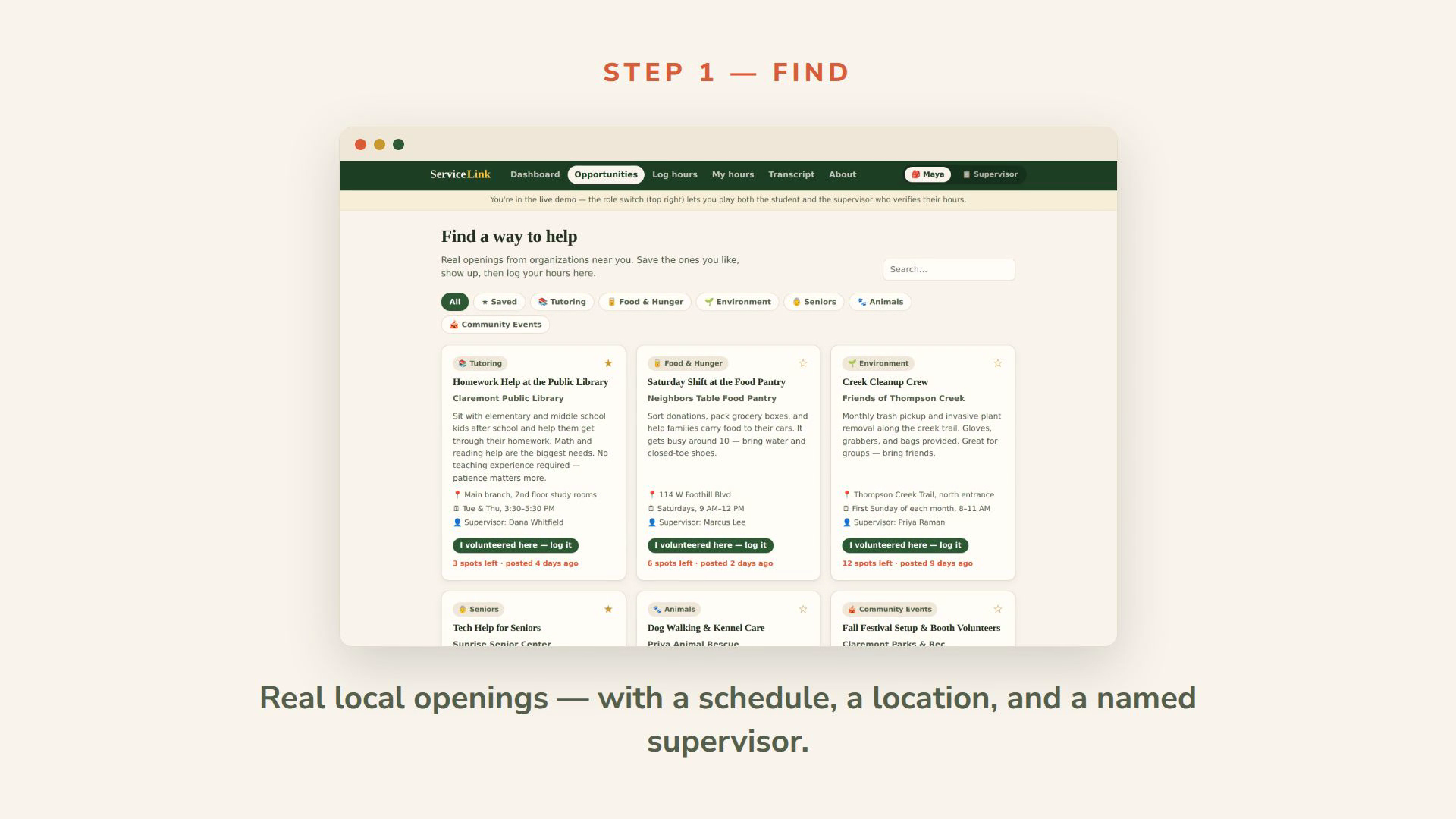
The opportunity board — seeded demo data modeled on real posting types: libraries, pantries, senior centers.
-
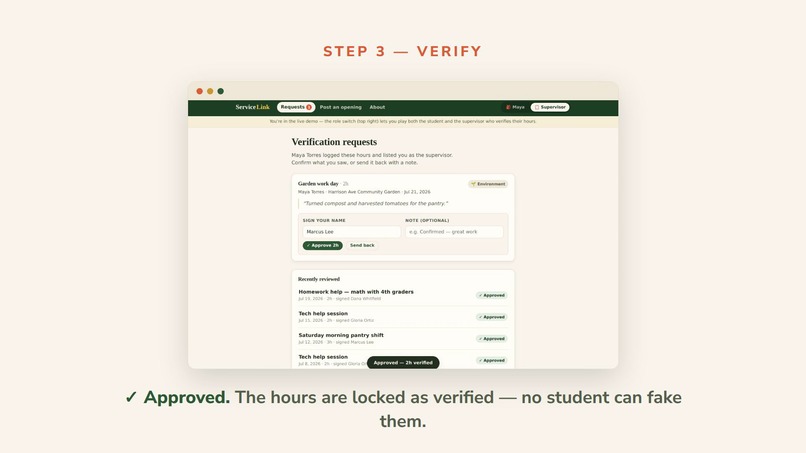
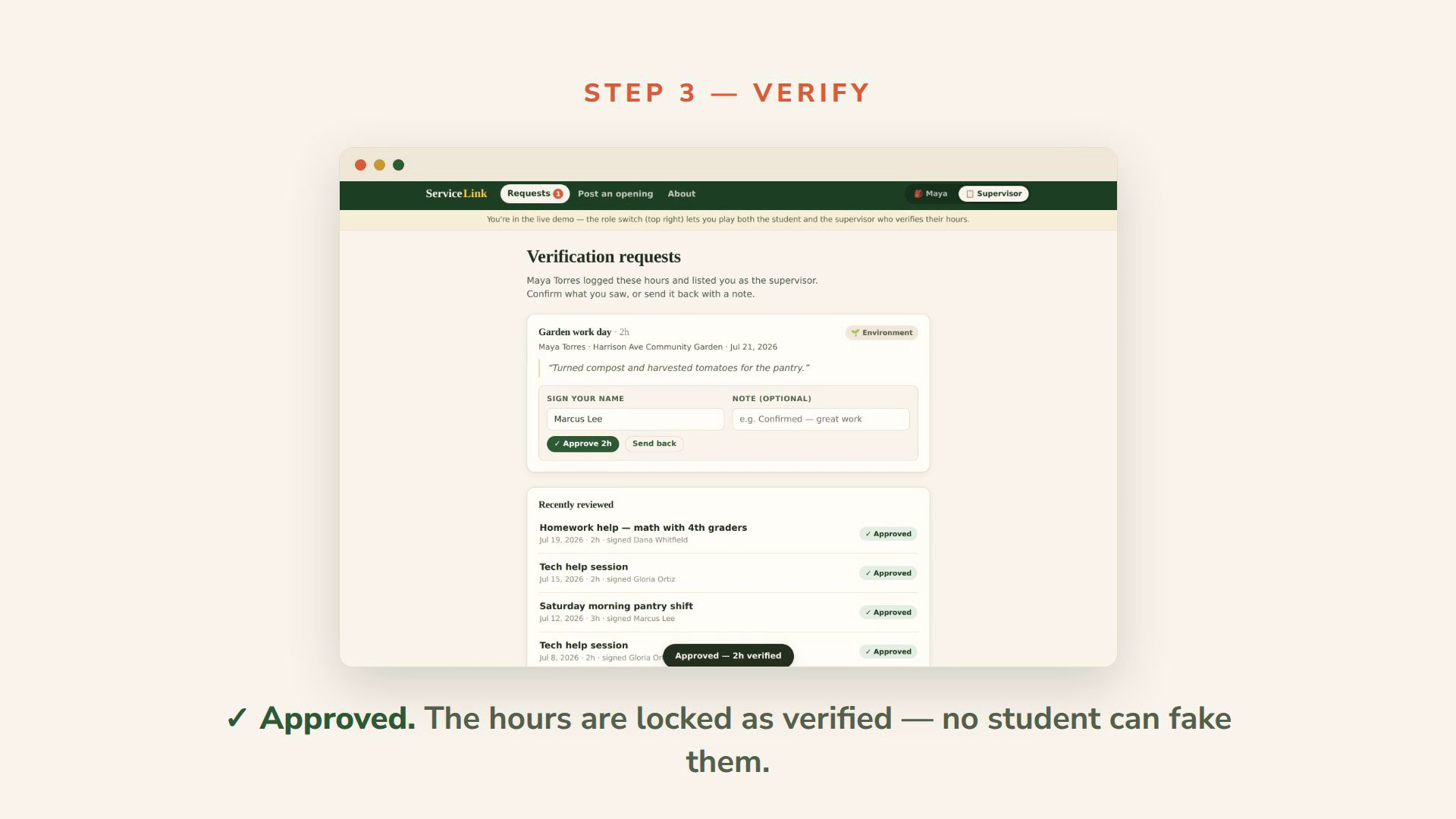
The supervisor approval queue: pre-filled signature, one-tap approve, or send back with a note. Approved entries lock.
-
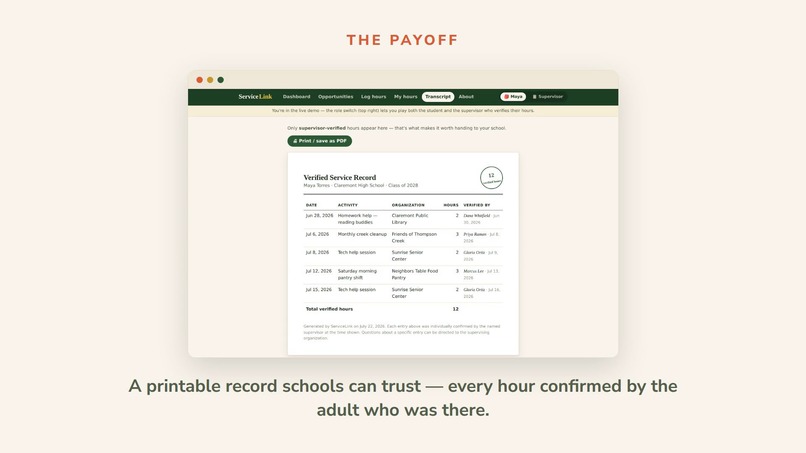
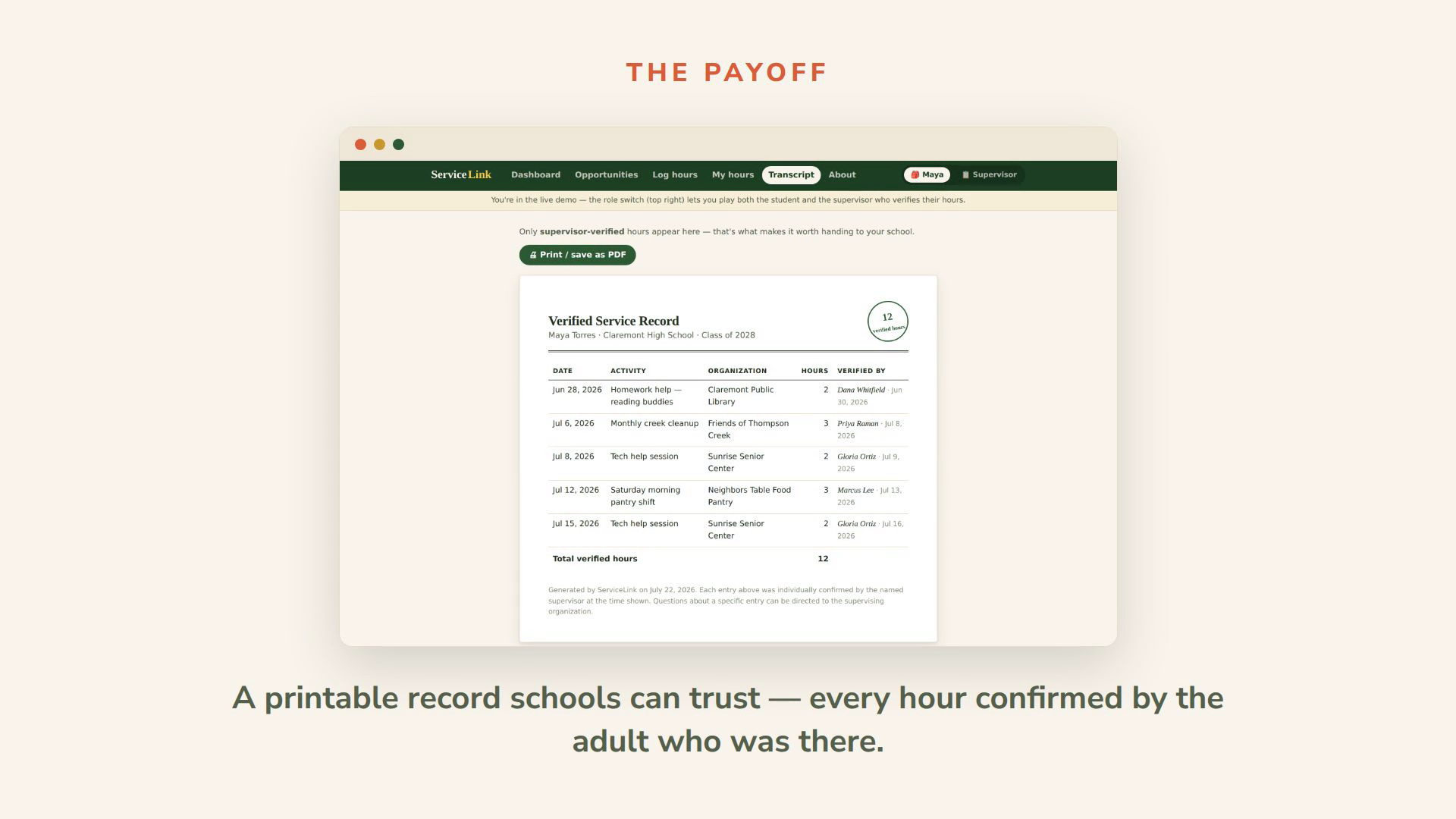
The printable transcript only includes supervisor-verified hours — the core trust guarantee of the product.
Inspiration
Every high schooler I know needs community service hours — for NHS, for clubs, for graduation. And every single one of us tracks them the same way: a crumpled paper log, a signature we have to chase down weeks later, and a vague memory of "I think that shift was three hours?" Meanwhile, the food pantry ten minutes away can't find volunteers because the only way to hear about openings is knowing someone who knows someone. The problem isn't that students don't want to help. It's that the plumbing around helping is broken on both ends.
What it does
ServiceLink closes the whole loop in one place.
Find. A board of volunteer openings from local organizations — library homework help, food pantry shifts, senior-center tech support, creek cleanups — each with a schedule, location, and a named supervisor, so you know exactly what you're walking into.
Log. After a shift, you write down what you did in under a minute. Entries stay linked to the organization and the supervisor, so nothing has to be reconstructed from memory at the end of the semester.
Verify. Your supervisor gets the request and approves it with a digital signature — or sends it back with a note. Verified hours are locked and roll into a clean, printable transcript your school can actually trust, because every hour on it was confirmed by the adult who was there.
The live demo has a role switch in the header so you can play both sides: log hours as the student, then flip to the supervisor view and approve them.
How I built it
React 19 + TypeScript + Vite, deployed on Vercel. I deliberately skipped UI libraries — the design system is hand-written CSS (a warm, community-bulletin-board look with Fraunces and Nunito Sans) because I didn't want it to look like every other template app. Routing is a ~20-line hash router instead of a routing library. The data layer is written like an API client but backed by localStorage, which is what makes the demo instant, account-free, and impossible to break during judging — and means a real backend can slot in behind the same interface later.
Per the Impactathon's AI policy: I used Claude (Anthropic) as a coding assistant throughout — generating and iterating on components and styling under my direction. The concept, feature decisions, and final review are mine, and I can walk through how any part of it works.
Challenges I ran into
The hardest problem wasn't code — it was trust. A transcript is only worth something if the hours on it can't be faked, so I had to design the verification flow carefully: entries can't be edited into "verified" status by the student, verified entries are locked from deletion, and every approval carries the supervisor's typed signature and date. The other challenge was demoing a two-sided workflow with one browser — the role switch was the answer, and it ended up making the demo better than a real two-device setup would have been.
Accomplishments that I'm proud of
The whole loop works end to end: browse → log → request → approve → transcript, live on the internet, no signups required. And the transcript page — a formal, printable document with a verified-hours seal — turns "an app I made" into something a student could actually hand to their school office tomorrow.
What I learned
Two-sided products live or die on the side with less patience. Students will tolerate a clunky app; a busy food-pantry manager will not. That's why the supervisor flow is one screen, pre-filled, two buttons. I also learned that constraints (no backend, no accounts) can sharpen a prototype instead of weakening it, if you design honestly around them.
What's next
A shared database, email-link verification for supervisors (they should never need an account — the link IS the login), and school admin views so an NHS sponsor can see club-wide totals instead of collecting forty paper forms. If my school's clubs pick it up next year, that's the real prize.
To be clear about scope
This is a working prototype. All core logic is real — logging, the approval workflow, status rules, posting openings, the transcript. Demo data lives in your browser (localStorage) rather than a shared database, and supervisor notification happens through the in-app role switch rather than email. Both swaps were deliberate demo decisions; the architecture is set up for the real versions.
Built With
- claude
- css
- localstorage
- react
- typescript
- vercel
- vite

Log in or sign up for Devpost to join the conversation.