Inspiration
Stress affects us all. As high-schoolers applying for university, we’re catching a glimpse of stress that life has to offer. We realize it’s impossible to get rid of all the stress in our lives- but there is a time and place for it. We should be allowed to relax at home.
While there are many active ways to relieve stress such as exercising or reading, we have taken a passive, subconscious approach backed by real-world data. With research, we found that warm lights and soothing music can reduce stress and improve productivity with the right colour conditions. Serenity does both.
What it does
During a time where we’re constantly overwhelmed and overworked, Serenity allows users of all ages to passively reduce stress levels.
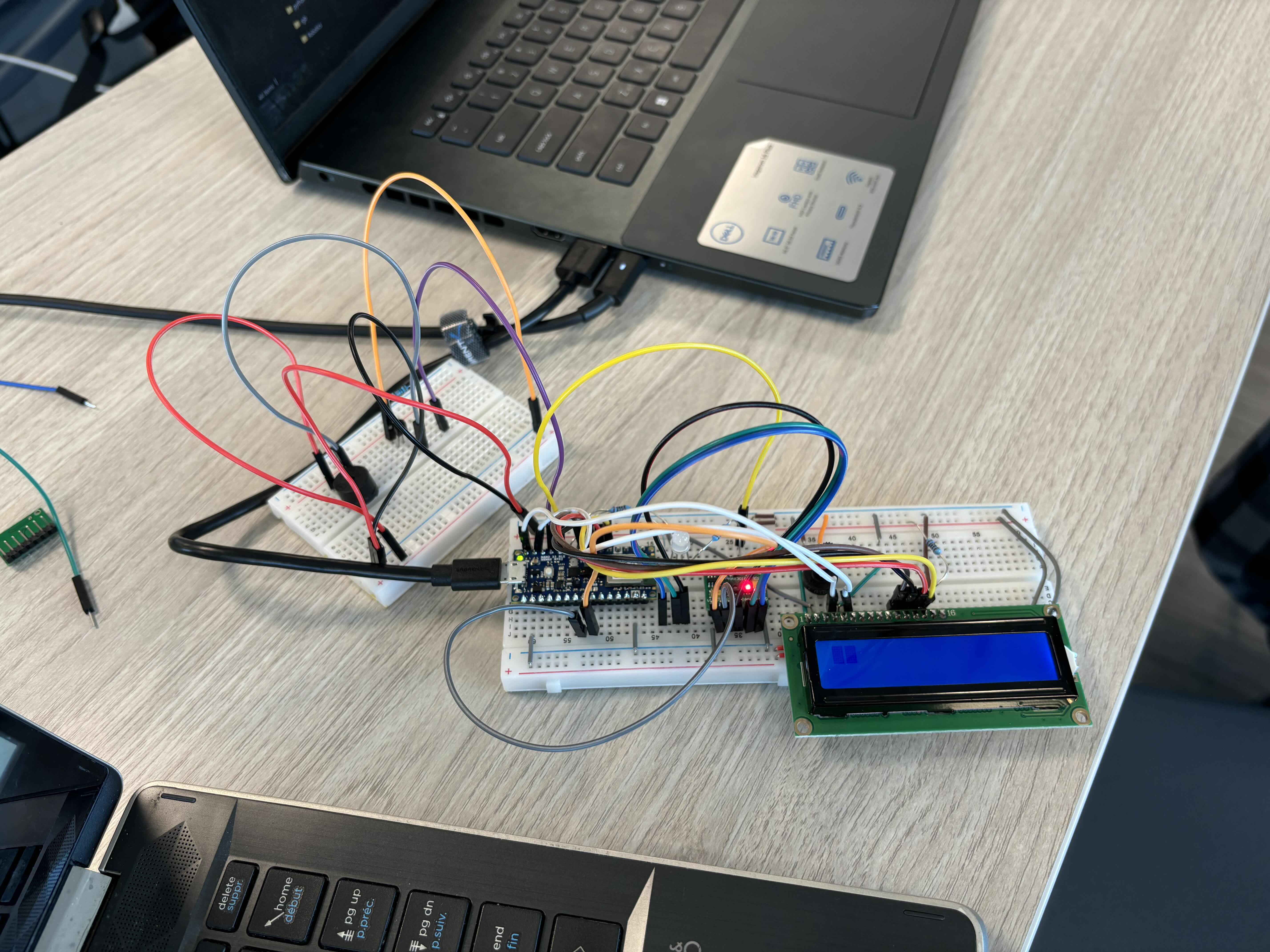
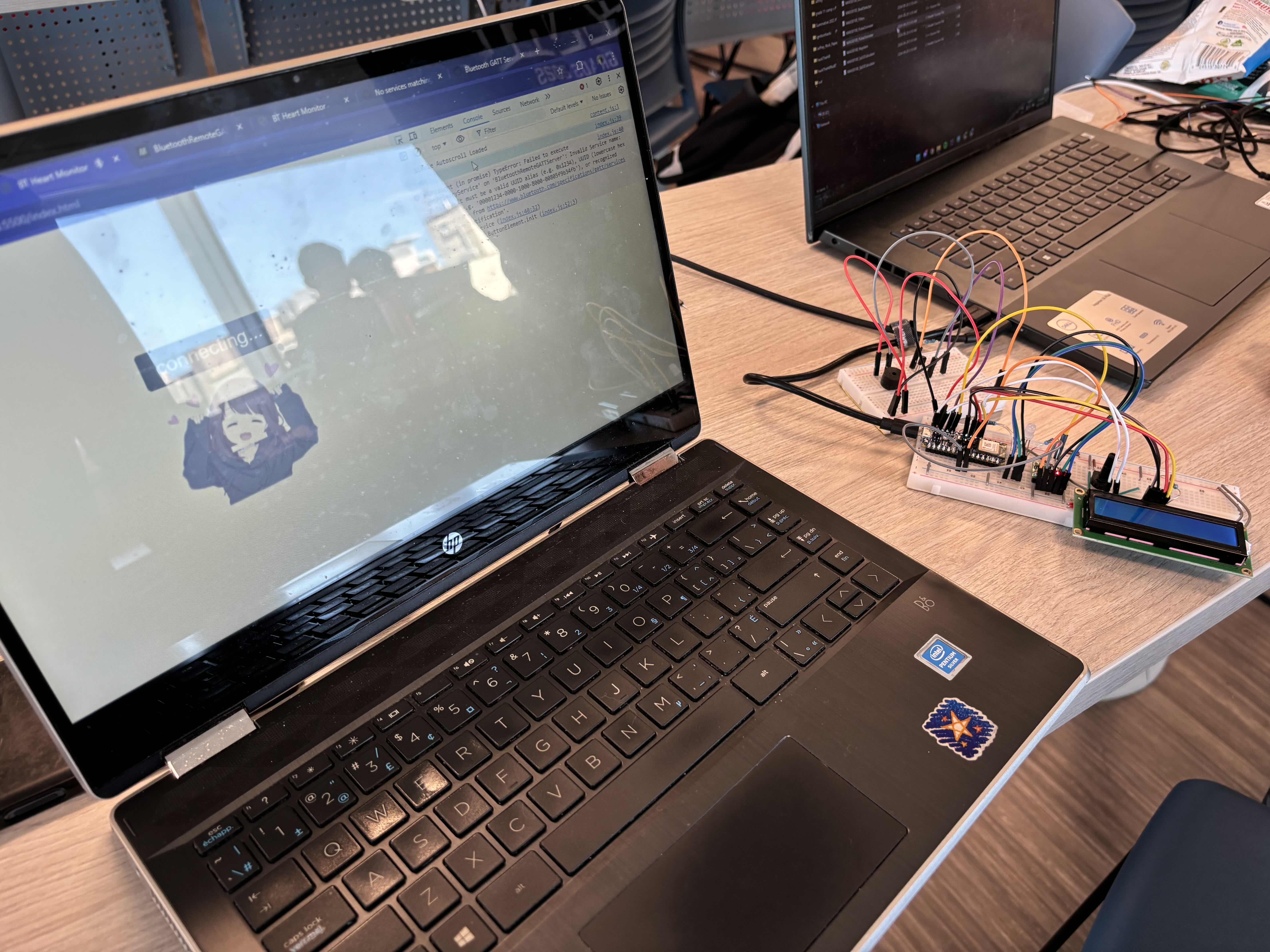
When you know you’re feeling too agitated and stressed, simply place your finger on the heartbeat sensor. It will display your heartbeat on an LCD display and give you the best course of action on our website connected via Bluetooth. On top of that, it will dim the LED to a warmer colour and play soothing music. These have been shown to reduce stress and improve productivity.
Our physical project is a prototype to our bigger idea that could not be accomplished due to lack of time, starting knowledge, and hardware resources. Instead of changing the colour of one LED and playing music on a buzzer, Serenity would change the colour of all the lights in the room and play soothing music on high quality speakers.
How we built it
Our project consisted of a couple different parts that were made separately before being put together. Due to being inexperienced, we tried learning many new things that weren’t included in our final product.
Heartbeat tracker: we used a heartbeat sensor provided by Hack the Hill II. The code was partially open sourced and we made some adjustments to be compatible with our other components.
LCD display Buzzers for music: some of our members had experience with buzzers and web development.
Bluetooth: Majority of our time was spent on bluetooth and trying to connect our Arduino Nano 33 BLE Sense Rev2 to our website.
Challenges we ran into
Bluetooth: Once we got it working, it worked for a few hours before breaking overnight. After trying to add more the bluetooth stopped working. Despite returning to the original code the bluetooth didn’t work again.
Speech recognition: Our original plan was to take advantage of the Arduino Nano’s microphone to include speech recognition and voice commands. We were able to get voice recognition using Python but because we wanted to have the code run on the Arduino, we kept researching. We spent hours exploring the different possibilities including volume, frequencies, and using libraries. After hours of perseverance, we decided to cut our losses and move on.
Displays: This was another component that we heavily invested our time into before abandoning. We tried to use circular OLED displays to show the heart rate but we realized the equipment provided wasn’t sufficient (confirmed by organizers). This set us back a couple hours. As a replacement, we tried a 1.5 inch transparent OLED display. Again, after hours of trying to debug code and scouring the internet, a mentor let us know the device was faulty. Our final resort was using an LCD display.
Ultimately, our team lost too many hours on components that we didn’t use. Though we learned a ton, it set us back from valuable progress.
Accomplishments that we're proud of
We’re very proud to say that we learned a lot. While it may seem cliche, our group stepped out of our comfort zone and explored new technology. Despite all of our setbacks, we continued learning and trying to implement our original idea. Speaking of which, we are proud to see that we ended up creating a real prototype.
What we learned
There were a lot of things that we learned that were included in our prototype. Some of these included the heart rate monitor and using the Arduino Nano.
Heart Rate: This hackathon allowed us to use sensors that we can’t easily access elsewhere. The heart rate sensor was one of them. We used how to use the heart rate sensor by using tutorials online and learning from open source code.
Arduino Nano 33 BLE Sense Rev2: At school, we use Arduino Uno. The Arduino Nano provided for many new learning opportunities such as Bluetooth and using microphones. Even though we did not get to use the microphone, we spent many hours on speech recognition.
The importance of a good team: Over the last 48 hours, we were met with many highs and many lows. These experiences taught us that we needed to keep laughing and to keep our chins up.
What's next for Serenity
Serenity plans to improve our website UI, get more consistent Bluetooth connections and use the sensors that we had originally planned. Now that we’ve created a minimal viable product, we can move onto playing lo-fi music and adjusting all the lights in a room. Eventually, we want Serenity to be the first thing you reach for after a long, stressful day at work.


Log in or sign up for Devpost to join the conversation.