Inspiration
I started Serendipity because planning a free evening in Tokyo kept turning into admin. I would find an interesting place, look for dinner nearby, check when both closed, open a map, and then discover that the route did not fit. A simple night out could leave me with ten tabs and no actual plan.
The first version was a technical reservation-network demo. It worked, but it did not answer the question a normal user would ask: why would I use this? I kept the reliable parts and rebuilt the product around a simpler job. Give it the evening you have, and get back one plan whose times and prices you can check for yourself.
What it does
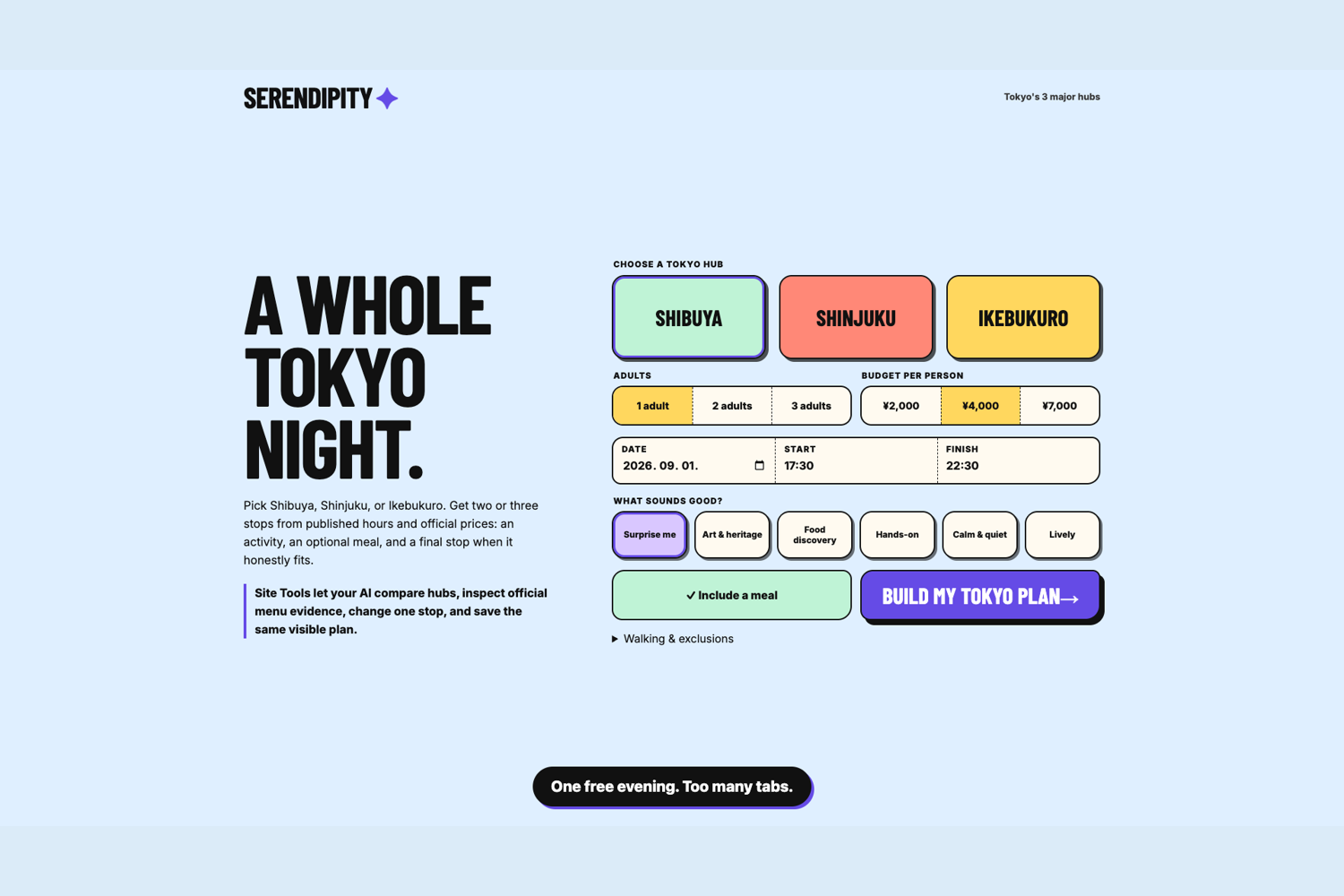
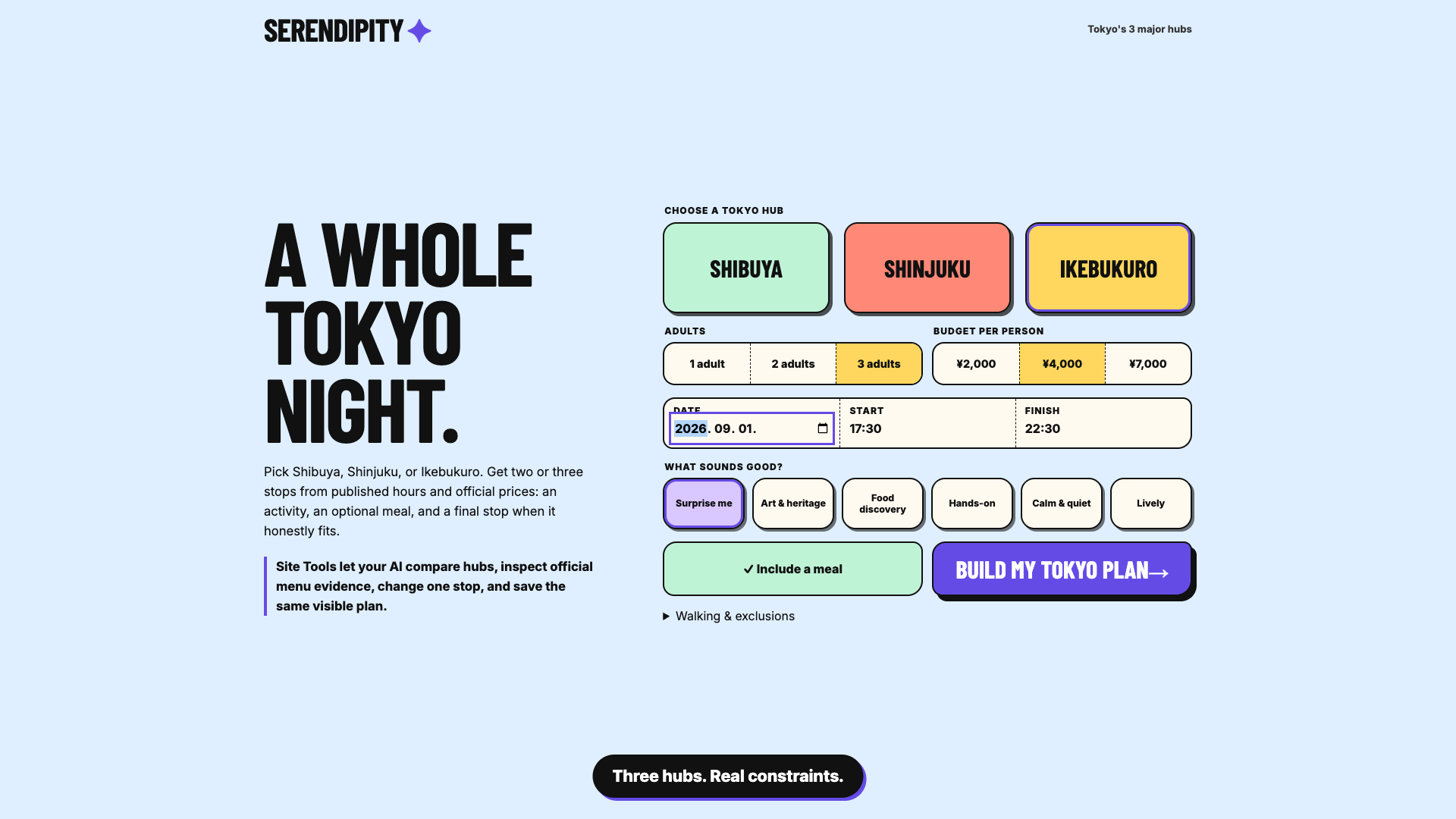
You choose Shibuya, Shinjuku, or Ikebukuro, then set the group size, time, per-person budget, walking limit, and the kind of night you want. Dinner can be included or left out.
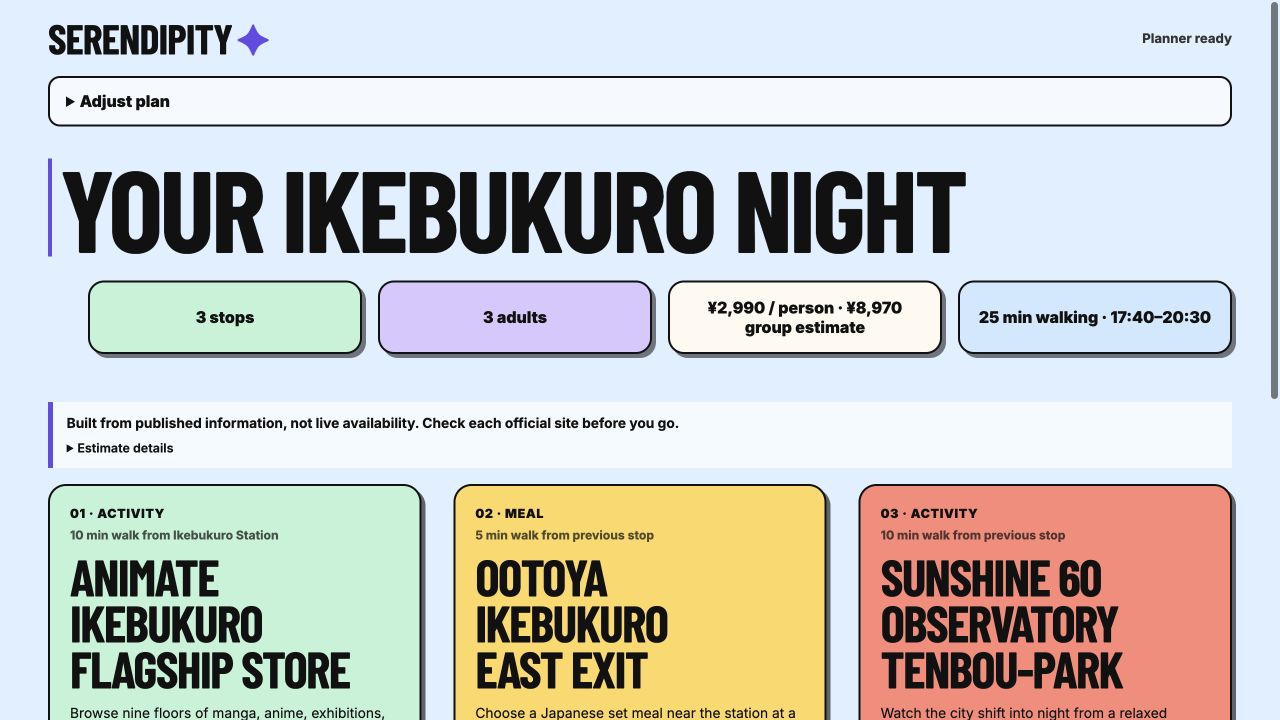
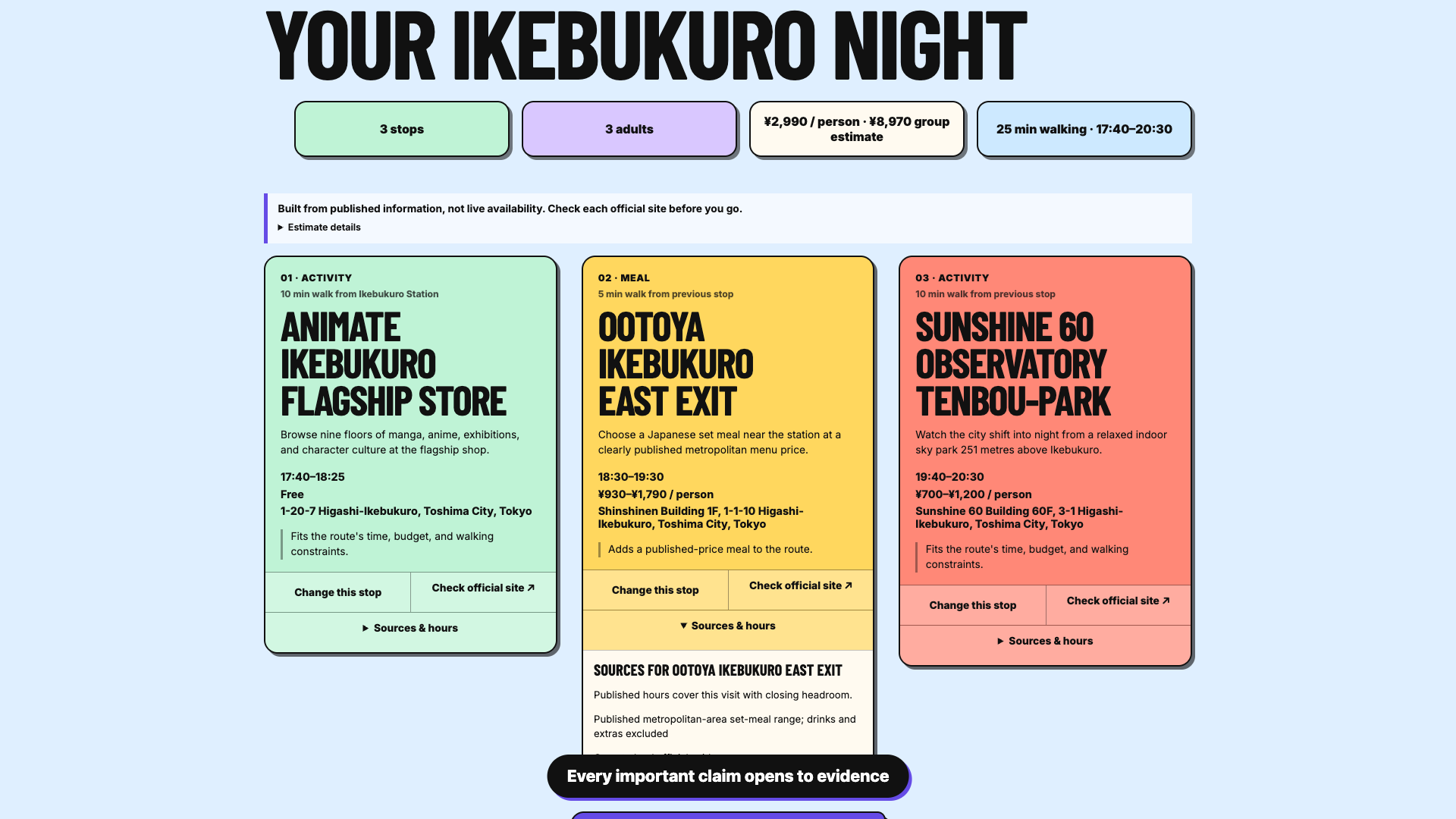
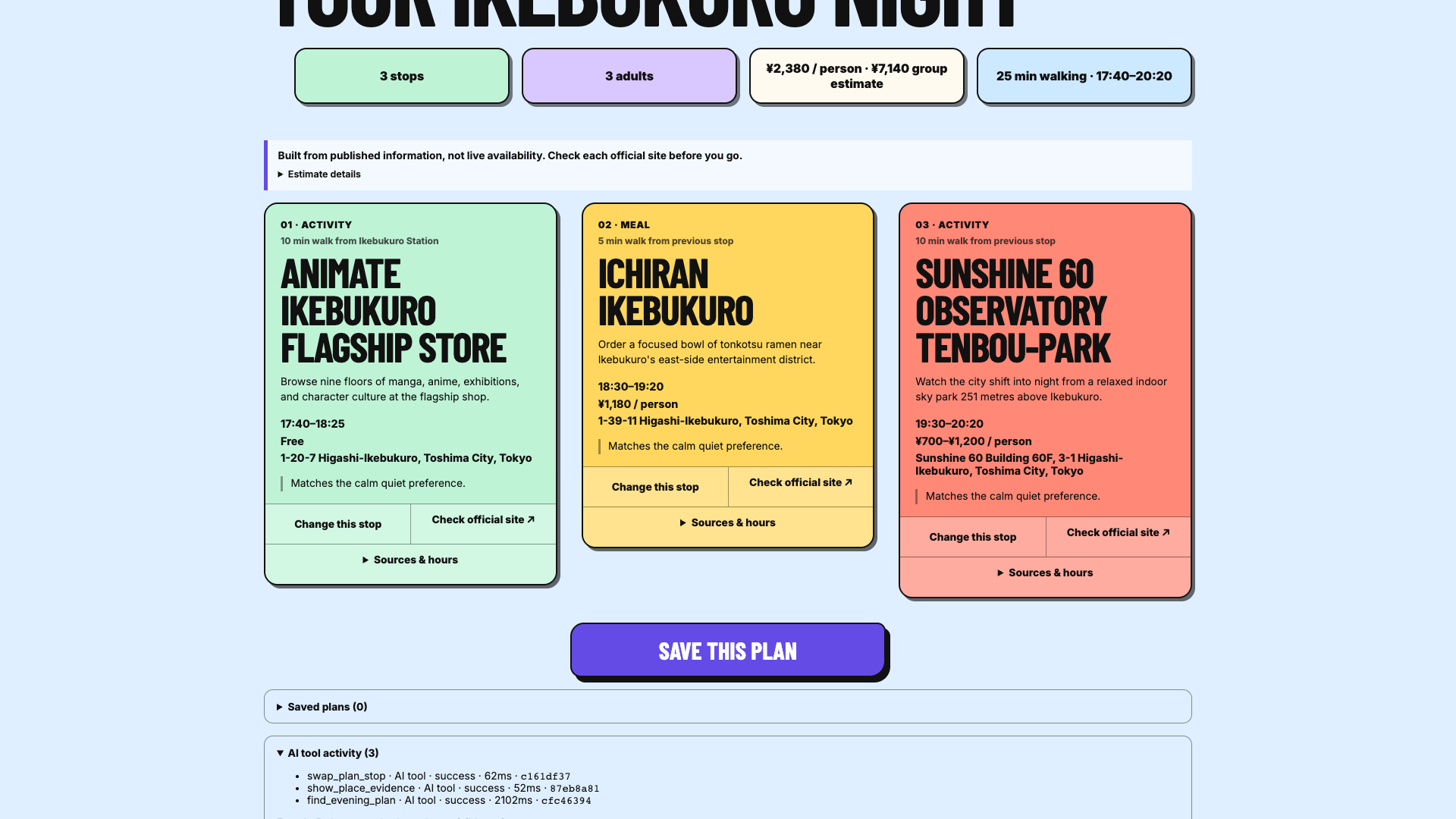
Serendipity builds one route with two or three stops. It shows when to visit, how long the walks are, what each stop should cost, and the estimated total for the group. If three stops do not fit, it says why it returned two. If nothing fits, it does not quietly loosen the request. It shows the closest option and waits for the user to approve the change.
Each stop has a sources section with the publisher, checked date, published hours, official menu, and official link. This is planning from published information, not a live booking service. Serendipity does not claim a seat is available and does not send anything to a venue.
Why WebMCP is a strong fit
This kind of planning often starts as a conversation: “Plan a calm Ikebukuro evening for three, include dinner, and keep it under ¥4,000 each.” Then comes the follow-up: show me where the meal price came from, or change one stop.
An assistant can try to operate the form like a person, but it has to interpret the layout and guess whether the page really changed. WebMCP gives it five actions instead: find a plan, show the evidence for a place, change one stop, save the plan, or delete it. Those actions use stable plan and place IDs, and the result appears on the same page the user is watching.
I stopped at five tools. Finding a plan, checking evidence, and changing a stop are read-only. Saving and deleting are the only write actions, and they only affect this browser. Opening a restaurant or venue website is still a normal link the user chooses.
How I built it
The app is built with Next.js, React, and TypeScript and deployed on Vercel. The planner is deterministic. It checks combinations of activities and meals against published opening hours, visit length, closing time, budget, and walking limits. Restaurant budgets use the highest price in the official menu range. Walking time is marked as a coordinate-based estimate.
I reviewed 21 places across the three hubs: four activities and three meals in each area. Every place in a route needs support for its name, address, coordinates, hours, public access, and price. I wrote the short descriptions myself and used official pages instead of copying marketplace reviews or photos.
Google enrichment exists behind a server flag, but it is off in the submitted version. The live app works from its reviewed data and official menu pages.
The human controls and the five Site Tools call the same controller. I did not want an agent demo sitting beside a separate, less reliable product. If a request is stale, malformed, cancelled, or unsafe, both paths reject it in the same way.
Challenges
The hardest part was deciding what the app was allowed to say. It is easy to make a schedule look convincing. It is much harder to prove that a place is actually open at that time and that the displayed price came from a menu. I spent more time removing weak data than adding new places. Parks without published hours, prices inferred as zero, stale closure calendars, and unclear reuse rights all forced changes to the data model.
The UI went through several bad versions. One was two dashboards side by side. Another had oversized type and decorative cards that made the route harder to follow. Feedback on those versions was blunt, but correct. I removed most of the explanation from the main path, gave the route the full page, and kept source details behind disclosures.
The agent and the human also kept finding different edge cases. A late response could overwrite a newer search. Browser Back could make the URL disagree with the plan. A damaged saved record could break reopening. Fixing those bugs led to one shared state controller instead of two implementations.
Accomplishments
The live app covers three Tokyo hubs, with four reviewed activities and three official-menu meals in each one. Codex discovered all five Site Tools in the ChatGPT desktop browser and used them to build a real plan and open its meal evidence on the visible page. A strict request can return an honest no-result. The app only offers a relaxed search after the server has verified it and the user chooses it.
What I learned
A difficult technical demo is not automatically a useful product. The first version proved that several sites could coordinate, but people still asked, “What is this for?” Rebuilding it around one understandable job made the engineering choices much clearer.
Good Site Tools are closer to product actions than UI controls. The agent does not need a tool for every button. It needs a few useful verbs, clear limits, and enough evidence for the person to check the result.
WebMCP worked best when the agent and the user could look at the same updated plan, not when the agent disappeared into a background workflow.
What’s next
I would add more neighborhoods only after reviewing them to the same standard as the current three. The next practical improvements are transit-aware travel, shareable saved plans, and an optional live Google check controlled by the user.
I would not add booking or payment until a venue provides real booking authority and there is a safe way to handle the transaction.
Built With
- ajv
- next.js
- react
- typescript
- vercel
- vitest
- webmcp

Log in or sign up for Devpost to join the conversation.