Inspiration
Helmets and high-visibility vests save lives on construction sites, factories and warehouses, yet compliance is usually enforced by a supervisor walking the floor. One person can't watch every worker, camera and shift, so violations are noticed late, or never, and nobody has a record of how often they happen. We wanted to turn an ordinary camera into a tireless safety assistant that flags problems as they happen and keeps an auditable log.
What it does
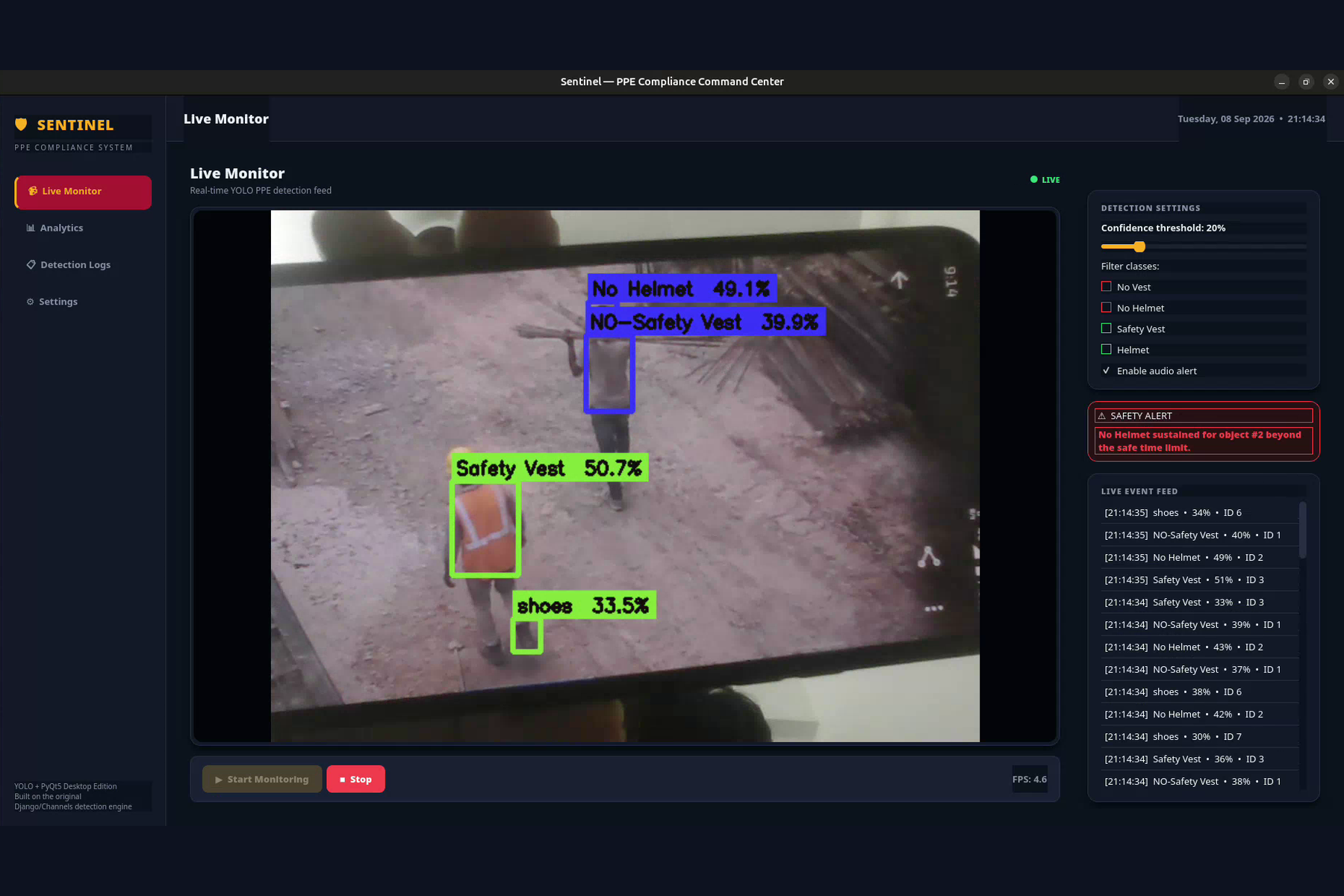
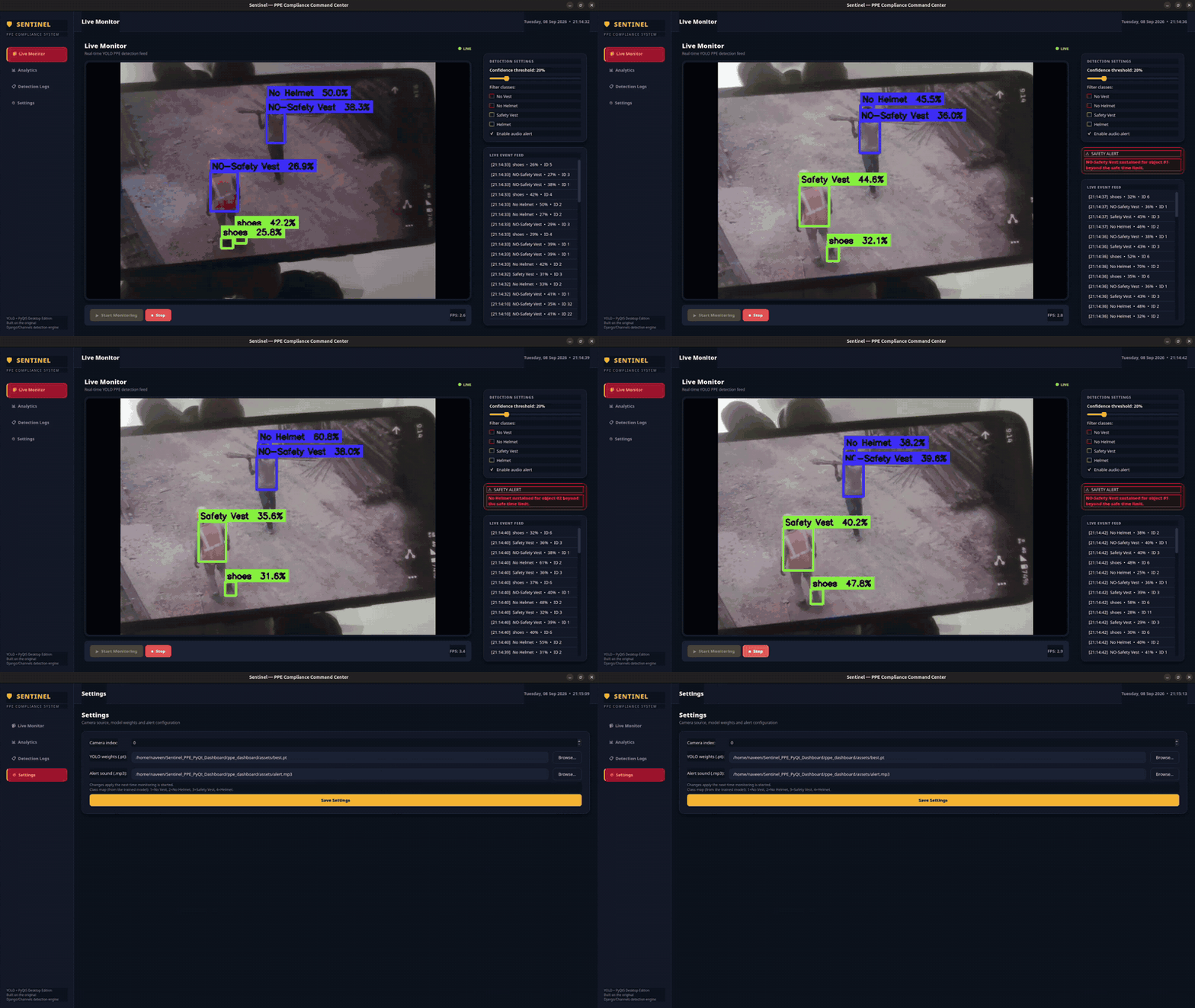
Sentinel is a desktop app that watches a live camera feed and uses a YOLO model to detect whether workers are wearing a safety vest and helmet.
- Live Monitor: annotated video (green boxes = compliant, red = violation), a live event feed and session stats.
- Smart alerts: if a No Vest or No Helmet detection stays on the same tracked object for more than 3 seconds, an alert banner appears and a sound plays.
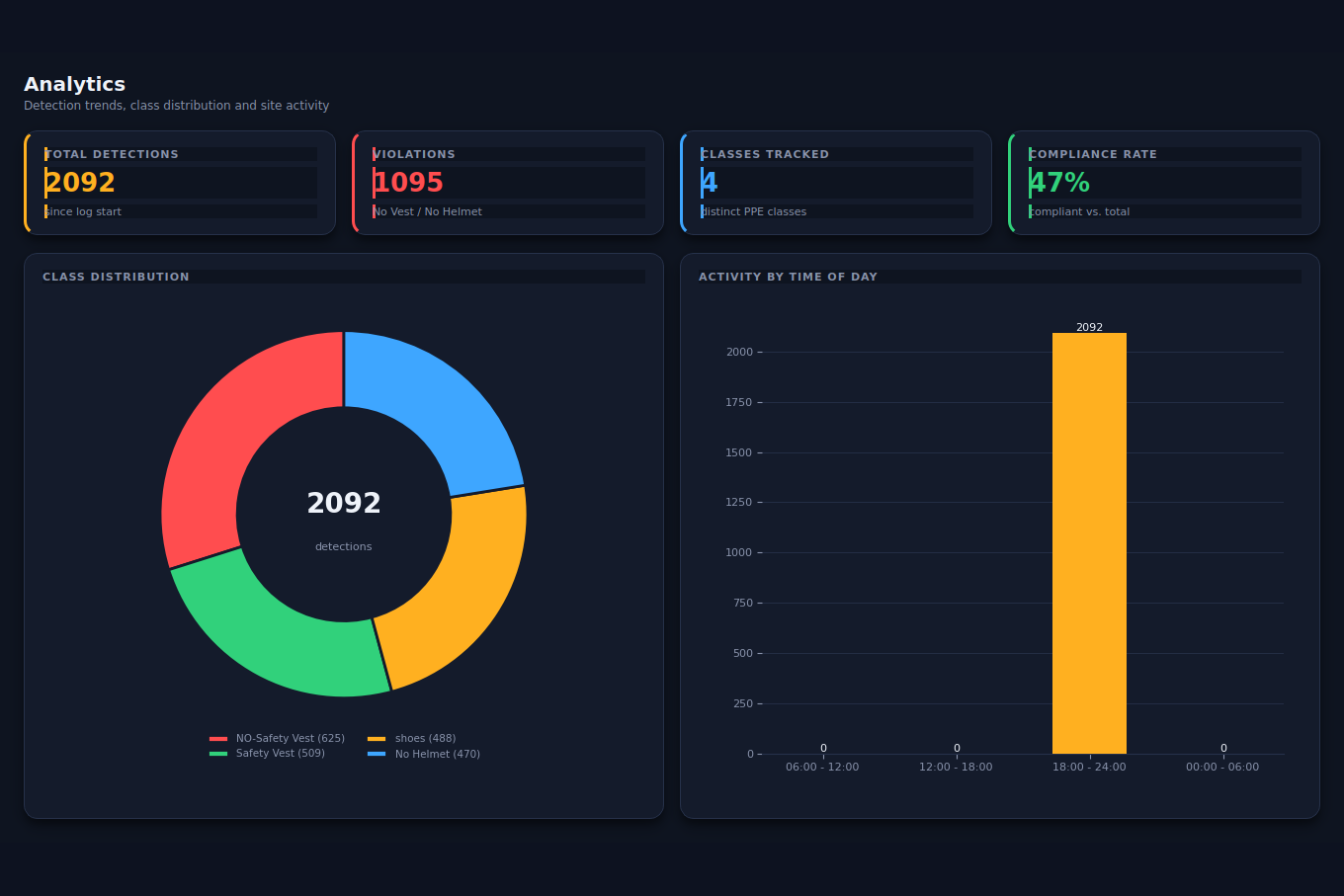
- Analytics: total detections, violations, compliance rate, a class-distribution donut and an activity-by-time-of-day chart.
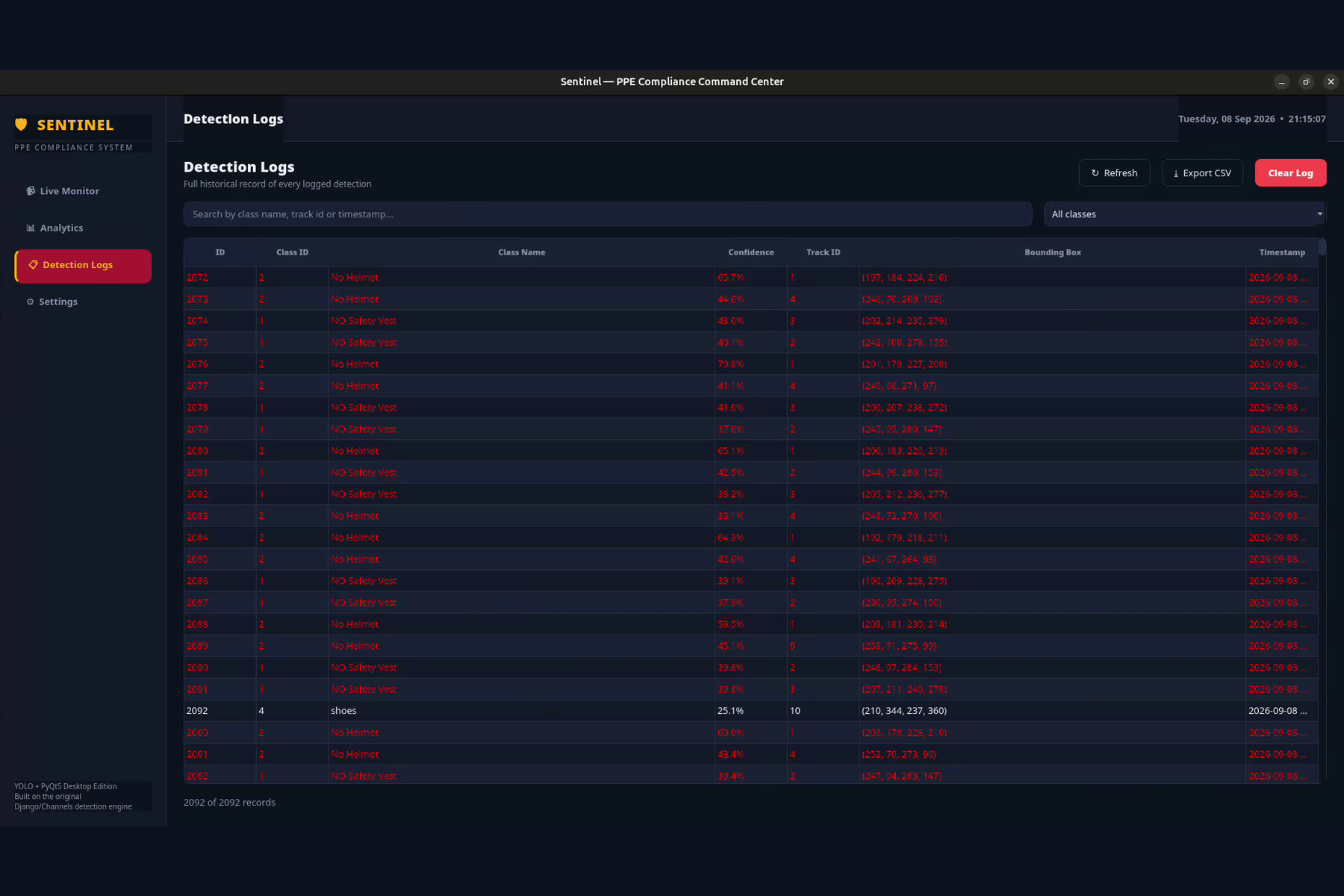
- Detection Logs: every detection is stored in SQLite, searchable, filterable and exportable to CSV.
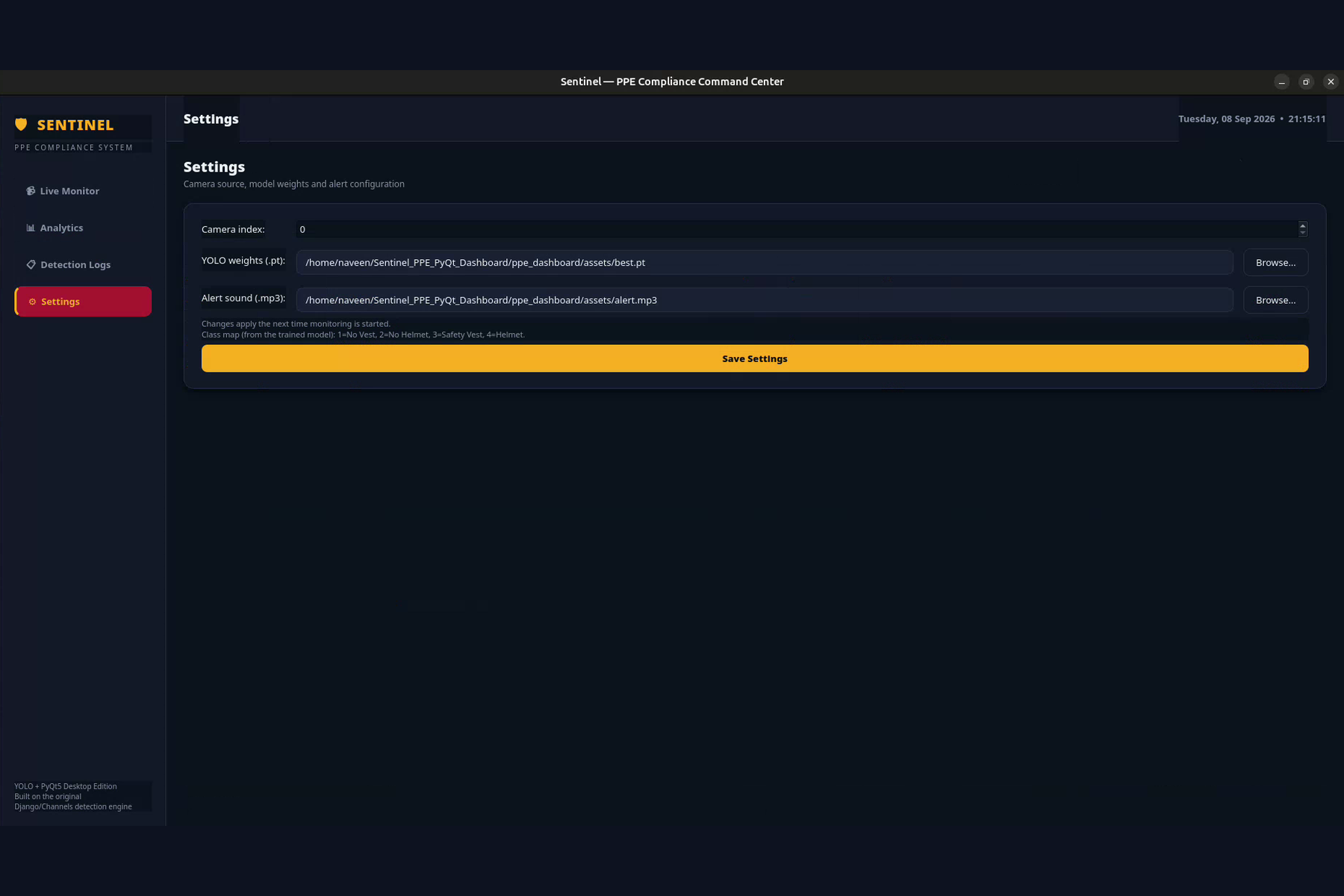
- Live controls: confidence threshold and class filters change without restarting.
How we built it
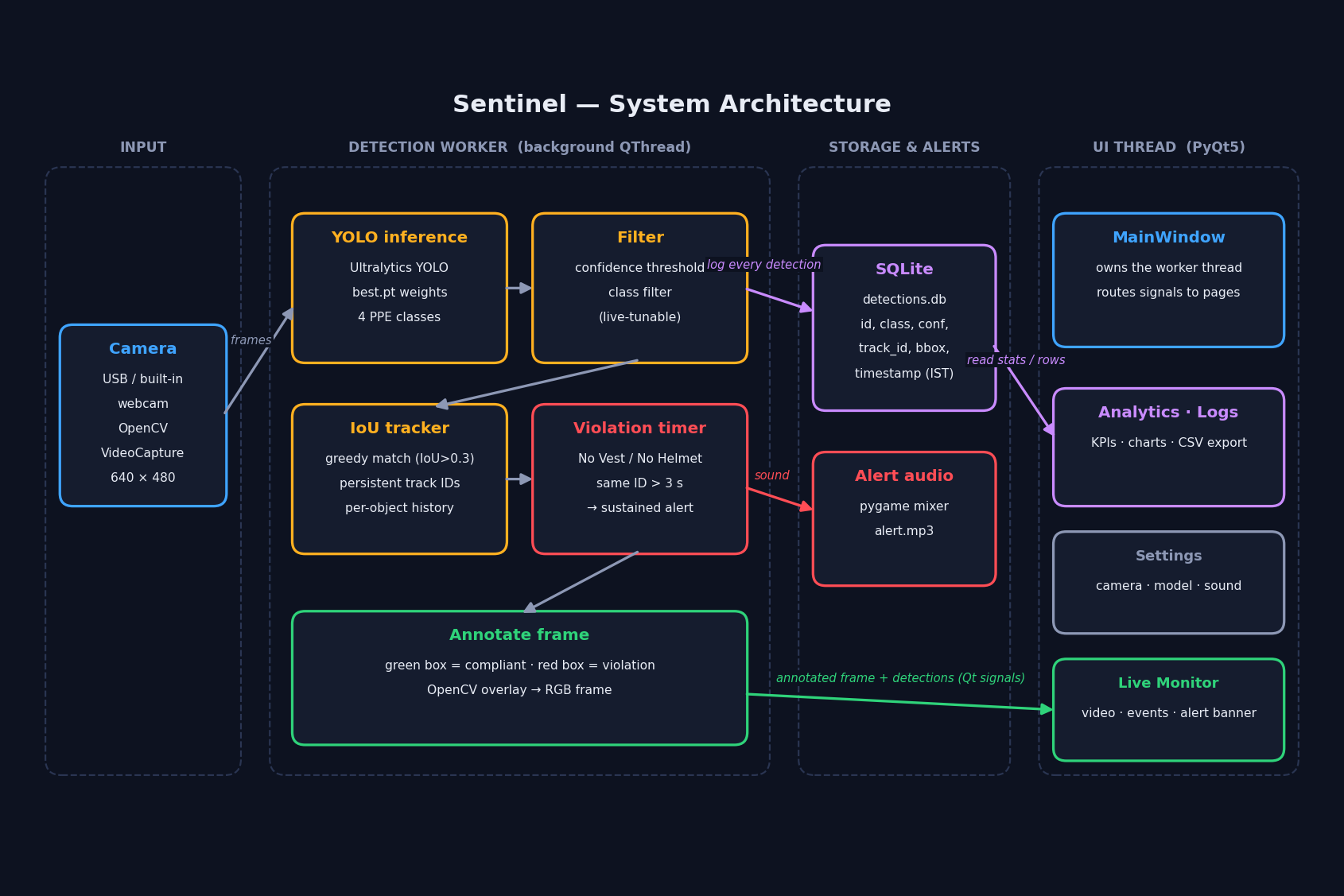
Sentinel is built in Python with PyQt5, OpenCV, PyTorch / Ultralytics YOLO, SQLite and Matplotlib. The pipeline runs on a background QThread so the interface never freezes:
- OpenCV captures a frame.
- The YOLO model detects four classes: NO-Safety Vest, No Helmet, Safety Vest and shoes.
- Detections are filtered by confidence and class.
- A greedy tracker matches boxes across frames using Intersection over Union:
$$\mathrm{IoU}(A,B)=\frac{|A\cap B|}{|A\cup B|},\qquad \text{same object if } \mathrm{IoU}>0.3$$
- A violation is raised when a violation class persists on one track ID for \( t > 3\,\text{s} \).
- Each detection is written to SQLite, and the annotated frame is sent to the UI through Qt signals.
The dashboard's compliance rate is:
$$\text{Compliance}=\frac{N_{\text{total}}-N_{\text{violations}}}{N_{\text{total}}}\times 100\%$$
Challenges we ran into
- Keeping the UI responsive. Running inference on the main thread froze the window, so detection moved to a worker thread. Because it writes to the database while the UI reads from it, we added a mutex for thread safety.
- False alarms. Alerting on every single-frame detection was noisy. Tracking objects and requiring a violation to persist for 3 seconds made alerts far more trustworthy.
- A subtle statistics bug. Our analytics counted violations by matching
"no "in the class name, which missedNO-Safety Vest. On our demo data it reported 470 violations (77% compliant) when the real figures were 1,095 of 2,092 (about 47% compliant). Switching to class IDs fixed it. - Performance. YOLO on a laptop gave roughly 4-5 FPS in our demo, so we kept the pipeline lean and made the confidence threshold adjustable.
- Model limits. The model has no positive "Helmet" class, so a worn helmet is simply not flagged, and the compliance rate is a proxy rather than a per-person safety score.
What we learned
- How to combine real-time computer vision with a native GUI without blocking the interface (threads, signals and slots).
- Why tracking and temporal rules matter as much as the detector for useful alerts.
- To validate analytics against raw data, because a plausible-looking dashboard can still be wrong.
- How to design clear, honest metrics and document limitations.
What's next for Sentinel
Multi-camera and RTSP support, a stronger tracker (DeepSORT / ByteTrack), snapshots on violation, email / SMS / Telegram alerts, per-person reports, a larger and more diverse training set, and faster edge inference with ONNX or TensorRT.

Log in or sign up for Devpost to join the conversation.