-
-
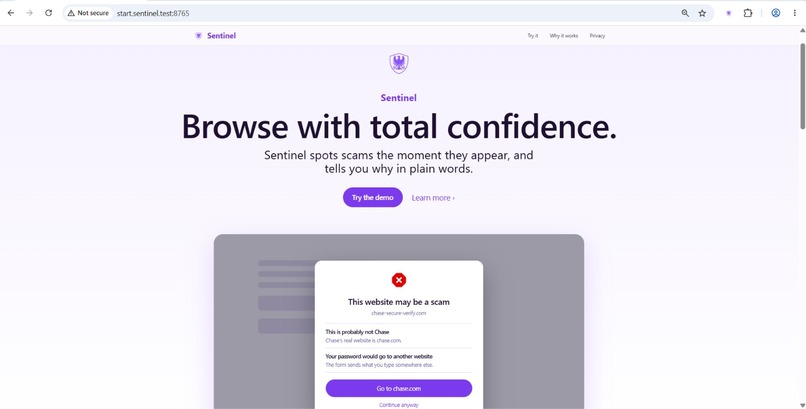
Home Page of the Demo Page
-
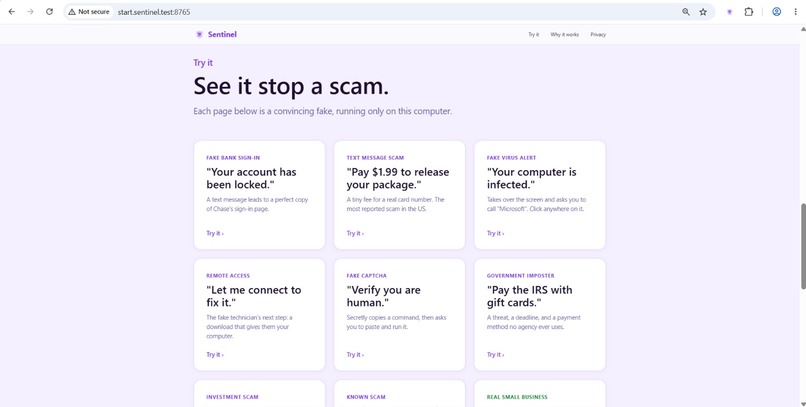
List of edge cases and example websites to test it
-
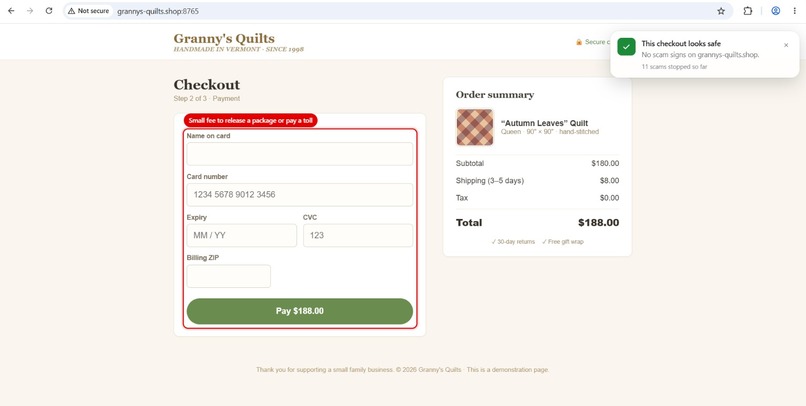
An example of verifing of transaction is okay to interact with
-
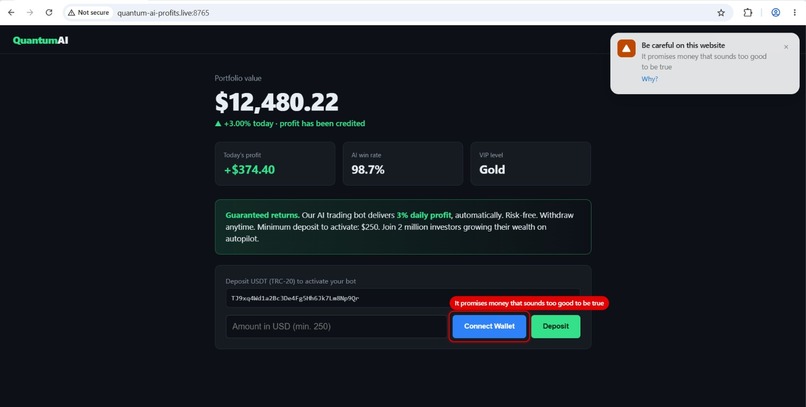
An example of verifing of transaction is NOT okay to interact with, with a badge notifying you so
-
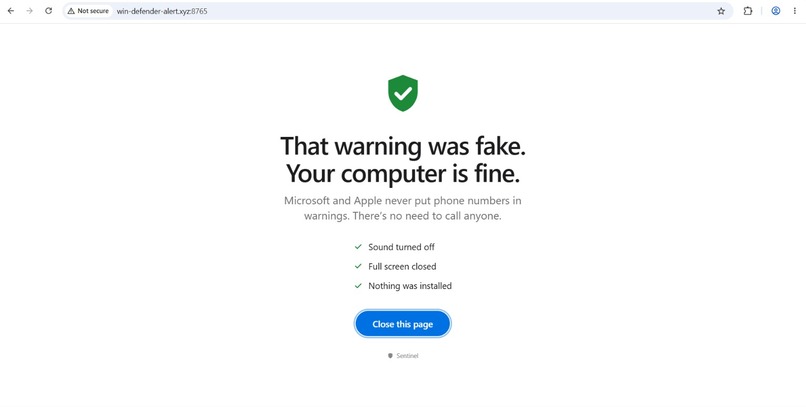
A verification to access a website
-
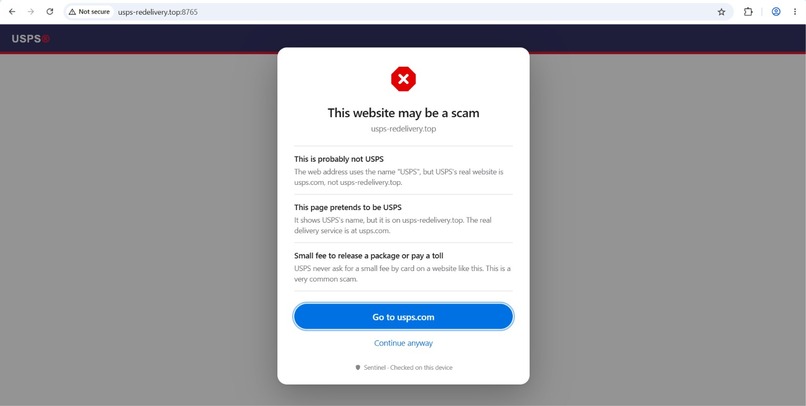
A warning page popup
-
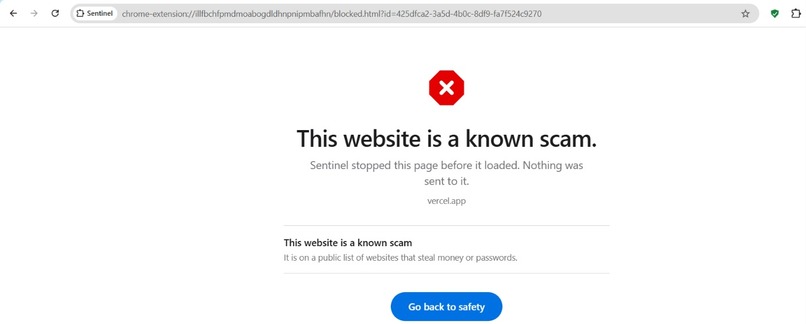
A guardrail that stops the user from getting on the website, the the page is sketchy
-
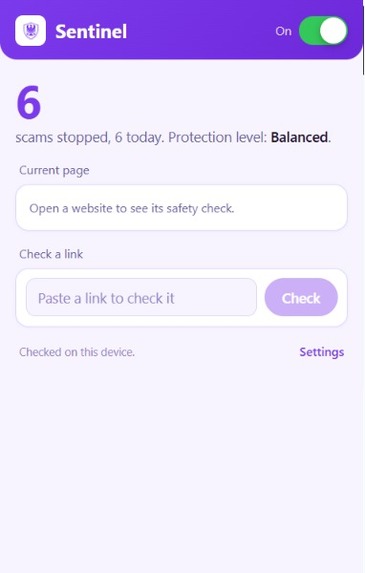
What pressing the extension will show; the settings page for Sentinel
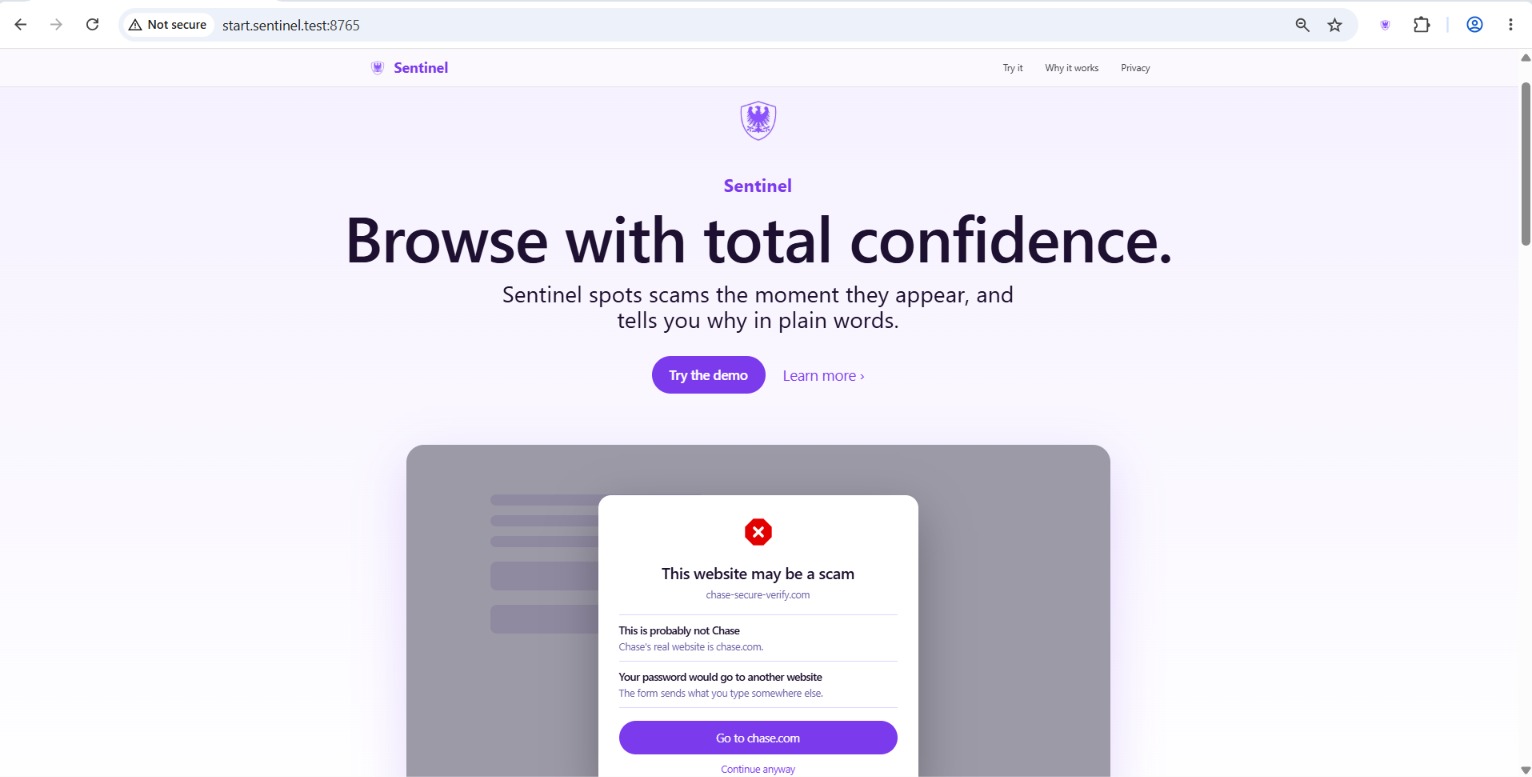
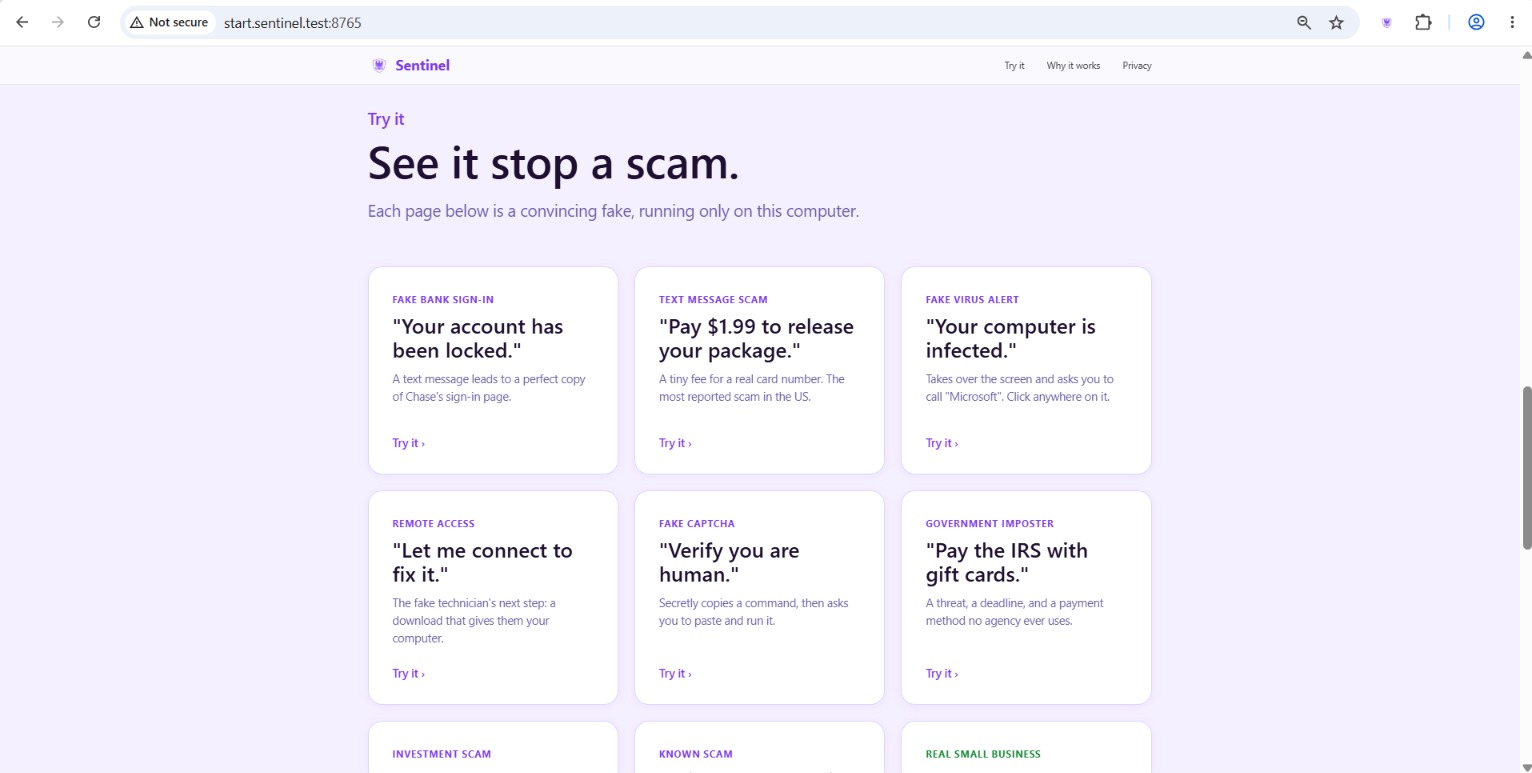
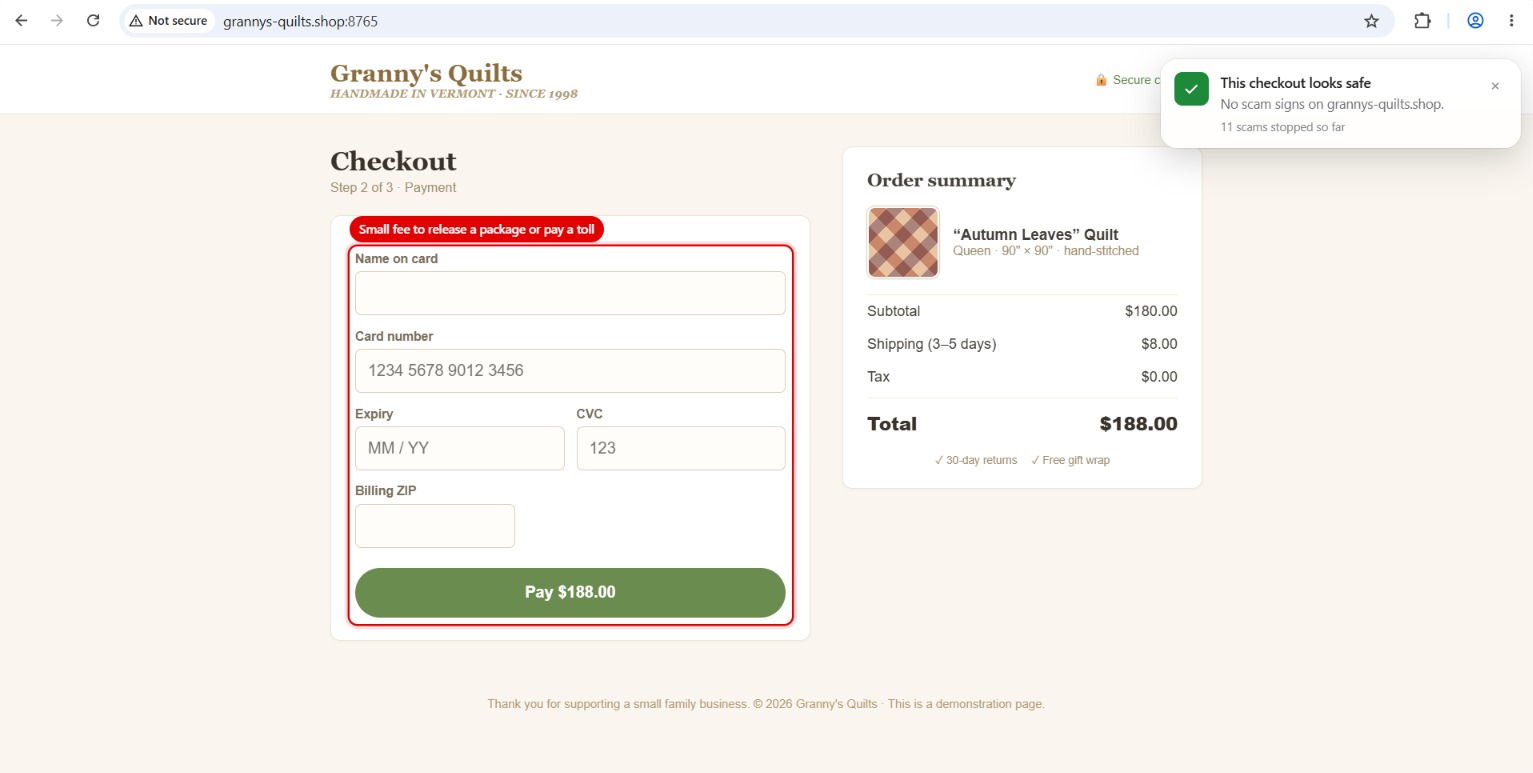
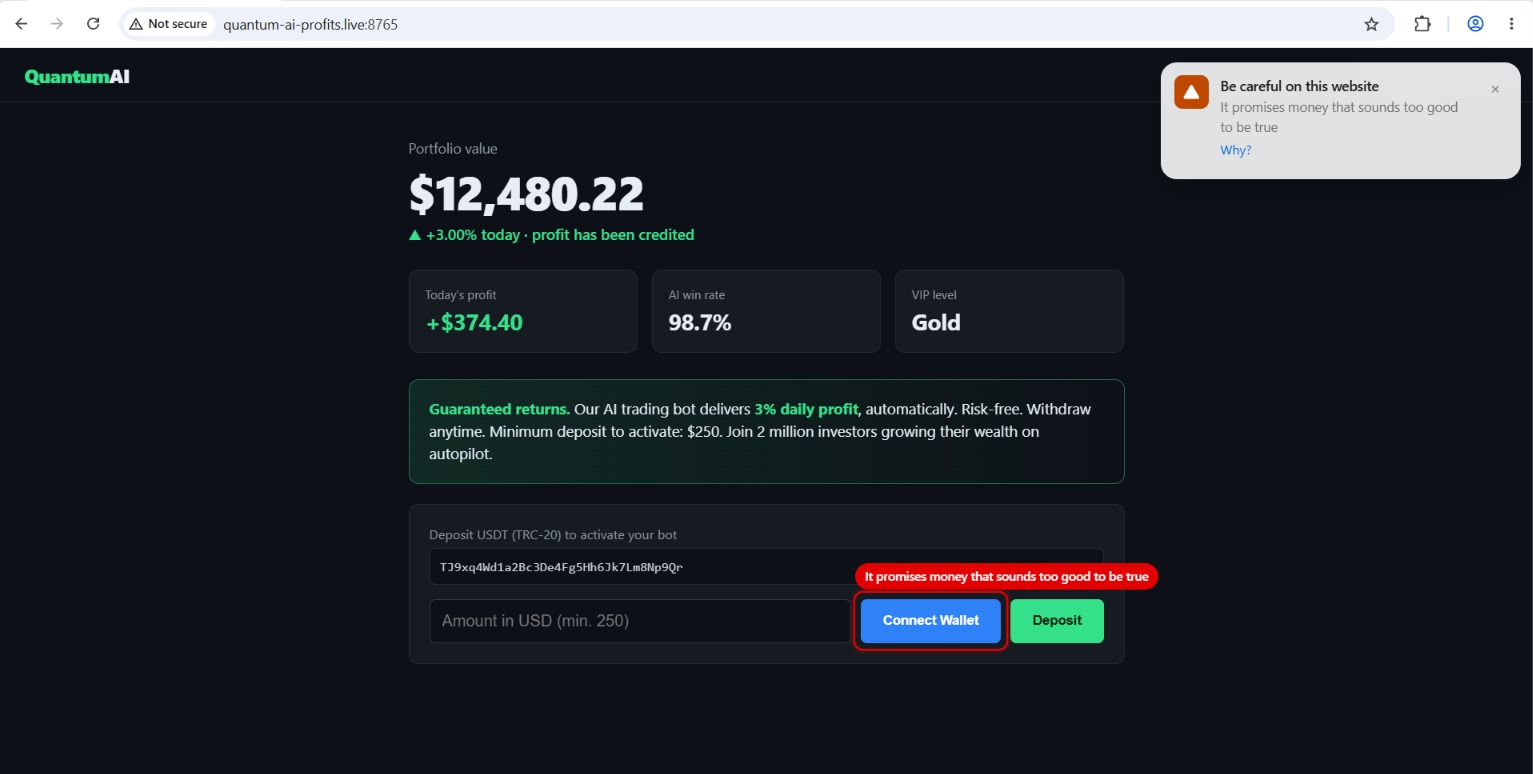
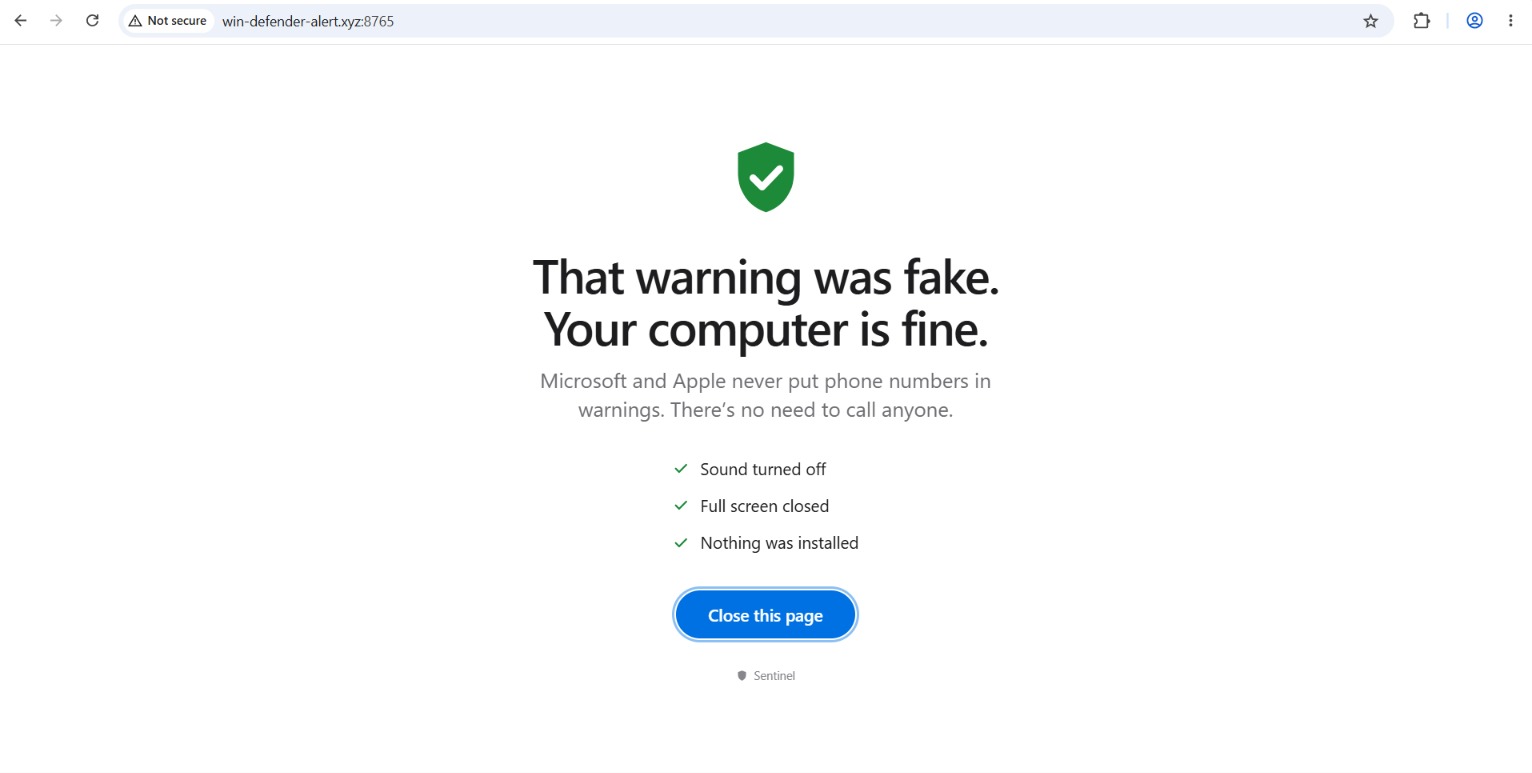
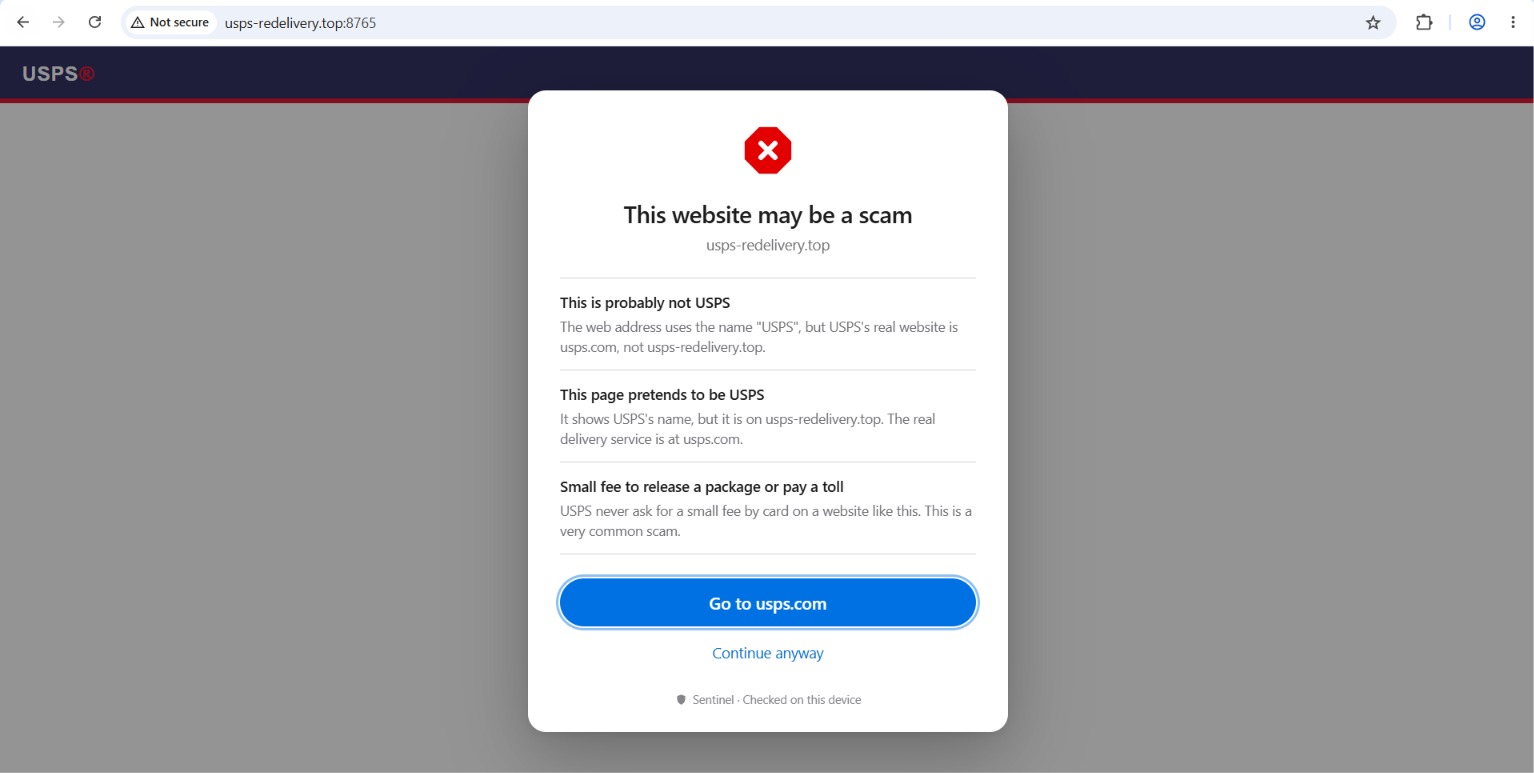
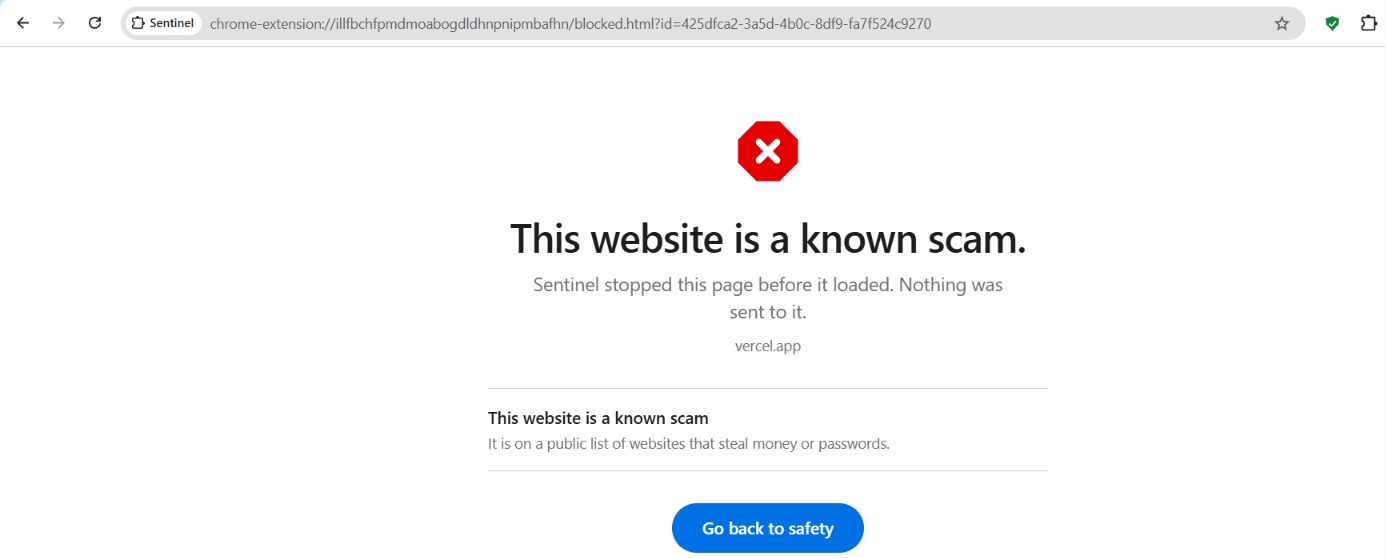
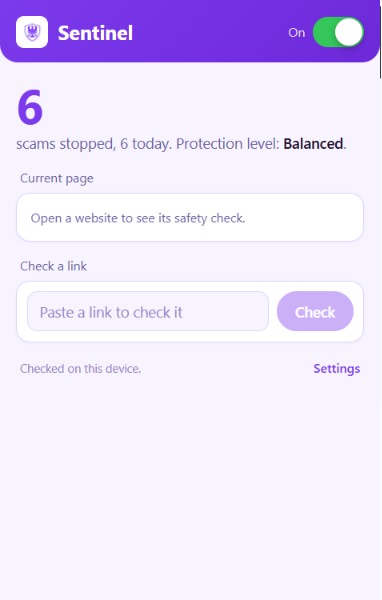
Table 13
Inspiration
Most of us have a relative who almost fell for a fake "your computer is locked, call this number" page, or a friend who lost money to a storefront that vanished a week after they paid. These scams are not clever in a technical sense. They work because they hit people at the wrong moment, when someone is tired, rushed, or just trying to finish a checkout.
The tools meant to stop this have a timing problem. Blocklists are useful, but a scam site often does most of its damage in the first few hours, before any list has heard of it. Many existing tools also solve the problem by sending your browsing activity to a server, which trades one privacy risk for another. And when they do warn you, the message is usually a red screen with a vague line about a "deceptive site," which nobody learns anything from.
We wanted to build the second opinion we wish our own families had: something free, private, fast enough to act in the moment, and clear enough that a ten-year-old or a grandparent could understand why it stepped in.
What it does
Sentinel is a browser extension for Chrome, Edge, and Firefox that checks the page you are on and steps in when something looks like a scam. It focuses on the moments where harm actually happens: when you are about to pay, log in, upload a file, or download something.
If a page is clearly dangerous, Sentinel replaces it with a full block screen. If it is only partly suspicious, it outlines the risky parts of the page, such as a fake download button or a login form that submits to a different domain, and attaches a short tooltip explaining the problem. It pauses risky downloads like .exe, .msi, and .apk files and asks you to confirm. It warns you before you type card numbers, bank details, Social Security numbers, or crypto seed phrases into an untrusted site. If you land on a scareware page that fullscreens your browser and loops alerts, the Scareware Lock Breaker exits fullscreen, mutes audio, and stops the loop so you can close the tab. You can also right-click any link to check it before you open it.
Every warning is written at roughly a 6th-grade reading level and tells you the specific reason, not just that something is wrong. A single slider from Chill to Paranoid controls how cautious Sentinel is, so nobody has to learn what a threshold is. There are also presets: a locked-down mode for children with a PIN, a stricter mode with large text for older adults, and full control for power users.
All of this runs on your device. Page content, form values, and full URLs are not uploaded by default.
How we built it
Sentinel is a Manifest V3 extension written in TypeScript and built with WXT, which lets us ship one codebase to Chrome, Edge, and Firefox. The extension has three main parts. A content script runs inside each page and gathers signals from the DOM, forms, and page behavior, and it draws the highlight overlays. A background worker holds the risk engine, domain analysis, the user's policy settings, and download interception. The user interface covers the popup, the settings dashboard, and the block screen.
The core idea is that no single check catches every scam, so we score pages using several independent families of signals: reputation, impersonation, domain trust, page intent, pressure language, hostile behavior, and a local AI model that runs in an offscreen document. Conceptually, each family contributes a score \(s_i\) with a weight \(w_i\), and the total risk is
$$ R = \sum_{i} w_i \, s_i $$
The aggressiveness slider moves the warn and block cutoffs, so the same page can earn a gentle highlight on Chill and a full block on Paranoid. Because a page has to trip several families at once to be blocked, a single odd signal, like a young domain, does not shut down a legitimate site.
For privacy, we treated "local first" as a hard rule instead of a feature. Sensitive data typed into a page is matched by pattern and thrown away immediately. Reputation lookups send only hash prefixes. All detection logic ships inside the extension, and threat lists are signed and verified before use, so there is no remote code. The optional cloud pieces, such as the threat-feed builder, a reputation proxy, and opt-in extras like a bring-your-own-key LLM, are kept separate so the extension still works fully without them.
We tested with Vitest for unit tests and Playwright for end-to-end runs, and linted with ESLint and web-ext lint. We also built a small project site in the same repository and deployed it with Vercel.
Challenges we ran into
The hardest balance was between catching scams and annoying people. An overly eager detector that flags real banking sites trains users to click through every warning, which is worse than having no warning at all. Requiring multiple signals to agree, and letting the slider shift the thresholds, was our answer, but tuning it took a lot of trial and error.
Manifest V3 also pushed back on us. Background service workers can be shut down at any time, so state that felt natural to keep in memory had to move into storage. Running a local model from a service worker was not straightforward either, which is why it lives in an offscreen document. Firefox handles background pages and its build output differently from Chrome and Edge, so supporting all three took more care than simply flipping a build flag.
Writing the explanations was a challenge of its own. It is easy to say "suspicious cross-origin form action." It is much harder to say that a login box on this page sends your password to a different website than the one in the address bar, and to say it in a way a child would follow.
Finally, we kept running into the tension between being useful and being private. Several tempting shortcuts would have been easier if we were willing to send page content to a server. Holding the line on local-first meant finding ways to get the same value with less data.
Accomplishments that we're proud of
We are proud that Sentinel does not ask users to trade privacy for safety. Detection works on the device, and the data that does leave is limited to hash prefixes and domains.
We are also proud that the warnings are readable. The presets and the single slider mean someone can set up protection for a parent or a younger sibling in under a minute, without a tutorial.
On the technical side, we shipped a single TypeScript codebase that targets three browsers, with a layered detection approach that can flag brand-new scams that no blocklist has seen yet, and we backed it with unit and end-to-end tests instead of leaving it as a demo.
What we learned
We learned a lot about the practical limits of browser extensions: how the MV3 service worker lifecycle affects design, how declarative rules and content scripts split responsibilities, and how much the three browsers differ once you go past the basics.
We learned that detection is mostly a product problem and only partly a security problem. The same engine can feel protective or nagging depending on thresholds, wording, and when a warning appears, so timing and tone matter as much as accuracy.
We also learned that privacy is easier to build in from the start than to add later. Deciding early that page content never leaves the device shaped nearly every other design decision, and it made those decisions simpler.
What's next for Sentinel
The first step is getting Sentinel into the Chrome, Edge, and Firefox stores so people can install it without loading it by hand. After that we want to improve the local AI classifier, tune the default thresholds using real-world feedback, and add more signal families.
We would like to build opt-in community reporting and shared allowlists, plus a trusted-contact feature so a family member can be alerted when a child or older relative hits a serious block. Translating the warnings into more languages is also high on the list, since scams do not stop at English.
Longer term, we want to be able to create this onto phones, and also create monitoring controls so guardians can see which websites were accessed by their loved ones that may be scams.
Built With
- react
- tailwind
- typescript
