-
-
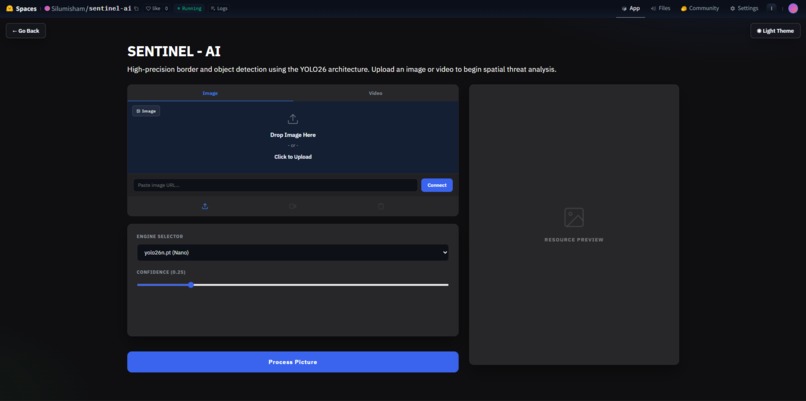
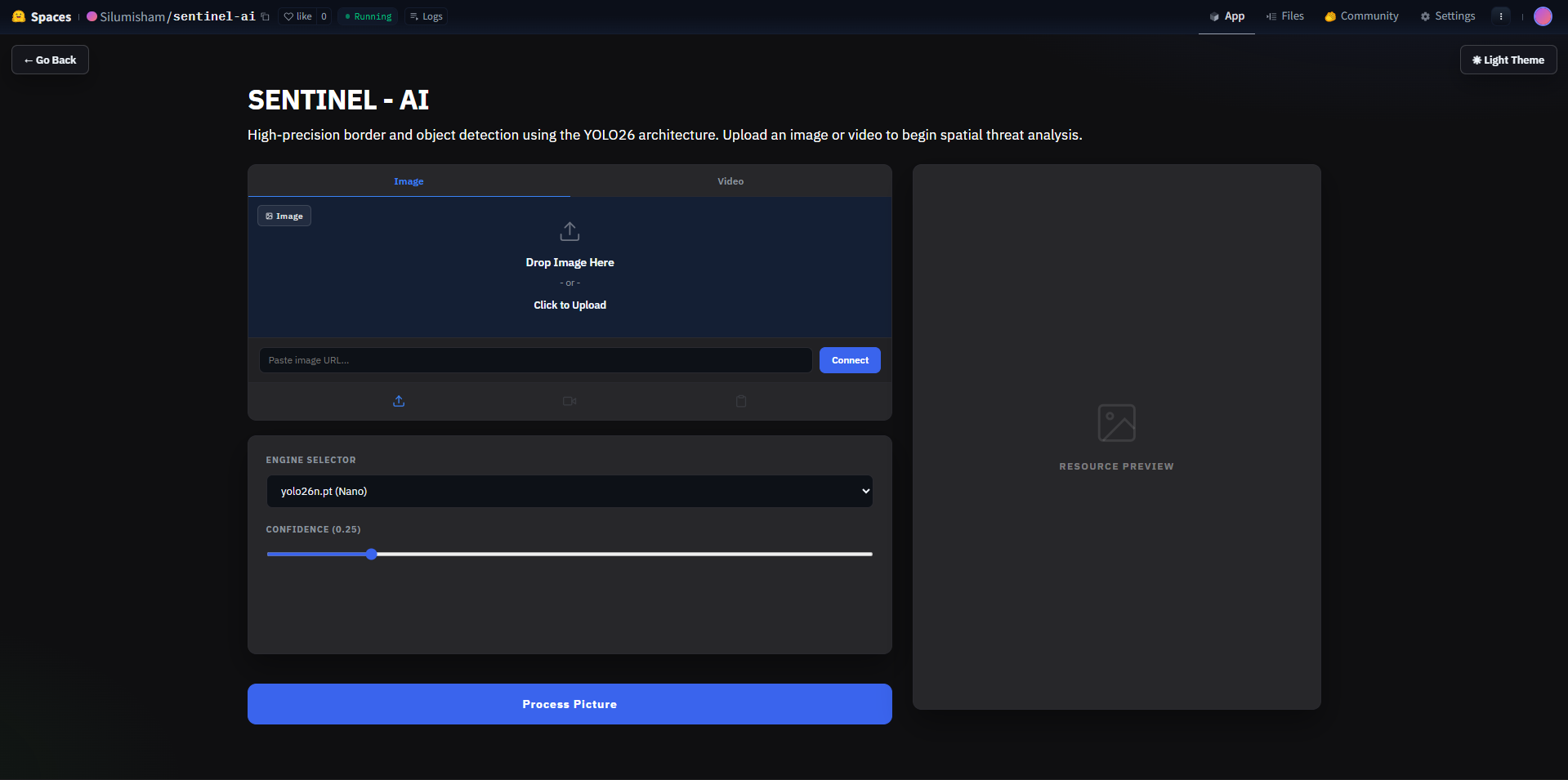
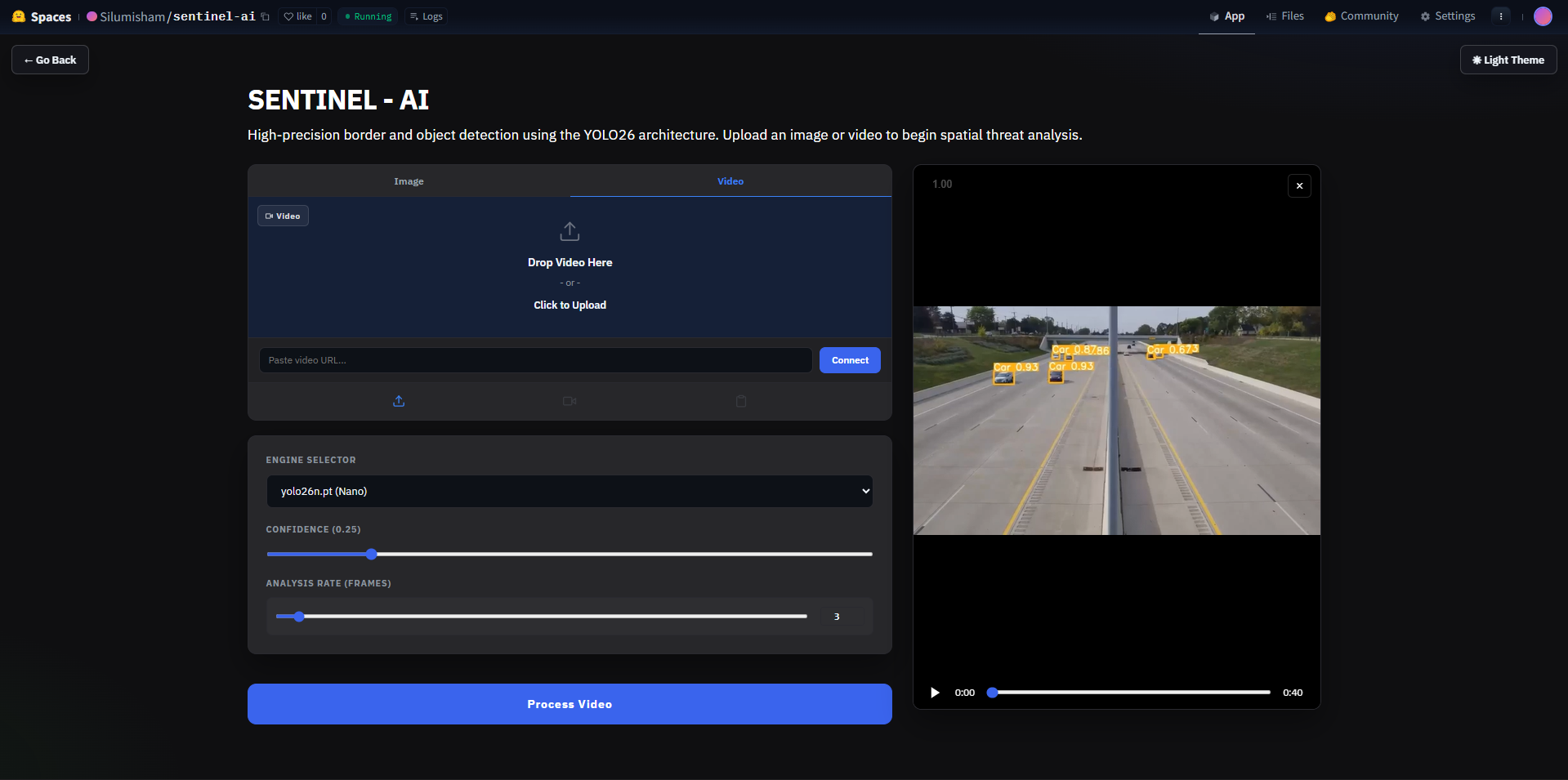
Landing page of Sentinel - AI
-
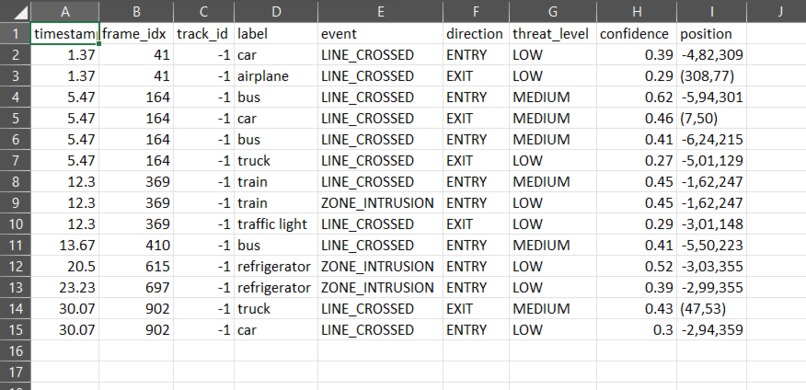
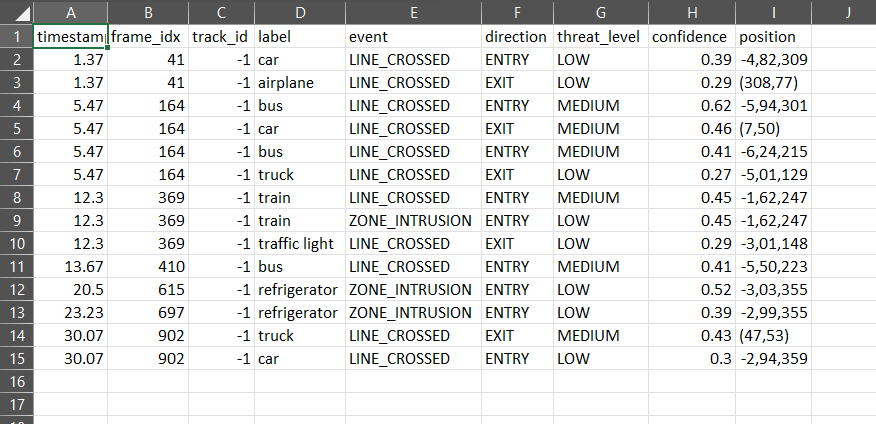
Exported csv file of the timestamps + frame number of the intrusion detected.
-
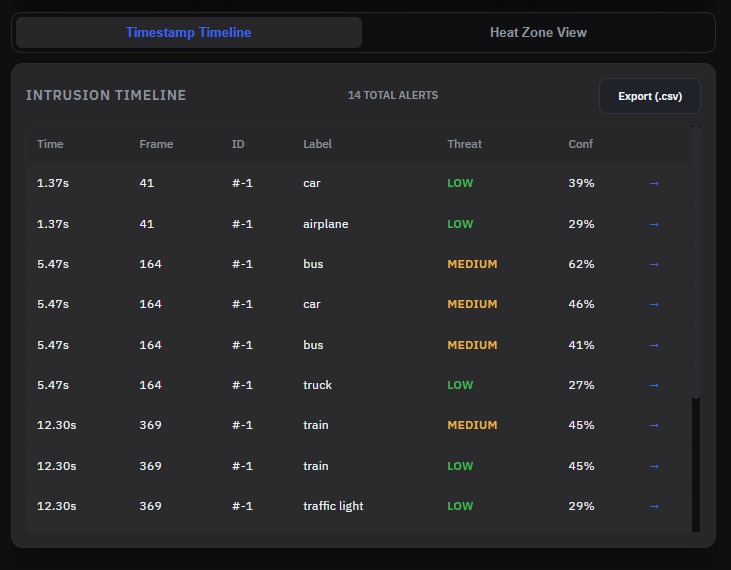
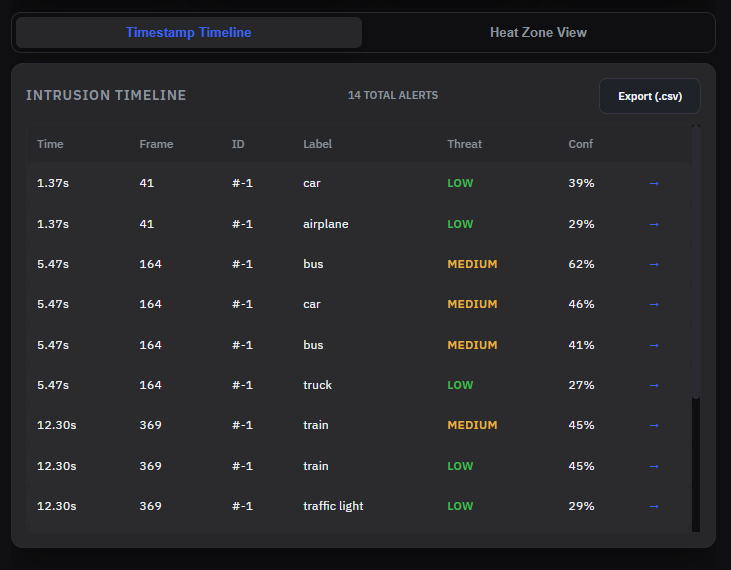
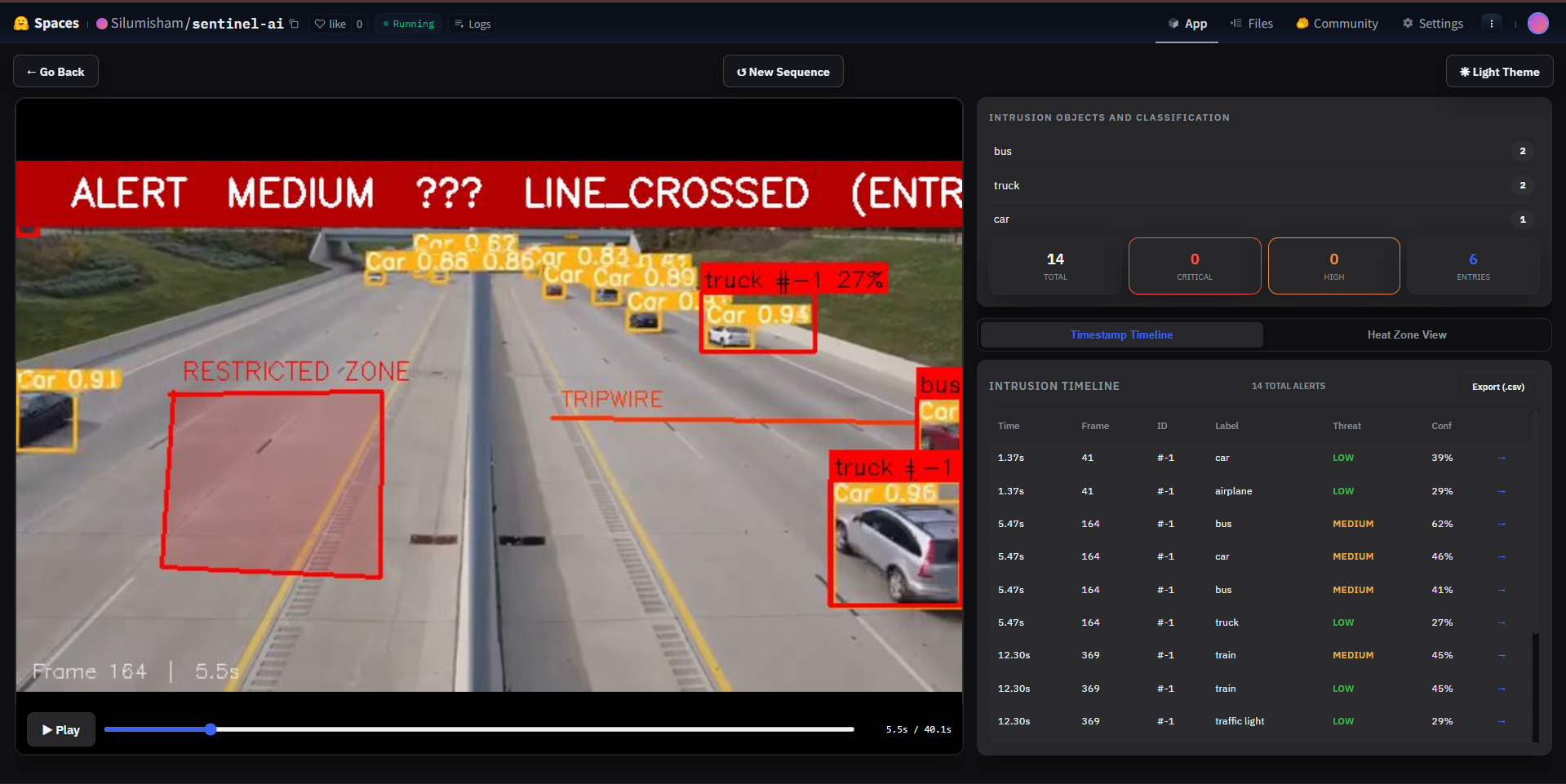
Timestamps of all intrusion detections/tripwire crossing
-
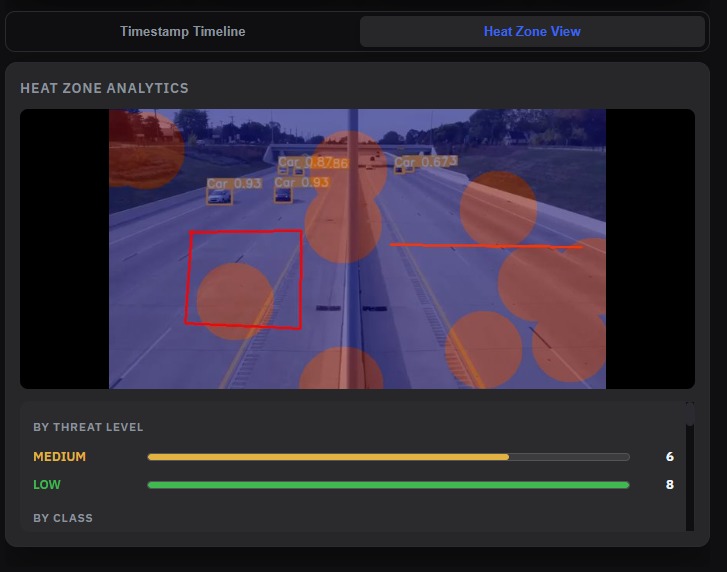
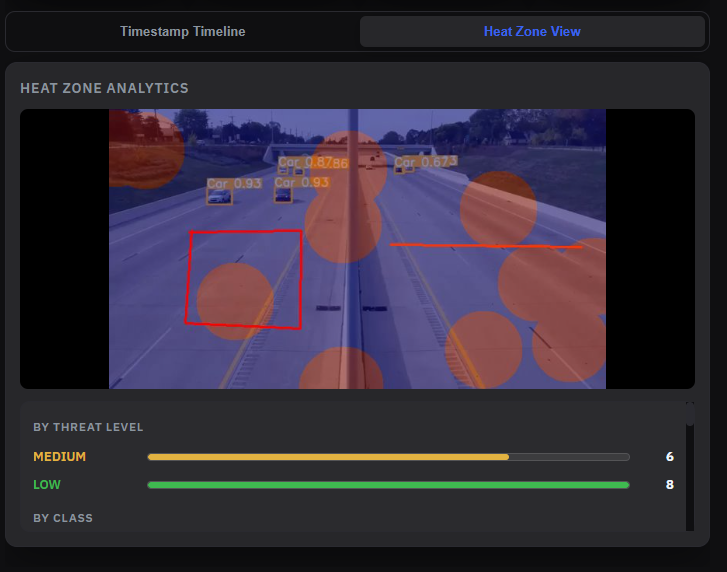
Custom heatmap to view all the high risk zones
-
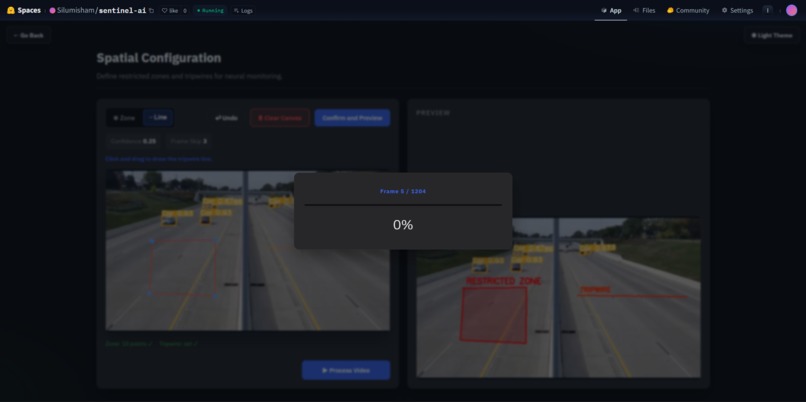
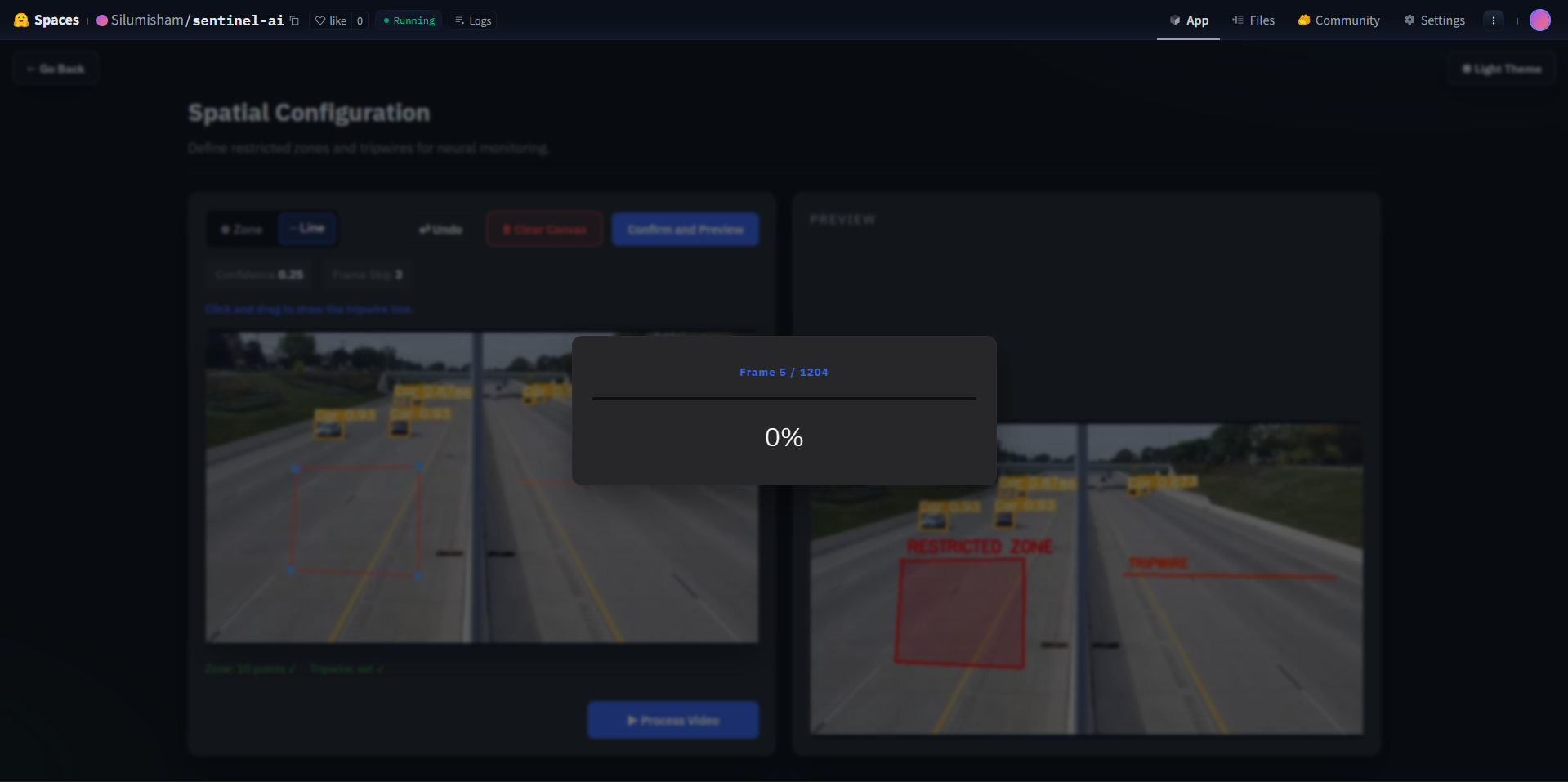
Process video based on frame skip count
-
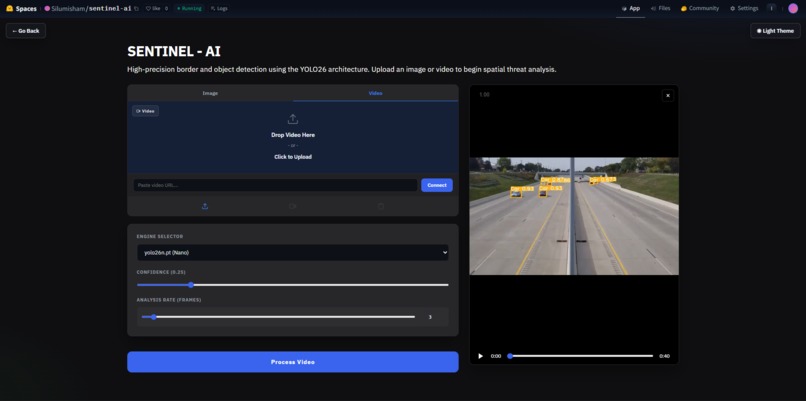
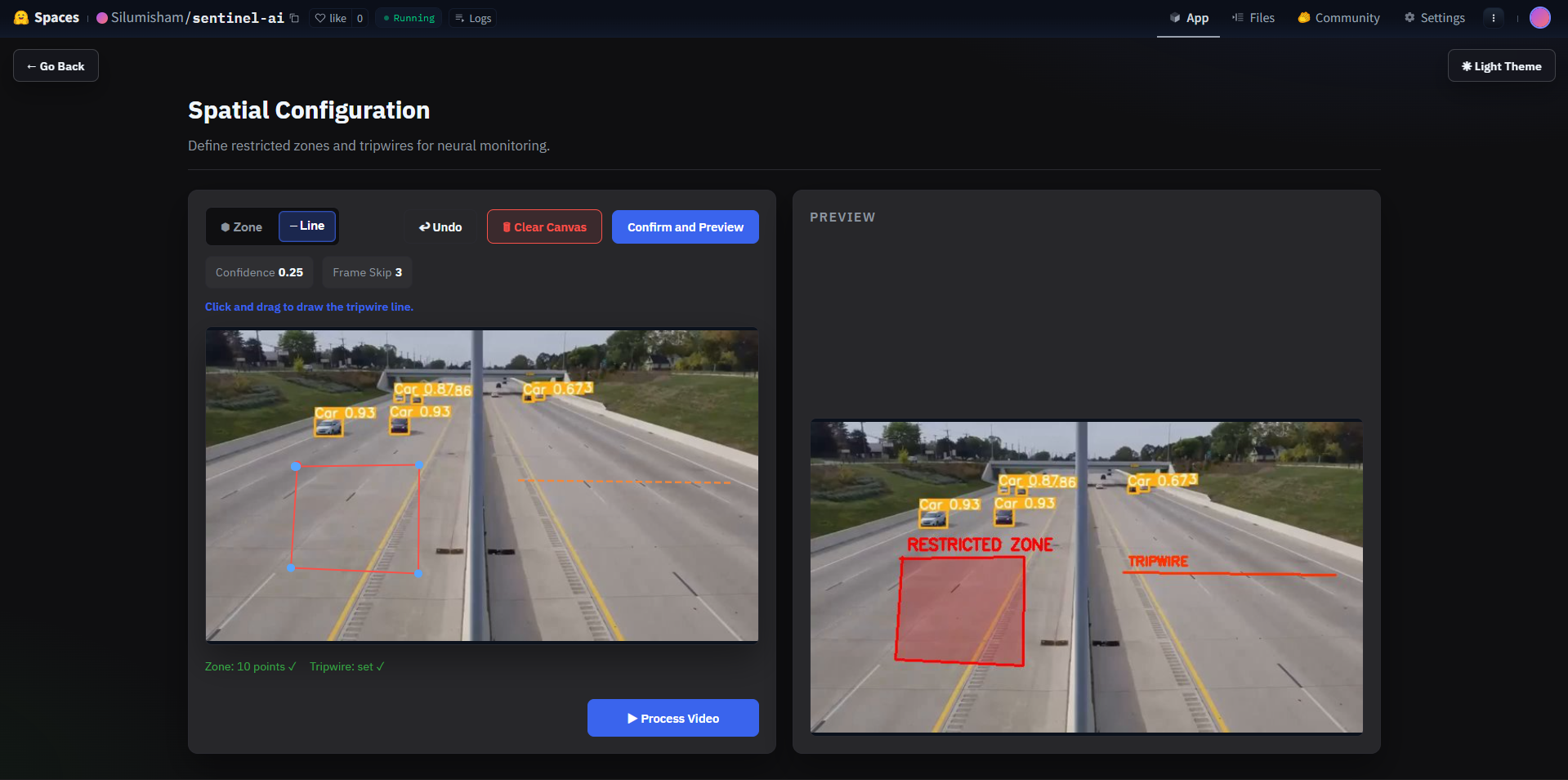
Preview uploaded video + set confidence scores + frame skip count
-
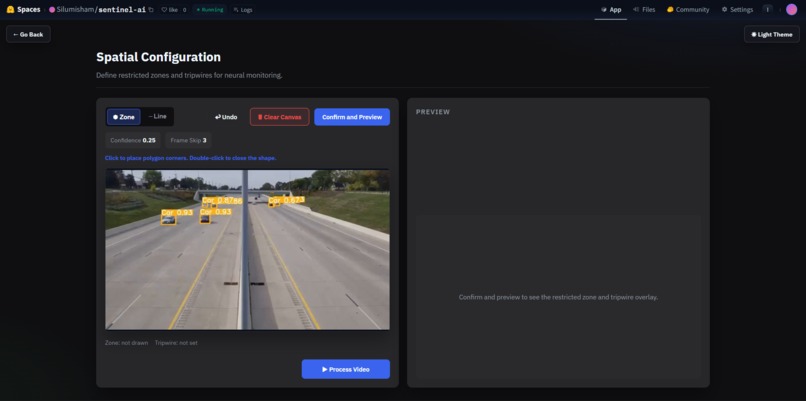
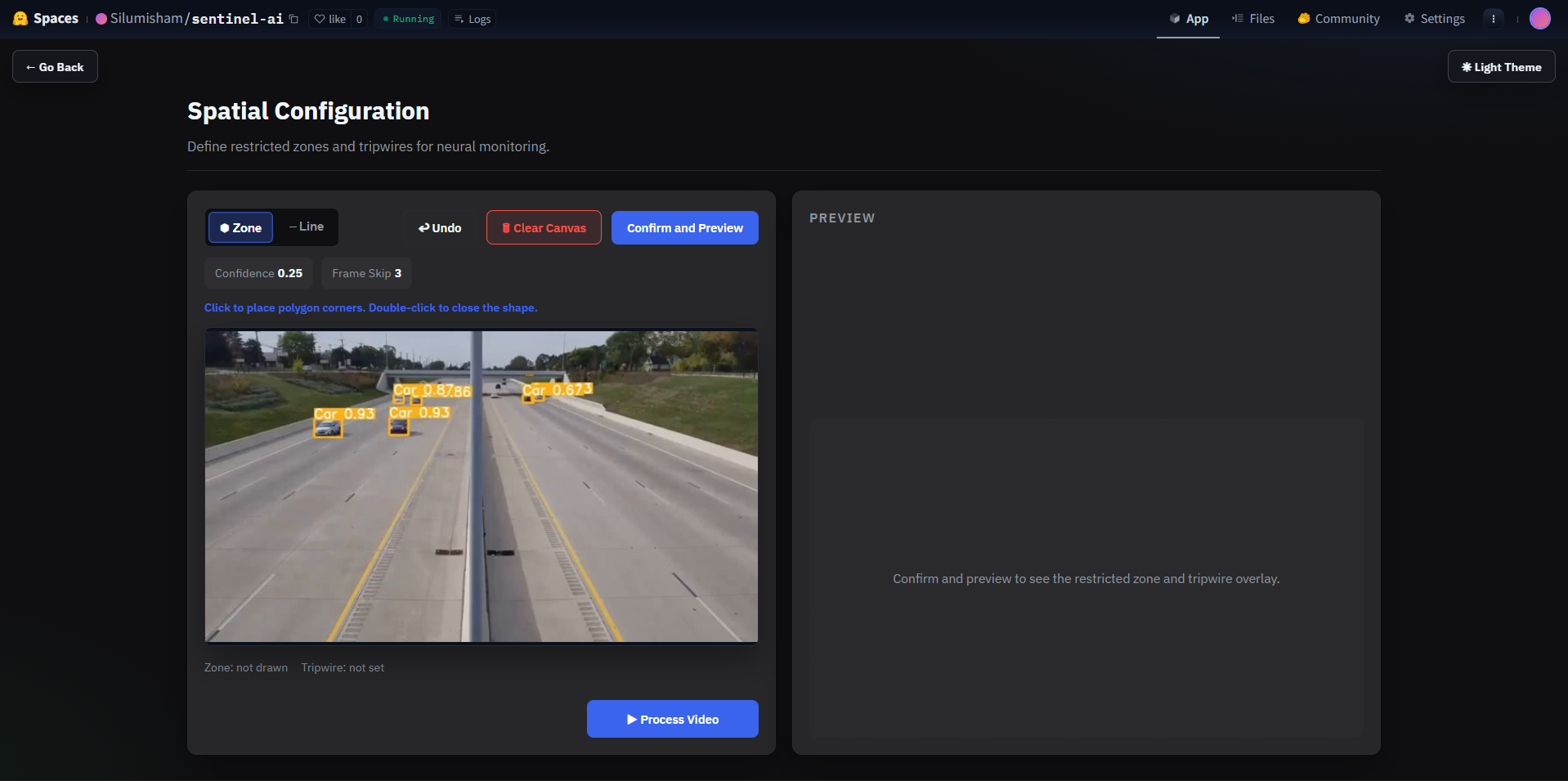
Draw zones + tripwires on the frame.
-
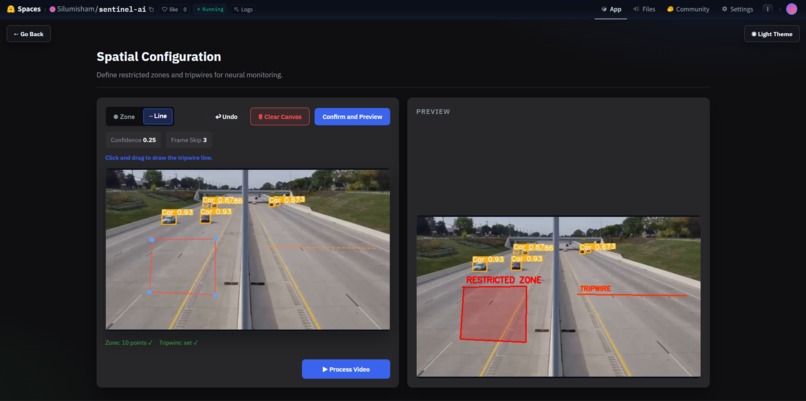
Preview the restricted zones + tripwires
-
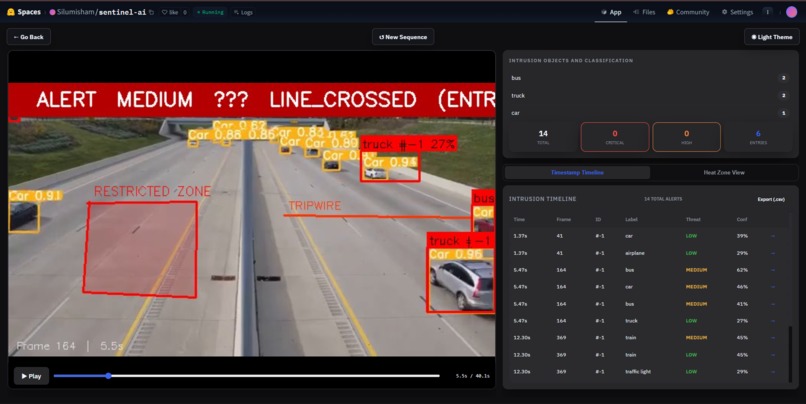
Obtained Intrusion Video mapping
Inspiration
Border security teams are understaffed and overstretched. A single operator might be responsible for monitoring dozens of camera feeds across hundreds of kilometers and the tools they're given are either prohibitively expensive enterprise software or raw camera feeds with no intelligence at all. We wanted to close that gap. The idea was simple: take state-of-the-art computer vision and put it behind an interface that a non-technical security analyst could actually use on day one, no ML background required.
What it does
SentinelAI lets you upload any surveillance or drone footage and turns it into an actionable threat report in minutes. You draw a restricted zone or tripwire directly onto the first frame of your video no coordinates, no config files, just click. The system then runs YOLOv8 object detection with ByteTrack persistent tracking across every frame, watching for people or vehicles that cross your line or enter your zone.
It doesn't just detect it scores. Each event is graded LOW through
CRITICAL based on a weighted combination of signals:
$$ S = \left( w_{\text{cross}} + w_{\text{zone}} + w_{\text{dwell}} + w_{\text{class}} + w_{\text{group}} \right) \times \text{conf} $$
| Signal | Weight |
|---|---|
| Line crossed | +60 |
| Inside restricted zone | +30 |
| Dwell time ≥ 8s (loitering) | +25 |
| Vehicle class | +15 |
| Group size ≥ 3 | +20 |
The final score $S$ is multiplied by the model's detection confidence, then mapped to a threat level:
$$ \text{Threat} = \begin{cases} \text{CRITICAL} & S \geq 90 \ \text{HIGH} & S \geq 60 \ \text{MEDIUM} & S \geq 30 \ \text{LOW} & \text{otherwise} \end{cases} $$
When processing is complete, you get a full frame-scrubbing review interface, a color-coded alert log exportable as CSV, and a heatmap showing exactly where threat activity concentrated across the entire video.
How we built it
The architecture is split into two completely decoupled layers.
threat_engine.py — the intelligence core
Handles all geometry and threat logic with zero UI dependencies:
- Tripwire crossing uses the cross product sign to determine which side of
the line a tracked object's foot point lies on. A sign change from negative
to positive means
ENTRY; positive to negative meansEXIT:
$$ d = (P_2^x - P_1^x)(c_y - P_1^y) - (P_2^y - P_1^y)(c_x - P_1^x) $$
- Zone intrusion uses
cv2.pointPolygonTestagainst the operator-defined polygon - Loitering accumulates per-track frame counts inside the zone and fires after $t \geq 8\text{s}$
- Scoring combines all signals weighted by detection confidence
Flask + Vanilla JS — the interface
A Flask backend exposes a clean REST API:
| Route | Purpose |
|---|---|
POST /upload |
Receives video, extracts first frame |
POST /set_geometry |
Saves zone polygon + tripwire coordinates |
POST /process |
Starts background inference thread |
GET /progress |
Polled every 800ms for progress updates |
GET /frame/<idx> |
Returns single annotated JPEG |
GET /alerts |
Returns full alert list as JSON |
GET /heatmap |
Returns blended heatmap image |
GET /export_csv |
Downloads alert log as CSV |
The frontend is plain HTML5, CSS, and JavaScript — no framework. A native
canvas overlay on the first frame handles zone and tripwire drawing. The review
scrubber calls fetch("/frame/42") and gets back one JPEG — no page reloads,
no reruns, instant response.
Challenges we ran into
Coordinate scaling — the HTML5 canvas overlays the video frame at display resolution, but YOLO processes the full-resolution frame. Every drawn point must be multiplied by a scale factor before reaching the threat engine. A single off-by-one in this mapping puts your zone in completely the wrong place.
Non-blocking processing — Flask is synchronous. Running YOLO inference on
500 frames inside a request handler would time out the browser immediately. We
moved processing into a threading.Thread and exposed a /progress polling
endpoint, keeping the UI fully responsive throughout.
Tracking dependency — line crossing detection is only meaningful with persistent object IDs. Without ByteTrack, the same person generates a new detection on every frame with no connection between them. Getting ByteTrack integrated cleanly with the threat engine's per-track state dictionary was the critical architectural decision.
Accomplishments we're proud of
The threat engine logic stands on its own. Directional crossing detection, loitering thresholds, group-aware scoring — these aren't features you get from dropping in a YOLO demo. They're the difference between object detection and actual threat intelligence.
The other accomplishment worth calling out is the clean separation between
layers. We started on Streamlit, hit its limitations hard mid-build, and
switched the entire frontend to Flask and vanilla JS in a few hours — without
touching a single line of threat_engine.py. The engine just worked. That
separation is what made the pivot possible.
What we learned
ByteTrack changes everything. Without persistent IDs you're counting objects; with them you're tracking individuals. That shift — from "is there a person near the line" to "did this specific person cross the line" — is where the real intelligence lives.
We also learned that reaching for a heavy framework when you need real
interactivity is the wrong call. Flask plus 300 lines of vanilla JavaScript
gave us smoother video playback, faster frame scrubbing, and a more
professional result than Streamlit could provide — and it deploys anywhere with
a single python app.py.
What's next for SentinelAI
- Live RTSP stream support — the pipeline already handles frame-by-frame input, it just needs a stream source instead of a file
- Multi-camera dashboard — unified alert feed across concurrent feeds
- PDF incident reports — exportable from the alert log
- Configurable scoring weights — operators tune sensitivity per deployment
- Database backend — persistent storage so historical patterns across sessions become queryable
- 4K and night-vision optimisation — thermal camera feed support


Log in or sign up for Devpost to join the conversation.