Inspiration
Every week, AI-generated scams hit millions of inboxes. They're grammatically perfect, personally targeted, and often indistinguishable from real messages. In 2024, Canadians lost $643 million to fraud, not because people aren't careful, but because the attacks have become smarter.
Spam filters weren't built for this. And most security tools just block things silently or miss them entirely, with no explanation and no follow-up.
That's the gap Sentinel was built to fill. Warning you and protecting you aren't the same thing.
What it does
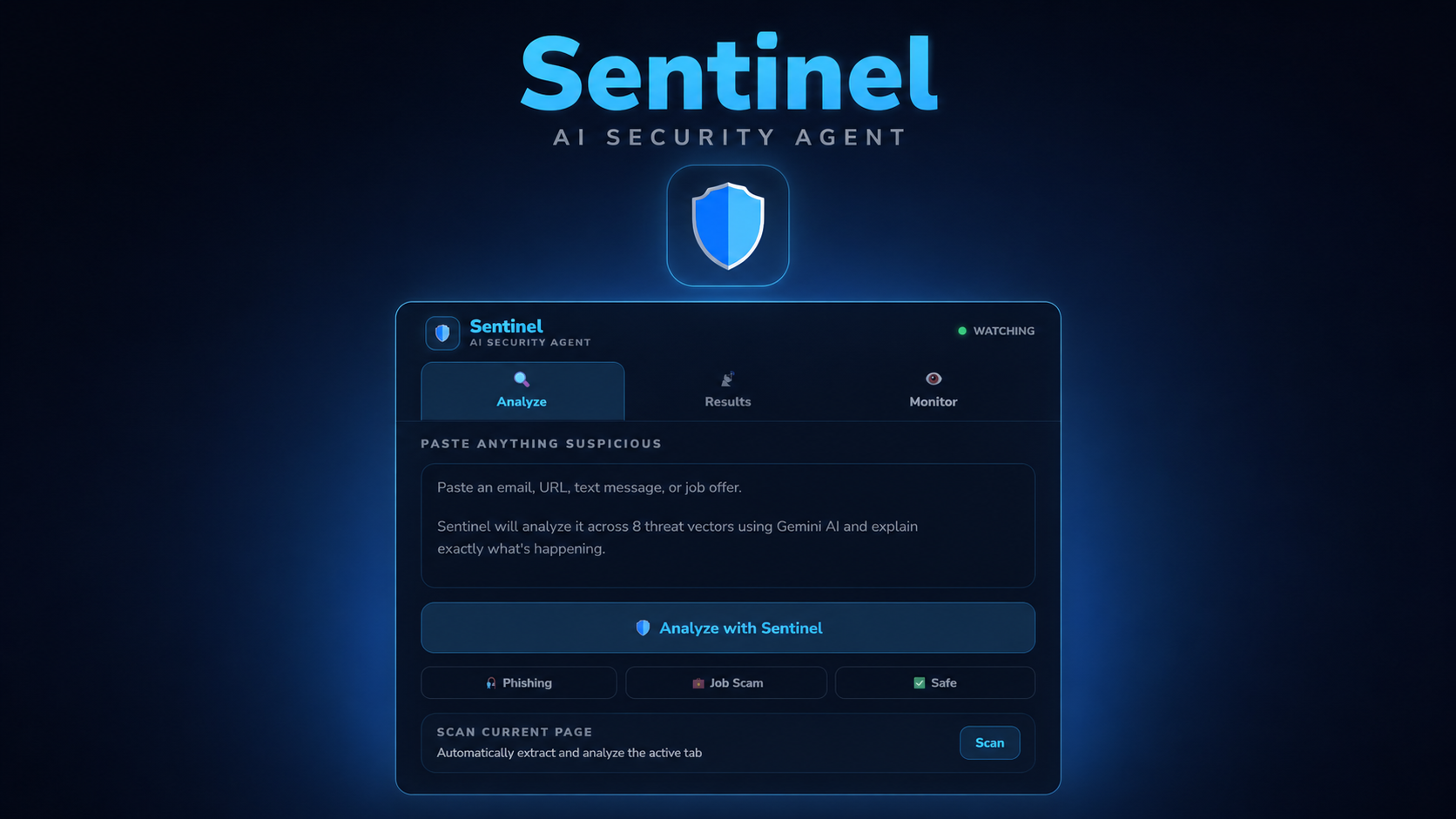
Sentinel is a Chrome extension and AI security agent. If you come across something suspicious, just paste it into the Home tab and hit Analyze. It can be a message, an email, a URL, a job offer, or anything that doesn't feel right.
Analyzing a threat
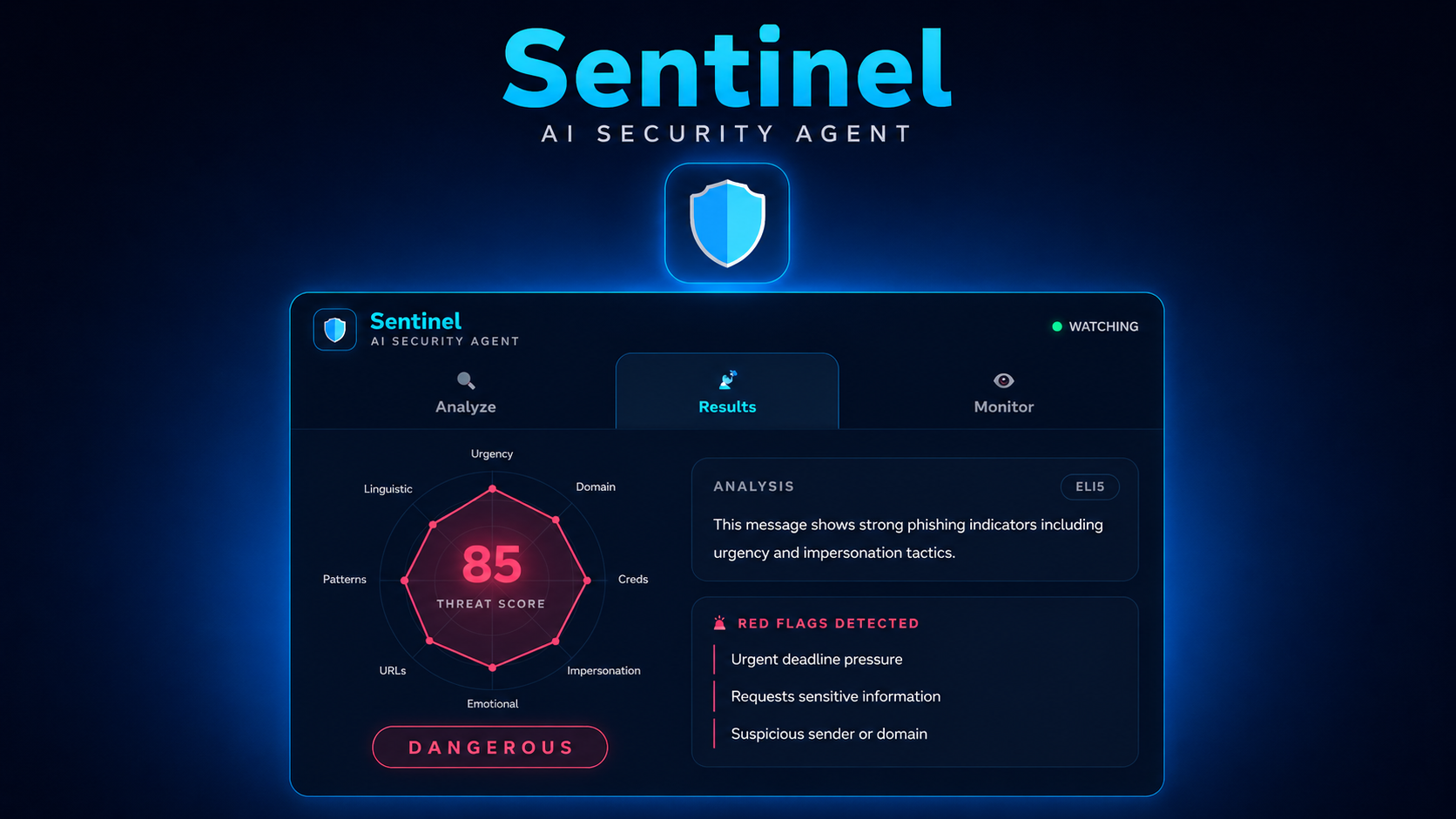
From there, Sentinel runs it through Gemini 2.0 Flash and pulls up a Results tab. You get a radar chart scoring the threat across 8 different vectors, an overall verdict (Safe, Suspicious, or Dangerous), and a plain-English breakdown of what the threat actually is and why it matters. It also lists the specific red flags it found, tells you exactly what to do next, and shows a live action feed of Sentinel working in real time.
Staying on top of threats
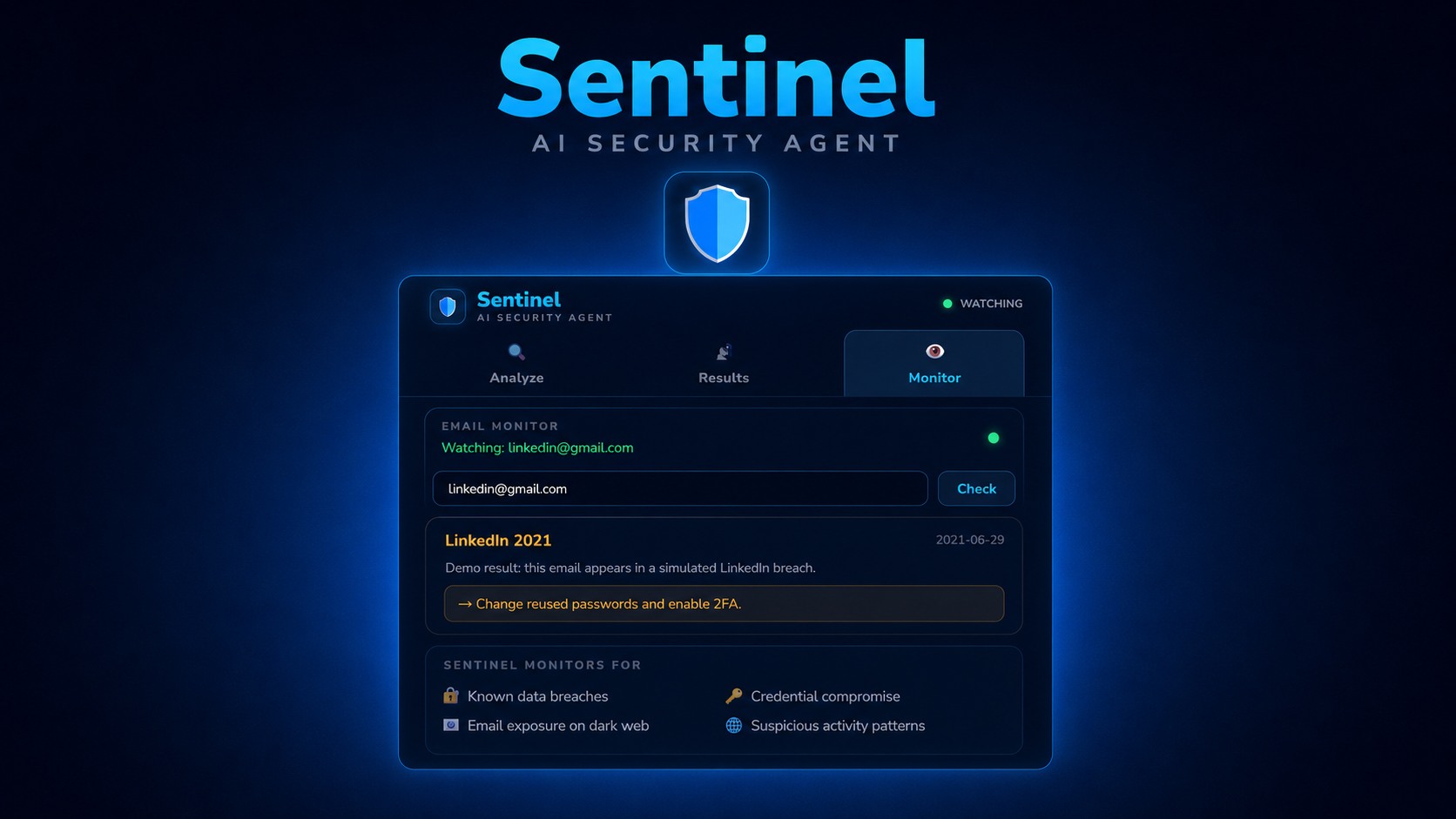
The Monitor tab keeps track of your breach history and gives you an action plan for each one. After any dangerous detection, it automatically delivers a threat briefing so you're never left guessing. The extension icon also shows a red badge whenever a threat is active.
Scanning a page
If you want to check a website before entering any information, the Scan Current Page button pulls the content from your active tab and analyzes it automatically.
How we built it
Frontend: React + TypeScript compiled as a Chrome Extension (Manifest V3). Framer Motion for animations, a custom SVG radar component for threat visualization.
Backend: Python + FastAPI connected to the extension via localhost. Google Gemini 2.0 Flash powers the core threat analysis via the google-genai SDK. The prompt returns structured JSON with a verdict, plain-English summaries, red flags, and an action plan.
Challenges we ran into
Building a Chrome extension with a modern React/Vite stack proved harder than expected. Manifest V3 has strict restrictions on how scripts load, and getting the content script to work without ES module imports took significant debugging. Integrating the Gemini API required migrating from the deprecated google.generativeai library to the new google.genai SDK mid-build. Handling inconsistent JSON responses from Gemini and mapping them to our frontend's data structure was another major hurdle. Managing CORS between the extension and FastAPI backend, and keeping both teammates in sync across branches, added complexity throughout.
Accomplishments that we're proud of
We built a fully functional AI-powered Chrome extension in under 24 hours that actually works end to end, real Gemini analysis, real threat scores, a live radar visualization across 8 threat vectors, and page scanning.. We're proud that it doesn't just warn you. It explains threats in plain English with the ELI5 toggle and tells you exactly what to do.
What we learned
We learned how Chrome extension architecture differs fundamentally from regular web apps . Content scripts, service workers, and popups all have different execution contexts and limitations. We deepened our understanding of prompt engineering with Gemini to get consistent structured JSON outputs. We also learned how to bridge a Python FastAPI backend with a TypeScript React frontend under time pressure.
What's next for Sentinel
Real-time breach monitoring so users get alerted the moment their email appears in a new data breach. Automated protective actions that trigger on the user's behalf when a threat is detected, without requiring manual steps. And publishing to the Chrome Web Store so anyone can install Sentinel in one click.

Log in or sign up for Devpost to join the conversation.