-
-
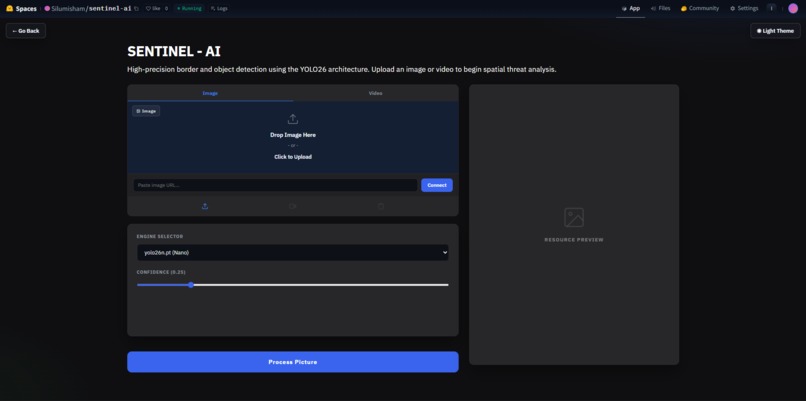
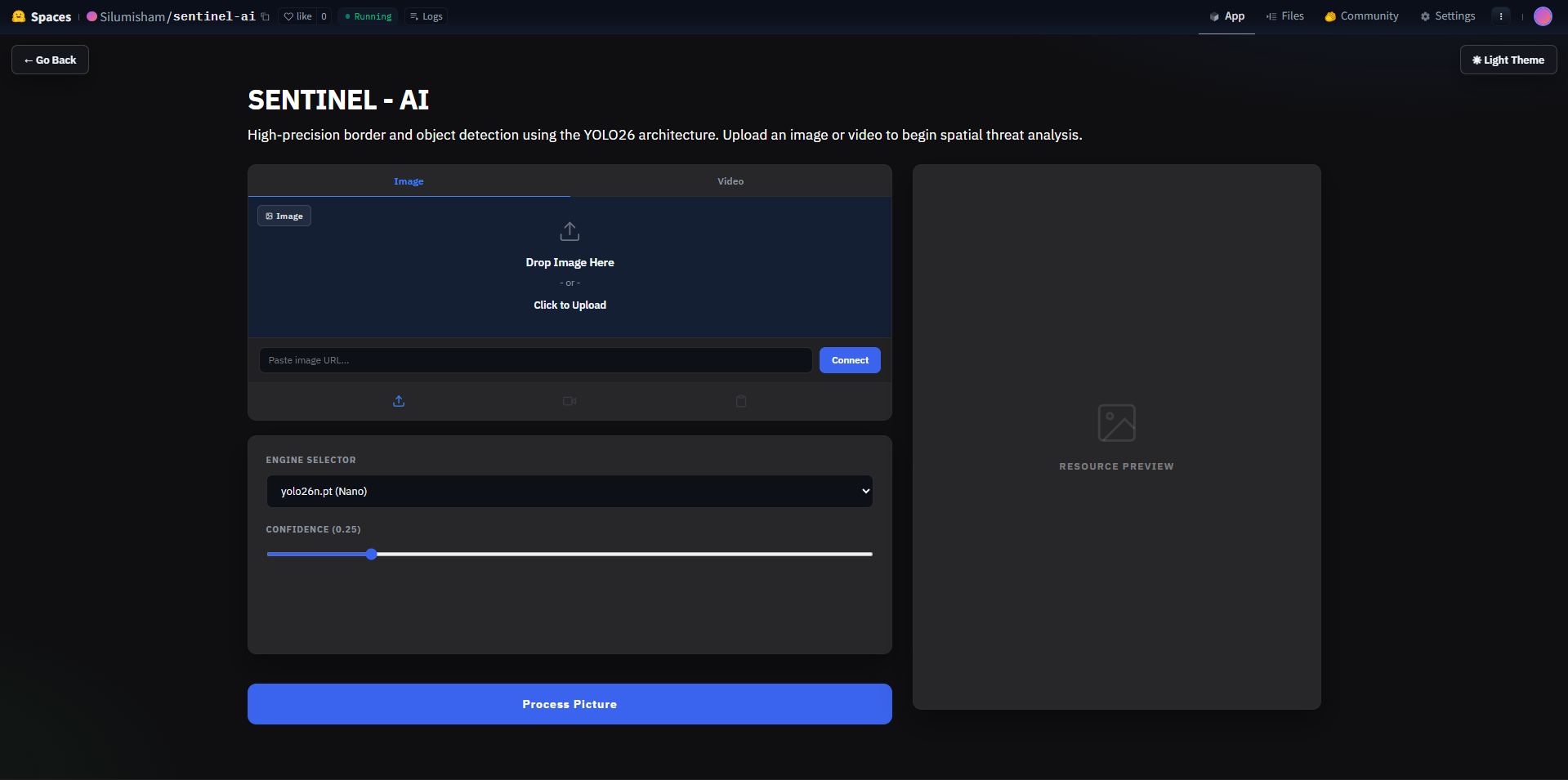
Landing page of Sentinel - AI
-
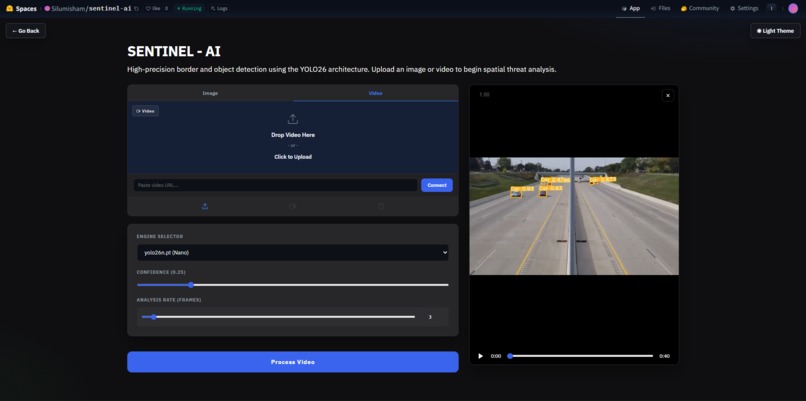
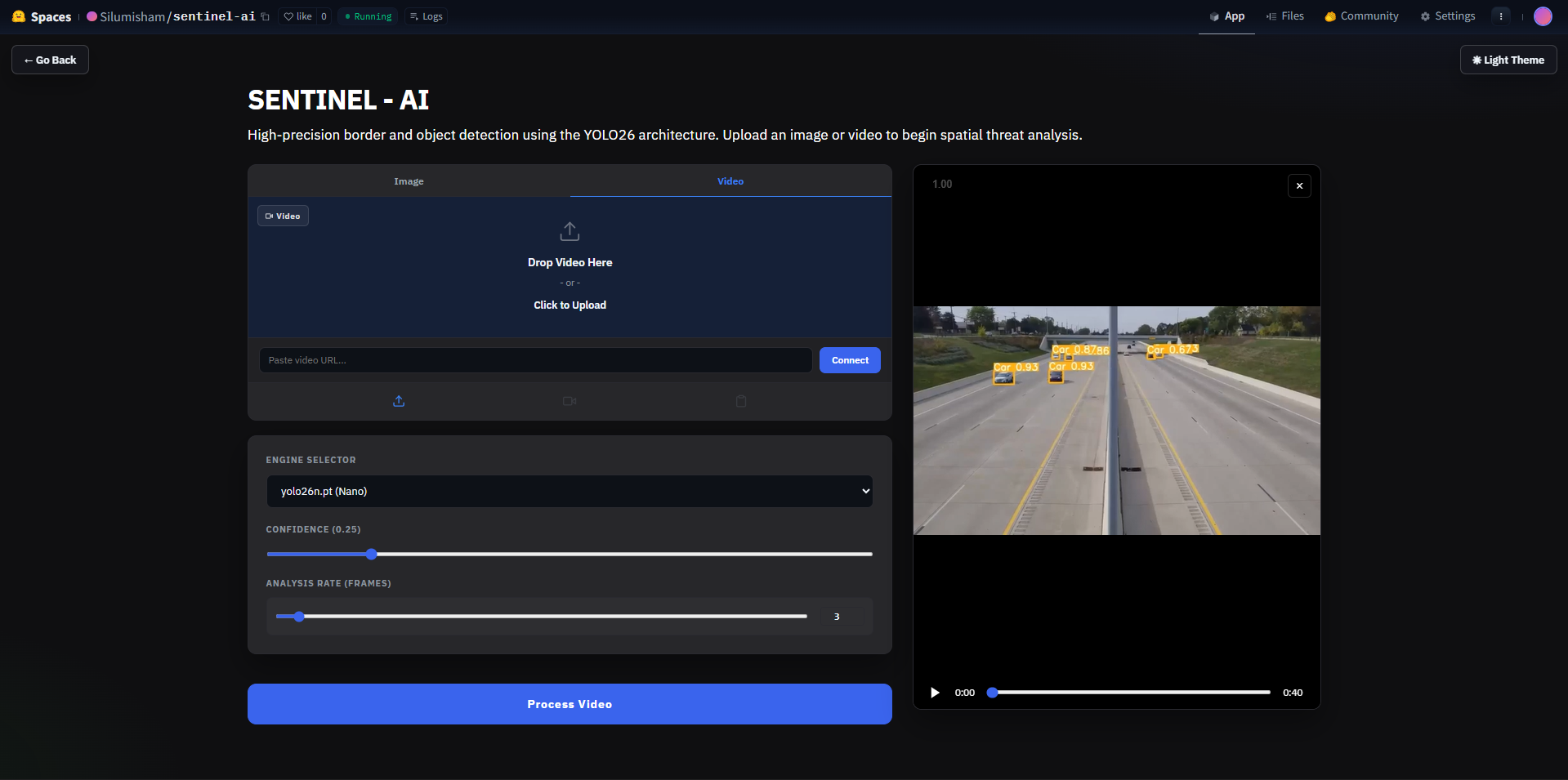
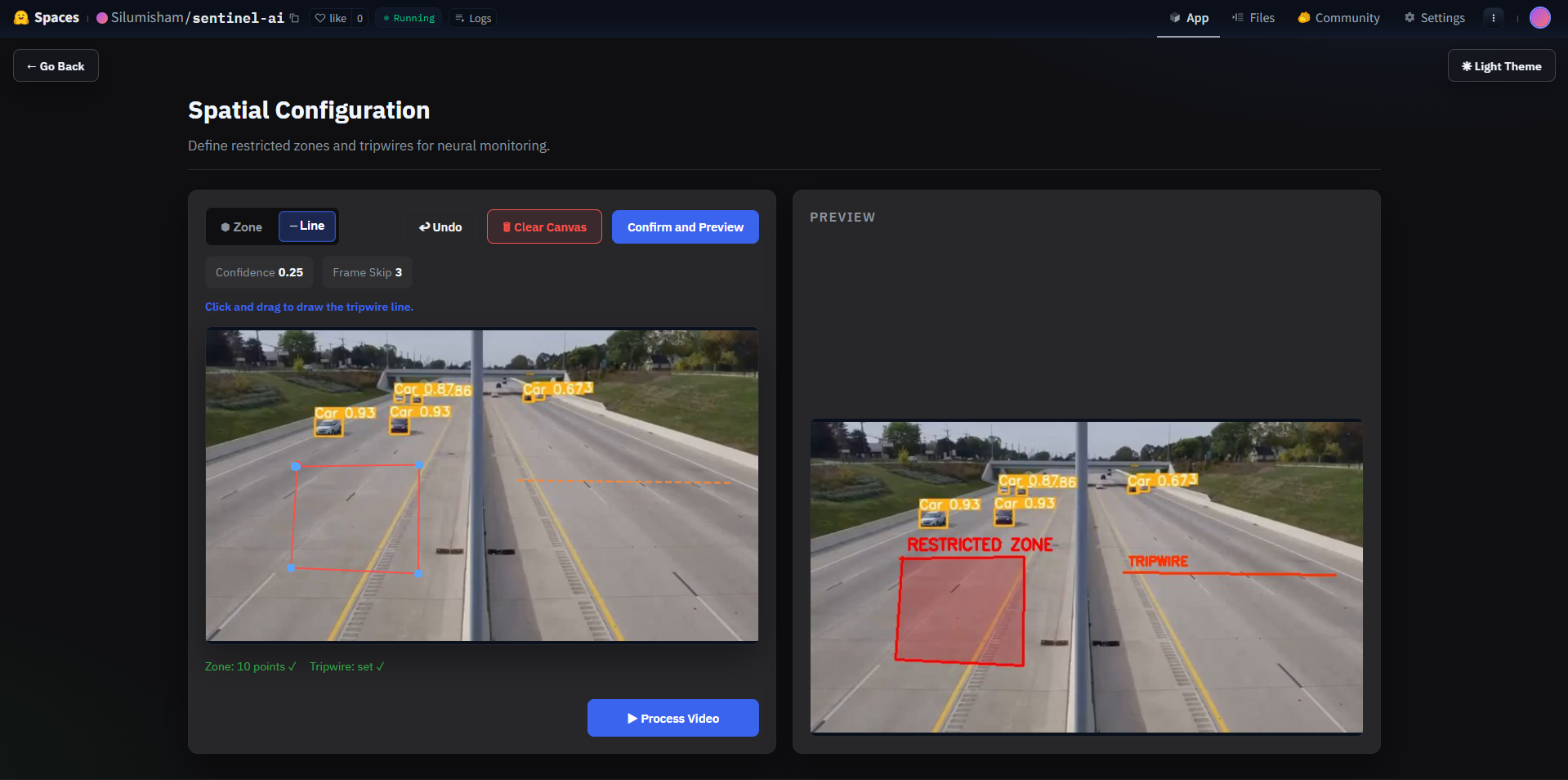
Preview uploaded video + set confidence scores + frame skip count
-
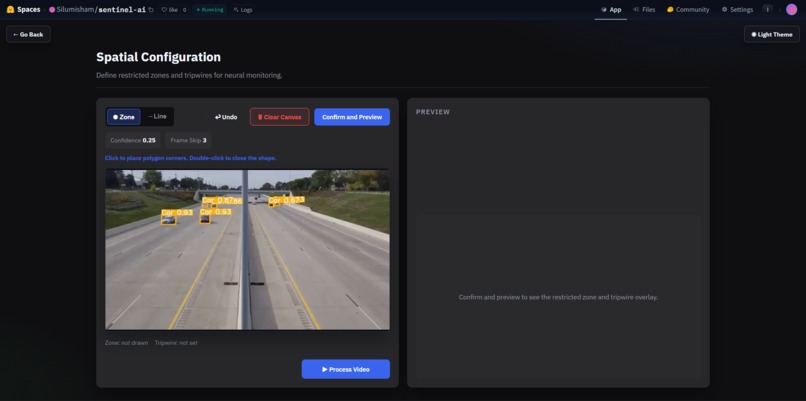
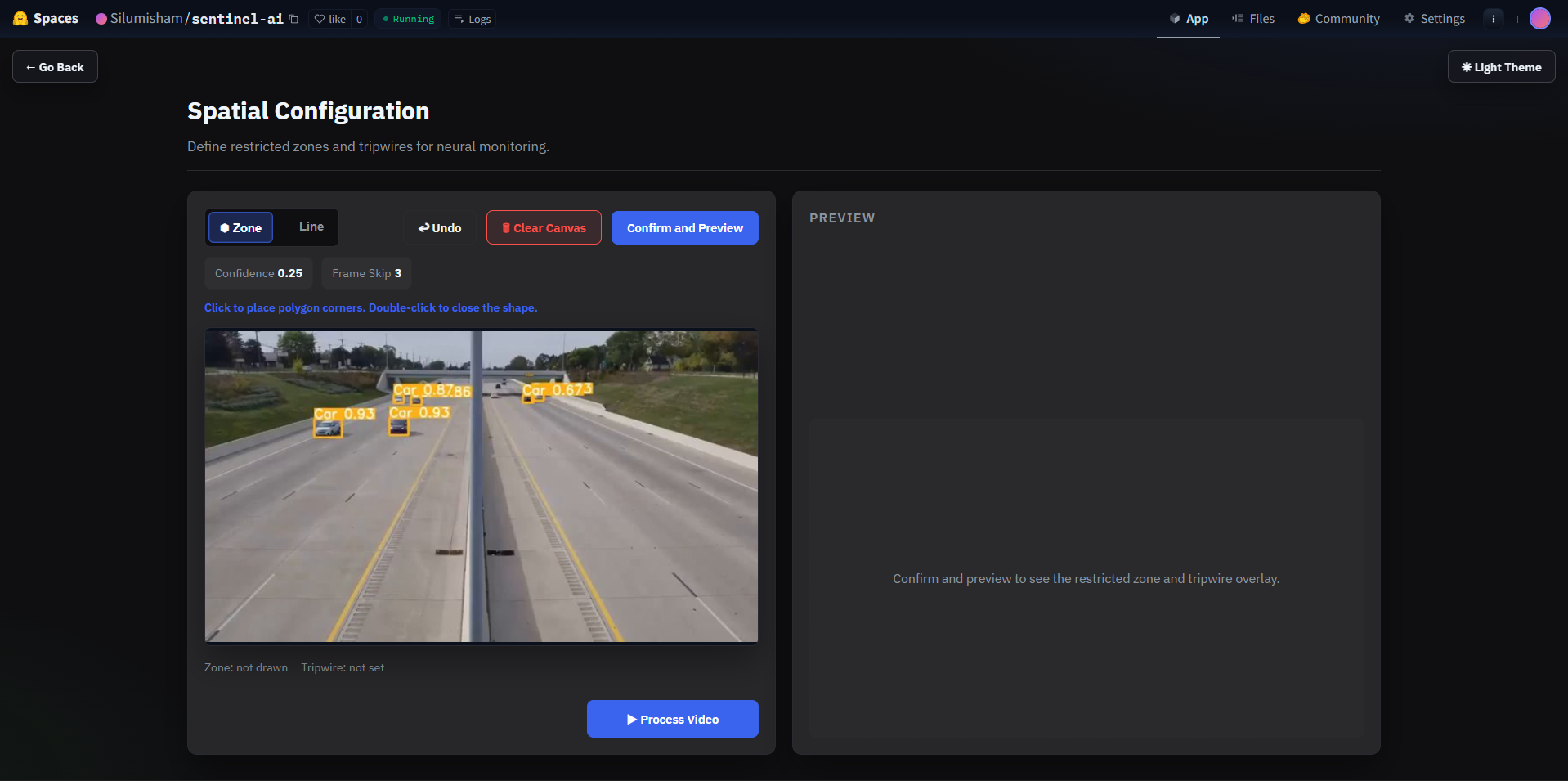
Draw zones + tripwires on the frame.
-
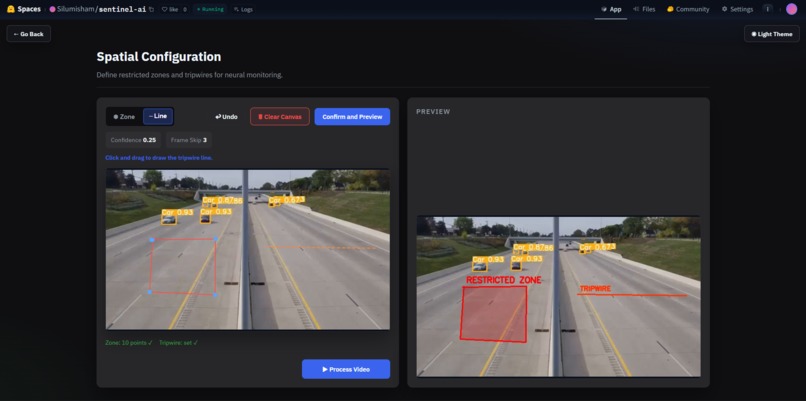
Preview the restricted zones + tripwires
-
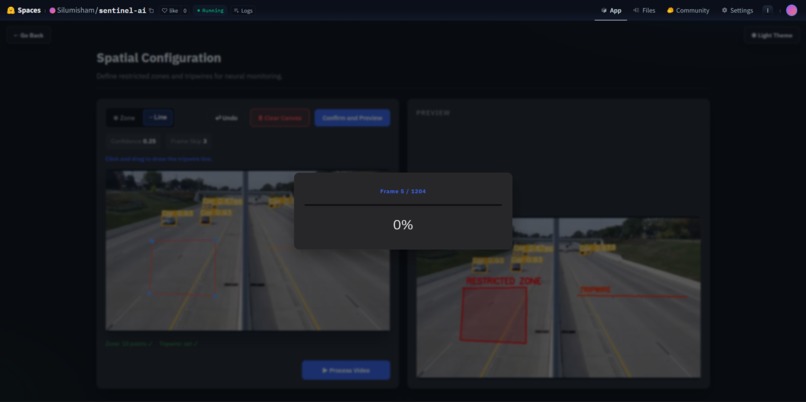
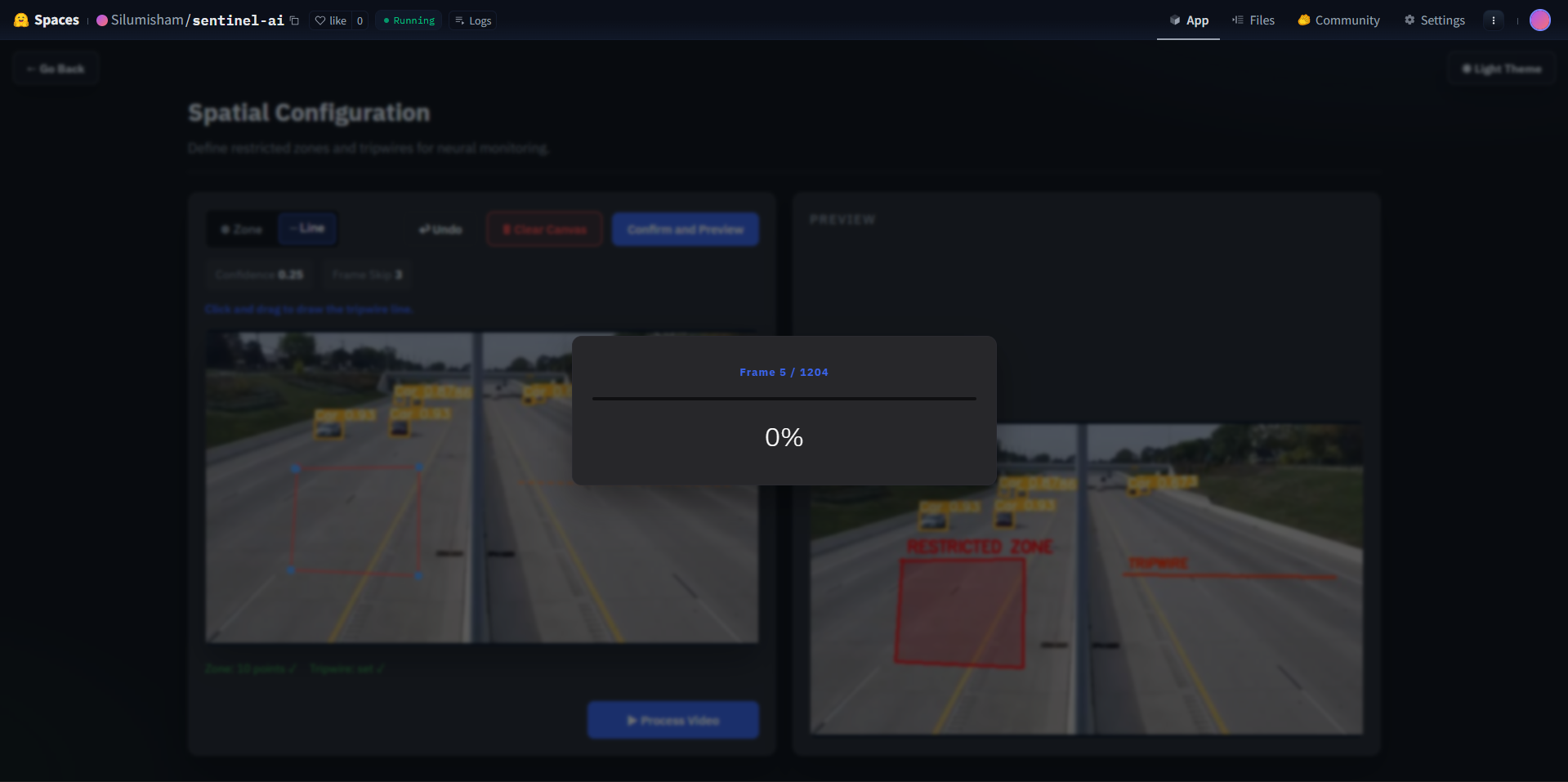
Process video based on frame skip count
-
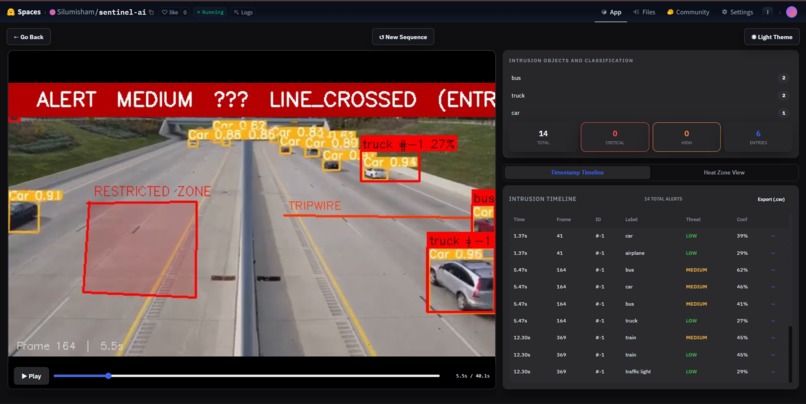
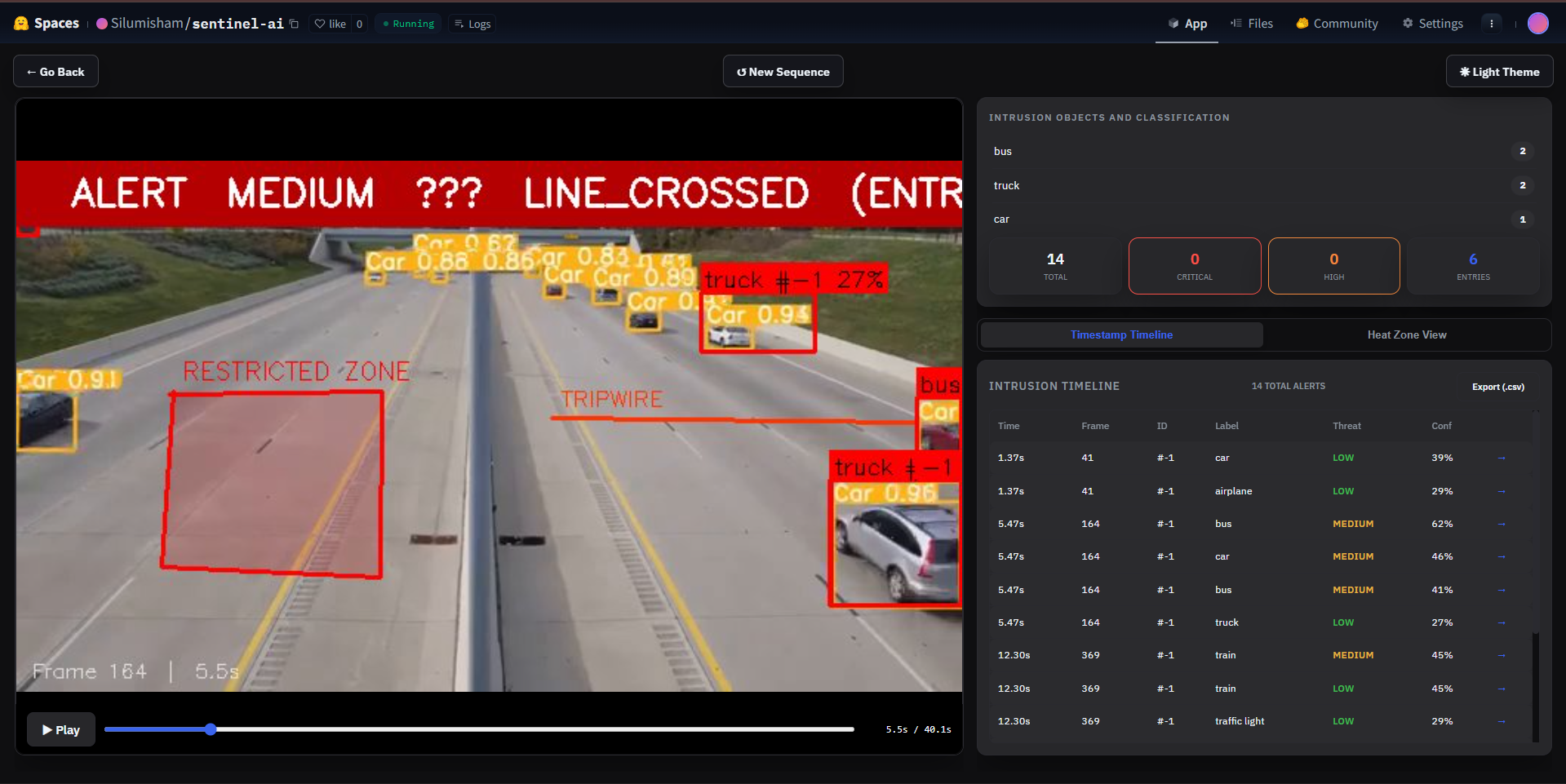
Obtained Intrusion Video mapping
-
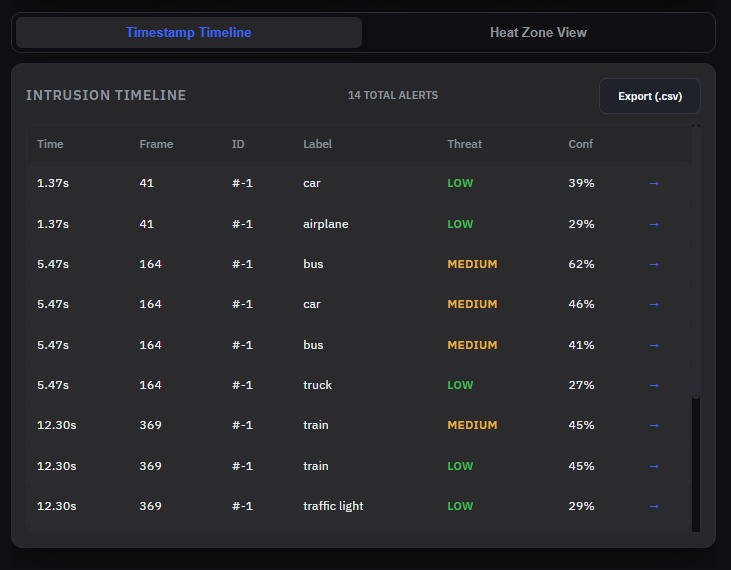
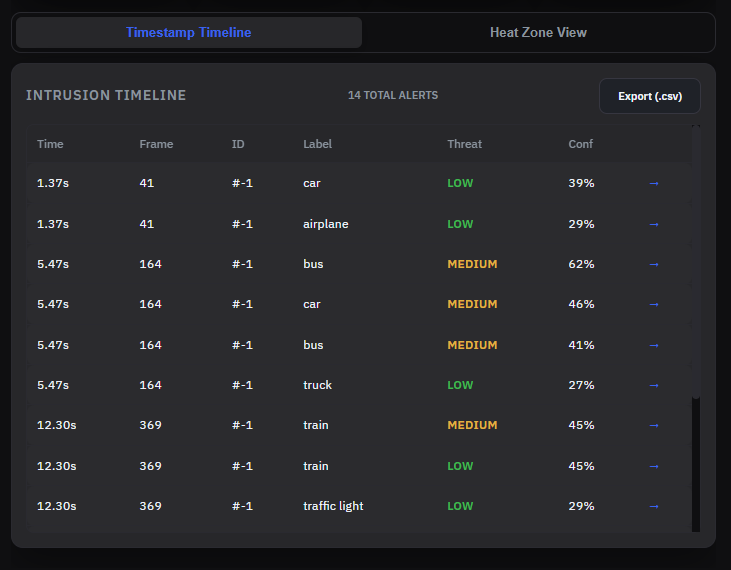
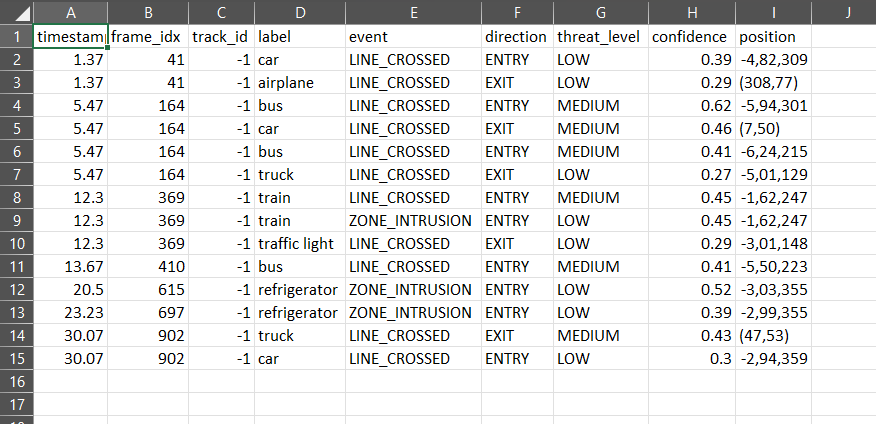
Timestamps of all intrusion detections/tripwire crossing
-
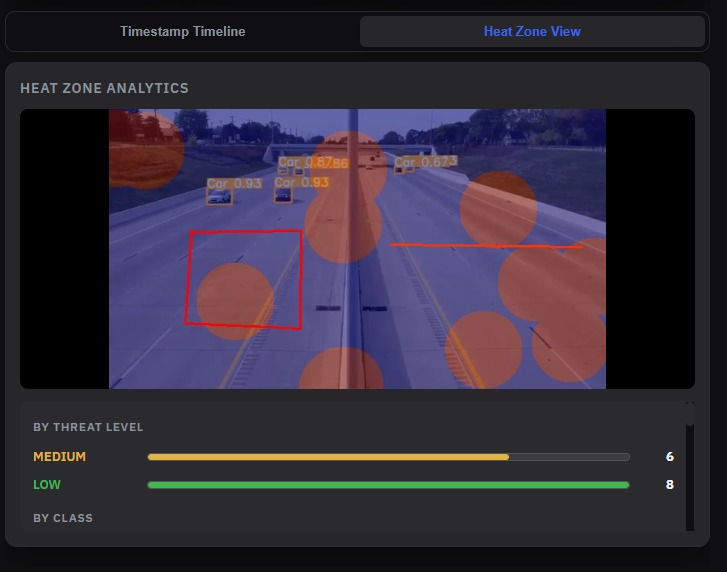
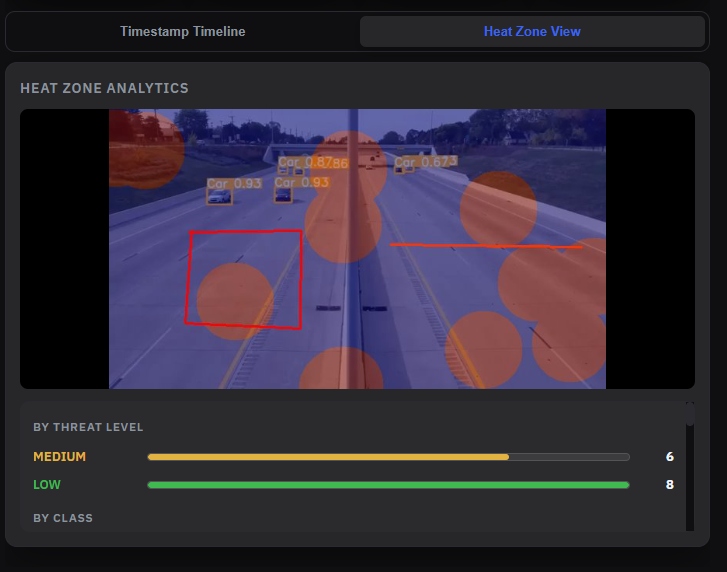
Custom heatmap to view all the high risk zones
-
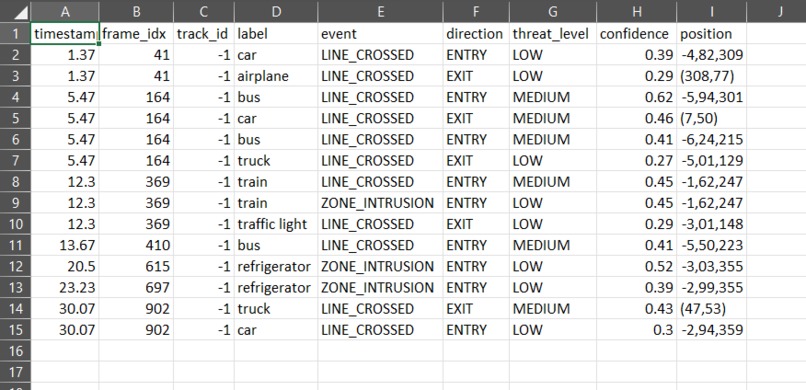
Exported csv file of the timestamps + frame number of the intrusion detected.
Inspiration : The need for a professional, accessible border threat detection system. We wanted to make powerful computer vision capabilities available to security teams through a simple, intuitive web-based interface that allows them to upload, analyze, and review video surveillance data without technical expertise.
What it does : SentinelAI is an AI-powered video surveillance analysis application built with Streamlit that: Detects objects in video streams using YOLO v8 object detection Tracks persistent objects across frames using ByteTrack Scores threats based on object types, movement patterns, and zone violations Allows users to define custom detection zones and tripwires Provides real-time progress feedback during video processing Generates heatmaps showing threat distribution Displays detailed statistics and alert summaries Enables frame-level review of detected threats
How we built it : Built a three-stage Streamlit application with modern UI enhancements: Backend Engine: Python threat detection modules (threat_engine.py, vid_obj_det.py, pic_obj_det.py) Frontend: Streamlit with custom CSS styling, dark mode, and enhanced components User Flow: Three-stage workflow (Upload → Configure → Review) Visualization: Progress bars, heatmaps, alert cards, threat statistics Styling: Custom CSS with gradients, shadows, animations, and tactical color scheme
Challenges we ran into : Streamlit Limitations: Creating a professional UI within Streamlit constraints State Management: Managing user input and processing state across Streamlit reruns Real-time Feedback: Providing progress updates during long video processing Responsiveness: Organizing complex multi-stage workflows in a single-page paradigm Visual Design: Achieving a professional aesthetic with pure CSS customization
Accomplishments that we're proud of : Sleek, modern Streamlit interface with gradient backgrounds and smooth animations Comprehensive three-stage user workflow with intuitive navigation Real-time progress tracking with animated status indicators Enhanced alert card system with color-coded threat levels Dark mode support with consistent color theming to improve user readability. Clean, readable code with modular threat detection pipeline
What we learned : Streamlit is Powerful and it can create sophisticated UIs with minimal code CSS Customization Matters. State Handling: Session state management critical for multi-step workflows Progress Feedback: Users need clear feedback during long-running processes Component Reusability: Breaking custom components into functions improves maintainability
What's next for SENTINEL : Interactive canvas drawing for zone/tripwire definition Multi-video batch processing Historical data persistence with database storage Custom threat rule configuration UI Alert threshold adjustment sliders aligned to user preferences. Heatmap color scheme customization Export results as PDF reports Email alert notifications Performance optimization for 4K video Support for live camera streaming


Log in or sign up for Devpost to join the conversation.