-
-
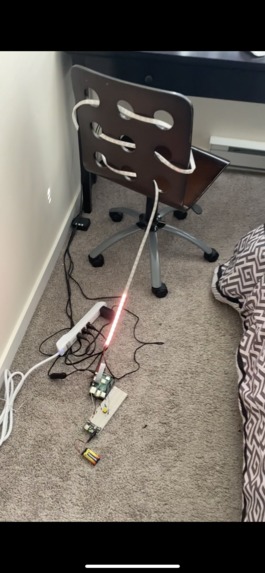
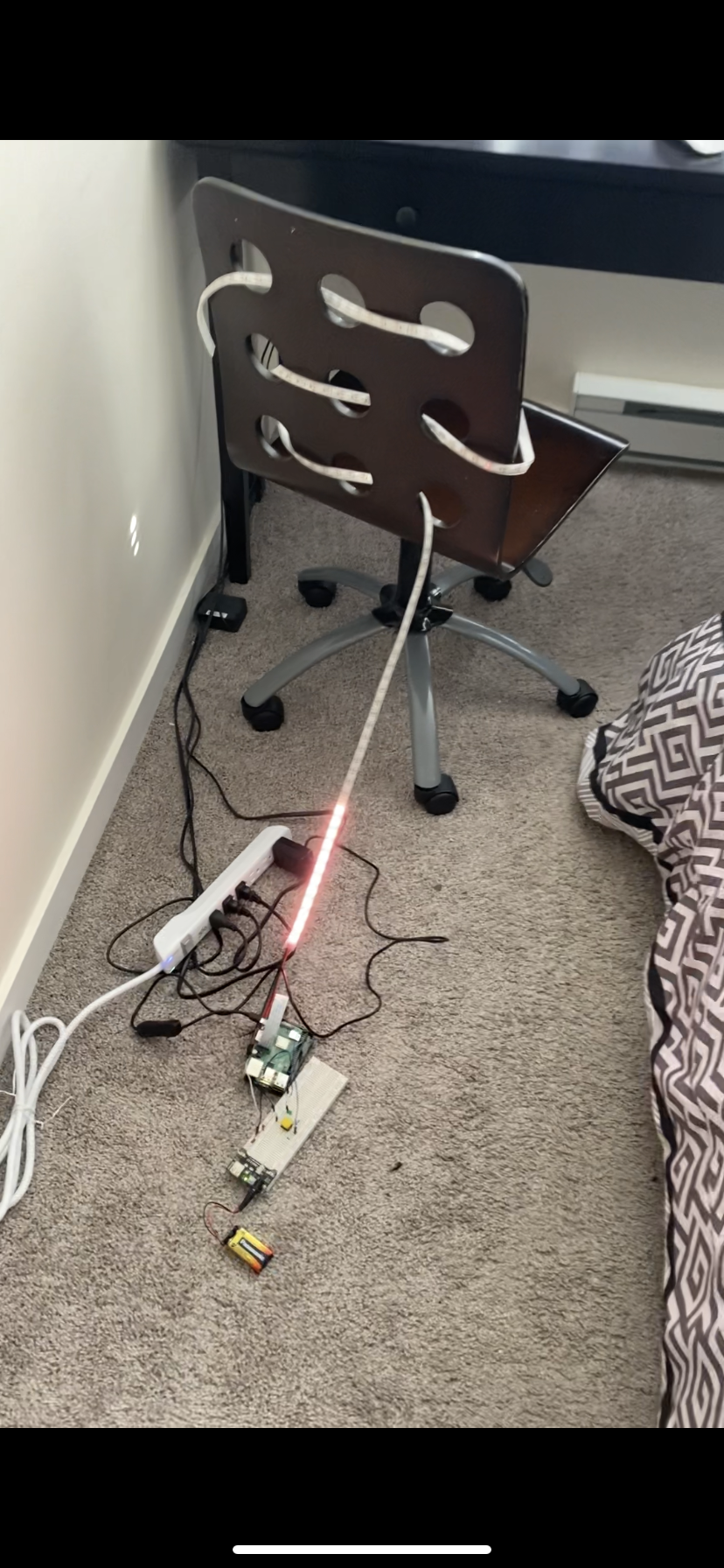
LED's in Action!!!
-
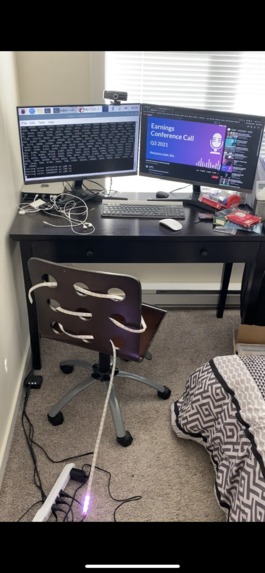
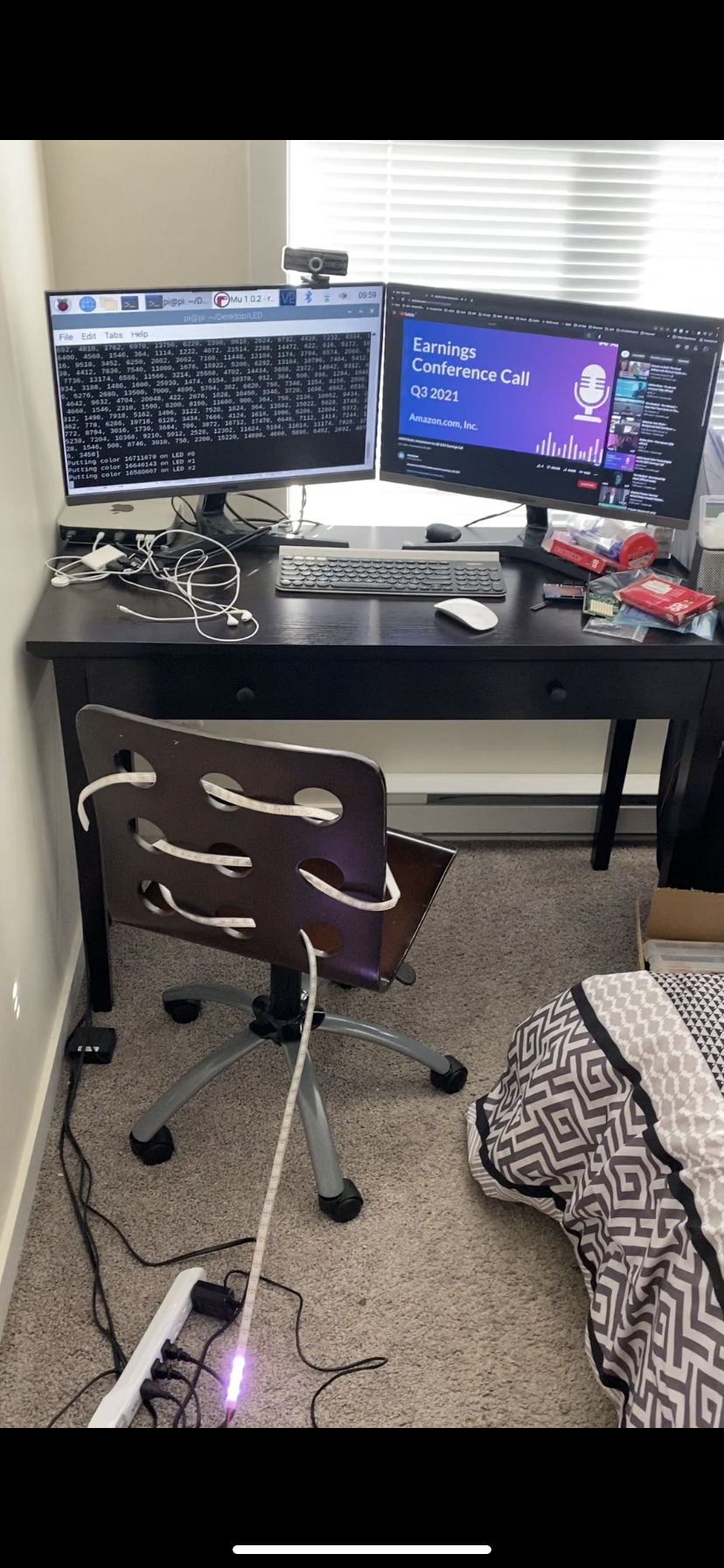
Client & Server Communication w/ YouTube Video
-
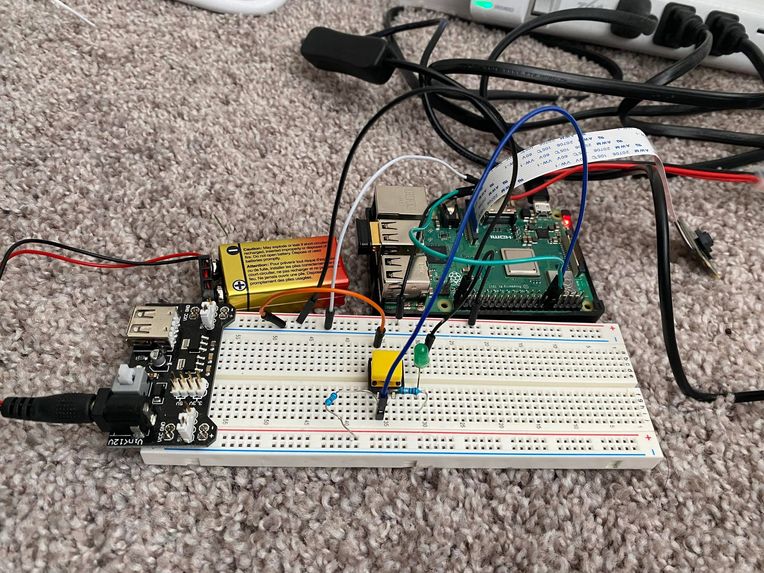
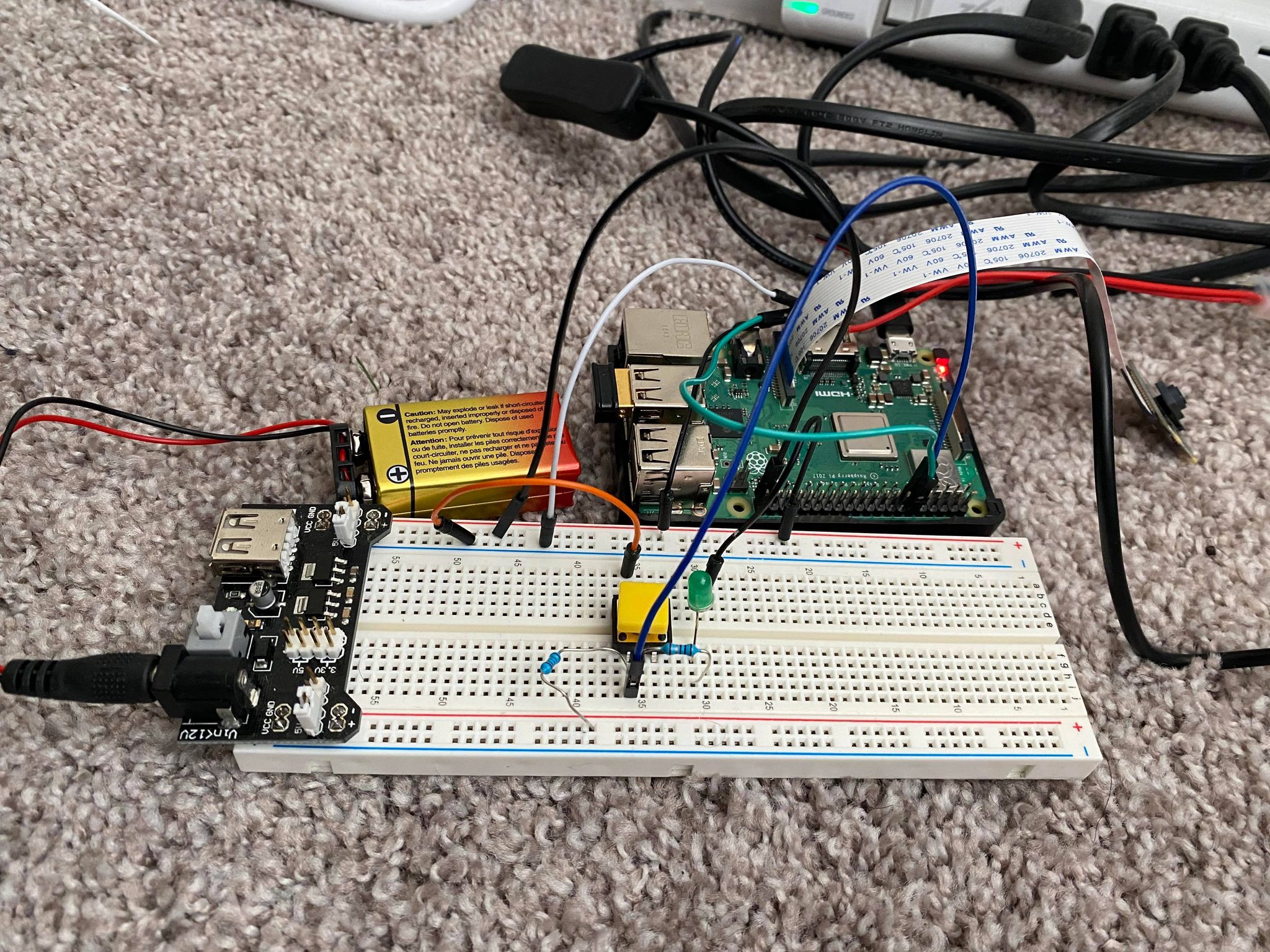
Circuit Side View
-
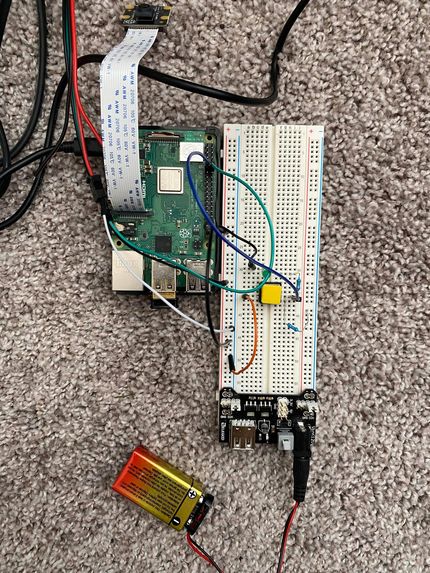
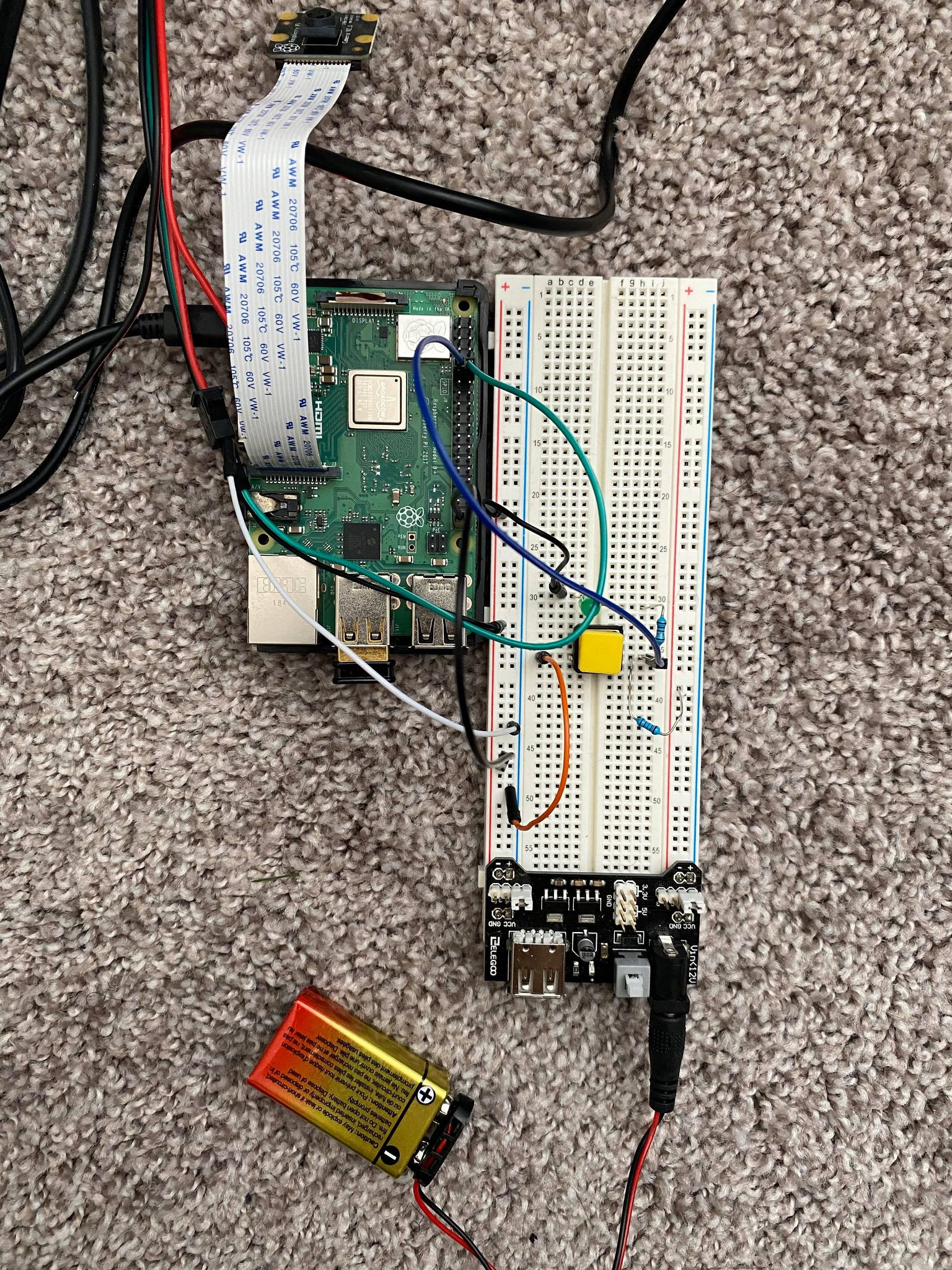
Circuit Top View
Inspiration
As artificial intelligence becomes more and more intertwined into our daily interactions, sentiment analysis is going to be a pivotal technology in the effort to humanize AI. We took this opportunity to experiment with sentiment analysis to see what we could accomplish in 24 hours.
What it does
This project enables a user to transcribe and run a sentiment analysis algorithm on a Youtube video of their choice. The primary purpose of this project is to determine the overall sentiment score of said video. One useful application of this technology is to analyze companies' earning calls and determine if they are bullish or bearish about their finances and their future. This can serve as a complementary data point to a stock trading/evaluating algorithm.
While the program is running, an LED light strip gradually lights up in the average hue corresponding to the sentiment of the analyzed portion of the audio. Where red represents a negative sentiment, blue representing a neutral sentiment and green a positive sentiment. The LED strip also acts as a progress bar to better estimate completion percentage and time.
After the audio is fully analyzed, you are directed to a webapp with visualizations of the sentiment data.
How we built it
We built the project almost entirely in Python and used various tools and libraries to complete each step in the process.
To download and process the audio, we used a combination of youtube-dl and ffmpeg. They allowed us to specify the file type, size and resolution of the download to match our criteria.
Most of the heavy lifting is done using AssemblyAI's speech recognition API. We feed the downloaded audio file into the API's transcription function and enable the speech recognition filter. The resulting output is a JSON file with each sentence's index, sentiment score and confidence.
To implement the Raspberry Pi into the system, we used websocket communication. When the button is pressed on the Pi, a new webserver is launched on the main computer and the Pi starts a client that connects to the server. This allows the data transfer to occur while the sentiment analysis is in progress.
We then implement some JSON file manipulation and save the result as a pandas dataframe for easy visualization. We can generate plotly charts/graphs from the dataframe and display them on a Streamlit webapp.
Challenges we ran into
We had some trouble finding python packages that were fully compatible with ARM based processors. Specifically, we were planning on adding a real-time audio recording functionality but we ran into some issues with pyaudio on M1 Macs so we decided to shelve the idea for a later date.
What we learned
Over the course of 24 hours, we've learned a lot of new and very useful skills. That includes, websocket communication, audio file manipulation, API integration and webapp development to name a few.
What's next for Sentiment Reactive LEDs
We'd love to implement a real-time audio recording element into the project. That should allow users to speak into a mic and have the transcription and sentiment analysis occurs in real-time.
One potential area of improvement that we noticed is that the API can struggle with music that has loud instrumentals. We could add additional preprocessing to strip the vocals from the audio files to allow a wider range of videos to by analyzed.
Built With
- assemblyai
- ffmpeg
- plotly
- pycharm
- python
- raspberry-pi
- streamlit
- youtube-dl


Log in or sign up for Devpost to join the conversation.