-
-
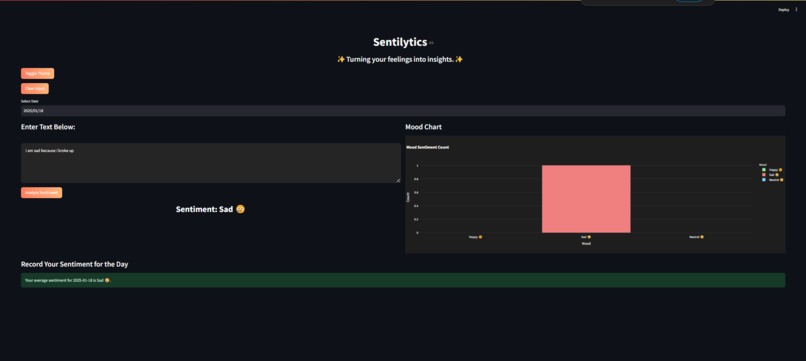
Laptop view of our Sentilytics app
-
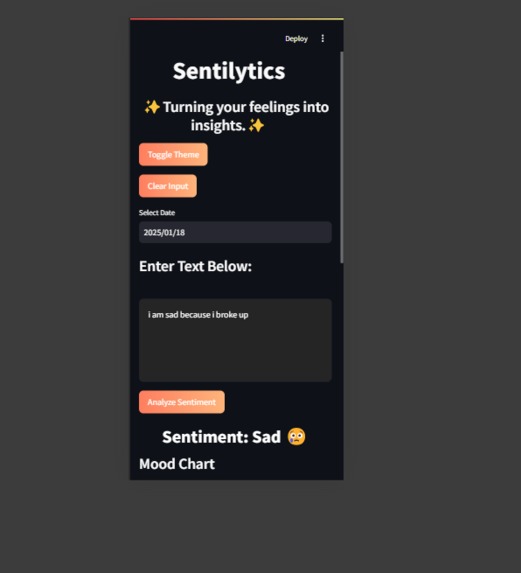
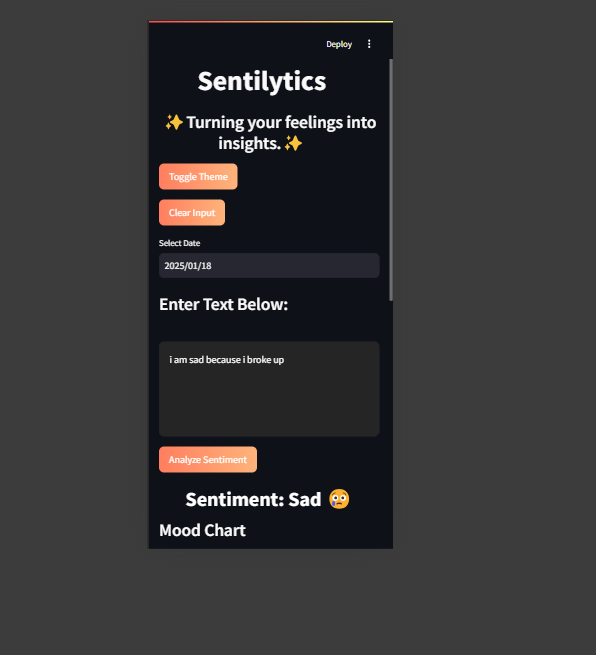
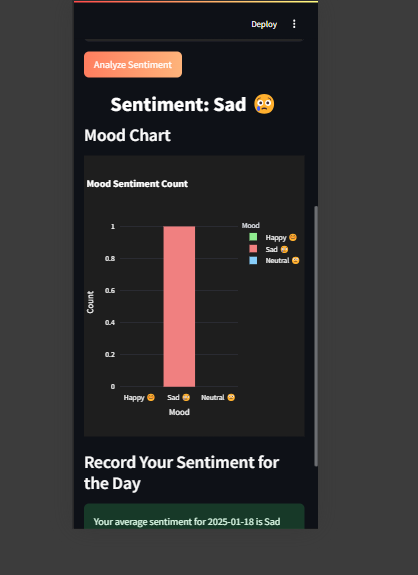
Mobile view of our Sentilytics app
-
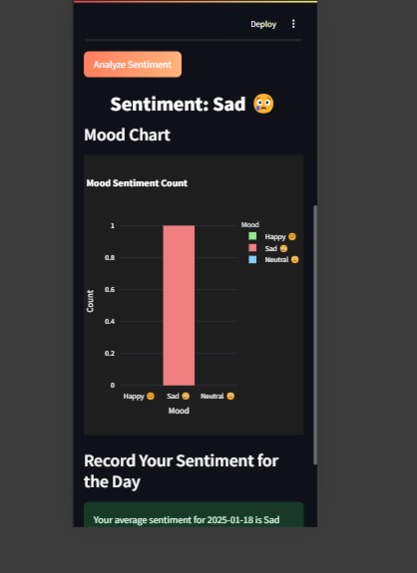
Mobile view of our Sentilytics app
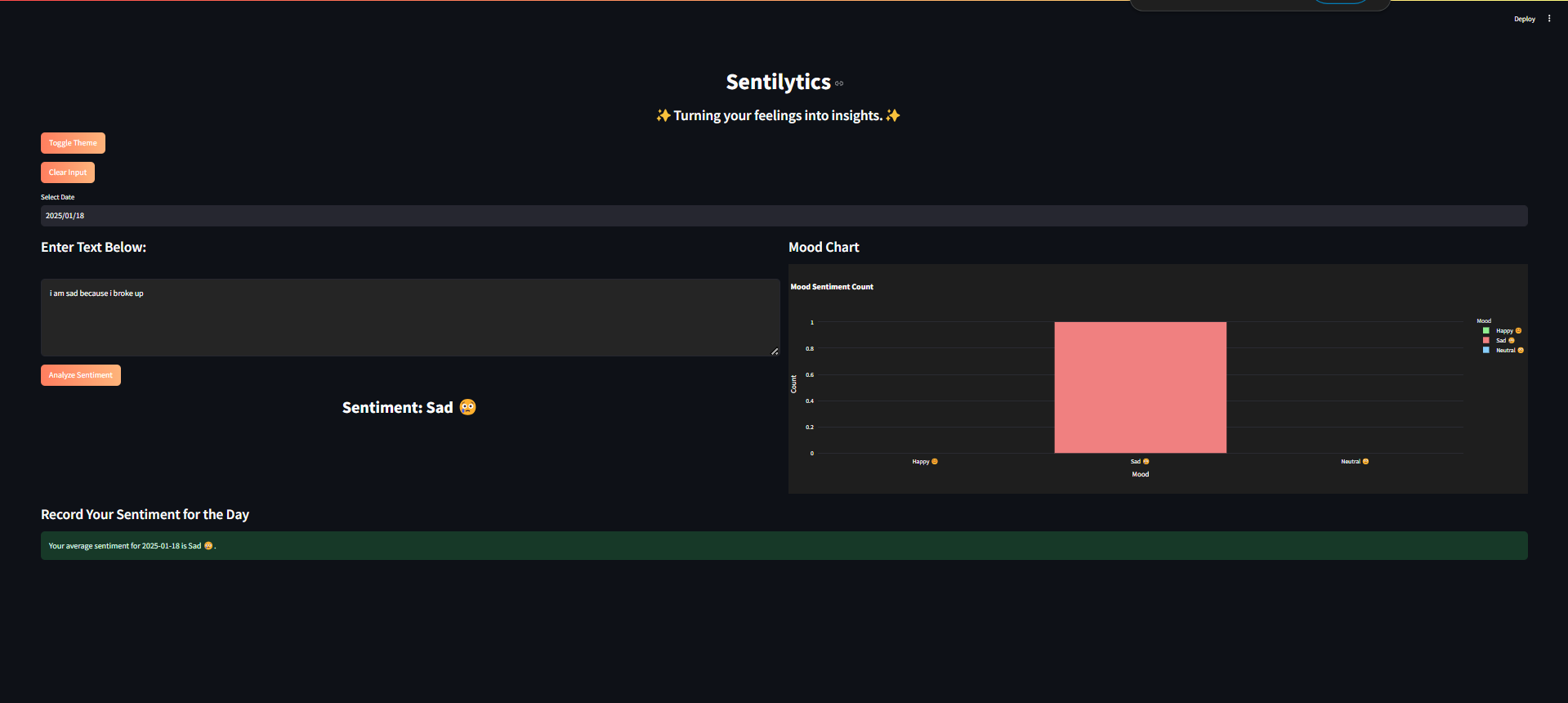
Sentilytics
A Mood Tracker with Sentiment Analysis
About the Project
The Mood Tracker with Sentiment Analysis is a collaborative project designed to analyze user-provided text input and identify the sentiment behind it—whether Happy, Sad, or Neutral. The app also tracks and visualizes the frequency of each mood in real-time, providing insights into user emotions over time.
Inspiration
The project was inspired by the increasing importance of understanding emotional well-being and the role text sentiment plays in communication. As a team, we wanted to build a simple yet effective tool to track moods and provide emotional insights in real-time.
What We Learned
Through this project, our team gained valuable experience in:
- Sentiment analysis techniques using Python libraries.
- Building user-friendly and dynamic web applications with Streamlit.
- Data visualization using Plotly.
- Effective teamwork and code collaboration using GitHub.
How We Built It
Technology Stack:
- Frontend: Streamlit for interactive UI development.
- Backend: Python with
TextBlobfor performing sentiment analysis. - Visualization: Plotly for creating interactive mood charts.
- Frontend: Streamlit for interactive UI development.
Team Workflow:
- Defined goals and features during brainstorming sessions.
- Divided tasks based on individual expertise—backend, frontend, and visualization.
- Used GitHub for version control and seamless integration of modules.
- Defined goals and features during brainstorming sessions.
Development Process:
- Implemented sentiment analysis using the
TextBloblibrary. - Created real-time mood visualization using bar charts.
- Styled the application to support a dark mode theme for better aesthetics.
- Implemented sentiment analysis using the
What It Does
The Mood Tracker with Sentiment Analysis allows users to input text, analyzes its sentiment, and tracks mood trends over time.
Key Features:
Sentiment Analysis:
- Accepts user input to determine the mood as Positive, Negative, or Neutral.
- Provides immediate feedback for each input.
- Accepts user input to determine the mood as Positive, Negative, or Neutral.
Mood Chart Visualization:
- Displays a dynamic bar chart to track the frequency of each mood category.
- Updates in real-time as users input text.
- Displays a dynamic bar chart to track the frequency of each mood category.
Dark Mode Design:
- Optimized for dark themes to ensure readability and a modern look.
- Optimized for dark themes to ensure readability and a modern look.
User-Centric Design:
- Simple and intuitive interface for quick interaction and insights.
- Simple and intuitive interface for quick interaction and insights.
Applications:
- Personal mood tracking for emotional well-being.
- Educational use cases to demonstrate sentiment analysis.
- Data collection and analysis for sentiment-based research.
How We Collaborated
As a team, we followed a structured workflow:
- Planning: Discussed project requirements, defined features, and prioritized tasks.
- Task Allocation: Divided roles into sentiment analysis, UI design, and visualization development.
- Development: Collaborated through GitHub, ensuring smooth integration and consistency.
- Testing and Debugging: Worked together to test the app thoroughly and resolve issues.
Challenges We Overcame
Visualization Readability:
- Ensuring the text and bar charts were visible in the dark mode required fine-tuning the colors and layout.
- Ensuring the text and bar charts were visible in the dark mode required fine-tuning the colors and layout.
Real-Time Updates:
- Synchronizing user input with the mood chart in real-time was a technical challenge that we resolved with efficient data handling.
- Synchronizing user input with the mood chart in real-time was a technical challenge that we resolved with efficient data handling.
Team Coordination:
- Managing code integration and aligning everyone's contributions required effective communication.
- Managing code integration and aligning everyone's contributions required effective communication.
Future Plans
We plan to enhance the Mood Tracker with Sentiment Analysis by:
- Incorporating advanced NLP techniques using libraries like
NLTKorSpaCyfor deeper analysis. - Adding a feature to log and save mood trends for tracking over days or weeks.
- Supporting multiple languages for a global audience.
- Introducing more interactive visualizations to provide deeper insights.
Conclusion
The Mood Tracker with Sentiment Analysis is the result of teamwork and innovation. It demonstrates how technology can provide emotional insights in a simple and effective way. By leveraging each team member’s strengths, we created a functional, user-friendly, and visually appealing application. This project reflects our shared commitment to learning, collaboration, and delivering impactful solutions.


Log in or sign up for Devpost to join the conversation.