-
-
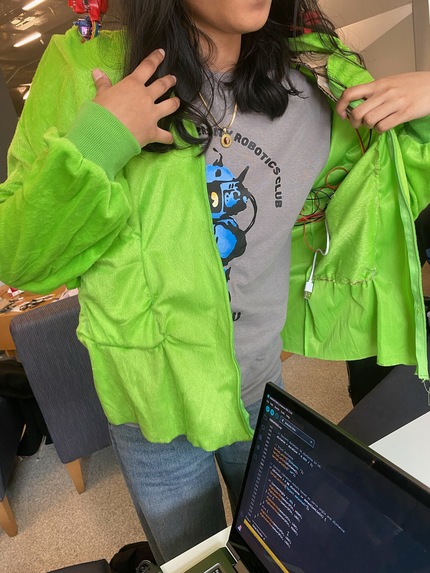
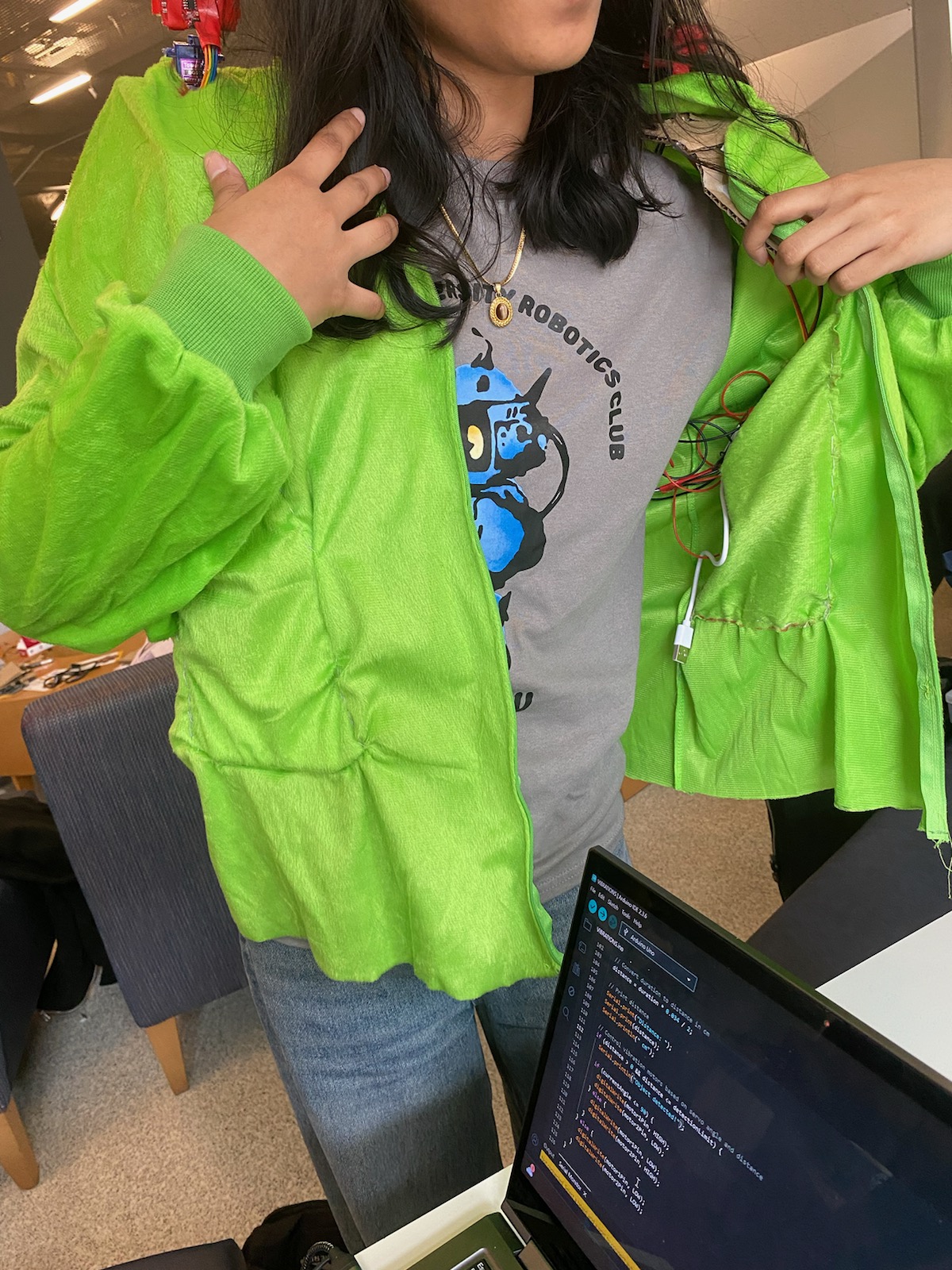
Cut off the lower half of the costume and used that fabric to create pockets to hide the arduino, batteries, and wires.
-
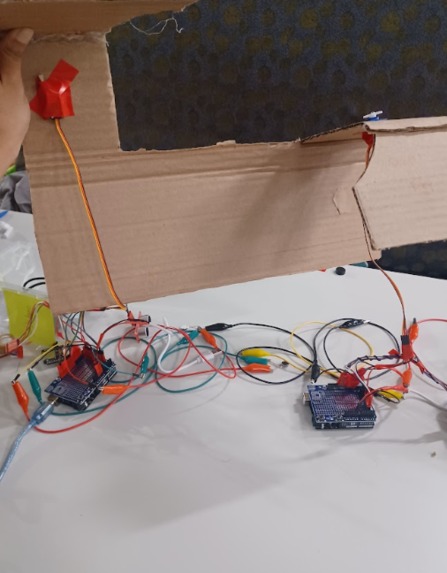
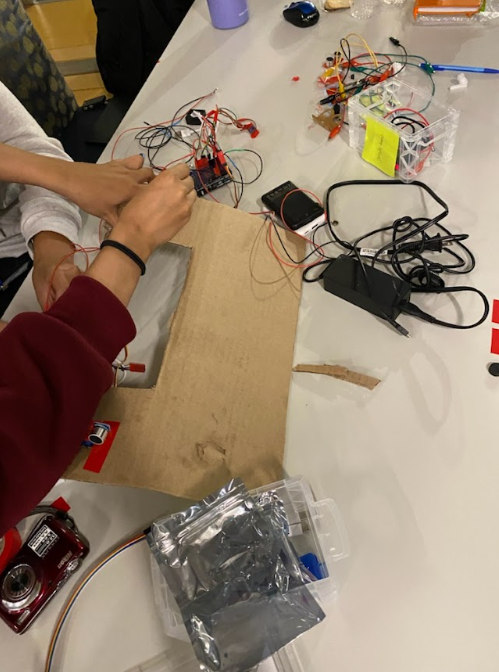
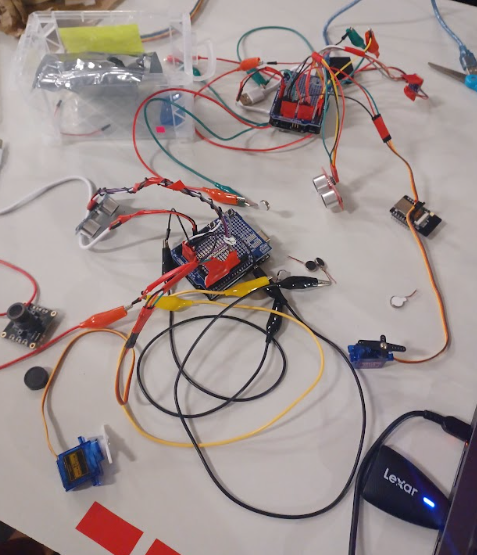
Placing the servos and ultrasonic sensors on the framing from the inside.
-
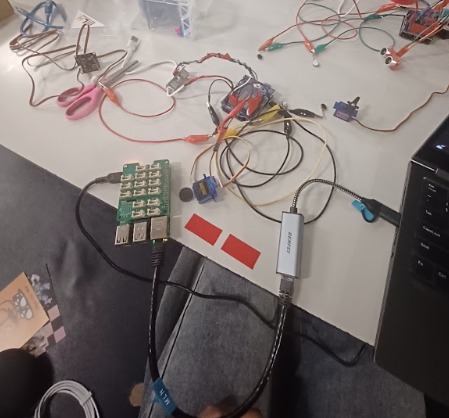
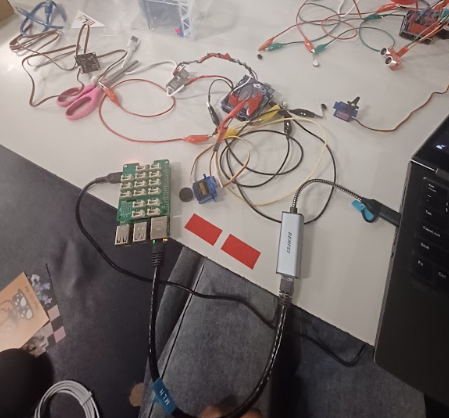
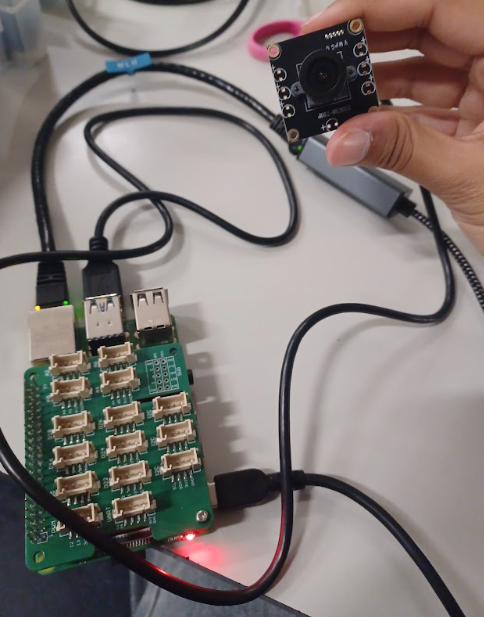
Trying to use the camera to get livestream data so we can use Google Gemini API to detect new local objects
-
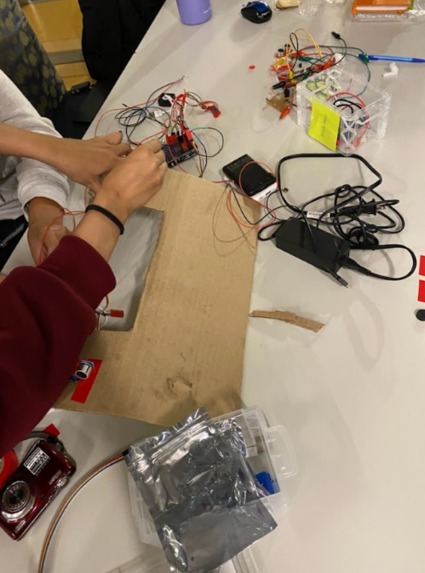
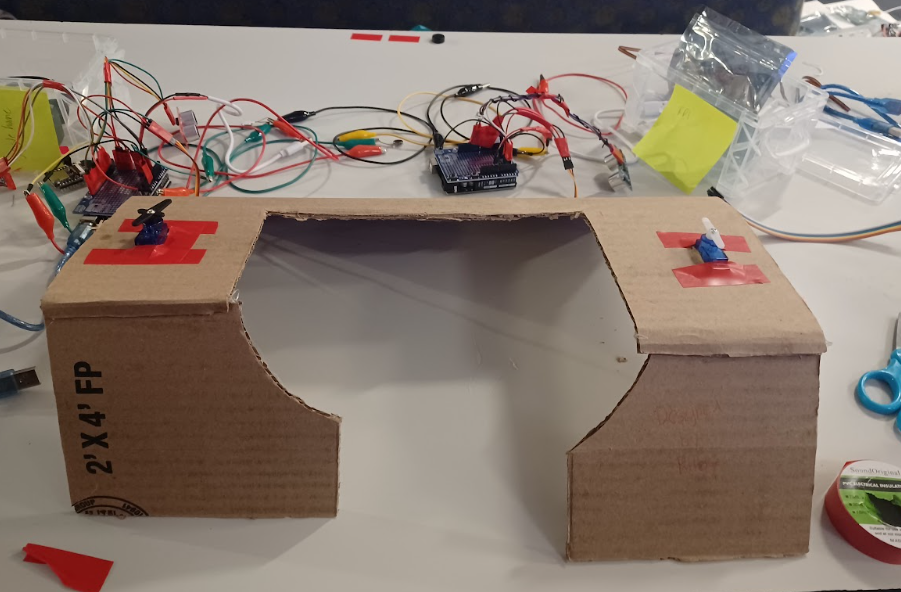
Creating holes in the cardboard so that the servo and sensor can stick out of the costume
-
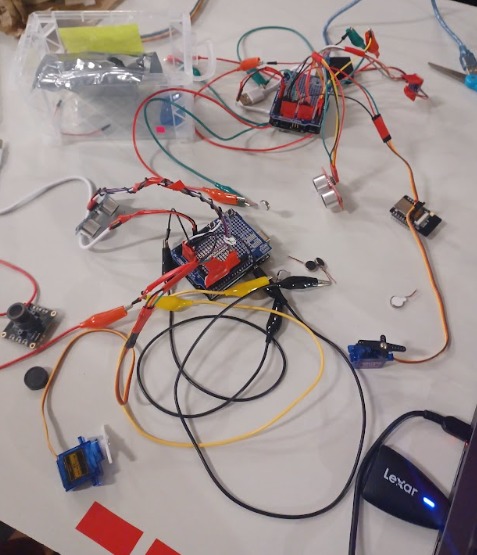
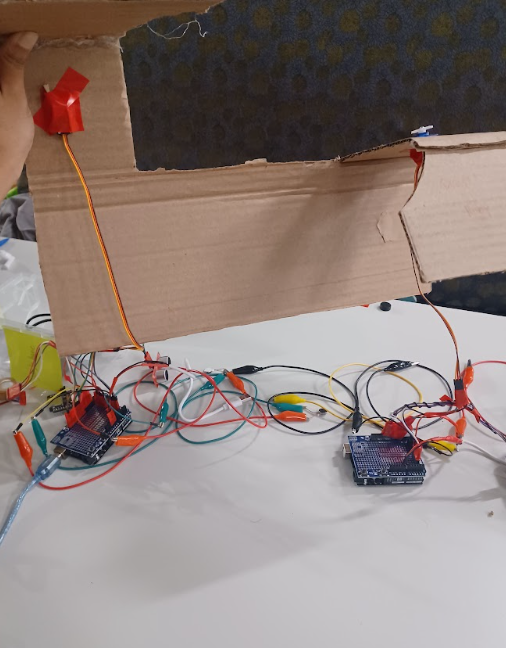
One completed half of our project. The arduino is connected to a servo motor which rotates the sensor to detect objects, as well as 2 motors
-
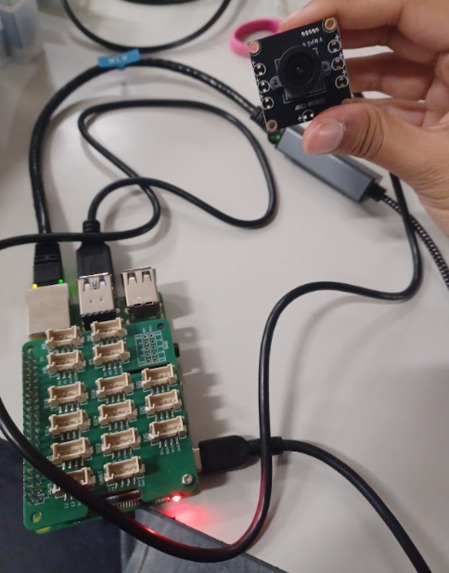
A raspberry pi and USB camera intended to incorporate computer vision and supplement the physical component of the project
-
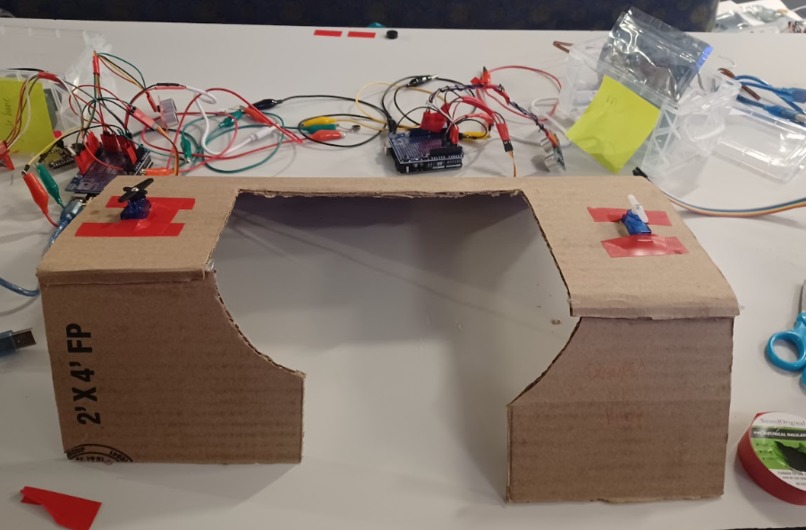
Cardboard framing used and placed underneath the fabric to improve stability and prevent motors from slipping when in motion
Inspiration & What it Does
This is our first-ever hackathon, and jumping straight into a hardware build made it even more exciting. We came in with what we knew from physics and EE lab, but our goal was to push beyond that, learning new skills and building something physical from scratch. That’s when we came up with SenseWear, a wearable device that detects an object and notifies the user through vibrations and sound so that the user knows where to navigate without any obstacles. We were inspired by how easily we take spatial awareness for granted. A quick scroll on our phones can make us oblivious to our surroundings. And for the visually impaired, this challenge isn’t temporary, it’s every moment of every day. Traditional canes can help but they can be limiting. It won’t be able to help detect any obstacles above ground level. Some might even feel vulnerable or self-conscious about using them. So, we wanted to build something that can turn this vulnerability into empowerment.
How we built it
SenseWear was built in such a way that it scans the entire environment. With ultrasonic sensors mounted onto servo motors for each shoulder, the ultrasonic sensors detect an object up to 2 feet and rotate in a range of 180 degrees. For every 90 degrees moved, a vibration motor nearest to the object is triggered to indicate to the user where the object is. This can help the user to avoid colliding into an object. We have 4 vibration motors. We used 2 arduinos and multiple wires which were soldered to accomplish this.
Challenges we ran into
One major challenge we ran into was time constraint. Besides what we have done so far, we wanted to implement an audio amplifier so that the user isn’t only feeling their surroundings but can hear as well, really alerting them to their surroundings. On top of that we wanted to include a camera that takes photos and using Google Gemini, can notify the person wearing the device what object they are about to run into. Because we only have a little over a day to work on this project, we did not have enough time to implement the camera idea, especially since we are unfamiliar with Raspberry Pi. We initially had the audio amplifier working but near demo time, the code stopped working for the audio amplifier so we had to end up removing it from the device. The code was another obstacle for our team since no one in our team has much coding experience. Lastly, because this is a wearable device we had to figure out ways to implement the whole wiring system and components on a shirt so that the user still feels comfortable and so that nothing falls out.
Accomplishments that we're proud of
Without knowing much about code, we were still able to figure out a way for the ultrasonic sensor, servo motors, and vibration motors to communicate with each other. We were able to make the servo motors move at a certain angle and the ultrasonic sensor detect an object up to 2 feet and make the right vibration motor trigger for the object that is the most nearby. We are also proud of how we incorporated the wiring and components into the actual fabric. We made shoulder pads out of cardboard so that the servo motors and ultrasonic sensors can rest upright. We used electric tape to bundle the wiring together and sewn pockets so that the arduino and battery banks can be contained there while a person is wearing the fabric. By doing all of these things, putting on the device is easy!
What we learned
We learned a lot in terms of electrical engineering. The vibration motors needed to be soldered. We all learned how to solder in order to incorporate wires that can be put to the digital pins of the arduino. We also learned C++ in order to code the components from the arduino. One important thing about making a product is marketing and selling it to the right audience. We learned more about pitching and how we should convince people to buy it by making the device comfortable and giving it a meaningful purpose.
What's next for SenseWear
In terms of future implications, we want to incorporate a camera that takes photos and detects what the object actually is as opposed to only recognizing there is an object. This would be great for the user to know, so that they can tell how they should react. Because for the visually impaired, they won’t be able to see the photo, with a bluetooth device and Google Gemini, we can add a voice recognition that tells the user what the object is. We would also add an audio amplifier to help the user further be attentive to their surroundings. Since this was also a prototype, in the future we hope to make this wearable device in different sizes so that it suits all body types. SenseWear after all, is wearable vision for all.
Built With
- arduino
- c++
- c/c++-(arduino-ide)**-to-interface-the-servo
- motors
- radar
- raspberry-pi
- scanning
- ultrasonic-sensor
- usbcamera
- vibration
- visualize


Log in or sign up for Devpost to join the conversation.