-
-
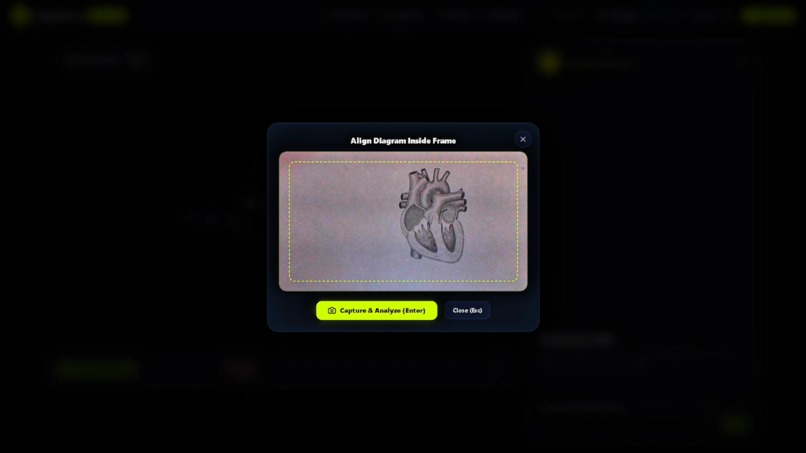
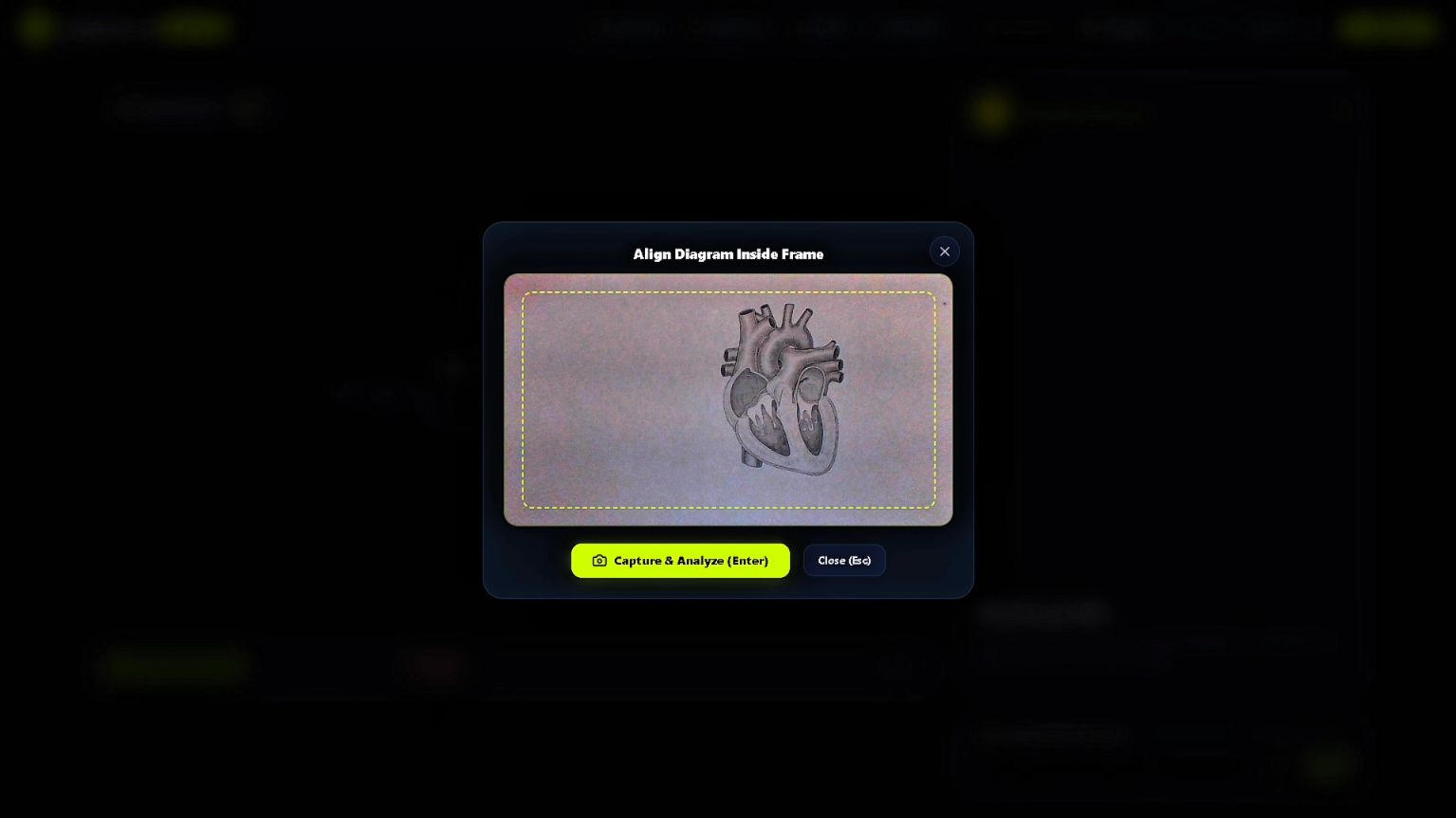
Zero-friction camera capture & physical diagram alignment
-
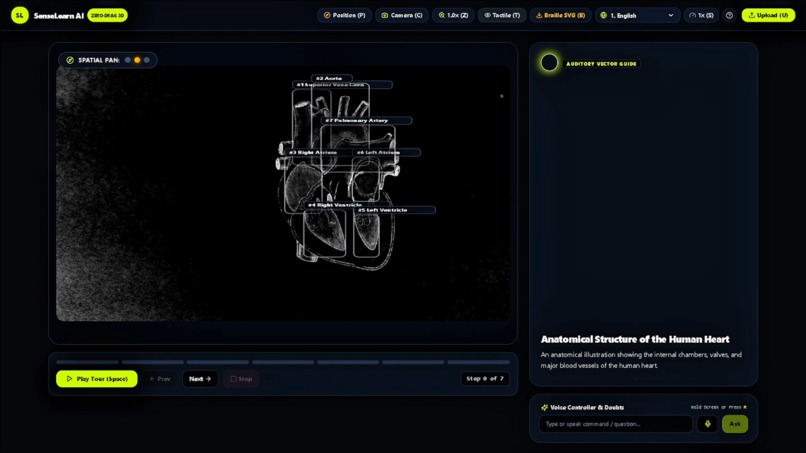
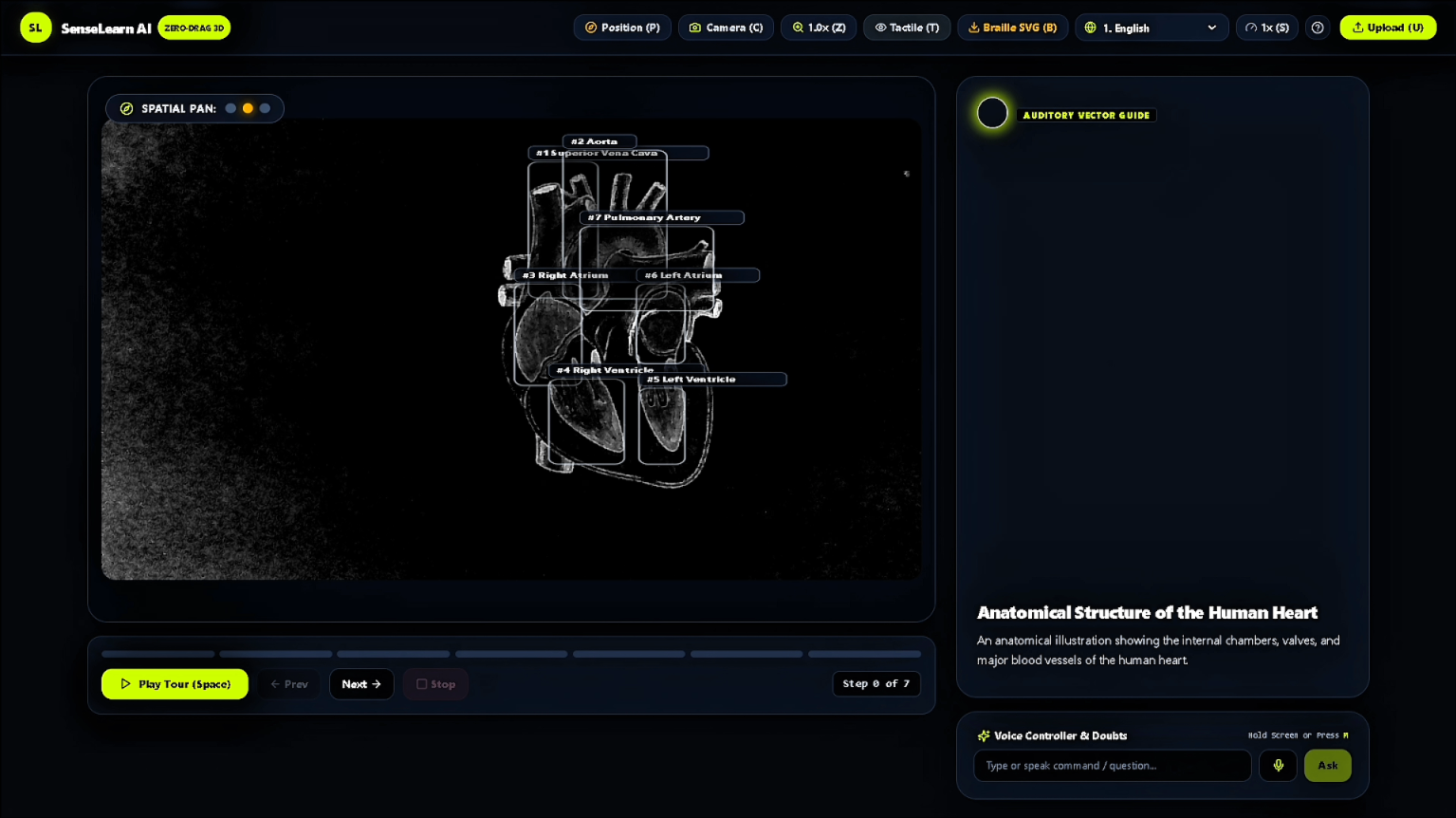
Vision pipeline deconstructing diagram into spatial components
-
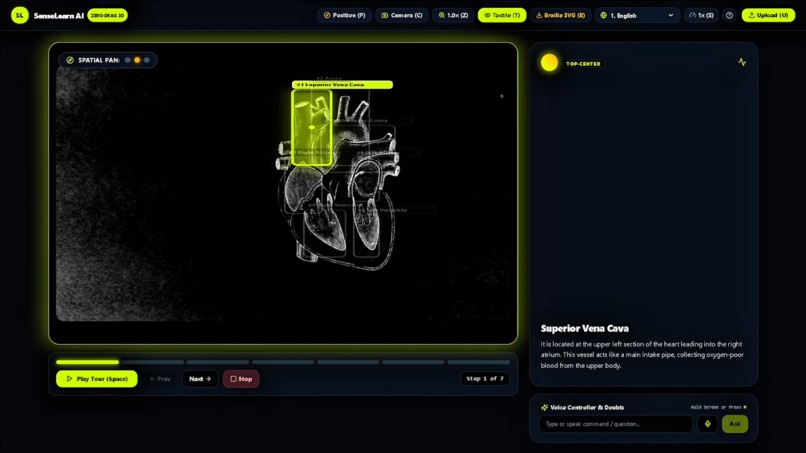
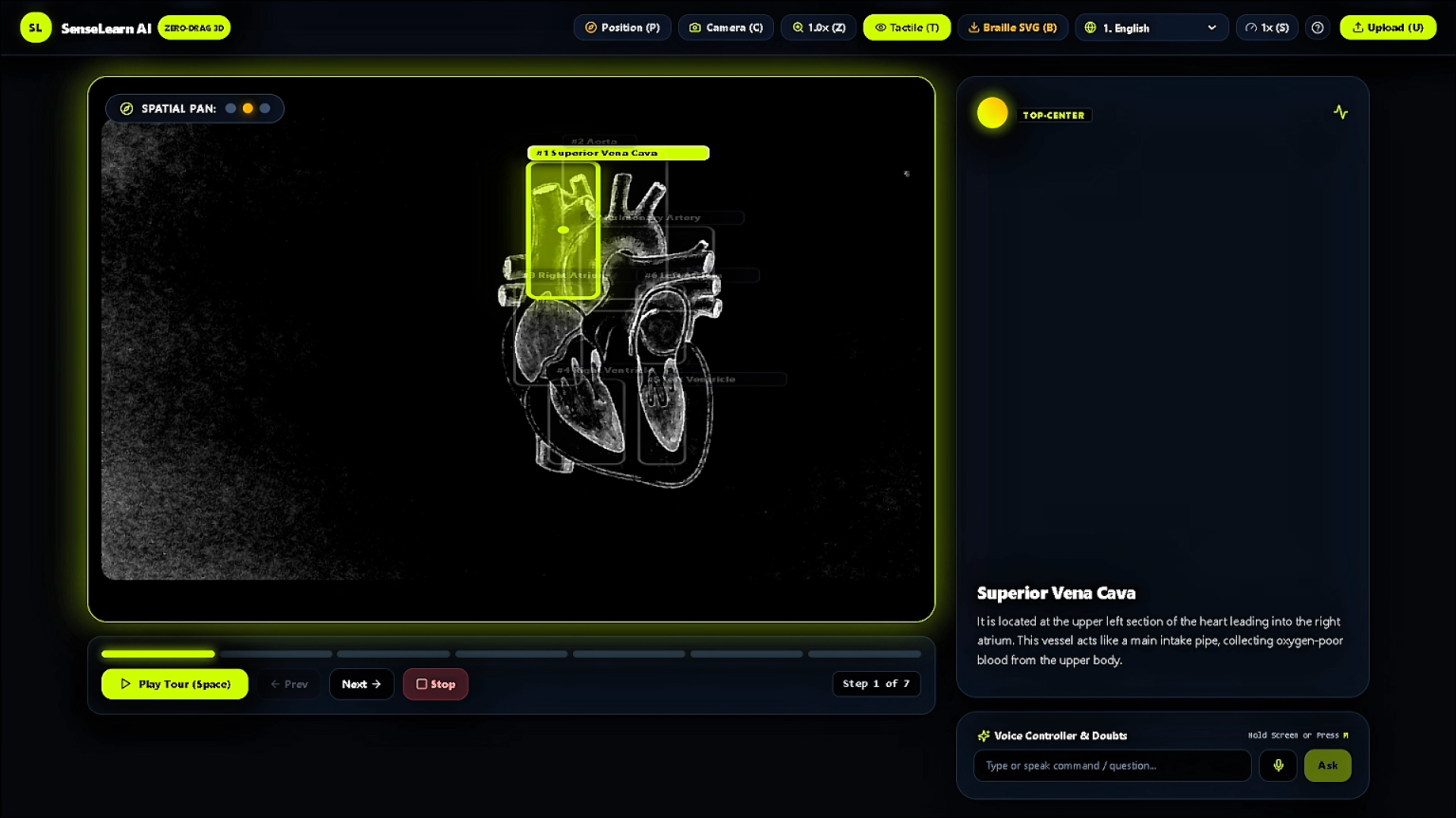
Interactive step navigation with 3D binaural spatial audio
Inspiration
What it does## Inspiration
Textbook diagrams are the backbone of STEM education. Whether understanding blood flow in cardiology, circuit paths in physics, or vector spaces in math, sighted students rely on spatial layout to grasp how parts connect. For visually impaired students, standard screen readers reduce this multidimensional knowledge into flat, linear walls of alt-text like "diagram of human heart with labels." That explains what is present, but completely misses where things are and how they interact.
Specialized tactile graphics kits and thermoformed sheets exist, but they are expensive, take days or weeks of manual transcribing, and offer zero interactivity once printed. We asked ourselves: What if a student could place an ordinary textbook page in front of a laptop camera and immediately navigate the diagram's physical space using directional sound? That question led to SenseLearn AI.
What it does
SenseLearn AI bridges visual graphics, spatial acoustics, and physical touch into a single continuous learning loop:
- Zero-Friction Camera Ingestion: With a single keypress (
C), students scan textbook sketches or diagrams through their webcam. The image runs through a layout deconstruction pipeline that maps structural components, orientation, and labels. - 3D Binaural Spatial Audio Engine: Instead of reading labels linearly, SenseLearn projects diagram nodes into an interactive 2D acoustic soundstage. As students navigate components via keyboard grid controls, the Web Audio API calculates real-time interaural time and level differences (ITD/ILD). If the Superior Vena Cava is located in the upper-left, students physically perceive the audio anchor coming from the top-left in their stereo headphones.
- Conversational Conceptual Tutor: Students can query specific anatomical sub-structures using hotkey voice inputs (
H). Rather than dumping dry Wikipedia definitions, our context-aware agent frames answers using mechanical and structural analogies tailored for non-visual conceptualization. - Instant Multilingual Translation: Technical STEM terms are automatically translated and synthesized in regional languages (such as Hindi), allowing vernacular learners to master complex concepts without an English linguistic barrier.
- Emboss-Ready Braille Blueprints: Pressing
Bcompiles the segmented vector contours directly into production-grade tactile SVGs formatted for swell-form thermal machines and standard Braille embossers.
How we built it
We engineered SenseLearn AI with a low-latency, modular stack designed for high keyboard accessibility:
- Frontend Client: Built with React and Vite, styled using accessible high-contrast palettes in Tailwind CSS. We implemented ARIA-compliant focus rings, custom keyboard shortcuts for all primary actions, and visual contrast modes specifically tuned for low-vision users.
- Spatial Audio Engine: Leveraged the native Web Audio API (
PannerNode,StereoPanner, and gain automation) combined with the Web Speech API. Sounds are dynamically spatialized across the listener's stereo field based on normalized (X, Y) component coordinates. - Backend Processing Pipeline: Built on FastAPI (Python) and served via Uvicorn. We used Pydantic schemas for strict validation of layout coordinates and diagram component trees.
- Multimodal Intelligence: Integrated Google Gemini Multimodal APIs for structural segmentation, coordinate bounding-box extraction, anatomical question-answering, and vernacular term translation.
- Tactile Vector Synthesis: Wrote an algorithmic SVG compiler that translates edge boundaries and label anchors into high-contrast vector paths and compliant Braille dot groupings ready for physical embossing hardware.
Challenges we ran into
- Spatial Sound Panning Accuracy: Getting stereo panning to feel natural without disorienting the listener took multiple iterations. Pure linear panning felt flat, so we fine-tuned roll-off curves and frequency dampening to ensure top-center, bottom-left, and center-right audio cues felt distinctly separated.
- Coordinate Extraction Consistency: Raw camera images often suffer from perspective skew, inconsistent page lighting, and hand-drawn line variations. We spent considerable time prompt-engineering and post-processing the multimodal output into strict, normalized bounding-box polygons that our audio layer could reliably parse.
- Bilingual Technical Vocabulary: Translating scientific terms into Hindi often yields awkward literal translations that break TTS pronunciation. We had to enforce translation rules that preserve widely accepted scientific nomenclature alongside conversational Hindi explanations.
Accomplishments that we're proud of
- A True Full-Circle Learning Pipeline: Taking a student from an inaccessible paper diagram, through real-time 3D spatial discovery on their laptop, all the way to a physical embossed Braille printout.
- Native Keyboard Navigation: Building an interface where a visually impaired student can independently navigate, learn, ask questions, and export tactile files without ever touching a mouse.
- Latency Optimization: Achieving responsive audio feedback and context-aware responses without sluggish processing lag.
What's next for SenseLearn AI
- Adding support for interactive physics force vectors, chemistry reaction mechanisms, and coordinate geometry graphs.
- Integrating hardware tactile display peripherals and Arduino-based haptic micro-actuators for multi-finger surface vibration.
- Partnering with local inclusive schools and blindness rehabilitation organizations to conduct user testing with tactile learners.
How we built it
Challenges we ran into
Accomplishments that we're proud of
What we learned
What's next for
Built With
- a11y
- accessibility
- braille
- computer-vision
- fastapi
- gemini-api
- google-genai
- javascript
- lucide-react
- multimodeal-ai
- pydantic
- python
- react
- spatial-audio
- speech-recognition
- svg
- tailwindcss
- uvicorn
- vite
- web-audio-api
- web-speech-api
