-
-
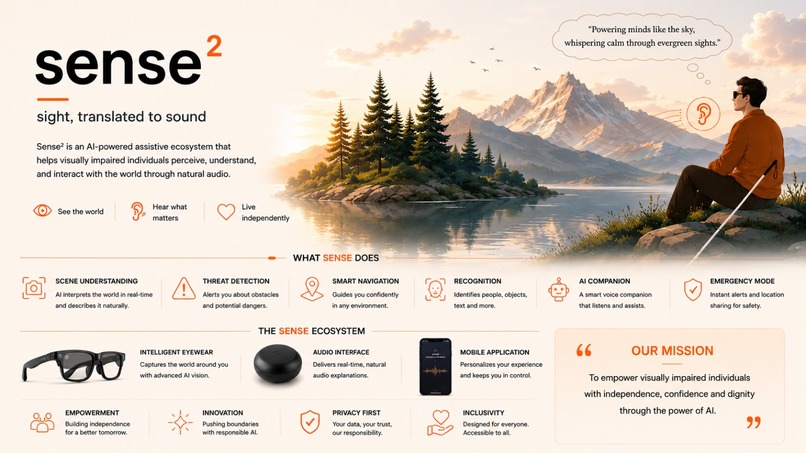
Sense² Vision Board
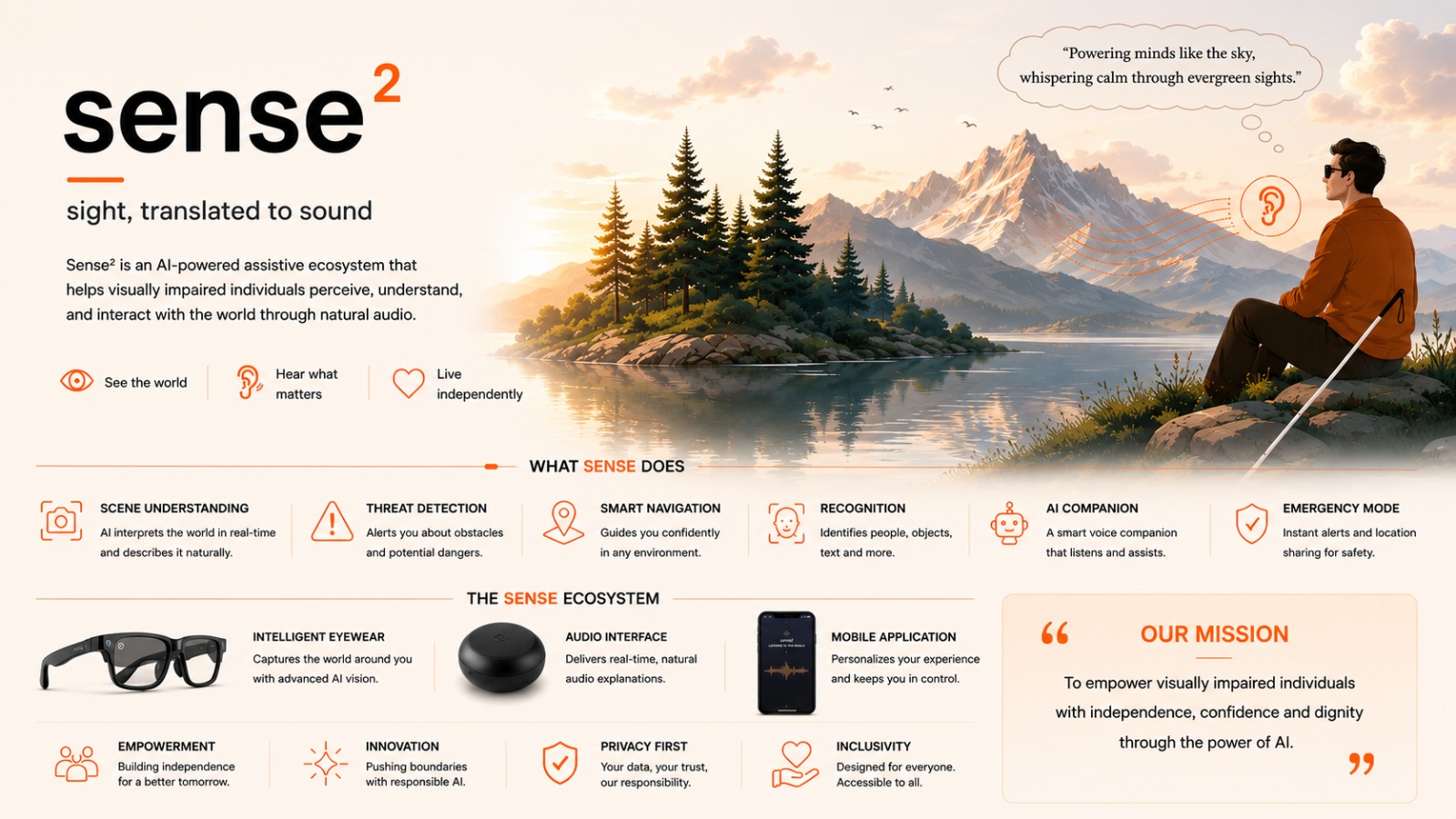
Sense² - Sight, Translated to Sound
Inspiration
Most visual-assistance tools work like cameras: take a photo, wait, hear a description, and repeat.
But real life keeps moving.
Someone enters the room. A door opens. An object is moved. A vehicle approaches. For a blind or low-vision person, understanding these changes can be more useful than hearing a detailed description of one image.
We built Sense² around a simple question:
What if visual assistance felt like a companion rather than an image-captioning tool?
What it does
Sense² turns a phone camera into spoken situational awareness.
A user points the camera at their surroundings and asks questions naturally. The application streams camera and microphone input to an OpenAI Realtime session and responds through spoken audio.
Instead of saying:
“There is a cup on a table.”
Sense² aims to say:
“A cup is slightly to your right, about an arm’s length away.”
The goal is not just to describe the scene. It is to help the user understand where things are, what changed, and what they can do next.
Sense² is being developed around three main capabilities:
Conversational awareness
Users can ask what is in front of them, focus on a person or object, interrupt the response, and ask follow-up questions without starting over.
Ambient Mode
Ambient Mode observes quietly and speaks only when something meaningful changes:
“Someone entered from your left.”
“The door in front of you is now open.”
Silence is also an intelligent response when nothing useful has changed.
Find Mode
Find Mode guides the user’s hand toward an object:
“Move slightly right.”
“Reach farther forward.”
“The bottle is directly below your hand.”
Before confirming an object, Sense² checks multiple visual signals such as shape, packaging, text, and position across frames.
How we built it
Sense² is a TypeScript pnpm monorepo with a clear separation between the browser and the product intelligence.
The browser acts as a lightweight sensor. It captures the camera and microphone, plays audio, maintains a small frame buffer, and calculates basic motion signals.
The server manages OpenAI sessions, prompts, voice configuration, safety rules, mode routing, and API credentials.
This architecture allows the same intelligence to work with a phone today and smart glasses or wearable cameras in the future.
We use WebRTC for realtime camera, microphone, and audio communication. The OpenAI API key and product instructions always remain on the server.
Multi-frame understanding
A single image can describe a moment, but it cannot reliably explain what happened.
To understand actions such as waving, entering a room, moving an object, or approaching the camera, Sense² analyses multiple ordered frames.
The application stores a short visual history, detects possible movement, selects frames around the event, and asks the model to explain what changed.
For Ambient Mode, motion only creates a candidate event. The system then decides whether the change is meaningful, recent, and useful enough to speak.
Challenges
One major challenge was preventing Ambient Mode from talking too much.
Early versions repeatedly announced static observations such as:
“You are sitting.”
“Your hand is near your head.”
We changed the system to understand the initial scene, detect meaningful differences, narrate each change once, and then update its memory.
Another challenge was stale responses. A correct description can still be harmful if it describes something that happened several seconds ago. We added timestamps, request identifiers, stale-result rejection, and limits on parallel analysis.
Object identification was also difficult. Similar-looking products such as face wash, sunscreen, lotion, and antiseptic can easily be confused. Sense² therefore needs to verify objects through text, shape, context, and repeated observations rather than confidently guessing.
What we are proud of
We built a working browser-based voice and vision prototype where users can:
- Start a camera and microphone session
- Ask questions naturally
- Hear spoken responses
- Interrupt the model
- Ask contextual follow-up questions
- Analyse changes across multiple frames
We also built diagnostics for motion scores, frame selection, pending requests, stale responses, and narration decisions.
Most importantly, we developed a clear product principle:
Do not describe everything. Communicate what helps the user understand or act.
What we learned
Assistive narration is very different from image captioning.
It must answer more than “What is visible?”
It must also answer:
- Where is it?
- What changed?
- Can I reach it?
- Is it moving?
- Does it matter right now?
- How certain is the system?
We also learned that silence can be useful. An ambient assistant should not speak because a timer fired. It should speak because something important changed.
What is next
Our next priorities are:
- Complete the Ambient Mode change-detection loop.
- Make Find Mode guide the user’s hand accurately.
- Add carefully scoped hazard awareness.
- Improve spatial instructions using directions, distance, and clock-face guidance.
- Test the product with blind and low-vision users.
The phone is our starting point because it is already available and capable.
Our long-term goal is to build a hardware-independent accessibility layer for phones, smart glasses, and wearable cameras.
The core product is not the camera or the glasses.
It is the intelligence between seeing and speaking: deciding what matters, when it matters, and how to communicate it in a way the user can act upon.
Sense²: If you cannot see it, listen to it.
Built With
- accessibility
- assistive-technology
- codex
- computer-vision
- gpt5.6
- nextjs
- openai
- react
- realtime-api
- typescript
- webrtc


Log in or sign up for Devpost to join the conversation.