-
-
Chrome Extension
-
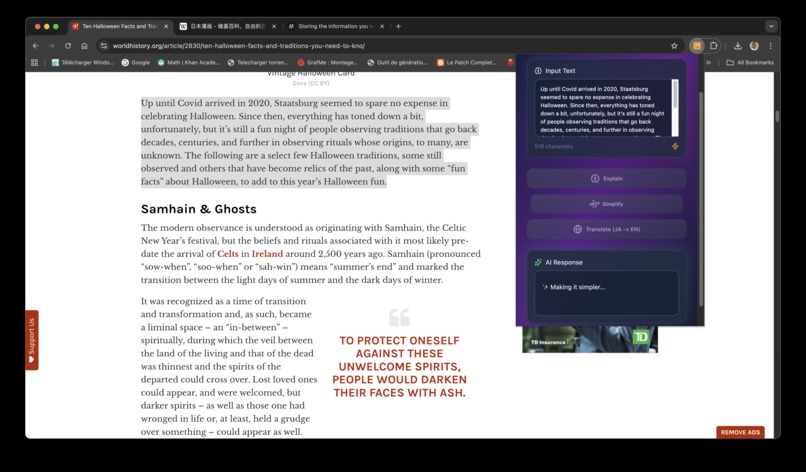
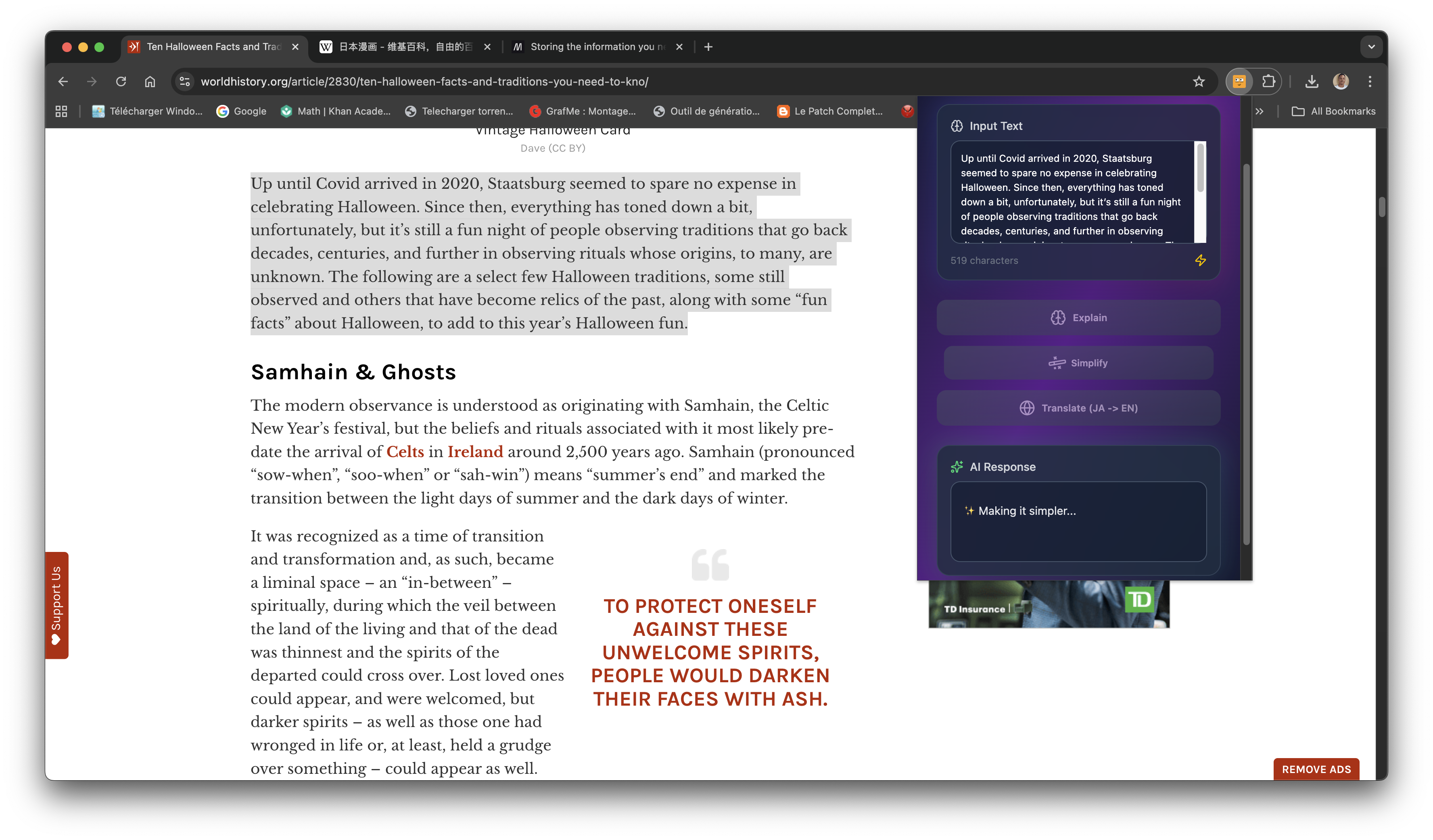
Simplify Text
-
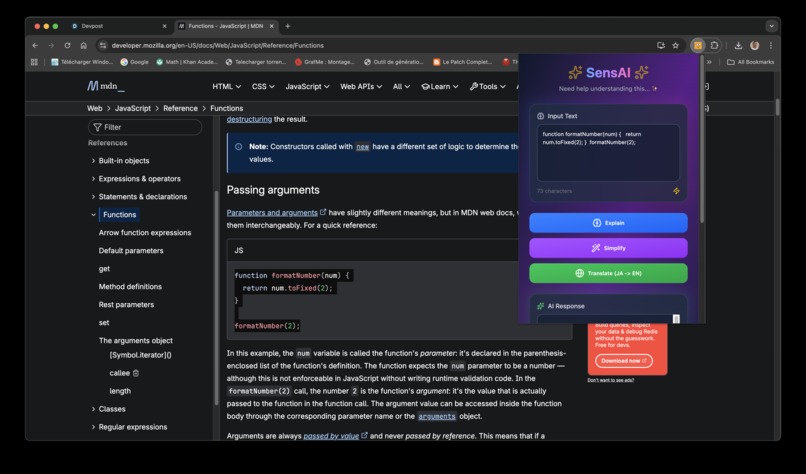
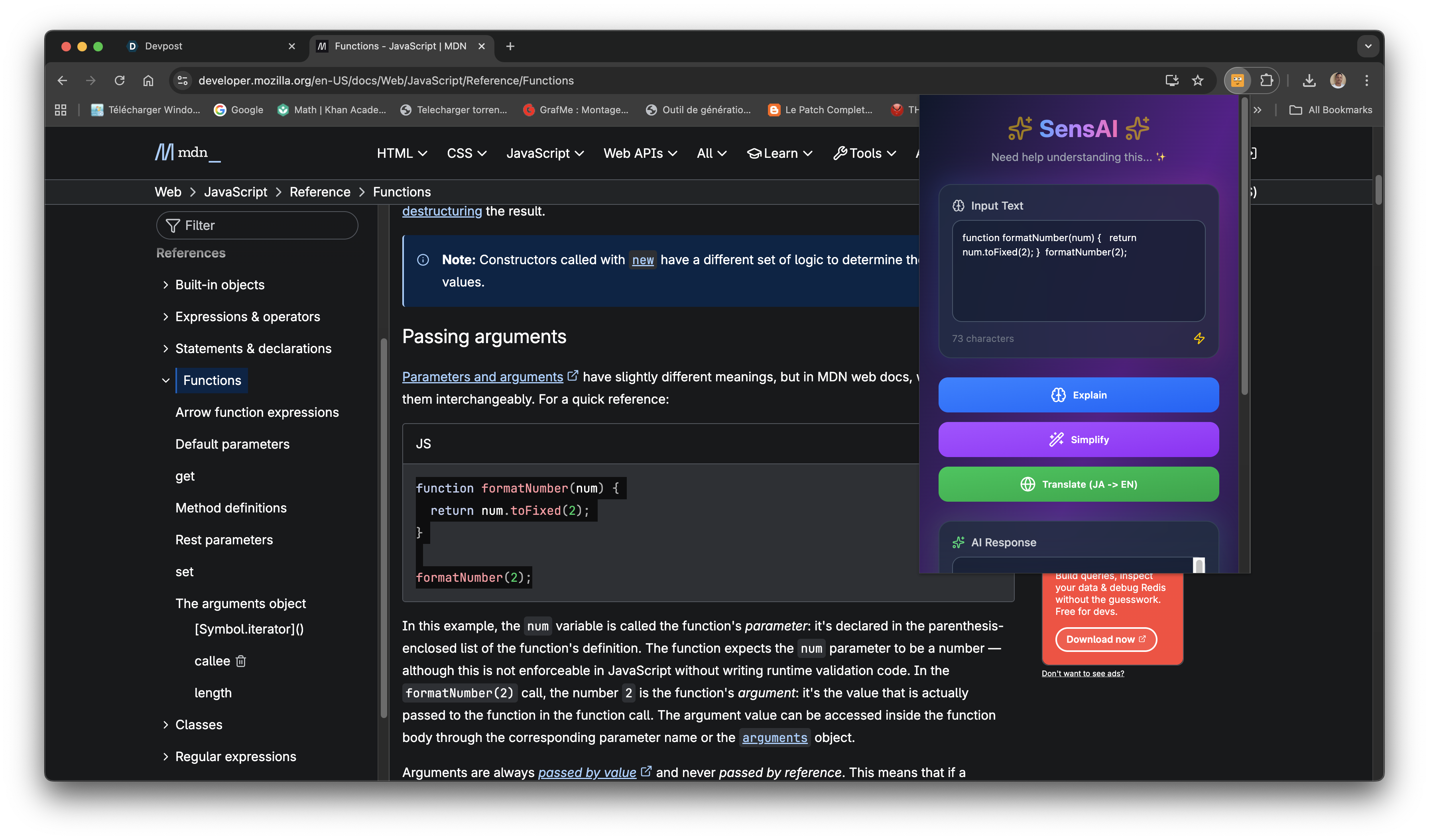
Explain Text or Code
-
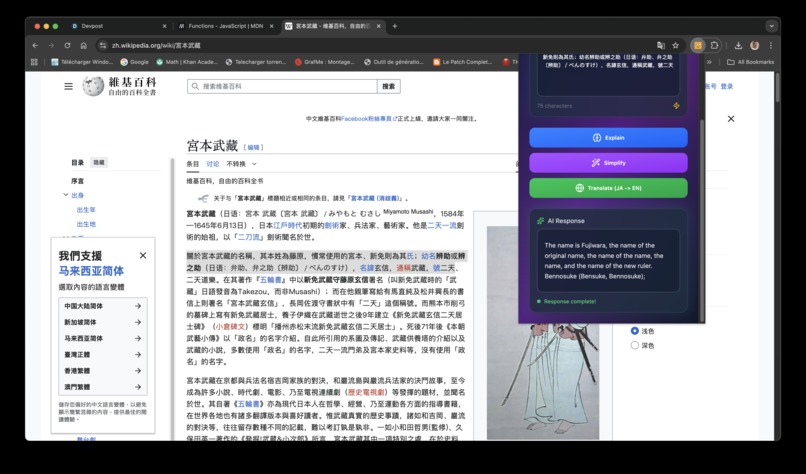
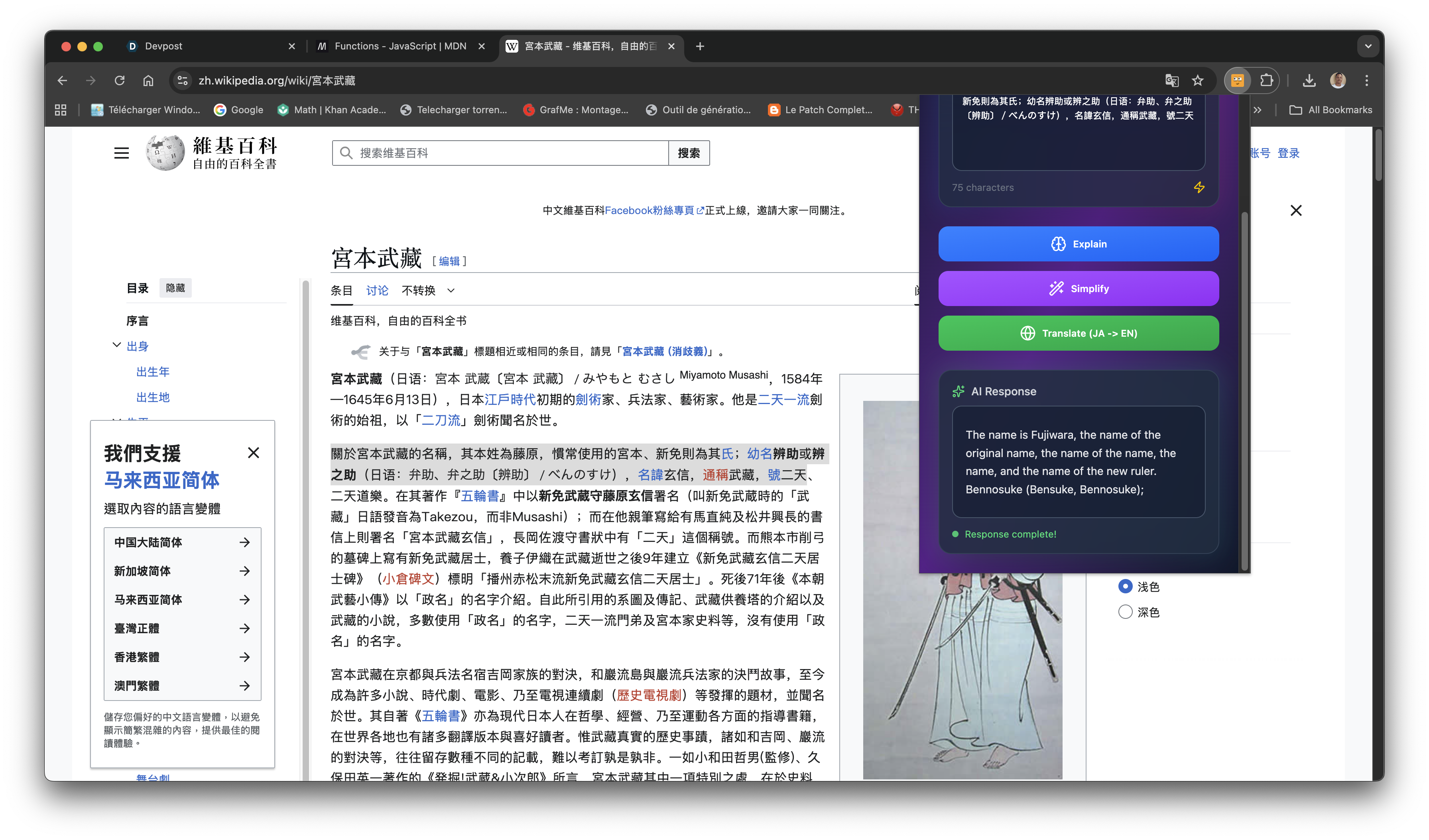
Translate Japanese in English
Inspiration
When something on a webpage is confusing, we usually:
- Copy and paste text into ChatGPT or Google
- Open new tabs to search explanations
- Get distracted and lose focus
This slows down learning and kills curiosity — especially for self-taught developers and students.
✅ Solution — SensAI Chrome
SensAI - Explain This, is an extension built to eliminates the friction of learning online by placing a context-aware AI mentor directly inside your browser.
Whether you’re coding, researching, studying, or just curious SensAI helps you understand in the moment without breaking your flow.
What it does
Just select text → right-click → “Explain with SensAI”
SensAI opens a clean, distraction-free learning interface powered by Gemini Nano on-device AI, offering:
| Mode | What It Does |
|---|---|
| Explain | Breaks down complex text into simple language |
| Summarize | Turns long content into clear key points |
| Translate | Instantly converts text using Gemini Translator API |
| Explain Code | Explains code like a senior mentor teaching a beginner |
| Simplify | Rewrites technical text in beginner-friendly terms |
How we built it
Powered by Google Chrome AI (On-Device)
- 🔐 Private — Data never leaves your machine
- ⚡ Fast — Runs locally, no network calls
- ♾️ Free — No API keys, no server costs, no rate limits
Technologies used:
- Gemini Nano — Prompt API
- Gemini Nano — Translator API
- Chrome Extension (Manifest V3)
- React
- TailwindCSS
Challenges we ran into
| Challenge | Description | How We Solved It |
|---|---|---|
| Started the Hackathon 1 Day Before Deadline | I discovered the hackathon extremely late, leaving almost no time for planning, iteration, or multiple design cycles. | Focused strictly on core functionality over features and optimized for clarity and usefulness. |
| New & Evolving Prompt API | The Gemini Nano Prompt API is very new, and the documentation was still in an early, incomplete stage. Many expected examples simply did not exist yet. | I learned usage patterns by experimenting directly in the browser console and studying low-level platform behavior. |
| Very Small Community | Because the technology is brand new, there were no tutorials, minimal GitHub examples, and almost no StackOverflow discussions. | I solved issues through systematic experimentation and careful debugging. |
| Chrome Popup UI Too Small | The popup window didn’t allow for comfortable reading or interaction. | I redesigned the interface to open as a full browser tab, improving usability dramatically. |
🌱 What we learned
- Being early in a technology space means becoming your own guide.
- Constraints breed creativity especially under time pressure.
- On-device AI is powerful, fast, and has the potential to redefine how we learn online.
- You don’t need perfect clarity to start starting creates clarity.
🌍What's next for SensAI Chrome
- Voice explanation mode
- “Explain Inline” tooltips directly in webpages
- Auto-generate flashcards from explanations
- Personalized learning memory + spaced repetition
- Support for math, equations, & diagrams
💛 Team
Solo Developer: Leonel Nguefack Software Engineer LinkedIn

Log in or sign up for Devpost to join the conversation.