-
-
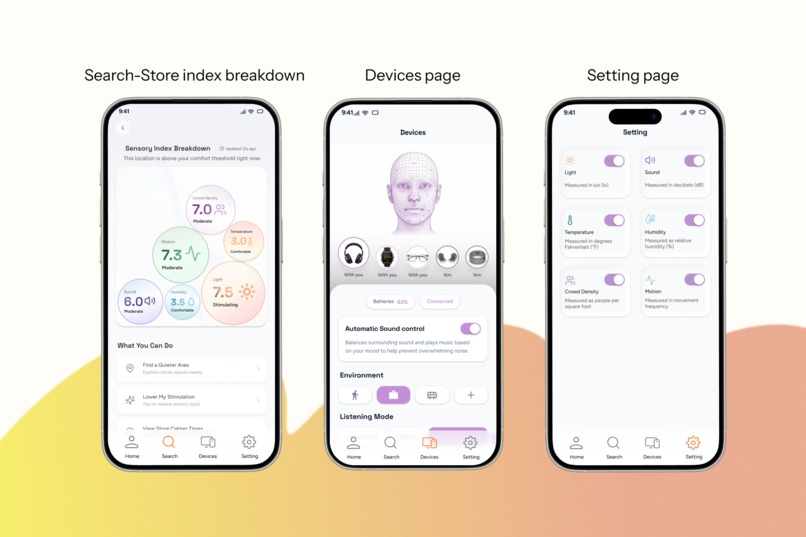
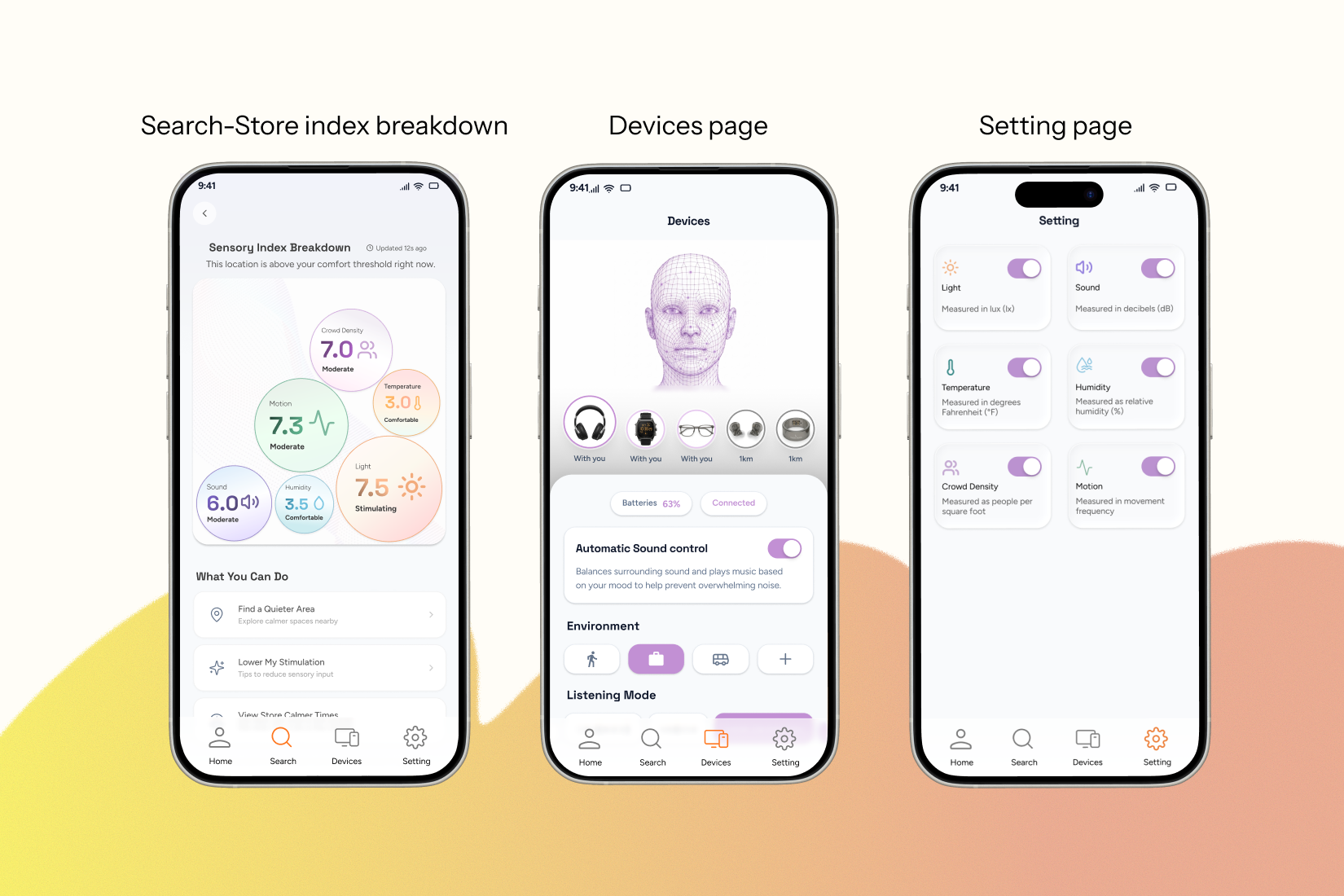
Sensa Prototype Overview (1)
-
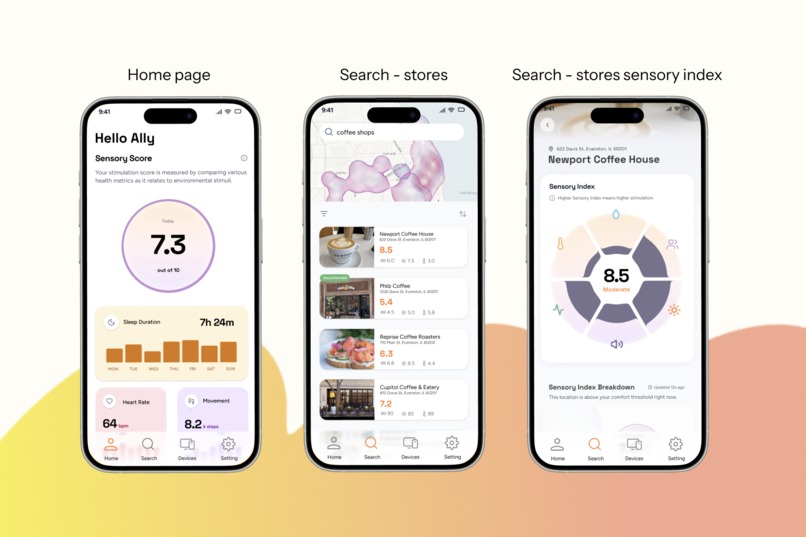
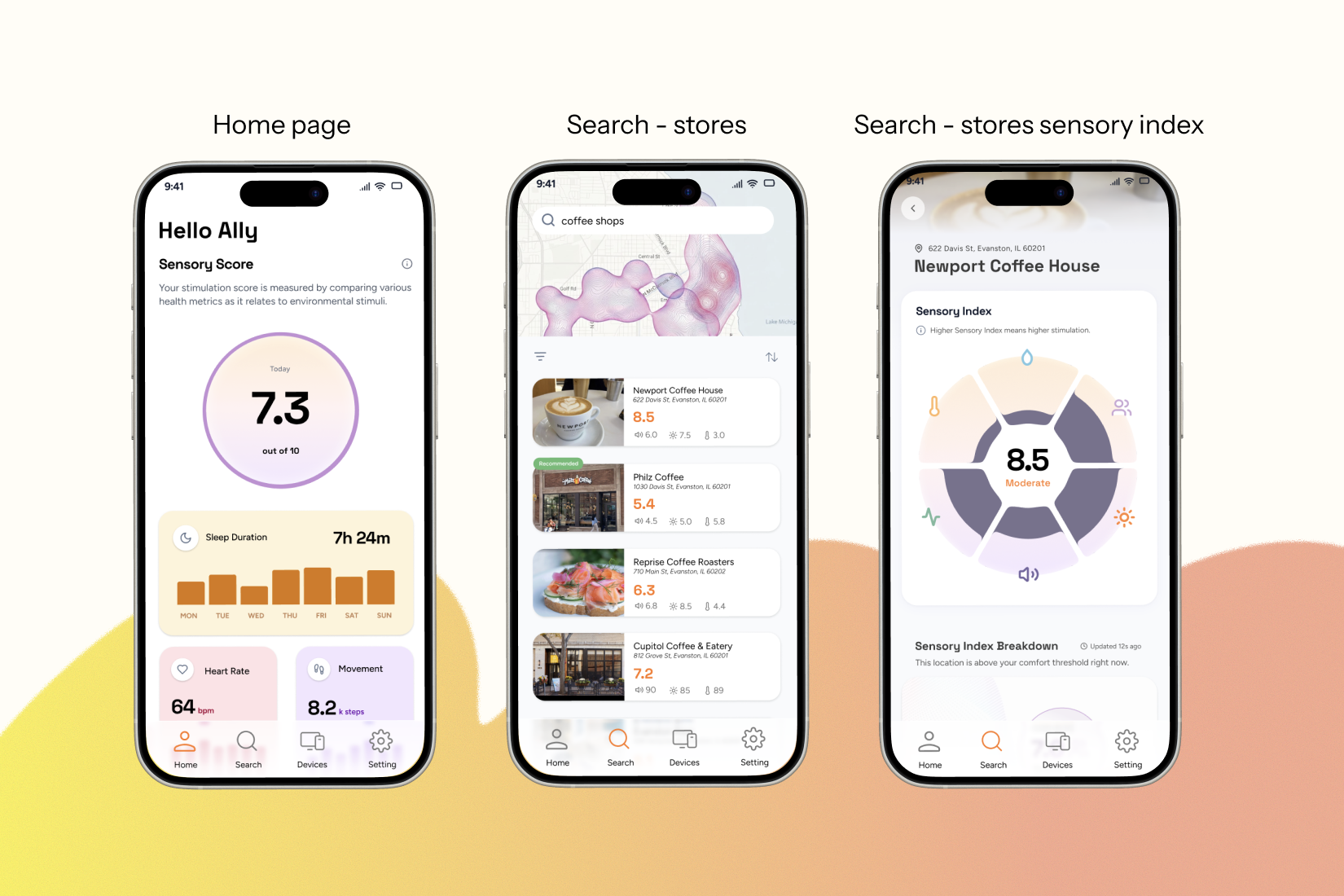
Sensa Prototype Overview (2)
Inspiration
Sensa was inspired by the challenges people with sensory sensitivities face when navigating public environments. Many individuals with conditions such as ADHD, autism, or migraines experience anxiety and fatigue when they are in overwhelming environments, and repeated negative experiences can lead to social isolation.
What It Does
Sensa is designed for adults (18–35) with sensory sensitivities who need to navigate stimulating public environments such as grocery stores, restaurants, and other social spaces.
The system helps users understand and anticipate sensory stimulation before entering a space by combining environmental data with users’ biological signals to generate a sensory index. Based on this information, Sensa provides personalized suggestions and can automatically adjust connected devices such as smart headphones or glasses to reduce exposure to overwhelming stimuli. This allows users to make informed decisions, manage overstimulation, and feel more confident participating in everyday public environments.
What You Learned
AI Prompting and Iteration: We learned how to write appropriate prompts and experiment with different functions in Figma Make to guide the AI towards the anticipated results.
Prioritizing Tasks Under Time Constraints: Working within a short timeline required us to define the most important features and make reasonable design decisions quickly.
Understanding When to Use AI vs. Manual Work: We began to recognize which tasks are more efficient with AI tools and which benefit from human design judgment and skills.
Team Collaboration: We worked closely as a team by dividing responsibilities and coordinating our efforts to deliver a cohesive final product within the limited timeframe.
How You Built the Project
We used Figma Make to outline the app structure and develop the core interface prototypes.
We also used Gemini, ChatGPT, Adobe Suite, and Vizcom to create design assets such as graphics and animations to support the visual development of the project. These tools helped us quickly explore different creative directions and refine the overall product experience.
For the final presentation, we used Figma Slides to design the video layout and CapCut to produce and edit the final video.
Challenges
While creating animation mockups in Figma Make, the 3,000 credits for a single account were used quickly as we experimented with different animation ideas. This encouraged us to explore additional tools, and we continued developing our visuals using Vizcom, which worked well for refining our animation concepts.
Our concept also involved a complex system with the expectation of creating expressive animations, which required time to refine using AI tools. Working within a three-day timeframe during finals week was challenging, but we learned how to make executive decisions on priorities and deliver a functional prototype.
Accomplishments We’re Proud Of
We are proud that we designed a concept with a complete ecosystem, not just a single mobile app. The system connects environmental sensors, wearable devices, and a mobile interface to support users with sensory sensitivities.
This project reflects our interest in social impact and accessibility. By applying ideas from our service design class at university, we were able to think beyond the digital interface and consider how users, environments, and technology work together to improve everyday experiences.
Next Steps
- Validate the concept with users
- Refine the sensory index model
- Improve personalization and accessibility
Built With
- adobe
- capcut
- chatgpt
- figma
- gemini
- vizcome


Log in or sign up for Devpost to join the conversation.