-
Senior SOS
-
Mission
-
How it works
-
Mockup
-
Thank You
Inspiration
We were inspired by the mission to improve the lives of countless members of the elderly/senior citizen community in need of help but are not able to get it quickly due to their physical limitations.
What it does
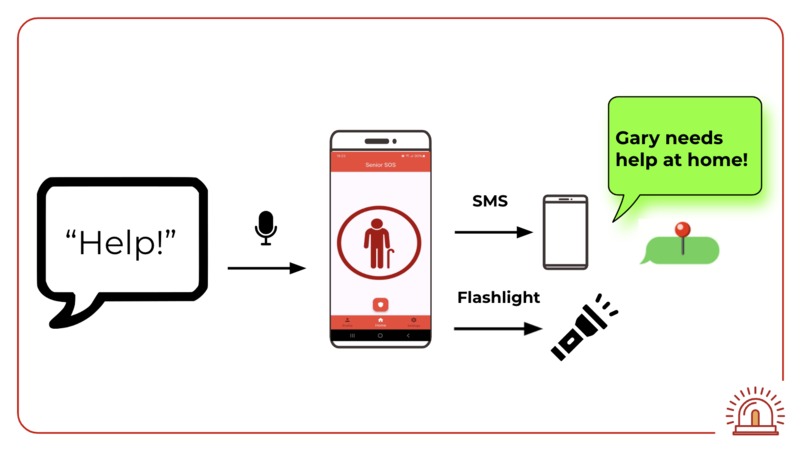
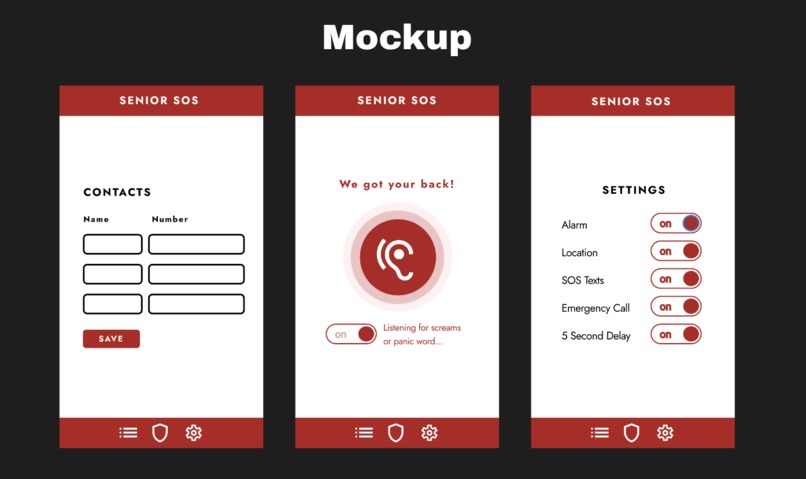
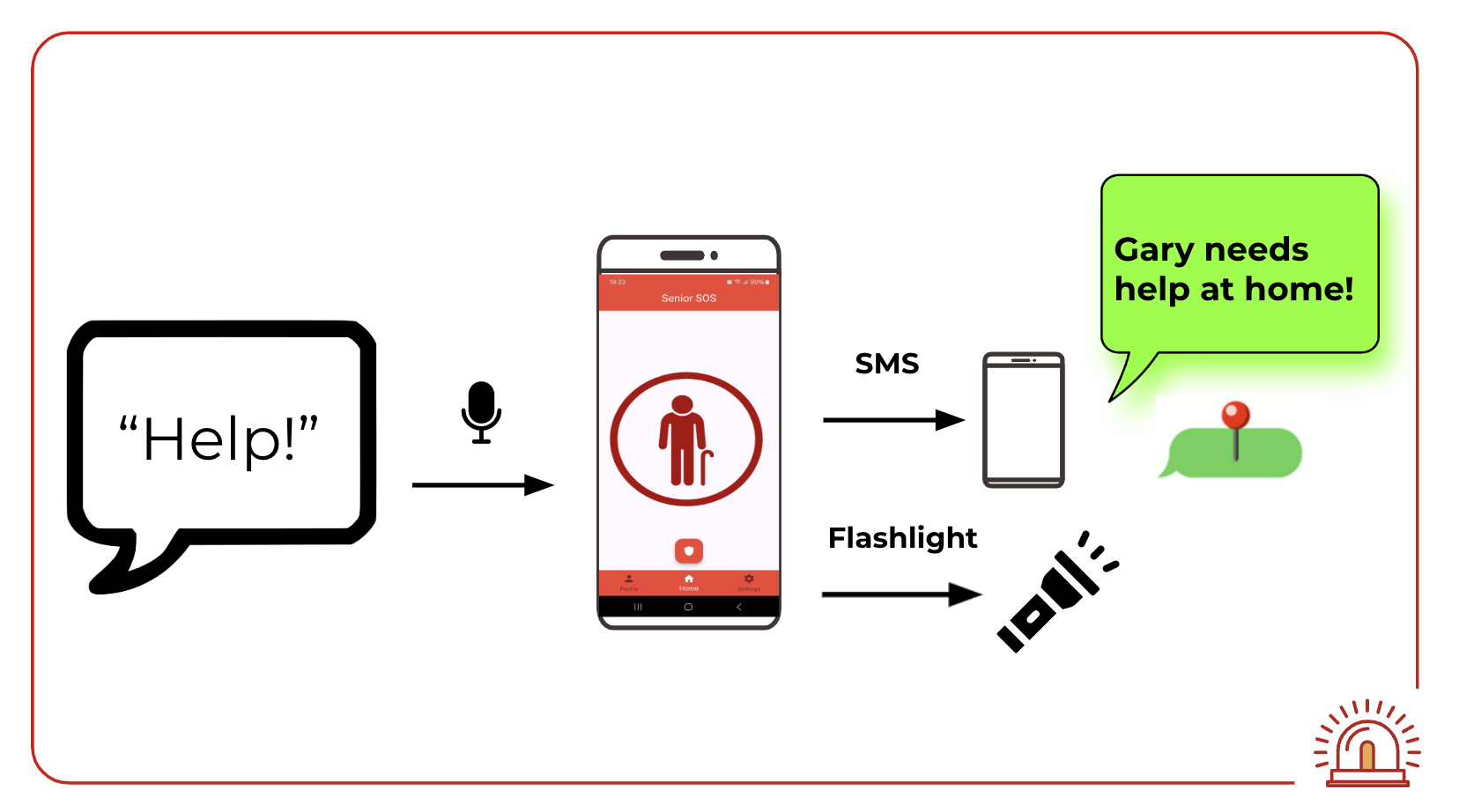
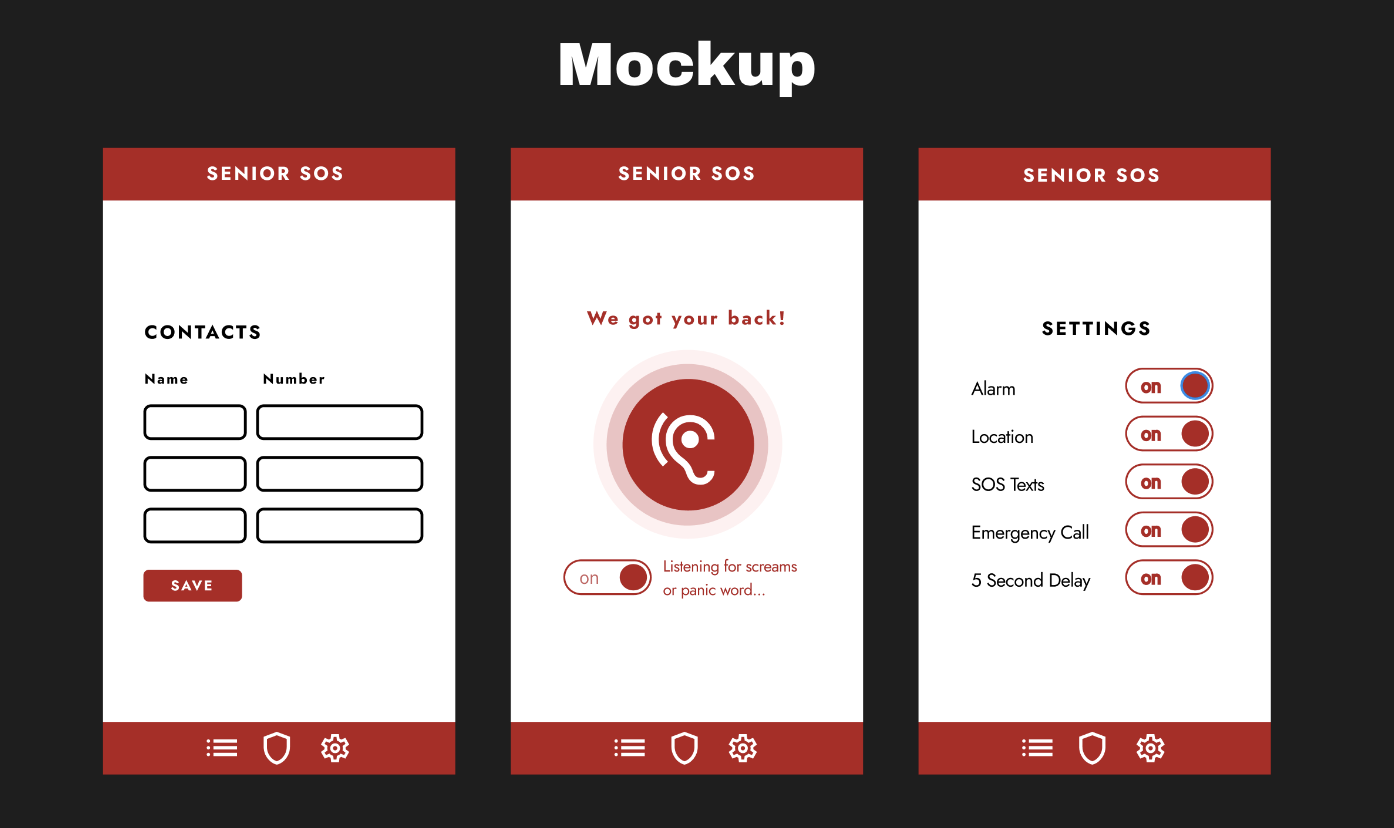
Senior SOS uses speech detection AI to detect the user’s natural responses to falls and cries for help. Upon detection, Senior SOS texts the user’s designated emergency contact with an emergency alert and a Google Maps navigation link to the GPS location of the user.
How we built it
We first started building Senior SOS with Picovoice Porcupine Wake Word as our choice of speech detection AI. We trained a model to listen for the phrase "I can't get up!" to demonstrate our app's ability to detect the user’s natural response to dangerous scenarios. Then, we used the Flutter SDK to develop a mobile application compatible with Android and iOS devices from a single codebase, alongside several popular Flutter dependencies to access the user’s contact list and send SMS messages. Finally, we used Google Maps to pinpoint the user’s location and generate a navigation link to send to their emergency contacts.
Challenges we ran into
Our greatest challenge was perfecting the speech detection model to accurately pick up the user's calls for help in any situation. There were many scenarios our app had to take into consideration before we even started training our model. With attention to every detail, we trained the model to mimic a common natural response to a fall: “I can't get up!” with the precise similarity threshold for the most accurate emergency detection.
Towards the end, we had some compatibility issues between importing phone numbers from the user’s contact list and sending SMS messages to these numbers. The Flutter dependency we used for importing contacts saved the phone numbers of these emergency contacts with the usual formatting of parentheses around the area code and dashes between the exchange code and the line number. The Flutter dependency we used to send texts, however, only accepted phone numbers without any of this formatting. We worked around this by first importing the user’s contacts, then used Regex to remove all nonnumeric characters from the phone number, and then added the number as a recipient.
Accomplishments that we're proud of
Our greatest accomplishment is creating a faster and more accessible emergency contact solution that goes against the use of branded activation phrases and an overdependent reliance on physical user inputs. Senior SOS puts users first, that’s why we opted against using a branded voice-activation system to detect dangerous scenarios. We expect that most senior citizens in their time of need wouldn’t have the capacity or quick thinking to use branded activation phrases, such as for Siri or Alexa.
As a hands-free solution, Senior SOS works well in scenarios where users may have lost ability to make physical user inputs, such as broken arms, and for users with pre-existing conditions, such as paralysis or Parkinson’s disease, making Senior SOS more accessible than solutions that rely on physical inputs.
What we learned
We learned that time is of the essence in saving a life. Every second counts in an elder's time of need, and the ability to call for help with just the sound of your voice without wasting time to try to remember which specific phrase activates the emergency alert can make the difference if help will arrive in time. With Senior SOS, elders can call for help as soon as they are in danger, for help to come faster.
What's next for Senior SOS
Senior SOS holds the capability to expand and scale to add more features such as calling the user's designated emergency contact to establish a direct line of communication between the user and a loved one. Additionally, all of the data used by Senior SOS is stored offline to maximize usability, even when disconnected from the internet. However, in an ever-connected society, Senior SOS can take advantage of server-side storage to backup user data in cases where the main device is replaced or upgraded.
Built With
- dart
- flutter
- google-maps
- picovoice


Log in or sign up for Devpost to join the conversation.